-
-
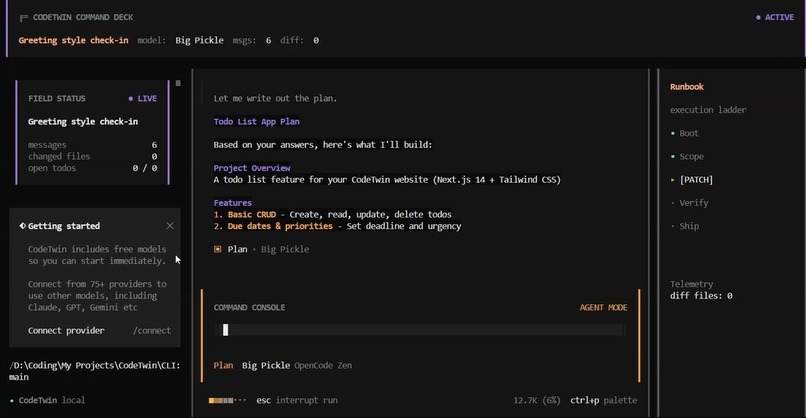
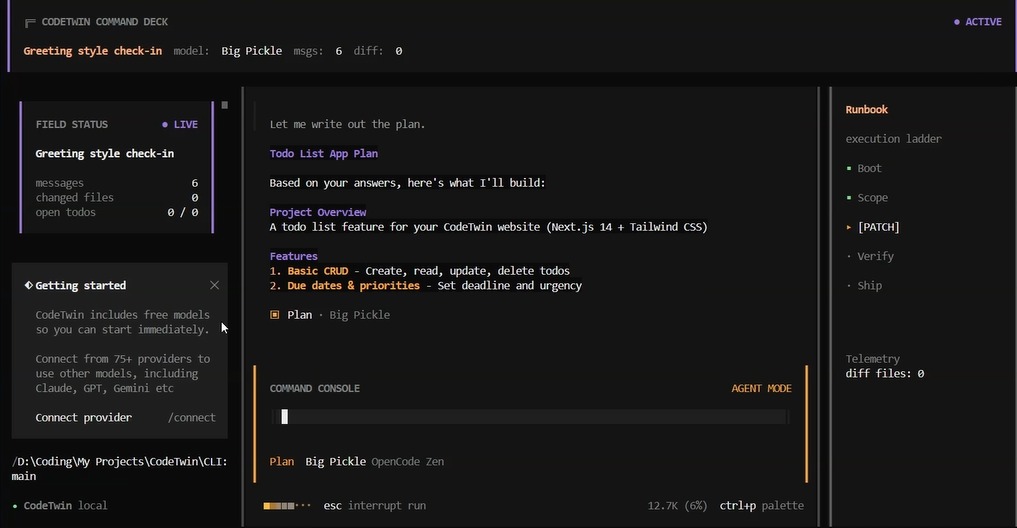
CLI Interface
-
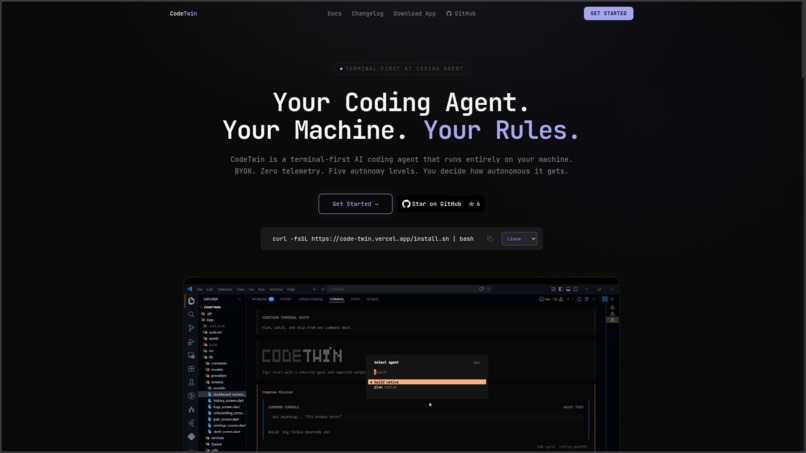
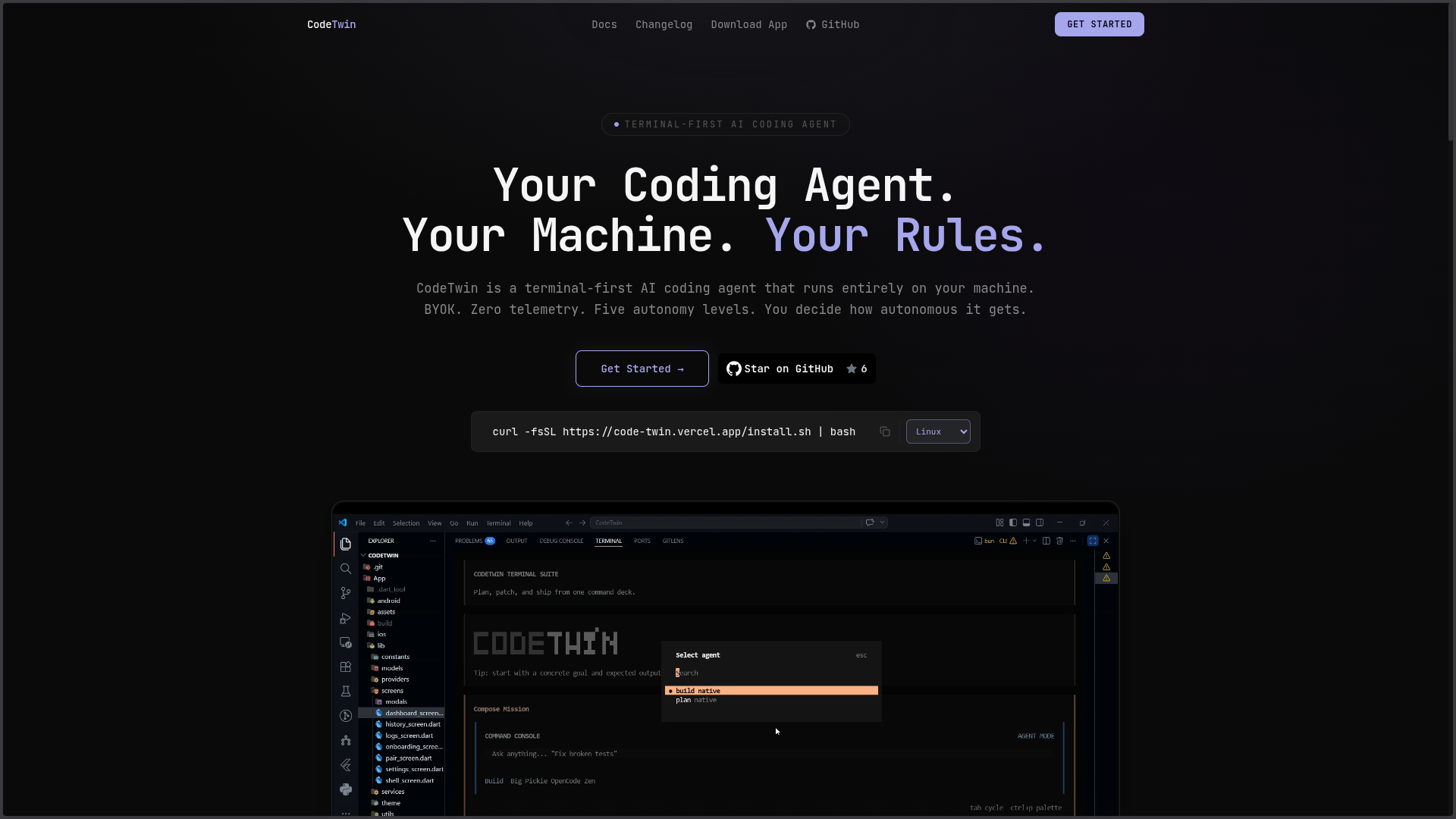
Web
-
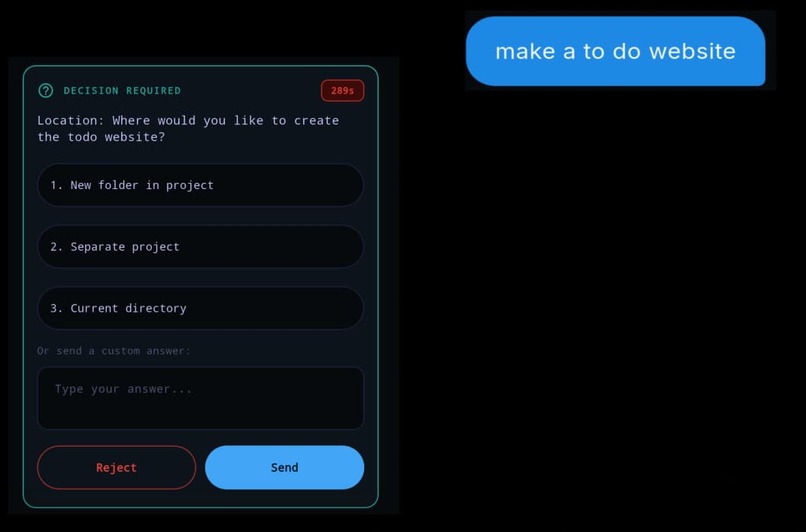
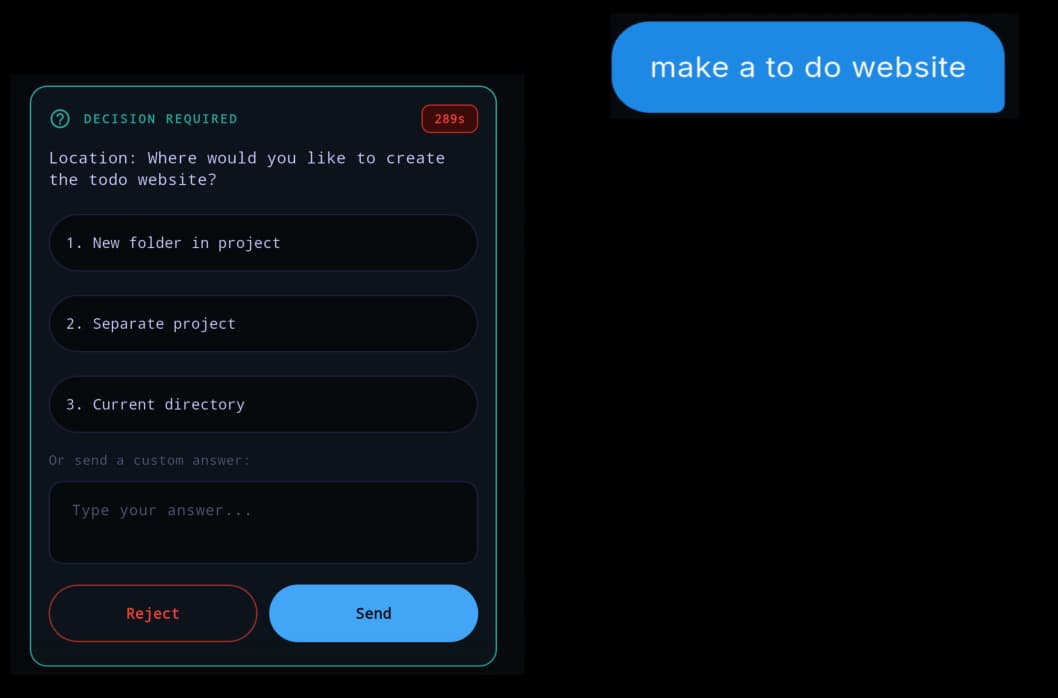
App Interface
-
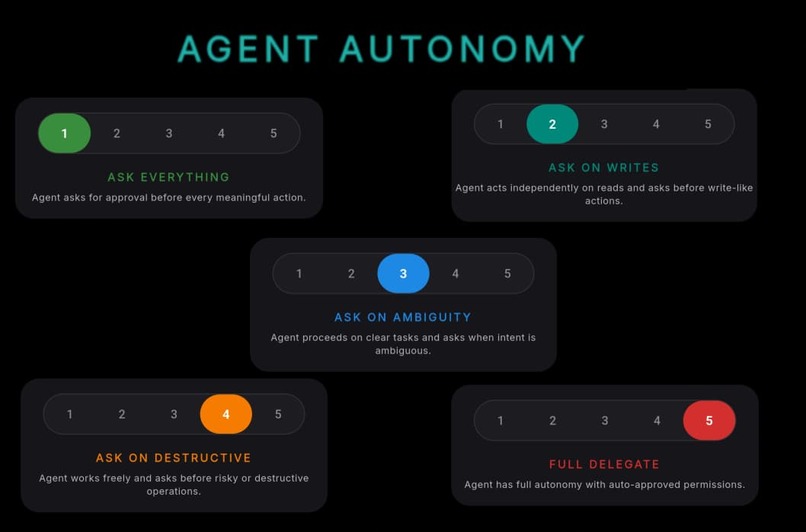
App Features
Inspiration
Honestly, I got tired of cleaning up after AI tools.
I've used Cursor, Claude Code, Copilot all of them. And they're impressive, genuinely. But there's this specific thing that keeps happening: you give it a task, you look away for a minute, and when you come back it's already done four things you didn't ask for. Refactored something it shouldn't have touched. Installed a library you explicitly decided against three weeks ago. Overwrote a function that was fine.
And the worst part is it's always confident about it. No hesitation, no "hey is this okay?" just done.
I work on a startup project alongside my university work, and I can't afford that kind of mess. When something breaks at 11pm because an AI filled a gap with its best guess, that's on me to fix, not the tool. After the third time that happened I stopped using these tools for anything important and just used them for boilerplate. Which felt like a waste.
So I started thinking what if the tool just... asked? Not for everything, that'd be annoying. But for the things that actually matter. What if I could tell it how much I trust it on a given day, for a given task, and it would actually respect that?
That's where CodeTwin came from.
What it does
CodeTwin is a coding agent that runs in your terminal and actually listens to you.
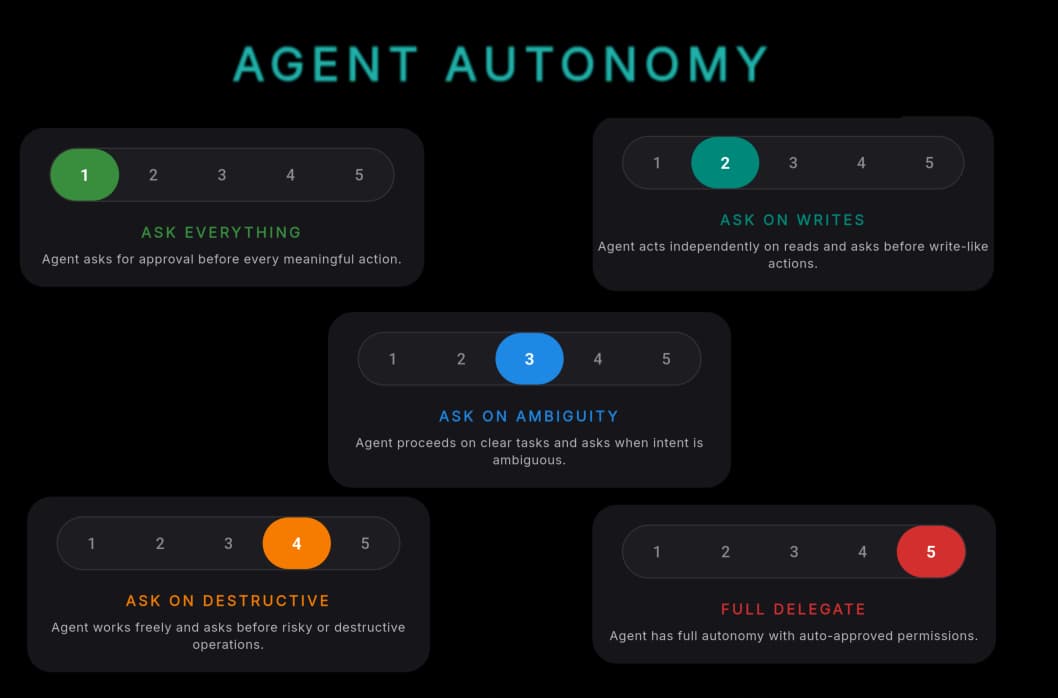
The main idea is a dependence dial you set it from 1 to 5 before you start working. At 1, it asks you before touching anything. At 5, it goes and does the whole thing and reports back when it's done. Everything in between has specific rules: what needs approval, what can just happen, what gets flagged. You control it, it doesn't control you.
Before any write, delete, or shell command runs, it shows you a pre-flight map which files it's about to touch, which functions get affected, what commands it wants to run, and why it chose this approach. You approve it or you don't. Nothing happens to your codebase without that.
It also keeps a twin memory for each project. Every significant decision you make gets recorded what you chose, what you rejected, why. If you said "don't use lodash" three sessions ago, it remembers that. If you picked REST over GraphQL for a reason, it knows that and won't suggest GraphQL again unless you ask. The longer you use it, the more it actually knows your project.
And then there's the remote side you can connect from your phone when you're not at your machine. Submit a task, set how many times it's allowed to interrupt you, and let it work. It queues decisions above a certain complexity and gives you a summary when you're back. Your code stays on your laptop the whole time, the phone just talks to it.
How we built it
The stack is TypeScript on Bun, with React Ink for the TUI. For the LLM, we went with a bring your own key model you plug in whatever provider you use. We also ship a free tier through OpenRouter so people can try it without any setup.
The architecture splits into two pieces a local worker and a remote broker. The worker handles everything that touches your code: spawning processes, running commands, file operations. The broker handles connectivity: routing, device pairing, job state, event fanout. One job each.
Transport uses three channels HTTP for control APIs, WebSocket for real-time events, and SSE for streaming and replay. SSE specifically because both the TUI and mobile need the same structured event stream text, tool calls, reasoning steps and it handles catch-up cleanly when a client reconnects.
The TUI supports interactive terminal mode alongside the event stream, so slash commands and tab controls work without the two modes stepping on each other. Took some careful handling to get right.
Before any of this I went through OpenCode's source for the agent loop, permission interception, and server structure didn't use the code, but understanding how a production agent is wired saved a lot of wrong turns.
Verified everything end to end with smoke tests: create a job, stream events, send input mid-stream, terminate cleanly. If any layer breaks, that sequence catches it immediately.
Challenges we ran into
The remote access problem was genuinely annoying to figure out. I wanted the phone to talk to the laptop with no meaningful third-party involvement, but the moment your phone is on mobile data and your laptop is behind a router they just can't see each other. That's just how NAT works. I had to accept a minimal signaling server to broker the initial connection, but I designed it to be a pure matchmaker: it pairs the two sockets, forwards messages verbatim, and never touches the actual content. The code and tasks never leave your machine.
The other hard part was designing exactly when the agent should pause and ask. Too often and it becomes annoying faster than it becomes useful. Too rarely and it's just Cursor with extra steps. Most tools seem to never actually decide this they just ship and tune. Writing explicit rules for every tool at every dependence level forced a precision I didn't expect to need, but it's what makes the thing feel predictable.
The pre-flight map was tricky because I needed the agent to describe what it's going to do before doing anything not just execute and show a diff. Getting consistent, structured output for that required careful prompt design and Zod validation at every parsing step because the LLM would sometimes return things in slightly different shapes.
Accomplishments that we're proud of
Getting the pre-flight map to actually feel useful, not just like an extra confirmation dialog. When it works well, it reads like the agent is thinking out loud "here's what I'm about to do, here's why, does that make sense to you?" That's the interaction I wanted from the start and it took a while to get right.
The twin memory holding up across sessions. The first time I ran a session, said "don't use axios, use fetch", closed it, started a new session days later and the agent just... already knew that felt like it was working.
Building something where the philosophy is actually visible in how it behaves. It's easy to say "the tool respects the developer." It's harder to build something where every interaction actually demonstrates that. I think we got close.
What we learned
Honestly the biggest thing: the LLM is not the hard part. Integrating Groq took a few hours. The hard parts were the memory schema, the session isolation, the pre-flight generation, the dependence level contract. The intelligence of the tool depends almost entirely on the quality of context you give it and the precision of the rules it operates under. A well-structured system prompt with accurate twin context consistently beats a smarter model with no context.
I also learned that making a pause feel good is a real design problem. An agent that interrupts you badly is worse than one that doesn't interrupt at all. The pre-flight map works because it gives you enough information to say yes or no in ten seconds. If it made you think for a minute every time, you'd turn it off.
And this sounds obvious in retrospect I learned that constraints are more valuable than suggestions. Knowing what a project cannot do narrows the solution space faster than any amount of positive context. The constraint memory in the twin layer ended up being more useful than I expected when I first designed it.
What's next for CodeTwin
First thing is GitHub and Slack integration so you can push, open PRs, and get task updates without leaving the workflow. That's the most immediately useful thing missing right now.
After that I want to build out the causal decision graph properly right now it stores the data, but I want to visualize it in the TUI so you can actually see how decisions in your project connect to each other and what breaks if you reverse one.
Longer term, failure pattern memory when a build breaks or tests fail, the agent logs a structured postmortem and over time starts recognizing patterns specific to how you tend to introduce bugs. That's the version of the twin I'm most excited about building.
The remote delegation piece also needs a proper mobile app. Right now it's functional but rough. A clean React Native app that lets you manage tasks, approve decisions, and read summaries from your phone is the thing that would make the whole remote workflow feel complete.
Built With
- ai
- api
- cpp
- dart
- express.js
- flutter
- typescript


Log in or sign up for Devpost to join the conversation.