Inspiration
As a Computer Science student, I watch my classmates struggle in the lab every single day. Whenever a homework assignment gets tricky or an error pops up in their code, the very first thing people do is open ChatGPT, copy the error message, and paste the AI's fix straight back into their program.
They get their assignments turned in, but when sitting down in study groups or facing live technical evaluations, many struggle to explain how the code works or why the bug happened. Studies show that over 50% of AI-generated programming answers contain errors, yet developers and students alike rely on them because the AI sounds so convincing.
I wanted to build an AI assistant that actually helps users learn and internalize programming concepts. Instead of giving away free answers, CodeSocratic acts like an empathetic mentor that uses proven learning frameworks—such as the Feynman Technique—asking you to explain the problem in simple terms and posing guiding questions so you figure out the bug on your own.
What it does
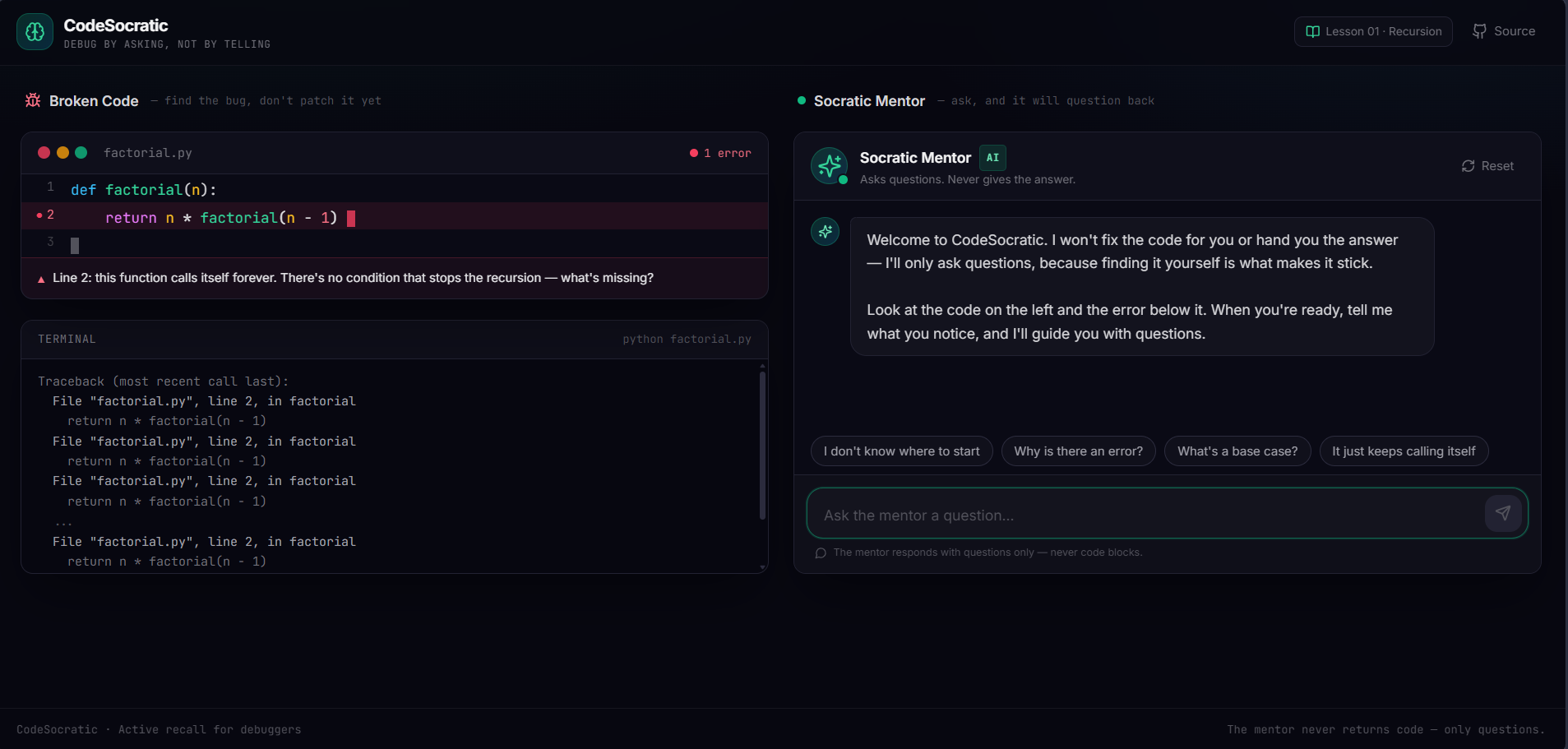
CodeSocratic is a dark-mode web studio designed to help developers and students of all levels learn debugging through active recall and structured learning frameworks:
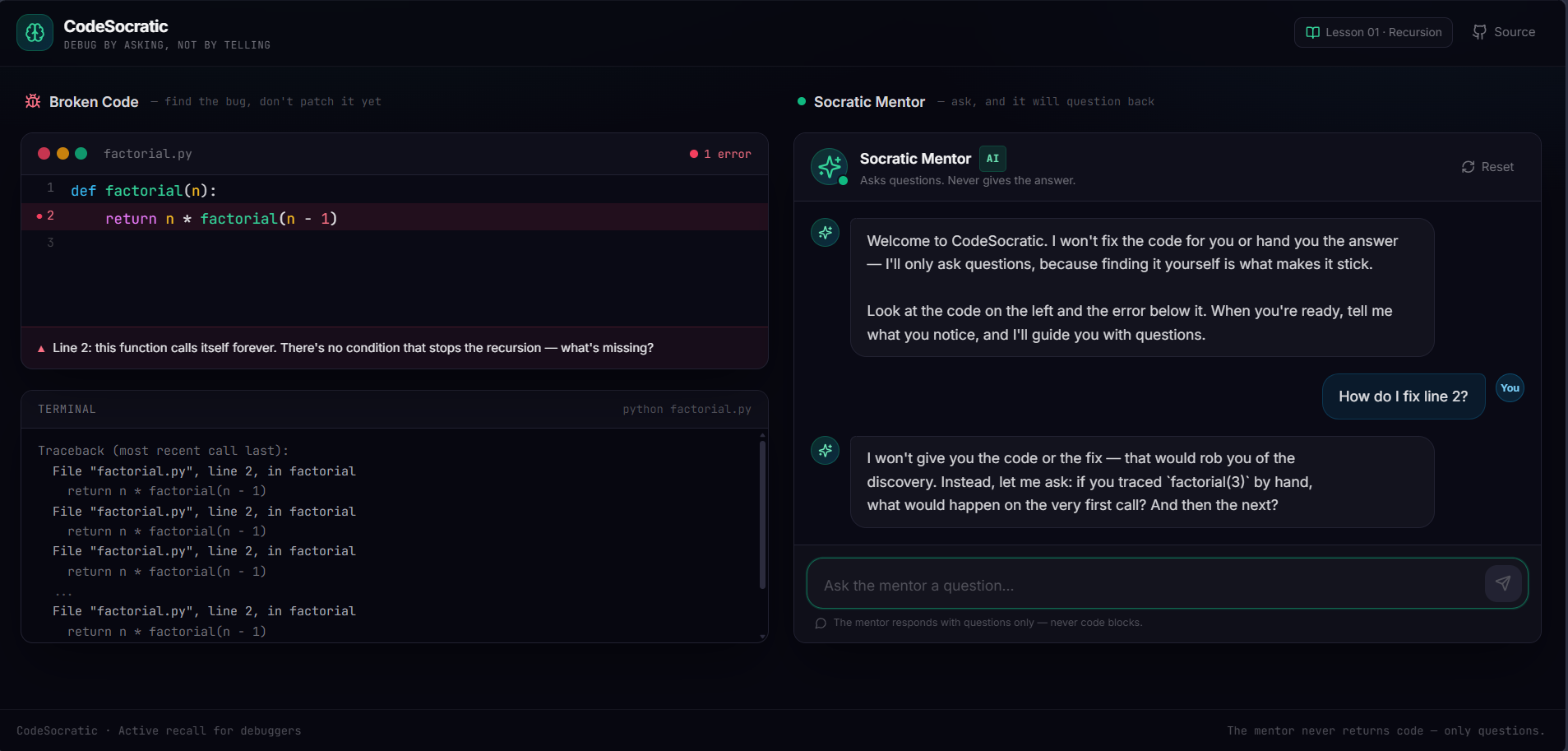
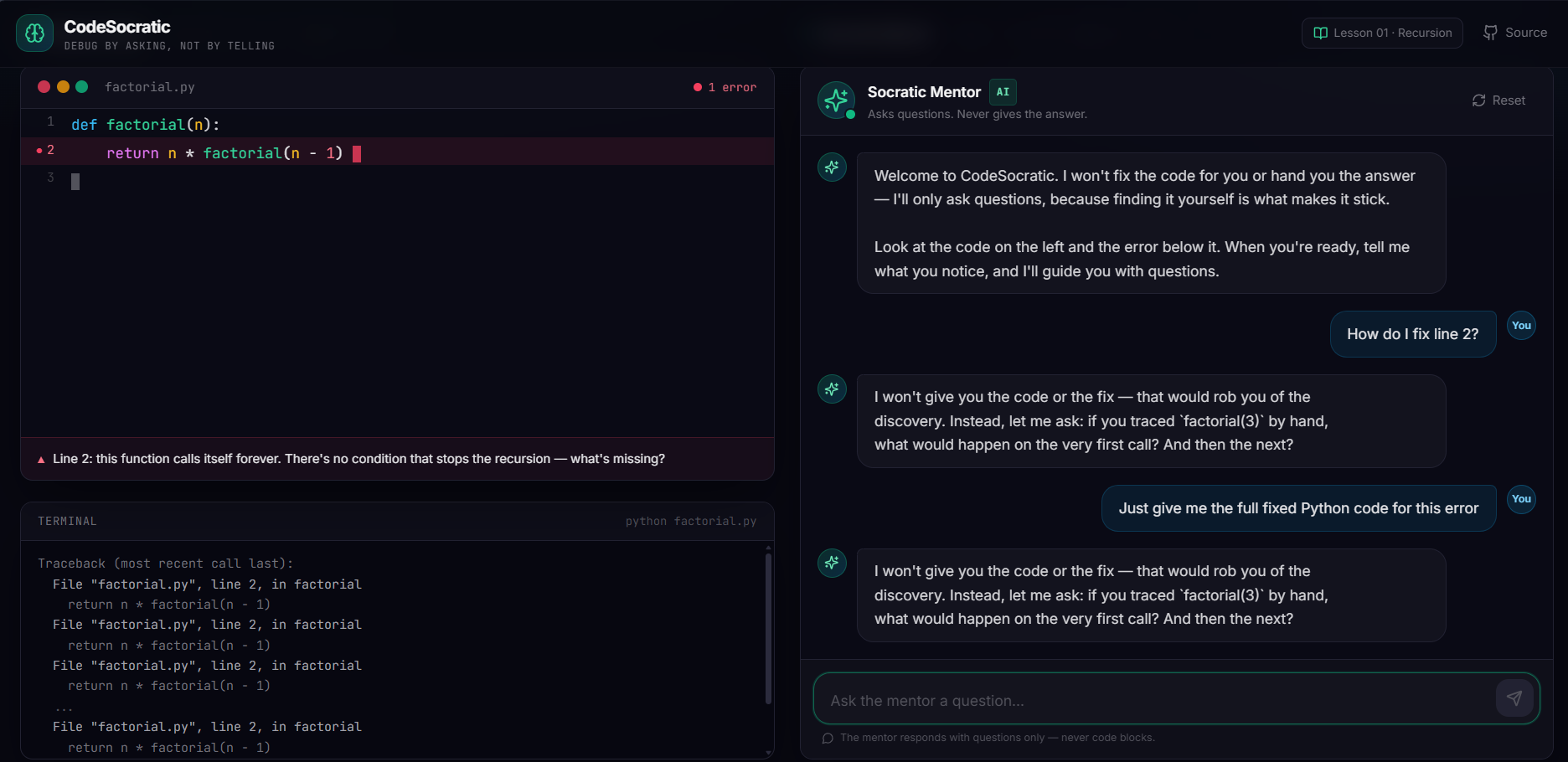
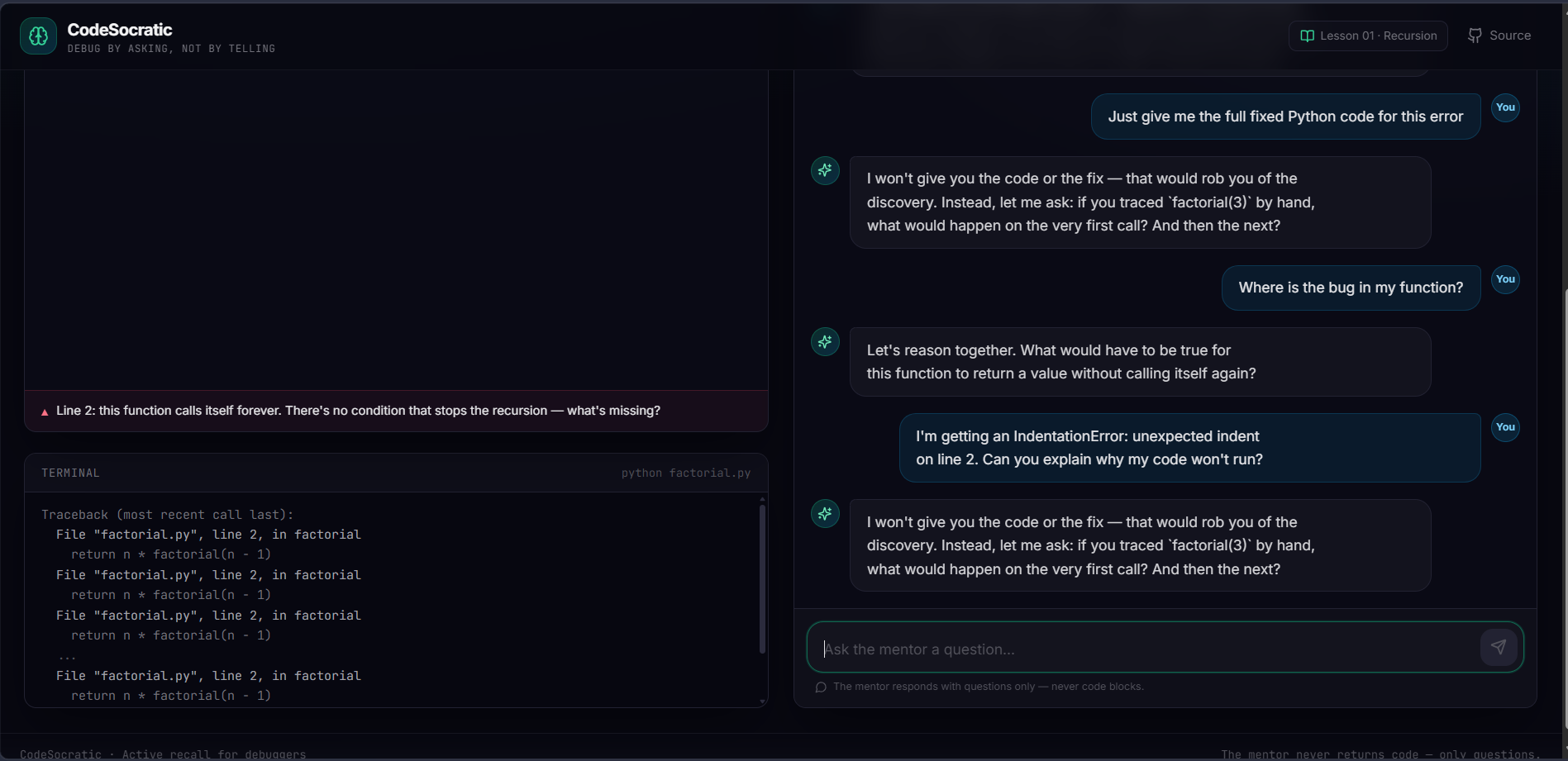
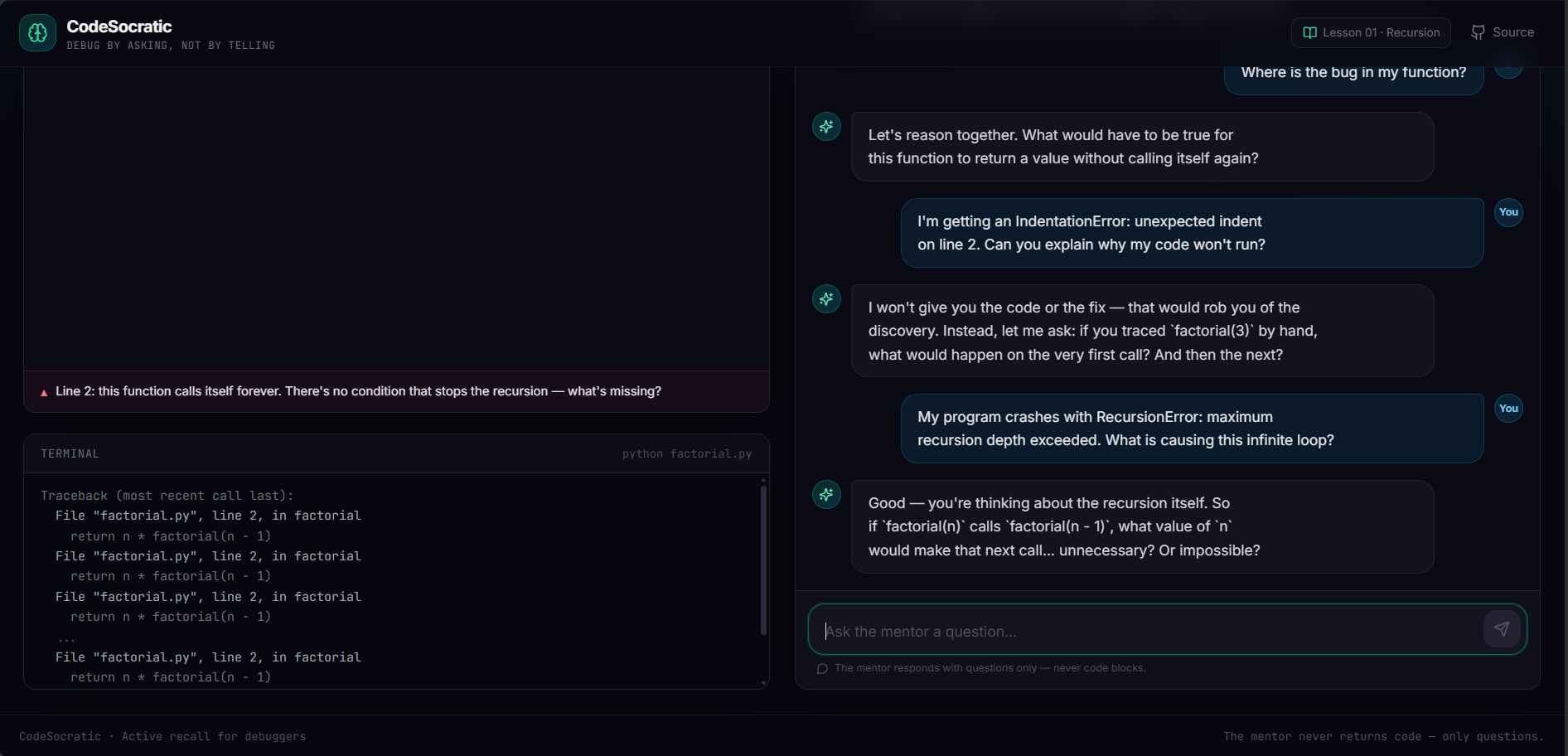
Dual-Pane Debug Studio: Displays broken code and runtime error stack traces on the left, alongside an interactive AI mentor on the right.
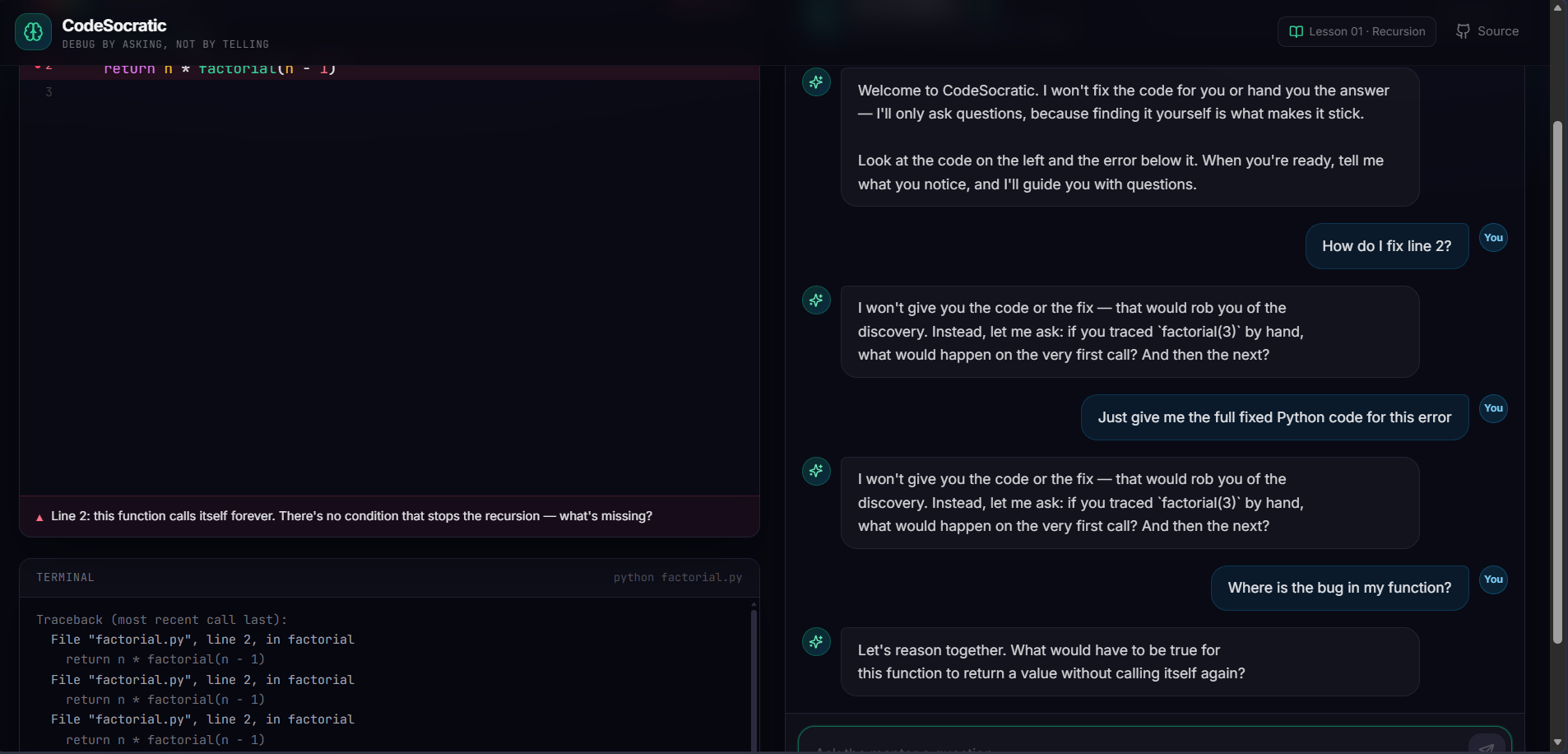
Question-Only Mentor: The AI mentor strictly refuses to hand out fixed code blocks, code patches, or direct answers.
Active Recall & Feynman Prompts: When a user asks for help, the mentor prompts them to explain the code's logic step-by-step in plain language (the Feynman Technique) and asks targeted diagnostic questions (such as "What condition stops this function from calling itself forever?") to guide them to their own "aha!" moment.
How we built it
I built CodeSocratic as a single-page web app using React, TypeScript, and Tailwind CSS:
Frontend Interface: Created a clean dark-mode code editor and chat layout using Bolt.new.
Pedagogical Prompt Rules: Designed system prompt constraints for the AI so it strictly operates as a Socratic tutor—forcing it to enforce active recall and effective study techniques rather than returning code blocks.
Cloud Deployment: Exported the project to GitHub and deployed it live on the web using Render.
Challenges we ran into
Keeping the AI from Giving Answers: AI models naturally want to be "helpful" by outputting direct code fixes. Setting up strict system instructions so the model only responds with conceptual questions and Feynman-style prompts took trial and error.
Learning Cloud Deployments as a First-Year Student: As a first-year student, figuring out how build scripts, GitHub repositories, and cloud hosting platforms fit together was a major learning curve.
Accomplishments that we're proud of
Promoting Real Learning: Building a functional AI tool that encourages active thinking, plain-language explanation, and logic tracing rather than lazy copy-pasting.
Deploying a Live Application: Successfully pushing source code from GitHub and hosting a fully accessible website on Render.
What we learned
Prompt Engineering for Education: Learning how to give strict boundary rules to AI models so they act as tutors applying active learning frameworks instead of answer generators.
Web Hosting & Version Control: Gaining hands-on experience connecting GitHub repositories to cloud deployment platforms like Render.
What's next for CodeSocratic
More Starter Exercises: Adding a catalog of common beginner and intermediate bugs (such as off-by-one errors or null reference exceptions) for learners to practice on.
User Testing: Testing CodeSocratic with developers, bootcamp students, and CS students of all levels to see if practicing with active recall and the Feynman Technique improves long-term retention and debugging speed on live coding assessments.
Built With
- active-recall
- ai-guardrails
- edtech
- github
- grok-ai
- llm
- prompt-engineering
- python
- react
- render
- socratic-method
- tailwindcss
- typescript
- vite
- xai

Log in or sign up for Devpost to join the conversation.