-

Craft beautiful code.
-
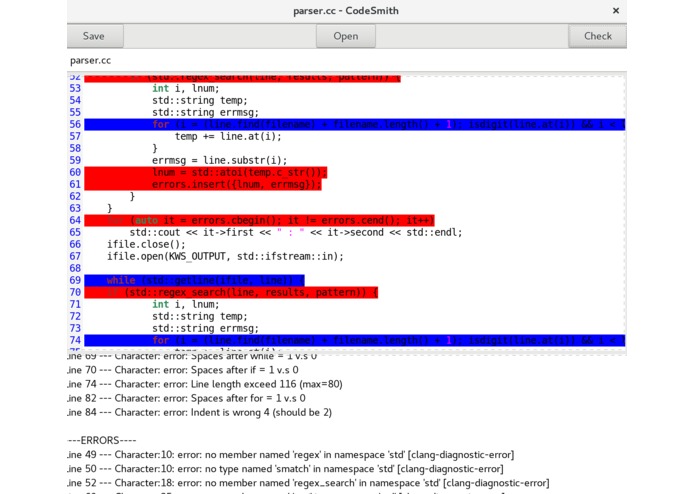
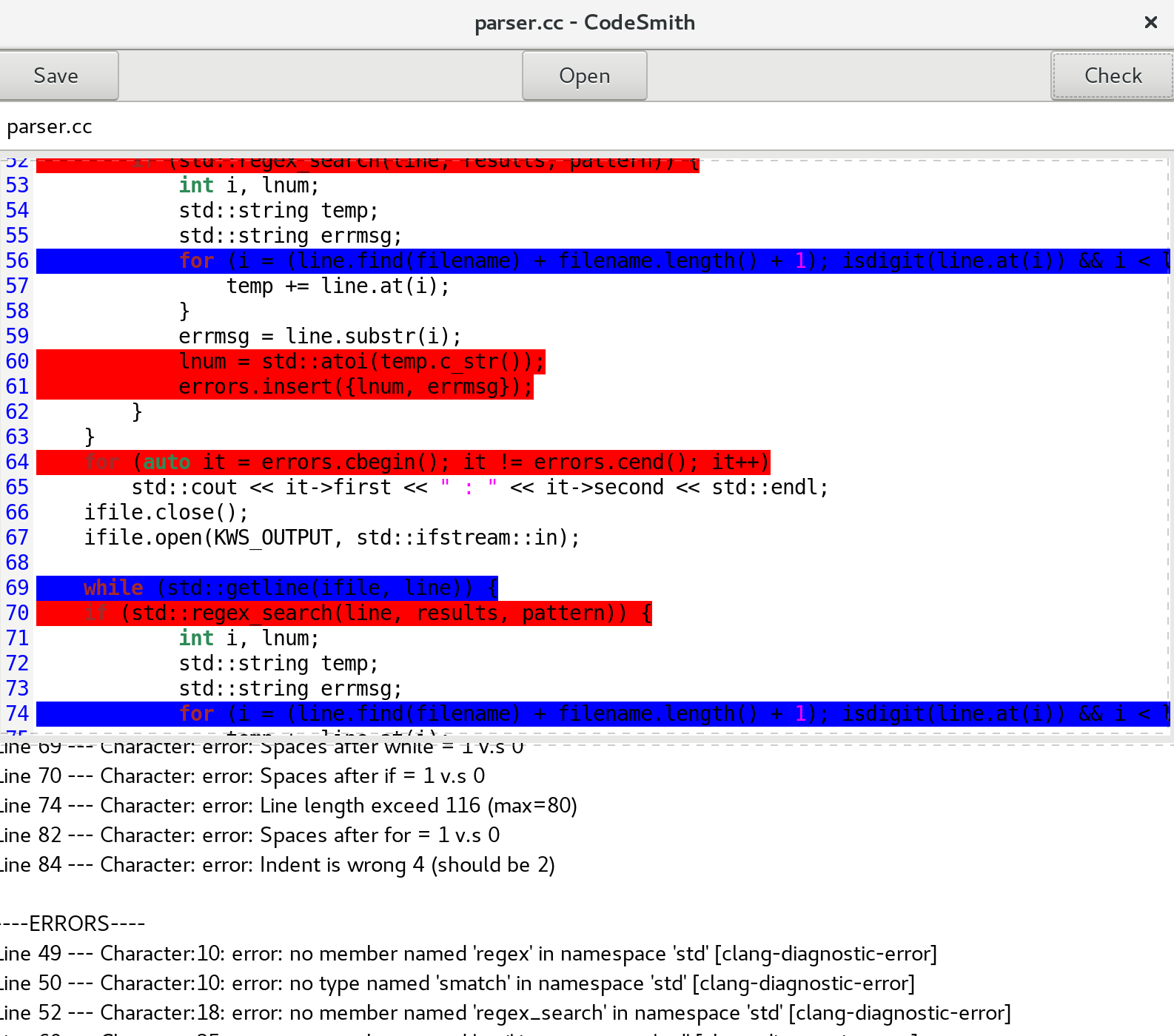
CodeSmith editing C++ source code. Bugs are in red, style/formatting recommendations are in blue. Fixing tips are displayed at the bottom.

CodeSmith
Craft beautiful code.
About
Enterprise-level code requires the highest quality standard. Professional developers must write easy-to-read, clear, well-structured, safe and secure code in order to keep things running smoothly. However, the tools required to do this, such as lint, are all text-based, generating hundreds of useless errors. They work in a non-intuitive, dated fashion. There is a sore need to create a graphical, intuitive programming environment that assists the programmer in writing code with good style and solid security.
CodeSmith does all this and more. It is a graphical, easy-to-use environment that clearly indicates bugs, style issues, readability problems, and better solutions to the user. It is the hub for crafting enterprise-quality software.
Features
CodeSmith is an integrated development environment (IDE) that finds every error that slips past most error checkers and IDEs. The majority of software bugs come from undetected errors like this that are still technically valid code. It also indicates code style issues and provides tips on better code formatting and readability. It does these with a stunning level of accuracy.
For all of these, it provides a clear line-by-line diagnosis in a graphical environment. Undetected bugs are shown in red, and style issues are shown in blue. This is all packaged into an easy-to-use graphical environment ideal for professional programmers. CodeSmith also includes a professional-quality code editor with syntax highlighting and auto-indent.
Technologies used:
CodeSmith is written in C and C++. GTK+ 3 (for GUI), Clang-Tidy, KWStyle libraries used.
Where to go from here:
I'm currently working on adding a UML diagram generator to CodeSmith.
Dependencies
Requires GTK+ 3, KWStyle, clang-tidy, and GtkSourceView 3.

Log in or sign up for Devpost to join the conversation.