-
-
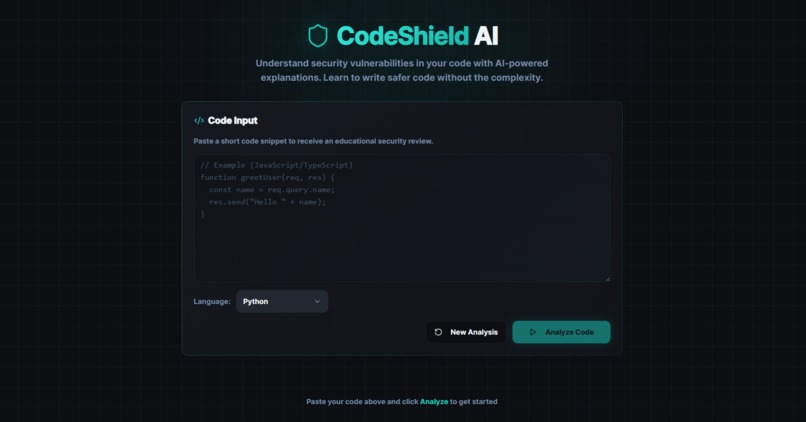
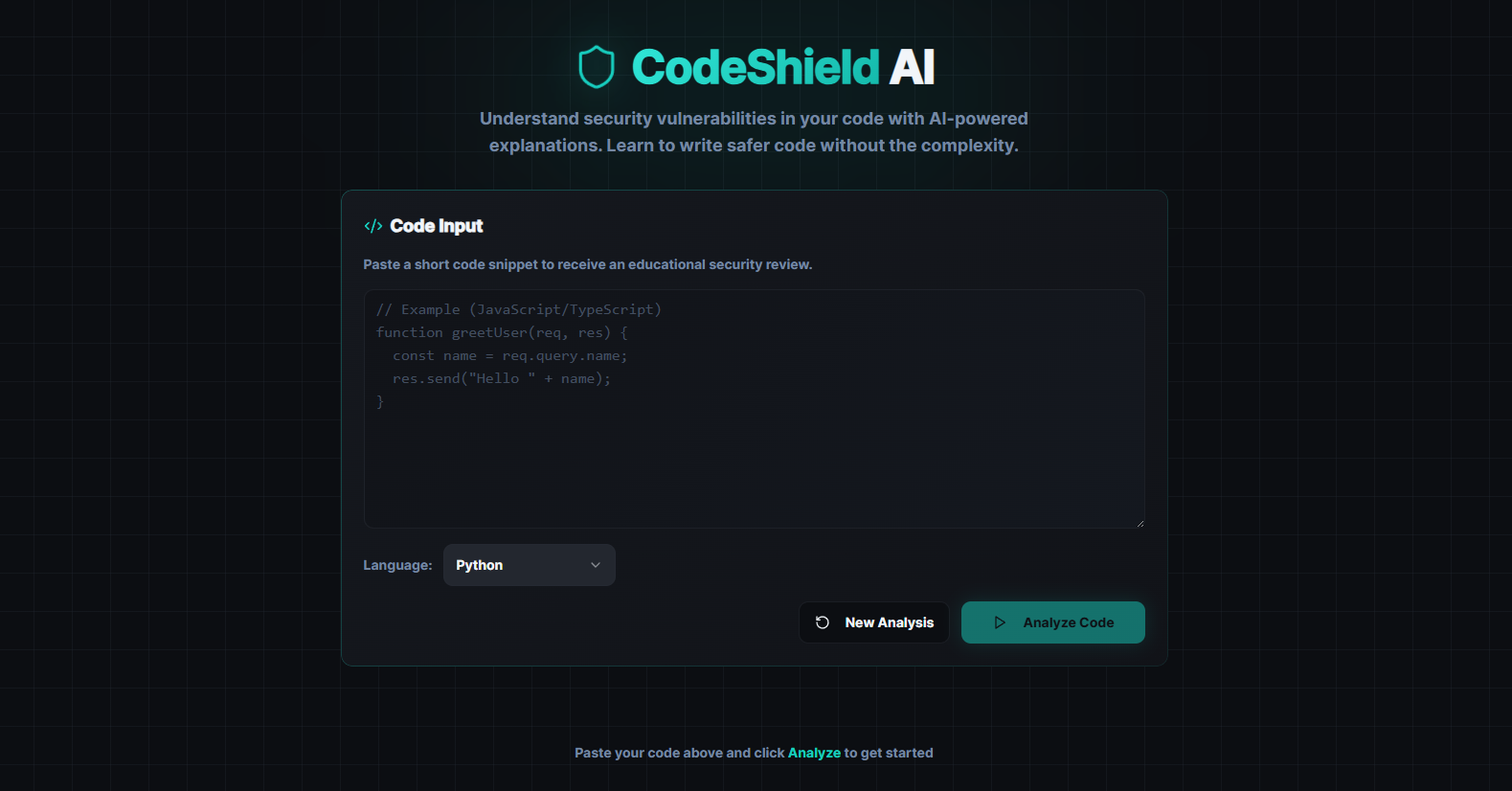
Initial page
-
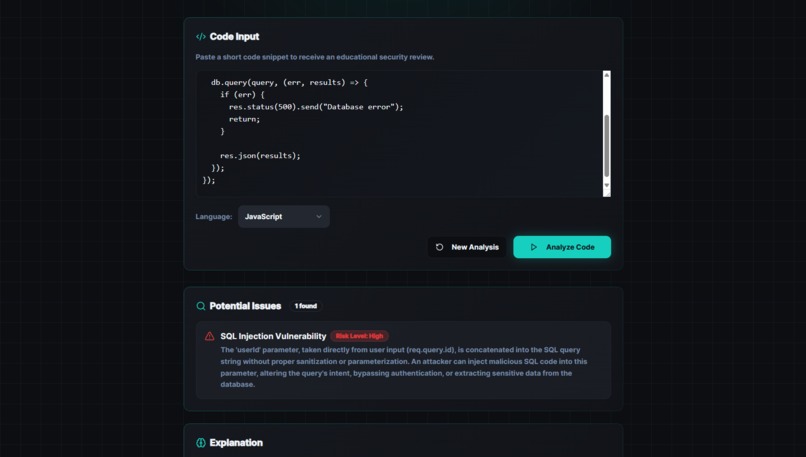
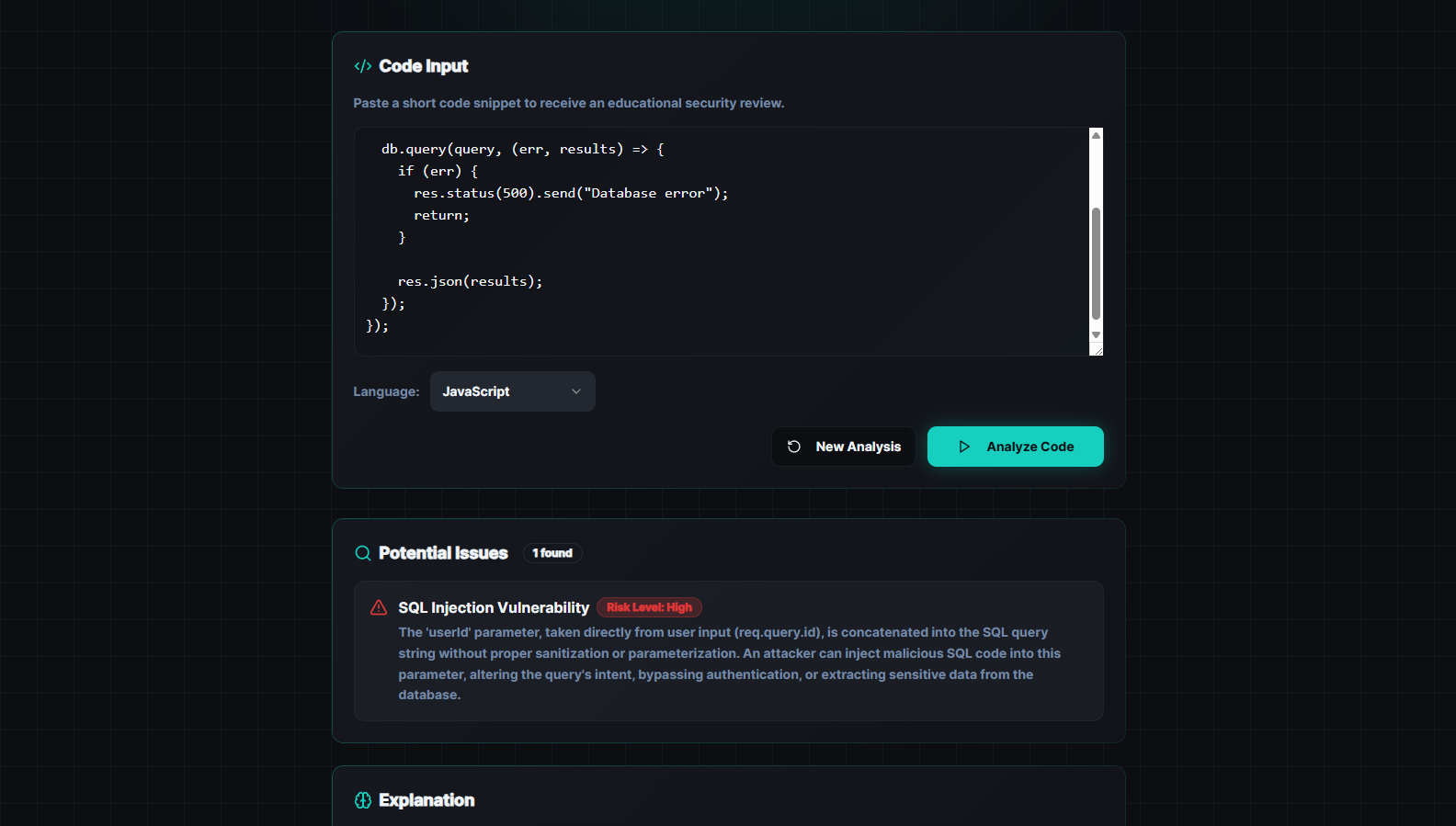
Broken code Anlysis
-
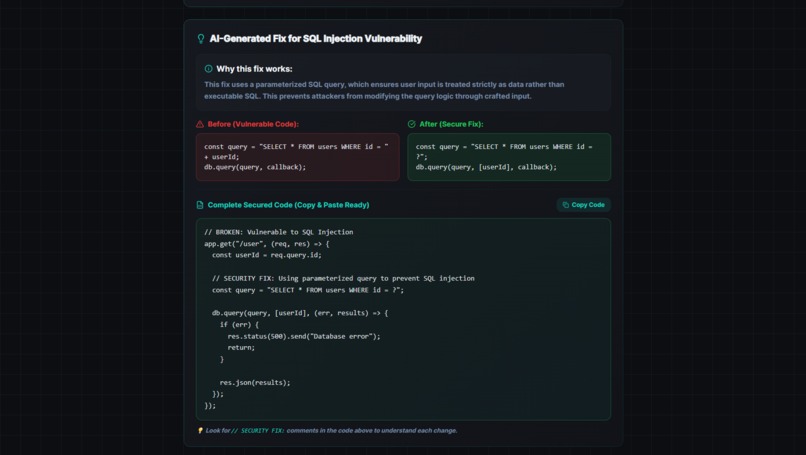
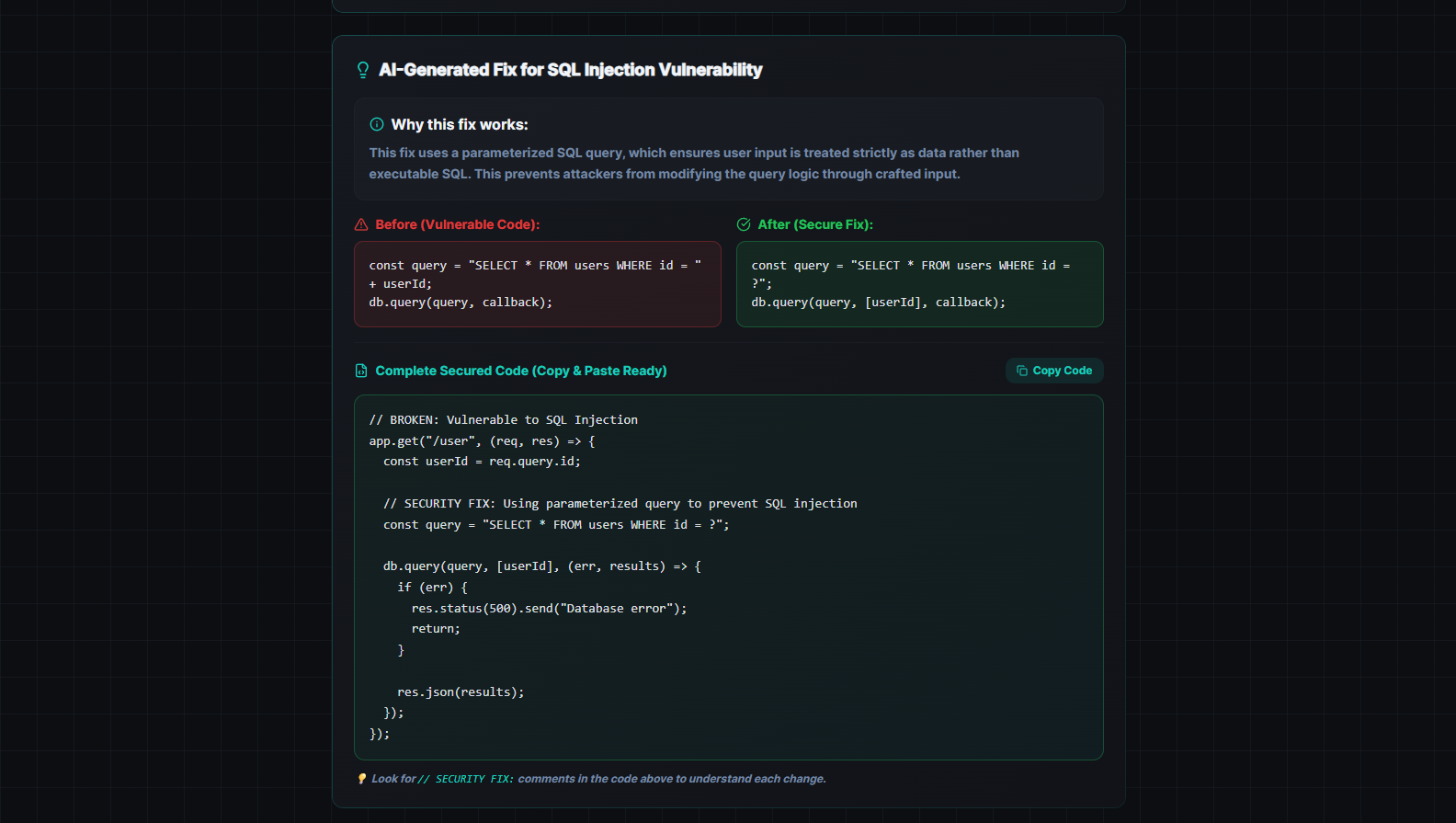
Broken code fix
-
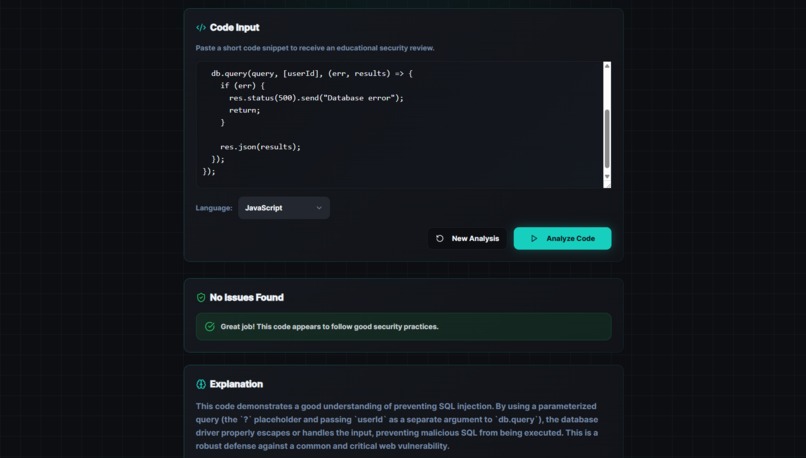
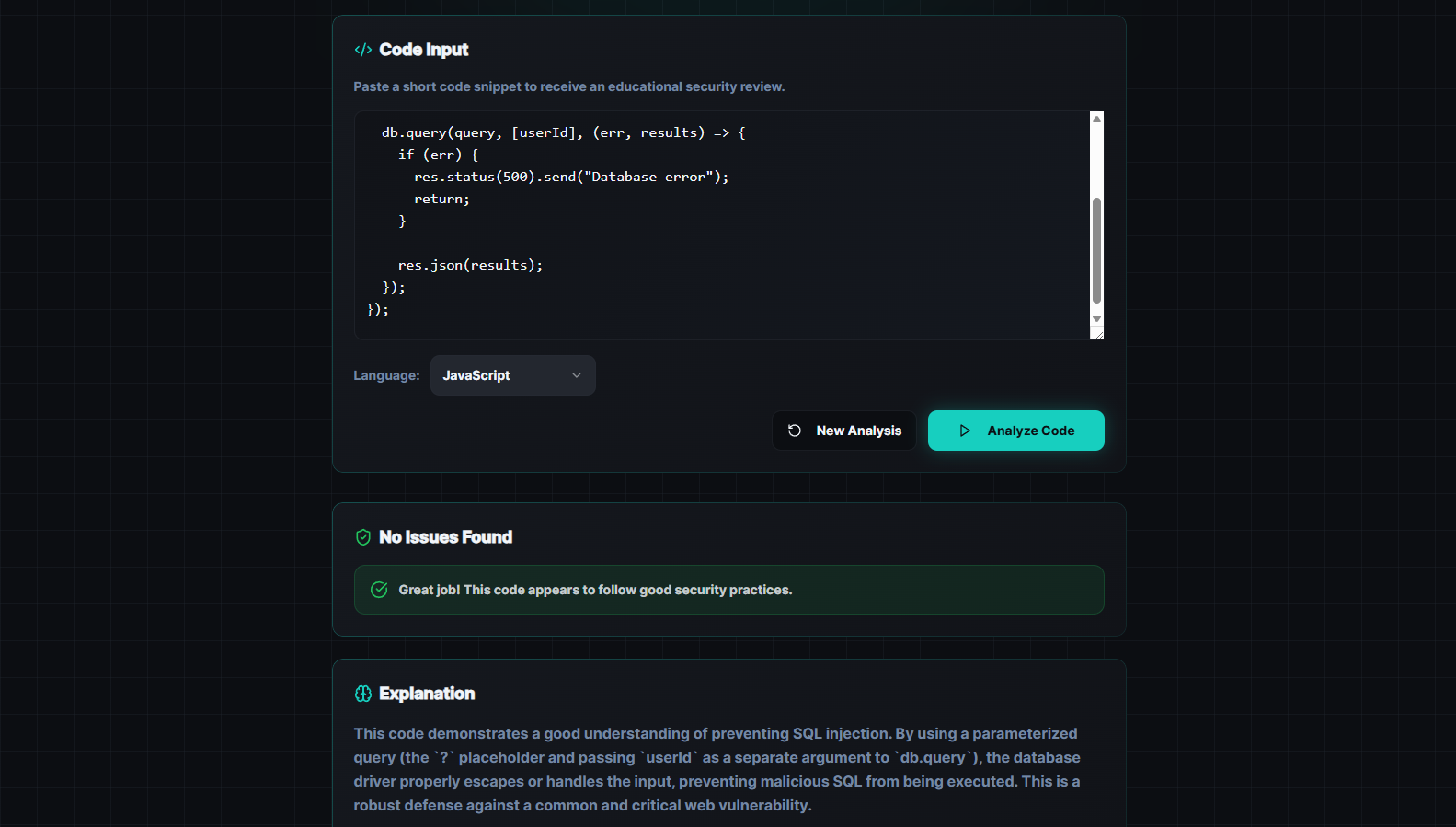
Fixed code Analysis
💡 Inspiration
Modern developers ship code faster than ever — and that speed often comes at the cost of security. Under deadlines, even experienced developers can overlook issues like SQL injection or cross-site scripting. While static analyzers and linters exist, many either overwhelm users with noise or fail to explain why a piece of code is dangerous.
CodeShield AI was built to answer a simple question: What if developers could paste code and instantly understand what’s wrong, why it’s risky, and how to fix it — all in one place?
The goal wasn’t to replace developers, but to support them with fast, actionable security feedback.
🛠️ What It Does
CodeShield AI is a one-page web application that allows developers to:
Paste source code and select the programming language
Automatically detect common security vulnerabilities
Understand the severity and impact of each issue
Receive AI-generated secure fixes
View a fully corrected version of the code with concise, inline explanations
Get clear feedback when code is already secure or when the selected language doesn’t match the input
The focus is on clarity, correctness, and education, not just warnings.
🧠 How I Built It
The application was designed with a minimal, distraction-free UI to keep the focus on the code itself. The core analysis pipeline works by:
Parsing the submitted source code along with the selected language
Analyzing it for known vulnerability patterns
Generating human-readable explanations and severity levels
Producing secure, idiomatic fixes when issues are found
Optionally generating a fully corrected version of the code with targeted security comments
All logic is centralized into a single, streamlined flow to keep response times fast and the user experience simple.
🚧 Challenges I Faced
One of the biggest challenges was balancing depth with simplicity. Security explanations can easily become overwhelming or overly verbose, so we focused on highlighting only the lines that actually changed and only the security decisions that mattered.
Another challenge was avoiding misleading results. The app explicitly detects language mismatches and handles secure code gracefully, ensuring developers aren’t shown false positives or unnecessary fixes.
📚 What I Learned
Security tooling must be educational, not intimidating
Developers trust tools that explain why, not just what
Clear UX matters just as much as correct analysis
AI is most effective when used as an assistant, not a replacement
This project reinforced the importance of building tools that empower developers rather than overwhelm them.
🚀 What’s Next
Future improvements could include deeper vulnerability coverage, optional scan history, and CI/CD integrations. However, the core mission will remain the same:
Help developers write safer code — faster, and with confidence.
Built With
- css3
- eslint
- framer-motion
- gemini
- html
- json
- npm
- postcss
- postgresql
- radix-ui
- react
- supabase
- tailwind
- typescript
- vite

Log in or sign up for Devpost to join the conversation.