-
-
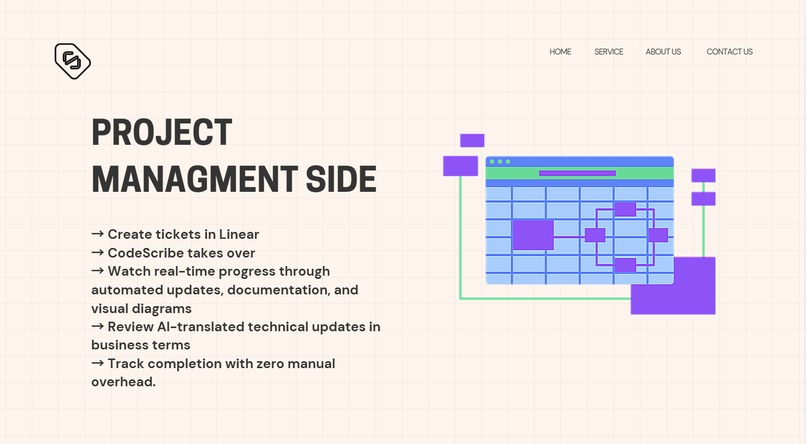
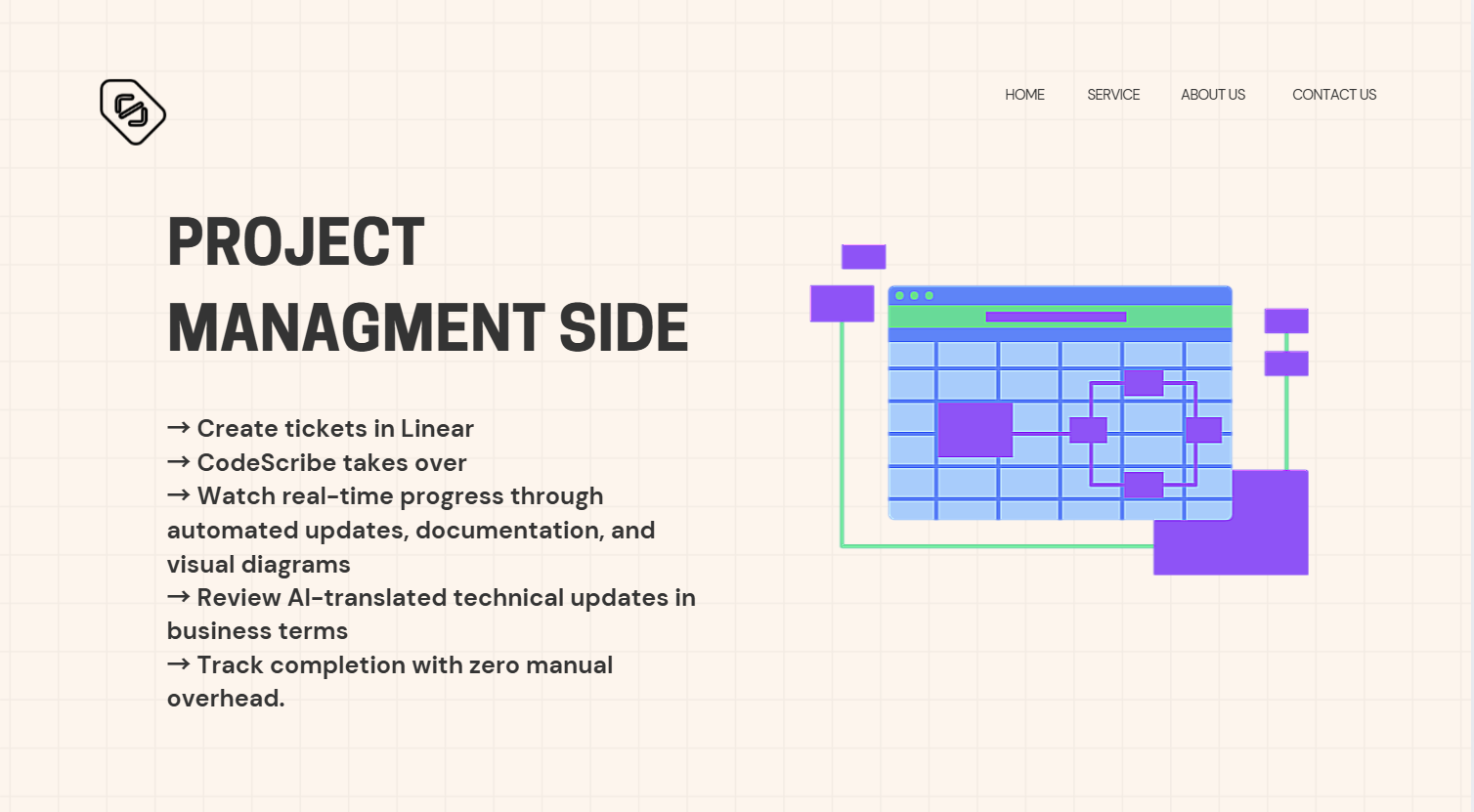
PM
-
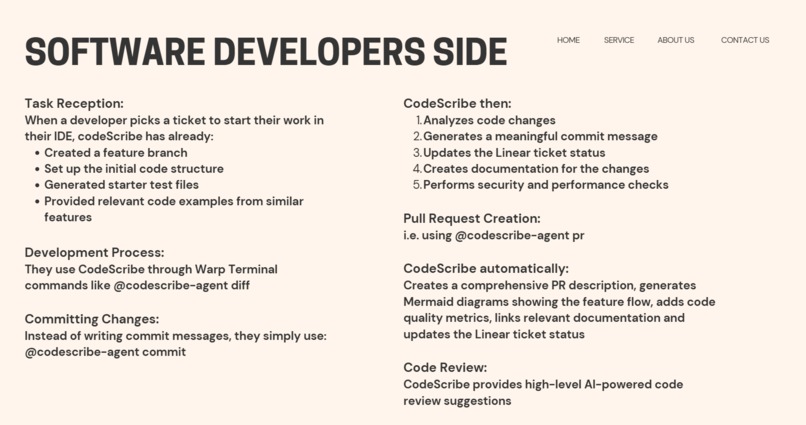
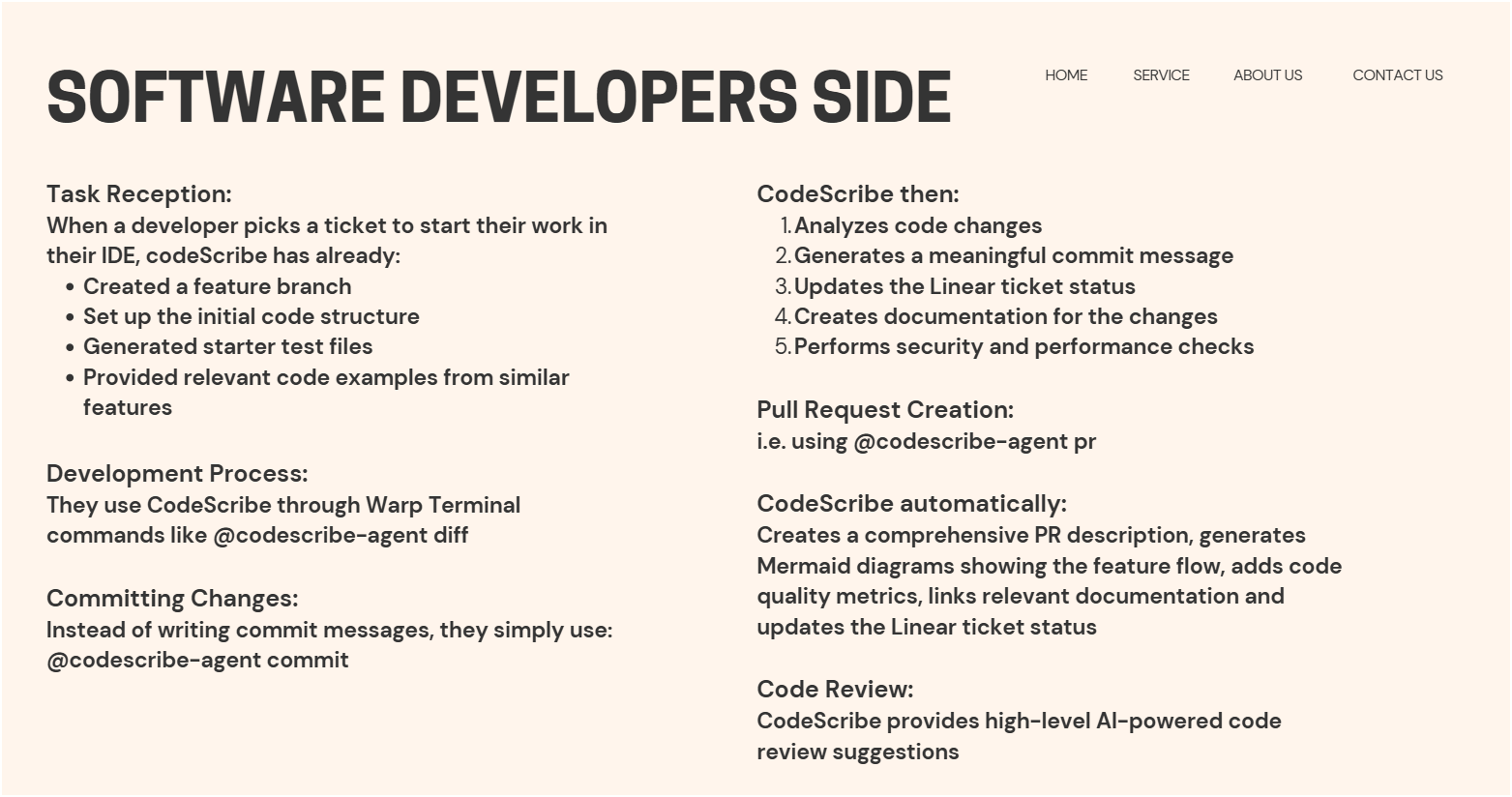
SWE
-
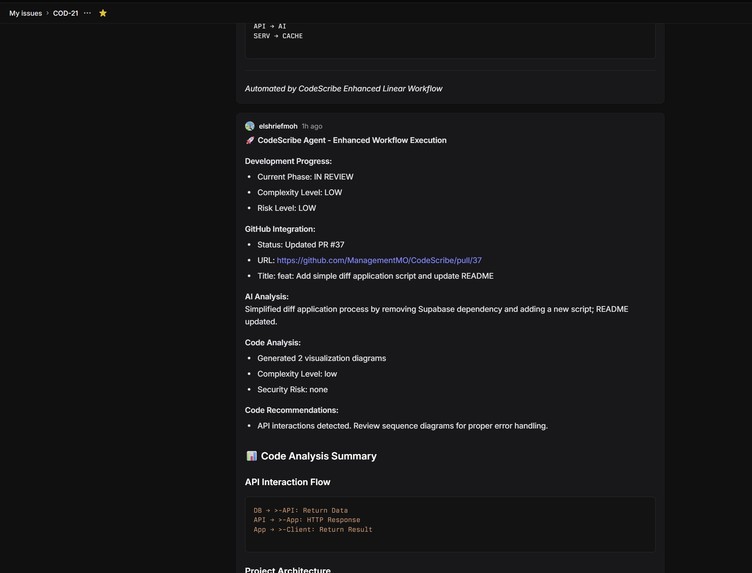
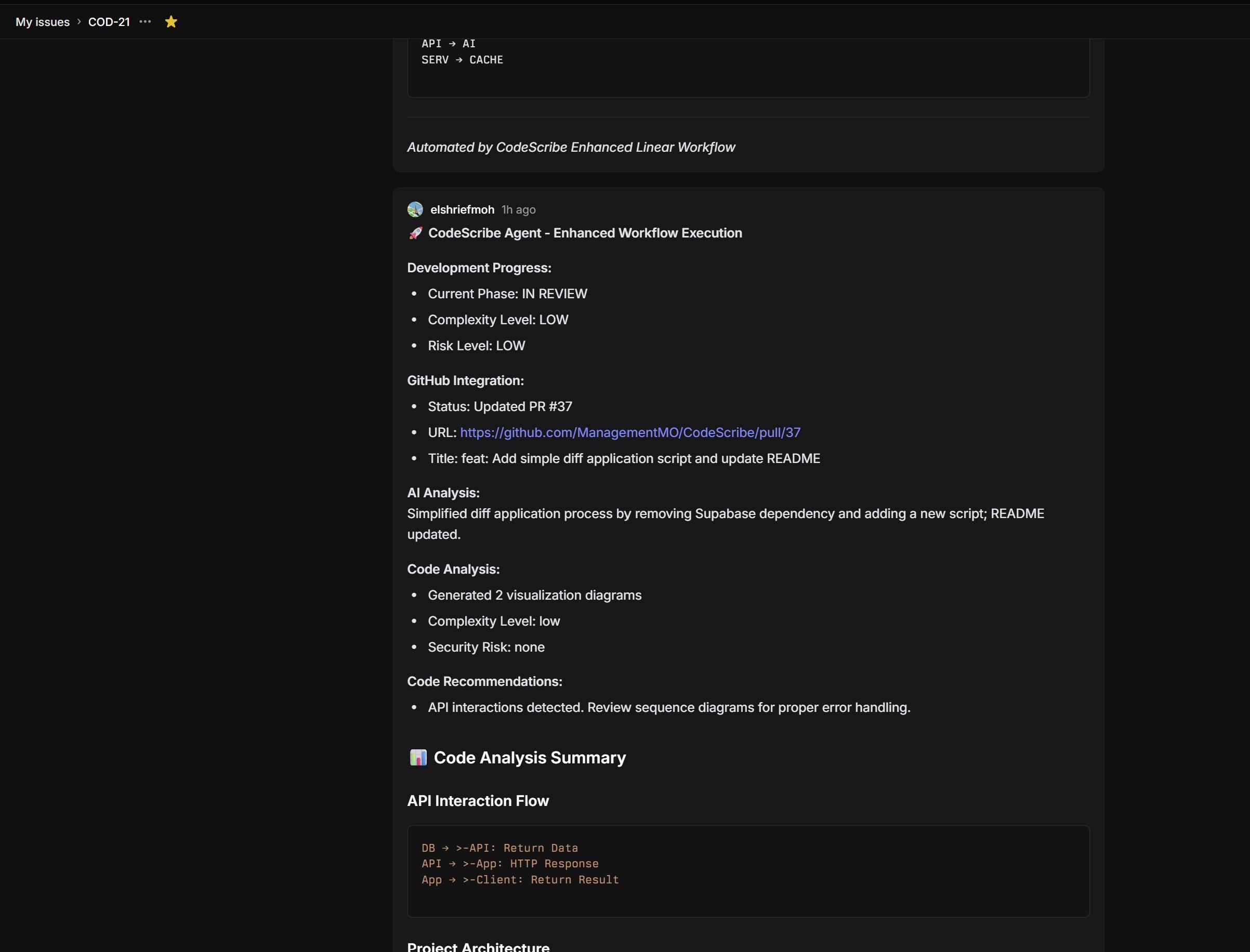
Linear Agent
-
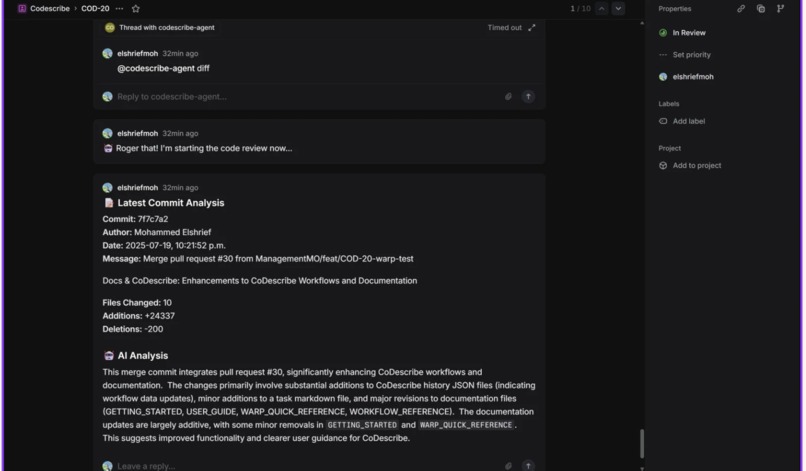
Linear PR/Commit
-
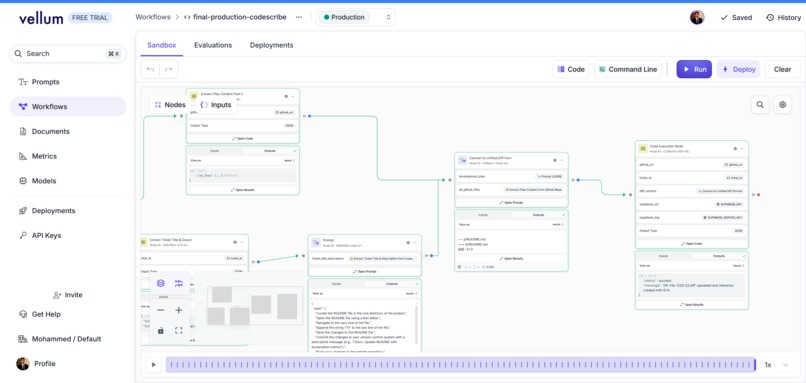
Vellum WorkFlow
-

TY

What If Your Project Tickets Could Write Their Own Code?
Every developer knows the feeling. A new ticket lands. The first thirty minutes aren't spent solving problems; they're spent on setup. You're context-switching, hunting for files, deciphering old code, and writing boilerplate. It's a momentum killer.
We asked a simple question: what if we could automate the "cold start"? What if a developer’s first interaction with a task wasn’t a blank file, but a nearly-complete first draft, waiting for their expert review?
This is CodeScribe. It's not just a tool; it's an AI-powered ecosystem designed to assist developers at every stage of their workflow, from initial ideation to final submission. We're not trying to replace developers; we're building them the ultimate apprentice.
Our Niche: The Robotic Apprentice vs. The Power Tool
The AI developer space is exploding, but we saw a critical gap. Tools like GitHub Copilot are phenomenal power tools—like an intelligent torque wrench for a mechanic already under the hood. They excel at line-by-line assistance.
CodeScribe is the robotic apprentice. It's the assistant that reads the work order, identifies the problem on the car, pops the hood, and lays out the exact tools and parts needed before the mechanic even arrives.
We are laser-focused on eliminating "first-step friction" and "final-step fatigue": the costly, context-switching chasms at the beginning and end of every development task.
At a Glance: Where CodeScribe Excels
| Aspect | GitHub Copilot Agent | CodeScribe (Our Integrated Agent) |
|---|---|---|
| Central Hub | GitHub Issues & Repositories | Linear Tickets (The true source of PM intent) |
| Developer Interaction | A web-based "workspace" separate from the local environment | Directly in the local Warp terminal, where developers live and work |
| Trigger | Manual @github-copilot mention in a GitHub Issue |
Automated (by ticket assignment/PM action) & Manual (via a fast "codescribe" CLI command) |
| Flexibility | Confined to the GitHub ecosystem for its tasks and context | Orchestrates across platforms: Reads from Linear, writes to local files, pushes to GitHub |
| Output | A completed Pull Request, ready for review | A multi-stage output: an initial code patch for local iteration, and a fully-packaged final PR |
| Core Philosophy | Takes over the developer's task in a separate UI | Augments the developer's local workflow, giving them full control and oversight |
A Day in the Life with CodeScribe: The Full Journey
Let's follow a developer, Alex, to see how CodeScribe transforms their entire day.
- The Task: Alex is assigned
COD-42in Linear: "Update the primary button on the homepage to our new brand color, #5A45A5." - The AI's Head Start: While Alex grabs coffee, our PM-facing Vellum workflow has already run. It read the ticket, generated a preliminary code diff, and stored it in Supabase.
- The Magic Kickstart: Alex opens their Warp terminal and runs
codescribe apply COD-42. Instantly, the AI's generated code is applied to their local files. The "setup" work is done in three seconds. - The Human in Control: Alex's real work begins. They test the AI's code, refine the implementation, and add their expert touch. The creative, problem-solving work is still uniquely human.
- The Zero-Effort Finish Line: Now, Alex's code is perfect. But instead of the usual half-hour of writing commit messages, creating a PR, and updating Linear, they run one single command:
codescribe pr. This is where their life gets dramatically easier. Our advanced Warp workflow takes over completely.
The Ultimate Automation Suite: The codescribe pr Workflow
After the real development work is done, developers face a mountain of tedious "packaging" tasks. Our codescribe pr workflow, powered by Warp, eliminates this entirely. When a developer runs this one command, here’s what happens instantly and automatically:
Intelligent Commits: It analyzes all the local code changes and generates concise, conventional commit messages for you. No more
git commit -m 'wip'or spending five minutes trying to summarize your work.Automated PR Creation: It crafts a detailed pull request on GitHub, using AI to generate a rich description based on the code changes. It's smart enough to either create a brand new PR or update an existing one if the developer runs it again.
Visual Documentation: For complex logic changes, our agent automatically generates Mermaid diagrams that visualize the new code flow. These diagrams are embedded directly into the pull request, making code reviews faster and more intuitive for teammates.
Built-in Guardrails: Before creating the PR, the workflow runs a quick code quality analysis and a security vulnerability scan, catching common issues before they ever reach a human reviewer.
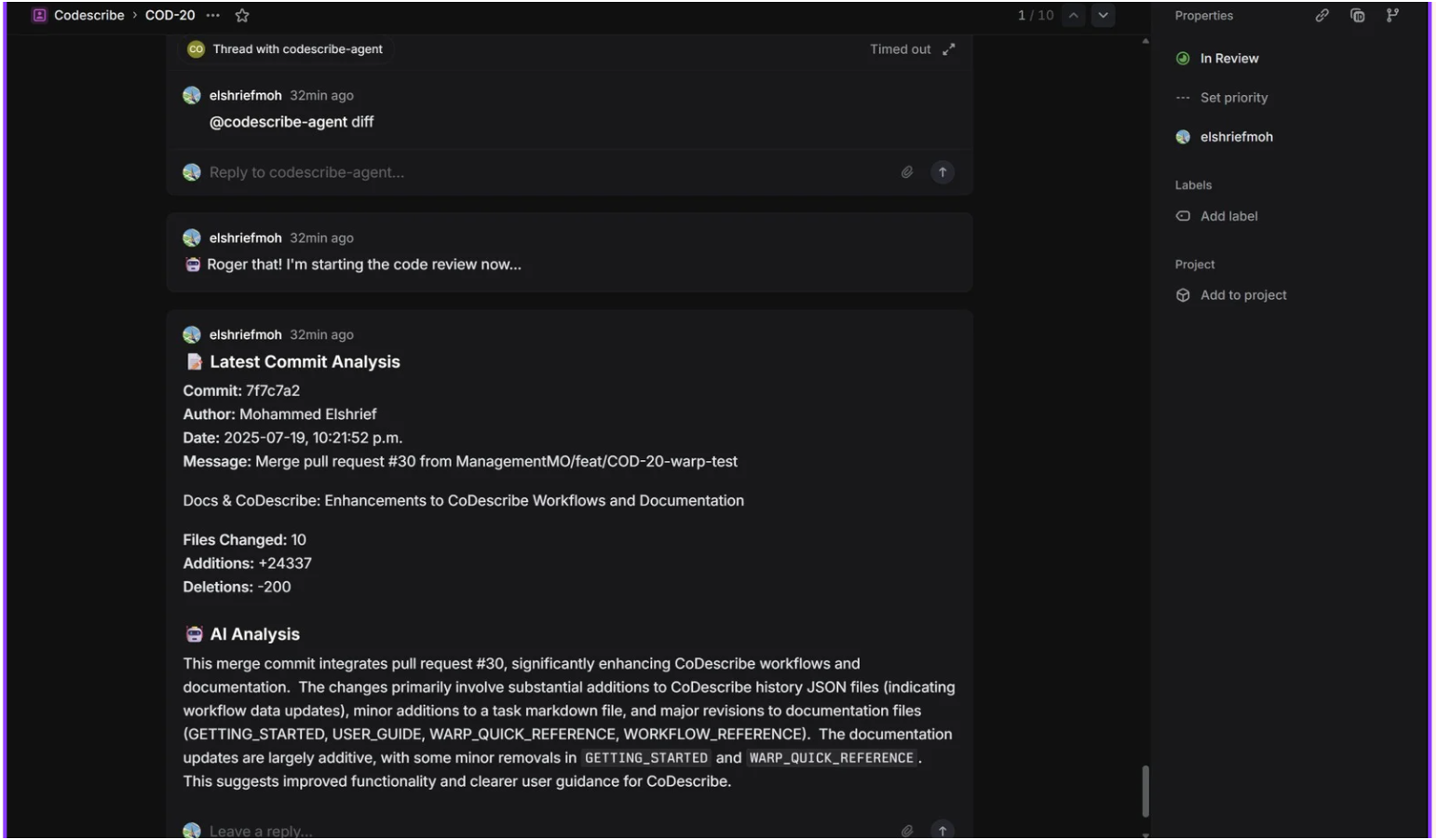
Seamless Syncing: The moment the PR is created on GitHub, the agent posts a final "Agent Action" back to the original Linear ticket with a link to the PR, its status, and a summary. The loop is closed perfectly, without the developer ever leaving their terminal.
This isn't just an assistant; it's a full-service automation platform that handles every tedious task after the coding is complete, giving developers back their most valuable resource: time.
Our AI Command Center: Vellum
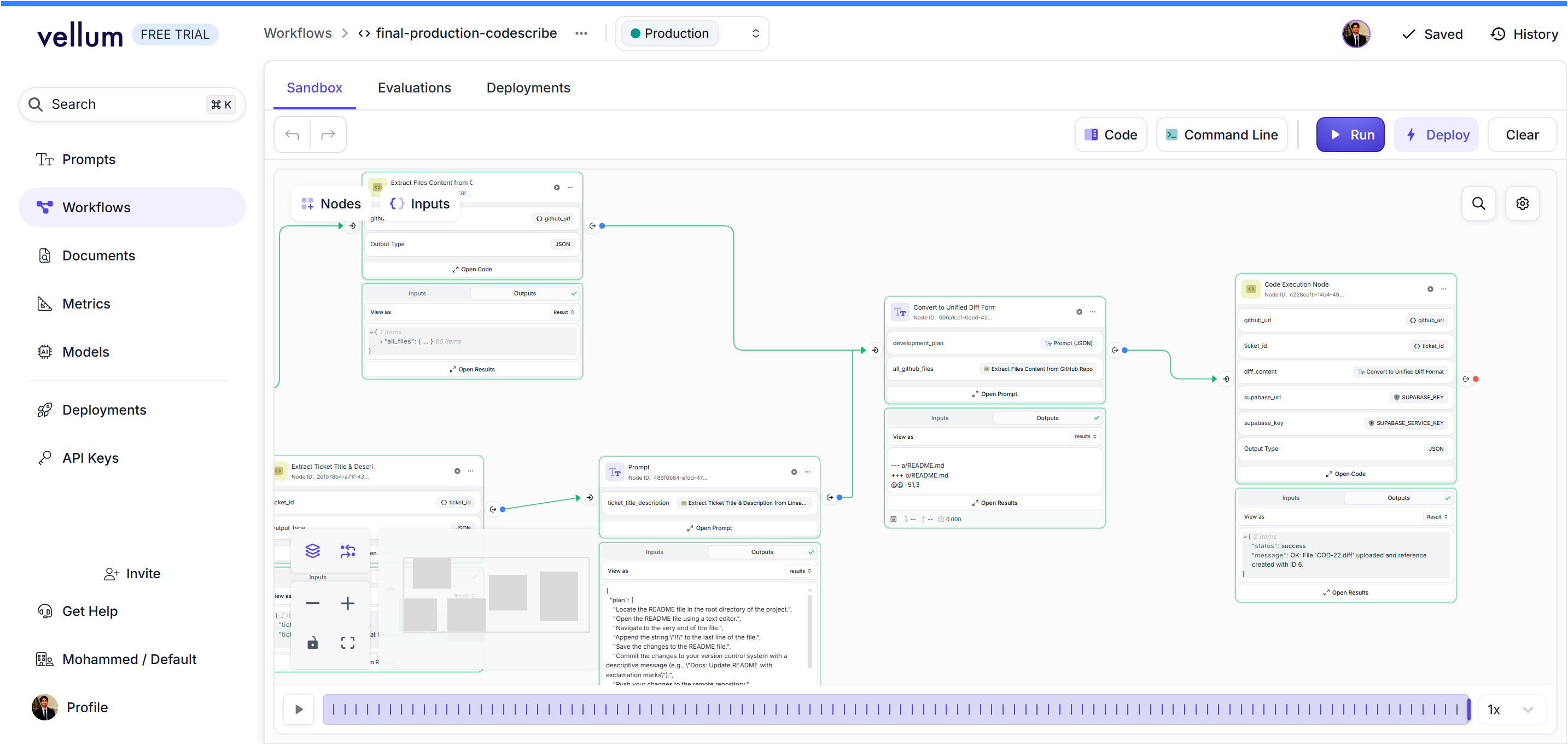
Vellum was the backbone of our agent's intelligence. It allowed us to orchestrate complex, multi-step AI workflows that a simple API call could never achieve.
- Sophisticated Orchestration: Our Vellum workflow is a production line. It ingests a ticket, calls a custom tool to fetch source code from GitHub, chains that data into a master prompt for Gemini, and finally, uses a secure code node to write the resulting diff to our Supabase database. This visual, node-based logic was a game-changer.
- Rapid Prototyping: Getting an AI to generate a perfectly structured
.difffile is notoriously difficult. Vellum's Sandbox was our R&D lab. We could iterate on complex prompts, test edge cases, and fine-tune the AI's behavior in real-time. - Enterprise-Grade Security: We handled all our secrets—from GitHub tokens to Supabase service keys—using Vellum's secure Environment Variables, a critical security practice Vellum makes trivial.
The Generative Engine: Google Gemini
The quality of our agent hinges on the AI's ability to reason about code. We chose Google Gemini for its state-of-the-art capabilities.
- Multi-File Reasoning: Gemini's ability to understand the relationships between multiple source files was critical for generating logical, coherent code changes.
- Strict Instruction Following: The Unified Diff format is unforgiving. We provided Gemini with a rigorous set of formatting rules and examples, and its ability to adhere to these constraints was key to producing patches that Git could apply flawlessly.
- Large Context Window: Gemini's large context window allowed us to provide entire files, not just snippets, giving it the comprehensive understanding needed to generate high-quality, context-aware code.
The Single Source of Truth: Linear
We built CodeScribe to treat Linear as the central nervous system for the entire development process.
- The Blueprint: A Linear ticket is no longer just a task—it's the blueprint for automation. The plain-English title and description become the direct input for our Vellum workflow.
- Closing the Loop: Our integration provides a seamless, automated feedback loop. The journey starts with a ticket in Linear, and it ends when our agent posts a link to the resulting Pull Request right back onto that same ticket, keeping everyone in sync.
Tech Stack
- AI Engine: Google Gemini
- AI Orchestration & Logic: Vellum
- Project Management & Automation Trigger: Linear (Agent API & Webhooks)
- Data & State Management: Supabase (PostgreSQL)
- Developer CLI & Terminal: Node.js, Warp Workflows
- Version Control: Git & GitHub (API & Actions)
What We Learned & What's Next
This project was an incredible lesson in the difference between a cool AI demo and a robust, production-ready tool. The secret isn't just a clever prompt; it's building a resilient system around the AI with validation, security, and a seamless user experience.
We're incredibly proud of what we built. Next steps for CodeScribe:
- IDE extension for one-click apply and PR creation.
- Generate unit test stubs alongside the feature code.
- A feedback loop where developer edits on the AI's code are used to fine-tune the model.
Thanks for checking out CodeScribe! We're excited about the future of AI-powered development and would love to answer your questions.
Built With
- gemini
- linear
- ngrok
- node.js
- octokit
- supabase
- typescript
- vellum
- warp


Log in or sign up for Devpost to join the conversation.