-
-
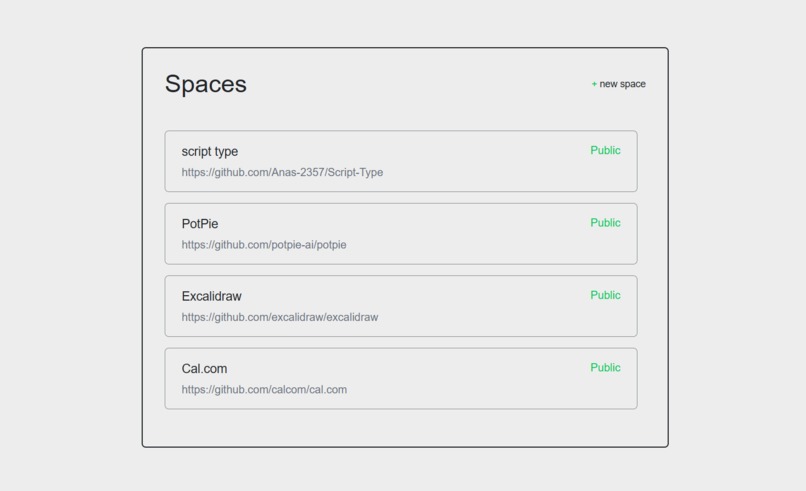
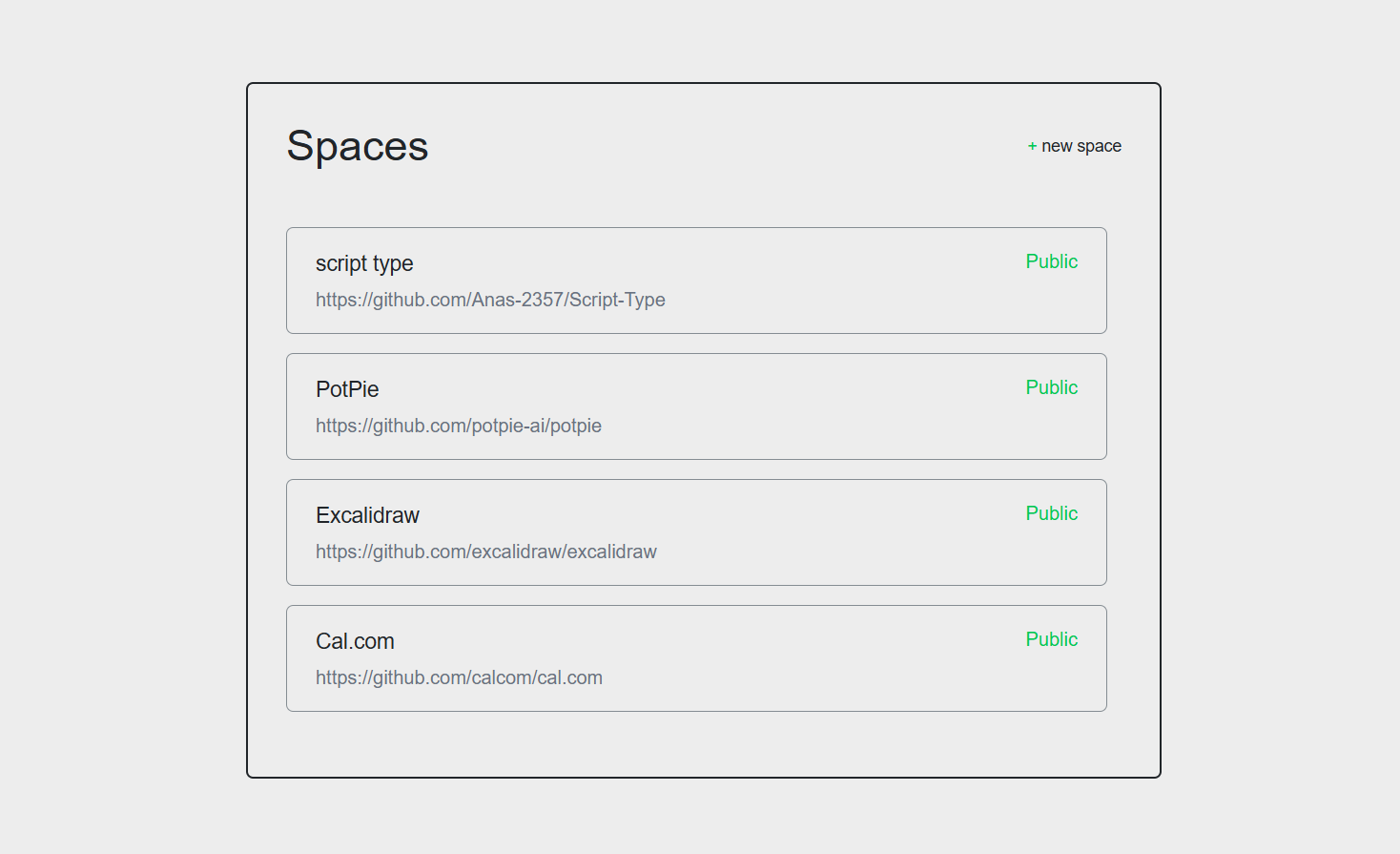
List of Spaces to choose from. #1
-

Create new Space. #2
-
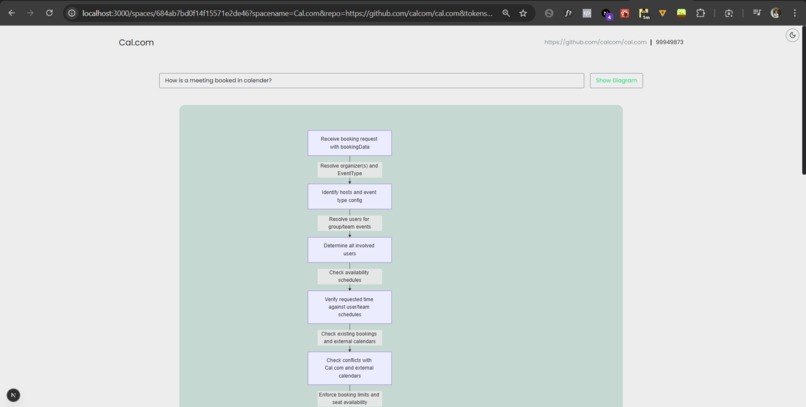
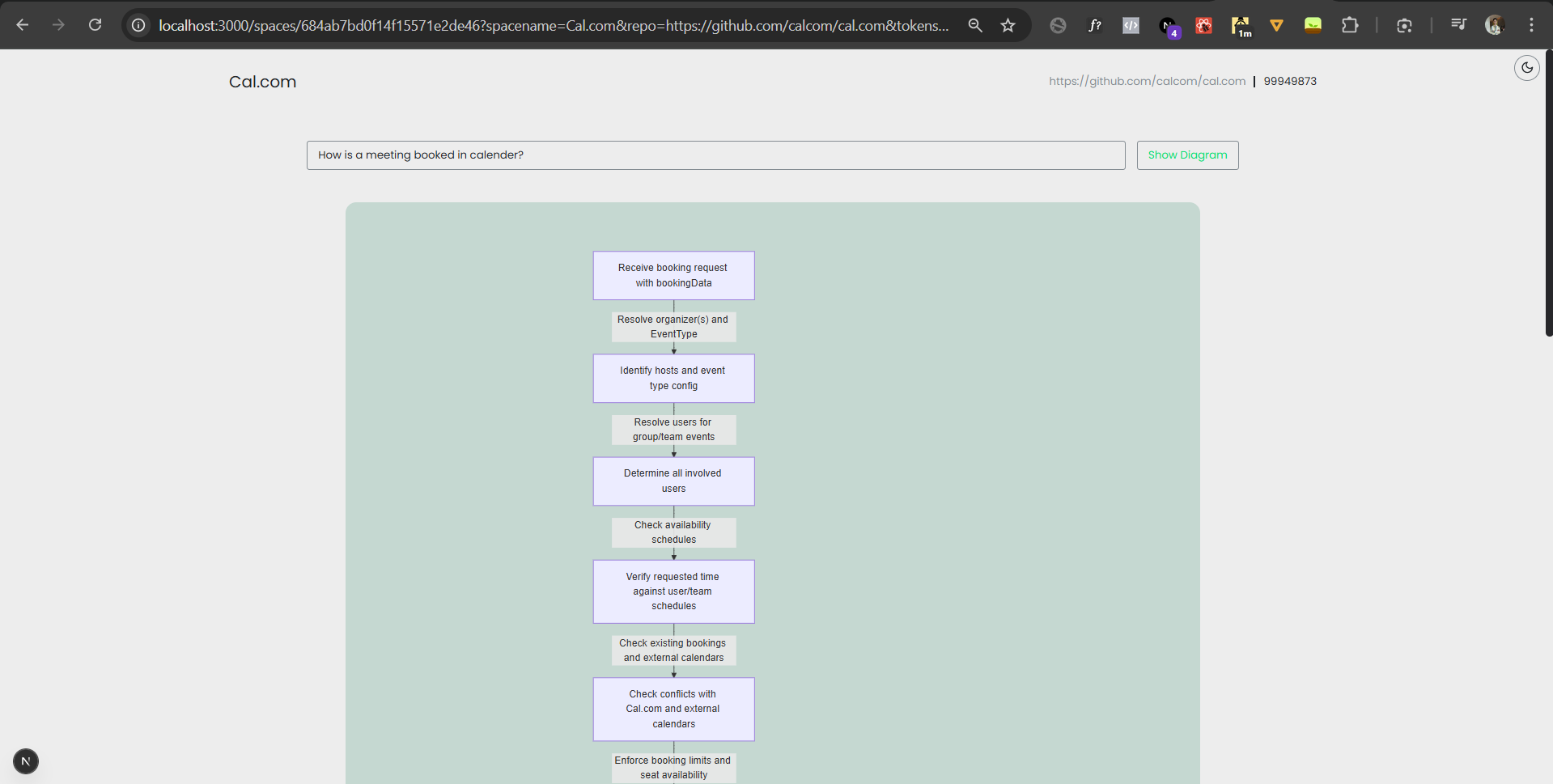
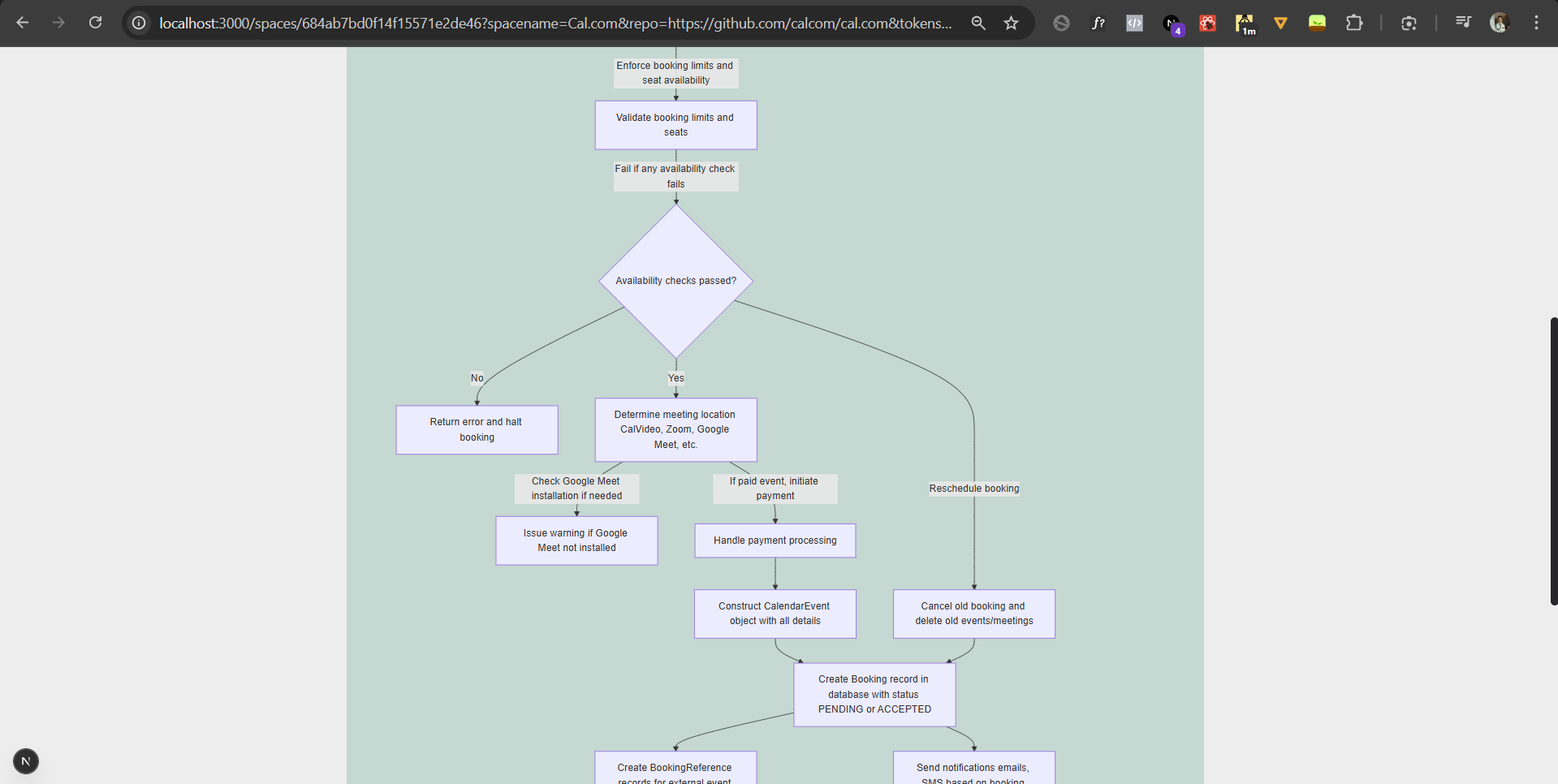
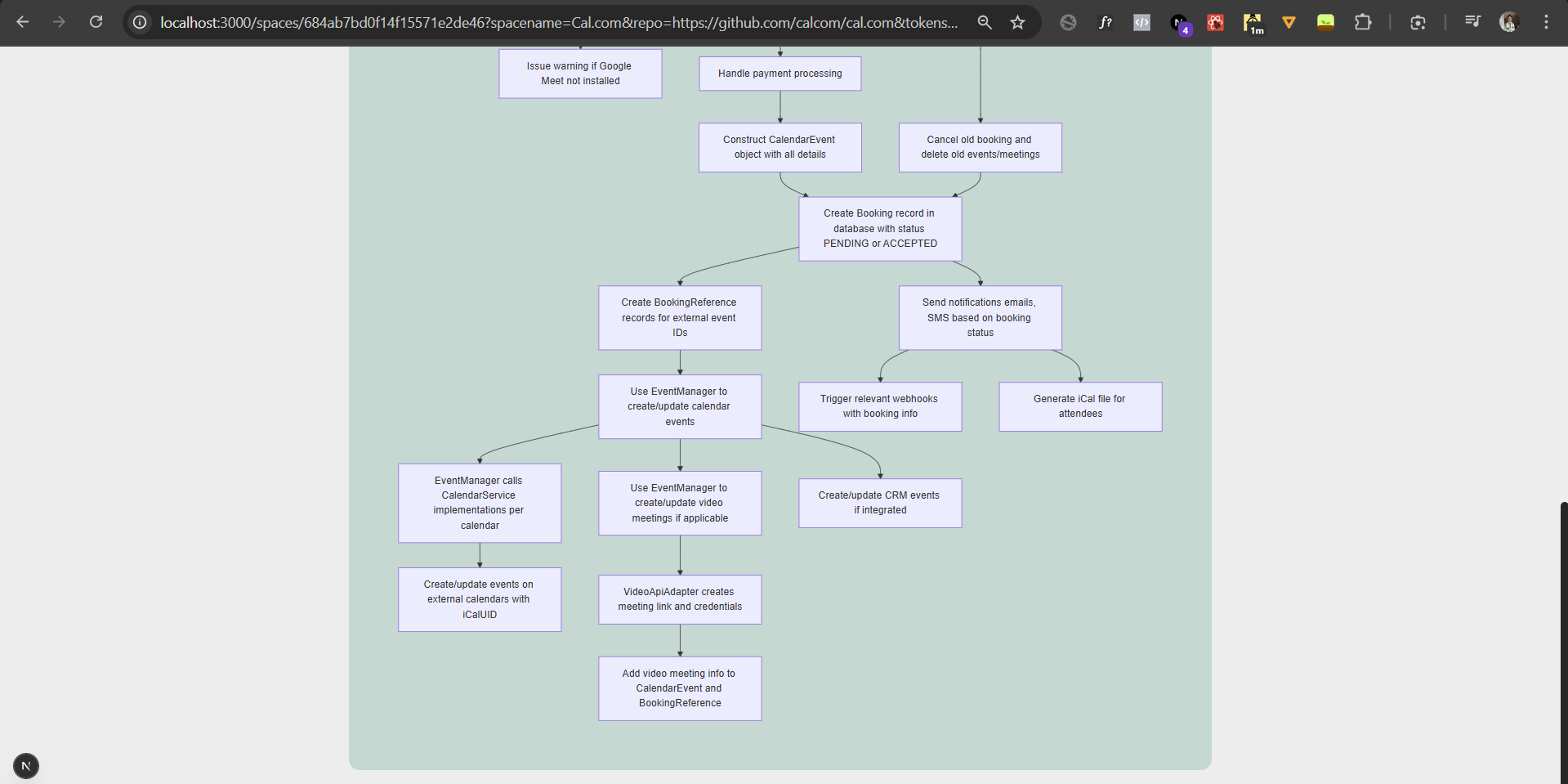
Diagrammatical response for the users query from cal.com repo with over 800,000 lines of code. #3
-
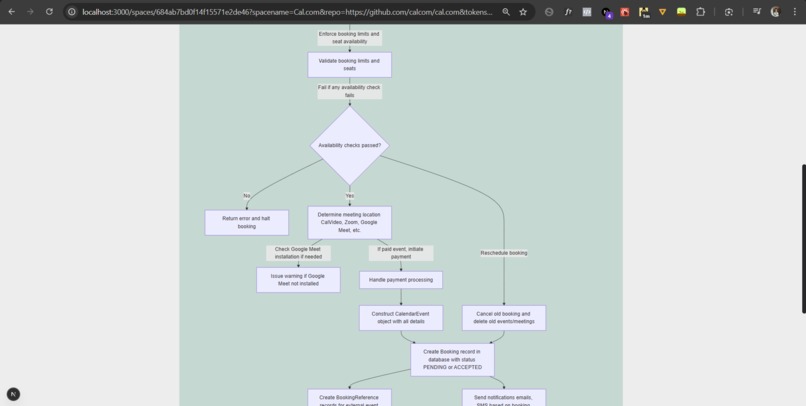
#4
-
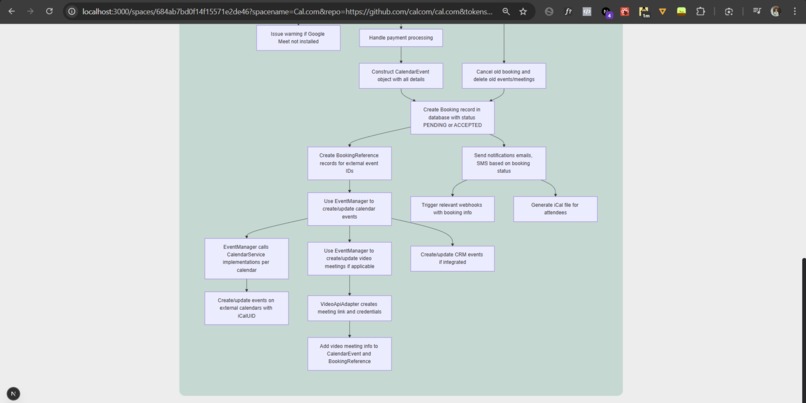
#5
-
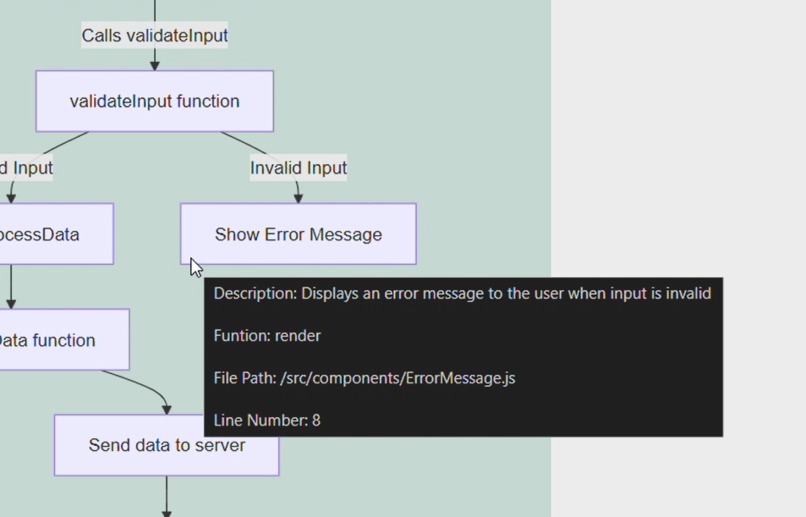
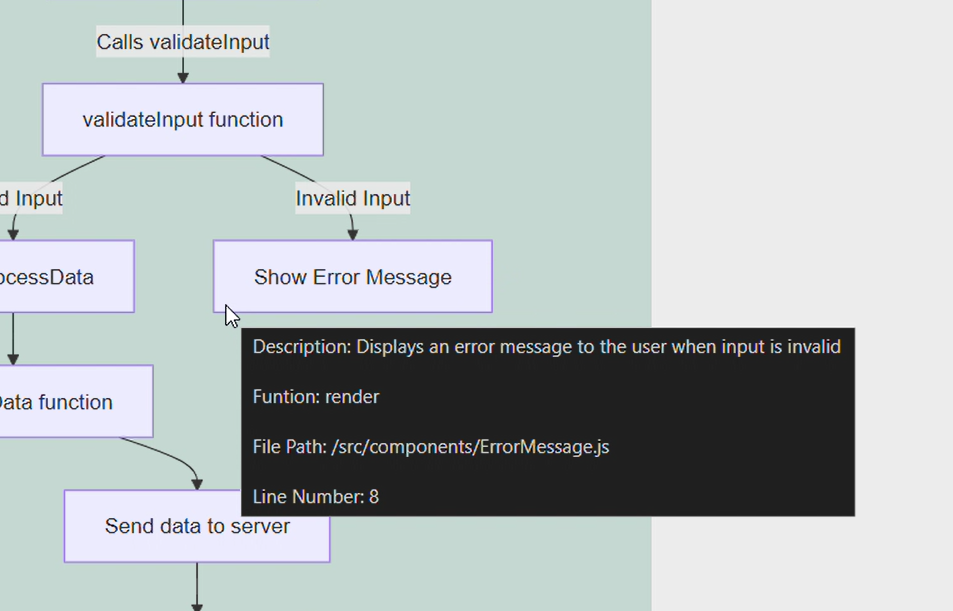
Meta data visible on hover. #5

CodeSage
Inspiration
While contributing to an open-source project called CodeBlocks by Sugar Labs, I faced major difficulty in understanding the correct data/logic flow across files that contained thousands of lines of code. Searching for tools to visualize or simplify this process didn’t help much, so I decided to build my own solution. That became CodeSage.
What it does
CodeSage makes it easy to understand and navigate large GitHub repositories by turning them into interactive spaces where developers can ask questions and instantly get logic/data flow diagrams with detailed metadata.
How it works
Creating a Space
- Pull a GitHub repository and create a dedicated “space” for it.
- Chunk the codebase and embed it using
text-embedding-3-small. - Store the embeddings in Pinecone (vector DB).
Using a Space
- User asks natural language questions about the repo inside its space.
- Retrieve the most relevant chunks from Pinecone.
- Compress those chunks with Gemini API to keep context while reducing noise.
- Generate Mermaid diagrams + metadata using GPT-4.1 to clearly explain logic and data flow.
How I built it
- Express.js – for a fast backend build process.
- Next.js – for server-side rendering (SSR) and better SEO.
- MongoDB – for storing user data, repo details, and managing spaces reliably.
- Pinecone – vector database for storing and retrieving embeddings.
- Gemini API – compressing bulk retrieved data before passing to GPT.
- GPT-4.1 – generating Mermaid diagrams and metadata from compressed data.
- text-embedding-3-small – to generate embeddings for code/documentation chunks.
- Other NPM packages – for handling authentication, parsing, and API workflows.
Challenges I ran into
The biggest challenge was balancing hallucination and context loss:
- If too much data was passed to GPT, it started hallucinating.
- If too little data was passed, it lost context.
To solve this, I built a pipeline:
- Retrieve top matches from Pinecone.
- Compress them with Gemini (reducing noise but retaining context).
- Pass the compressed data to GPT-4.1 for diagram generation.
This multi-step approach minimized hallucinations while preserving relevant context.
Accomplishments that I'm proud of
- Built my first-ever complex RAG system (previously only made simple chatbots).
- Learned and implemented embeddings, vector DBs, and agent-to-agent communication.
- Created a working tool that makes exploring large repositories visually intuitive.
- Managed to execute all of this solo, despite it being my first attempt at this level of complexity.
What I learned
- Fundamentals of embeddings and vector databases.
- Designing retrieval pipelines to balance hallucination vs. context.
- Practical knowledge of RAG systems and multi-LLM workflows.
- Importance of chunking strategies and token management.
- Building full-stack apps where backend, AI pipeline, and frontend visualization all work seamlessly together.
What's next for CodeSage
There are plenty of exciting improvements on the roadmap:
- GitHub authentication → to allow analysis of private repos.
- Auto vector updates → when a commit is made to a linked GitHub repo.
- Diagram customization → control complexity level and detail depth.
- Export diagrams as images → for documentation and sharing.
- Expanding support for multiple programming languages and framework-specific insights.
Built With
- express.js
- gimini-api
- gpt-api
- mongodb
- next
- pinecone(vectordb)

Log in or sign up for Devpost to join the conversation.