-
-
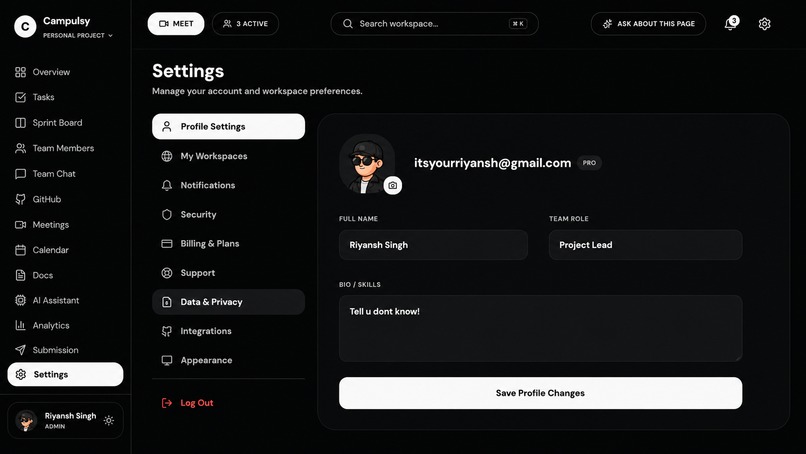
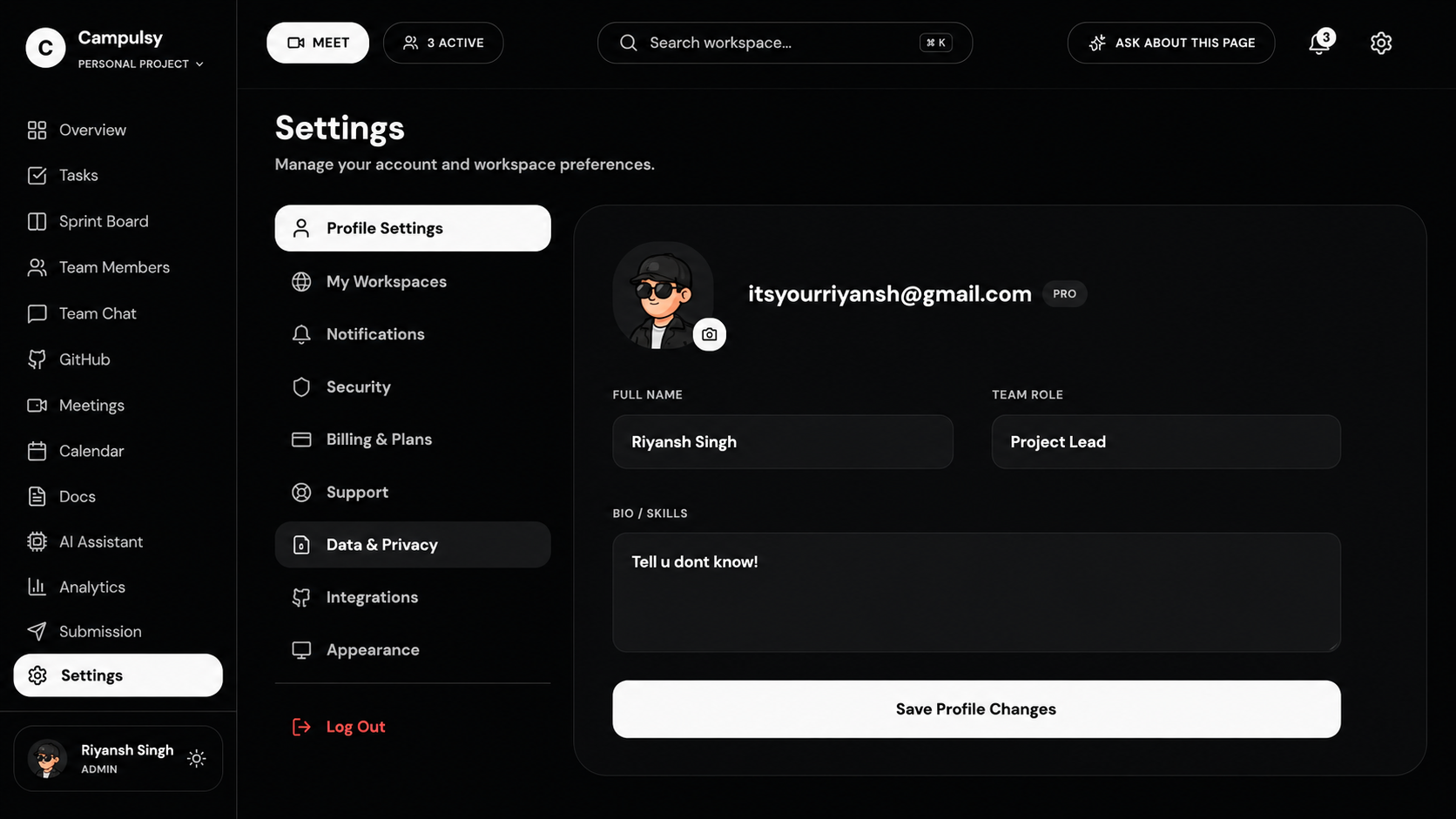
Settings Page
-
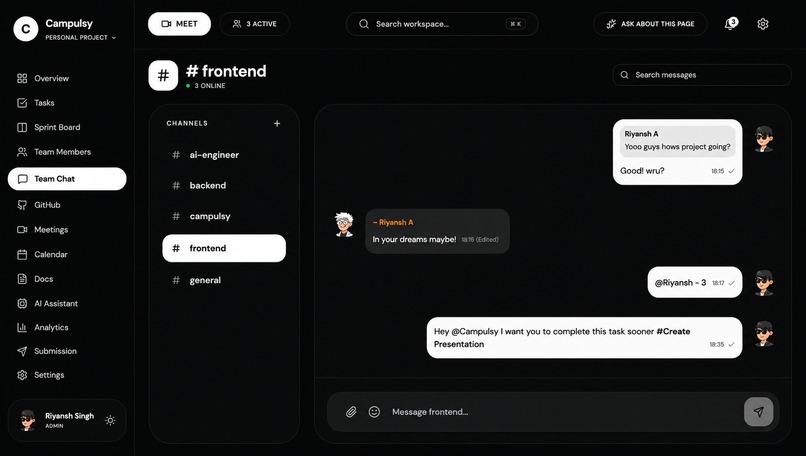
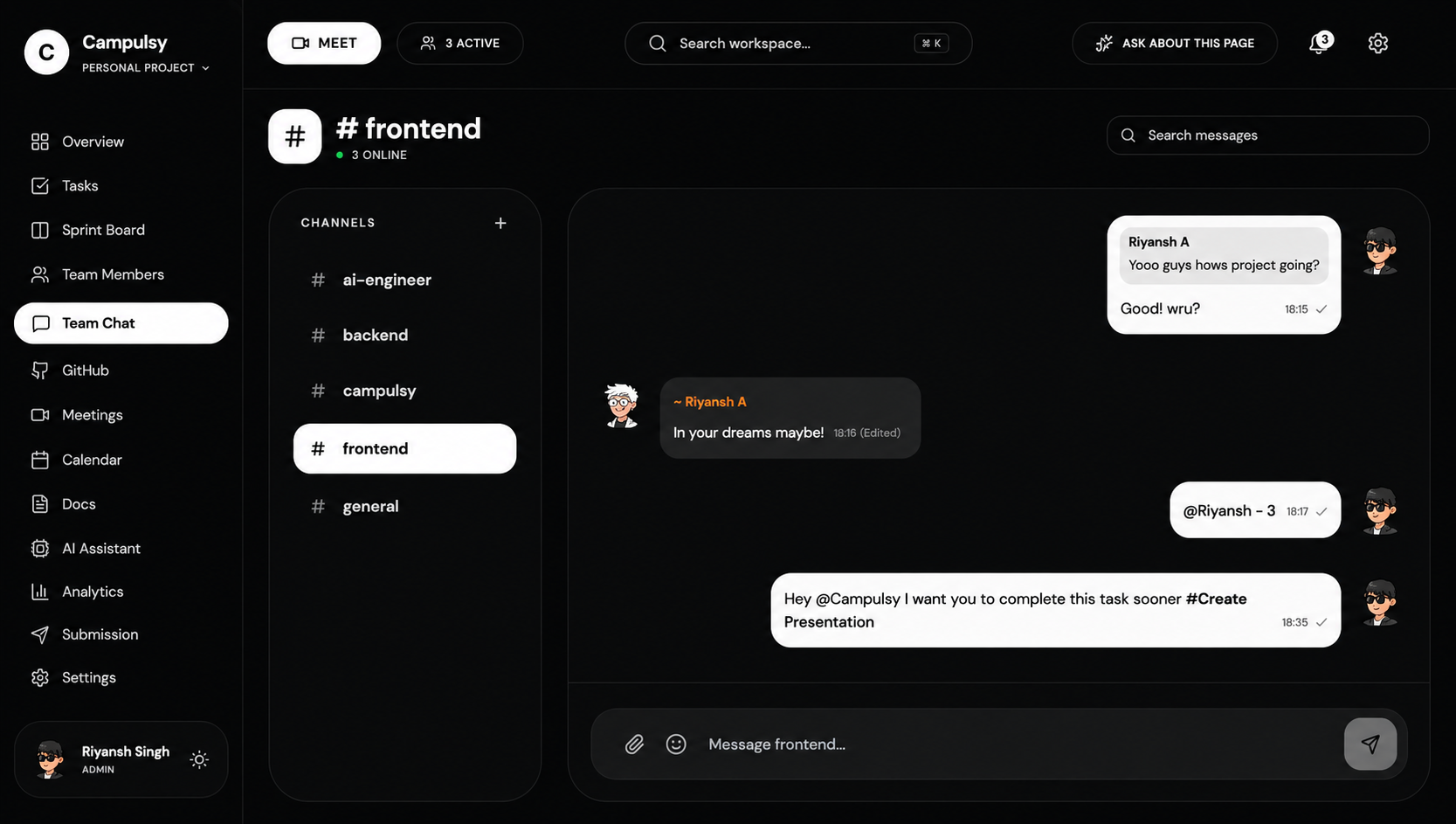
Team Chat
-
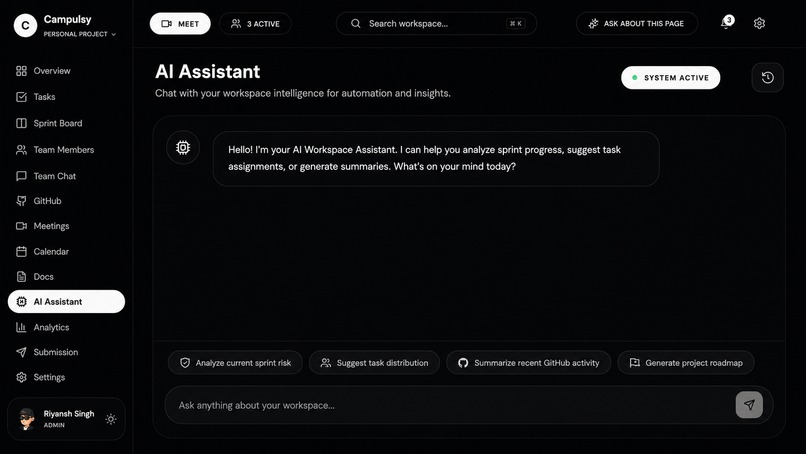
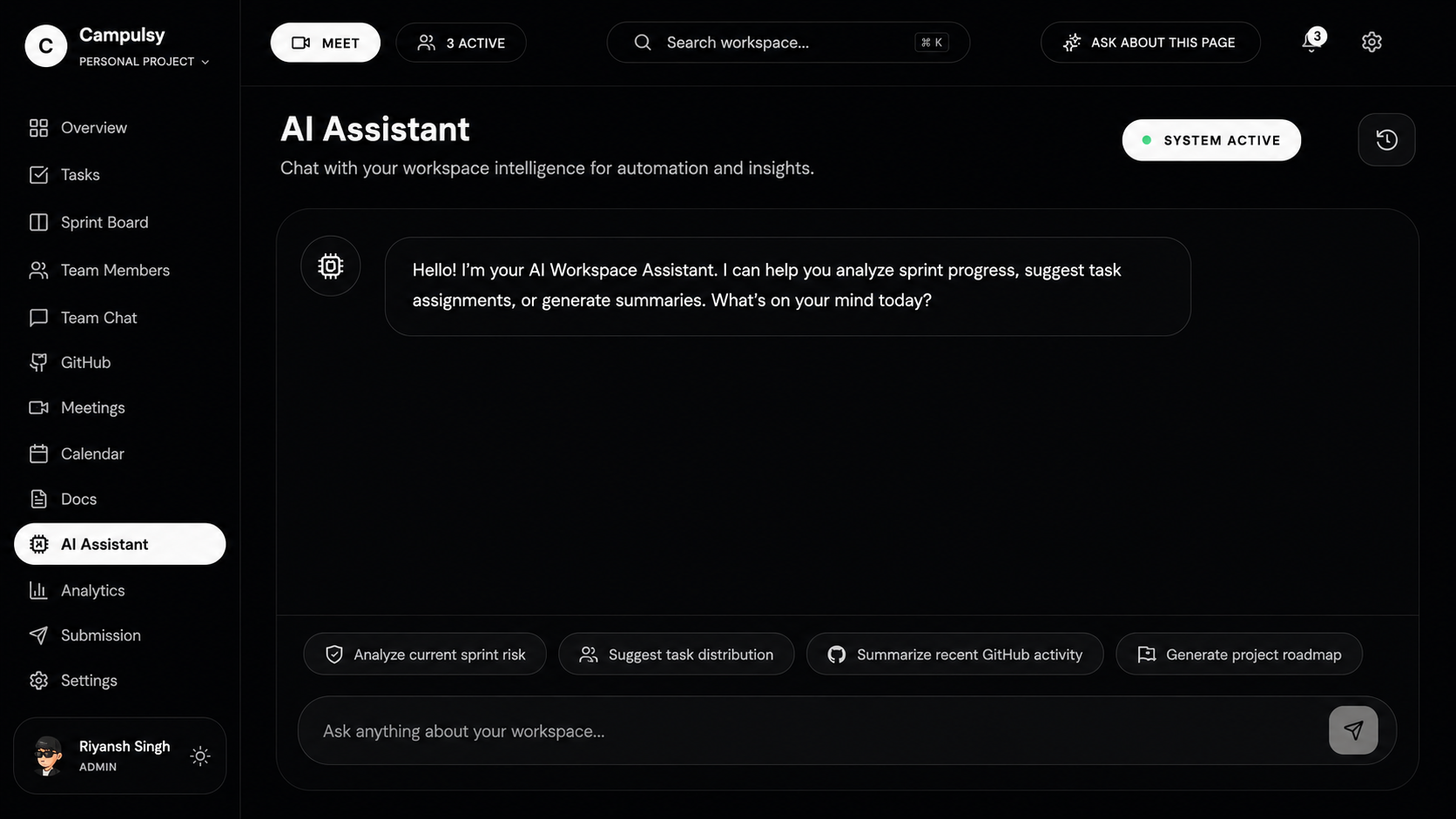
AI chatbot for everything
-
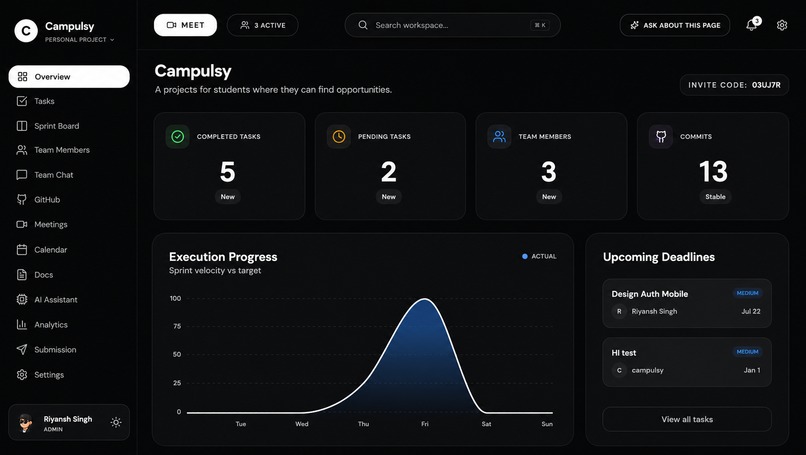
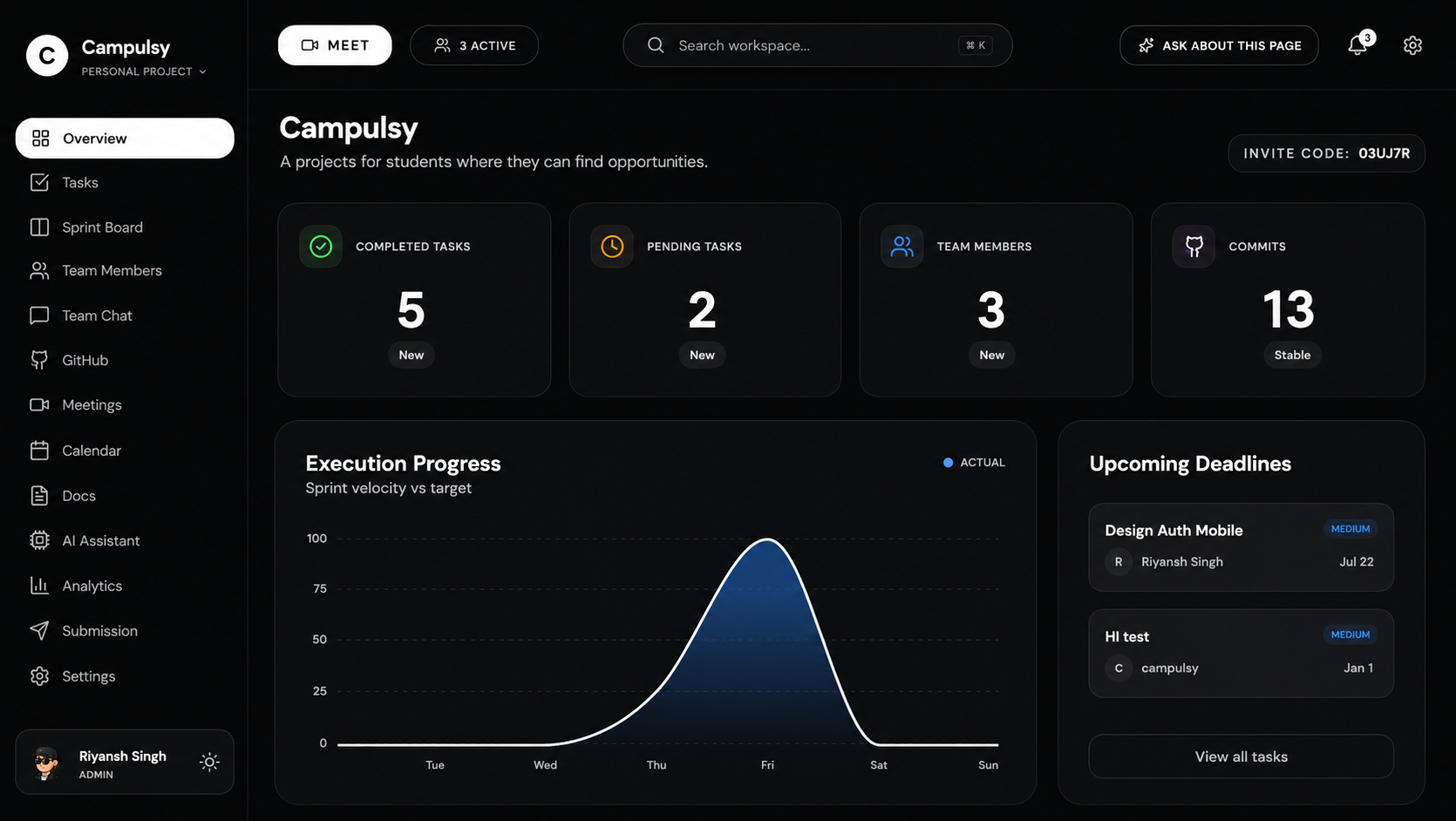
Overview
-
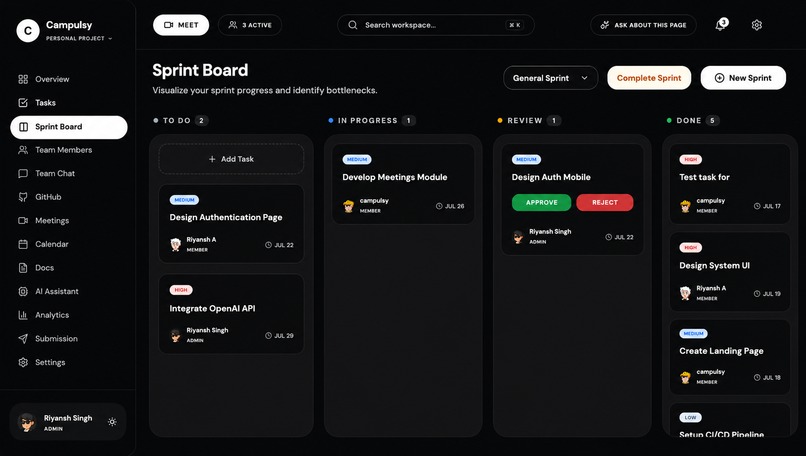
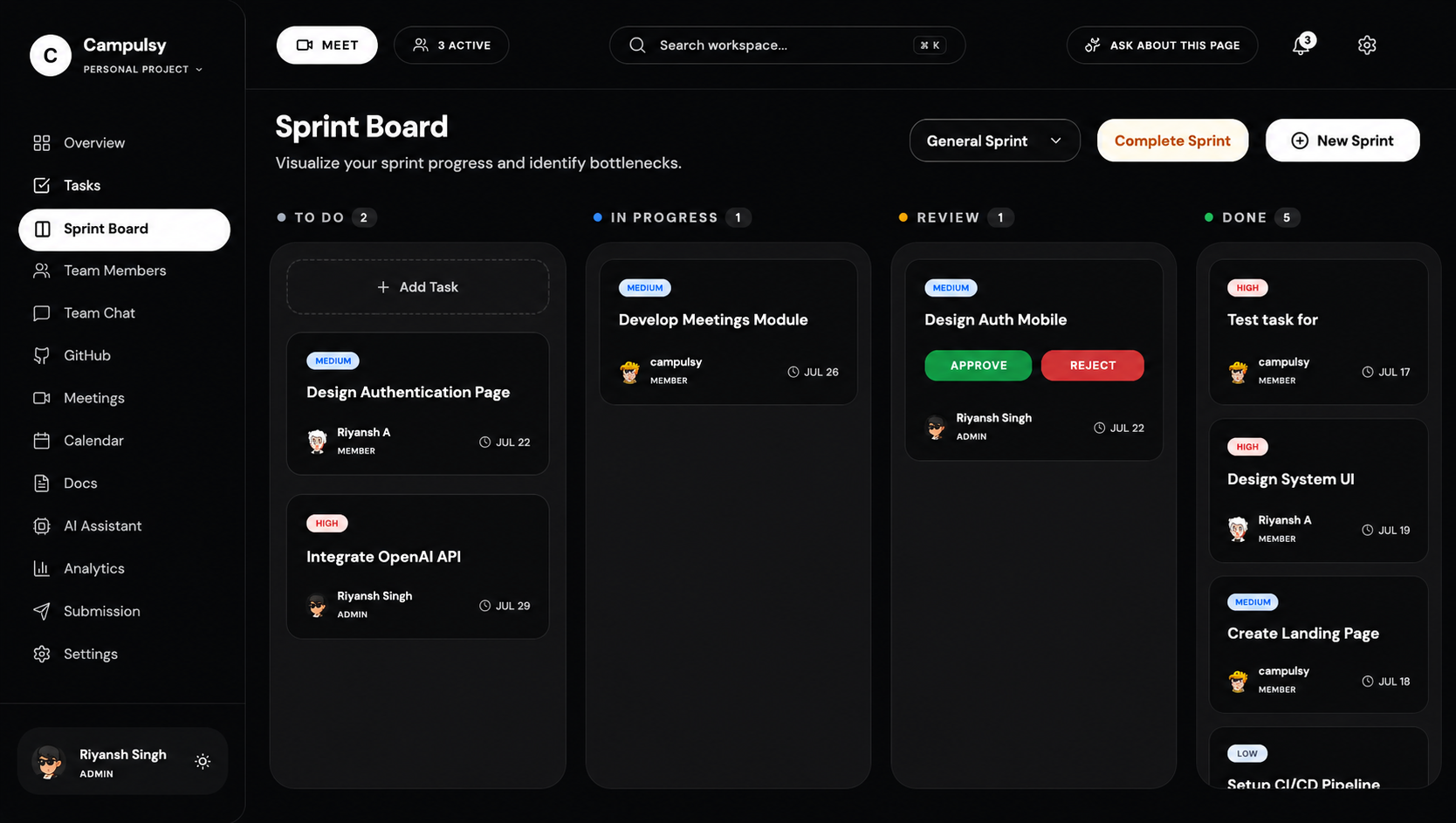
Sprint Board
-
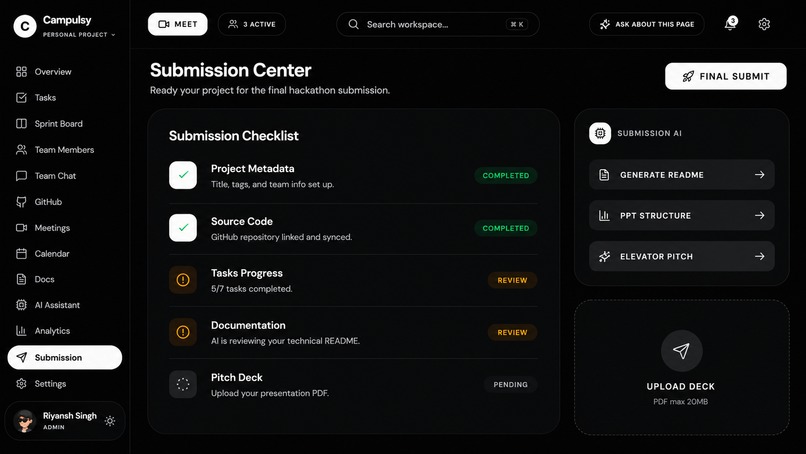
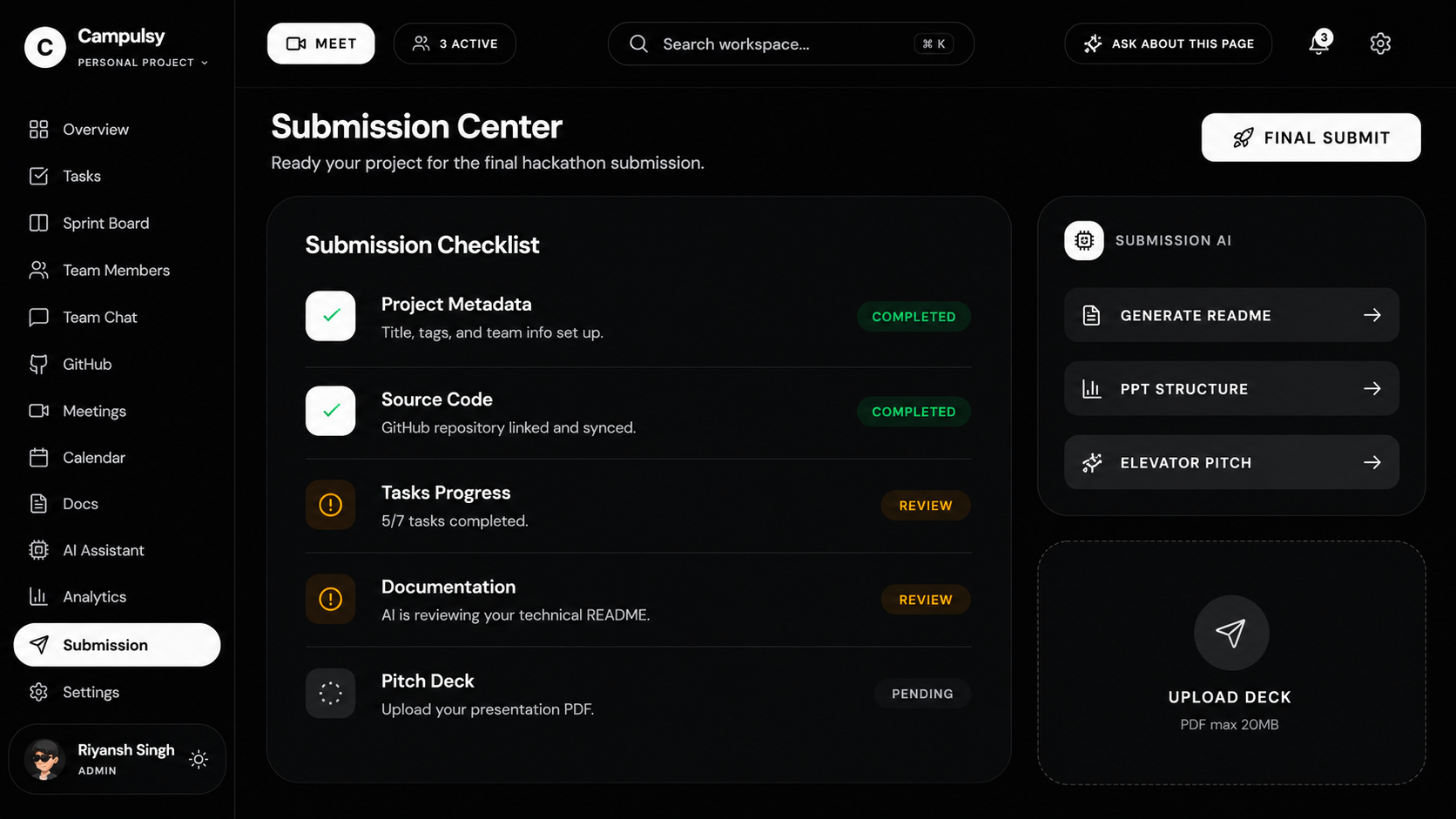
Submission
-
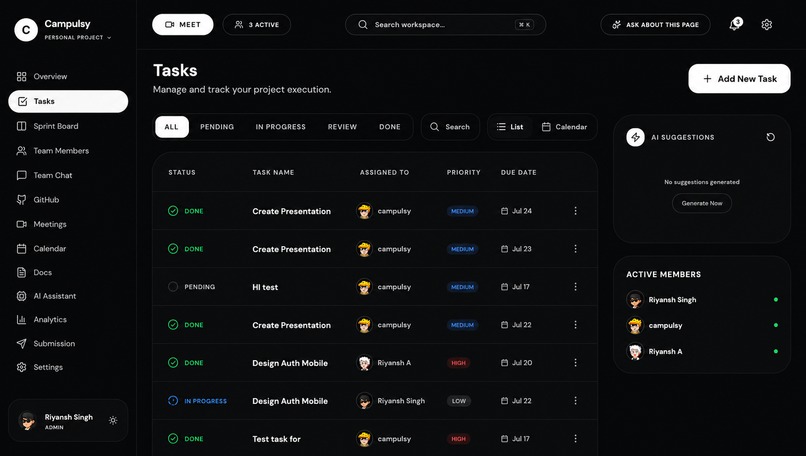
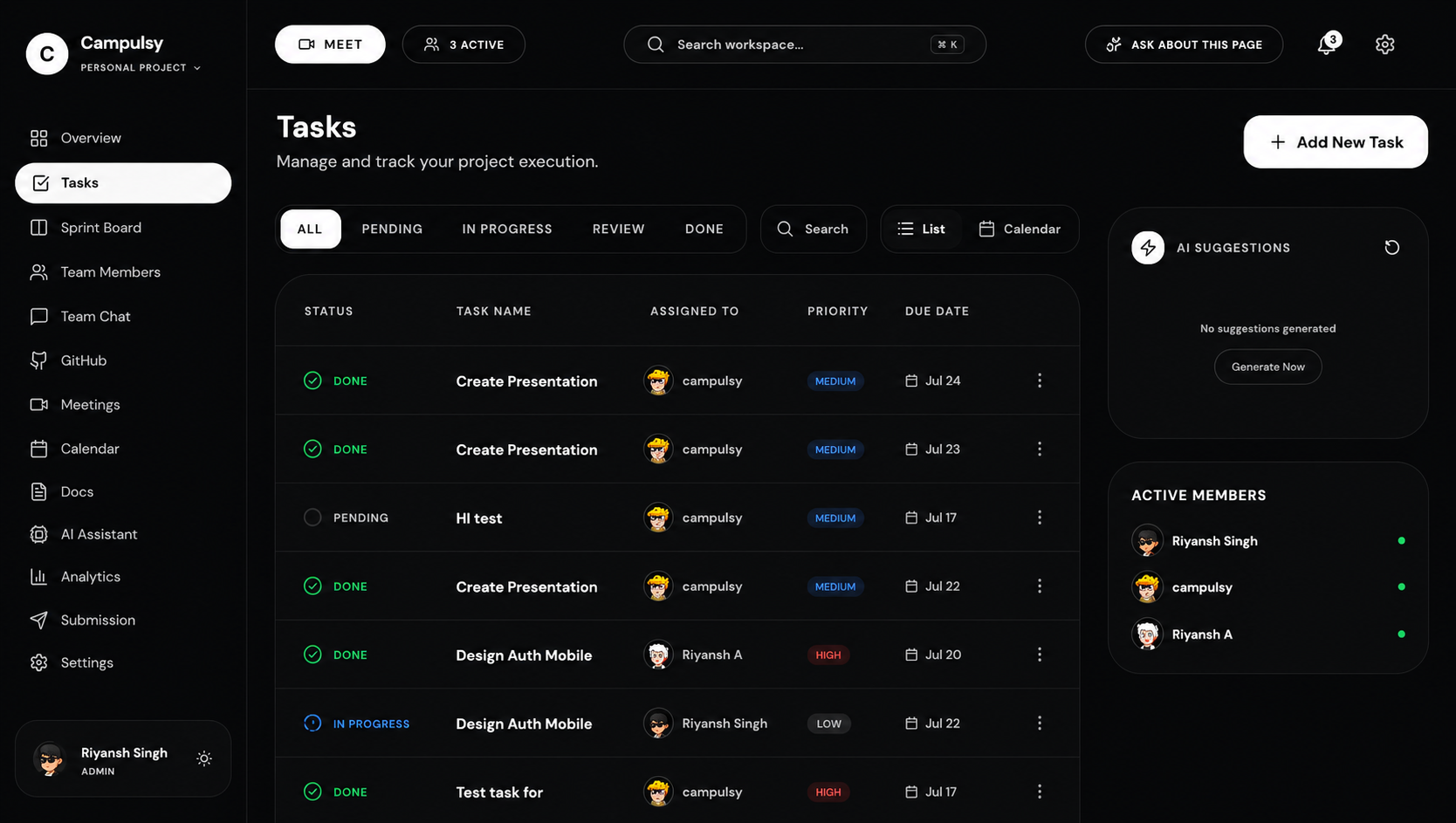
Task Page
-
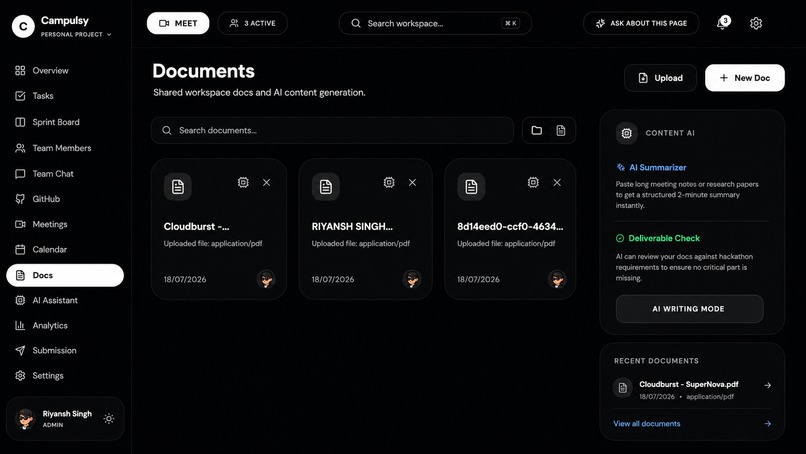
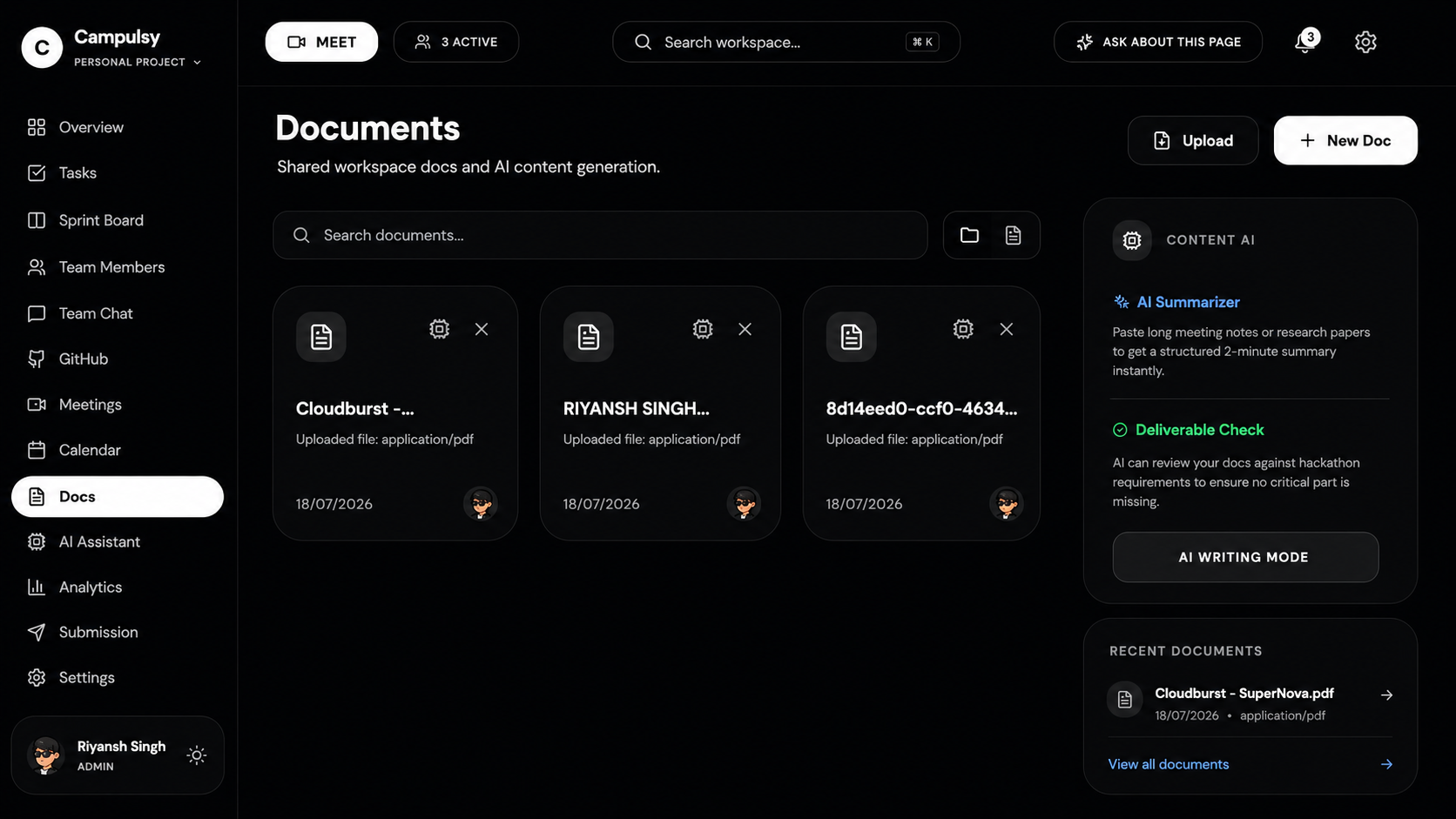
All project documents at one place
-
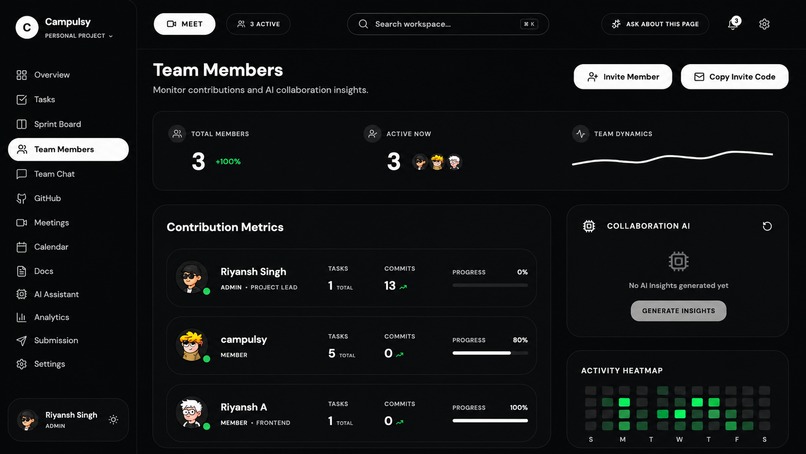
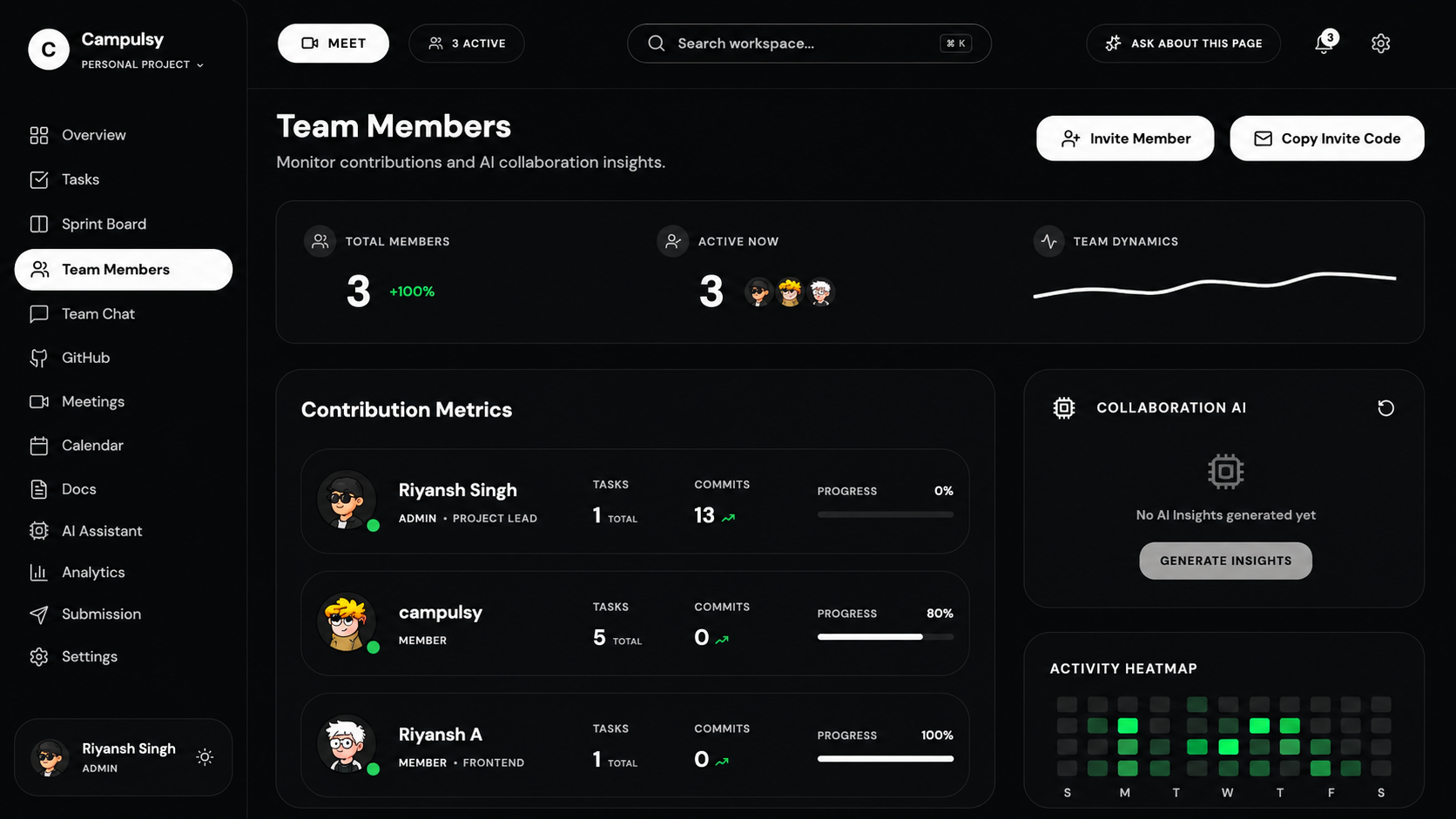
Team Members
-
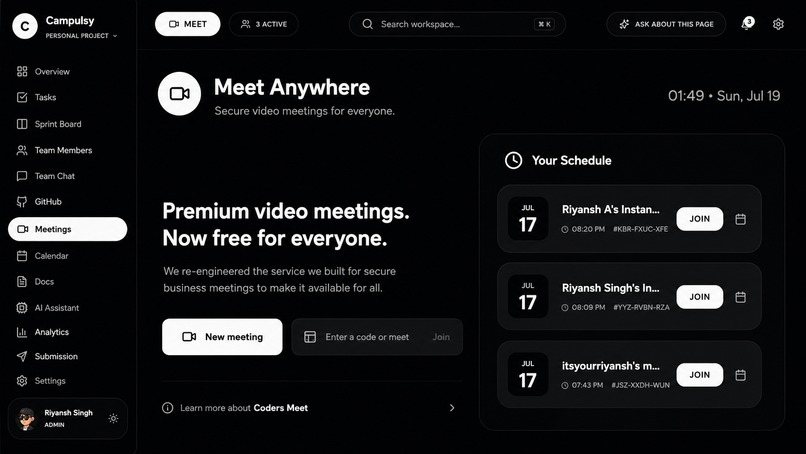
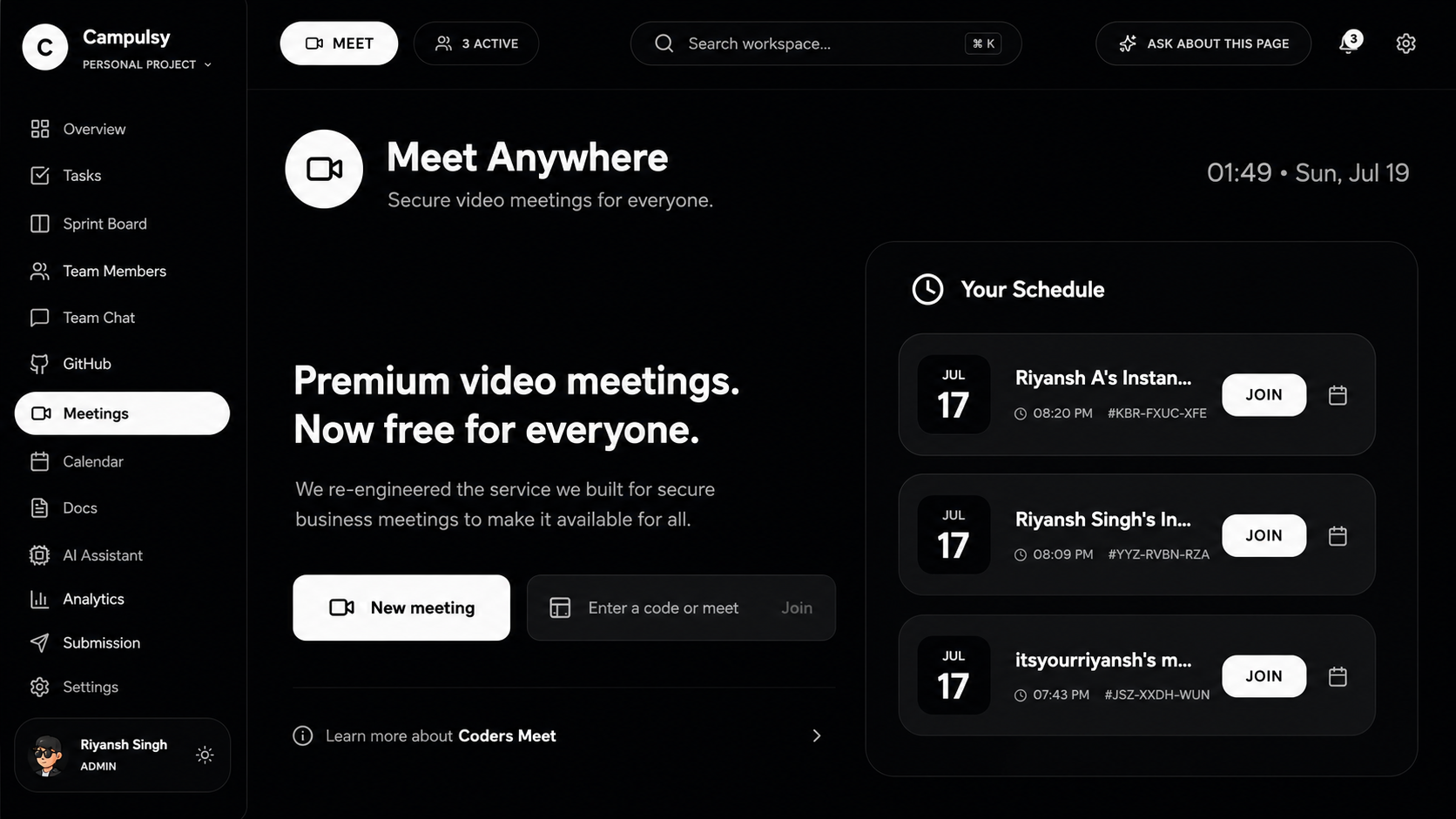
Instant Meetings in one click with AI features
-
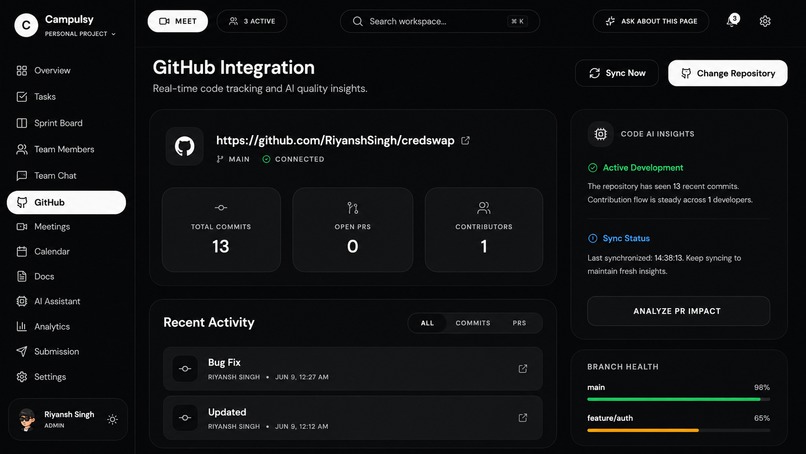
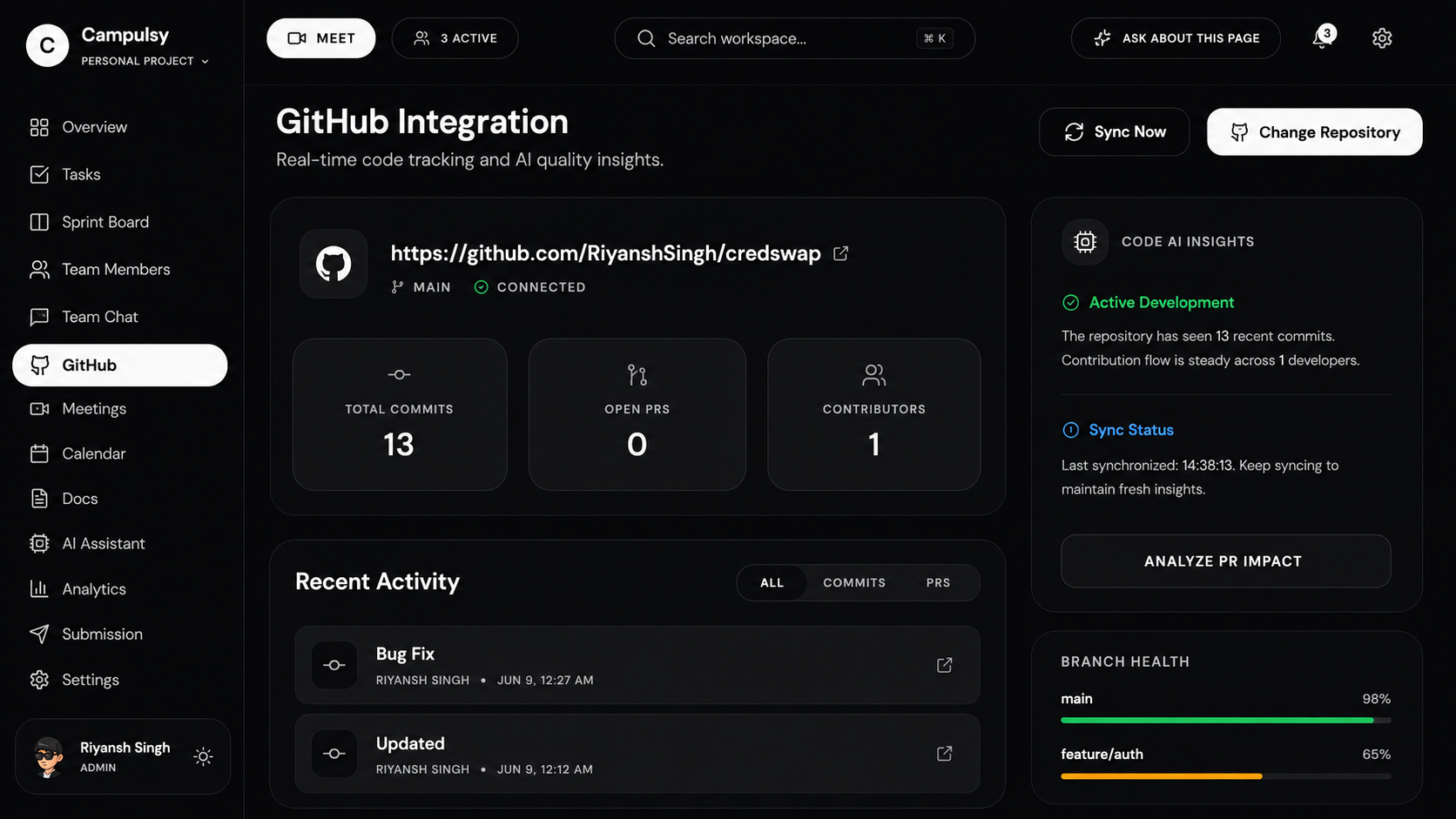
Github Repo Analysis
-
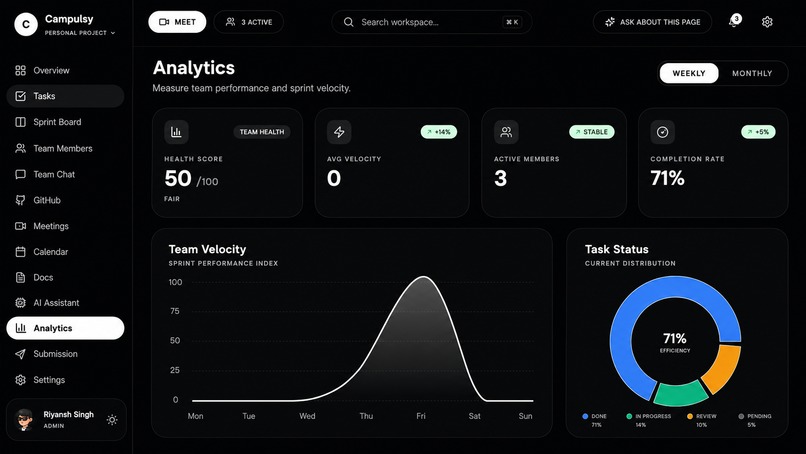
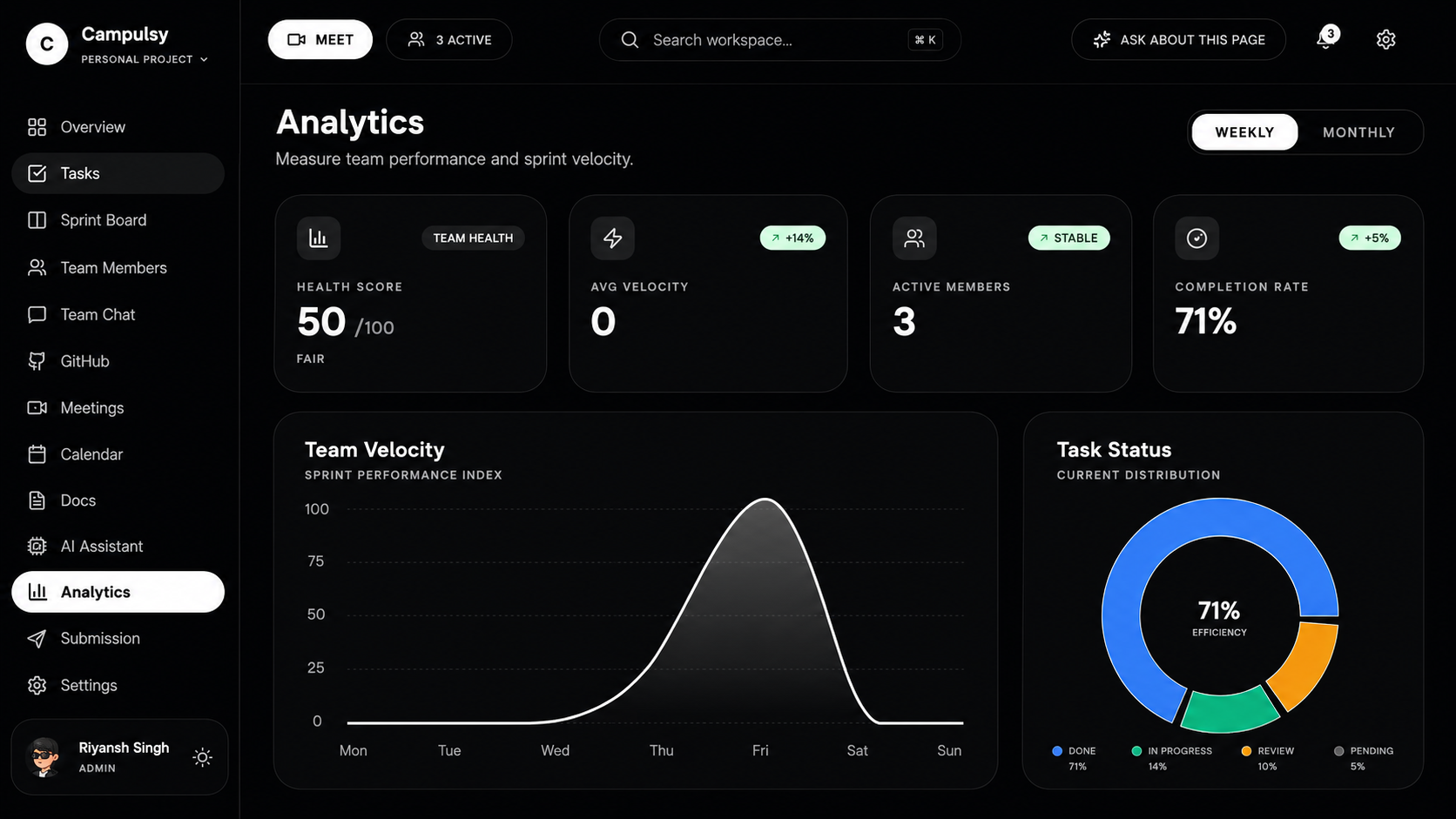
Project health analytics
-
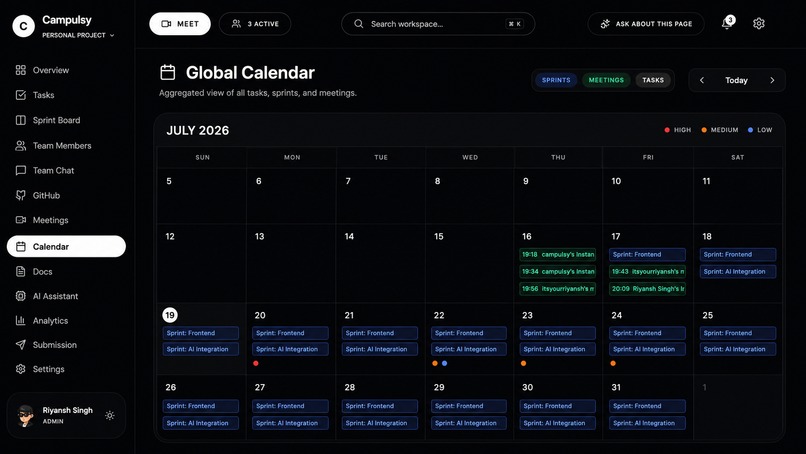
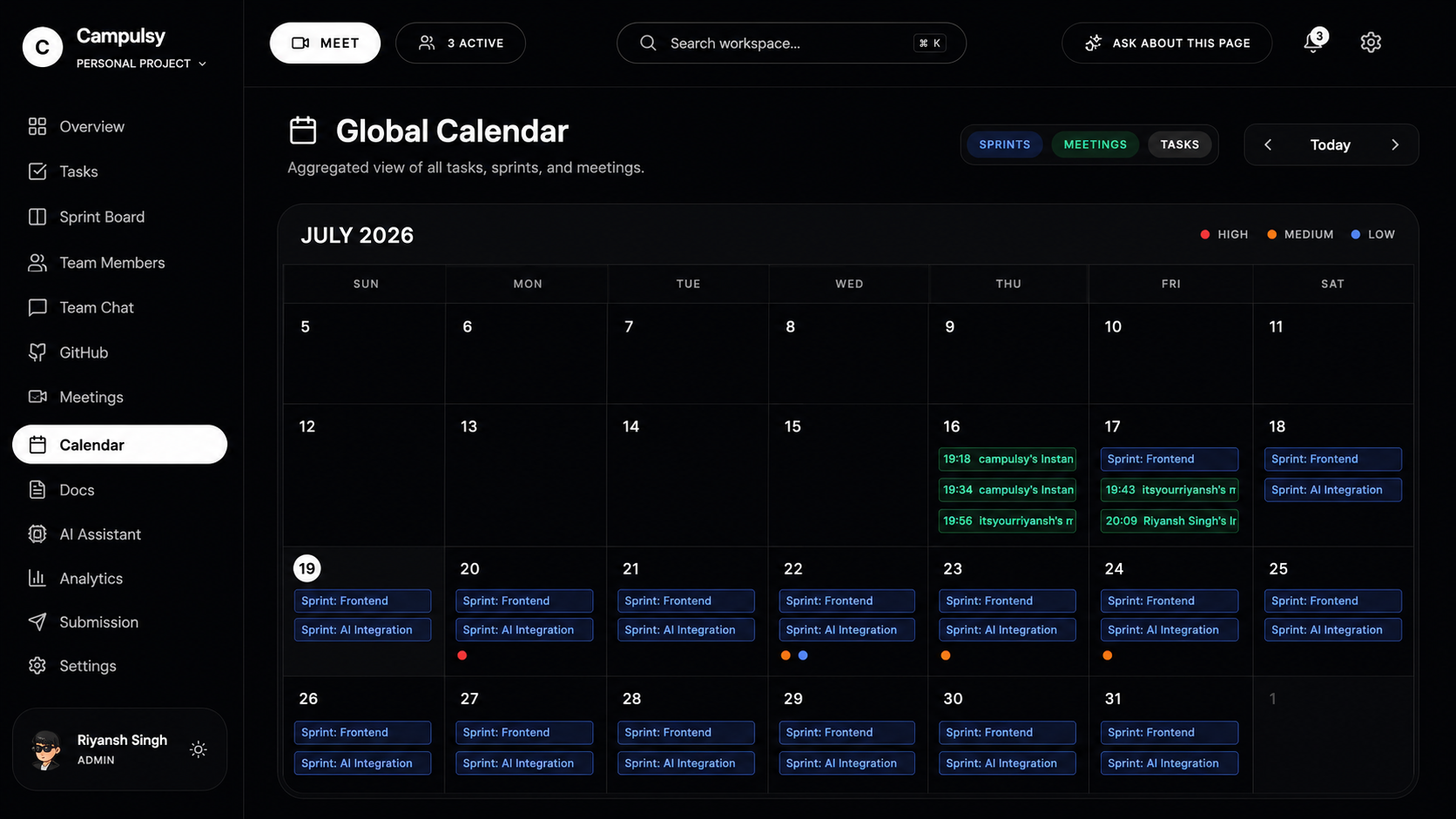
Calender
Coders — an AI-native execution workspace for hackathon and project teams
Coders was inspired by a simple problem: teams often lose momentum because their work is spread across too many disconnected tools. Tasks live in one app, discussions in another, meetings happen somewhere else, GitHub activity is separate, and important decisions are forgotten after the call ends.
For hackathon teams and fast-moving project teams, this problem is even bigger. They work under short deadlines, need clear ownership, and cannot afford to spend time asking: Who is doing this? What was decided in the meeting? Which task is blocked? Is this work actually ready?
Coders brings the full execution workflow into one secure workspace.
What Coders does
Coders combines project planning, real-time collaboration, meetings, AI assistance, GitHub context, analytics, document storage, submission support, billing, and administration in one product.
A team can:
- Create tasks with assignees, priority, due dates, sprint context, blockers, comments, attachments, dependencies, subtasks, recurring work, watchers, and templates.
- Use a review-based workflow: members submit work for review, while admins or leaders approve, reject, or reopen tasks with a reason.
- Plan work through sprint boards, calendar views, goals, retrospectives, completion signals, and real deadline/blocker-aware analytics.
- Communicate through team channels, direct messages, group messages, private channels, reactions, pins, replies, search, mentions, and task references.
- Mention a task directly in chat using
#, so conversations stay connected to the actual work. - Create and join meetings with participant controls, waiting room, meeting lock, screen sharing, raise hand, captions, chat, layouts, host moderation, attendance history, and notes.
- Use meeting intelligence to review notes/transcript context and ask AI questions such as: “What was decided in the last meeting?” or “What action items are pending?”
- Connect GitHub activity and generate AI-assisted project context.
- Store workspace documents and attachments privately.
- Use an AI assistant for sprint risk, task distribution, roadmap generation, meeting follow-up, GitHub summaries, analytics insights, and contextual help across the application.
Built for both independent teams and organizations
Coders supports two deliberately separate product experiences.
Global / personal workspace experience
A normal user can sign in through the global login, create personal workspaces, invite teammates, manage tasks, chat, meetings, documents, GitHub, and personal billing.
Workspace members can use the shared resources of the workspace, but their own profile, settings, billing, plan status, notifications, and data-rights controls remain personal to them.
Organization workspace experience
Organizations get their own dedicated login and administration flow.
An Organization Admin can create organization workspaces, assign team leaders, set per-team capacity limits, manage organization controls, publish announcements, review audit activity, and manage organization-level billing.
Inside one organization workspace, multiple leaders can run separate teams. This is important because leaders may share the same organization program but should not see another team’s private tasks, chats, files, meetings, analytics, or notifications.
Coders enforces this separation across the product, not only in the UI.
AI that understands the work without exposing everything
The AI features were designed to be useful without sending unnecessary workspace data.
Instead of sending an entire workspace history to the model, Coders retrieves only the minimum relevant context for the question:
- Task and sprint context for risk, assignment, deadline, blocker, or progress questions.
- Meeting notes and transcript excerpts for meeting-related questions.
- Document context only when the user asks about documents.
- GitHub context only when the user asks about development activity.
- Team-scoped data for organization workspaces.
This makes AI responses more relevant, reduces token usage, and protects privacy.
The AI does not silently change work. It can suggest actions, but meaningful changes still require an authorized user to confirm them.
Security and trust were treated as core product features
We did not want Coders to be just a polished interface. We wanted it to behave like a real product.
During Build Week, we added and strengthened:
- Supabase Row-Level Security for private customer data.
- Global versus organization workspace isolation.
- Organization leader-team data isolation.
- Private file/document/chat attachment access.
- Server-side GitHub credential handling instead of storing tokens in workspace records.
- Rate limits for sensitive actions such as AI, chat, invitations, uploads, and meeting-code access.
- Secure notifications with workspace-aware action destinations.
- Role-based task review and deletion permissions.
- Personal billing versus workspace/organization billing separation.
- Razorpay Standard Checkout with server-side order creation and payment signature verification.
- Support tickets, data export/deletion workflows, audit-aware admin controls, and plan quota enforcement.
How we built it
Coders is built with:
- React, TypeScript, Vite, Tailwind CSS, shadcn/Radix UI
- Supabase Auth, PostgreSQL, Realtime, Storage, Row-Level Security, RPCs, and Edge Functions
- Groq runtime AI through protected Edge Functions
- Razorpay Standard Checkout for INR billing
- Vercel for deployment
Before OpenAI Build Week, Coders was primarily a frontend-first project with most of the basic interface and initial workspace concept in place.
During Build Week, we meaningfully extended it into a much more complete product. The major Build Week work includes the end-to-end Super Admin system, Organization Admin control center, team-level isolation, secure collaboration features, advanced task workflow, meeting intelligence, AI improvements, billing flows, security hardening, private storage, rate limits, notifications, mobile improvements, accessibility/error states, documentation, and production-readiness work.
How Codex and GPT-5.6 helped
We used Codex with GPT-5.6 as a development partner throughout the Build Week implementation.
Codex accelerated our workflow by helping us:
- Analyze the existing React, Supabase, RLS, migrations, and Edge Function architecture.
- Design and implement the Super Admin and Organization Admin workflows.
- Build strict global, organization, workspace, and leader-team access boundaries.
- Debug SQL migration issues, RPC return-type errors, RLS policies, notification scope issues, billing flows, and UI regressions.
- Improve meetings, chat, AI, task management, analytics, avatars, responsive layouts, and themed UI components.
- Create security documentation, role/access matrices, product requirements, operational runbooks, QA checklists, and launch documentation.
- Review implementation decisions while preserving existing features and avoiding interference between global and organization users.
The human team made the final product, engineering, security, design, and prioritization decisions. Codex helped us move faster from those decisions to implementation, validation, debugging, and documentation.
Challenges we faced
The biggest challenge was not adding more features—it was making every feature work safely across different user types.
We had to ensure that:
- A global user never accidentally sees organization workspace data.
- An organization leader never sees another leader’s team data.
- A workspace member does not inherit the workspace owner’s personal billing plan.
- Notifications open the correct scoped destination.
- AI responses use only relevant authorized context.
- Private files, meeting notes, transcripts, GitHub credentials, and payment data remain protected.
- Admin controls work server-side and are not only hidden in the interface.
This pushed us to think beyond screens and build around permissions, data ownership, secure workflows, and real operational behavior.
What we learned
We learned that an AI productivity product is only valuable when the AI is connected to real workflow context and respects the boundaries of that context.
We also learned that a complete product experience requires much more than feature pages. It requires reliable authentication, clear roles, secure data access, error states, billing ownership, meeting recovery, notifications, documentation, and an experience that works for both an individual team and an organization with many teams.
Impact
Coders can help hackathon teams, student project teams, startup teams, and organization-led programs spend less time coordinating across disconnected tools and more time delivering meaningful work.
Our goal is to make project execution feel clear, connected, accountable, and intelligent—especially when deadlines are close and every decision matters.
Built With
- api
- artificial
- auth
- codex
- css
- edgefunctions
- github
- gpt-5.6
- groq
- openai
- postgresql
- razorpay
- react
- realtime
- storage
- supabase
- tailwind
- typescript
- vercel
- vite
- webrtc


Log in or sign up for Devpost to join the conversation.