-
-
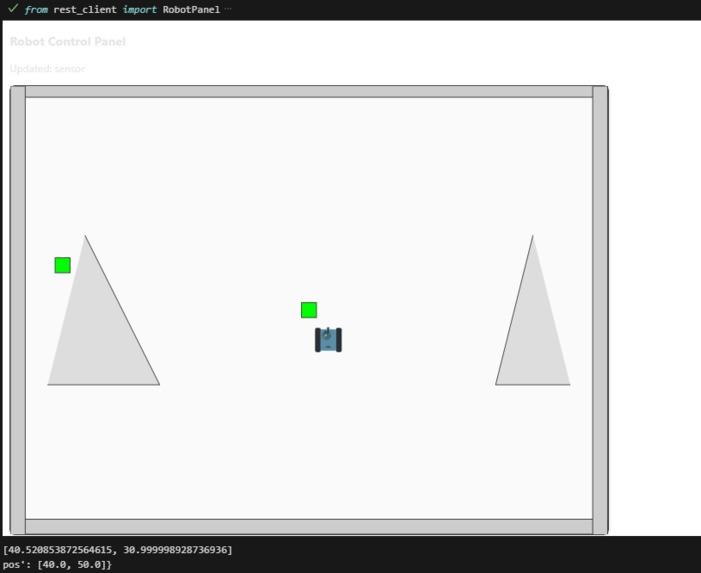
example notebook simulation
Inspiration
Our aim was to ensure that robotics could be accessed by all, rather than only those who had sophisticated hardware or setups that were difficult to configure. Numerous learners are intrigued by the ways robots think, sense, and move, yet they face constraints due to cost or logistics. We aimed to develop a completely simulated, interactive setting directly within Jupyter notebooks with CoderBots, enabling anyone to grasp robotics concepts via coding, visualization, and experimentation — without the need for a physical robot.
What it does
CoderBots, which is built entirely in a Jupyter environment, is a hands-on platform for learning robotics. It emulates a robot’s environment, sensors, and actuators, enabling users to:
Use Python code to control virtual robots.
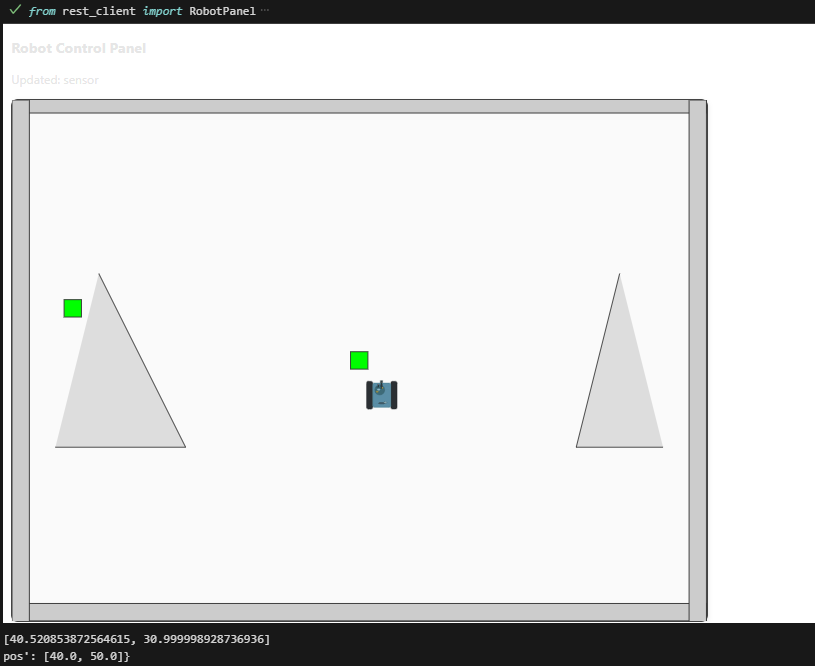
Envision movement based on physical principles, sensor data (such as LIDAR), and obstacle interactions.
Advance through robot actions one frame at a time, or execute them in real time.
Study essential robotics subjects — including control loops, mapping, and navigation — straight in code cells.
It feels like you’re programming a real robot, but the experience takes place entirely in your browser or JupyterLite.
How we built it
CoderBots was developed with the following:
Simulation logic and server communication will be handled using Python and Flask.
Box2D for realistic robot movement and collision management in a 2D physics context.
AnyWidget combined with JavaScript (Two.js) serves as the interactive front-end panel embedded within Jupyter cells.
Utilize Jupyter and IPython display APIs to enable everything to operate natively within notebooks, eliminating the need for external dependencies.
It can run entirely client-side in the browser with optional JupyterLite integration.
The physics world is managed by the simulation server, while the notebook interface provides real-time visualization and control of the robot.
Challenges we ran into
Incorporating live simulation and visualization into Jupyter cells while keeping the kernel active.
Real-time data synchronization between Python and JavaScript with AnyWidget and traitlets.
Ensuring the physics engine is responsive and stable during incremental simulation.
Guaranteeing that the platform operates uniformly in both local JupyterLab and browser-based JupyterLite settings.
Accomplishments that we're proud of
Accomplishing seamless real-time robot simulation fully within a Jupyter notebook.
Establishing a plug-and-play learning environment that only requires the opening of a notebook for use.
Creating a user-friendly control panel and sensor visualization that renders robotics seem interactive and tangible.
Creating a framework that allows educators and students to easily add their own maps, robots, and sensors.
What we learned
How to connect front-end interactivity with Python’s scientific ecosystem. Through the project, we learned about:
Embedding reactive user interfaces in notebooks with AnyWidget.
Overseeing ongoing simulation cycles within the notebook’s event framework.
Striking a balance between realism (using Box2D physics) and simplicity to ensure educational clarity.
When it comes to teaching robotics, tight feedback loops are crucial — seeing the results of your code is a game changer.
What's next for CoderBots
3D Simulation: Transitioning from 2D physics to 3D environments with the help of WebGL.
More Sensors: Incorporating simulated cameras, encoders, and IMUs.
AI & Path Planning Modules: Allowing students to apply SLAM, reinforcement learning, and computer vision directly within notebooks.
Community Maps & Challenges: an assortment of open-source scenarios that allow users to upload and share their robot solutions.
Full Browser Mode: This mode operates independently on JupyterLite, without any backend server.
We envision CoderBots becoming the “Scratch for Robotics” — accessible, visual, and endlessly expandable for learners at every level.
Built With
- javascript
- jupyter
- python


Log in or sign up for Devpost to join the conversation.