-
-
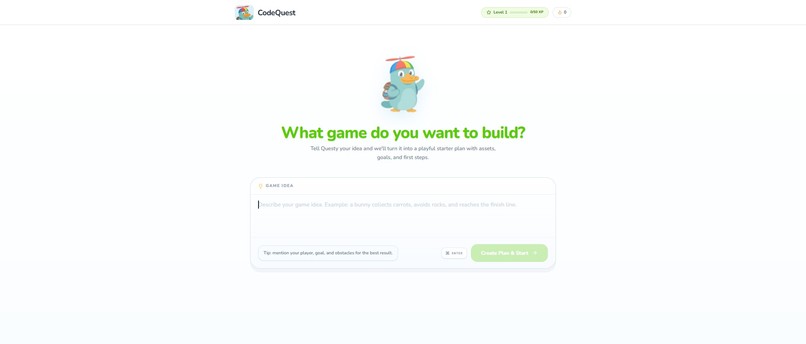
Home Page
-
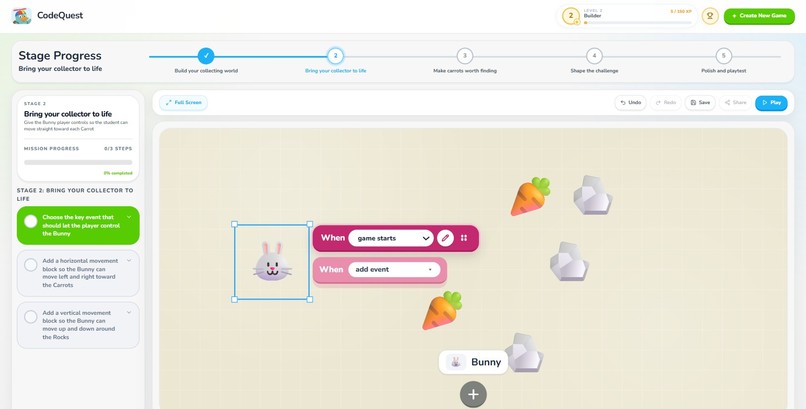
Sandbox
-
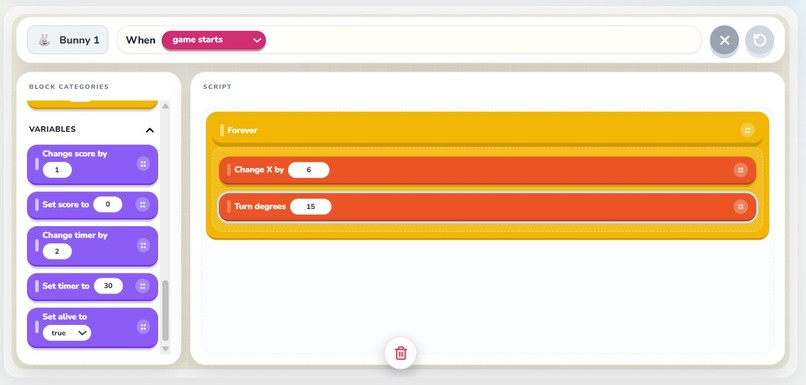
Block Coding
-
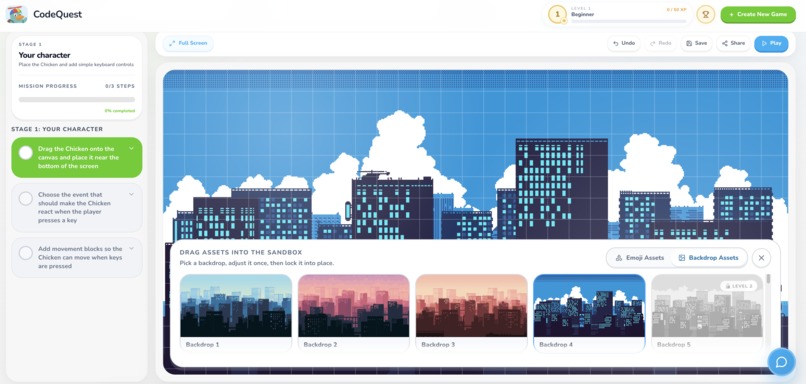
Gamified Assets
-
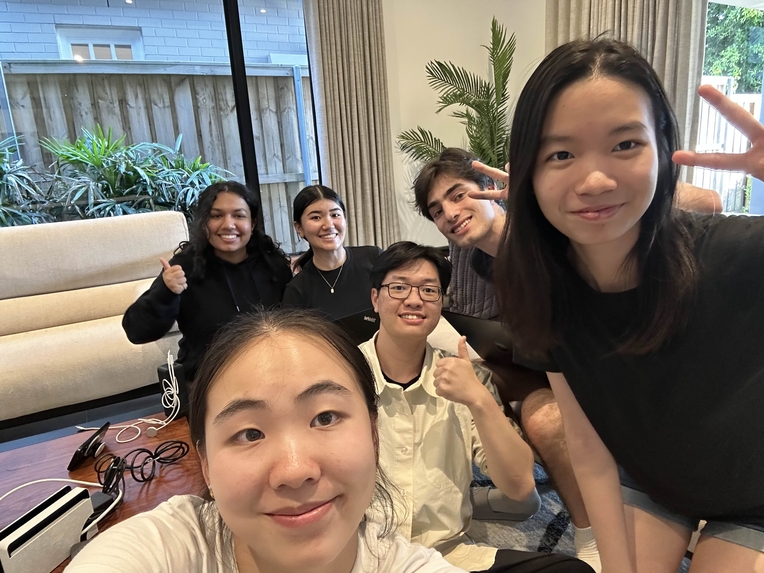
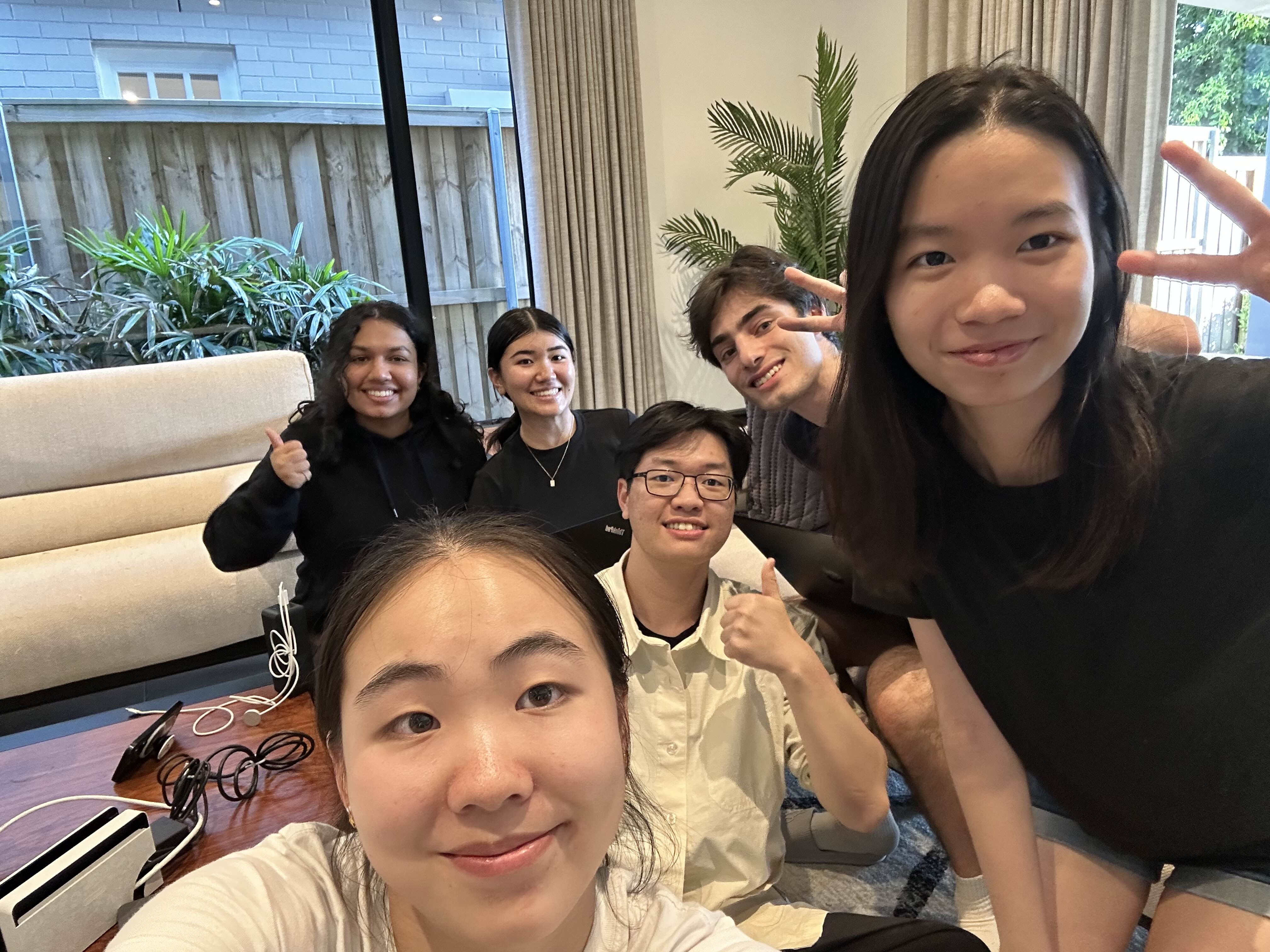
The Team!
Inspiration
How many students today are learning to code with AI? And specifically, how many of them actually understand the code they generate?
AI has made programming more accessible than ever. With a single prompt, a student can generate hundreds of lines of working code in seconds. But this inconvenience comes with a hidden problem. More and more students are copying AI generated code without really understanding how it works, who are unable to think like programmers.
When something breaks, students often do not know where to begin. Instead of learning how to think through problems, many students end up relying on AI to fix things for them, making it harder to build real confidence in programming. Existing platforms also don't solve this problem. Tools like Scratch make coding more approachable, but they do not always help students develop deeper reasoning skills. At the same time, AI coding tools generate full solutions immediately, ignoring the learning process altogether.
What students really need is a way to explore programming that keeps the creative part of coding alive, while still helping them build strong problem solving habits. So we wanted to create something that helps students turn their ideas into projects step by step. Something that encourages experimentation, makes debugging less intimidating, and helps learners gradually build the mindset of a programmer.
Because learning to code should not just be about getting the right answer. It should be about understanding how things work, trying new ideas, and enjoying the process of building something yourself.
What it does
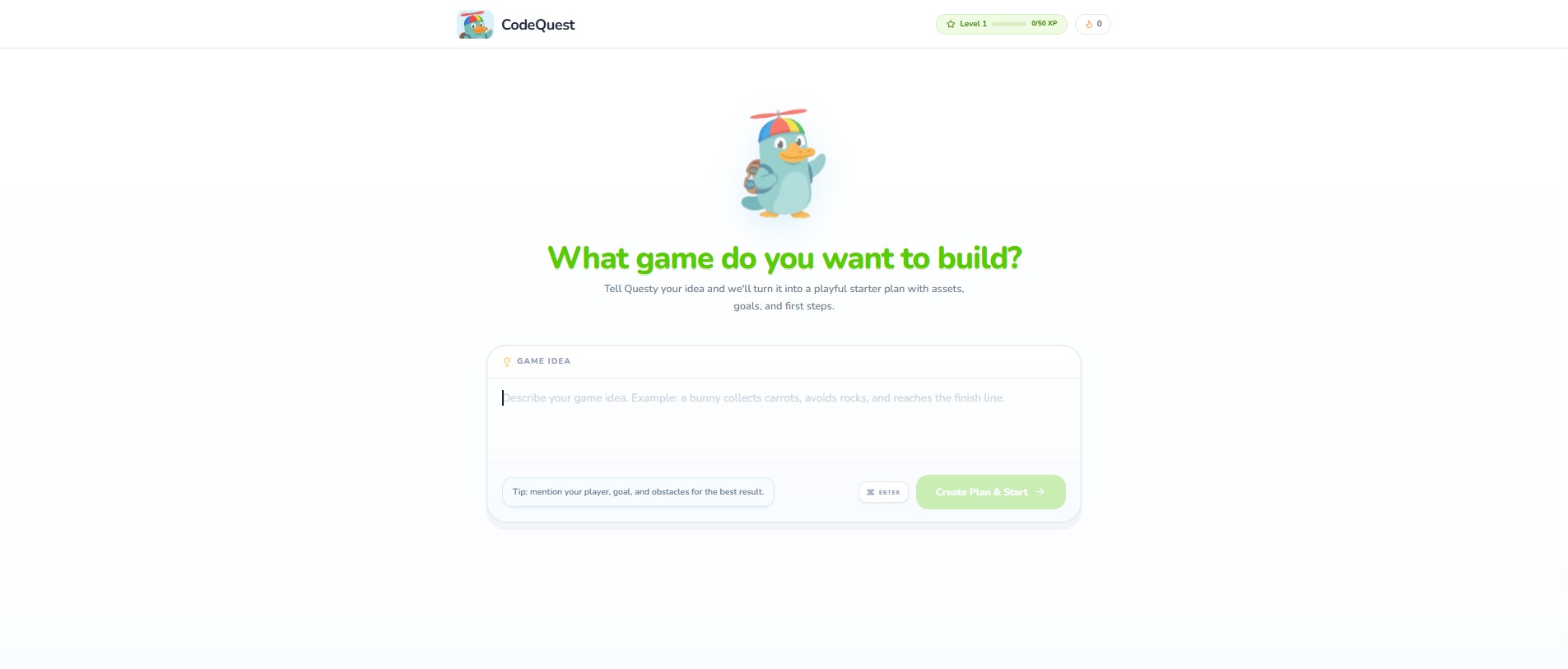
At CodeQuest, we ask a simple question “what game do you want to build?”
When students think of coding, they think of all of the fun creative projects that they can make like Pacman, Tetris or Crossy Road. They think of making a chicken dodge through moving cars. They don’t imagine the hundreds lines of codes, compilation errors and debug messages. And when they hit a single roadblock, they quit.
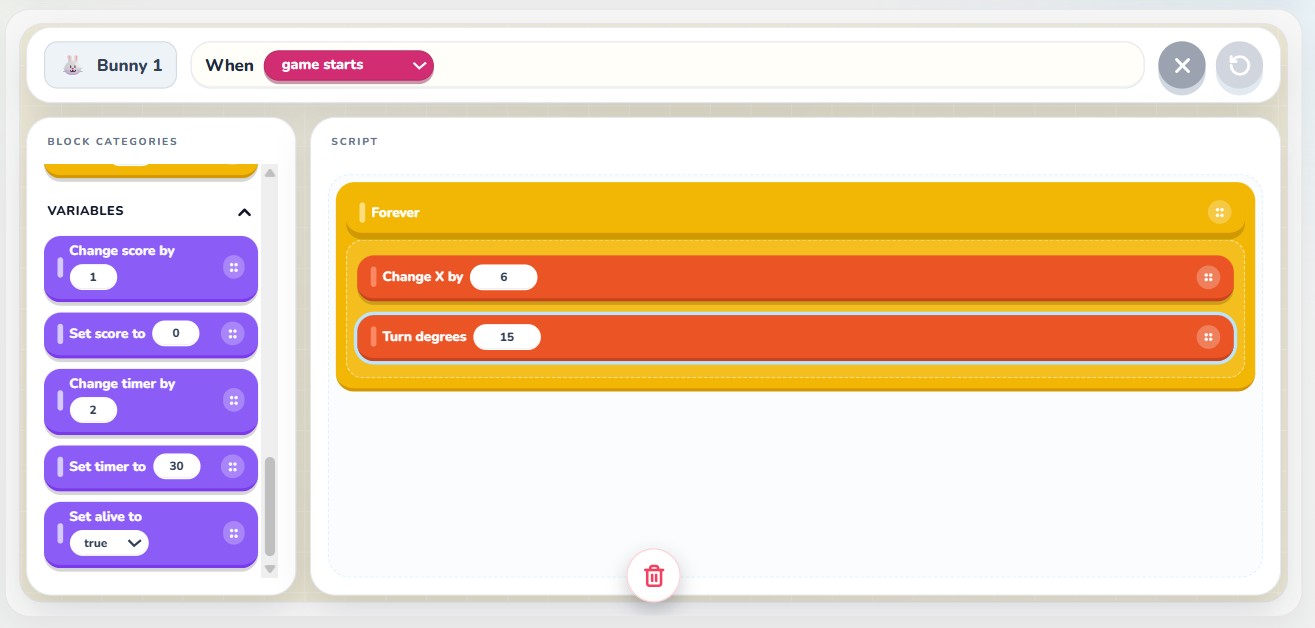
Introducing, CodeQuest. CodeQuest is a beginner friendly introduction to programming for ages 10-16 with intuitive click-to-drag code block placement and a real-time interactive sandbox.
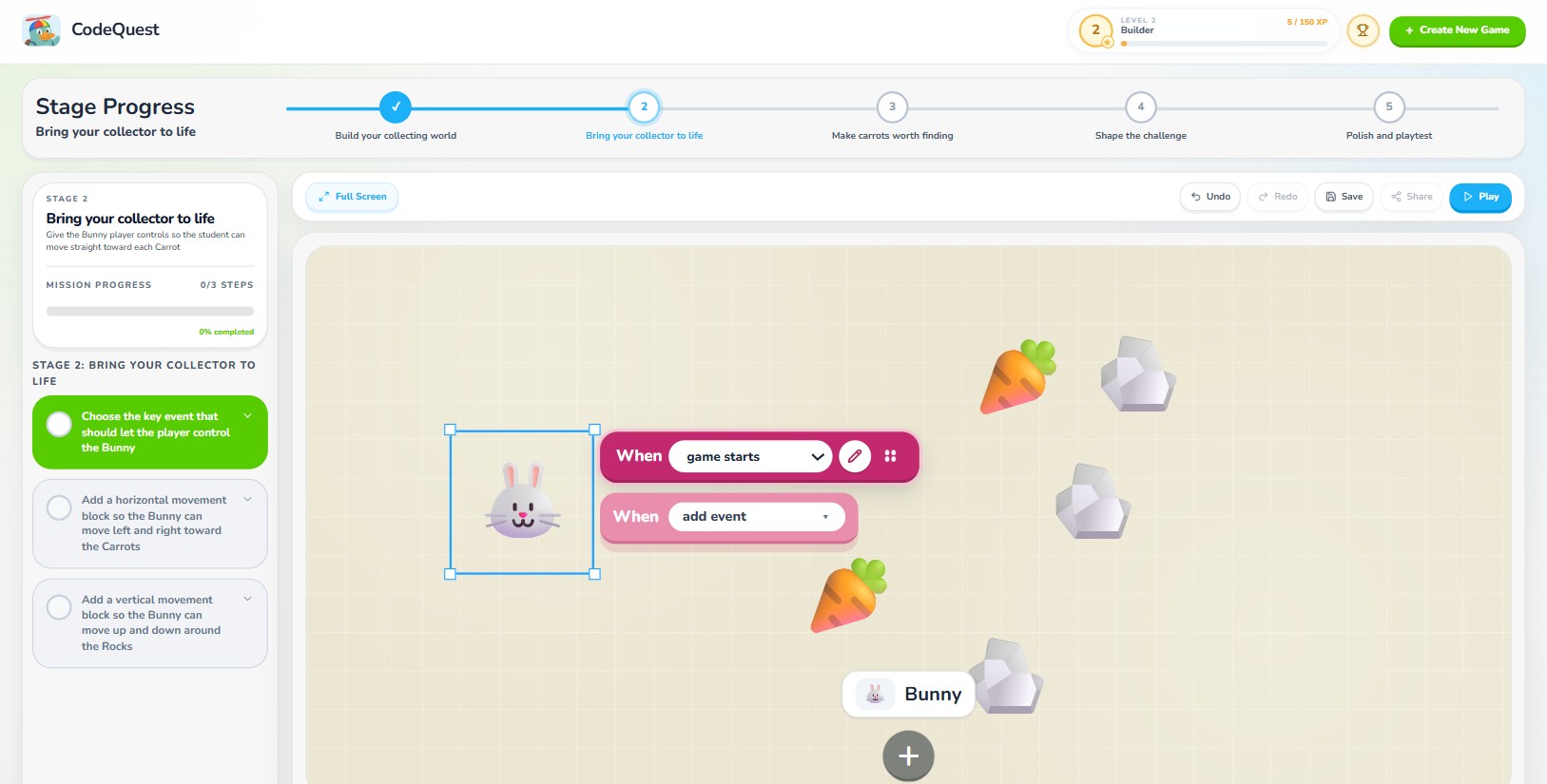
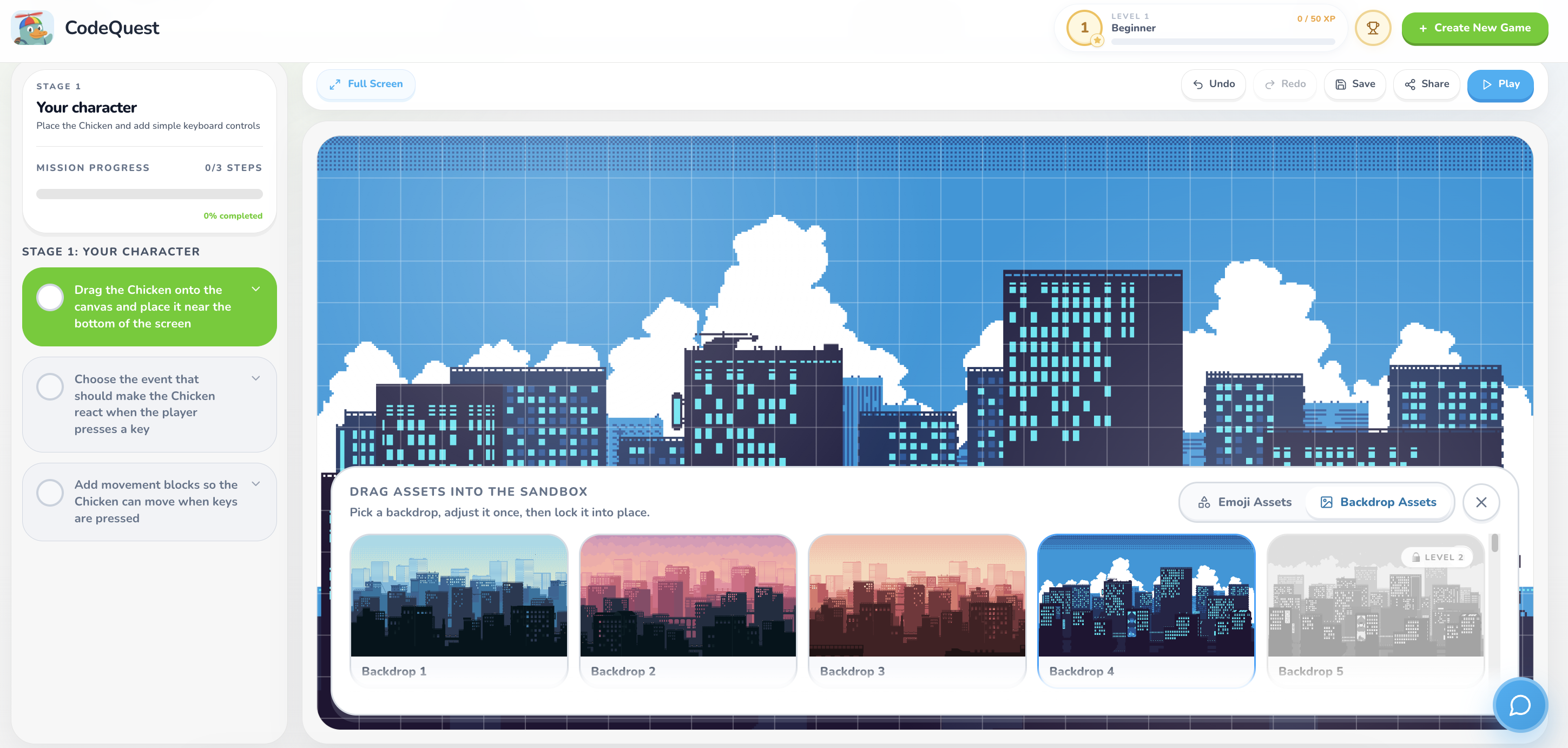
When students respond to us, “we want to build Crossy Road,” we help them. Our trusty tutorial companion, Questy, generates a personalised step-by-step guide that walks them through code blocks, structure and assets. Inside the sandbox environment, students can experiment freely. They can add assets and backgrounds, use block-based coding to control movement and gameplay mechanics, and test their game instantly to see how their code affects the world they’re building. When they’re done, they can share their games with their friends and play together.
But learning to code isn’t just about writing it. It’s about debugging it.
And when students hit a roadblock now, Questy is there to help.
Instead of simply giving the correct answer like other AI assistants, Questy helps students debug their code. He asks guiding questions, offers hints, and encourages students to reason through problems themselves. This approach keeps the student in control of the learning process while still providing support when needed. Students can ask questions like:
- “What should I try next?”
- “Where am I going wrong?”
- and “Explain this to me.”
This is how CodeQuest teaches students how to trace errors, test solutions and think like programmers. To keep the experience engaging, CodeQuest also includes elements of gamification such as levels and progress tracking. As students build their games and overcome challenges, they can see their skills improving step by step.
The goal is as simple as the question we ask. Make students think like a programmer.
How we built it
We played to our strengths and divided ourselves into three teams. Each team had a specialty: Claude API integration, game builder canvas and logic block system and Supabase database and gamification.
The stack is React + Vite, deployed on Vercel with serverless functions proxying our Anthropic API calls. We used JavaScript for the backend and Supabase to host our database. We used CSS and Tailwind for styling. Our assets came from CraftPix, with 28 emoji-based game objects that unlock across five XP levels. The fonts are Baloo 2 and Nunito.
Questy, our AI chat-bot is powered by Claude. We also added prompt injection detection and a profanity filter for the text-based chat function.
Challenges we ran into
Our priorities was guiding students on their learning journey. We didn’t want to simply give them the answers or do the work for them. We wanted to help them learn and gently guide them in the right direction when they got stuck. Naturally, this was one of the biggest challenges we ran into.
AI coding tools prioritise productivity. They generate the correct answer instantly, which is incredibly powerful tool that removes the opportunity for students to think through the problem themselves.
We had to carefully design Questy so that he focuses on guidance instead of solutions. This meant structuring responses around hints, explanations, and questions that help students understand the logic behind their code.
Another challenge was balancing simplicity and creative freedom. We wanted beginners to feel comfortable using the platform without being overwhelmed by complex systems. At the same time, we didn’t want the experience to feel restrictive. Finding the right balance between structured guidance and open-ended creativity required careful design of both the sandbox and the learning steps.
On the technical side, one of the most significant challenges was learning how to effectively prompt the AI. Getting Questy to consistently guide rather than give answers required extensive iteration on our system prompts. Small changes in wording could drastically shift the AI's behaviour, so prompt engineering became an ongoing process of testing and refining. We also had to build guardrails to handle cases where students would try to trick the AI into just giving them the solution. Integrating the AI into a real-time coding environment also meant managing API latency and carefully choosing how much code context to send with each request. Too much could slow things down or confuse the response, while too little made the guidance generic and unhelpful.
Accomplishments that we’re proud of
What we’re most proud of is the impact CodeQuest can make in future generation’s coding education. By combining two AI agents with a simple block-based coding environment, we really aim to build-up students’ problem-solving ability. And the CodeQuest playground is the perfect balance for students where coding is gamefied, made exciting, creative, and achievable. Vibes over vibe-coding.
One of the most rewarding parts of this project is seeing how a simple prompt can grow into something interactive that a student built themselves. For many beginners, starting is the hardest part. (And intermediates… And experts.) We’re proud that Stage Planning AI helps break that barrier to incentivise confidence to keep going.
We’re especially proud of the way we designed our AI tutor. Instead of doing the work for students, Questy supports the way they learn. That felt really important to us, because we didn’t want to repeat existing coding AIs, we wanted to build one that helps students become better problem-solvers.
Another part we’re proud of is that students can share their finished games through playable links. That turns their project into something real- something they can show friends, play, and feel genuinely proud of.
More than anything, we’re proud of creating the moment where a student sees their game finally work after building it piece by piece. That feeling of “I made this” is incredibly powerful, and making that experience accessible to more young learners is what CodeQuest is all about.
What we learned
We learnt a lot from working on CodeQuest. We came in with our own presumptions about how best to teach beginners how to code based on our own experiences. When designing this app, we believed that this application was accessible for beginners of all ages. Through design, implementation and testing, we noticed how many quality of life features we overlooked such as UI layout and how complex our original AI made the stage-planning steps. Our assumptions and thinking were constantly challenged during our design process, especially when reflecting with our Mentors. We received a lot of feedback, that it was too complicated for ages 8-12 and too simple for 16-18. We valued each of these juxtaposing perspectives and readjusted our scope accordingly. It was a long, thorough and rewarding process that taught us a lot about perspective and how to make this application accessible to a highly targetted age range.
What’s next for CodeQuest
CodeQuest is just the beginning, and we’re very excited about the possibilities for expanding it further. Some ideas we’d love to explore include:
- Adding more game genres and templates for students to build
- Expanding the asset library and gameplay mechanics
- Improving Questy so he can provide even deeper learning support
- Adding multiplayer or collaborative game building
- Creating a community where students can share and play each other’s games
Our long-term vision is to make CodeQuest a place where anyone can learn programming by experimenting, building games, and exploring their creativity.
Because when learning feels like play, curiosity naturally leads the way.
Built With
- claude
- css
- html
- javascript
- npm
- react
- supabase
- tailwind
- vercel
- vite


Log in or sign up for Devpost to join the conversation.