Inspiration
Understanding an unfamiliar codebase can take hours. Developers often jump between files, search for function names, trace imports, and try to understand how different components connect.
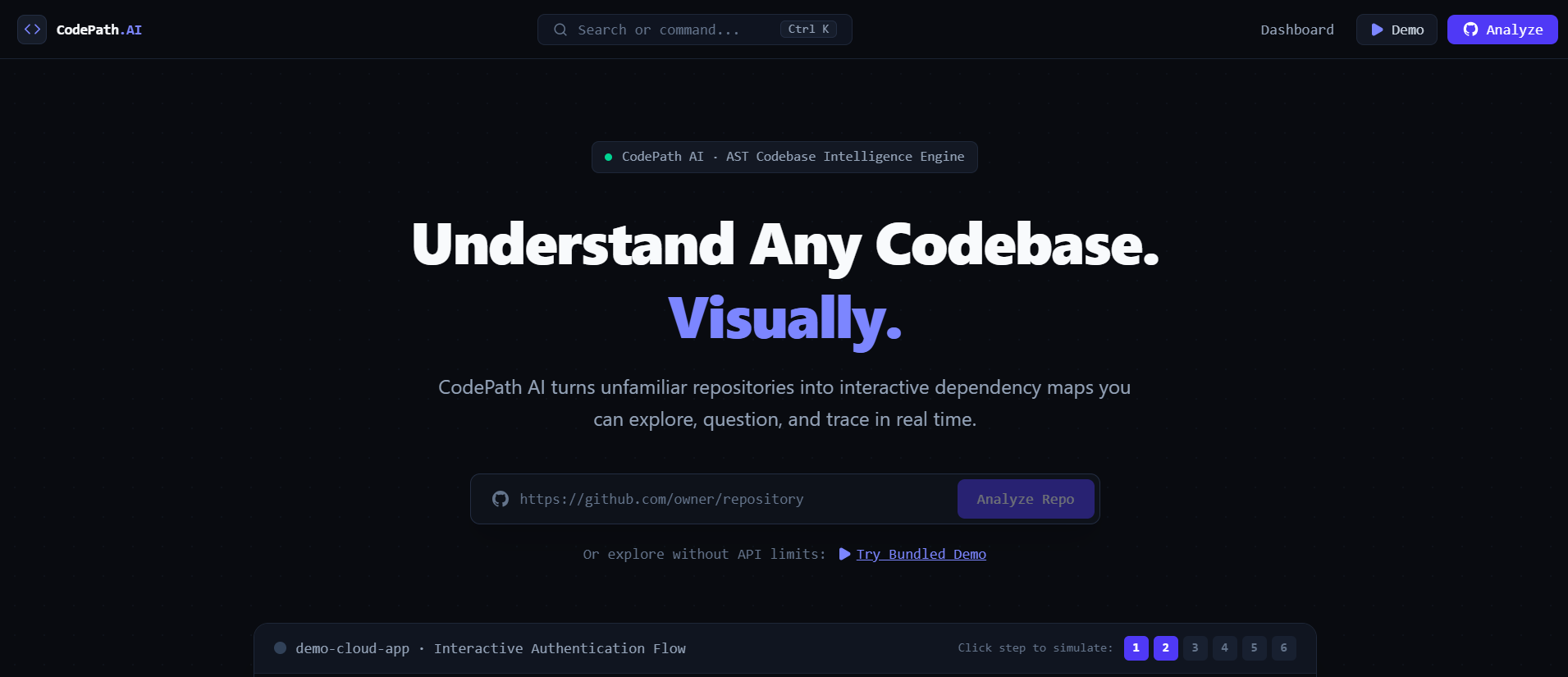
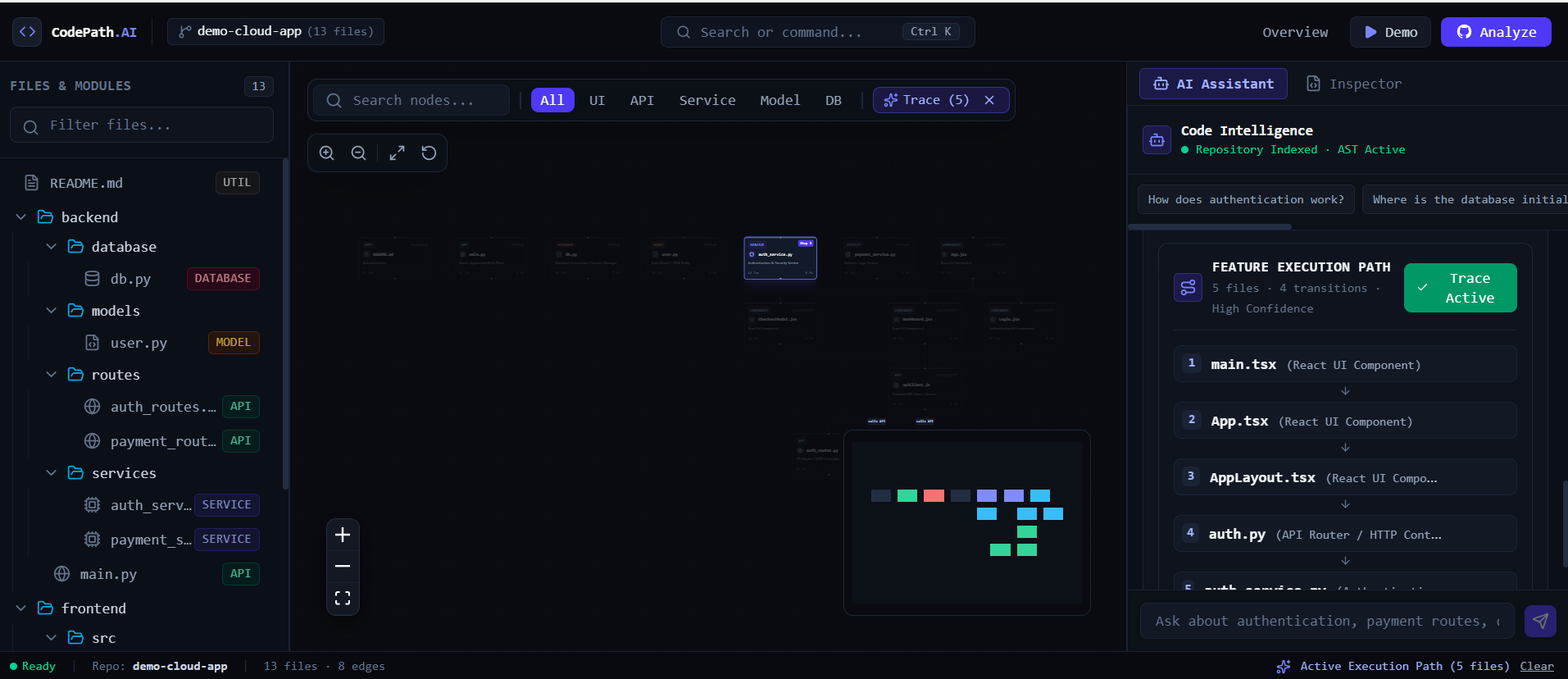
We wanted to build a tool that turns this process into something visual and interactive. The inspiration behind CodePath AI was simple: what if you could ask a codebase how a feature works and actually see the path through the project?
What it does
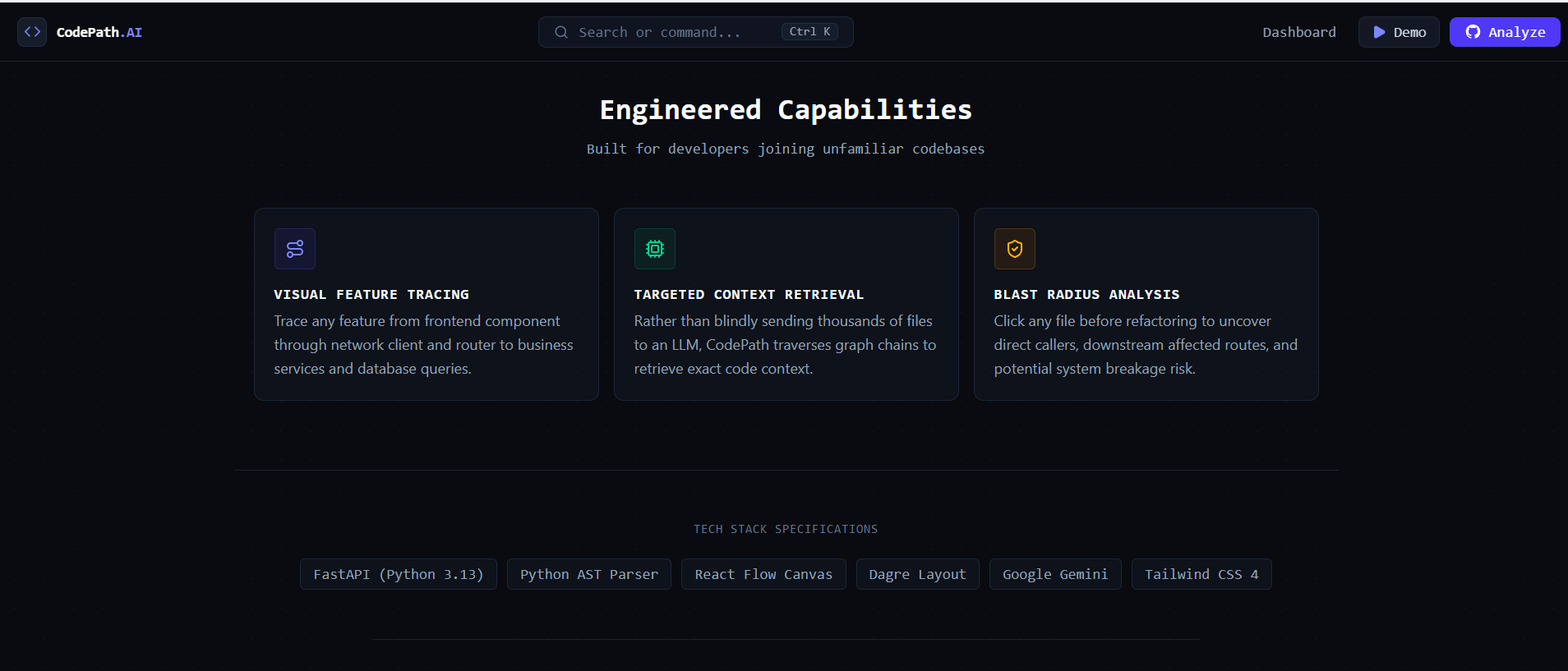
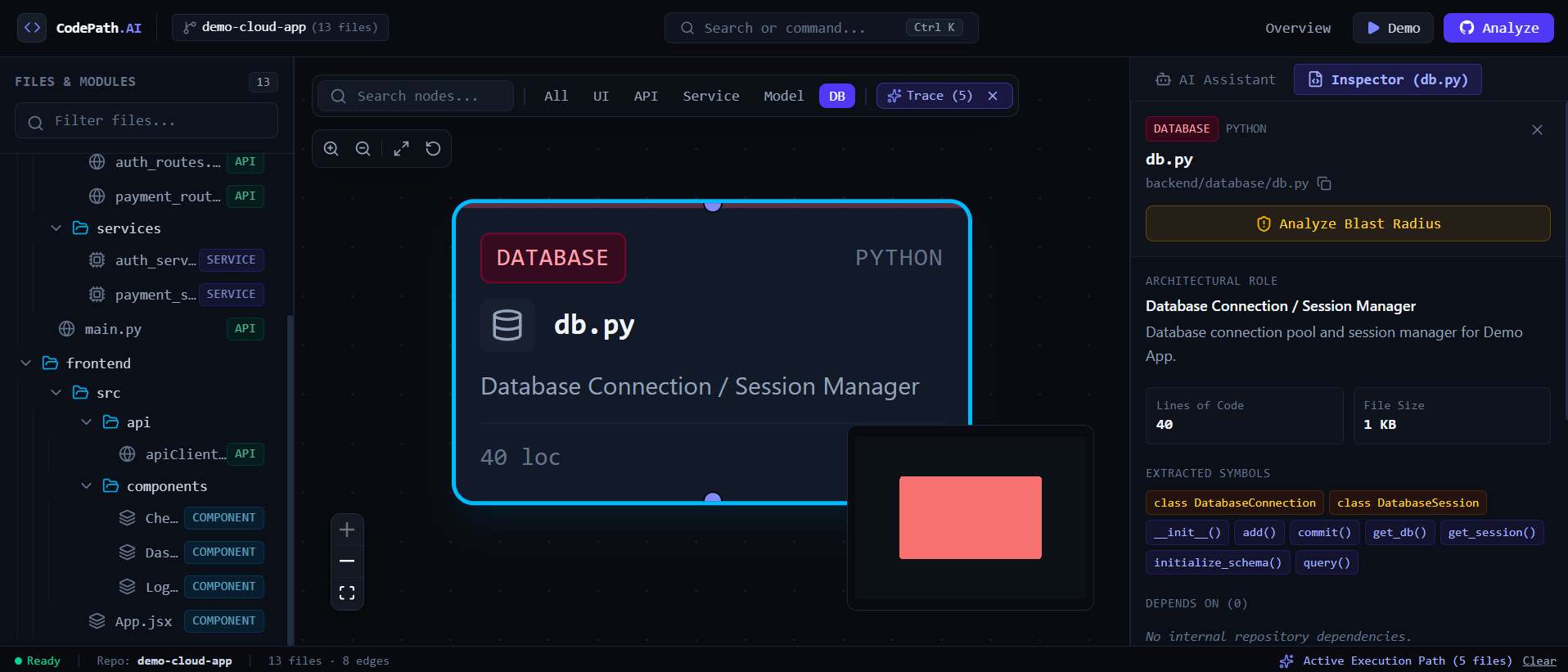
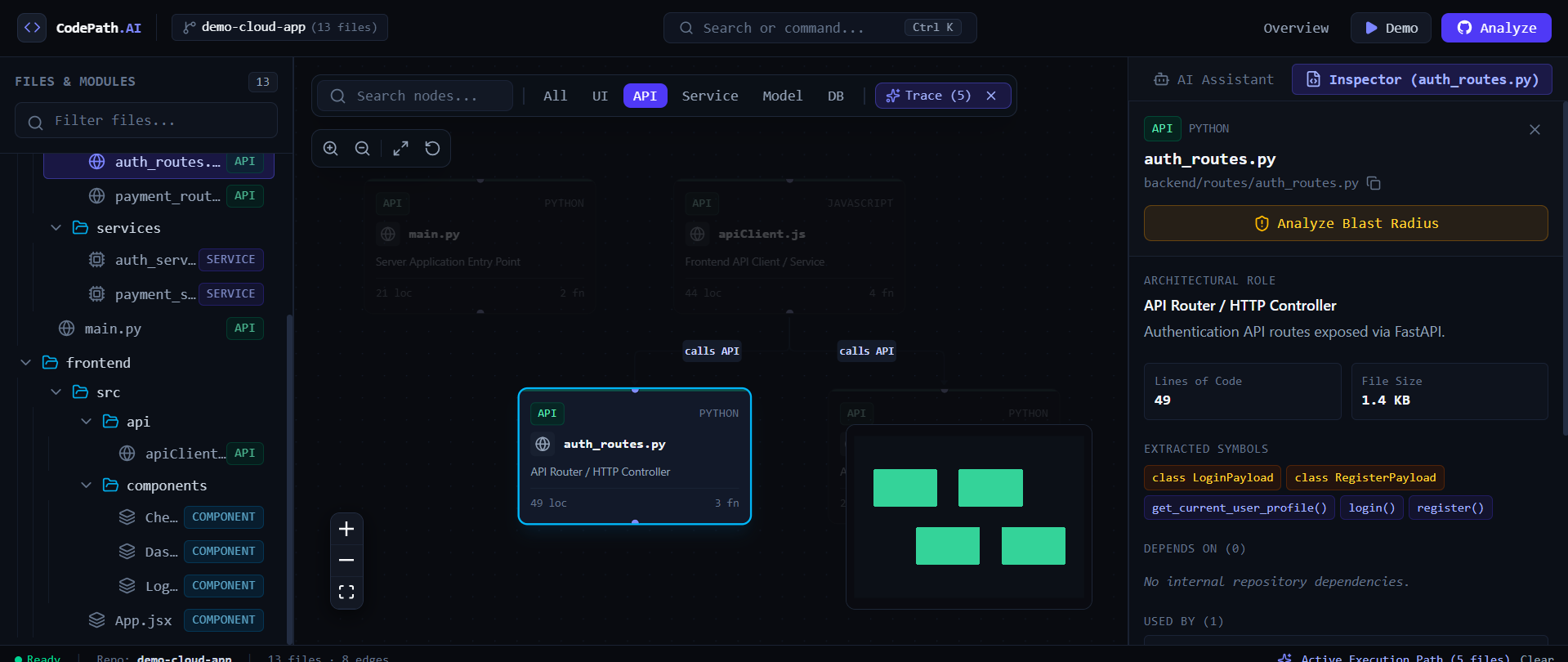
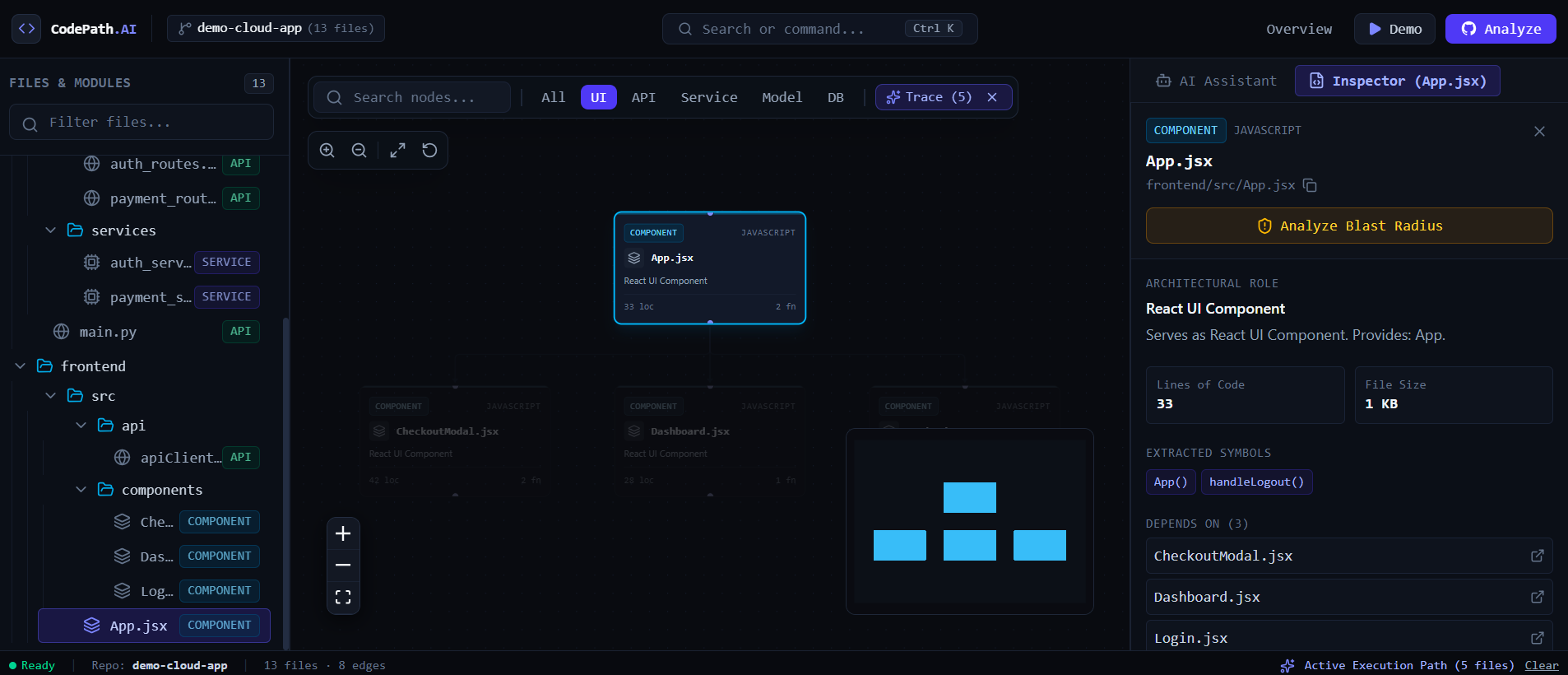
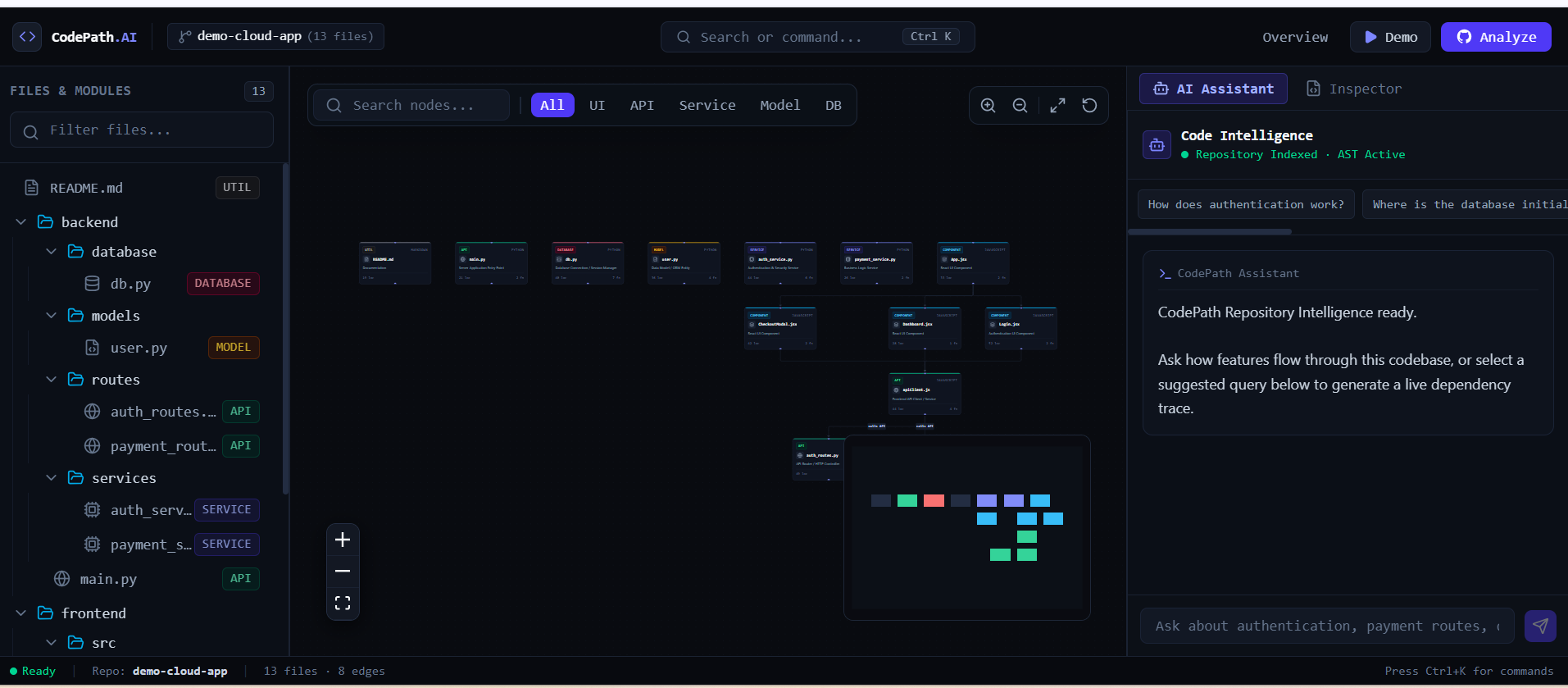
CodePath AI is an AI-powered visual codebase explorer for GitHub repositories.
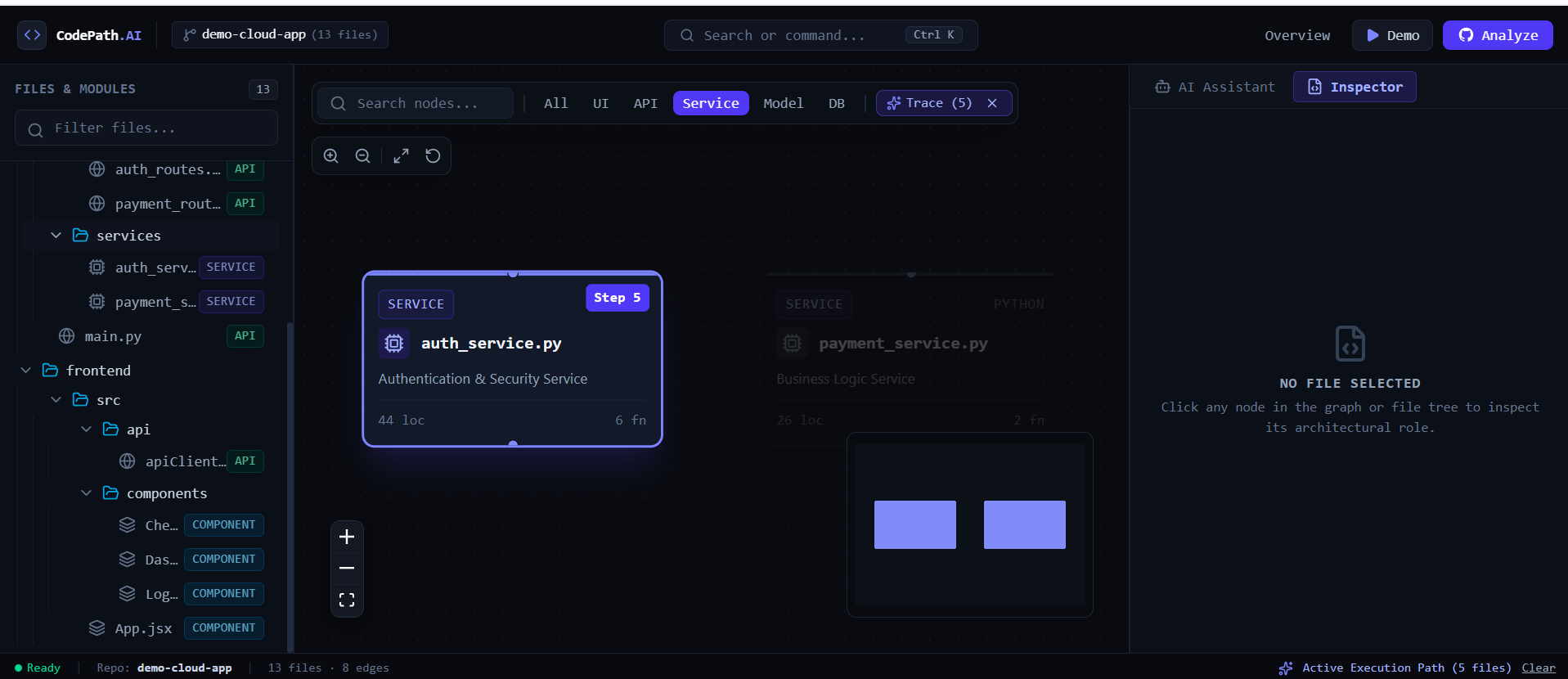
Users can connect a repository and explore its structure, dependencies, and relationships through an interactive code graph. They can also ask questions about the codebase, such as:
- “Where is authentication handled?”
- “What files are involved in user registration?”
- “How does this API endpoint connect to the database?”
- “Which components depend on this module?”
CodePath AI analyzes the repository and highlights the relevant files and relationships, helping developers understand unfamiliar projects faster.
How we built it
We built CodePath AI using a full-stack architecture.
- Frontend: React for the interactive developer interface and visual code graph
- Backend: FastAPI for repository processing and API services
- Code analysis: Python-based parsing and dependency analysis
- Graph processing: Network-based representation of files, modules, imports, and relationships
- AI: LLM-powered analysis for natural-language codebase questions
- GitHub integration: Repository ingestion and project exploration
- Deployment: Web-based architecture designed to make the tool accessible directly from the browser
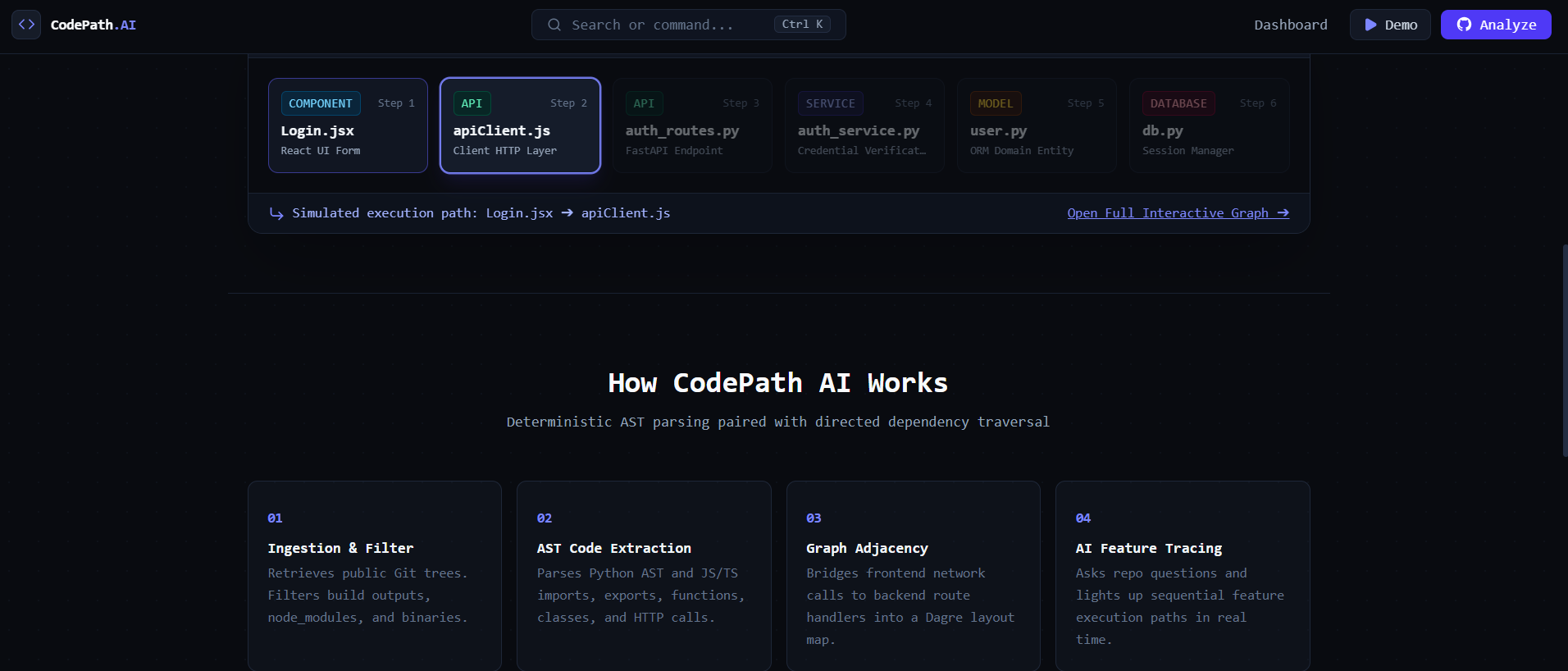
The main pipeline is:
GitHub Repository → Code Analysis → Dependency Graph → AI Context → Visualized Code Path
Challenges we ran into
One of the biggest challenges was turning a large codebase into useful context for an AI model without simply sending the entire repository to the model.
We had to determine which files and relationships were actually relevant to a user's question. We also faced challenges around parsing different project structures, representing dependencies clearly, and keeping the visual graph useful instead of overwhelming the user.
Another challenge was balancing ambitious functionality with the 24-hour development limit. We focused on building a strong core experience rather than trying to implement every possible code-analysis feature.
Accomplishments that we're proud of
We're proud that we transformed a normally manual process—understanding an unfamiliar repository—into an interactive workflow.
The biggest accomplishment is the combination of code analysis, AI reasoning, and visual exploration in one application.
Instead of returning only an AI-generated explanation, CodePath AI can connect the explanation back to the actual project structure and highlight the relevant code path.
We also built the project as a real full-stack application rather than a simple AI API demonstration.
What we learned
We learned that building an AI developer tool requires more than connecting an LLM to a prompt.
The quality of the result depends heavily on how the underlying information is structured and retrieved before it reaches the model. Code parsing, dependency relationships, context selection, and visualization are just as important as the AI layer.
We also learned how to prioritize features under a strict deadline and turn a larger product idea into a focused MVP that can actually be demonstrated.
What's next for CodePath AI
The current MVP is only the beginning.
Next, we want to add:
- Multi-language code analysis
- Deeper function-level dependency graphs
- AI-powered bug and code-smell detection
- Automated architecture documentation
- Pull request impact analysis
- “What will break if I change this?” analysis
- Repository-wide architecture and dependency reports
- Team collaboration and shared codebase analysis
Our long-term goal is to make CodePath AI an intelligent navigation and reasoning layer for software repositories, helping developers understand, modify, and maintain complex codebases with much less effort.
Built With
- css
- cssreact
- fastapi
- flow
- gemini
- git
- github
- graphdata
- html
- javascript
- llm
- mcp
- pydanticgenerative
- python
- react
- rest
- tailwind
- typescript
- vite

Log in or sign up for Devpost to join the conversation.