Inspiration
Computer science students often learn difficult topics—such as pointers, null references, memory allocation, and runtime failures—by seeing an error message and searching for a corrected code snippet. That may solve the immediate problem, but it skips the most important part: understanding why the program failed.
CodeMorph AI was inspired by the idea that debugging should feel like learning, not copying. We wanted to turn intimidating runtime errors into an interactive experience where students can see what happened inside their program and reason their way to the fix.
What it does
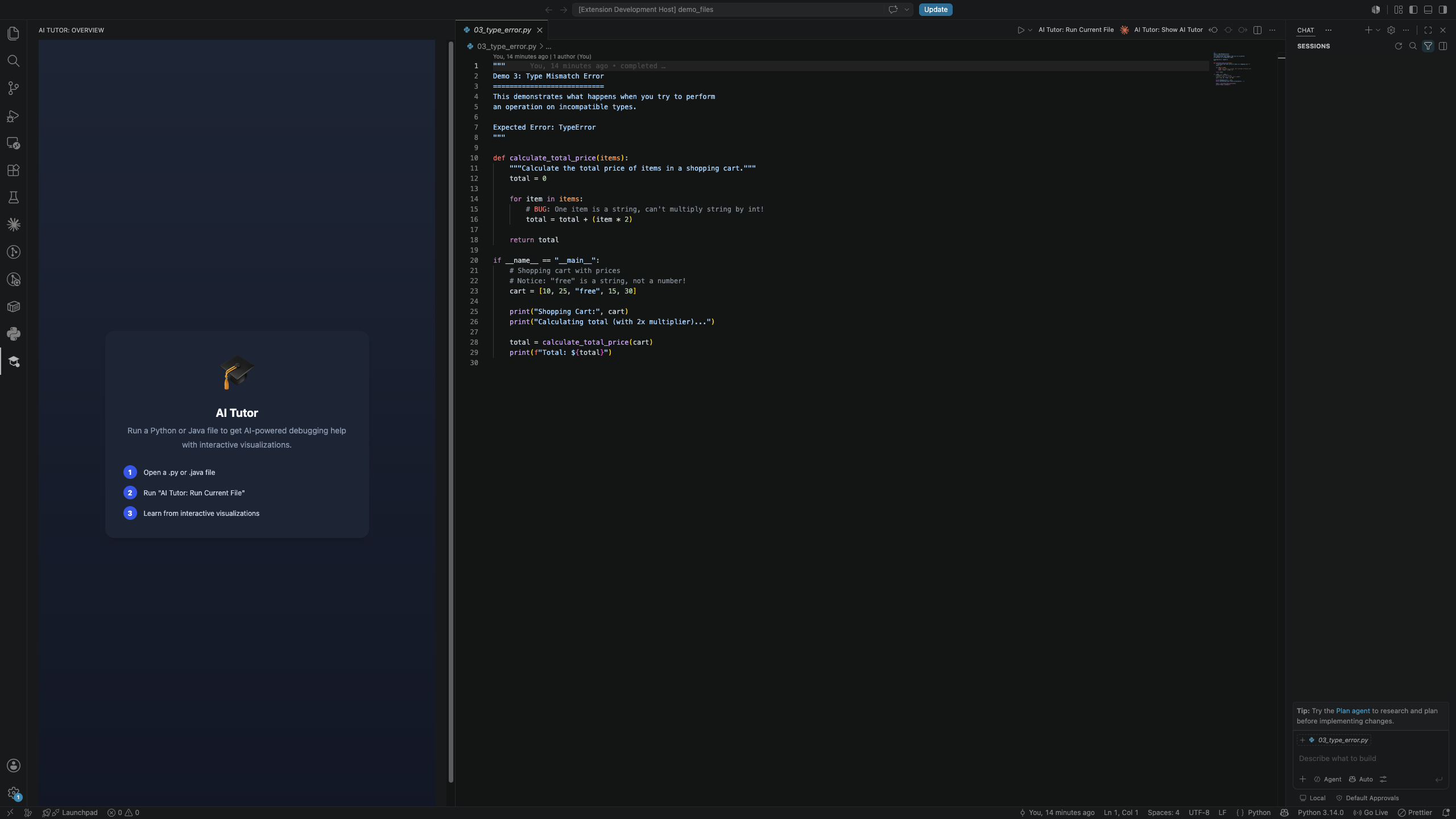
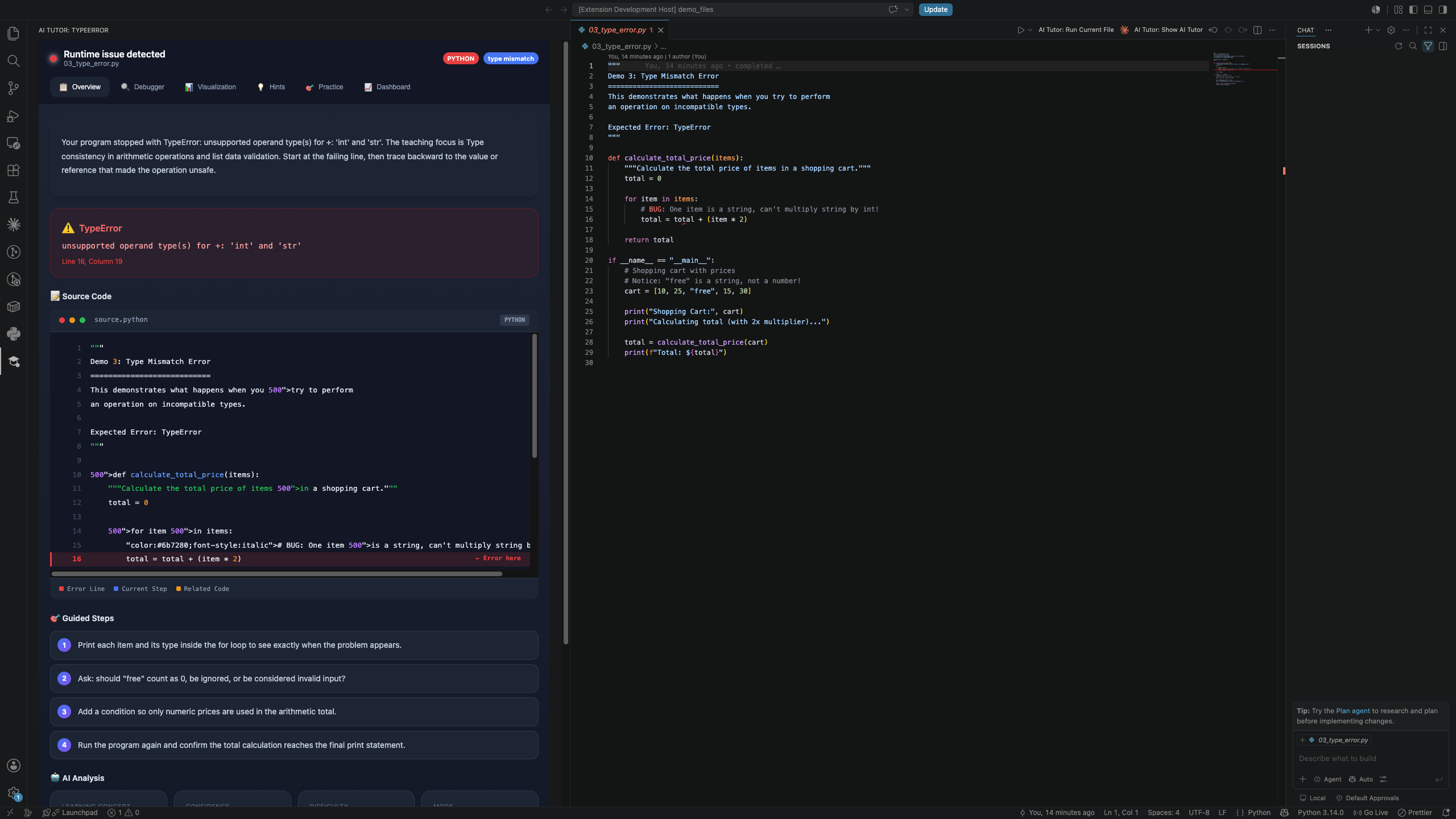
CodeMorph AI is a VS Code learning companion that transforms runtime errors into guided debugging challenges.
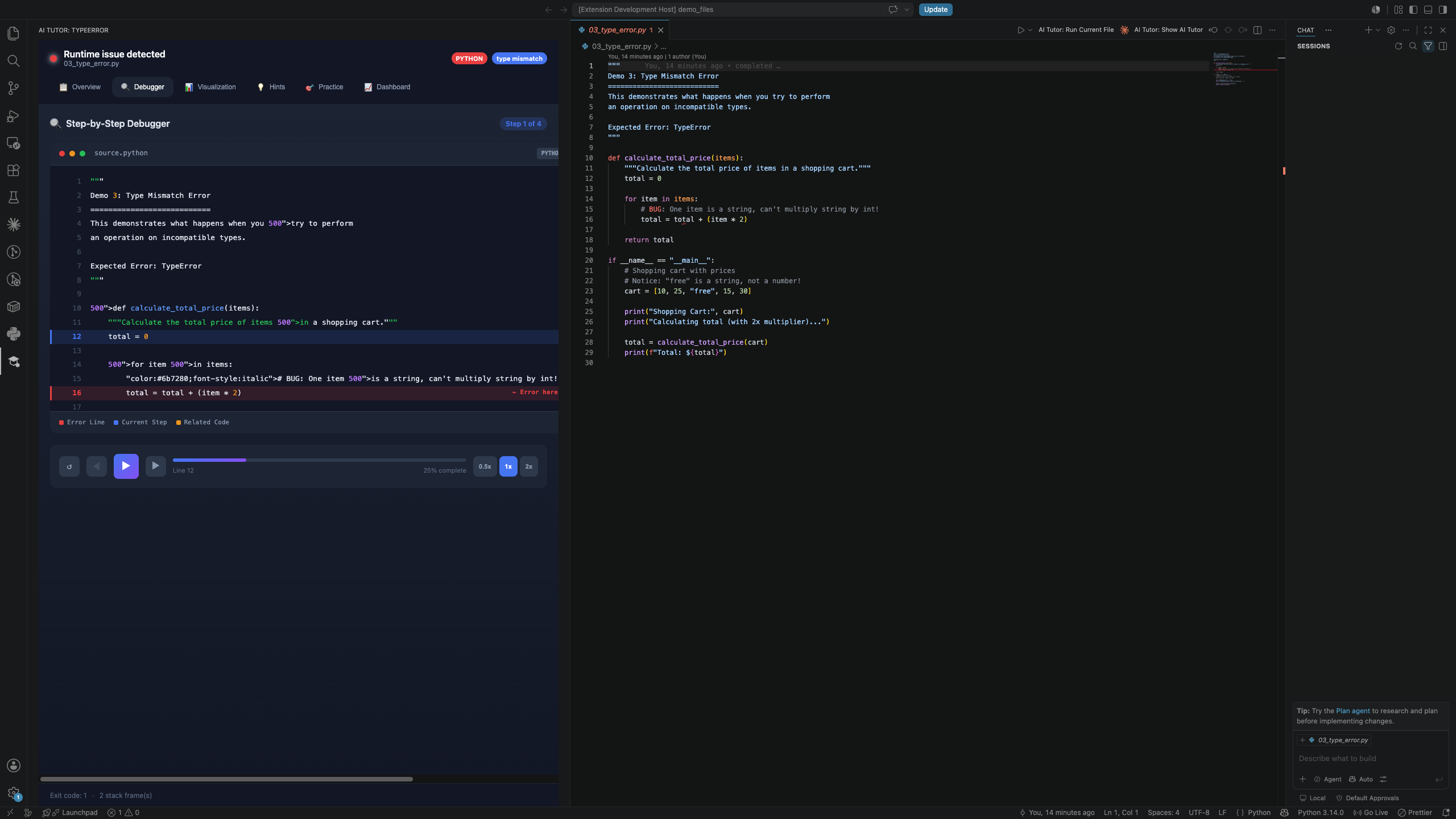
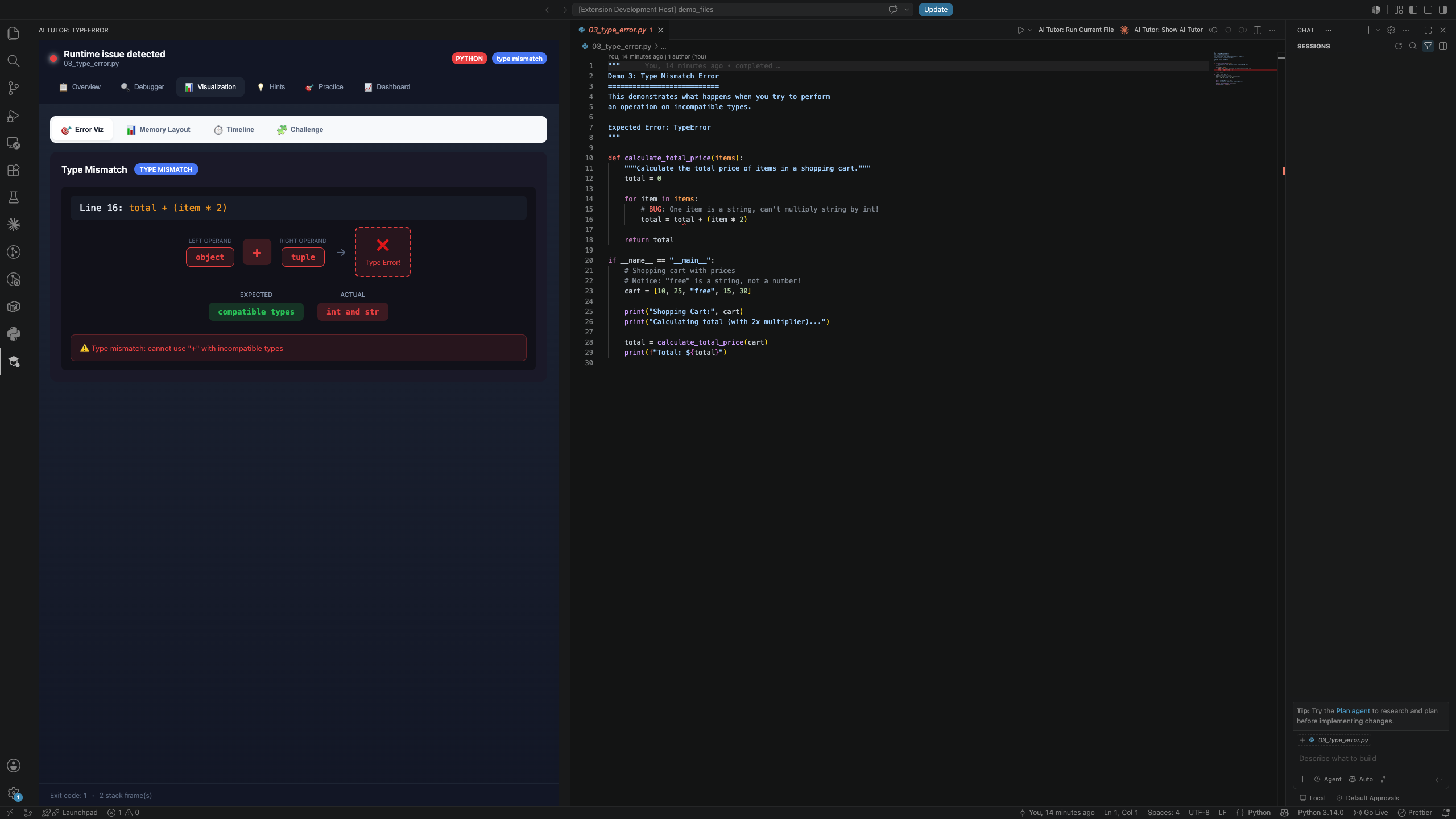
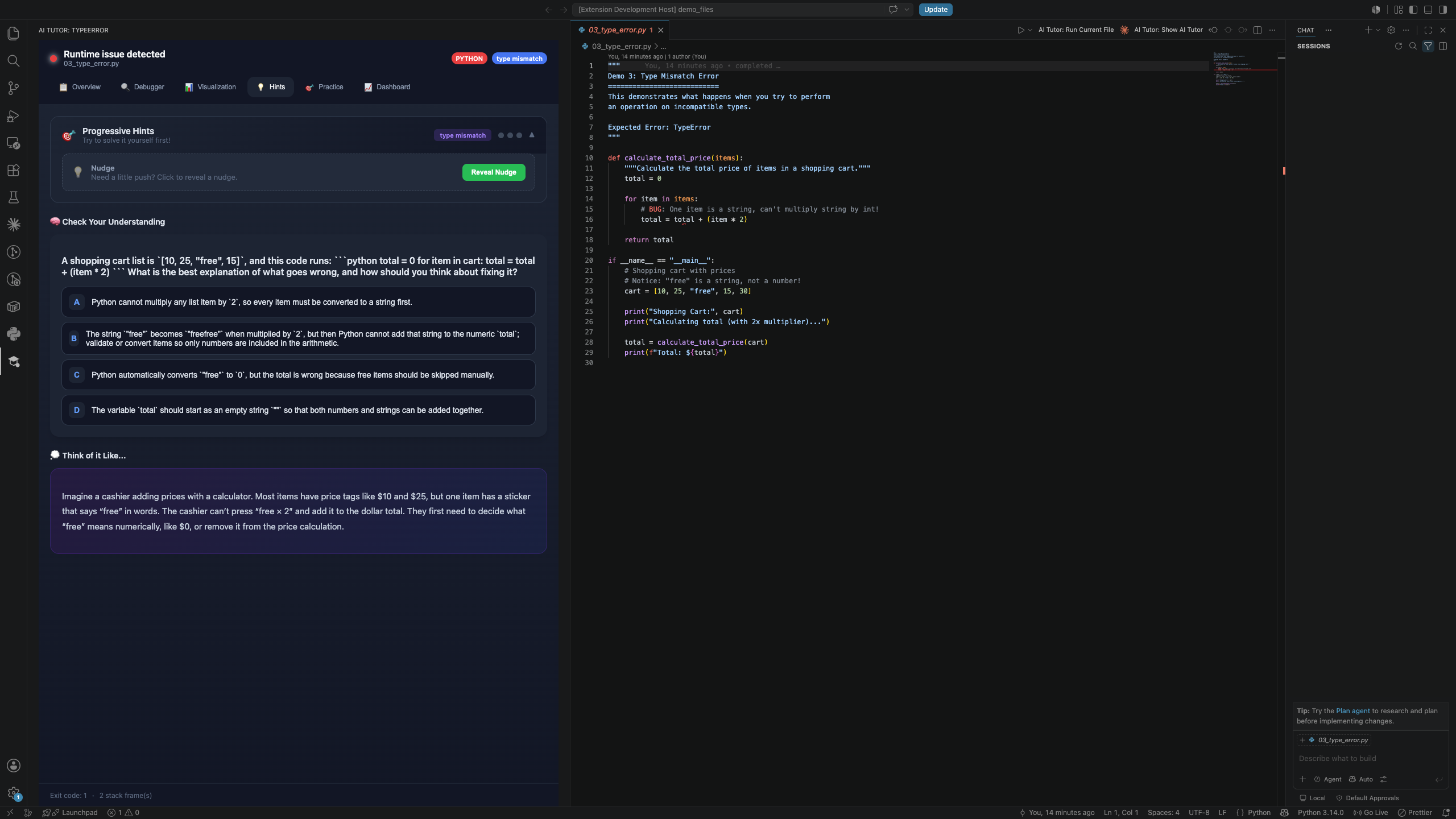
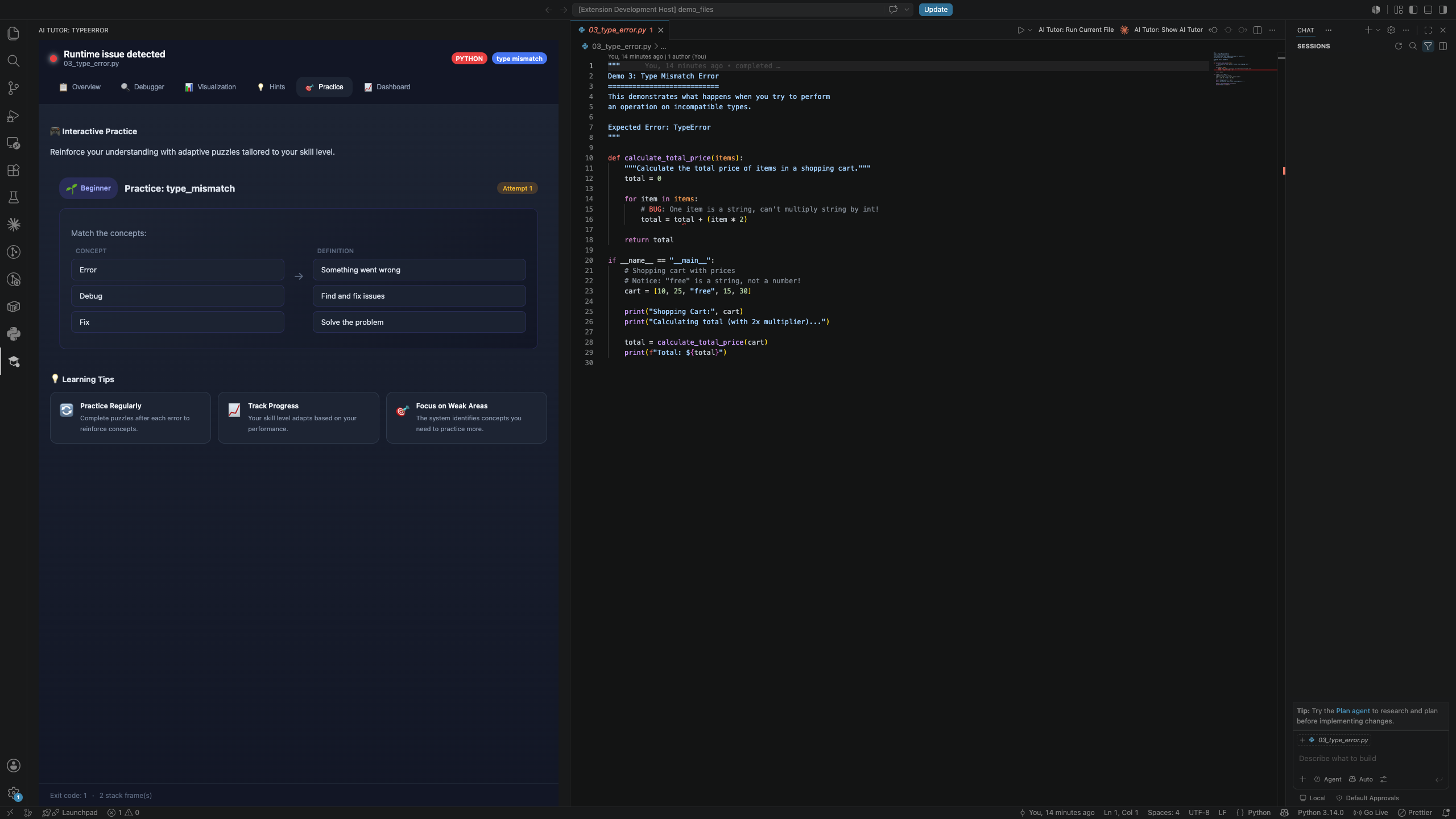
When a program fails, the extension captures the error, highlights the failing line, and opens an AI Tutor view. It visualizes program state through memory layouts, pointer/reference relationships, and execution timelines. Instead of immediately showing corrected code, it gives students guided hints and interactive puzzles—such as identifying whether a pointer is valid, null, dangling, or uninitialized.
The goal is simple: don’t just fix bugs—understand them.
How we built it
We built CodeMorph AI as a TypeScript monorepo with two main parts:
- A VS Code extension that runs code, captures runtime output, creates diagnostics, and renders the tutor experience in a webview.
- A TypeScript backend that analyzes source code and runtime traces.
The backend uses Tree-sitter AST parsing to inspect C, Java, and Python source code and construct a structured memory model. This model tracks variables, references/pointers, memory operations, and potentially unsafe dereferences.
The frontend is a React webview inside VS Code. It includes:
- Memory-layout visualizations
- Step-by-step execution timelines
- Interactive debugging puzzles
- Guided hints, analogies, and quiz questions
We also integrated OpenAI’s Responses API with structured JSON outputs to generate teaching-focused explanations, visualization plans, and adaptive hints. Deterministic AST and runtime analysis provide the factual program state, while AI helps explain that state in a student-friendly way.
Challenges we ran into
The hardest challenge was balancing AI assistance with real learning. A normal coding assistant tends to provide the final solution immediately, but CodeMorph AI needed to guide the student without removing the thinking process. We addressed this by making hints, visual explanations, and puzzles the primary interaction rather than code rewrites.
Another challenge was translating source code and runtime errors into a clear visual memory model. Runtime errors can be vague, so we combined parsed stack traces with AST-based analysis to identify variables, pointer states, assignments, dereferences, and relevant execution steps.
Building an interactive interface inside a VS Code webview was also challenging. We had to connect extension-side execution data, backend analysis, and React-based visual components into one smooth debugging flow.
Accomplishments that we're proud of
- Built a working VS Code extension that runs code, captures runtime errors, and highlights the failing line.
- Turned error output into interactive memory layouts, execution timelines, and debugging puzzles.
- Created AST-based analysis for C, Java, and Python to model variables, pointers, references, and memory operations.
- Designed CodeMorph AI to teach through hints and guided discovery instead of simply generating corrected code.
- Combined deterministic code analysis with AI-generated explanations, analogies, quizzes, and visualization plans.
- Built an end-to-end learning flow—from runtime failure to visual understanding to student-led debugging.
What we learned
We learned that the best educational AI does not simply provide answers—it creates the conditions for students to discover answers themselves.
Technically, we learned how to build a VS Code extension, capture and parse runtime failures, analyze source code with Tree-sitter, orchestrate multiple teaching-focused AI tasks, and build interactive visualizations with React. Most importantly, we learned how combining reliable program analysis with AI explanations can make complex low-level concepts more approachable.
What's next for CodeMorph AI
- Expand the live extension from Java runtime errors to C pointer bugs, Rust ownership/lifetime errors, and concurrency race conditions.
- Add sanitizer and compiler integrations to detect issues such as use-after-free, invalid memory access, and data races.
- Make puzzles adapt to each student’s skill level and past mistakes.
- Add inline editor annotations so students can inspect memory state directly beside the failing code.
- Let students retry their solution after completing a challenge, reinforcing learning through immediate feedback.
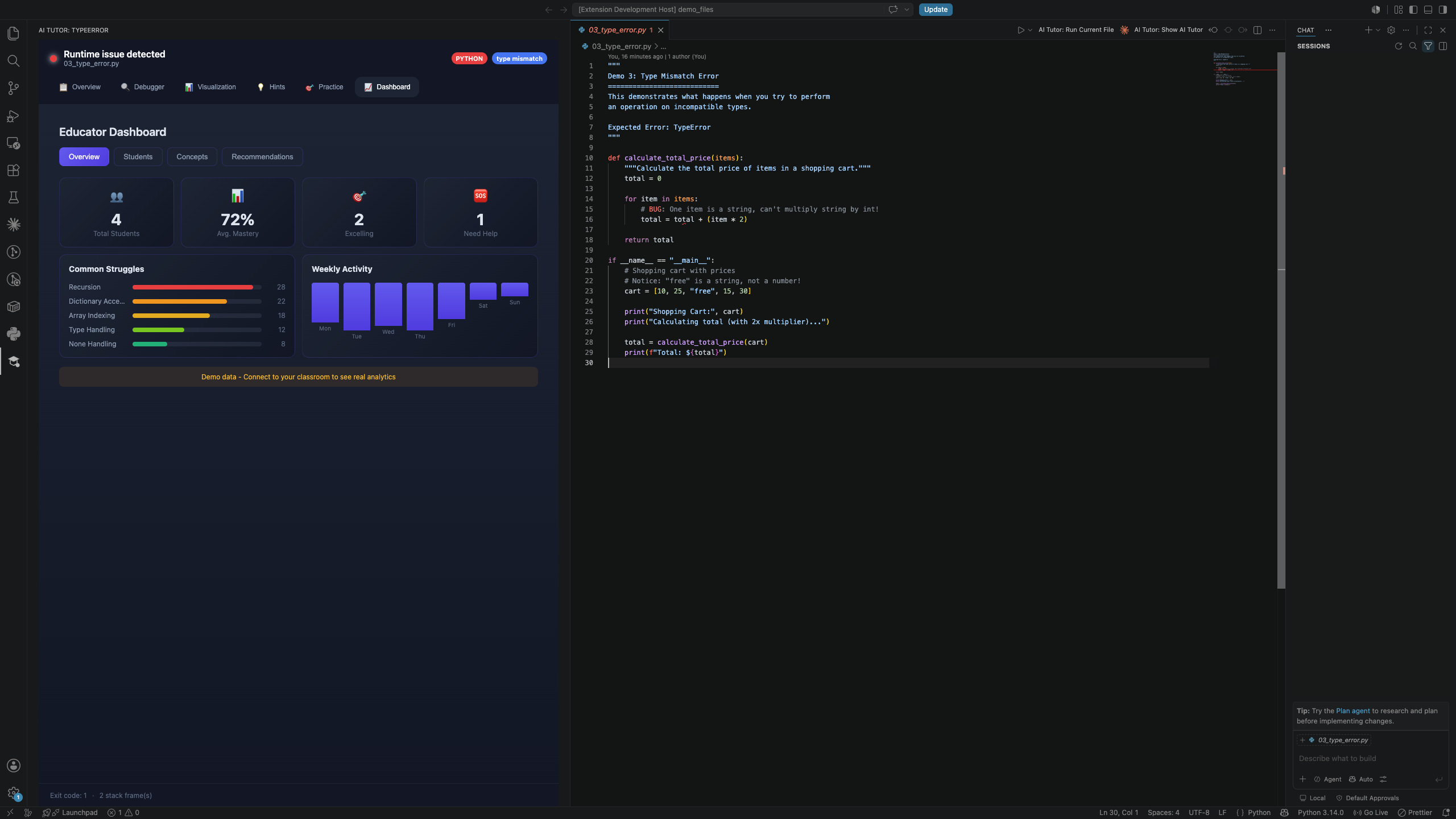
- Build educator dashboards with progress insights and common misconception patterns.
Built With
- esbuild
- extension
- gpt-5
- langgraph
- node.js
- openai
- typescript
- webviews


Log in or sign up for Devpost to join the conversation.