Inspiration
Code can work perfectly and still be difficult to understand.
As developers, we often spend more time reading unfamiliar code, tracing logic, and figuring out where bugs might be hiding than actually writing new code. We wanted to build something that could act like an intelligent lens over a codebase—helping developers understand what their code does and what could be improved without having to manually analyze every line.
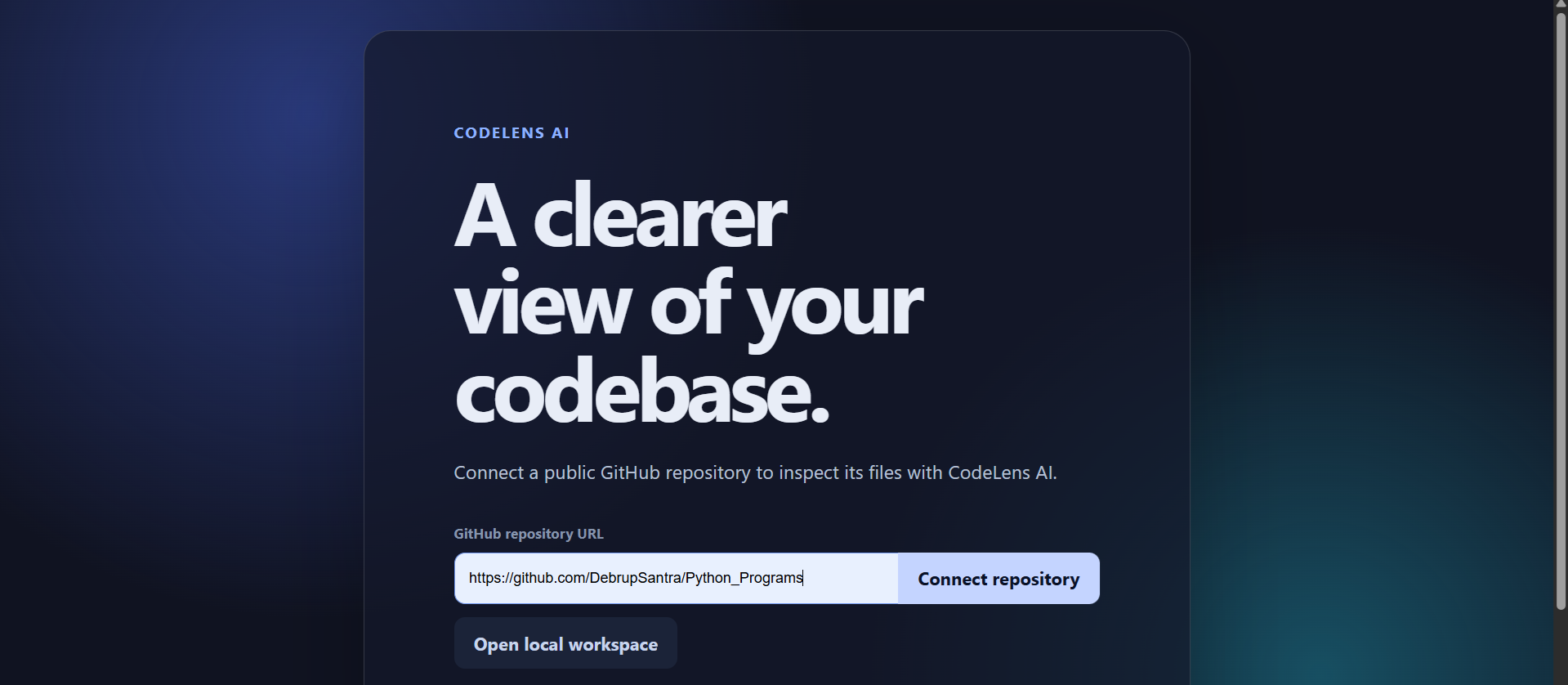
That idea became CodeLens AI: an AI-powered developer tool that turns source code into clear, actionable insights.
What It Does
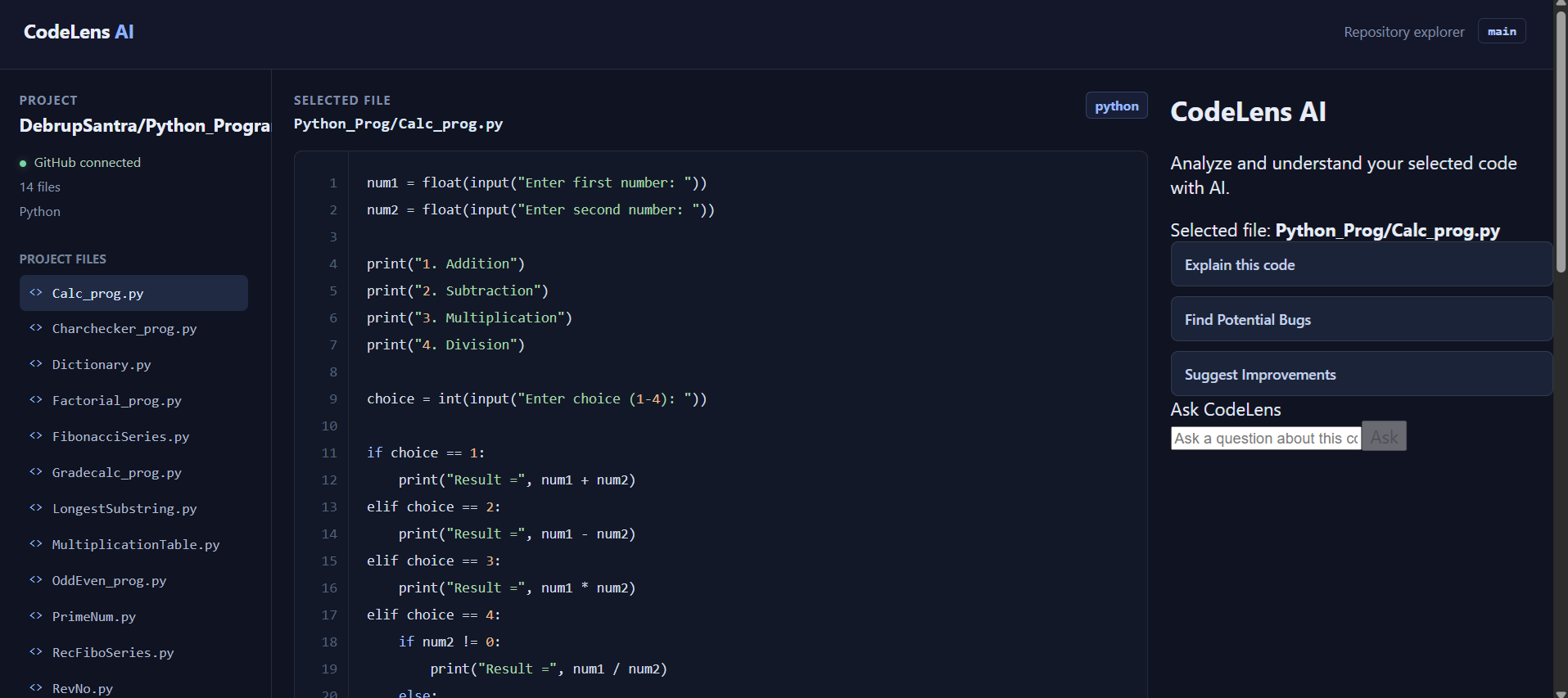
CodeLens AI allows developers to bring their code into a workspace and use AI-powered actions such as:
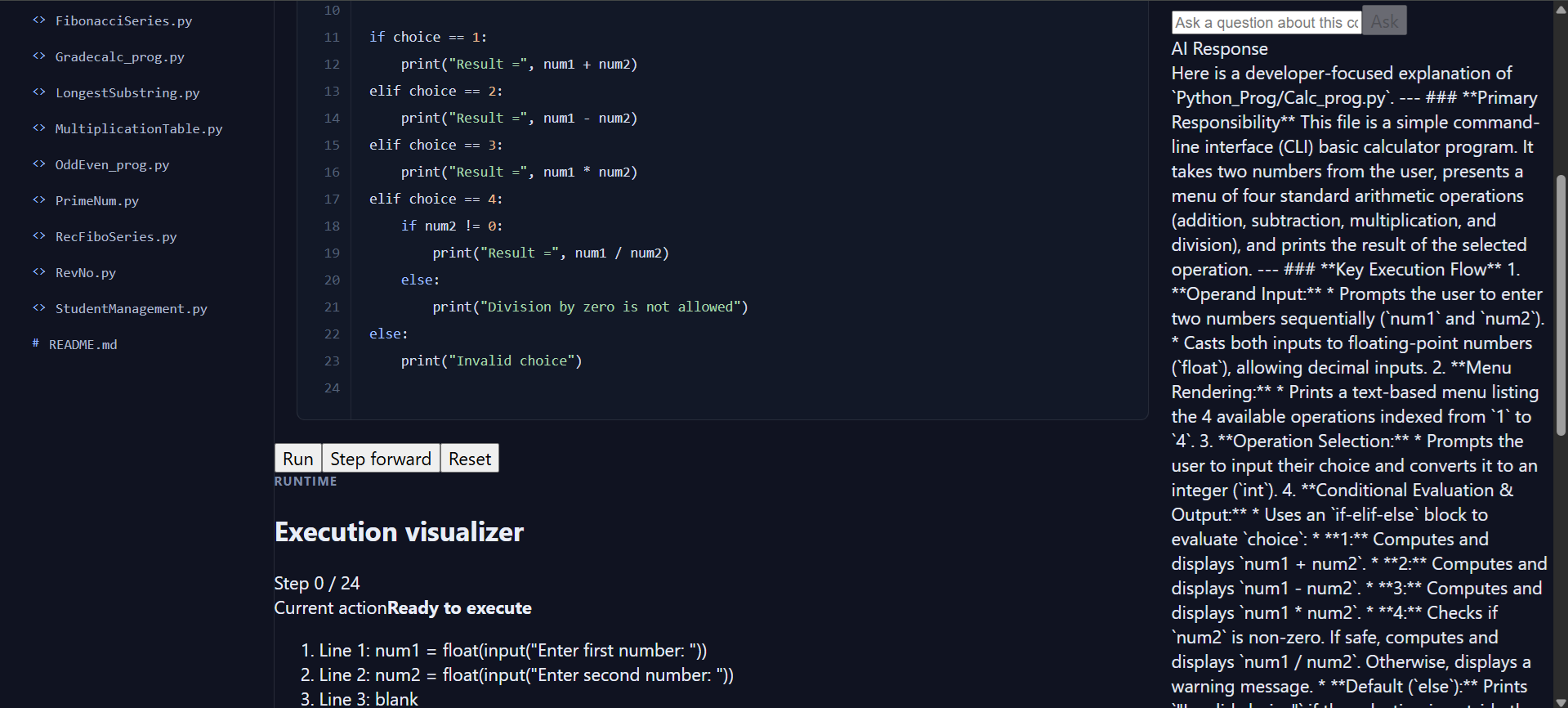
- Explain Code — understand what the code does and how its logic flows.
- Find Bugs — identify potential bugs, edge cases, and runtime issues.
- Suggest Improvements — get recommendations for readability, maintainability, performance, and best practices.
- Ask CodeLens — ask questions about a specific piece of code and receive contextual answers.
The goal is not simply to generate more code, but to make existing code easier to understand and reason about.
How I Built It
We built CodeLens AI as a modern web application with a React/Vite frontend and a serverless backend deployed on Vercel.
The frontend provides the workspace and developer-focused interface, while the /api/explain serverless endpoint securely communicates with the Gemini API. The API key remains on the server side rather than being exposed to the browser.
The general workflow is:
Developer Code
      ↓
CodeLens AI Workspace
      ↓
Selected AI Action
      ↓
Vercel Serverless API
      ↓
Gemini
      ↓
Contextual Analysis
      ↓
Developer-Friendly Result
I also designed the AI prompts around specific developer tasks instead of sending a generic "analyze this code" request. This allows the same system to provide different types of useful feedback depending on the developer's intent.
What I Learnt
One of the biggest lessons from building CodeLens AI was that integrating AI is more than simply calling an API.
I learned how to:
- Build and structure a React/Vite developer tool.
- Create serverless API routes for production deployment.
- Secure API credentials using environment variables.
- Integrate Gemini into an application workflow.
- Design prompts for different developer use cases.
- Debug frontend-to-backend communication.
- Deploy and test an AI-powered application on Vercel.
- Handle real-world API failures such as temporary service unavailability and rate limits.
I also learned the importance of keeping the frontend and backend response contracts consistent. A small mismatch between fields such as analysis and explanation was enough to make a successful AI response appear empty in the UI.
Challenges I Faced
The project involved several challenges during development.
One challenge was migrating from an unavailable Gemini model to the newer model supported by our API access. We also encountered temporary 503 responses when the model was experiencing high demand.
During deployment, our local API worked differently from the production environment. I had to make sure the serverless /api/explain function was actually tracked by Git and deployed correctly on Vercel.
Another debugging challenge came from a response-field mismatch between the backend and frontend. Gemini was successfully returning an explanation, while the frontend was looking for a different property. Identifying that mismatch helped us understand how important consistent API contracts are in full-stack applications.
Finally, we encountered Gemini API free-tier quota limits during testing. Rather than treating this as a failure of the application itself, it helped us recognize the importance of designing graceful error handling for external AI services.
What's Next
CodeLens AI is a foundation for a larger AI-powered developer environment. Future versions could include repository-level analysis, codebase-aware conversations, dependency analysis, automated documentation, pull-request reviews, and deeper connections between files and functions.
My goal is simple:
Make understanding code as easy as writing it.
Built With
- api
- gemini
- github
- javascript
- react
- vercel
- vite

Log in or sign up for Devpost to join the conversation.