Codeify - Prompt to App
Inspiration
We wanted to build something that solves a real problem: turning ideas into working apps instantly. Developers spend hours setting up projects, writing boilerplate code, and configuring deployments. We thought - what if you could just describe your app and have it built and deployed automatically using Google's AI and GitLab's tools?
What it does
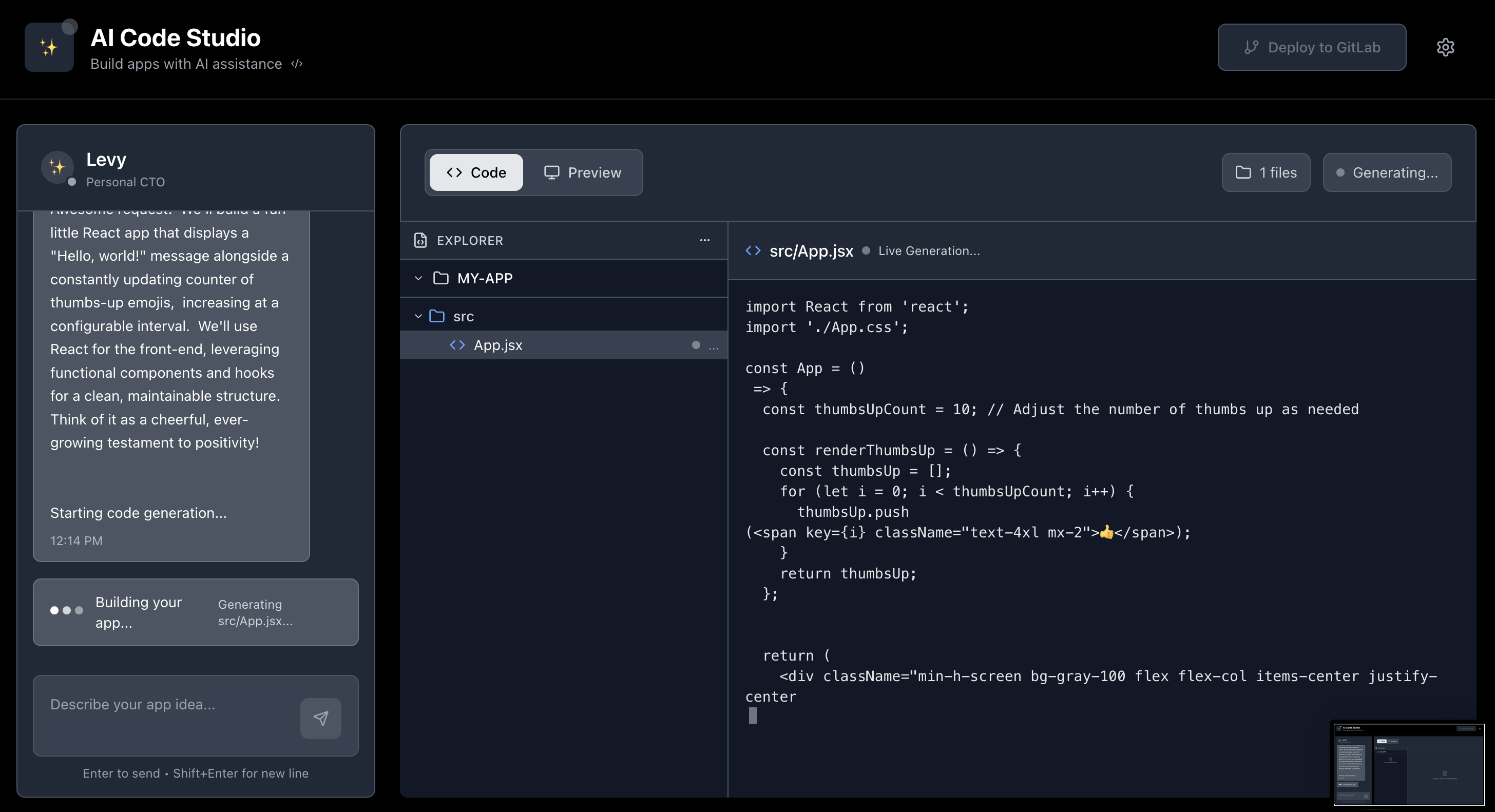
Codeify is a web app that generates complete React applications from plain English descriptions and deploys them to GitLab automatically.
Core Features:
- Chat with Google's Gemini AI to describe your app idea
- Watch code being generated in real-time in a split-screen interface
- Preview the generated React app instantly in your browser
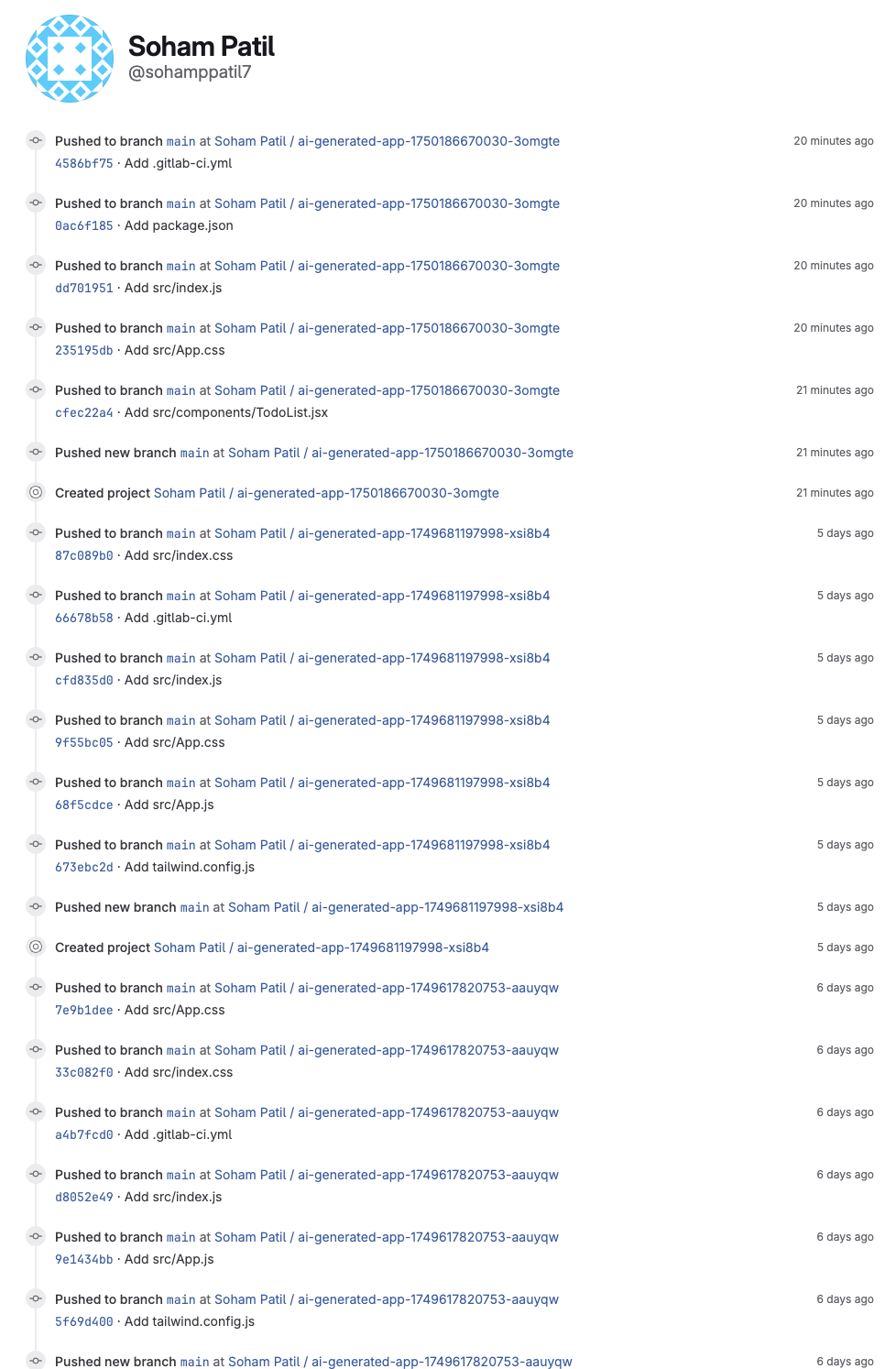
- Deploy to GitLab with one click (creates repo + sets up CI/CD)
- Get a live URL for your app hosted on GitLab Pages
Example: You type "Build a todo app with dark mode" → AI generates all the React components, CSS, package.json → You see a working todo app → Click deploy → App is live on GitLab Pages.
How we built it
Frontend Tech Stack
- Next.js 14 with TypeScript for the main interface
- Tailwind CSS for styling and dark theme
- Server-Sent Events (SSE) for real-time AI streaming
- React hooks for managing chat messages and generated files
Google Cloud AI Integration
- Gemini 1.5 Flash model via Google's Generative AI SDK
- Streaming API calls to get real-time code generation
- Custom prompt engineering to make Gemini output properly formatted code files
- File parsing system using regex to extract individual files from AI responses
// Example of how we call Gemini
const response = await fetch('/api/generate', {
  method: 'POST',
  body: JSON.stringify({ prompt: userMessage }),
});

// Stream the response in real-time
const reader = response.body?.getReader();
// Process each chunk as it comes in
GitLab Integration
- GitLab REST API for creating repositories and committing files
- Personal Access Tokens for authentication
- Multi-file commits using GitLab's batch commit API
- Automatic CI/CD setup with generated
.gitlab-ci.ymlfiles
# Our GitLab integration (code_to_gitlab_pipeline.py)
class GitLabAPIClient:
    def create_project(self, name: str, description: str):
        url = f"{self.base_url}/api/v4/projects"
        data = {
            "name": name,
            "description": description,
            "visibility": "public"
        }
        response = requests.post(url, headers=self.headers, json=data)

    def commit_files(self, project_id: int, files: List[Dict]):
        # Commits all generated files in one API call
        actions = [{"action": "create", "file_path": f["path"], "content": f["content"]}
                  for f in files]
Code Generation Pipeline
- User input → Chat interface sends message to
/api/generate - Gemini API call → Streams response back to frontend
- File extraction → Regex parsing splits AI response into individual files
- Live preview → Generated React code runs in iframe using CDN
- GitLab deployment → Creates repo, commits files, sets up Pages
Preview System
We built a browser-based React preview that doesn't need a server:
// Generate HTML that runs React from CDN
const htmlContent = `
<!DOCTYPE html>
<html>
<head>
    <script src="https://unpkg.com/react@18/umd/react.development.js"></script>
    <script src="https://unpkg.com/react-dom@18/umd/react-dom.development.js"></script>
    <script src="https://unpkg.com/@babel/standalone/babel.min.js"></script>
    <script src="https://cdn.tailwindcss.com"></script>
</head>
<body>
    <div id="root"></div>
    <script type="text/babel">
        ${generatedReactCode}
        ReactDOM.render(<App />, document.getElementById('root'));
    </script>
</body>
</html>`
Challenges we ran into
Google AI Integration Issues
- Prompt consistency: Getting Gemini to always output code in the right format took lots of trial and error
- File parsing: AI sometimes includes explanatory text mixed with code, so we built validation to filter out non-code content
- Token limits: Large apps hit Gemini's context limits, so we had to optimize prompts
GitLab API Complexity
- Authentication: Setting up Personal Access Tokens and handling API permissions
- Multi-file commits: GitLab's batch commit format is specific - took time to get the JSON structure right
- CI/CD automation: Auto-generating
.gitlab-ci.ymlfiles that actually work for different project types
Real-time Streaming UX
- State management: Keeping chat messages and file generation in sync during streaming
- Error handling: Gracefully handling when AI generation fails or produces invalid code
- Performance: Rendering large code files without freezing the browser
Accomplishments that we're proud of
Technical Achievements
✅ End-to-end automation: From chat message to live deployed app in under 2 minutes
✅ Real-time streaming: Smooth character-by-character code generation
✅ GitLab CI/CD automation: Auto-generates working deployment pipelines
✅ Browser-based preview: React apps run instantly without server setup
✅ Robust file parsing: Handles various AI output formats reliably
Google Cloud Integration
✅ Gemini streaming: Real-time responses using Google's latest AI model
✅ Production-ready: Can handle complex app generation consistently
✅ Smart prompting: Optimized prompts for high-quality code output
GitLab Integration
✅ Complete automation: Repository creation, file commits, CI/CD setup
✅ GitLab Pages deployment: Apps are automatically live and accessible
✅ Professional workflow: Follows GitLab best practices for project structure
What we learned
Google Cloud AI
- Prompt engineering is crucial - small changes in prompts drastically affect output quality
- Streaming APIs provide much better UX than waiting for complete responses
- Gemini 1.5 Flash is fast and good for code generation, but needs careful output formatting
GitLab Development
- GitLab's REST API is powerful but requires understanding their specific data formats
- GitLab Pages deployment is simple once you get the CI/CD config right
- Personal Access Tokens need specific scopes (api, read_repository, write_repository)
Full-Stack Integration
- Server-Sent Events are perfect for real-time AI streaming
- File validation is essential when parsing AI-generated content
- Error boundaries are critical when dealing with unpredictable AI outputs
What's next for Codeify
Immediate Improvements
🔧 Better error handling: More graceful failures when AI or GitLab APIs have issues
🔧 Multiple frameworks: Support Vue.js, Angular, not just React
🔧 Database integration: Auto-setup Firebase or Supabase for data storage
Advanced Features
🚀 Iterative development: Chat to modify existing generated apps
🚀 Custom templates: Pre-built starting points for common app types
🚀 Team collaboration: Share and edit generated projects with teammates
Technical Enhancements
⚡ WebContainers: Full Node.js environment running in browser
⚡ Package management: Install npm packages in the preview environment
⚡ Git integration: Version control for generated code changes
⚡ Testing automation: Auto-generate and run tests for generated apps
The goal is making Codeify the fastest way to go from idea to deployed application, using the best of Google's AI and GitLab's development tools.
Built With
- gemini
- gitlab

Log in or sign up for Devpost to join the conversation.