CodeE AI: True Peer Programmer Inspiration
As students preparing for technical interviews, we noticed a troubling pattern in how people were using AI coding tools like GitHub Copilot, Cursor, and ChatGPT.
These tools are incredibly powerful. They can write entire solutions to LeetCode problems in seconds. That power creates a new problem:
You ask ChatGPT for a solution. It gives the full answer. You paste it, submit, get a green checkmark, and move on.
You have “solved” the problem, but you have not actually learned how to solve problems.
These tools are optimized for productivity, not learning. They are brilliant for professional developers who already know how to code and want to move faster. For students learning algorithms and preparing for interviews, they can become counterproductive.
We asked ourselves:
What if AI was designed specifically for learning? Not an AI that writes code for you, but one that teaches you to think like an engineer.
That idea became CodeE AI.
What it does
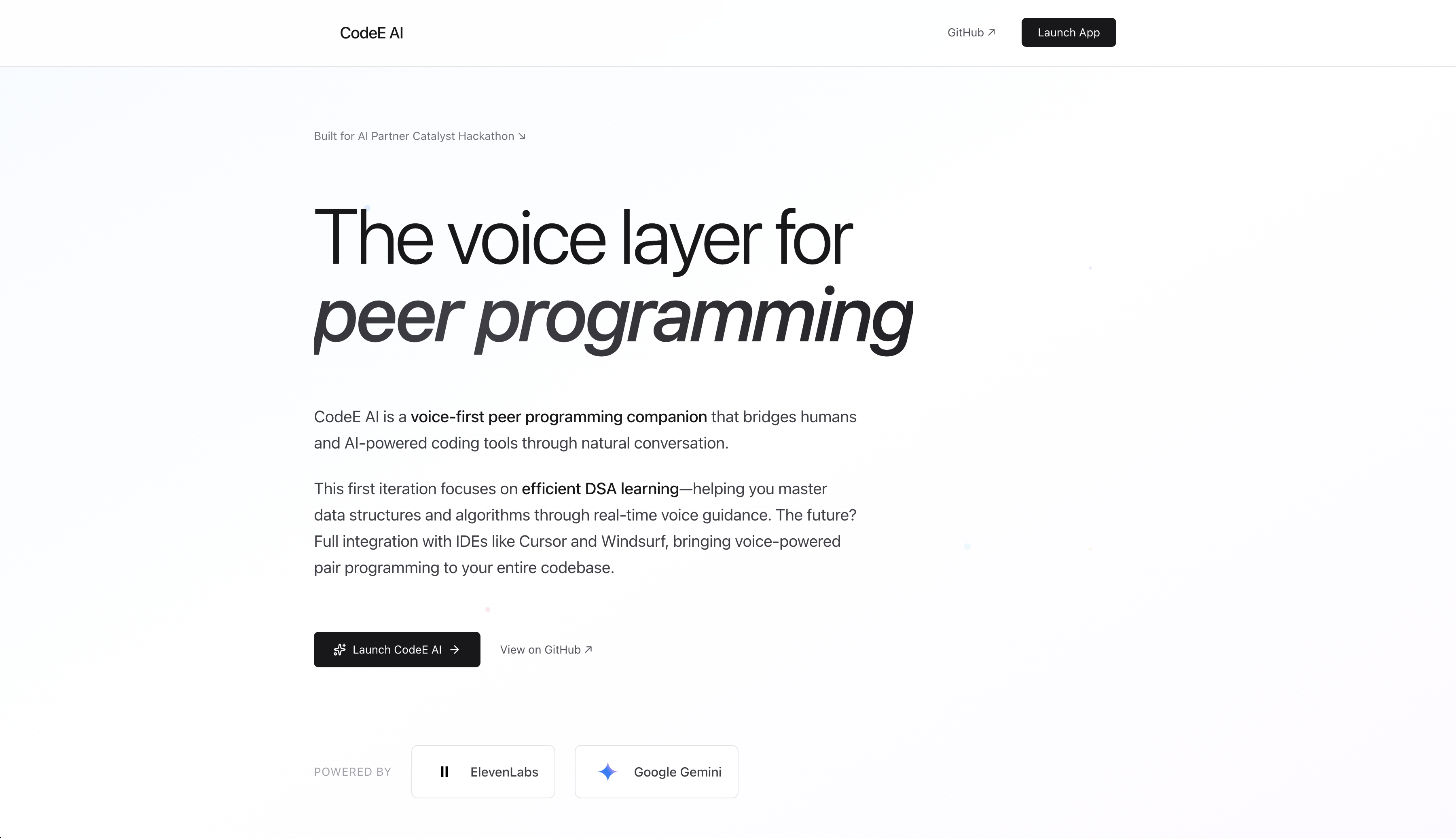
CodeE AI is a voice-powered coding mentor that uses a different approach to AI assistance.
Instead of giving complete answers, CodeE AI uses Socratic dialogue.
You choose a LeetCode problem and start coding. When you get stuck, you click a button and speak to the AI.
Example:
“Can you help me with this problem?” “What data structure could help you track which elements you have already seen?” “Maybe a hash map?” “Good thinking. What would you store as the key and what would you store as the value?”
The system automatically knows:
which problem you are solving
what code you have written so far
the programming language you are using
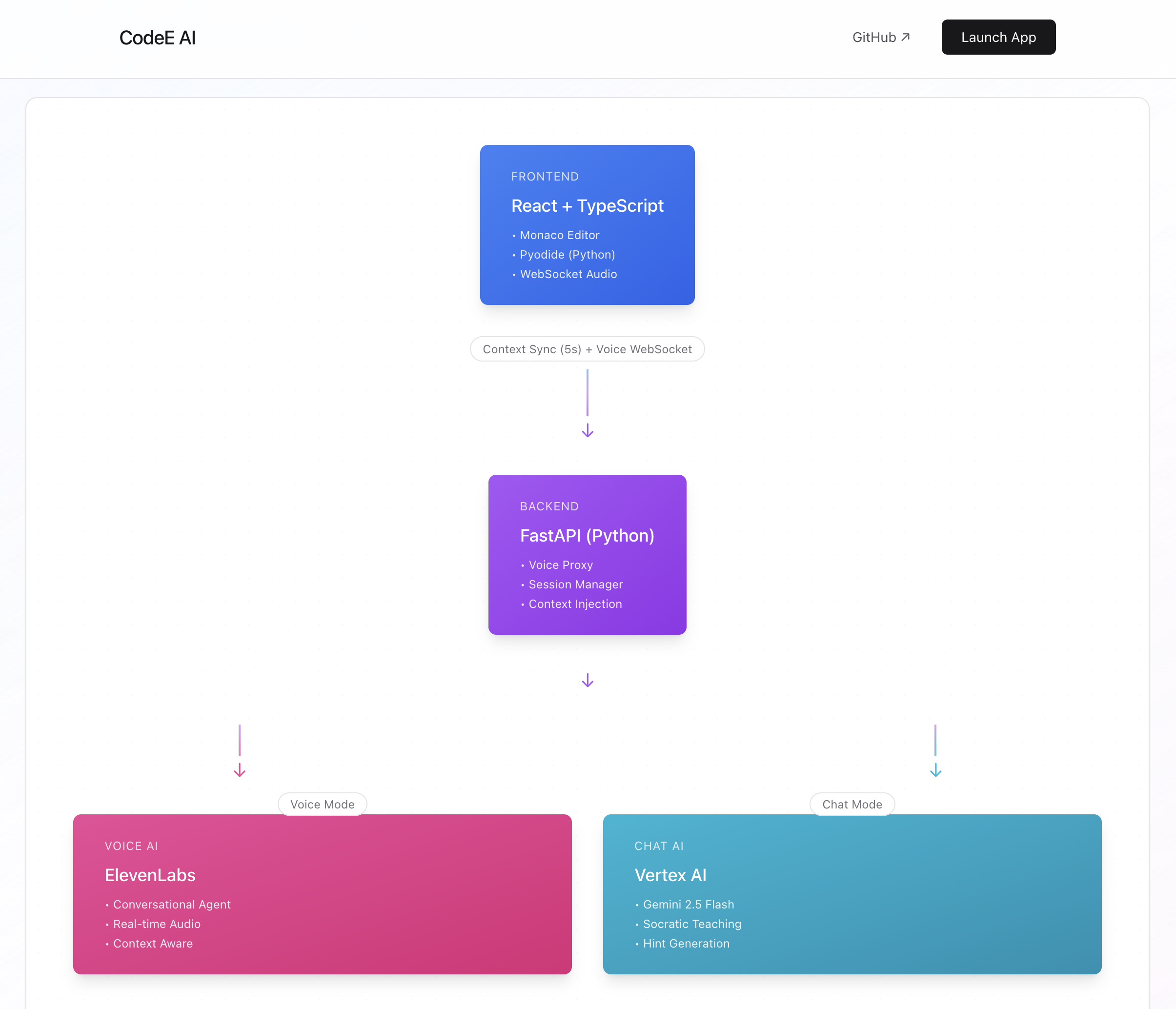
The frontend syncs your problem context to the backend every five seconds. When the voice session starts, the AI already has the full picture.
You do not paste code or explain the prompt. You just talk and reason. The AI guides you instead of solving it for you.
How we built it Frontend: React with Monaco Editor
We built a React application using Monaco Editor, which powers VS Code.
Students get:
syntax highlighting
autocomplete
curated LeetCode workspace
A background task sends updates every five seconds containing:
problem ID
problem title
current code
language
These are posted to the backend transparently.
Backend: FastAPI WebSocket Proxy
The backend performs two key roles:
Stores session context
Acts as a proxy WebSocket server
When a student starts a voice session, their browser opens a WebSocket connection to our FastAPI backend. The backend then opens a second WebSocket connection to ElevenLabs Conversational AI.
Audio flows both ways:
Frontend → Backend → ElevenLabs (user speaking) ElevenLabs → Backend → Frontend (AI responding)
Context injection strategy
The hardest part was teaching the AI what problem the student was solving.
Attempts:
metadata on connection → ignored
overriding system prompt → rejected by ElevenLabs
Working solution: We inject the problem context into the first user message.
Example: When the user says:
“Can you help me?”
The backend transforms it into:
“[CONTEXT: I am working on ‘Longest Substring Without Repeating Characters’ and here is my code: …] Can you help me?”
To the AI, it appears as if the user naturally provided context.
Tech Stack
React 19 (TypeScript)
Monaco Editor
Zustand state management
FastAPI backend
WebSockets for streaming audio
ElevenLabs Conversational AI
PCM audio, 16-bit, 16 kHz
Challenges we faced The “Two Sum” bug
No matter which problem users selected, the AI kept thinking the problem was Two Sum.
Root causes:
backend sent problem_id instead of problem_title
ElevenLabs prompt contained a hardcoded Two Sum example
context injection timing was wrong
Fixes:
stored and transmitted problem titles
removed the Two Sum example from the prompt
corrected injection logic
Result: the AI now understands the correct LeetCode problem.
WebSocket library upgrade
Upgrading websockets to version 15.0.1 broke voice streaming with:
TypeError: connect() got an unexpected keyword argument 'extra_headers'
The parameter changed to additional_headers. One-line fix, one hour of debugging.
TypeScript errors
Examples:
NodeJS.Timeout used in browser code where setInterval returns a number
localStorage.setItem receiving possible null values
They were frustrating during development but prevented runtime crashes.
React duplicate keys
We had 81 total problems but only 79 unique problems. Duplicate keys created console warnings. We resolved this with Map-based deduplication.
Accomplishments we are proud of
real-time problem and code synchronization
sub-500 ms conversational latency
tutor-style guidance prompt
clean, production-ready architecture
79 carefully curated interview problems
What we learned Technical lessons
WebSocket proxy management is tricky
context strategy matters as much as content
live backend logs speed up debugging
Product lessons
people speak differently in voice than in chat
type safety prevents production bugs
clear error messages save huge debugging time
What is next for CodeE AI
adaptive difficulty hints
realistic interview simulation mode
code review and reflection mode
multi-language support beyond Python
progress tracking and mastery visualization
Vision
CodeE AI focuses on learning, not shortcuts.
The goal is not to:
solve problems for students
The goal is to:
help students think like engineers
strengthen problem-solving ability
promote deep understanding

Log in or sign up for Devpost to join the conversation.