-
-
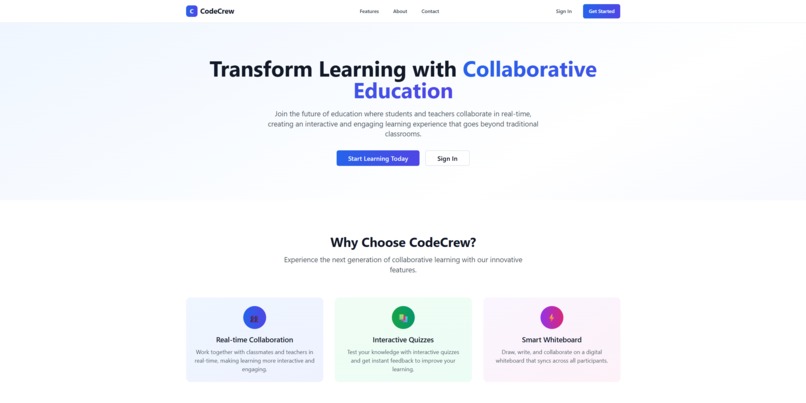
Home Page of Code Crew
Inspiration
CodeCrew is a real-time collaborative education platform that brings together interactive whiteboards, AI-powered quiz generation, live video conferencing, and seamless communication to create an engaging learning experience for both teachers and students
The inspiration for CodeCrew came from observing the challenges faced during the rapid transition to remote learning. Traditional video conferencing tools lacked the interactive elements that make learning engaging. We wanted to create a platform that not only facilitates remote education but enhances it with modern technology.
Key inspirations:
- Interactive Learning: The need for real-time collaboration tools that go beyond static presentations
- AI Integration: Leveraging artificial intelligence to assist teachers in creating engaging content
- Accessibility: Making quality education tools available to educators and students worldwide
- Engagement: Creating a platform that keeps students actively involved in the learning process
What it does
CodeCrew transforms remote education through several key features:
🎨 Interactive Whiteboard
- Real-time collaborative drawing and annotation
- Multiple users can draw simultaneously
- Support for freehand drawing
🧠 AI-Powered Quiz Generation
- Generate questions using OpenAI GPT-3.5-turbo
- Support for multiple subjects (Science, Math, English, History, Geography)
- Customisable difficulty levels and grade levels
- Instant question review and editing capabilities
📊 Live Quiz Sessions
- Real-time quiz administration
- Instant feedback and scoring
💬 Real-time Communication
- Live chat during sessions
- User presence indicators
🎥 Video Conferencing
- WebRTC-based video calls
- Screen sharing capabilities
- Multi-user video sessions
👥 Role-based Access
- Separate interfaces for teachers and students
- Class management and enrollment
- Session creation and management
How we built it
We used the following stack to build this project Technology Stack
- Backend: FastAPI (Python) for robust API development
- Frontend: React + Vite for modern, responsive UI, shadcdn
- Database: PostgreSQL for reliable data storage
- Real-time: WebSocket for live communication
- AI: OpenAI GPT-3.5-turbo for intelligent content generation
- Containerization: Docker & Docker Compose for easy deployment
- Authentication: JWT with bcrypt for secure user management
Challenges we ran into
Frontend Development Challenges
- Tailwind CSS Integration: Initially struggled with setting up Tailwind CSS with Vite and configuring the build process. The PostCSS configuration and class purging required careful setup to ensure styles were properly applied in production builds.
- Component State Management: Managing complex state across multiple real-time components (whiteboard, chat, video) while maintaining performance and preventing unnecessary re-renders. Responsive Design: Creating a responsive interface that works seamlessly across desktop, tablet, and mobile devices, particularly for the whiteboard component, which requires different interaction patterns on touch devices.
- Real-time UI Updates: Ensuring the interface stays synchronized across all users without causing UI flickering or performance issues.
Backend Development Challenges
- WebSocket Connection Management: Handling multiple concurrent WebSocket connections, managing user sessions, and gracefully handling disconnections and reconnections.
- Database Schema Evolution: Designing an efficient database schema that could handle real-time data while maintaining data integrity and performance as we added new features.
- API Rate Limiting: Managing OpenAI API rate limits and implementing proper error handling and retry mechanisms for AI features.
- Authentication Flow: Implementing secure JWT authentication with proper token refresh and session management across WebSocket connections.
Real-time Synchronisation Challenges
- Whiteboard State Sync: Ensuring drawing actions are synchronised across all users in real-time without conflicts or data loss.
- Chat Message Ordering: Maintaining proper message ordering and preventing duplicate messages in high-traffic chat scenarios.
- User Presence Management: Tracking which users are online and their current activities without overwhelming the system with status updates.
AI Integration Challenges
- OpenAI API Integration: Initially struggled with proper API key management and implementing robust error handling for failed API calls.
- Question Generation Quality: Fine-tuning prompts to generate high-quality, appropriate questions for different subjects and difficulty levels.
- Response Processing: Parsing and validating AI-generated content to ensure it meets our quality standards before presenting to users.
Deployment and Infrastructure Challenges
- Docker Configuration: Setting up proper Docker containers with correct service dependencies and environment variable management.
- Database Connection Issues: The backend start.sh script would sometimes get stuck waiting for the database, requiring careful orchestration of service startup order.
- Environment Variable Management: Ensuring all necessary environment variables were properly configured across development and production environments.
- CORS Configuration: Setting up proper CORS policies for frontend-backend communication while maintaining security.
Performance and Scalability Challenges
- WebSocket Memory Usage: Managing memory consumption with multiple concurrent WebSocket connections and preventing memory leaks.
- CSS Compatibility: Making sure Tailwind CSS styles render consistently across different browsers and devices.
User Experience Challenges
- Learning Curve: Creating an intuitive interface that requires minimal training for teachers and students to use effectively.
- Error Handling: Providing meaningful error messages and recovery options when things go wrong, especially for AI features.
- Loading States: Managing loading states and user feedback during AI operations and real-time data synchronisation.
Testing and Quality Assurance Challenges
- Real-time Testing: Testing WebSocket functionality and real-time features across multiple users and scenarios.
- AI Feature Testing: Testing AI-generated content quality and handling edge cases in question generation.
Accomplishments that we're proud of
- Real-time Collaboration: Successfully implemented live whiteboard and chat features
- AI Integration: Seamlessly integrated OpenAI API for intelligent quiz generation
- Scalable Architecture: Built a modular system that can easily accommodate new features
- Cross-platform Compatibility: Created a responsive design that works on desktop and mobile
- Intuitive Design*: Created an interface that requires minimal training for both teachers and students
- Role-based Access: Implemented separate, optimised interfaces for different user types
- Real-time Feedback: Built instant response systems for quizzes and interactions
- **Docker Integration: Created a containerised solution for easy deployment
What we learned
- WebSocket Programming: Deep understanding of real-time communication protocols
- AI API Integration: Best practices for integrating third-party AI services
- Database Design: Efficient schema design for real-time applications
- Docker Containerisation: Modern deployment practices and service orchestration
- FastAPI Framework: Modern Python web framework for building APIs
- React State Management: Managing complex state in real-time applications
- Real-time UI Updates: Techniques for keeping user interfaces synchronised
- Error Handling: Robust error handling for both the frontend and the backend
- Version Control: Effective Git & GitHub for Collaborative Development
What's next for CodeCrew
We have built something pretty cool with CodeCrew. We're working on making our AI smarter so it can understand what makes a good quiz question, and we're trying to figure out how to make the mobile experience better. We may also want to support document uploads and maybe make it an environment where the community helps each other to learn. So as the system grows, we can get teachers to do recordings and upload notes. We can use AI to give feedback on lesson plans and notes for teachers. We can also create an environment where students who use the application the most and score well can become teachers. This way community will continue growing. We may think of changing the video streaming to recording, and communication to mostly happen via text, like forums and direct chats with teachers and AI agents. We hope that with more time given, we can provide a better application that suits the users of the application.
Built With
- docker
- fastapi
- openai
- postgresql
- react
- shadcn
- sqlalchemy
- vite

Log in or sign up for Devpost to join the conversation.