-
-
codecraft.io Logo
-
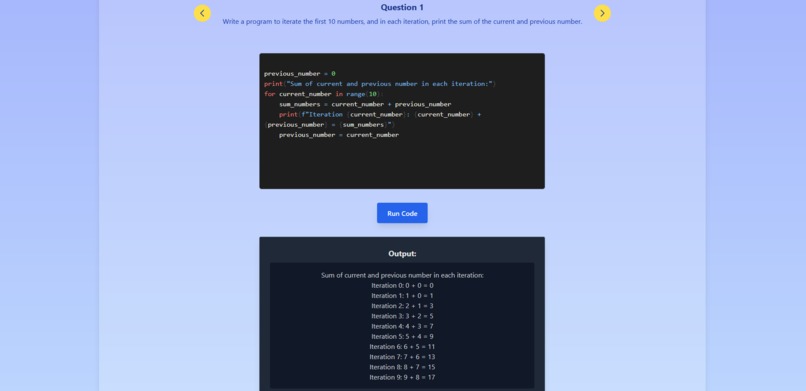
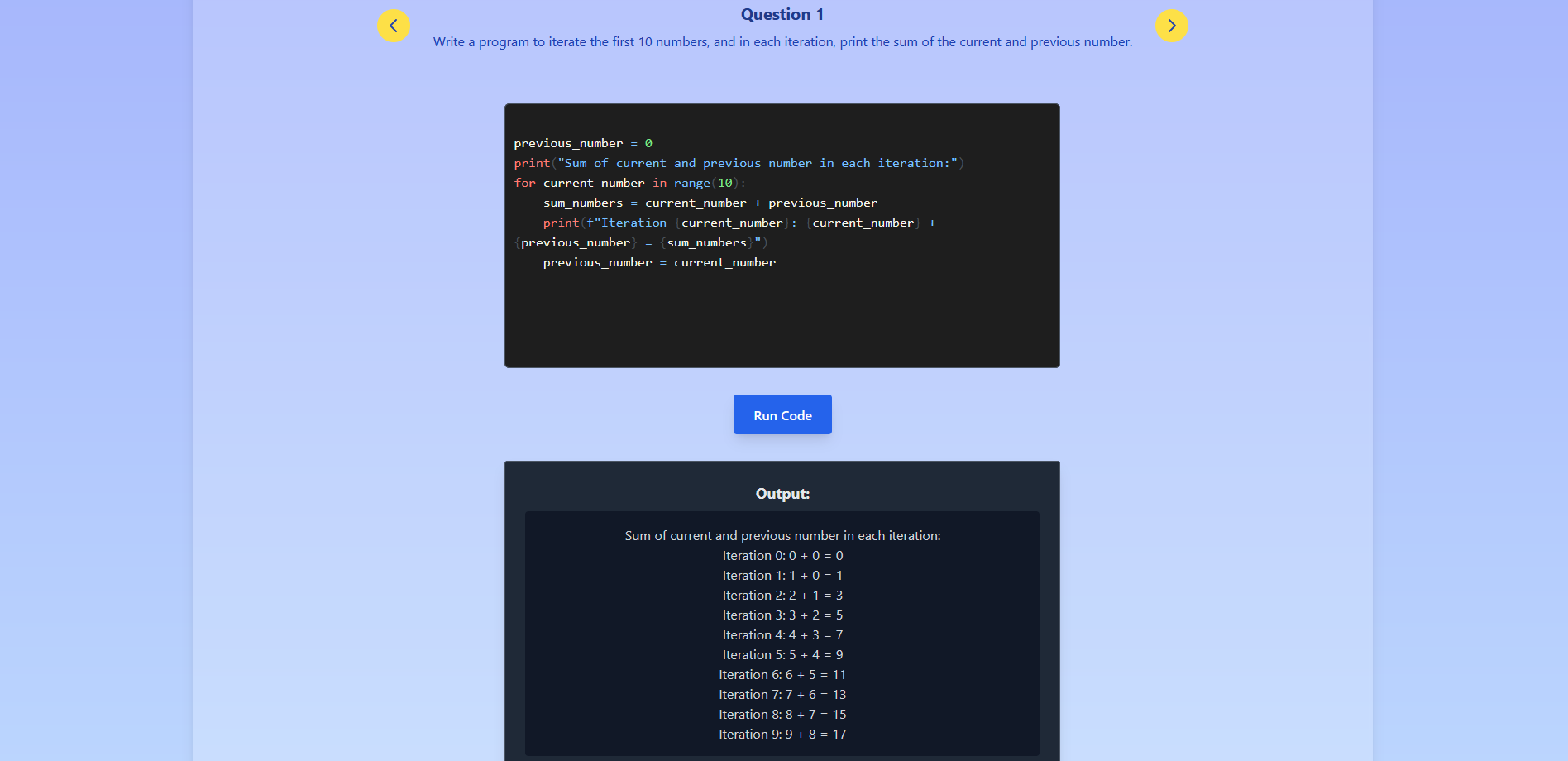
The answer and output to one of the questions in the lessons.
-
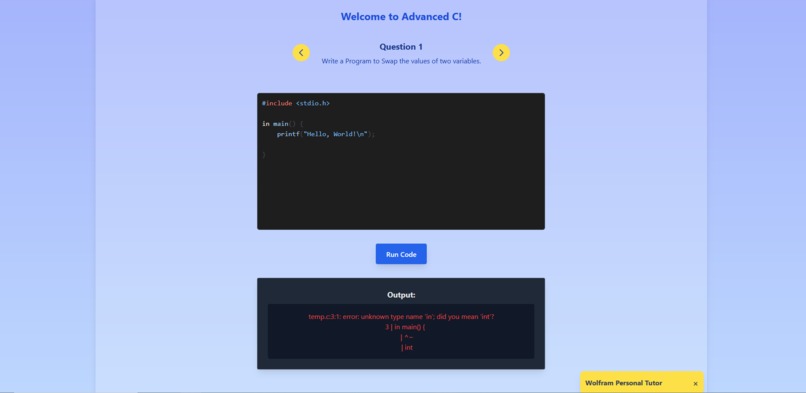
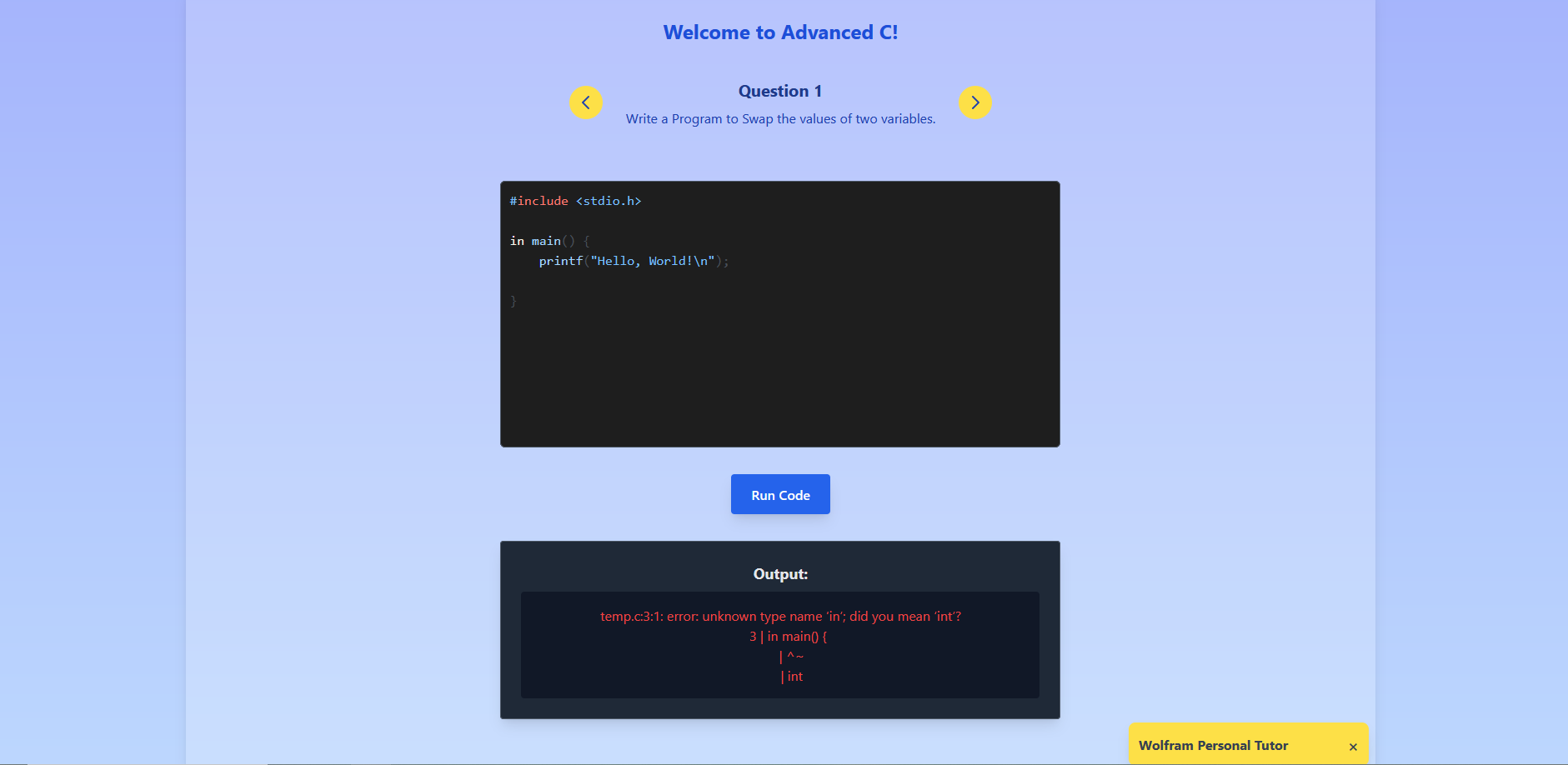
Real debugging
-
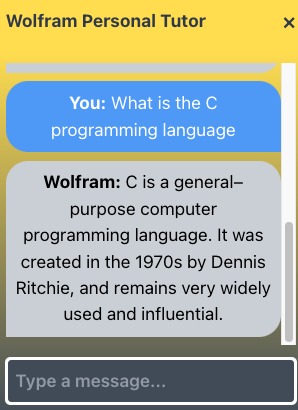
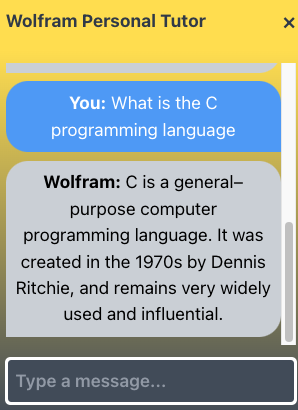
Tutoring bot answering one of our questions.
Inspiration
Our inspiration for CodeCraft was to create a product that would help aspiring programmers learn to code. Technology, especially programming, is poised to shape the future as we see in which we aim to increase programming literacy for all through CodeCraft. We offer free courses in Python, C, and JavaScript, which are 3 popular and valuable programming languages.
What it does
CodeCraft is a learning platform that offers free access to six programming lessons, each of which has an integrated text/code editor for writing, editing, and compiling code. This allows the user to see whether their code is correct or not. The platform enhances the learning experience with an AI-assisted mentor powered by the WolframAlpha API, providing real-time support, guidance, and explanations to help users with their coding questions and concepts.
How we built it
We built codecraft.io using C, Docker, Vite, Python, React, nginx, tailwind CSS, Raspberry Pi OS, Docker, a Linux VPS, JavaScript, and NoPorts.
The website is hosted on a Raspberry Pi and deployed in a Docker container.
Our website executes code by our “Code Builder Service.” Code is ran by sending a request to the Code Builder Server which writes a file, compiles the file, and then executes it, then returns the result of the executable back to the requester. This all runs in a docker container to reduce the footprint of anybody who is interested in executing malicious code (this reduces the blast radius).
AI Tutor Assistant
The user has the aid of an AI tutor assistant which makes calls to our proxy server (which is through the same API port as the code building service) which makes calls to Wolfram Alpha’s Full Result’s API.
Front end
Uses the Vite front-end tool which aided us in creating and bundling the project. Tailwind CSS aided us in quickly styling and structuring the application. Then we use Nginx and Docker to deploy the website into production.
Fall Back Server
Our fall back server has two components: a backup code builder and a NoPorts tunnel which tunnels to the raspberry pi’s NoPorts daemon to establish a tunnel to the raspberry pi’s port 80. The backup code builder acts as a fallback host in case the main code builder is unable to process a request (for whatever reason). If the first request fails, it simply re-attempts by sending a second request to our fall back server. The NoPorts tunnel allows you to still connect to the website via jeremymark.ca:9123 because a tunnel is established to the Pi’s port 80. If the Pi’s IP changes, then the website would still be accessible via jeremymark.ca:9123.
All API services use Docker containers for ease of use and containerization.
Demo
Demo page: http://166.48.20.39/ Demo page (backup, but slower): http://jeremymark.ca:9123/
GitHub: https://github.com/JerryShum/codecraft.io
YouTube: https://youtu.be/69-goLnVlUo
Challenges we ran into
We were worried about the IP changing on our Raspberry Pi (which is hosting our entire server), as we did not have a Static IP address set up. So we set up a fall back server which hosts the code builder, and in case the IP changes, the website will still be accessible via http://jeremymark.ca:9123/ and will forward traffic to the Raspberry Pi using NoPorts as a TCP tunnel. NoPorts works by forwarding TCP traffic to something known as an “atSign” and allows for things like SSH-ing into remote access devices without having any open ports. We were able to utilize NoPorts’ capabilities of TCP tunneling to avoid dynamic IP address hassles.
What we learned
We learned how to use Wolfram Alpha’s quick and easy Full Results and LLM API to make calls to their services. Their dashboard and documentation makes for a great developer journey and user experience and it was quick and easy to get everything up and working.
We learned how to set up our Raspberry PI as a proxy server to make API requests to the Wolfram Alpha API on our behalf.
We learned how to use NoPorts’ daemon and NoPorts Tunnel to avoid setting up a static IP address whilst avoiding the nuisances of dynamic IP addresses.
We learned how to use Tailwind CSS for the first time and Nginx for hosting the front end.
We learned how to use shell scripts as tooling to conduct complex Docker functionalities.
What's next for codecraft.io
In the future, we plan to increase and improve codecraft.io’s capabilities:
Enhanced AI Capabilities
We plan to include additional AI tools and related technologies to further improve the personalized tutoring capabilities of the codecraft tutor.
Expanded Curriculum
We would like to add support for additional programming languages, allowing users to learn and practice a wider range of skills. Afterwards, we’d like to introduce more advanced topics and courses to cater to users who have mastered the basics and are looking for more in-depth learning.
By focusing on these areas, we aim to make CodeCraft a leading platform for learning programming and to provide a valuable resource for learners at all levels.
Built With
- c
- docker
- flask
- javascript
- linux
- nginx
- no-ports
- python
- raspberry-pi
- react
- tailwindcss
- vite
- wolfram-technologies


Log in or sign up for Devpost to join the conversation.