-
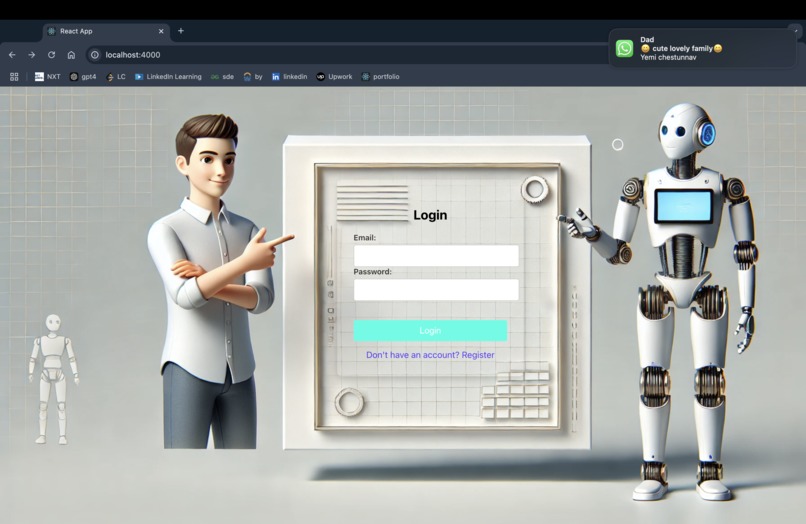
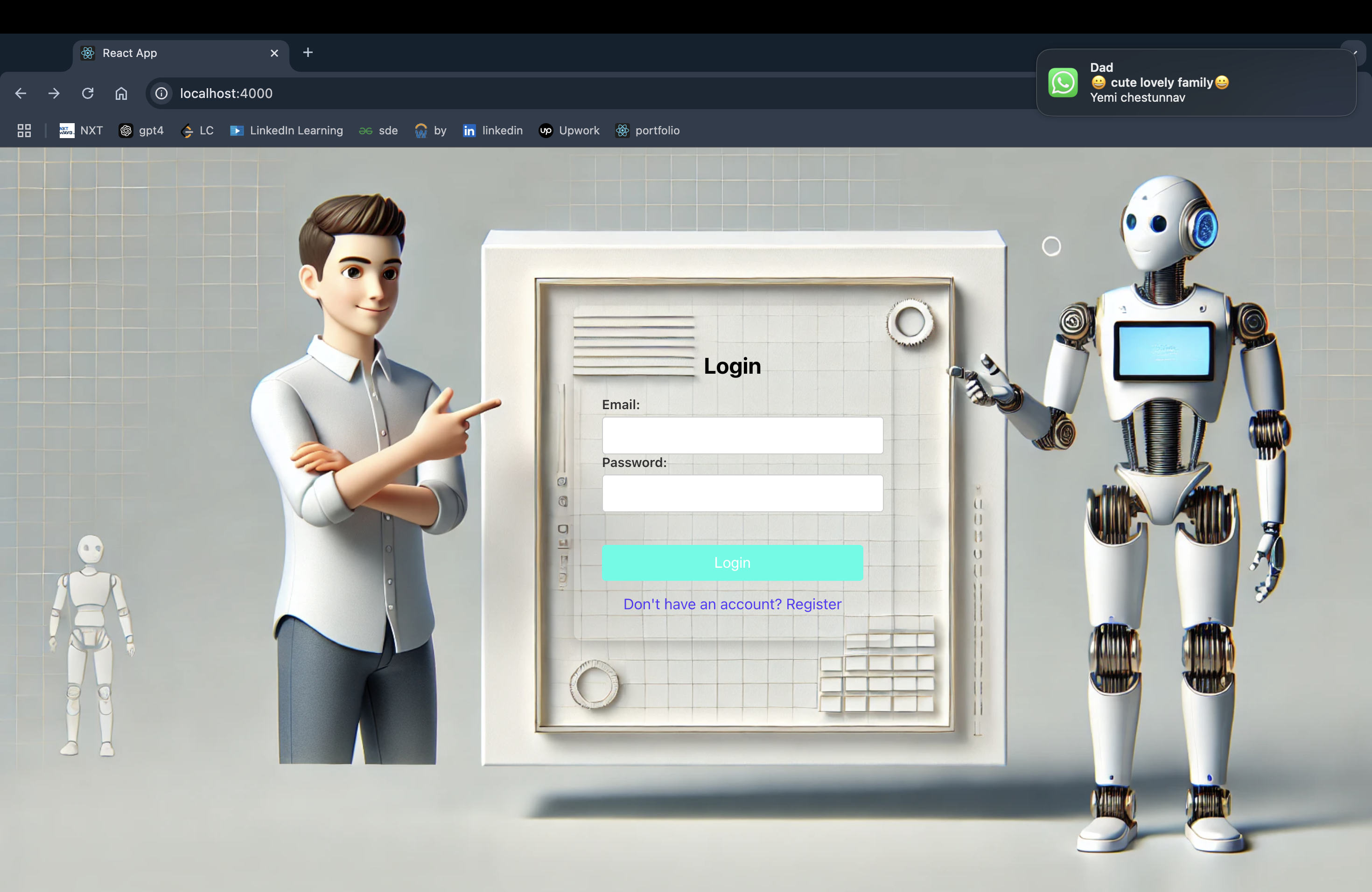
Login Page
-
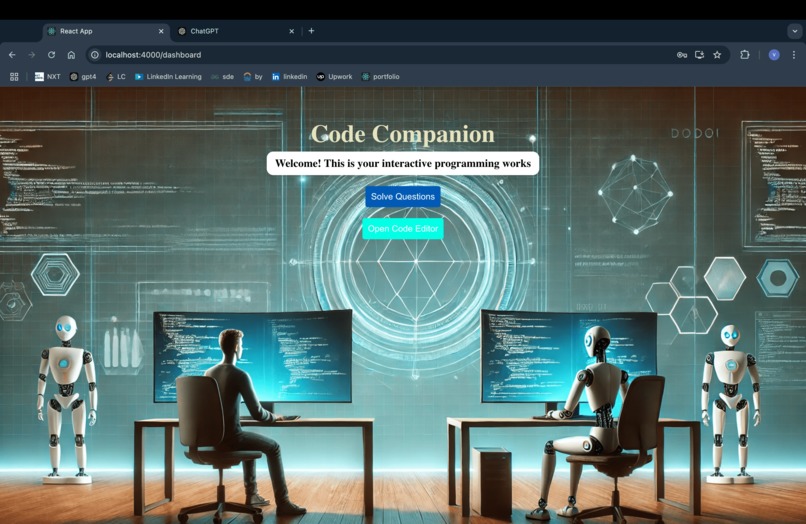
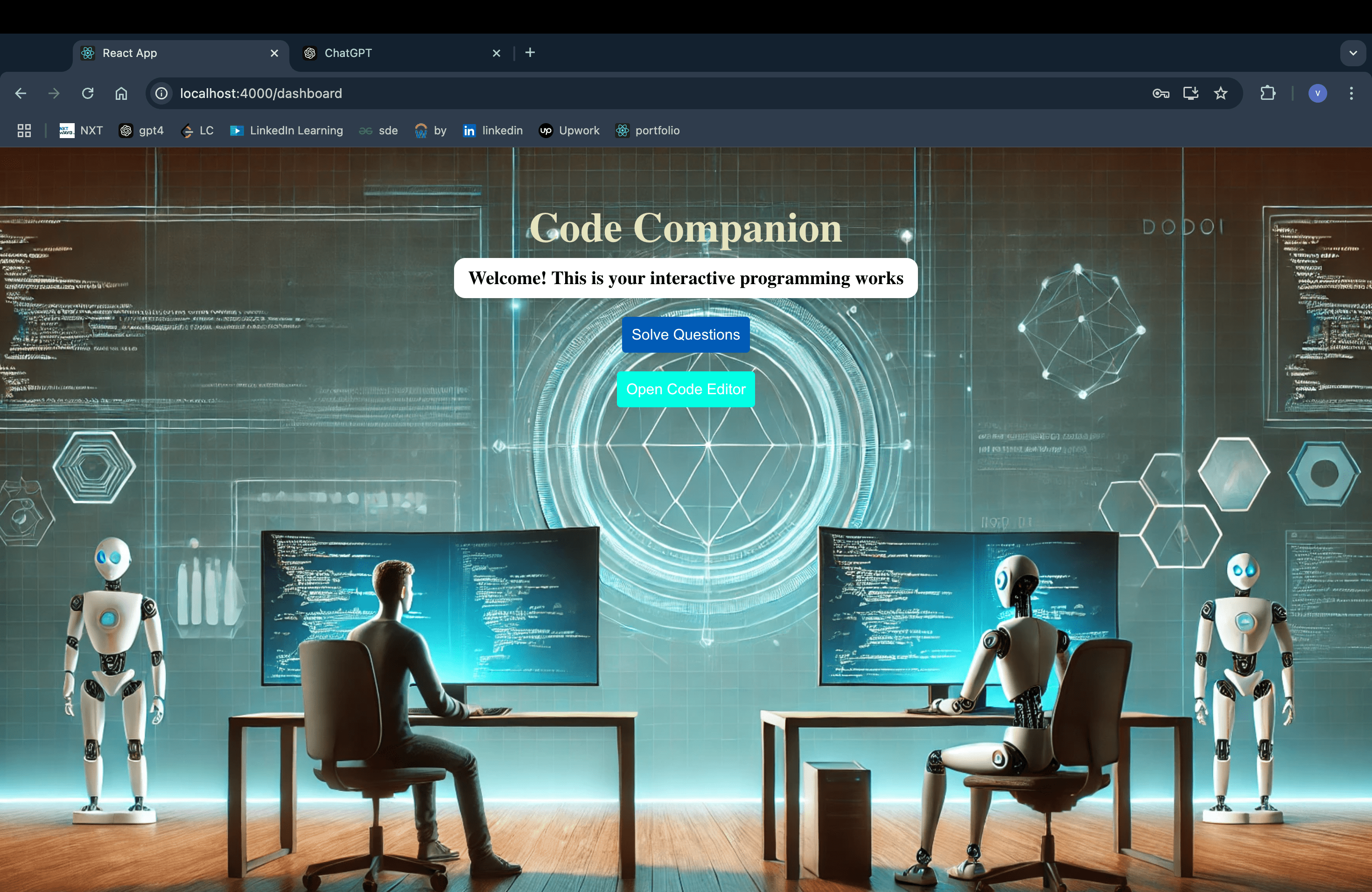
Initial HomePage
-
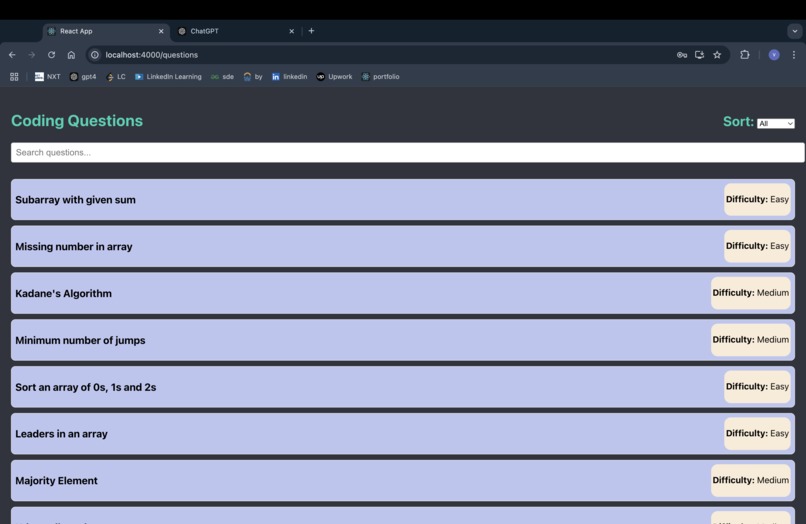
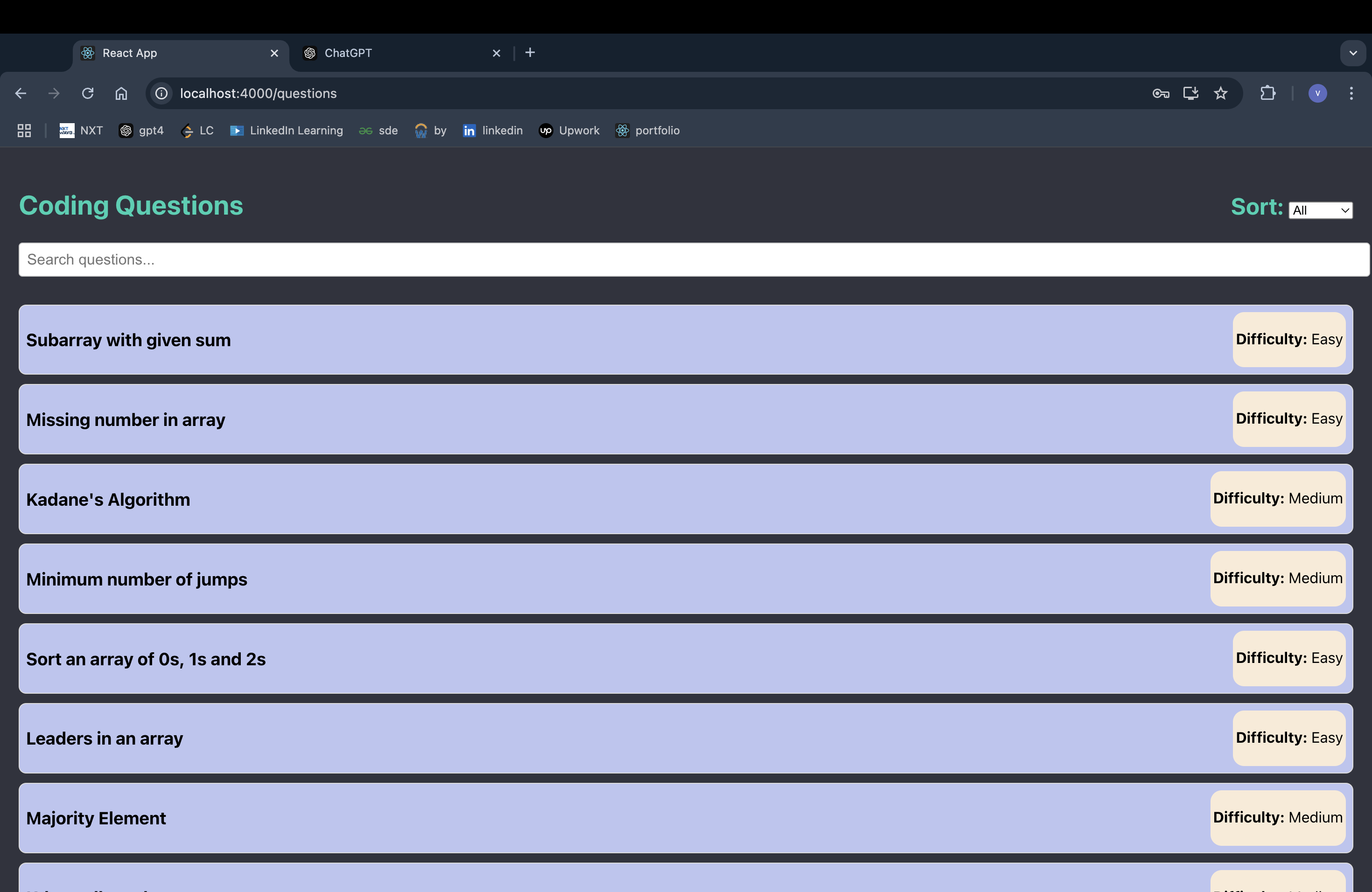
questions page
-
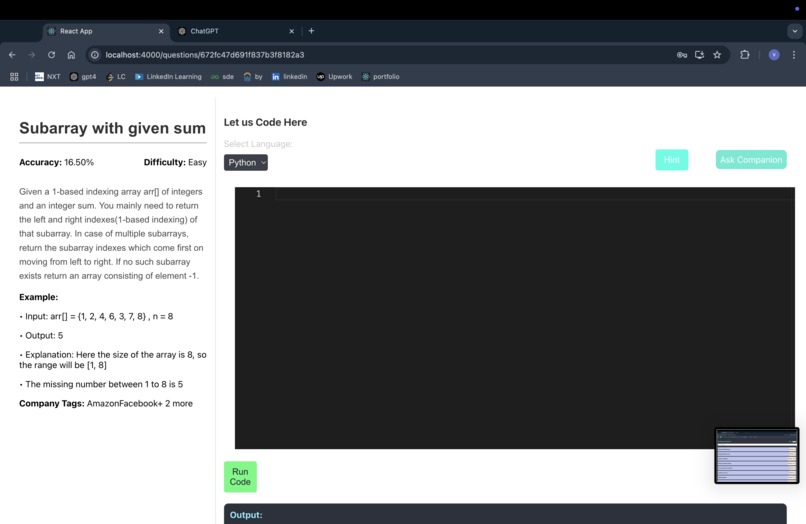
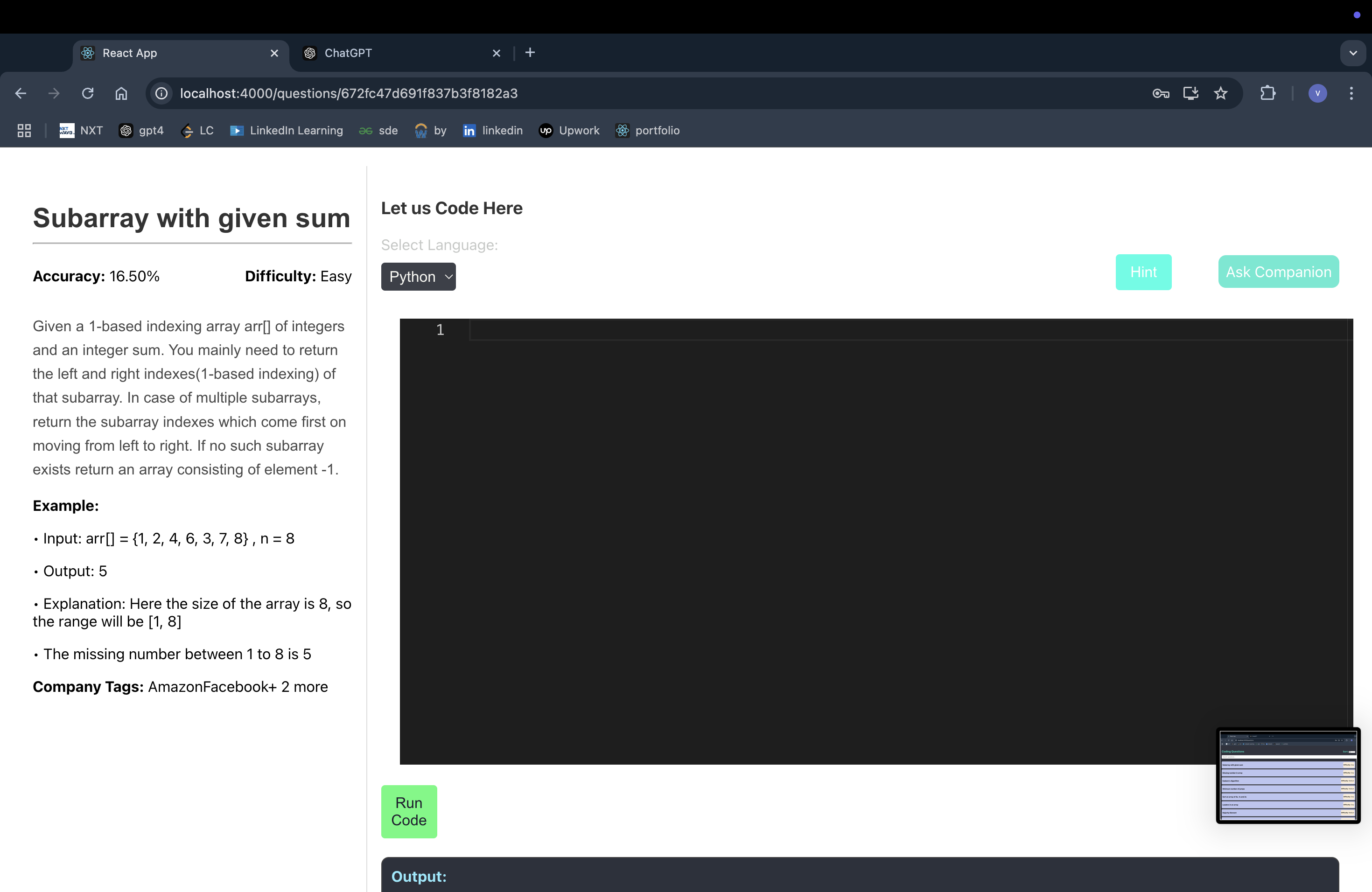
code editor
-
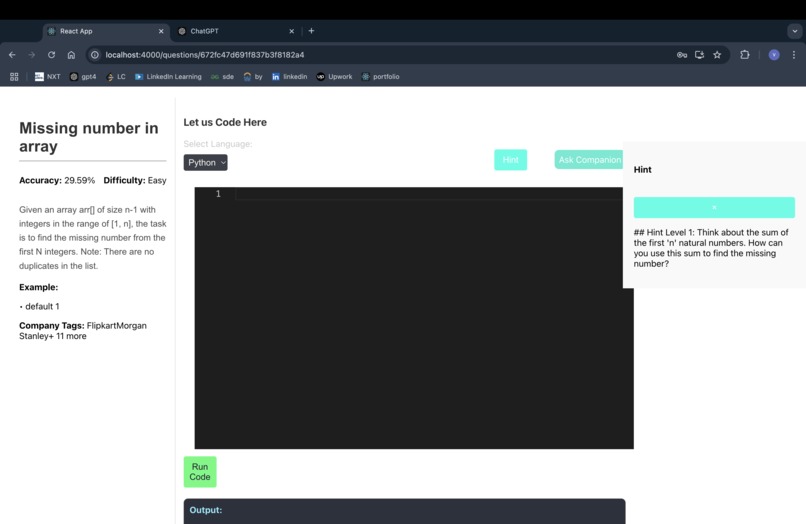
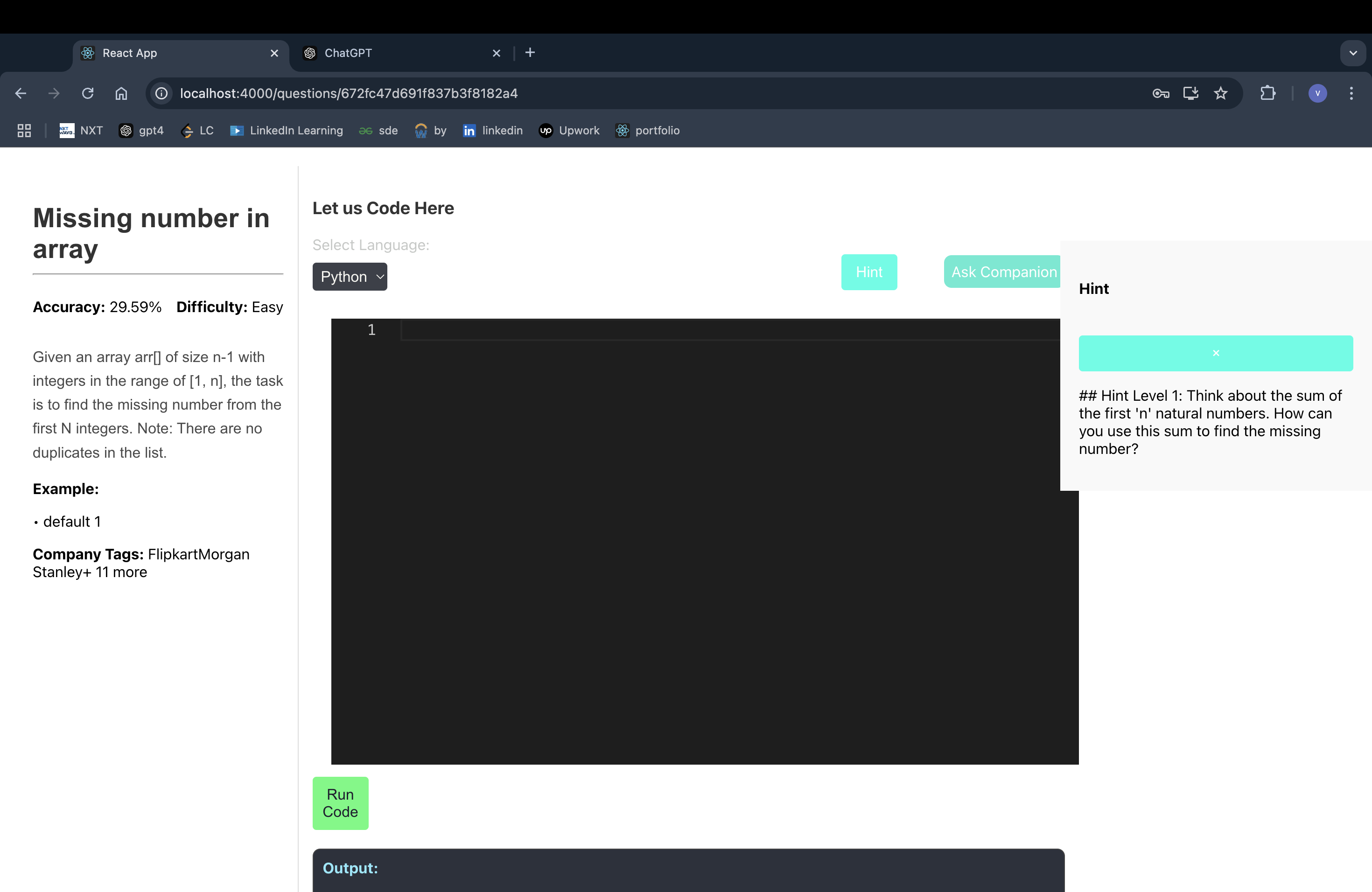
hint
CodeCompanion
Inspiration
The idea for CodeCompanion was inspired by the challenges many developers face when practicing data structures and algorithms (DSA). Tackling these problems independently can be overwhelming, especially for beginners. Our goal was to create an engaging, supportive platform that would provide guidance and hints instead of full solutions, encouraging learners to develop problem-solving skills on their own.
What it does
CodeCompanion is a web-based pair programming tool tailored for DSA practice. It simulates a pair programming environment where users work through coding problems with the assistance of an AI-powered companion. As users code, CodeCompanion provides context-aware hints, encouragement, and redirection to keep them engaged and help them stay on track without revealing full solutions.
How we built it
We built CodeCompanion from the ground up using:
- Frontend: React to build an intuitive user interface with a multi-route design similar to Geeks for Geeks, offering a coding area, question details, and hints panel.
- Backend: Spring Boot for handling backend operations, managing data, and serving requests.
- Database: MongoDB for storing questions, user progress, and other data.
- AI Integration: Gemini API to generate hints and provide real-time feedback based on the user’s code progress.
- Terraform: Used terraform to deploy API's in Google Cloud as Cloud-Run
Our team worked together to create a seamless integration of frontend and backend, focusing on creating an environment that feels supportive and interactive.
Challenges we ran into
- Frontend-Backend Communication: Ensuring smooth communication between the frontend and backend was challenging, particularly when passing context between components and ensuring the hint-generation API worked as intended.
- Hint Generation: Making hints relevant and timely required parsing the AI model responses. We had to structure prompts carefully to avoid providing solutions and instead offer guidance.
- System Resource Constraints: CodeCompanion requires significant memory for processing code in real-time. Managing resources effectively on our local development setups was challenging.
Accomplishments that we're proud of
- Functioning Pair Programming Environment: We successfully built a platform where users can practice DSA questions with an AI-powered companion that offers meaningful hints.
- Seamless UI: The user interface is intuitive, allowing users to navigate coding questions easily, with clear instructions and prompt hints.
- Integration with Gemini: Integrating an AI system to dynamically generate hints and track progress was a complex task, and we’re proud of how it turned out.
What we learned
- Frontend Development in React: We learned a lot about structuring a multi-route application in React, managing states, and handling user interactions in a way that feels natural.
- Backend Development with Spring Boot: We gained experience in setting up REST APIs, handling MongoDB integrations, and configuring the server to support frontend needs.
- Prompt Engineering for Hint Generation: We explored prompt engineering to elicit helpful, non-solution-based responses from the AI model, learning about the nuances of working with language models in real-time applications.
What's next for CodeCompanion
- Enhanced Language Support: Adding support for more programming languages to broaden accessibility.
- User Progress Tracking: Implementing features that save users' progress on specific problems and provide feedback on areas needing improvement.
- Additional AI Capabilities: Incorporating more advanced AI features for personalized hints, real-time error detection, and adaptive difficulty based on user progress.
CodeCompanion aims to make coding practice more enjoyable, helping users develop their problem-solving skills with an AI companion guiding them every step of the way.

Log in or sign up for Devpost to join the conversation.