-
-
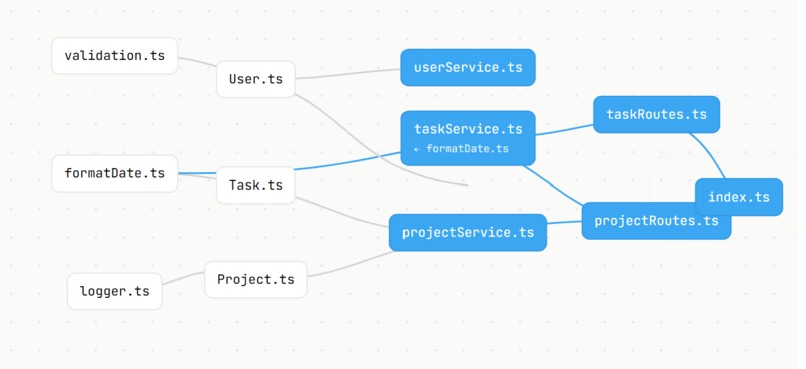
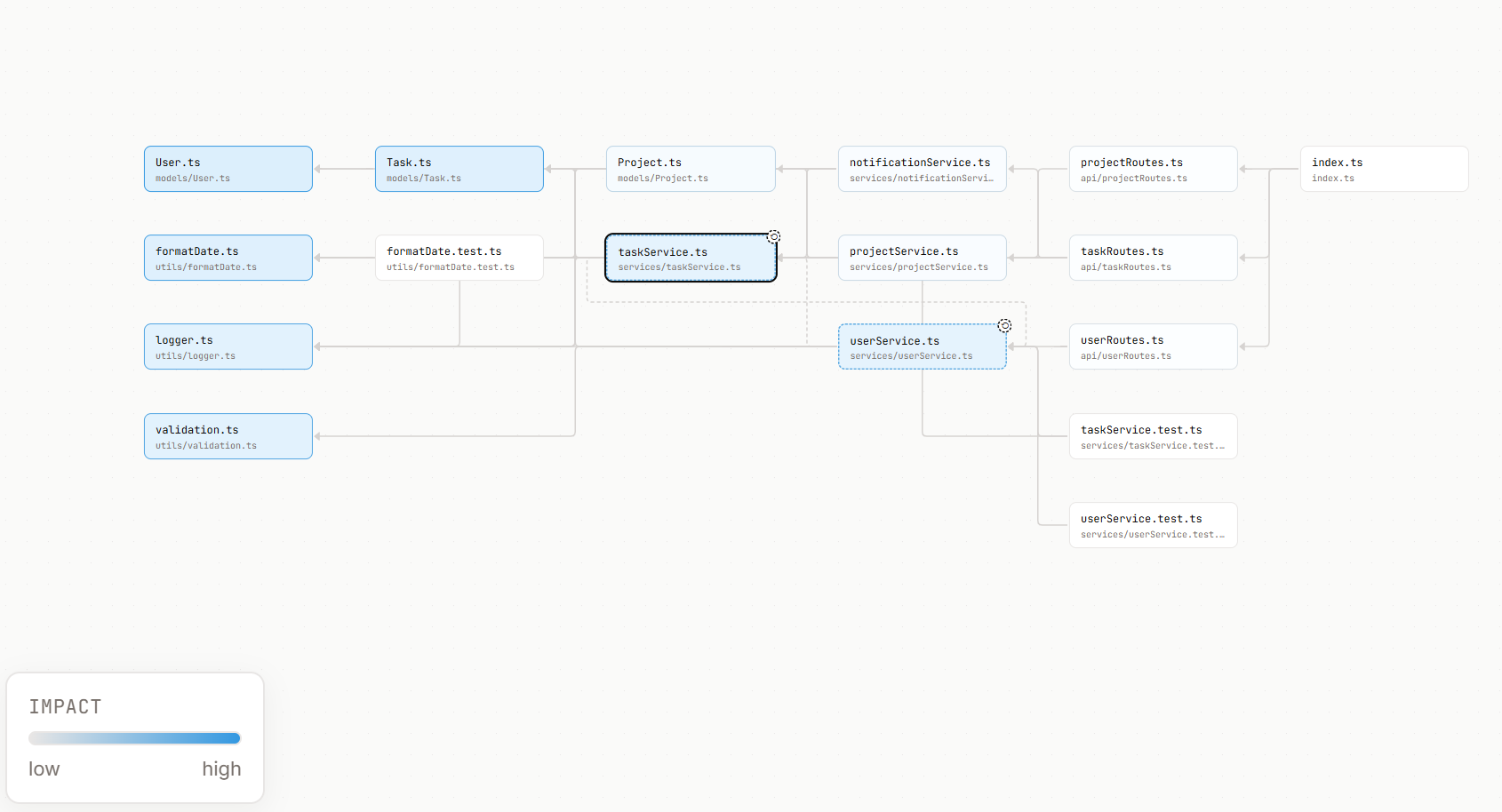
Graph dependency
-
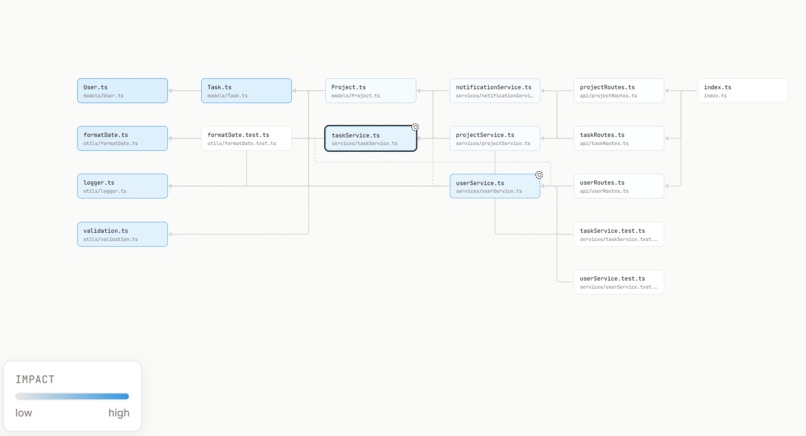
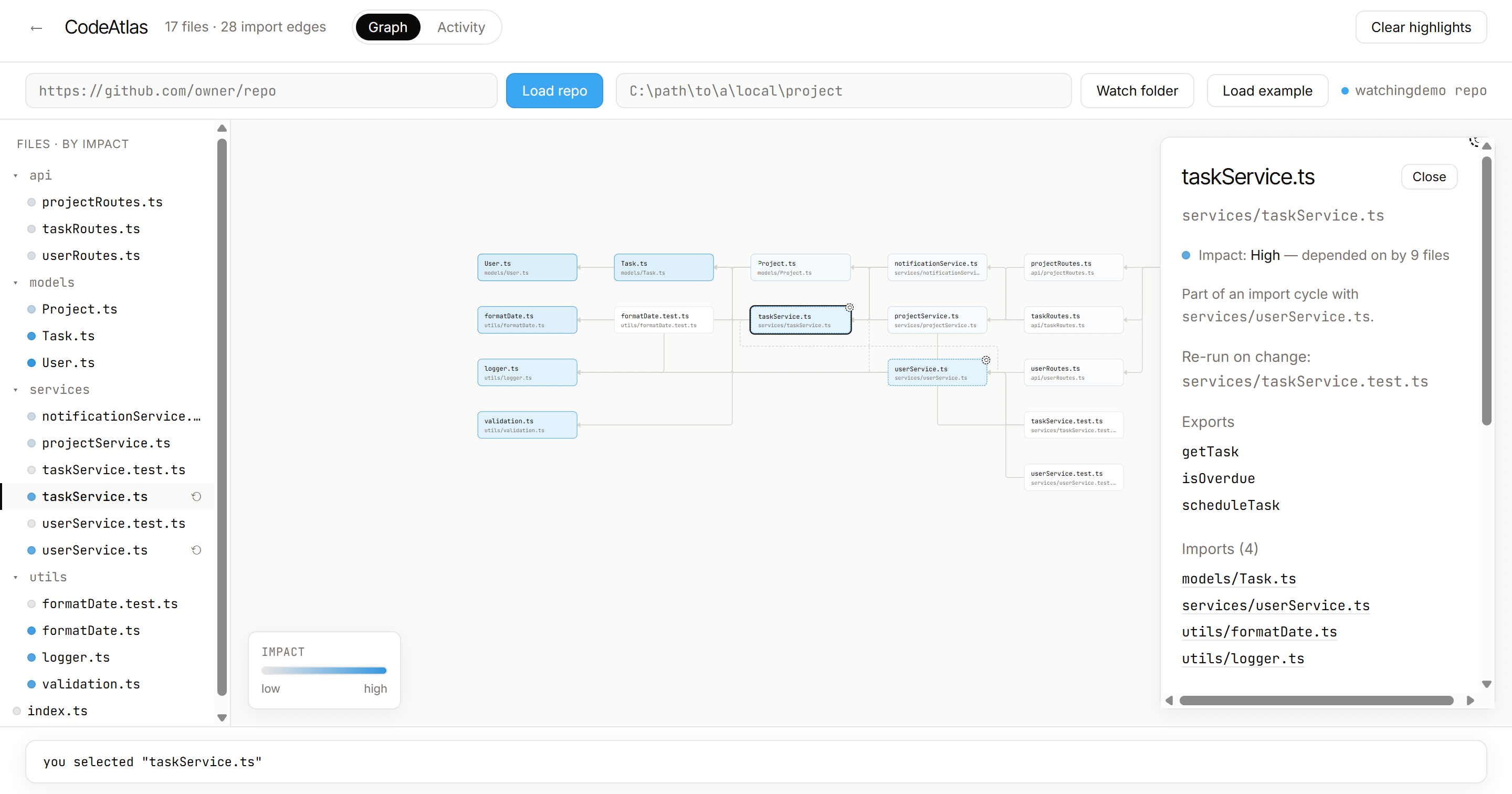
Graph dependency-Loaded Repo
-
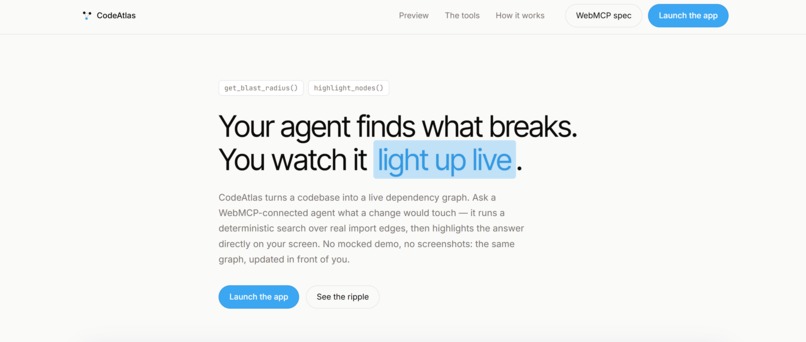
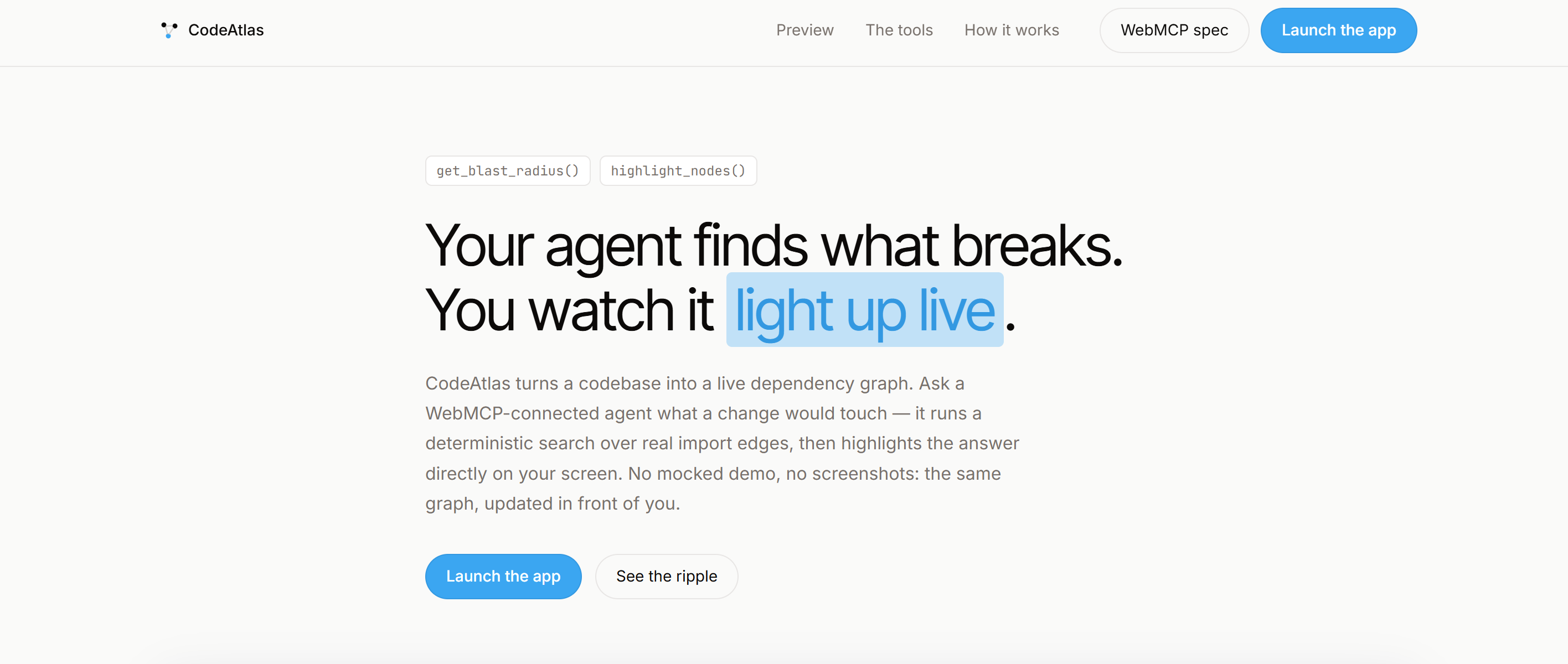
Hero Page
-
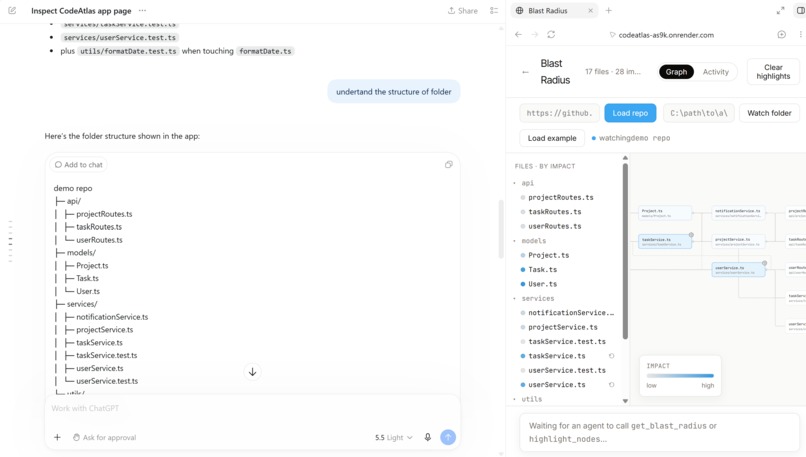
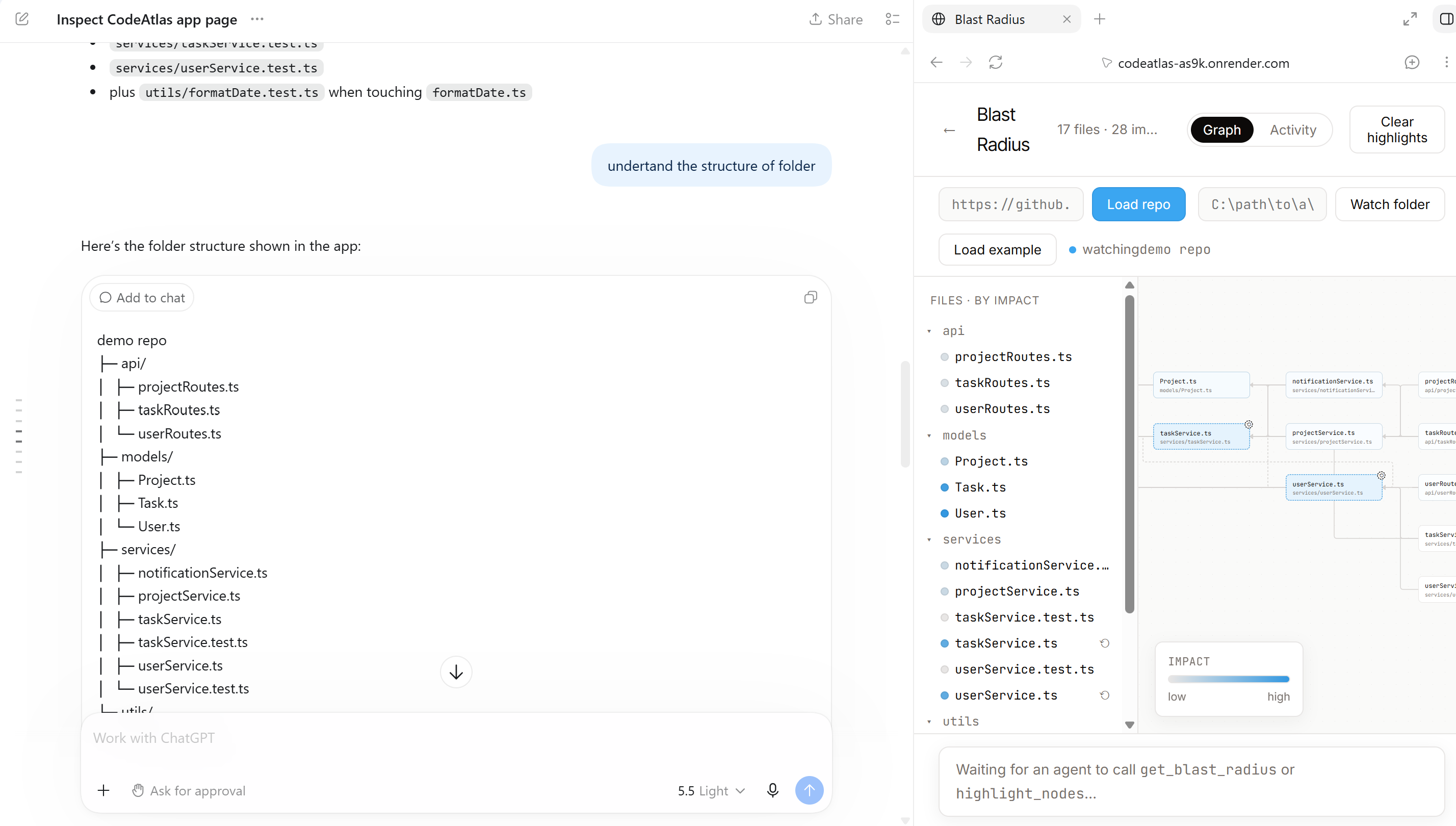
Chatgpt Browser Chats
-
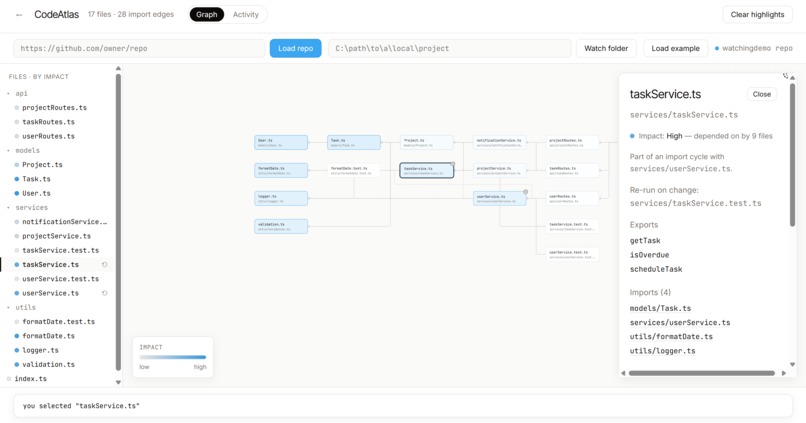
Graph dependency-Loaded Repo
-
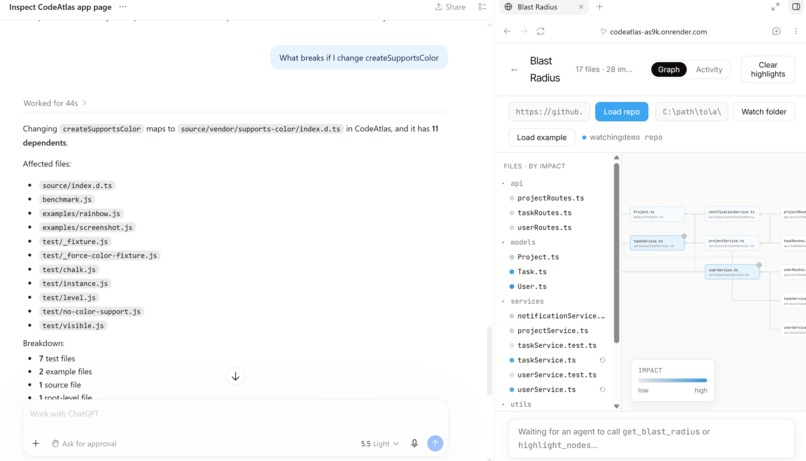
Chatgpt Browser Chats
-
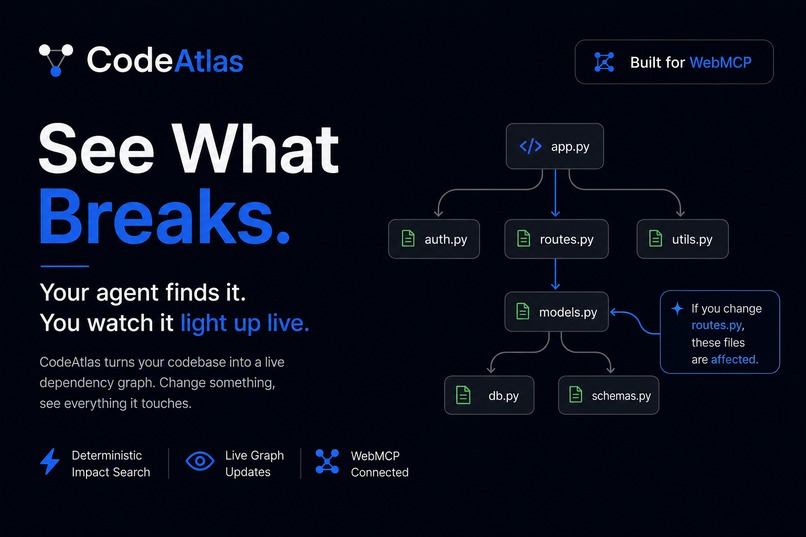
Thumbnail
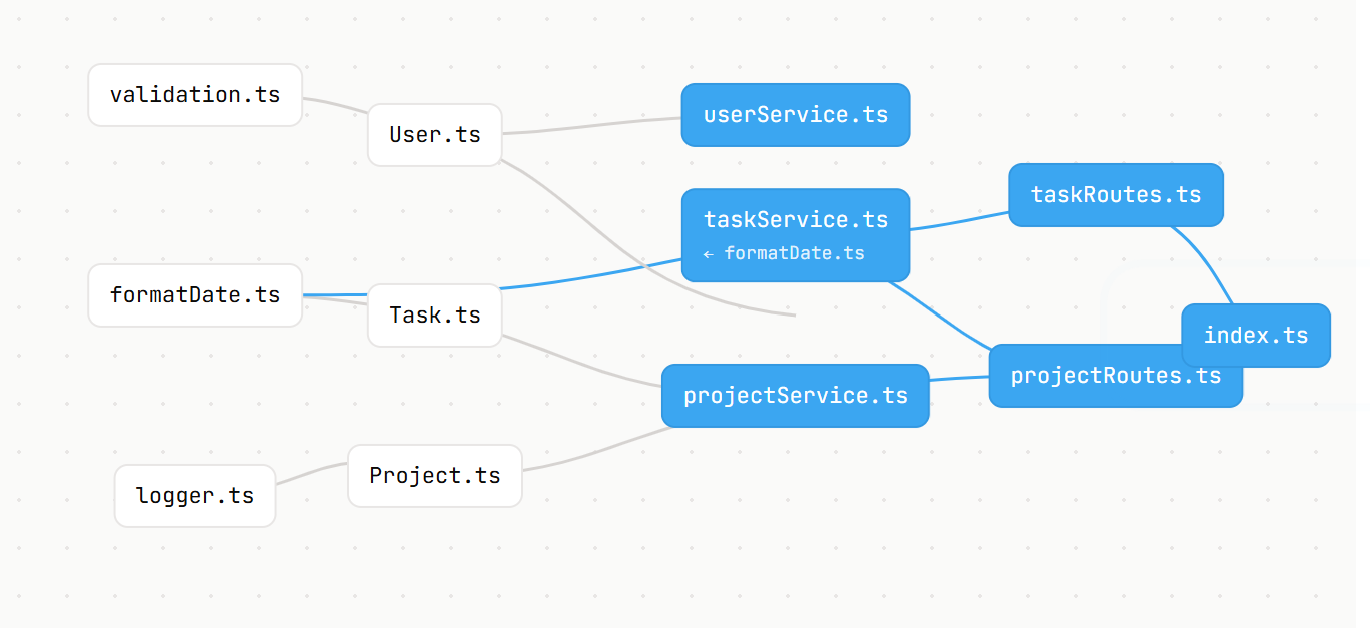
What got me into this
I kept running into the same annoying moment while working with AI coding agents.
The agent would change a file and I'd immediately think, wait, what else is using this?
Then I'd start grepping through the repo myself, trying to figure out what might have been affected. Sometimes I'd trust what the agent said, but I never really liked having to.
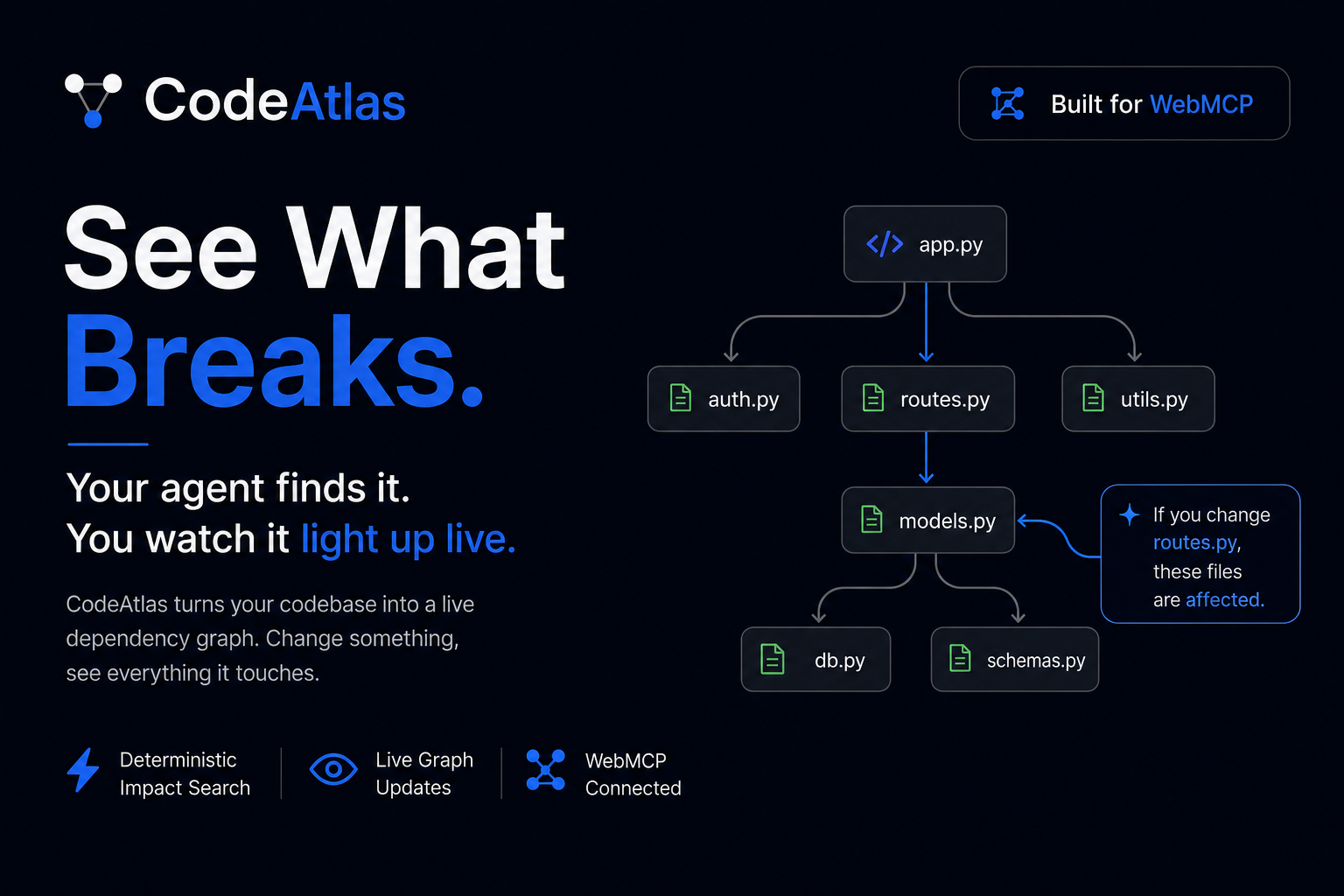
That was basically the reason I started this project. I wanted to be able to see the blast radius of a change instead of just being told what it was.
Then I came across the WebMCP spec and something clicked.
What if the graph itself was the thing the agent and I shared?
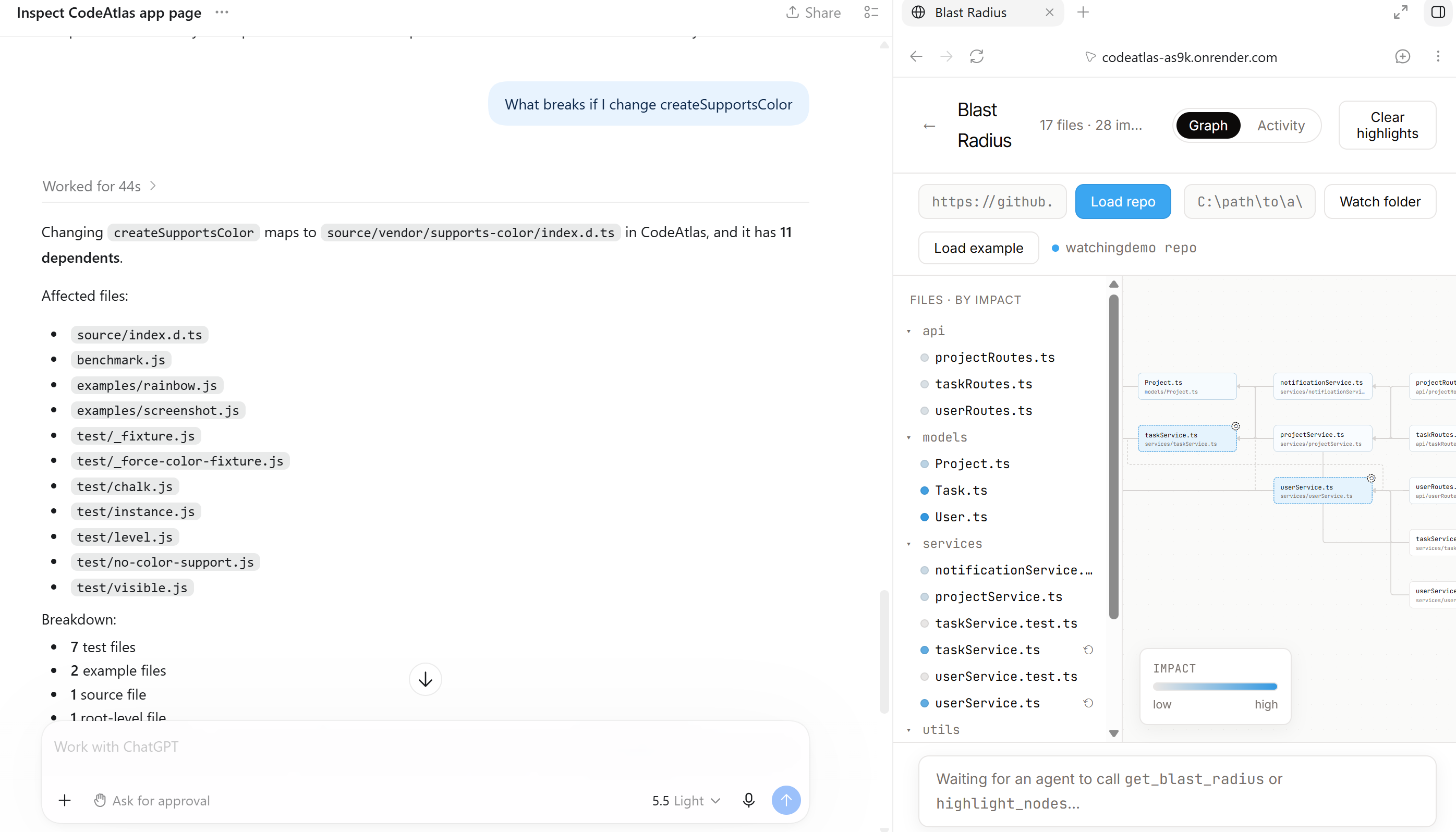
Instead of the agent explaining a dependency graph in a chat message, it could actually show me the graph on screen. I could look at it, click around, and the agent could interact with that same graph.
That felt much more useful.
How it got built
The core of it is actually pretty simple.
I use ts-morph to walk through a TypeScript repo and build the import graph. Then a basic BFS handles questions like:
What depends on this file?
There is deliberately no AI involved in that part. I wanted the important answer in the demo to come from the code itself.
If the tool says 12 files are affected, I want those 12 files to actually be the result of the graph traversal, not something a model guessed.
React Flow handles the graph on the frontend, Fastify handles the backend, and I added chokidar later so the graph could update when files change on disk.
That changed the idea quite a bit for me.
An AI writing code and an AI I'm talking to are really two different things. But they don't need two different interfaces.
A code change can update the graph, and a WebMCP call can interact with that same graph.
The graph becomes the common ground between the two.
The tools also grew as I kept building.
At first it was just about asking for the blast radius and highlighting the affected files. Then I made it work both ways, so the agent could also ask what I was currently looking at.
After that came cycle detection, switching the graph to another GitHub repo, and eventually a propose and approve flow for changes.
At that point, a read-only graph didn't feel like enough anymore.
The part that ate my whole evening
React Flow wouldn't draw a single edge.
The nodes showed up perfectly. They were just floating there with absolutely nothing connecting them, which is a pretty bad look for a dependency graph.
I spent way too long checking the data, handle IDs, edge configuration, and rewriting parts of the implementation.
Eventually I found the actual problem.
React Flow uses ResizeObserver to measure nodes before figuring out where edges should start and end. In my setup, that measurement wasn't happening properly.
The fix was surprisingly simple. I gave the nodes a fixed size and explicitly defined where the handles were.
Suddenly all the edges appeared.
It was one of those bugs that takes hours to understand and about two minutes to fix once you finally know what is happening.
It also taught me not to immediately assume that something is wrong with the data just because the UI is missing something.
Figuring out how ChatGPT actually sees it
I thought getting an actual AI agent to use the tools would be the easy part.
It wasn't.
At first, ChatGPT would confidently talk about tools that I hadn't even built. It would invent names for things and tell me to connect an MCP workspace that had nothing to do with how I was actually using WebMCP.
After a few rounds of this, I realized what was happening.
It wasn't actually opening my app as a live browser page. It was basically reading the static page and trying to figure out what the application did from that.
Since the app is React, most of what I cared about doesn't exist in the initial HTML anyway.
Once I explicitly opened the app through the browser, everything changed.
Instead of guessing, the agent could actually interact with the page and call the tools I had built. It could get the same file list my backend calculated and even tell me which tests would be worth rerunning.
That was probably one of the most useful parts of building the whole thing because it made the difference between an AI talking about a tool and an AI actually using one very obvious.
What I actually learned
The biggest thing I learned is that the AI part wasn't really the hard part.
Most of the problems were normal software problems.
A rendering library making an assumption about node measurements. A deployment having cold starts. A browser tool behaving differently from a web search tool. Two things having similar names but working in completely different ways.
The WebMCP part was actually one of the more enjoyable pieces to build.
You ask the agent something, it calls a tool, and you can actually watch the result happen on the screen.
That feels very different from an AI giving you a paragraph explaining what it thinks is happening.
And honestly, that's the part of CodeAtlas I like most.
It isn't trying to replace the developer's understanding of the code. It gives the developer something concrete to look at while the agent works.
Built With
- chokidar
- css
- fastify
- github-api
- node.js
- npm-workspaces
- react
- react-flow
- server-sent-events
- tar
- ts-morph
- typescript
- vite
- webmcp

Log in or sign up for Devpost to join the conversation.