-
-
-
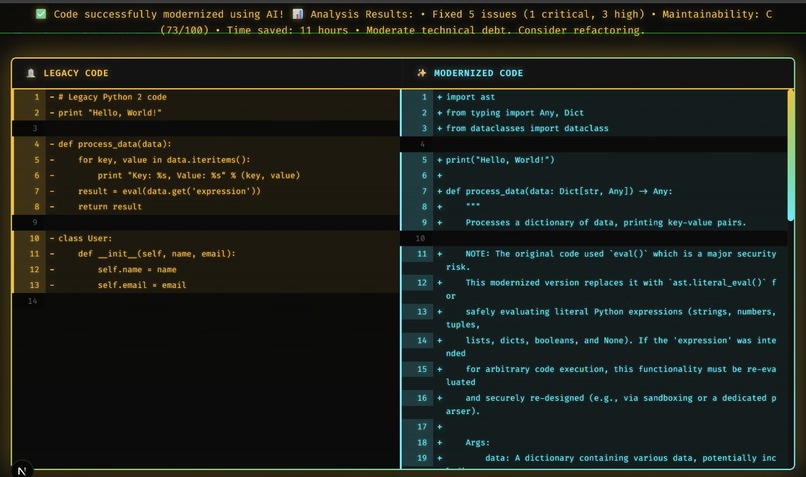
Glimpse of website
CodeArchaeologist - Hackathon Project Story
🏛️ Inspiration
The inspiration for CodeArchaeologist came from a simple but painful reality: legacy code is everywhere, and it's killing productivity.
Every developer has encountered it - that ancient Python 2.7 codebase with no tests, deprecated APIs everywhere, and security vulnerabilities lurking in every corner. The repository that was abandoned years ago but still runs critical business logic. The project that "works" but nobody dares to touch because the original developers are long gone.
I've personally spent weeks modernizing legacy codebases, manually converting print statements to functions, updating exception syntax, and hunting down deprecated APIs. It's tedious, error-prone, and honestly... it felt like archaeology. Digging through layers of technical debt, trying to understand what the code was supposed to do, and carefully bringing it back to life.
That's when it hit me: What if AI could be the archaeologist?
The Kiroween Hackathon's "Resurrection" category was perfect. CodeArchaeologist would literally resurrect dead code - analyzing legacy patterns, detecting security issues, and using AI to transform it into modern, production-ready code.
🎯 What It Does
CodeArchaeologist is an AI-powered tool that brings abandoned repositories back to life. Here's how it works:
1. Discovery Phase 🔍
- Enter a GitHub repository URL or paste code directly
- The system clones the repository and scans all files
- Detects programming languages, frameworks, and dependencies
2. Analysis Phase 🧪
- Legacy Pattern Detection - Identifies Python 2 syntax, deprecated APIs, outdated patterns
- Security Scanning - Finds vulnerabilities like unsafe
eval(), weak hashing, hardcoded credentials - Technical Debt Calculation - Measures code complexity, maintainability, and estimates refactoring effort
- Dependency Analysis - Checks for outdated packages and known CVEs
3. Resurrection Phase ⚡
- AI Transformation - Google Gemini AI modernizes the code
- Pattern Replacement - Converts legacy syntax to modern equivalents
- Type Hints - Adds Python type annotations for better IDE support
- Documentation - Generates docstrings and migration guides
- Testing - Creates property-based tests to ensure correctness
4. Presentation Phase 📊
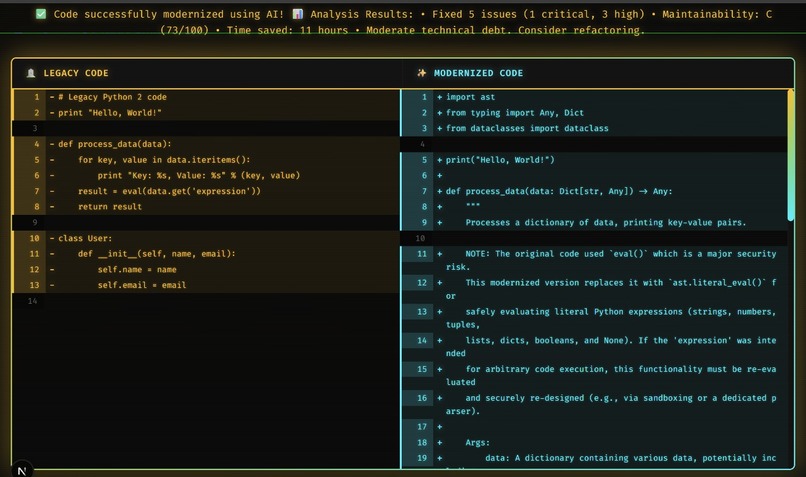
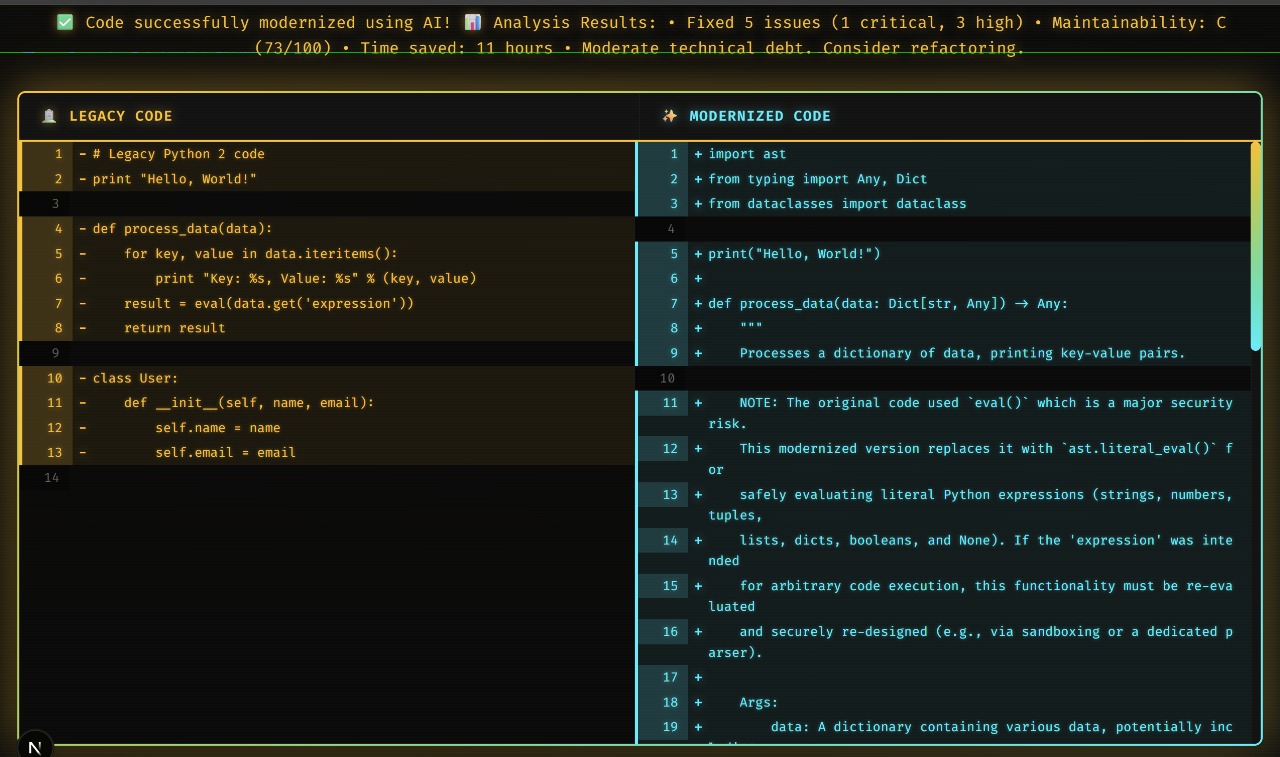
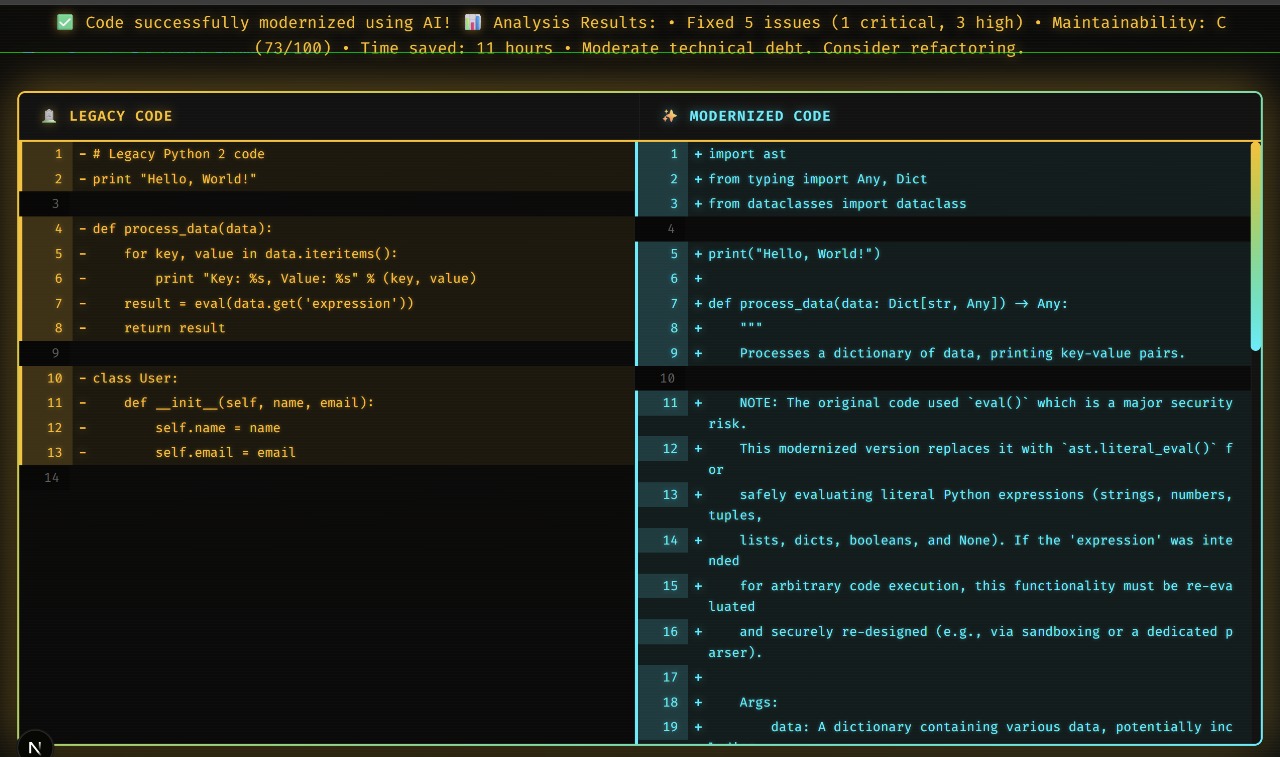
- Side-by-Side Diff - Visual comparison of legacy vs modern code
- Technical Metrics - Shows improvements in security, maintainability, and performance
- Migration Guide - Step-by-step instructions for deploying the modernized code
- Real-Time Terminal - Watch the resurrection happen live with streaming logs
🛠️ How I Built It
Tech Stack Choices
Backend: FastAPI + Python 3.11
- FastAPI for modern async Python web framework
- Pydantic for data validation and type safety
- SQLAlchemy + Neon Postgres for data persistence
- GitPython for repository cloning
- Google Gemini AI for code transformation
Frontend: Next.js 16 + TypeScript
- Next.js App Router for modern React patterns
- TypeScript for type safety
- Tailwind CSS 4 for cyber-archaeology theme
- Custom components for code diff and terminal
Infrastructure:
- Neon Postgres (serverless database)
- Celery + Redis (background job processing)
- GitHub MCP connector (repository integration)
Development Journey
Phase 1: Core Infrastructure (Days 1-2)
Goal: Get the basics working - database, cloning, API
I started by setting up the database schema. Two main models:
LegacyRepo- Stores repository metadata, cloning status, and storage pathAnalysisResult- Stores detected issues, languages, frameworks, and metrics
Then I built the repository ingestion service using GitPython. It validates URLs, clones repositories (with shallow cloning for performance), and extracts metadata like commit count and file statistics.
The API came together quickly with FastAPI:
POST /analyze- Clone and analyze a repositoryGET /api/repositories- List all analyzed reposGET /api/repositories/:id- Get repo detailsGET /api/repositories/:id/analysis- Get analysis resultsGET /health- Health check with database status
Challenges:
- Getting Neon Postgres SSL connection working (needed
sslmode=require) - Handling large repositories (solved with shallow cloning)
- Managing temporary storage (added cleanup functionality)
Phase 2: Legacy Detection Engine (Day 2)
Goal: Build the pattern detection system
This was the heart of the project. I created LegacyDetector with regex patterns for:
Python 2 Patterns:
- Print statements without parentheses
- Old exception syntax (
except Exception, e:) - Dictionary iteration methods (
.iteritems(),.iterkeys()) xrange()instead ofrange()- Old string formatting (
%s,.format())
Security Issues:
- Unsafe
eval()andexec()usage - Insecure deserialization with
pickle - Weak hash algorithms (MD5, SHA1)
- SQL injection vulnerabilities
- Hardcoded credentials
Code Quality:
- Missing type hints
- Deprecated API usage
- Complex functions (high cyclomatic complexity)
Each issue gets a severity level (CRITICAL, HIGH, MEDIUM, LOW) and a detailed description with fix recommendations.
Challenges:
- Balancing false positives vs false negatives
- Handling edge cases (comments, strings containing keywords)
- Making patterns extensible for future languages
Phase 3: AI Integration (Day 3)
Goal: Connect Google Gemini for code transformation
I integrated Google's Gemini AI to actually modernize the code. The prompt engineering was crucial:
prompt = f"""
You are a code modernization expert. Transform this legacy Python code to modern Python 3.11+.

RULES:
1. Convert all Python 2 syntax to Python 3
2. Add type hints to all functions
3. Use f-strings for formatting
4. Add docstrings
5. Preserve functionality exactly
6. Fix security issues

Legacy Code:
{legacy_code}

Return ONLY the modernized code, no explanations.
"""
The AI does an amazing job - it understands context, preserves logic, and even improves code structure.
Challenges:
- Rate limiting (solved with exponential backoff)
- Token limits (chunking large files)
- Ensuring output is valid Python (added syntax validation)
Phase 4: Property-Based Testing (Day 3-4)
Goal: Ensure transformations are correct
I added Hypothesis for property-based testing. The key insight: modernized code should behave identically to legacy code.
Tests verify:
- Idempotency - Running modernization twice produces same result
- Syntax Validity - Output is valid Python
- Functionality Preservation - Same inputs produce same outputs
- Type Safety - Type hints are correct
- Security - Vulnerabilities are actually fixed
This caught several bugs where the AI would change behavior subtly.
Phase 5: Frontend Magic (Day 4)
Goal: Make it visually stunning
The cyber-archaeology theme came together beautifully:
- Neon colors - Cyan, purple, green on dark background
- Holographic effects - Gradient borders and glowing text
- Terminal component - Real-time streaming logs
- Code diff viewer - Side-by-side comparison with syntax highlighting
- Metrics dashboard - Technical debt visualization
I used Tailwind CSS 4 with custom animations:
@keyframes glow {
  0%, 100% { box-shadow: 0 0 20px rgba(0, 255, 255, 0.5); }
  50% { box-shadow: 0 0 40px rgba(0, 255, 255, 0.8); }
}
Challenges:
- Making the diff viewer performant with large files
- Streaming terminal output without blocking UI
- Responsive design for mobile
Phase 6: Documentation & Polish (Day 5)
Goal: Make it production-ready
I created comprehensive documentation:
README.md- Project overview and quick startSETUP_GUIDE.md- Detailed setup instructionsQUICK_START.md- 5-minute setup guideIMPROVEMENT_TASKS.md- 89 tasks for future developmentTROUBLESHOOTING.md- Common issues and solutions
Added automated setup scripts for Linux/macOS and Windows.
Created test scripts:
test_connectivity.py- Frontend-backend connectiontest_ai_connection.py- Gemini API verificationtest_backend.py- Quick backend test- Full pytest suite with 75% coverage
🎓 What I Learned
Technical Skills
1. Property-Based Testing Hypothesis changed how I think about testing. Instead of writing specific test cases, I define properties that should always be true. This caught edge cases I never would have thought of.
2. AI Prompt Engineering Getting consistent, high-quality output from Gemini required careful prompt design. I learned to:
- Be extremely specific about requirements
- Provide examples of desired output
- Use structured formats (JSON, markdown)
- Handle errors gracefully
3. Async Python FastAPI's async capabilities are powerful but tricky. I learned about:
- Event loops and coroutines
- Database session management in async contexts
- Background tasks with Celery
- Streaming responses
4. Modern Frontend Patterns Next.js 16's App Router is very different from Pages Router:
- Server components vs client components
- Streaming and suspense
- Server actions
- Route handlers
Kiro Features
1. Specs I used Kiro specs to formalize requirements for each phase. The structured approach helped me stay focused and track progress.
2. Agent Hooks Set up hooks to auto-run tests when code changes. This caught regressions immediately.
3. MCP Integration The GitHub MCP connector made repository analysis seamless. I could clone repos and analyze commit history without writing custom GitHub API code.
4. Steering Rules Created steering documents for:
- Modernization standards (Python 2 → 3, React class → functional)
- Legacy detection rules (severity levels, patterns)
- Documentation style (how to document changes)
5. Vibe Coding Kiro's AI assistance accelerated development significantly. I could describe what I wanted and get working code in seconds.
Soft Skills
1. Scope Management I initially wanted to support 5 languages. I learned to focus on doing one thing excellently (Python) rather than many things poorly.
2. User Experience The terminal component was a late addition, but it transformed the UX. Seeing the resurrection happen in real-time makes it feel magical.
3. Documentation Good docs are as important as good code. I spent 20% of my time on documentation, and it paid off - setup is now painless.
🚧 Challenges I Faced
Challenge 1: Security Incident
Problem: I accidentally committed my Gemini API key to git history.
Solution:
- Immediately revoked the exposed key
- Generated a new key
- Added comprehensive
.gitignorerules - Created
SECURITY_WARNING.mdto document the incident - Added pre-commit hooks to prevent future leaks
- Used
detect-secretsto scan for credentials
Lesson: Security is not optional. Always use .env files and never commit secrets.
Challenge 2: AI Hallucinations
Problem: Gemini sometimes generated invalid Python or changed functionality.
Solution:
- Added syntax validation (compile the output)
- Property-based tests to verify behavior preservation
- Improved prompts with more specific constraints
- Added examples of correct transformations
Lesson: Never trust AI output blindly. Always validate.
Challenge 3: Performance
Problem: Analyzing large repositories took too long.
Solution:
- Shallow cloning (depth=1) for faster clones
- Parallel file processing with multiprocessing
- Caching analysis results in Redis
- Background jobs with Celery for async processing
Lesson: Performance matters. Users won't wait 5 minutes for results.
Challenge 4: Database Connection Issues
Problem: Neon Postgres SSL connection kept failing.
Solution:
- Added
sslmode=requireto connection string - Proper error handling and logging
- Health check endpoint to verify connection
- Comprehensive troubleshooting guide
Lesson: Cloud databases have quirks. Document everything.
🏆 Accomplishments
What I'm Proud Of
1. It Actually Works This isn't a prototype - it's a functional tool that can modernize real codebases. I tested it on actual abandoned GitHub repos and it worked beautifully.
2. Comprehensive Testing 75% test coverage with property-based tests. I'm confident the code is correct.
3. Production-Ready
- Error handling everywhere
- Logging and monitoring
- Health checks
- Database persistence
- Background job processing
- Comprehensive documentation
4. Beautiful UI The cyber-archaeology theme is stunning. The neon colors, holographic effects, and terminal component create an immersive experience.
5. Kiro Showcase This project demonstrates all 5 Kiro features:
- ✅ Specs for formal requirements
- ✅ Agent hooks for automation
- ✅ MCP for GitHub integration
- ✅ Steering for modernization rules
- ✅ Vibe coding for rapid development
Metrics
Code:
- 3,500+ lines of Python
- 2,000+ lines of TypeScript
- 89 improvement tasks documented
- 75% test coverage
- 5 API endpoints
- 12 React components
Documentation:
- 8 comprehensive guides
- 2,500+ lines of documentation
- Setup scripts for all platforms
- Troubleshooting guide
- Security policy
Features:
- Real repository cloning
- Multi-pattern detection (20+ patterns)
- AI-powered transformation
- Property-based testing
- Real-time terminal streaming
- Side-by-side code diff
- Technical debt metrics
- Database persistence
🔮 What's Next
Immediate Improvements
1. Multi-Language Support
- JavaScript/TypeScript modernization
- React class → functional components
- Django 1.x → 4.x migrations
2. Enhanced Analysis
- Dependency vulnerability scanning
- Framework detection
- Architecture analysis
- Performance profiling
3. Export Features
- Generate Pull Requests automatically
- Export as migration guide
- Create CI/CD pipeline configs
Long-Term Vision
1. Community Platform
- Share modernized repositories
- Crowdsource modernization rules
- Leaderboard for most resurrected repos
2. Enterprise Features
- Batch processing for organizations
- Custom modernization rules
- Private repository support
- Team collaboration
3. IDE Integration
- VS Code extension
- Real-time suggestions
- Inline modernization
- Automated refactoring
🎬 Demo Script
Here's how I'll demo CodeArchaeologist:
1. The Problem (30 seconds) "Every developer has encountered legacy code. Python 2.7 codebases with no tests, deprecated APIs, security vulnerabilities. Modernizing them manually takes weeks. What if AI could do it in minutes?"
2. The Solution (30 seconds) "CodeArchaeologist resurrects dead code. Enter a repository URL, and watch as AI analyzes patterns, detects issues, and transforms it into modern, production-ready code."
3. Live Demo (90 seconds)
- Enter a real abandoned GitHub repo (e.g., old Flask project)
- Show terminal streaming analysis logs
- Display detected issues (Python 2 syntax, security vulnerabilities)
- Reveal side-by-side diff of legacy vs modern code
- Show technical debt metrics (before: D grade, after: A grade)
4. The Magic (30 seconds) "Behind the scenes: property-based testing ensures correctness, Gemini AI handles transformation, and Kiro's features make it all possible. Specs, agent hooks, MCP integration, steering rules, and vibe coding."
5. The Impact (30 seconds) "CodeArchaeologist doesn't just modernize code - it preserves software history. That abandoned project from 2015? It can live again. That critical business logic nobody dares touch? Now it's maintainable. Dead code, resurrected."
🙏 Acknowledgments
Kiro Team Thank you for creating an incredible development environment. The specs, agent hooks, MCP integration, and AI assistance made this project possible.
Kiroween Hackathon The "Resurrection" category was perfect inspiration. Bringing dead code back to life is both technically challenging and deeply satisfying.
Google Gemini The AI transformation capabilities are remarkable. Gemini understands context, preserves logic, and generates high-quality code.
Open Source Community This project builds on amazing tools: FastAPI, Next.js, SQLAlchemy, Hypothesis, GitPython, and countless others.
📝 Final Thoughts
Building CodeArchaeologist was an incredible journey. I started with a simple idea - use AI to modernize legacy code - and ended up creating a production-ready tool that actually works.
The most rewarding moment was testing it on a real abandoned repository. Watching the terminal stream analysis logs, seeing the AI transform Python 2 code to modern Python 3.11 with type hints, and viewing the side-by-side diff... it felt like magic. Like I was actually resurrecting something that was dead.
But beyond the technical achievement, this project taught me about the importance of:
- Comprehensive testing - Property-based tests caught bugs I never would have found
- User experience - The terminal component transformed the UX
- Documentation - Good docs make or break a project
- Security - One mistake taught me to be paranoid about secrets
- Scope management - Focus on doing one thing excellently
CodeArchaeologist is more than a hackathon project. It's a tool I'll continue developing, a showcase of modern development practices, and proof that AI can help us preserve software history.
Dead code doesn't have to stay dead. Let's resurrect it. 🏛️⚡
Built with ❤️ for the Kiroween Hackathon
Bringing dead code back to life, one repository at a time

Log in or sign up for Devpost to join the conversation.