-
-
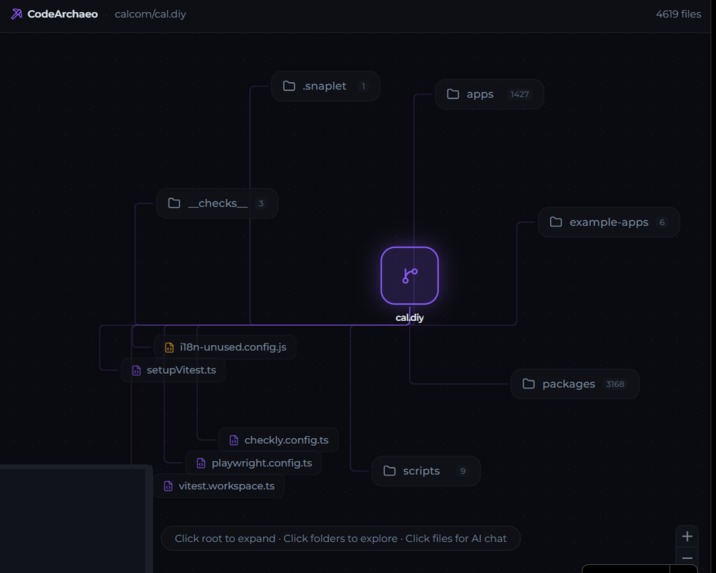
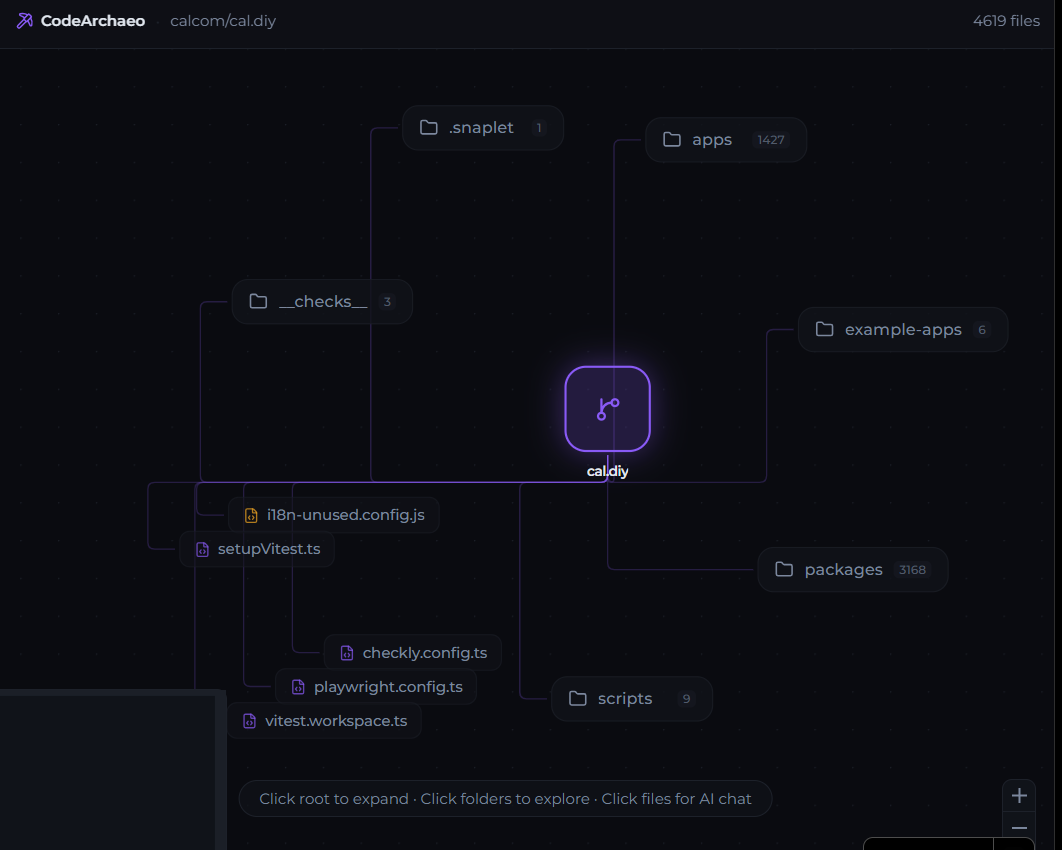
Graph visualization of your Codebase
-
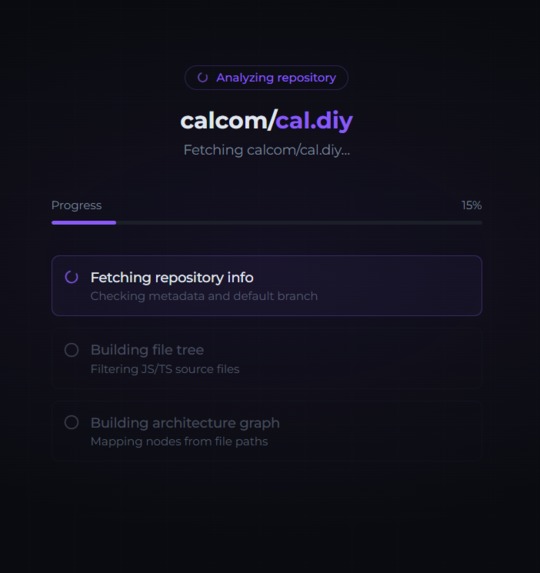
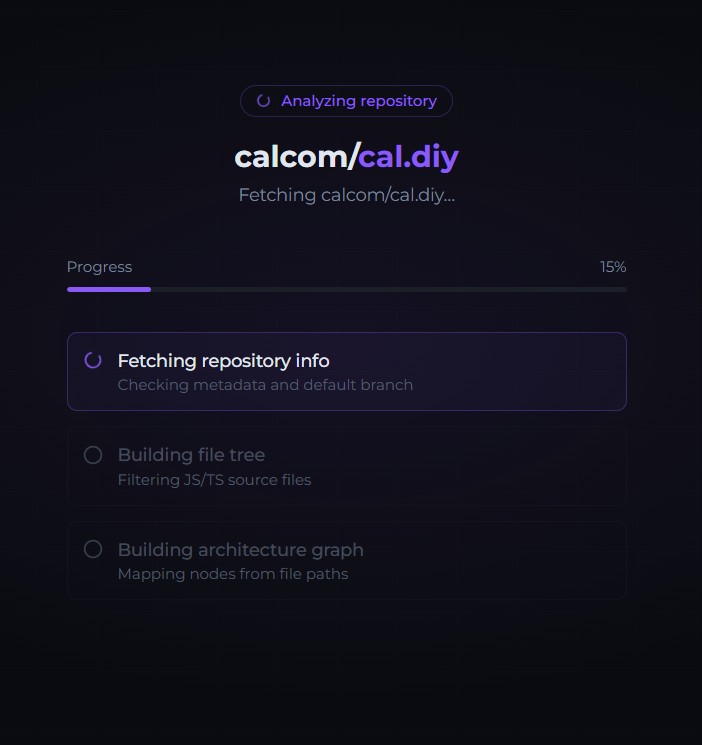
Loading page - Fetching GitHub File tree and building Graph
-
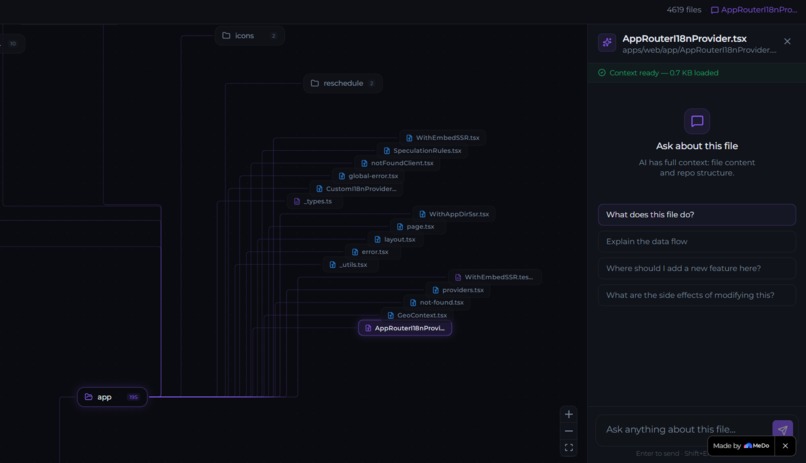
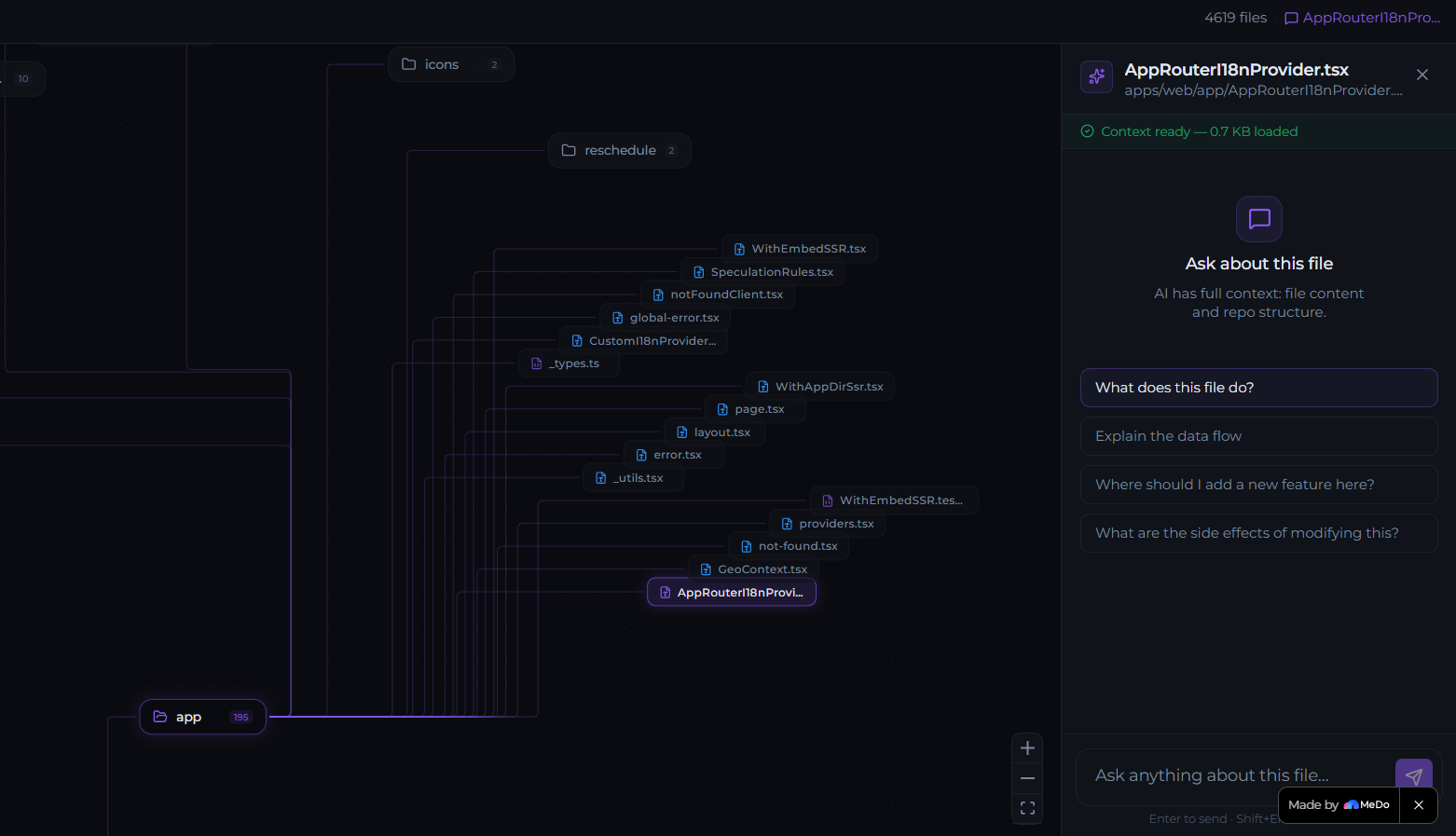
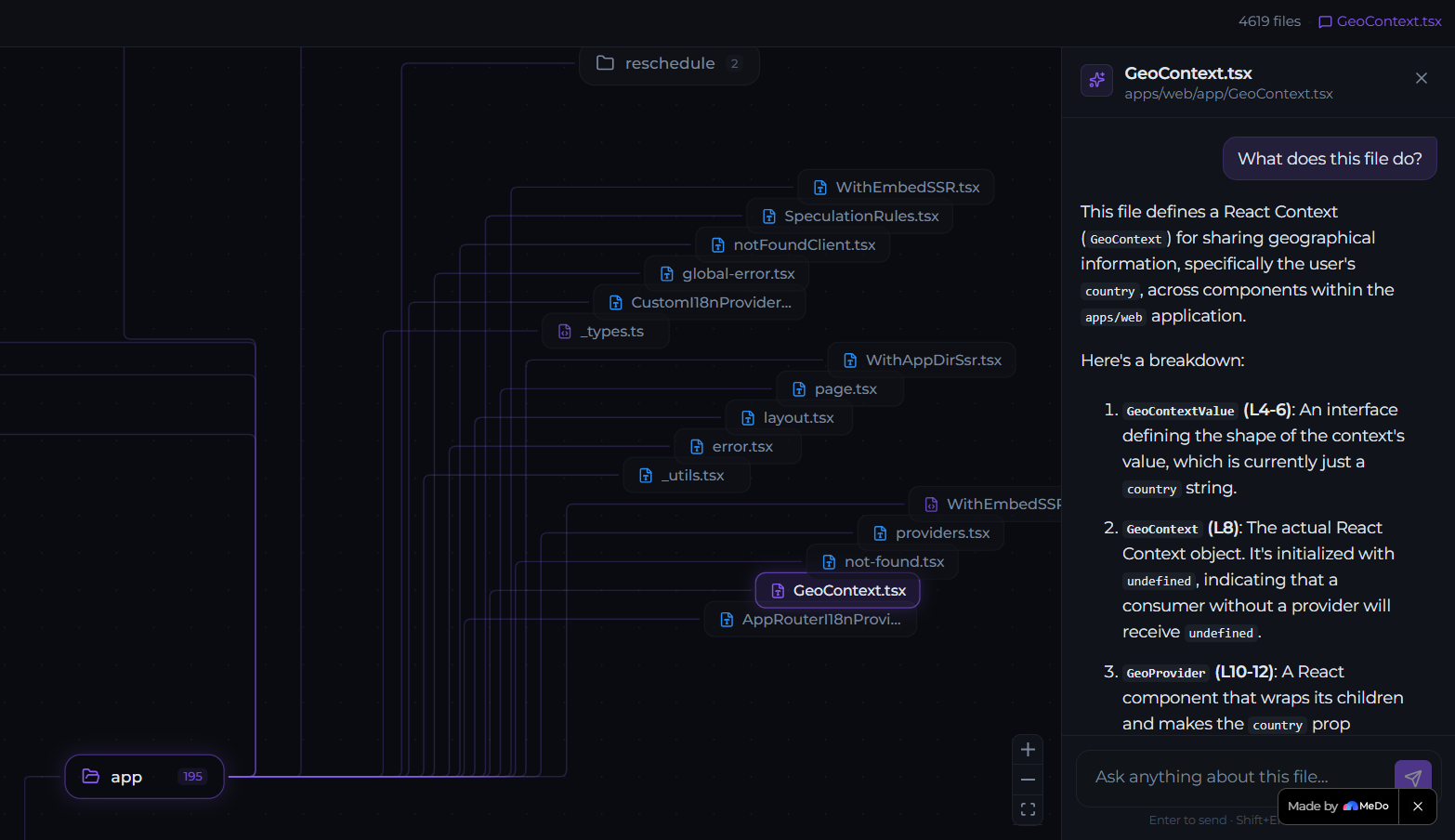
Select each node for Contextual AI chats
-

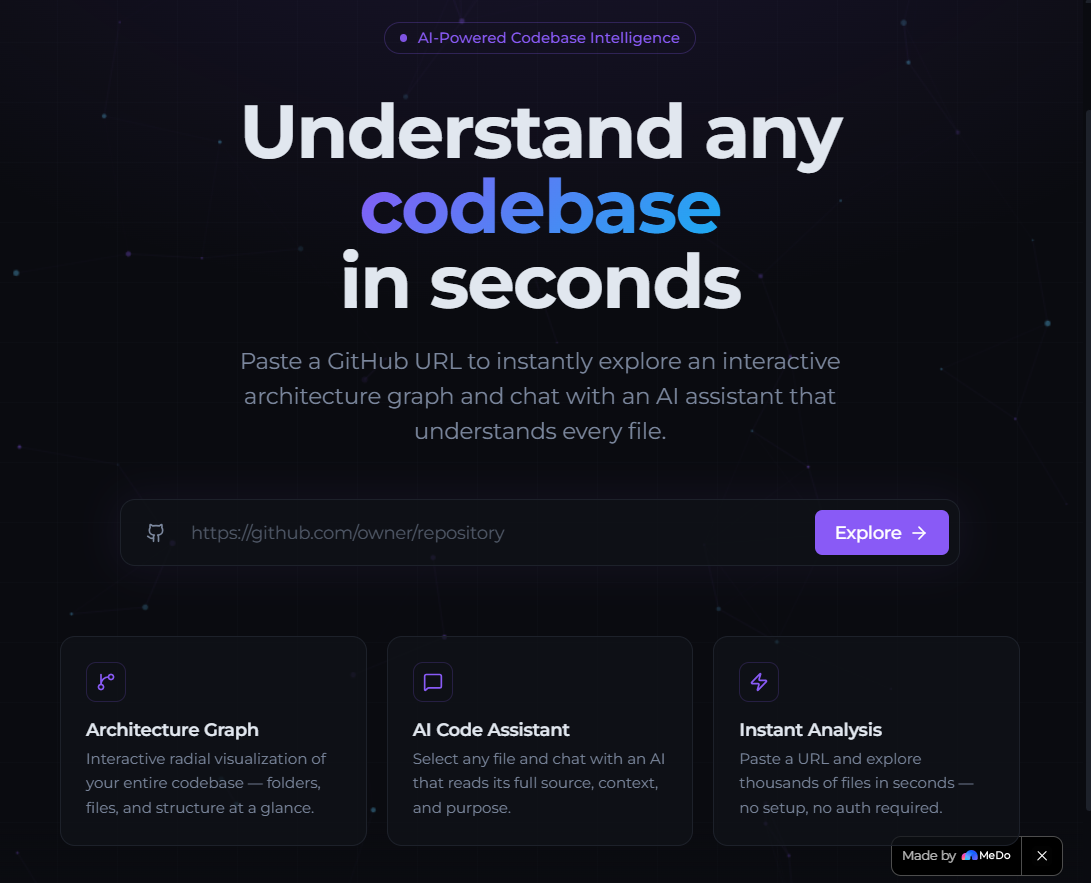
CodeArchaeo - Landing Page
-
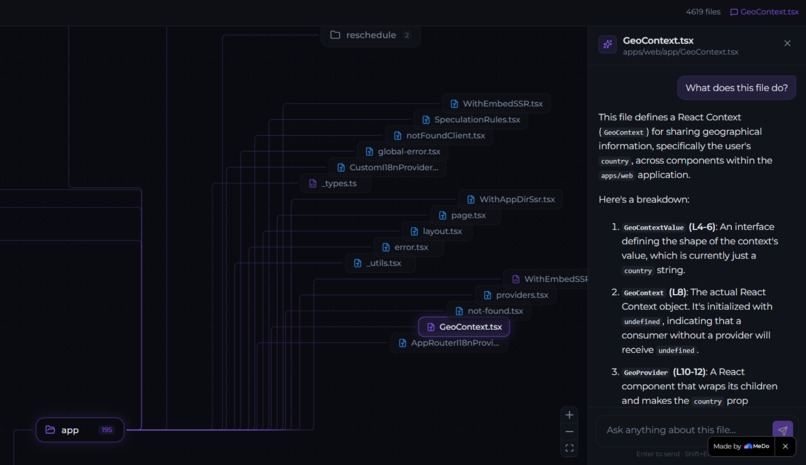
Understanding each files through Visuals and AI
Inspiration
As a sophomore starting out seriously with coding and open source, one of the biggest problems I constantly faced was understanding unfamiliar codebases. Contributing to open source sounds exciting until you open a repository with hundreds of files, deeply nested folders, APIs, services, utilities, and complex workflows that were written by dozens of different developers over years.
Even experienced developers spend significant time understanding:
- how data flows through a project
- where API entrypoints and endpoints exist
- what each folder is responsible for
- how modules connect together
- where to even start debugging or contributing
Most repositories today are still explored through static file trees and raw code, which becomes overwhelming very quickly in larger projects.
I wanted a way to visually understand repos instead of mentally reconstructing architecture from endless folders and files. I also wanted a mentor-like assistant that could explain what individual files do, how they fit into the project, and answer questions whenever I got stuck.
That idea became CodeArchaeo: an AI-powered repository visualization and intelligence engine that transforms static GitHub repositories into interactive architecture graphs combined with contextual AI assistance.
What it does
CodeArchaeo converts any public GitHub repository into an interactive radial graph visualization that allows developers to visually explore repository architecture without cloning the project or setting up the environment.
Users simply paste a GitHub repository URL and instantly get:
- an expandable interactive repository graph
- progressive folder exploration
- contextual AI assistance for each file
The graph starts from a central repository node and progressively expands outward as folders are explored, creating a clean architectural view of the codebase. When a file node is selected, an AI assistant panel opens and provides context-aware answers.
The combination of graph visualization and AI interaction turns repositories into something developers can actually explore and understand intuitively instead of manually decoding through static file trees.
How we built it
The frontend was designed around a highly interactive graph exploration experience. React Flow was used to build the node-based graph system, while D3 hierarchy radial layouts were integrated to create an expandable repository visualization with progressive disclosure and intelligent graph exploration.
The backend uses the GitHub API to fetch repository file trees efficiently and Gemini AI to answer context aware questions.
The AI assistant works by dynamically generating context using:
- repository file tree structure
- current selected file path
- current selected file contents
MeDo played a huge role throughout the project. It helped with:
- application scaffolding
- frontend and backend logic building
- UI iteration
- graph system architecture
- refining UX interactions
- integrating AI workflows
MeDo’s research and LLM capabilities also helped explore graph layout systems like React Flow and D3 hierarchy layouts and optimize the overall architecture of the app. Also, thanks to Medo's R&D agents, how fixed a large amount of bugs related to UI, UX and react rendering
Challenges we ran into
The biggest challenge was graph visualization and layout logic.
Initially, the repository graph looked chaotic and unreadable because rendering repositories as flat dependency nodes quickly became visually overwhelming. A major challenge was designing a hierarchy system that actually felt intuitive and explorable.
Some difficult problems included:
- preventing graph node overlaps
- optimizing radial graph spacing
- implementing progressive node expansion
- auto-collapsing sibling folders to reduce clutter
- designing separate folder and file node systems
- ensuring large repositories remained navigable
Another major challenge was GitHub API optimization. Early versions made excessive API calls and quickly hit GitHub rate limits. This was solved by redesigning the architecture so graph generation works entirely from a single repository tree fetch while AI file context loads lazily only when needed.
Accomplishments that we're proud of
I solved my problem. Yay!!!!!! Some accomplishments especially proud of:
- a visually interactive repo exploration experience
- a clean expandable radial graph system for large repos
- designed progressive disclosure to keep repo exploration readable
- integrated contextual AI assistance directly into graph nodes
- a polished developer-focused UI/UX experience
- Successfully combined graph visualization and AI into a repo intelligence workflow
The final product feels much closer to an interactive architecture explorer than a traditional repository browser.
What we learned
This project taught a lot about:
- graph visualization systems
- spatial UI/UX design
- hierarchical graph layouts
- React Flow internals
- D3 hierarchy mathematics
- progressive rendering systems
- API optimization
- lazy loading architectures
- AI context engineering
One important realization was that understanding codebases is often more of a visualization and navigation problem than purely a code analysis problem.
What's next for CodeArchaeo - Visualize & Understand Code
Future plans for CodeArchaeo include:
- dependency overlay visualization mode
- multi-language repository support (only support ts & js now)
- semantic repository search
- AI-generated architecture summaries
- More dependency file context for AI chats
The long-term vision is to make understanding unfamiliar codebases dramatically faster and more intuitive for developers, students, and open-source contributors.
Built With
- gemini
- githubapi
- medo
- react-flow
- supabase
- tailwind
- typescript
- vite


Log in or sign up for Devpost to join the conversation.