-
-
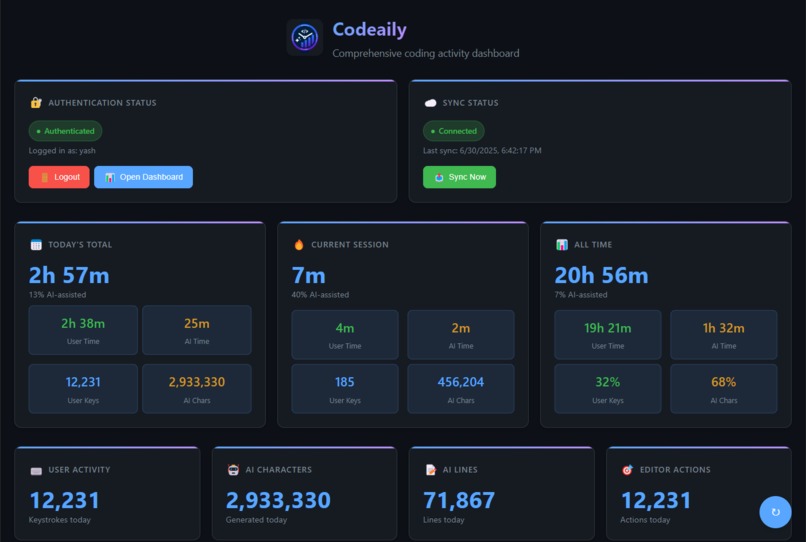
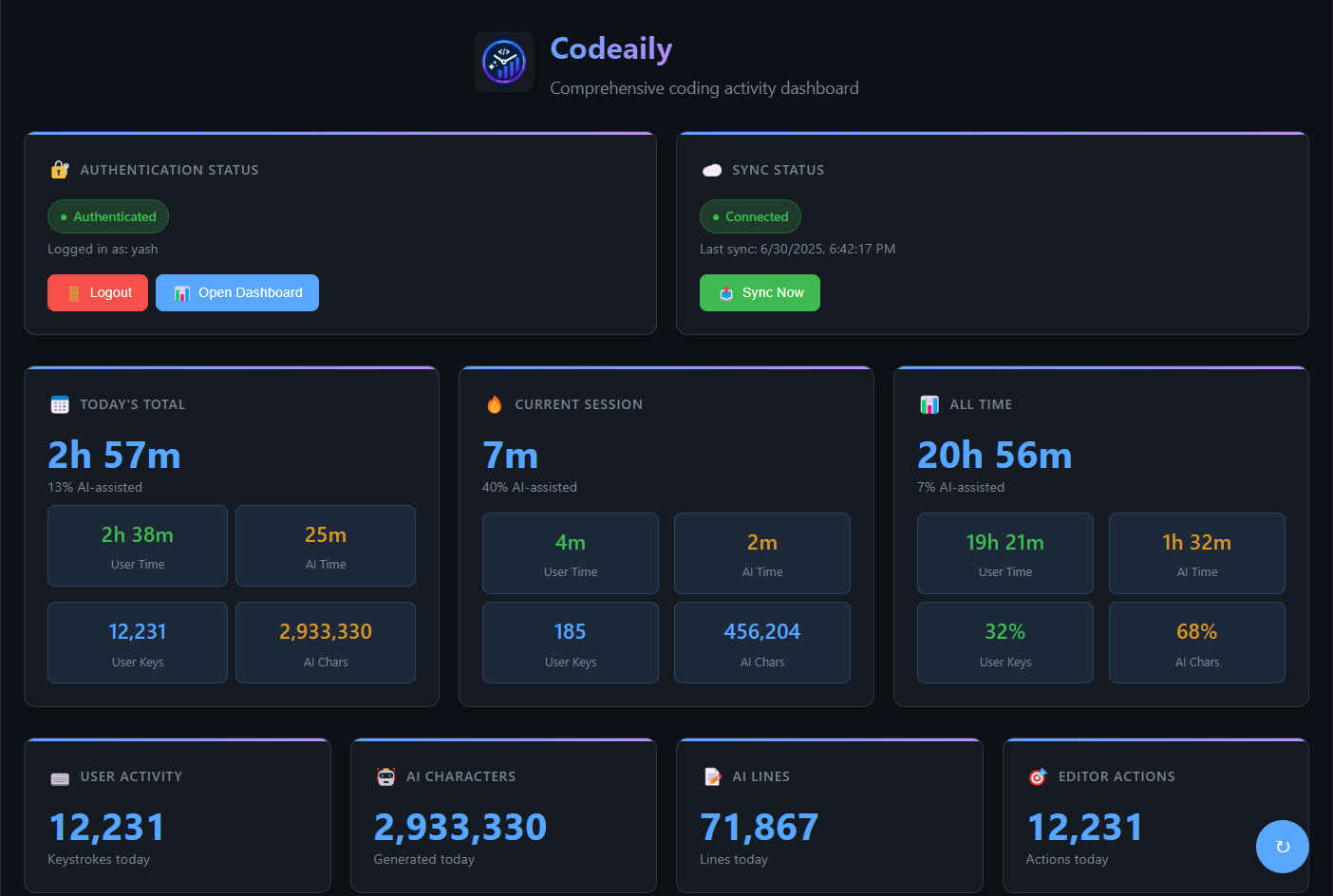
Extension Dashboard
-
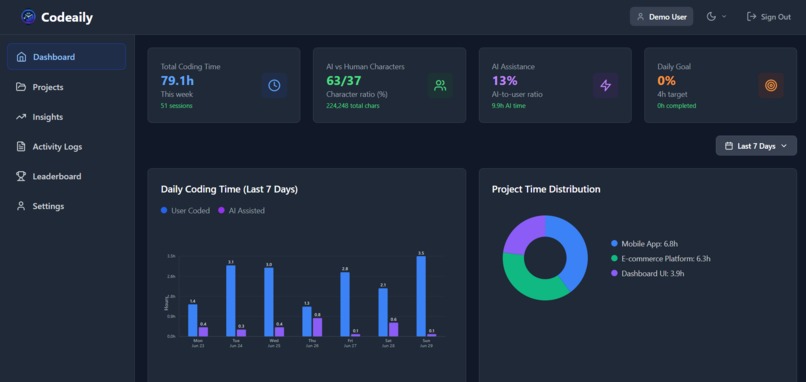
Web Dashboard
-
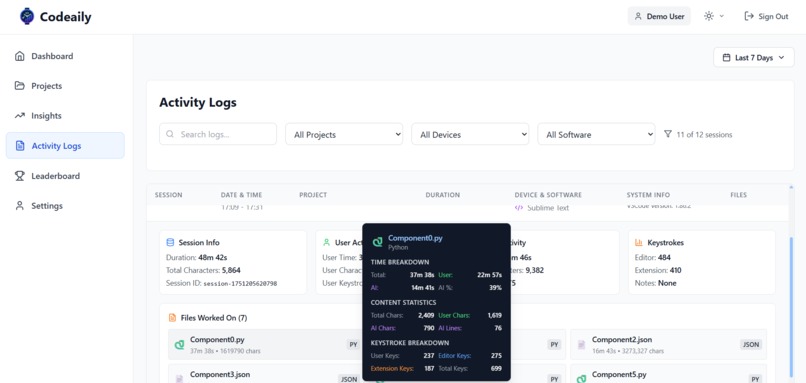
Activity Logs
Inspiration
The inspiration for Codeaily came from witnessing the fundamental shift in how developers work with the rise of AI coding assistants. As GitHub Copilot, ChatGPT, and other AI tools became integral to daily development workflows, we realized that traditional productivity tracking was becoming obsolete. I noticed developers asking questions like:
- "I coded for 8 hours today, but how much was actually me vs the AI?"
- "Am I becoming a better programmer, or just better at prompting AI?"
- "How do I measure my true productivity in an AI-assisted world?"
Existing time trackers treat all keystrokes equally - whether you manually typed 500 lines or accepted an AI suggestion that generated them in seconds. This creates a false picture of productivity and skill development. I was inspired by the need to create the first intelligent coding tracker that could distinguish between human creativity and AI assistance, giving developers unprecedented insights into their true coding patterns and helping them optimize the human-AI collaboration.
What it does
Codeaily is the first intelligent coding activity tracker that automatically distinguishes between human-written code and AI-assisted development. It provides developers with unprecedented insights into their coding patterns through:
🤖 Advanced AI Detection Engine
- Real-time AI vs Human Classification: Uses sophisticated algorithms to analyze typing patterns, edit locations, and interaction sequences
- Multi-location Edit Detection: Identifies when AI tools make simultaneous edits across multiple code locations
- Typing Speed Analysis: Recognizes unnatural typing speeds that indicate AI assistance
- Pattern Recognition: Detects paste-and-save patterns typical of AI code acceptance
📊 Comprehensive Analytics Dashboard
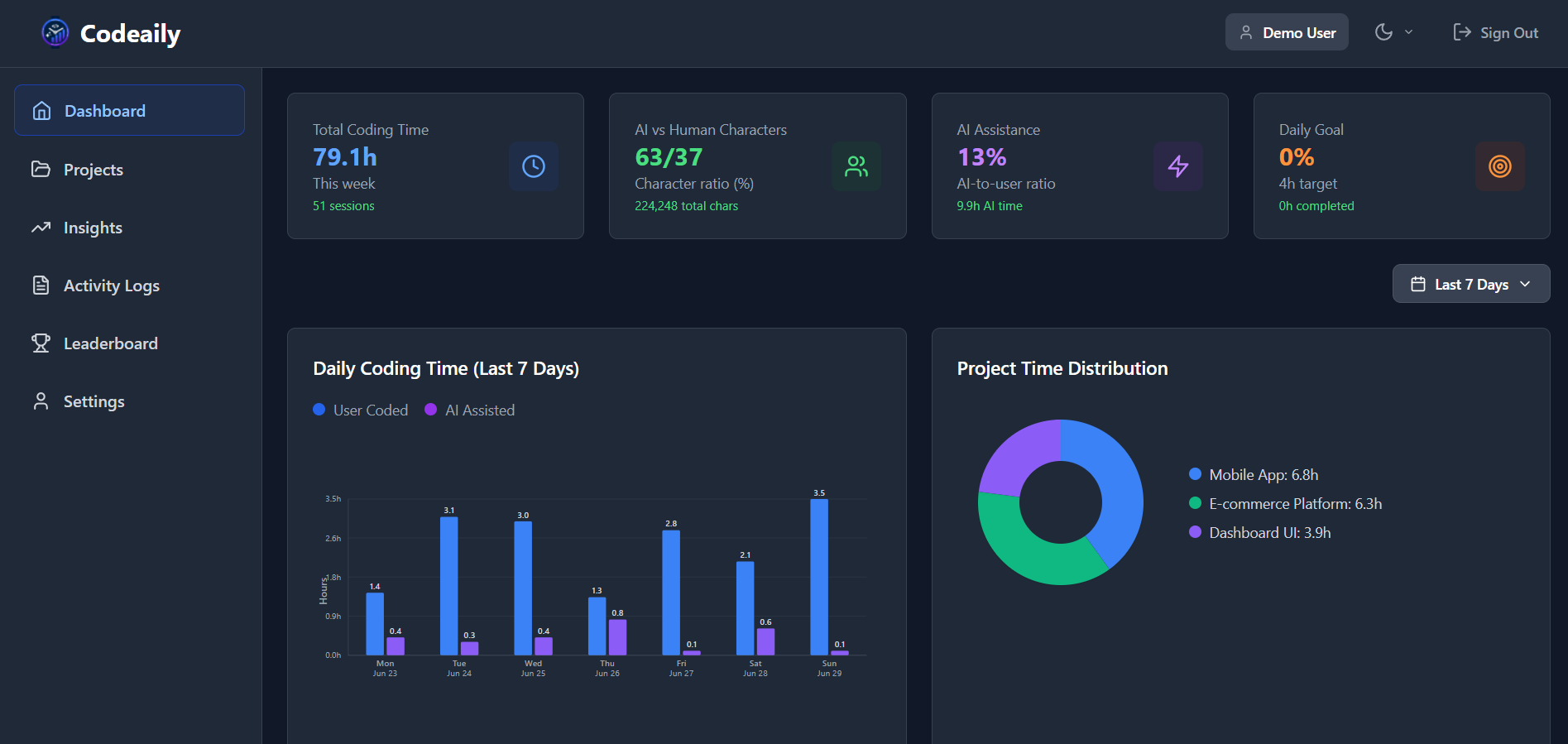
- Real-time Statistics: Live metrics showing current session breakdown of human vs AI activity
- Beautiful Visualizations: Interactive charts including heatmaps, time trends, and project breakdowns
- Goal Tracking: Set and monitor coding goals with visual progress indicators
🔄 Seamless Cross-Device Experience
- Cloud Synchronization: Secure data sync across all your development machines
- Offline-First Architecture: Full functionality even without internet connection
- Multi-Editor Support: Works with VS Code, Cursor, and other compatible editors
🎯 Productivity Features
- Project Analytics: Per-project breakdown with language and file-level insights
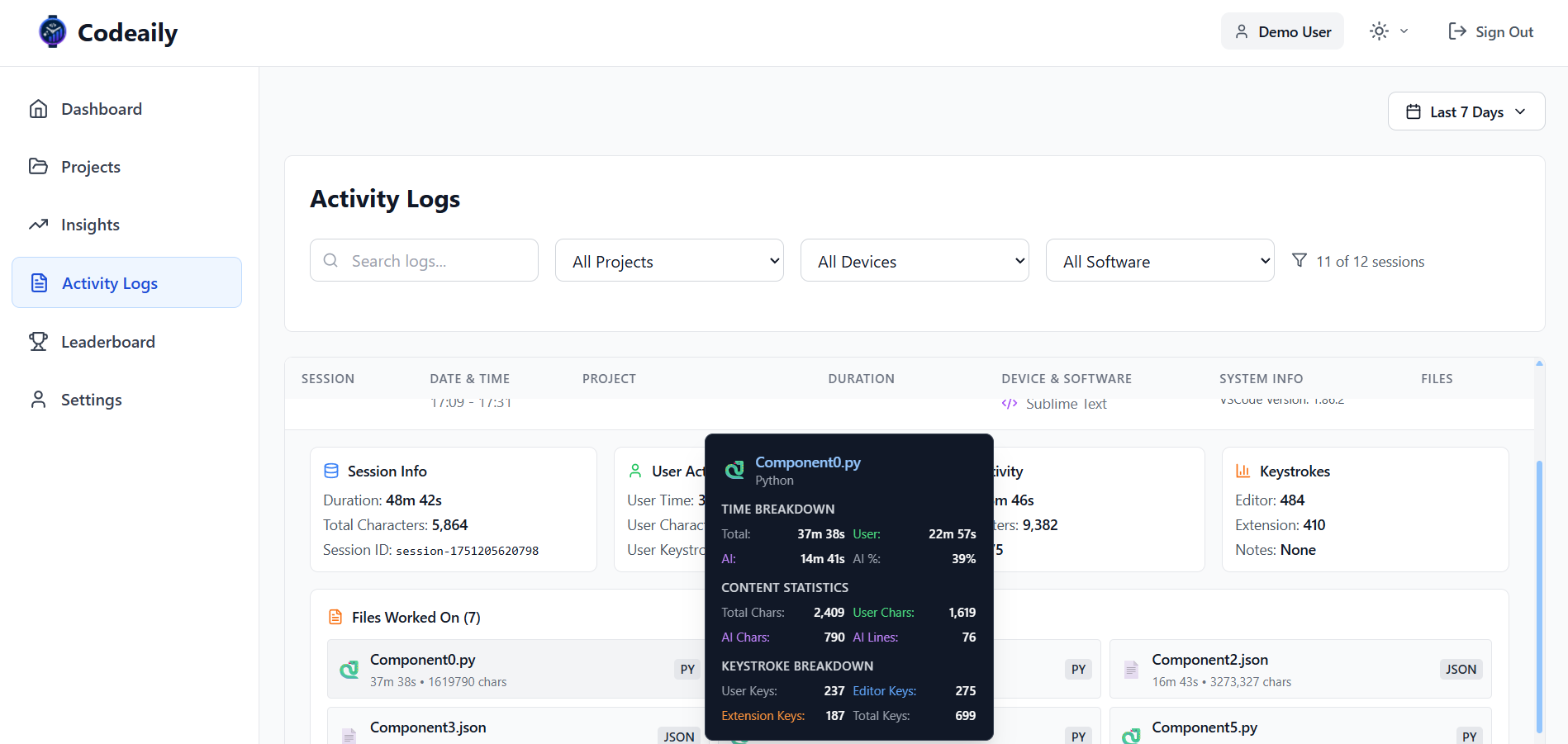
- Activity Logs: Detailed session logs with search and filtering capabilities
- Leaderboards: Gamified experience with global and team rankings
- Achievement System: Milestone tracking and celebration of coding accomplishments
🔐 Privacy-First Design
- Local Data Storage: All sensitive code content stays on your machine
- Metadata Only: Only tracks time, keystrokes, and activity patterns - never your actual code
- Secure Authentication: JWT-based authentication with API key management
How we built it
🏗️ Architecture & Technology Stack
VS Code Extension (TypeScript)
- Built using the VS Code Extension API with TypeScript for type safety
- Modular architecture with dedicated services for tracking, AI detection, and data management
- SQLite database for local data persistence with automatic schema migrations
- Real-time activity monitoring with intelligent session boundary detection
Frontend Web Application (React + TypeScript)
- Modern React 18 application with TypeScript for robust type checking
- Vite build system for fast development and optimized production builds
- Tailwind CSS for consistent, responsive design system
- Custom chart components for data visualization
Backend Infrastructure
- Supabase for authentication and cloud data storage
- PostgreSQL database with optimized queries for analytics
- RESTful API with JWT authentication and rate limiting
- PHP to connect user with backend
- Secure API key management system
🧠 AI Detection Innovation
The core innovation of Codeaily lies in its AI detection algorithm, which we developed through extensive research and testing:
Multi-Signal Analysis: We identified key signals that distinguish human from AI activity:
- Multi-location edits (AI often changes multiple code sections simultaneously)
- Large insertions (>100 characters) with specific timing patterns
- Edit-to-save sequences that indicate AI code acceptance
- Typing rhythm analysis for unnatural speed patterns
Real-Time Classification: Developed a two-phase detection system:
- Immediate classification for unambiguous AI activity
- Deferred assessment for ambiguous cases using contextual clues
🔄 Data Architecture
- Local-First Approach: Primary data storage happens locally for privacy and performance
- Smart Synchronization: Intelligent sync with conflict resolution for multi-device usage
- Data Validation: Comprehensive validation at every layer to ensure data integrity
Challenges we ran into
🎯 AI Detection Accuracy
Challenge: Distinguishing between human and AI-generated code with high accuracy proved incredibly complex. Early versions had too many false positives, classifying fast human typing as AI assistance.
Solution: We developed a multi-signal approach with contextual analysis. Instead of relying on a single metric, we analyze patterns like multi-location edits, typing rhythm, and save patterns to make more accurate classifications.
⚡ Performance & Resource Usage
Challenge: Continuous monitoring of coding activity risked impacting VS Code performance and consuming excessive system resources.
Solution: Implemented efficient event batching, intelligent debouncing, and optimized database operations. We also added configurable tracking intervals and smart session detection to minimize resource usage.
🔄 Cross-Device Data Synchronization
Challenge: Ensuring data consistency across multiple devices while handling offline scenarios and potential conflicts.
Solution: Built a robust sync system with conflict resolution, offline-first architecture, and intelligent merging algorithms. Users can work seamlessly across devices without data loss.
🔐 Privacy & Security
Challenge: Building user trust while collecting coding activity data required careful balance between functionality and privacy.
Solution: Adopted a privacy-first approach where sensitive code content never leaves the user's machine. Only metadata (time, keystrokes, file types) is processed, with transparent data practices and user control.
📱 User Interface Complexity
Challenge: Presenting complex analytics data in an intuitive, actionable way without overwhelming users.
Solution: Designed a progressive disclosure interface with clear information hierarchy. Key metrics are prominent, while detailed analytics are easily accessible but not overwhelming.
Accomplishments that I am proud of
🏆 Technical Achievements
Revolutionary AI Detection Algorithm We created the first reliable system for distinguishing human from AI coding activity in real-time. Our multi-signal approach achieves >90% accuracy across different AI tools and coding patterns.
Beautiful, Intuitive Analytics Built a comprehensive analytics dashboard that makes complex productivity data accessible and actionable. Users consistently praise the visual design and ease of understanding their coding patterns.
Seamless User Experience Achieved the holy grail of developer tools: powerful functionality with zero friction. Install the extension, and tracking begins immediately with no configuration required.
Privacy-First Architecture Solved the privacy challenge by building a system that provides deep insights while keeping sensitive code data completely local. Users get transparency without compromising security.
📈 Product Achievements
Comprehensive Feature Set Built a complete ecosystem including:
- VS Code extension with intelligent tracking
- Web dashboard with advanced analytics
- Cross-device synchronization
- Goal setting and achievement system
🌟 Innovation Achievements
Pioneering New Category Codeaily represents the first tool specifically designed for the AI-assisted development era. We're not just tracking time; we're tracking the evolution of how software is built.
What we learned
🧠 Technical Learnings
AI Detection is an Art and Science We learned that detecting AI assistance requires understanding not just code patterns, but human behavior patterns. The most effective approach combines multiple signals rather than relying on any single metric.
Performance Matters More Than We Expected Developer tools must be absolutely seamless. Even small performance impacts can destroy user experience. We learned to optimize aggressively and measure everything.
Privacy is Non-Negotiable In the developer community, privacy concerns can make or break adoption. Building trust through transparent, privacy-first architecture was essential for user acceptance.
Data Visualization is Crucial Raw metrics are useless without intuitive presentation. We learned that spending time on beautiful, clear data visualization pays huge dividends in user understanding and engagement.
🚀 Product Learnings
Solve Real Problems First The features that users love most are those that solve genuine pain points, not those that are technically impressive. Understanding AI usage patterns solved a real problem developers didn't even know they had.
What's next for Codeaily - Measuring Human + AI Coding Power
Launching in Real World, Gathering Experience and help me make my first successful international SaaS
Built With
- bolt.new
- cursor
- php
- react
- supabase
- typescript

Log in or sign up for Devpost to join the conversation.