-
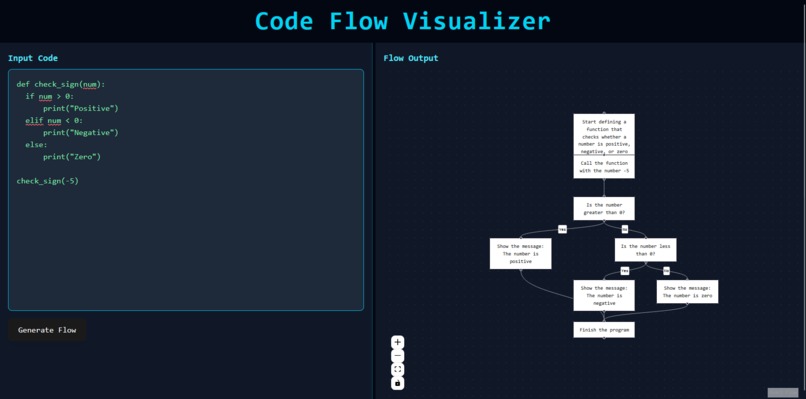
Python function flow
Inspiration
As students and sometimes software engineers, we often struggle to understand how code flows, especially when dealing with conditions, loops, or function calls. We wanted to build something that makes it visually easier to understand what's happening inside code—like flowcharts but auto-generated! That's how the idea of Code Visualizer was born.
What it does
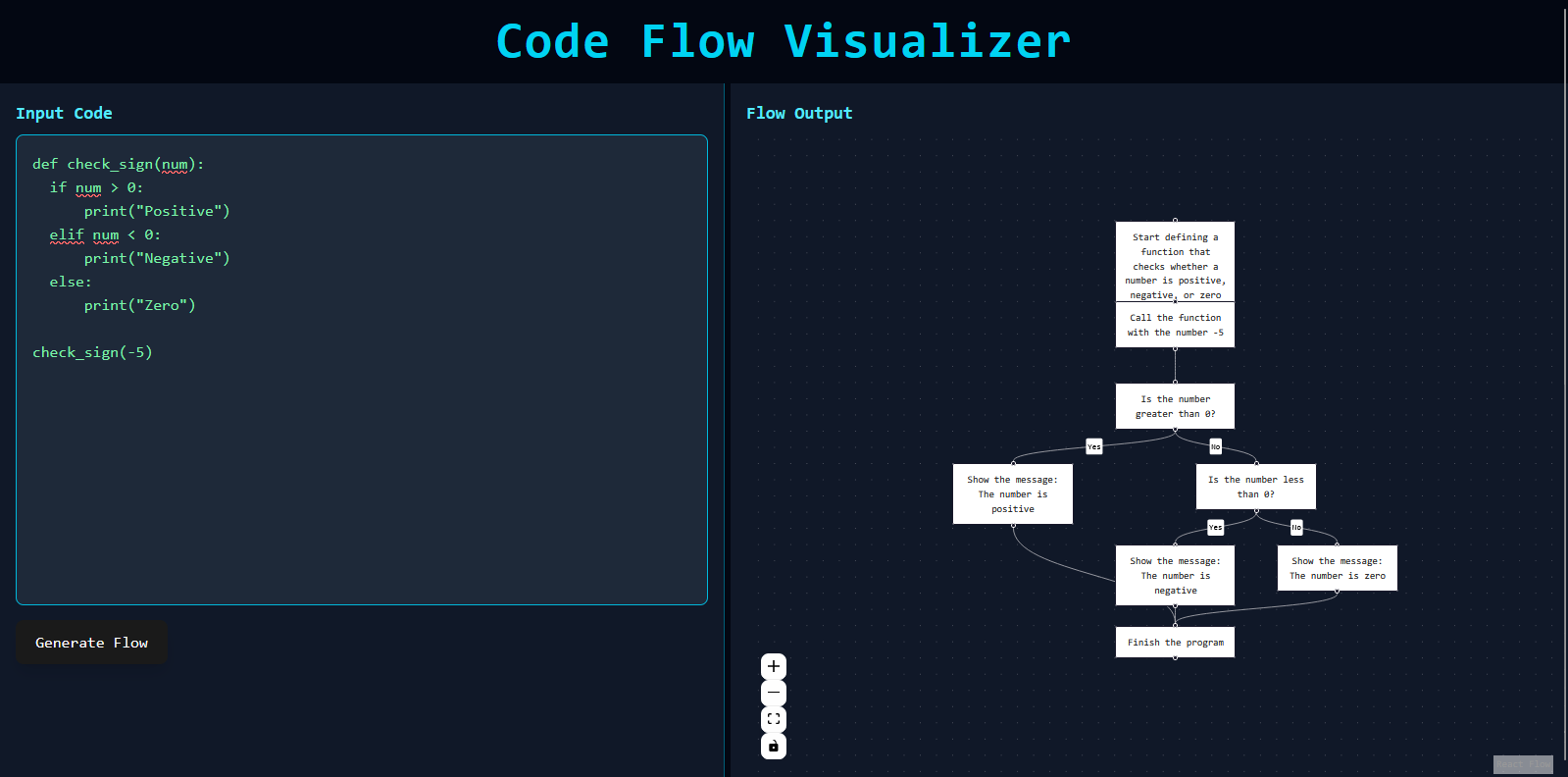
Code Visualizer takes Python code as input and generates a clean, interactive flowchart out of it—instantly.
Understands function calls, if-else, and condition branches

Highlights the logical flow of code

Great for students, educators, and visual learners
How we built it
Frontend: React + Tailwind CSS + React Flow for the visual graph
Backend: Python (Flask) to parse code and generate flowchart data
Parsing: Used Python's ast module to analyze the code structure
Custom logic to generate nodes and edges dynamically based on the control flow
Challenges we ran into
Translating complex Python logic into visual diagrams
Making sure nested if-else statements and multiple branches are shown clearly
Ensuring the UI remains clean and intuitive despite complex code input
Creating a draggable resizable layout that feels smooth and responsive


Log in or sign up for Devpost to join the conversation.