-
Banner
-
Levels page
-
Free play page
-
Train page
Inspiration
Most kids meet code as words on a screen. For a 10-year-old, a loop or an if is hard to picture until something real moves because of it. Classroom robot kits fix that, but a class set can cost thousands of dollars.
Meanwhile, the Roomba is the most successful consumer robot ever made, with over 50 million iRobot robots sold. Most get replaced within a few years, often because of one worn battery, and end up in a closet or a landfill. Older Roombas also have a documented serial port anyone can program.
The hackathon theme was Afterlife: bringing new life to old tech. So we asked: what if the robot every classroom needs is already sitting in someone's closet?
What it does
CodeSweep turns a retired Roomba into a coding robot for elementary classrooms.
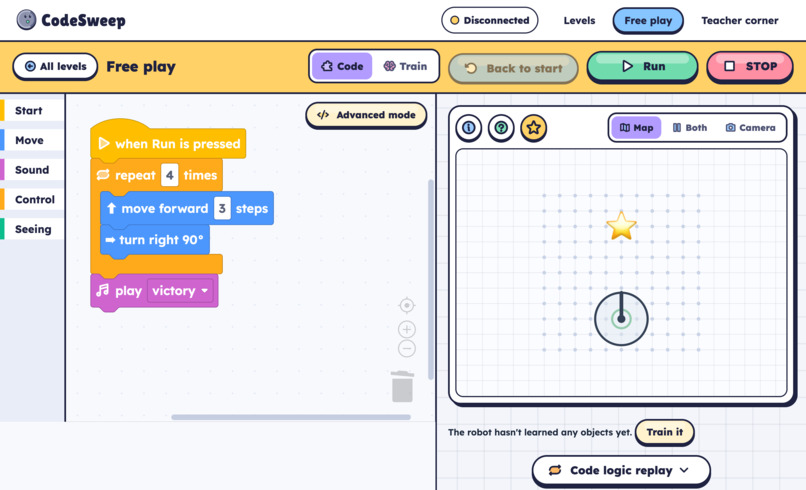
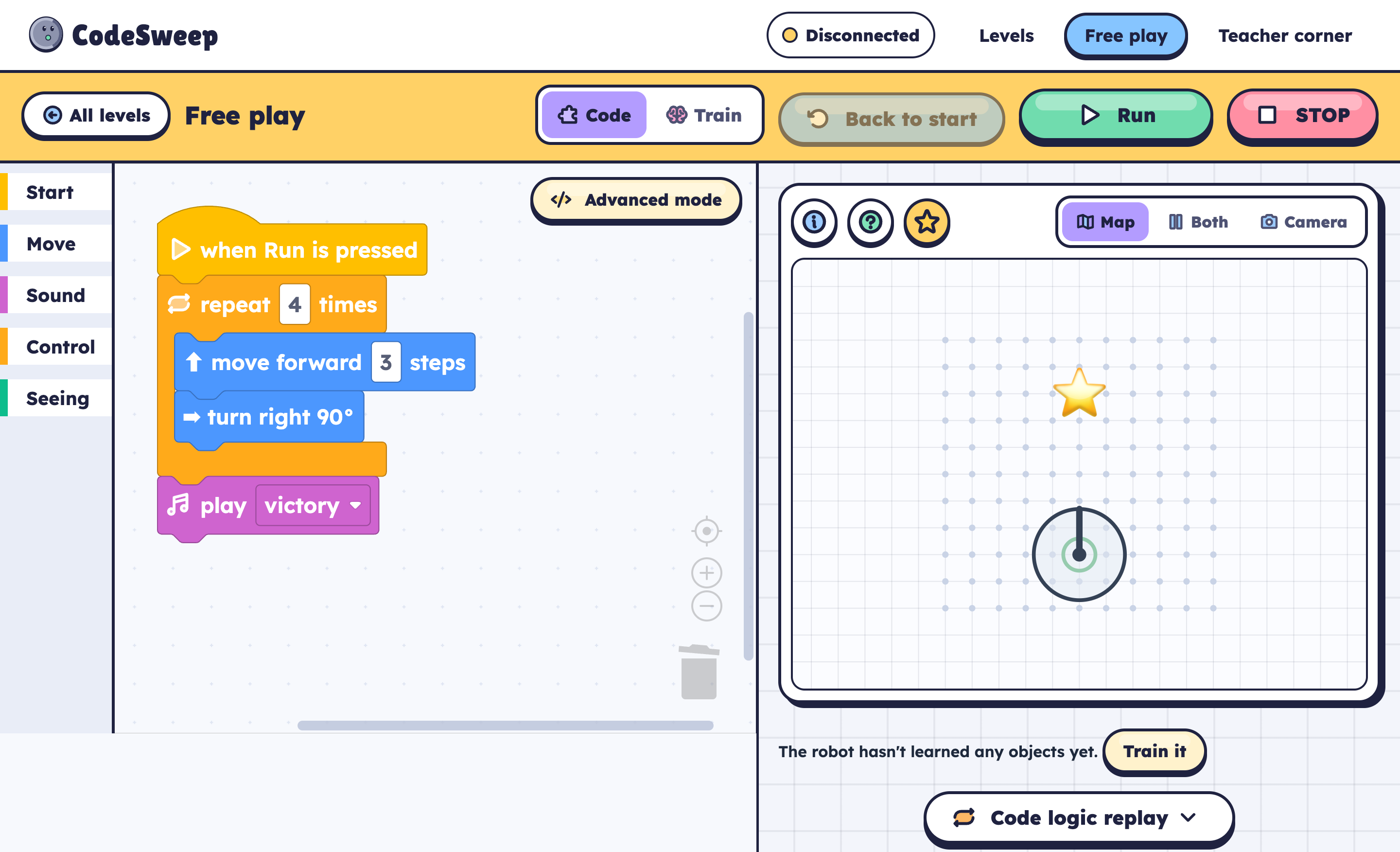
- Code with blocks. Kids snap Blockly blocks in a browser and press Run, and the real Roomba drives the program. Each block lights up as it runs, so they can see which line moved the robot. Older kids can switch to Python.
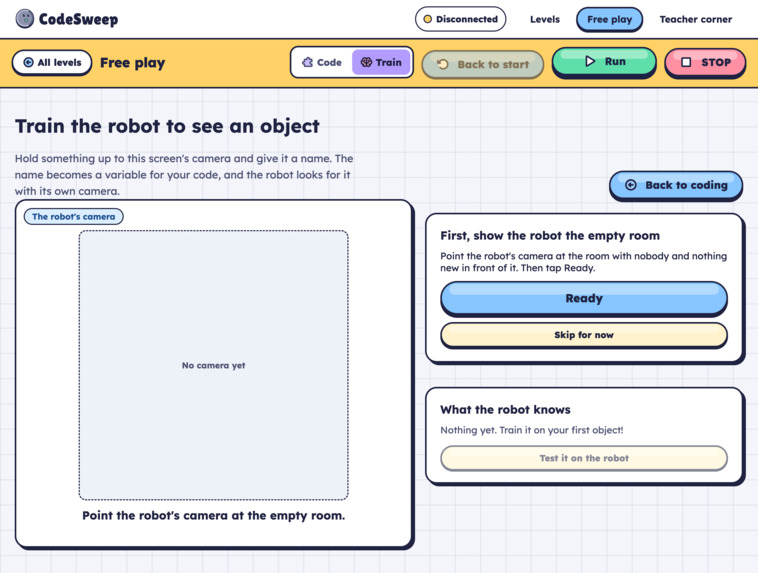
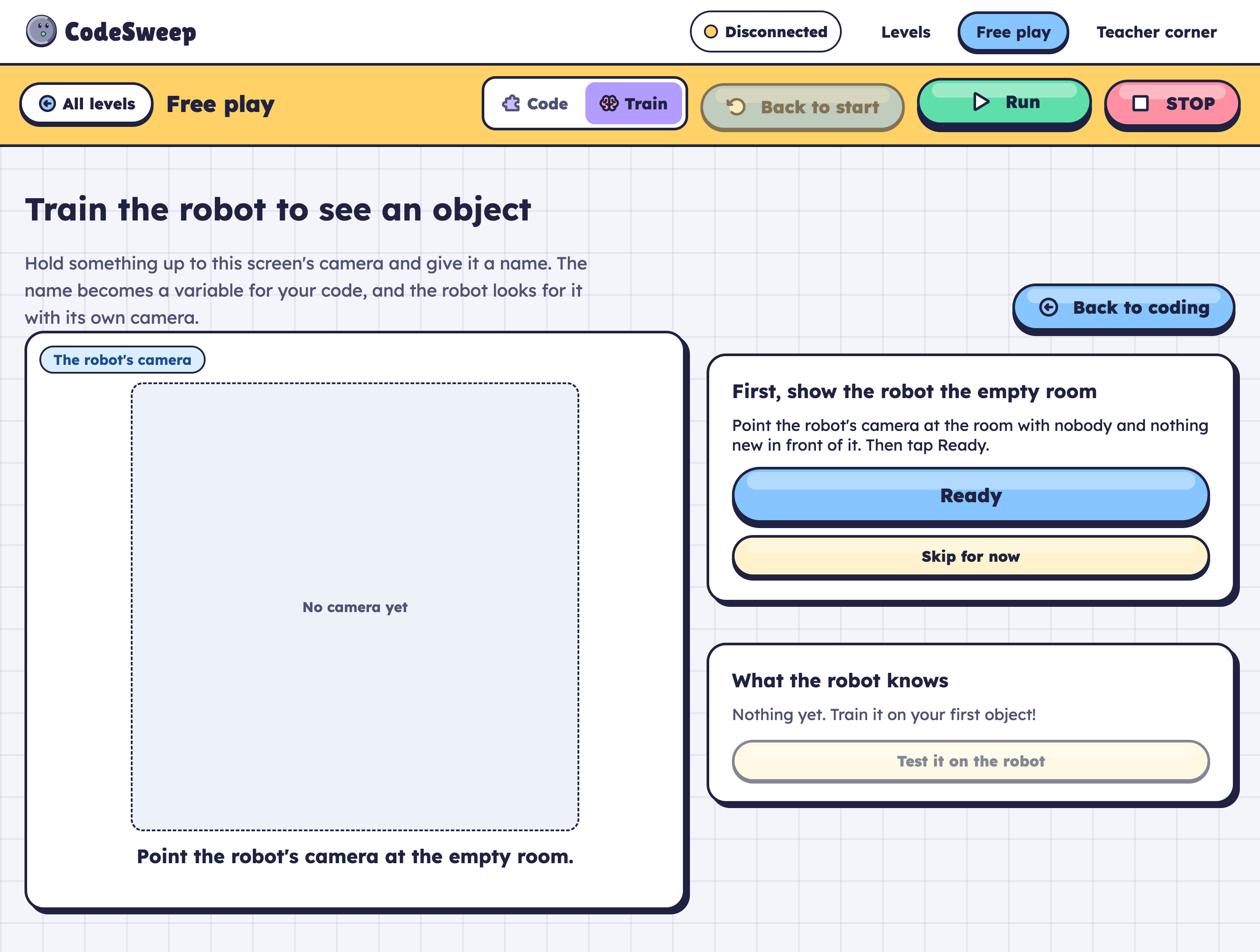
- Teach it to see. A kid holds an object up to an old phone mounted on the robot, names it (
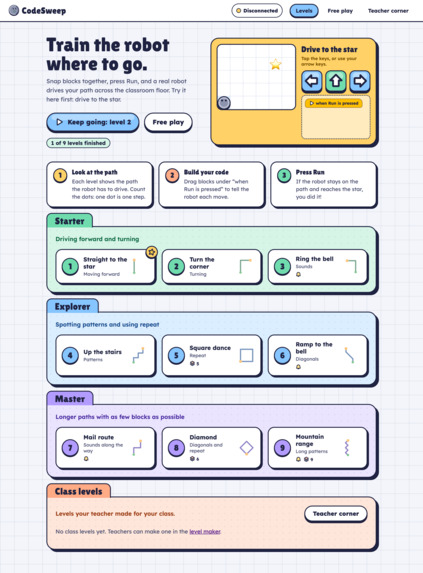
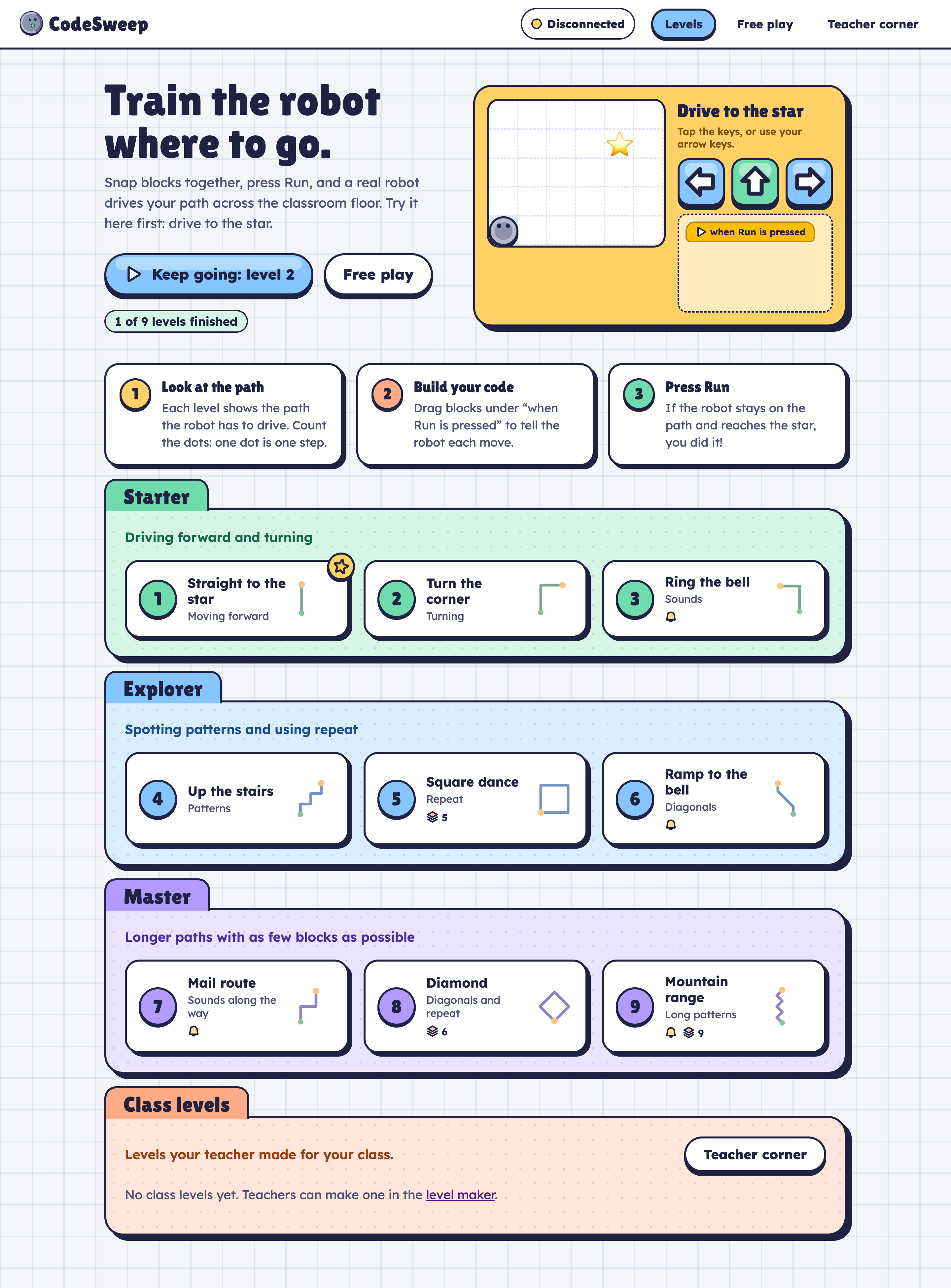
water_bottle), and it becomes a new block: when I see water_bottle → stop, play sound. - Levels built for a classroom. Nine levels across three difficulties, with bells to ring, loops, 45° diagonals, hints that grow after each miss, and an answer that unlocks after three tries.
- Rewind. The robot retraces its path back to the start, so the teacher isn't chasing it around the room.
- Teacher level maker. Draw a path and it becomes a new level.
- Private by design. Camera frames never leave the local Wi-Fi, recognition runs in the browser, and nothing is stored or uploaded.
Our whole kit cost $0: Brenden's Roomba, Kithe's old phone, Armaan's spare ESP32 and a laptop. The Roomba is just one swappable driver, so the same system can drive any RC vehicle.
How we built it
We started with a plan, not code: one system diagram, split into 12 workstreams with GitHub issues, so five of us could build in parallel. CI checks kept the plan, the diagram and the code in sync.
Web app (laptop browser): React 19, TypeScript and Vite. Blockly generates JavaScript, which runs step by step in JS-Interpreter, so Stop can halt a program mid-loop. A level judge checks the path, the bells and the finish, and a simulator runs the same programs on screen.
Vision (in the browser, in a web worker): three pretrained MediaPipe models.
- Hand Landmarker finds the hand, so only the object being held is picked.
- EfficientDet-Lite0 boxes the object.
- A MobileNetV3 embedder turns each crop into a 1,280-number feature vector.
A nearest-example classifier compares new crops with the saved vectors. The three closest must agree, and a built-in "nothing" class stops it from always seeing something. There's no training step, so teaching feels instant.
Phone and relay: the phone's capture page streams JPEG frames over WebSocket through a small Node relay on the laptop. It's served over HTTPS so the phone allows camera access.
Firmware (ESP32-S3, ESP-IDF, C): a WebSocket command link, a sensor stream back to the browser, and a Roomba Open Interface driver at 115200 baud in Safe mode. A watchdog stops the wheels if no command arrives for 500 ms.
Precise moves. The Roomba's wheel encoders give 508.8 counts per turn of a 72 mm wheel, so the distance per count is
$$d = \frac{\pi \cdot 72\ \text{mm}}{508.8}\,\Delta n \approx 0.4446\ \text{mm} \times \Delta n$$
The heading comes from the difference between the wheels, which are 235 mm apart:
$$\Delta\theta = \frac{d_r - d_l}{235\ \text{mm}}$$
A diagonal step is $$\sqrt{2}$$ times a straight one. To land within 40 mm of the star, the robot slows down near the target and stops on whichever sensor reading lands nearest it, rather than the first one past it:
$$\text{stop when}\quad d_{\text{travelled}} + \tfrac{1}{2}\,d_{\text{last step}} \ge d_{\text{target}}$$
Challenges we ran into
- Campus Wi-Fi blocks devices from talking to each other, and an ESP32 can't join a login network. We put everything on a hotspot or travel router.
- Browser security rules. A phone only allows camera access on HTTPS, and an HTTPS page can't open a plain
ws://connection to the ESP32. A local relay with a self-signed certificate solved both. - 5 V vs 3.3 V. The Roomba's serial lines are 5 V and the ESP32 is a 3.3 V part, so we added a voltage divider.
- A classifier that always sees something. With one taught object, a nearest-match model reports it all the time. We added the "nothing" class and the three-vote rule.
- Small errors add up. On the diagonal level, tiny turn errors stacked until the robot missed the star. Slowing down near the target and stopping on the nearest encoder reading fixed it.
- A runaway robot. A closed laptop lid or a dropped Wi-Fi link could leave it driving, so we built the watchdog.
What we learned
- Planning the system as a diagram first made a 12-hour build with five people possible: everyone could build against a clear interface.
- Real hardware is never as clean as the spec. Encoders drift, floors are bumpy and Wi-Fi drops, so the software has to expect it.
- Useful machine learning can run entirely in a browser, with no cloud and no training step, which matters a lot for kids' privacy.
- Old tech is far from dead. A worn battery is often the only thing wrong.
What's next
- A pilot with one elementary class, and levels shaped by their feedback.
- A Roomba donation drive: refurbish them with a fresh battery and a $15 board, then send them to classrooms.
- Drivers for other RC vehicles, and level packs that line up with the school curriculum.
Built With
- android
- blockly
- c
- codemirror
- computer-vision
- efficientdet
- esp-idf
- esp32
- freertos
- github-action
- go
- irobot-roomba
- javascript
- js-interpreter
- machine-learning
- mediapipe
- mobilenet
- node.js
- python
- react
- roomba-open-interface
- typescript
- vite
- vitest
- websocket
