-
-
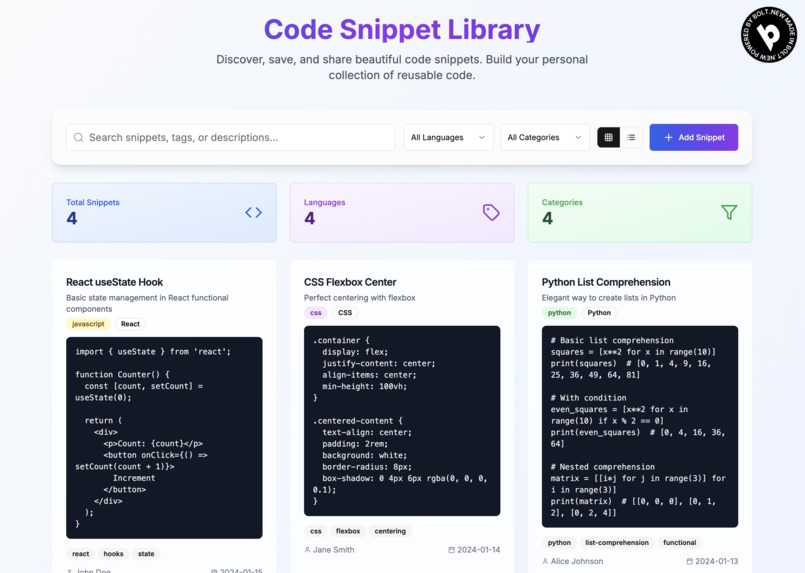
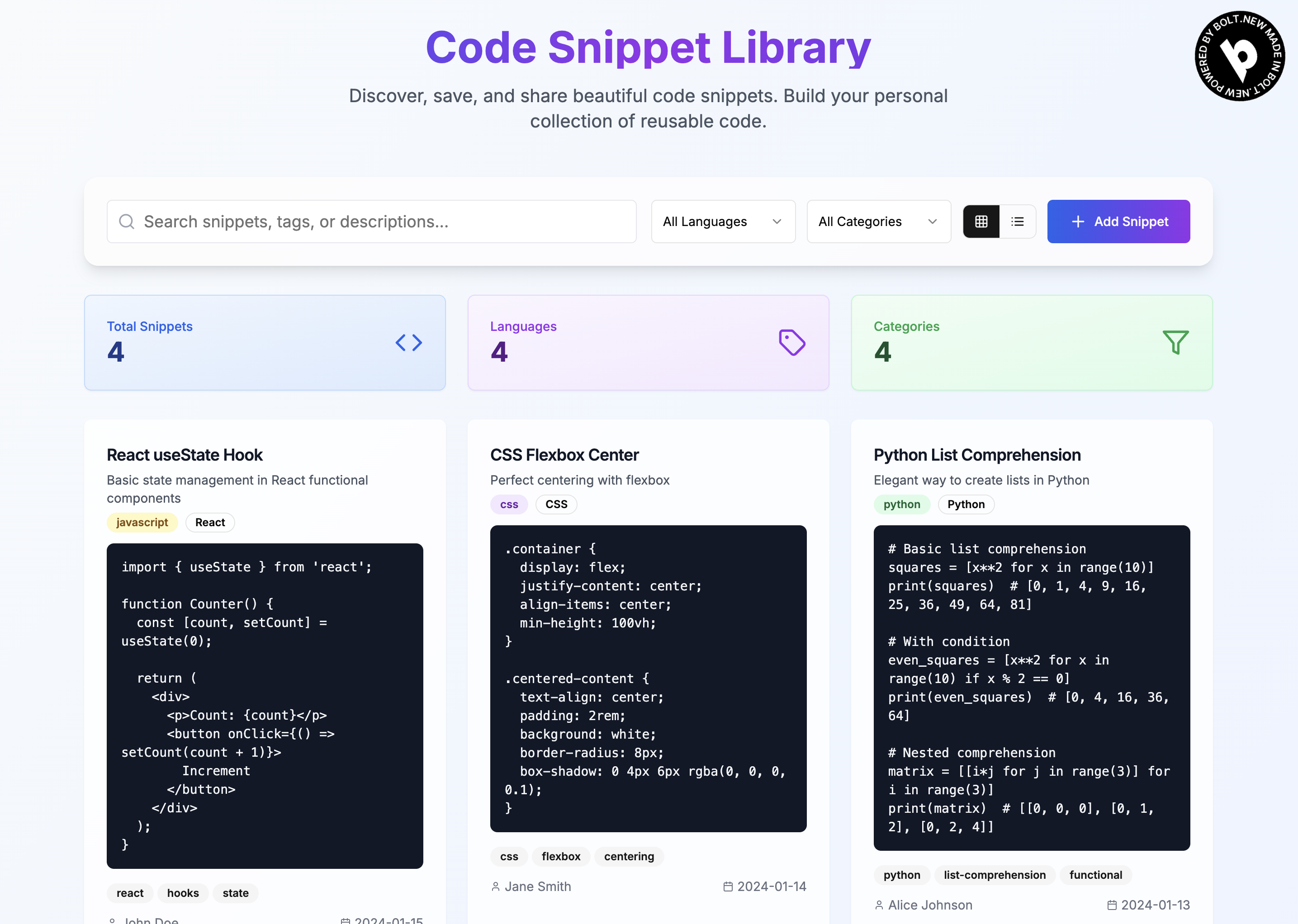
A simple and straightforward UI for user to use
-
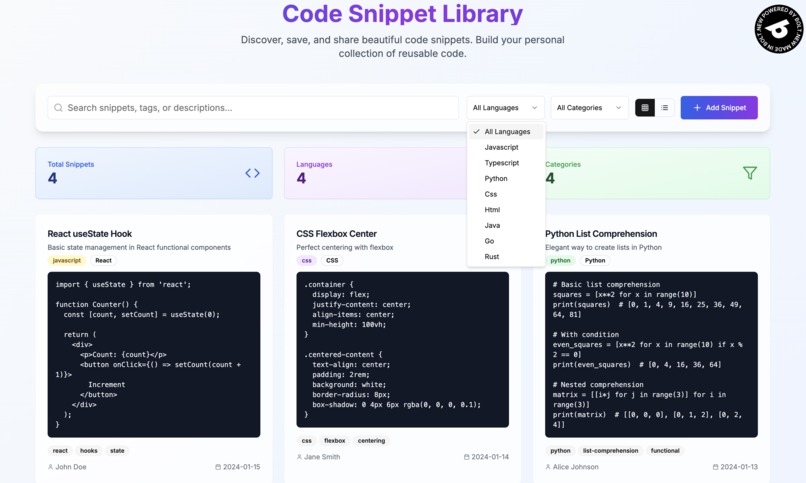
User has the ability to search and filter the results
-
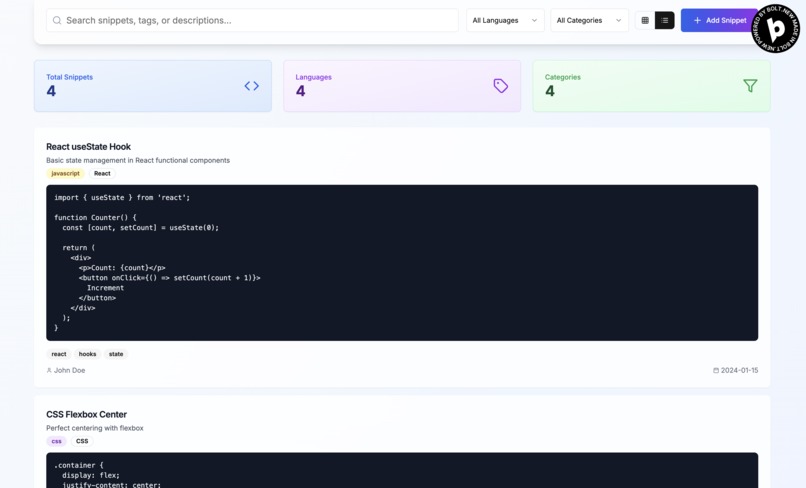
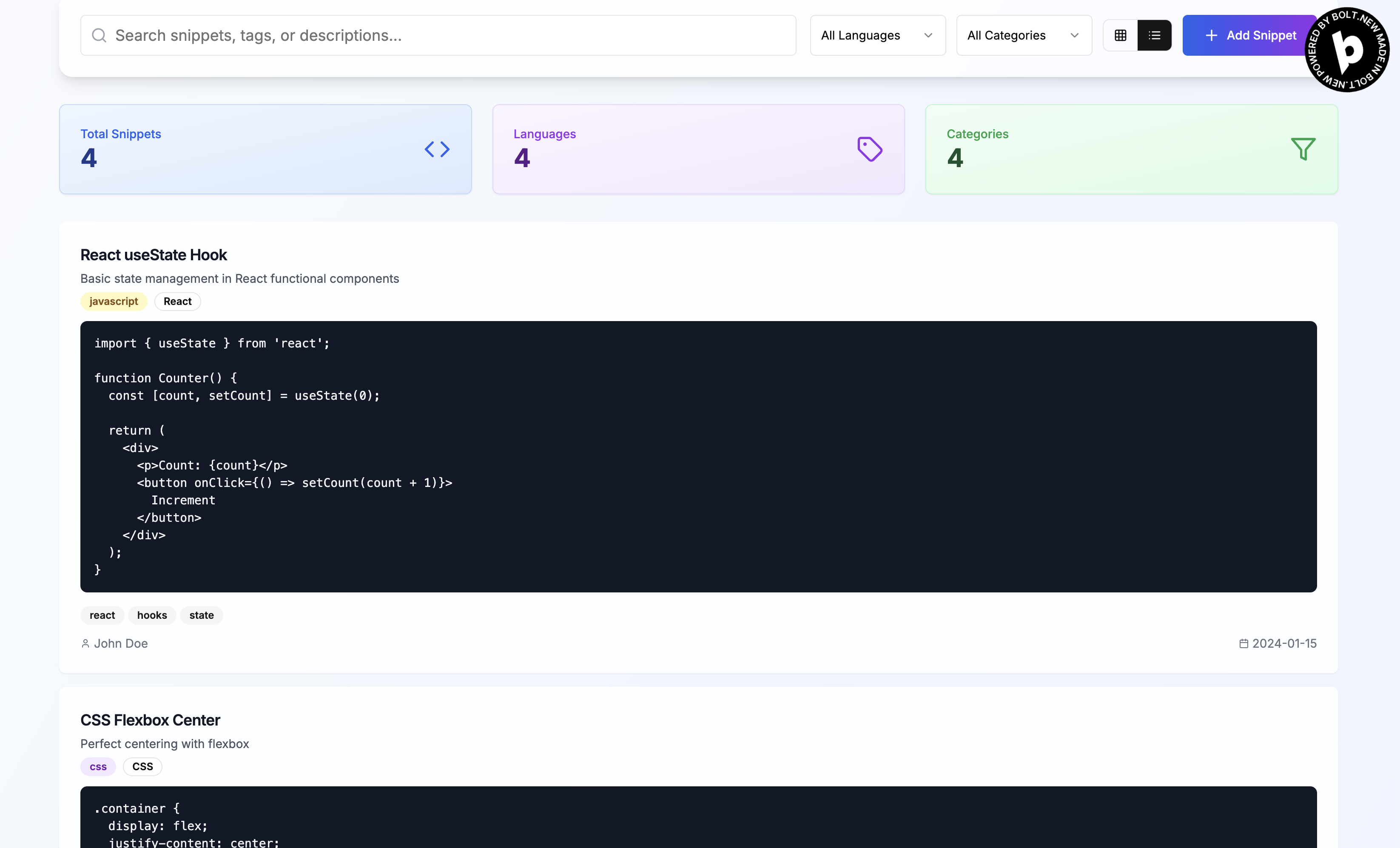
User can change the listing between grid layout and list layout
-
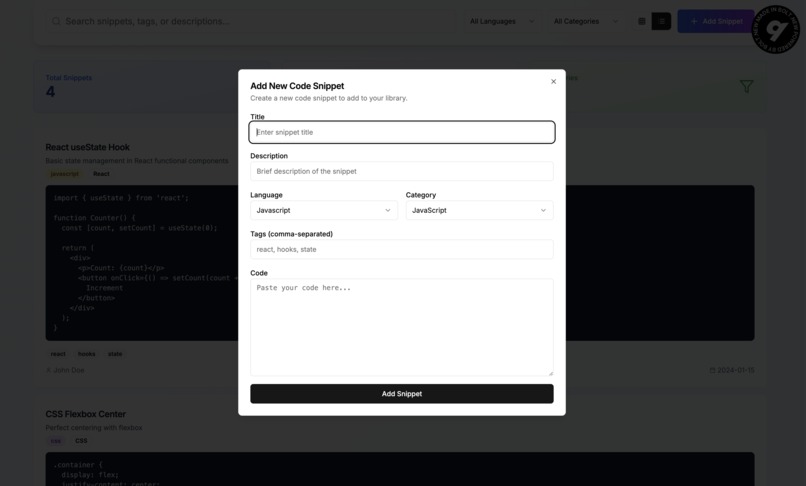
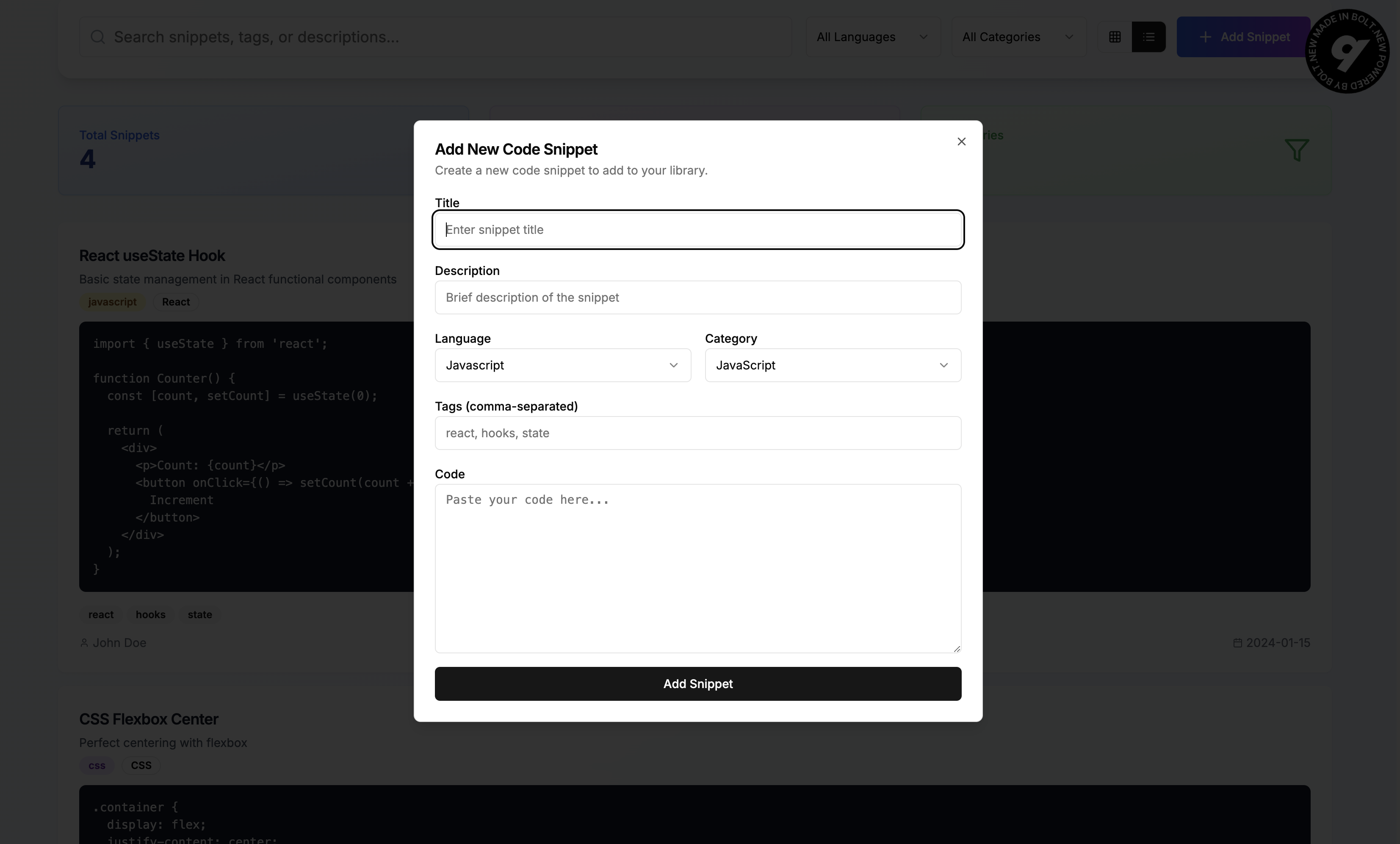
A modal window for user to add new code to the library

Inspiration
The inspiration for this "Code Snippet Library" project stems from a universal developer pain point: the constant need to recall, find, and reuse small pieces of code. Whether it's a common utility function, a specific CSS trick, a boilerplate React component, or a complex regex, developers often find themselves writing the same code repeatedly or sifting through old projects and browser tabs to find that one snippet they know they've used before.
The prompt to create a "beautiful, not cookie cutter" and "production-worthy" application suggests a desire for a solution that is not only functional but also aesthetically pleasing and robust. It's about moving beyond simple text files or scattered notes to a centralized, searchable, and visually appealing personal knowledge base for code. The goal was to build an intuitive tool that feels good to use, making the process of saving and retrieving code snippets a seamless part of the development workflow.
What I Learned From This Project
This project serves as an excellent learning ground for several key aspects of modern web development:
Full-Stack Thinking (Even with a Frontend Focus): While the current version is frontend-only, the structure and design choices (like using a CodeSnippet interface) lay the groundwork for future backend integration. I learn how to design an application that can easily scale to include a database and user authentication.
React and Next.js Fundamentals: Of course, I've gain hands-on experience with core React concepts like components, props, state management (useState, useEffect), and conditional rendering. With Next.js, I learn about the App Router, client components ('use client'), and static exports.
Component-Driven Development with Shadcn/ui: This project demonstrates how to effectively use a pre-built component library like Shadcn/ui to accelerate UI development, ensure design consistency, and leverage accessible components. I learn how to combine these components to build complex layouts to have the MVP ready in a short amount of time.
Utility-First Styling with Tailwind CSS: I also see how Tailwind CSS enables rapid styling directly in JSX, promoting a consistent design system and reducing the need for custom CSS files. I'm able to learn about responsive design using Tailwind's utility classes.
Search and Filtering Logic: The project implements practical search and filtering capabilities, allowing users to narrow down snippets by search term, language, and category. This is a fundamental skill for building data-driven applications.
User Experience (UX) Considerations: Features like copy-to-clipboard functionality with visual feedback, clear input forms, and different view modes (grid/list) highlight the importance of thoughtful UX design.
Project Structure and Organization: The project follows a common Next.js project structure, demonstrating how to organize components, utilities, and pages for maintainability.
Challenges Faced (from my perspective)
As a designer and developer, trying to guide and AI during this vibe coding development process is quite tough and several challenges were navigated:
Balancing Aesthetics and Functionality: The prompt given to the AI emphasized creating a "beautiful, not cookie cutter" design. Generally, this would required careful selection and combination of Shadcn/ui components, along with custom Tailwind CSS classes and gradients, to achieve a polished and modern look that stood out from typical boilerplate. However, the end product still somewhat looks similar to the typical boilerplate and I've yet to master the art of vibe coding to achieve a design that actually stood out.
Ensuring "Production-Worthy" Quality: While the current data is in-memory at the moment, the AI has written the code with scalability and maintainability in mind. It structured the components logically, using TypeScript for type safety, and ensuring the UI was responsive and user-friendly. Now the challenge is to build a robust backend that could easily be integrate into the current frontend later. Not only that, since Bolt.new doesn't offer a direct Supabase integration for Next.js app, it's hard for me to get the AI to create and connect the front to the database.
Adhering to Strict Technology Constraints: The instructions were clear about using specific technologies (Next.js, React, Tailwind CSS, Shadcn/ui, Lucide React) and avoiding unnecessary new package installations. This required creativity in leveraging the existing toolset to achieve the desired features and design. However, Bolt.new did not manage to adhere to the instruction of upgrading everything to the latest version.
Interpreting Implicit Requirements: Since I'm tackling the single prompt challenge, it is also quite challenging to get the initial prompt right since what being provided can be relatively broad and would requiring the AI to infer what would be the common features expected in a "code snippet library" (e.g., search, filter, add new snippets, copy code) and implement them in a user-friendly manner.
Built With
- bolt.new
- css
- html
- javascript
- netlify
- next
- react
- typescript

Log in or sign up for Devpost to join the conversation.