Yeh Devpost Hackathon submission ke liye hai! Sab answers deta hoon:
Inspiration
Students write code every day but get feedback only when a teacher is available — which can take hours or even days. We were frustrated seeing our classmates struggle with the same bugs repeatedly, with no instant guidance. We wanted to build something that acts like a personal programming mentor — always available, always patient, and beginner-friendly. That's what inspired us to build CodeReview AI.
What it does
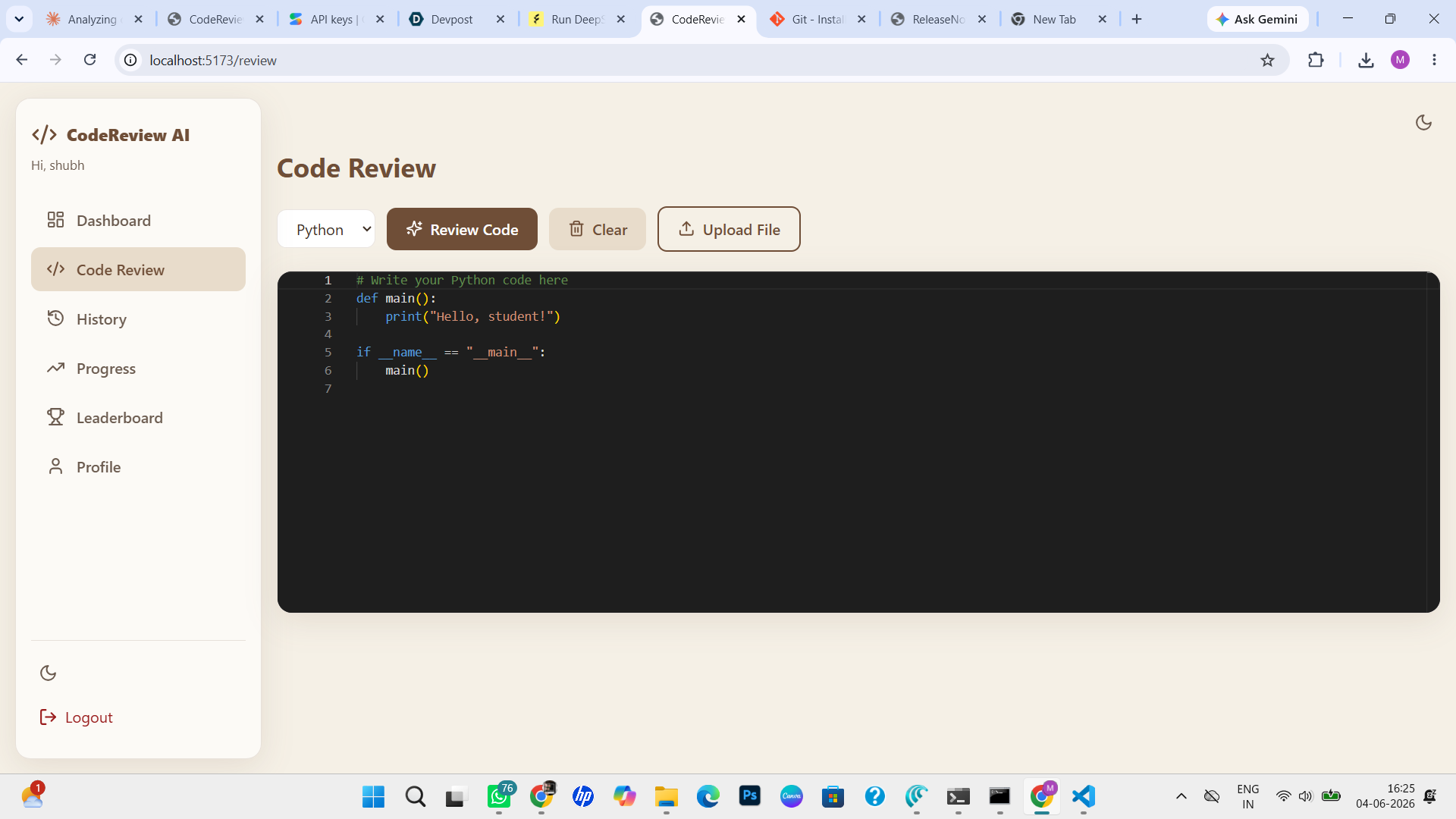
CodeReview AI is an AI-powered code review platform designed specifically for students. A student pastes their Python, Java, or C++ code into the editor and clicks "Review Code." Within seconds, Google Gemini analyzes the code and returns:
- An overall score out of 100 with breakdown across Correctness, Readability, Efficiency, and Best Practices
- A list of issues found with severity (High/Medium/Low), line numbers, descriptions, and suggested fixes
- An improved version of the code side-by-side for comparison
- Beginner-friendly explanations so students actually understand what went wrong
- A progress dashboard tracking scores, bugs found, and languages used over time
- A leaderboard to motivate healthy competition among students
How we built it
We built the full stack from scratch in a short time:
- Frontend — React + Vite with a custom brown-teal color theme, Monaco Editor for code input, and a responsive SaaS-style dashboard
- Backend — Node.js + Express REST API with JWT authentication for secure login and signup
- Database — PostgreSQL storing users, reviews, and statistics with a clean normalized schema
- AI Engine — Google Gemini API (gemini-2.0-flash) with a structured prompt that instructs the model to act as a programming mentor and return analysis in JSON format
- Deployment — Designed for Google Cloud Platform using Cloud Run for the backend, Cloud SQL for PostgreSQL, and Secret Manager for API keys
Challenges we ran into
- Gemini response parsing — Getting Gemini to consistently return valid structured JSON required careful prompt engineering and error handling
- Database connection issues — ES Module import ordering in Node.js caused dotenv to load after the database pool initialized, resulting in undefined passwords — we fixed this by adding dotenv.config() directly in the db config file
- JWT authentication flow — Keeping tokens secure across frontend and backend while handling expiry gracefully took multiple iterations
- Rate limiting — Gemini free tier has per-minute request limits, so back-to-back reviews sometimes failed — we added better error messages and retry guidance
- Monaco Editor integration — Getting the code editor to work smoothly with language switching and proper syntax highlighting required additional configuration
Accomplishments that we're proud of
- Built a fully functional AI-powered web app end-to-end — frontend, backend, database, and AI integration — all working together
- The Gemini prompt engineering produces genuinely useful, beginner-friendly feedback that explains not just what is wrong but why and how to fix it
- A clean, professional UI with a consistent brown-teal theme that feels like a real SaaS product
- Secure authentication with JWT tokens, hashed passwords, and protected routes
- A complete review history system where every review is saved and searchable — students can track their improvement over time
What we learned
- How to integrate Google Gemini API with structured JSON prompting for reliable AI output
- How to build a full-stack application with React, Node.js, Express, and PostgreSQL working together
- The importance of environment configuration and secrets management in production apps
- How to design for real users — students need simple explanations, not just raw error output
- Google Cloud Platform architecture — Cloud Run, Cloud SQL, and Secret Manager for scalable and secure deployment
What's next for CodeReview AI
- GCP Production Deployment — Live deployment on Cloud Run with Cloud SQL so any student can access it from anywhere
- More Languages — Adding JavaScript, C, and SQL support
- AI Chat Assistant — Let students ask follow-up questions about their code review results
- PDF Report Download — Generate a downloadable review report for submission to professors
- College Integration — Allow professors to assign code review tasks and track student progress
- VS Code Extension — Review code directly inside the editor without switching to a browser
- Email Notifications — Weekly progress summary sent to students automatically