Inspiration
To ensure the service account used by the code analysis tools in the provided scripts has sufficient permissions to access the code repository, you need to verify and configure the appropriate Google Cloud Platform (GCP) Identity and Access Management (IAM) roles for the service account
What it does
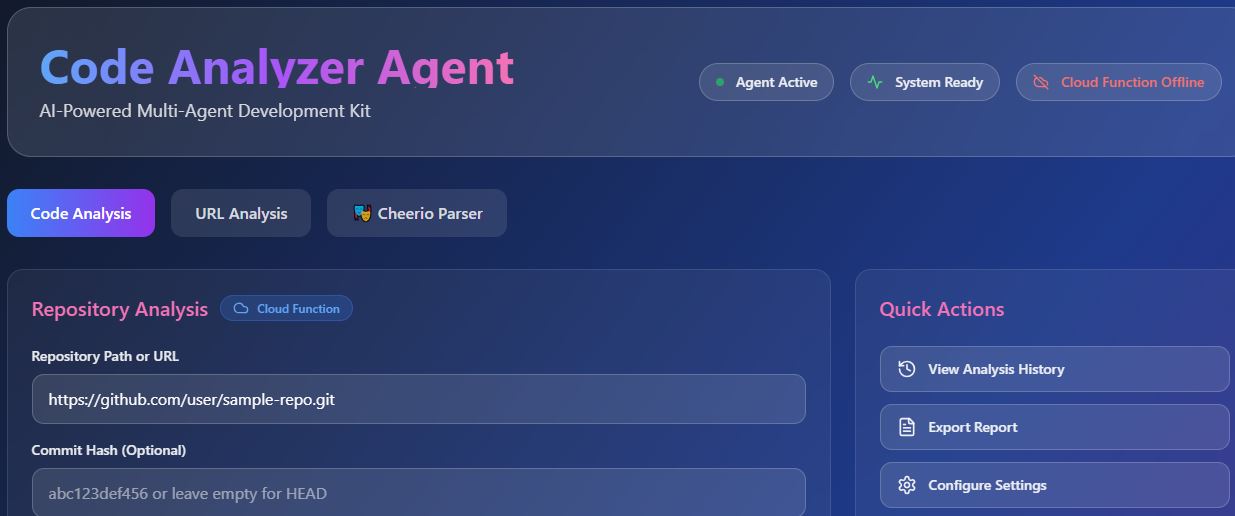
Code Analyzer is a cloud-native tool that automatically analyzes your codebase for quality, security vulnerabilities, and style compliance. It integrates with your GCP project, ensuring the right service accounts have the required permissions to access repositories, trigger analyses, and report results in real-time
How i built it
I used:
Google Cloud Functions for running code analysis jobs
Cloud IAM APIs to dynamically assign roles like roles/source.reader and roles/storage.objectViewer to service accounts
Cloud Source Repositories and GitHub for source code input
Static analysis tools (like ESLint, SonarQube, or custom scripts) inside a containerized execution environment
CI/CD integration was implemented using Cloud Build and Pub/Sub to trigger scans on code push.
Challenges we ran into
Ensuring the principle of least privilege while granting service accounts the required access
Debugging permission errors from misconfigured IAM bindings
Managing scalability and performance when analyzing large codebases
Accomplishments that we're proud of
Automatically configuring IAM roles via script instead of manual setup
Seamless integration with Git workflows
Real-time alerts on code issues via Slack and GCP Logging
What i learned
Deepened understanding of GCP IAM policies and service account best practices
Importance of automating access control in DevOps pipelines
Balancing analysis depth with runtime performance
What's next for Code Analyzer
Support for multi-language codebases
Dashboard for historical analysis reports and trends
Integration with vulnerability databases like OSV for enriched alerts
Role-based access control (RBAC) for team-level insights and permissions
Built With
- cloudsdk
- html
- javascript
- powershell
- shell
- typescript


Log in or sign up for Devpost to join the conversation.