-
-
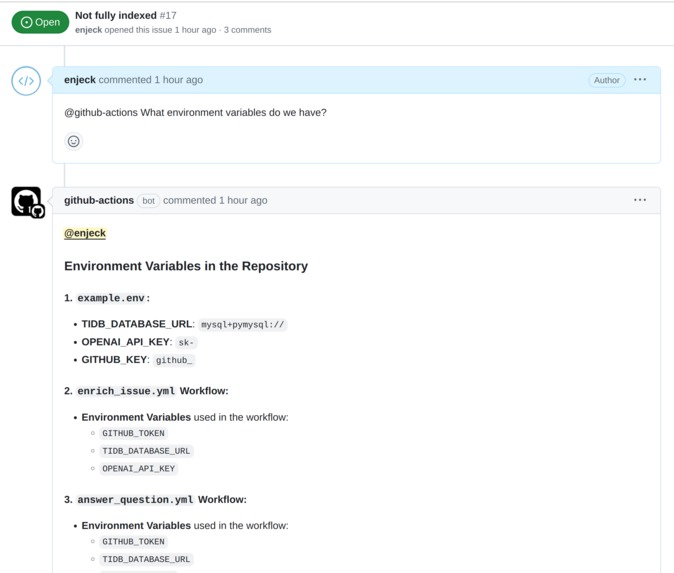
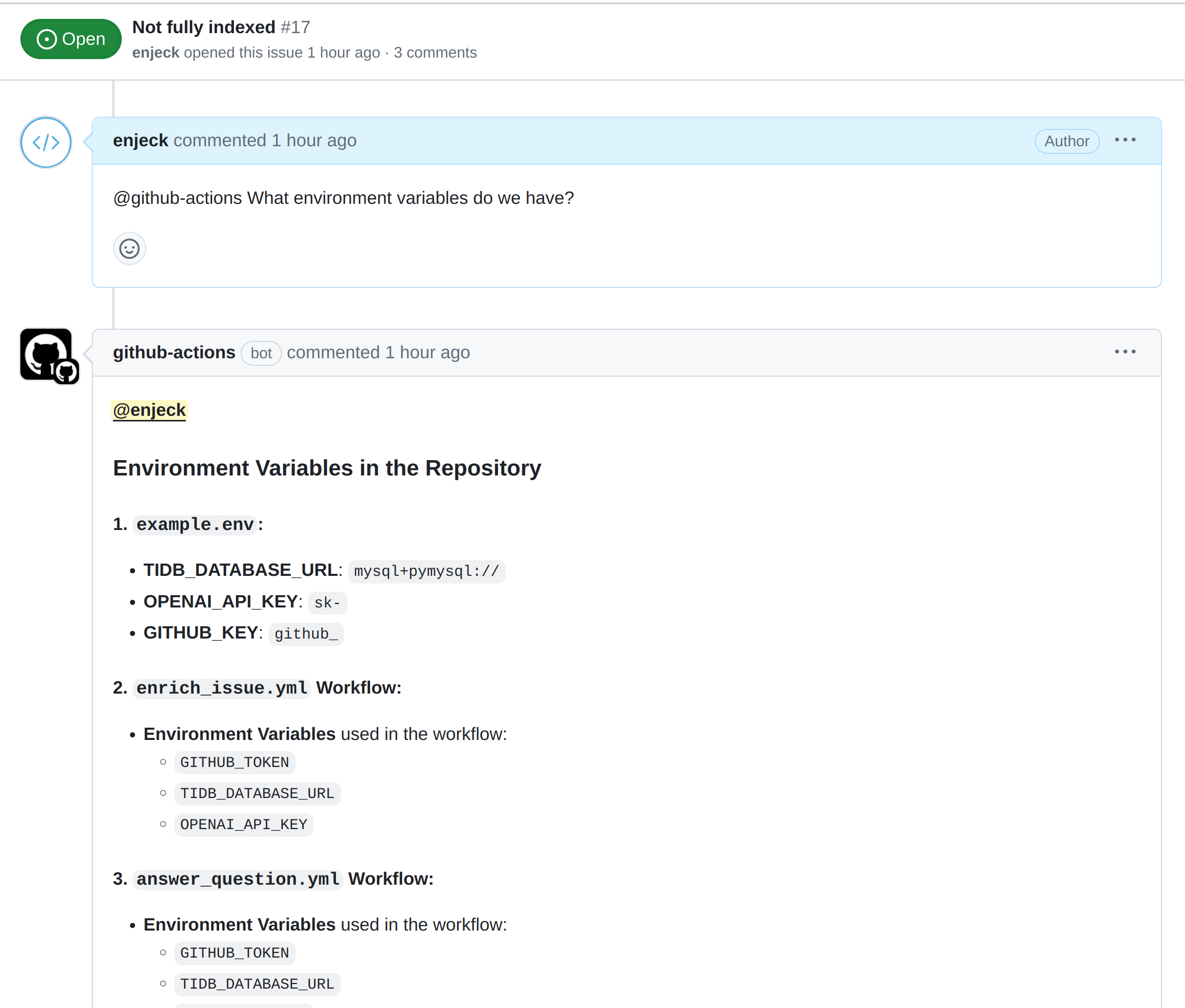
Answering questions about the codebase
-
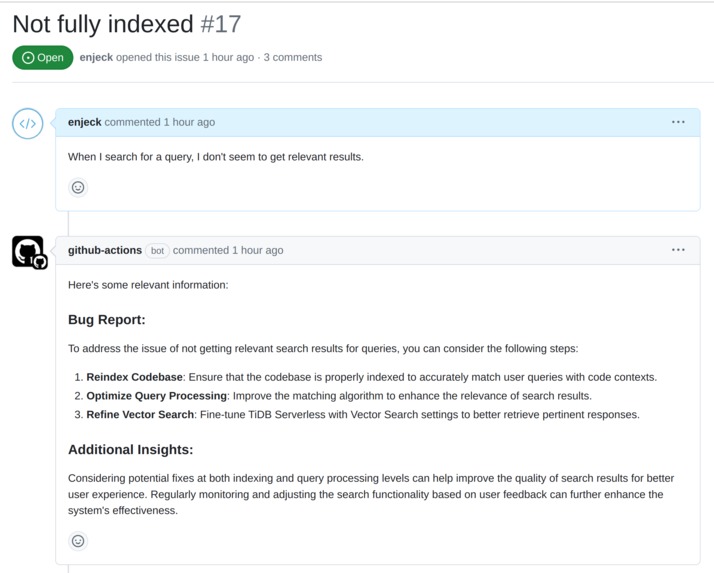
Enriching an issue with codebase information
-
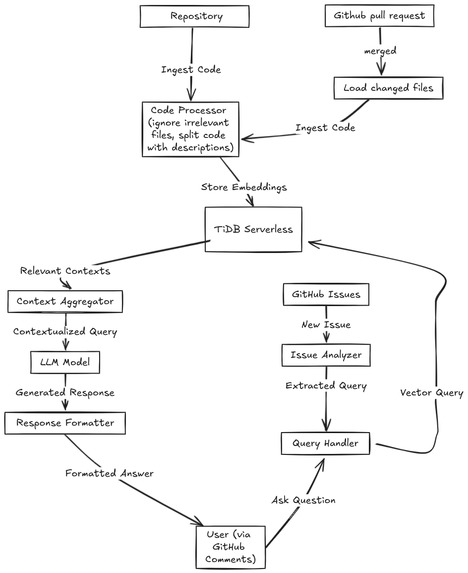
Technical architecture
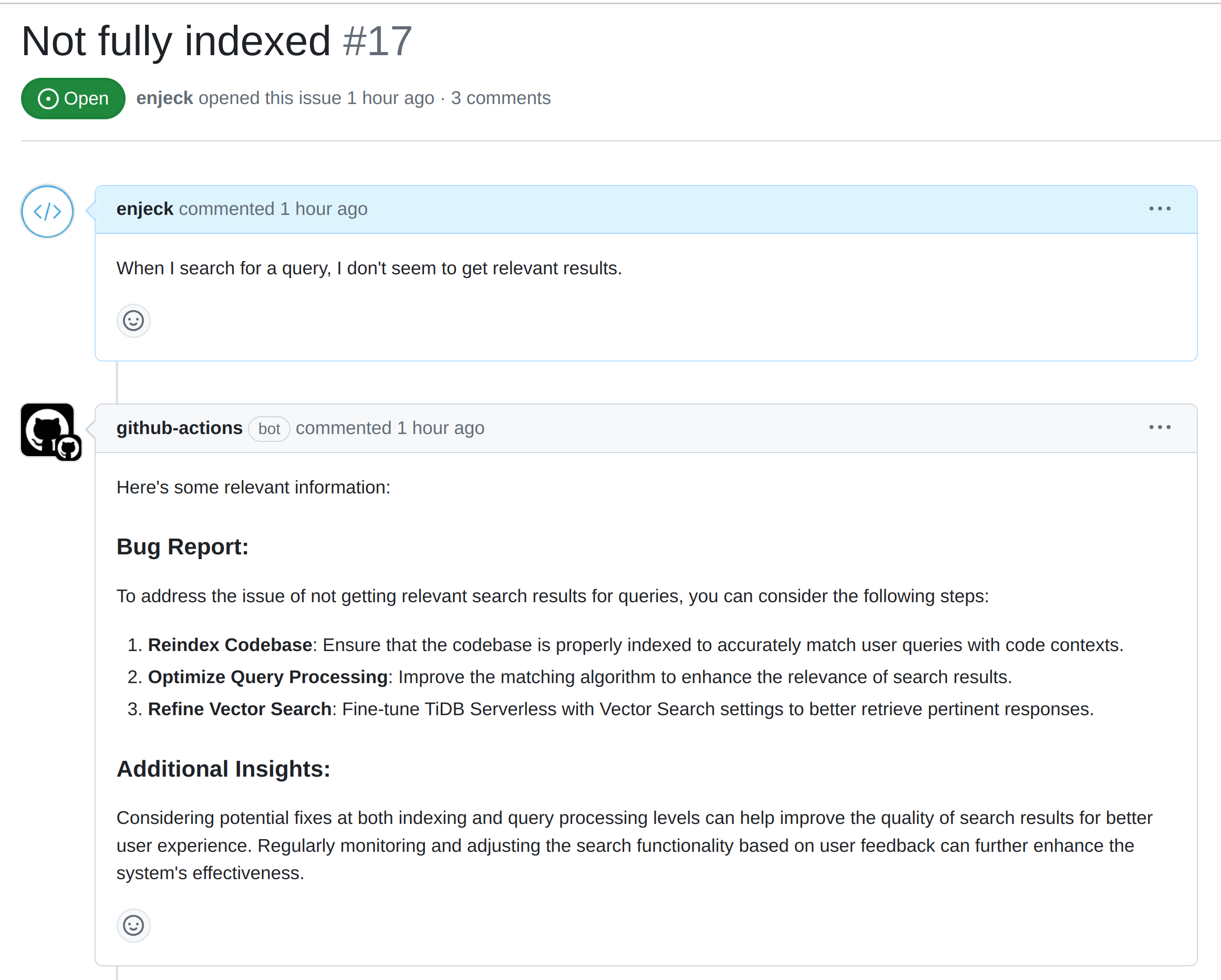
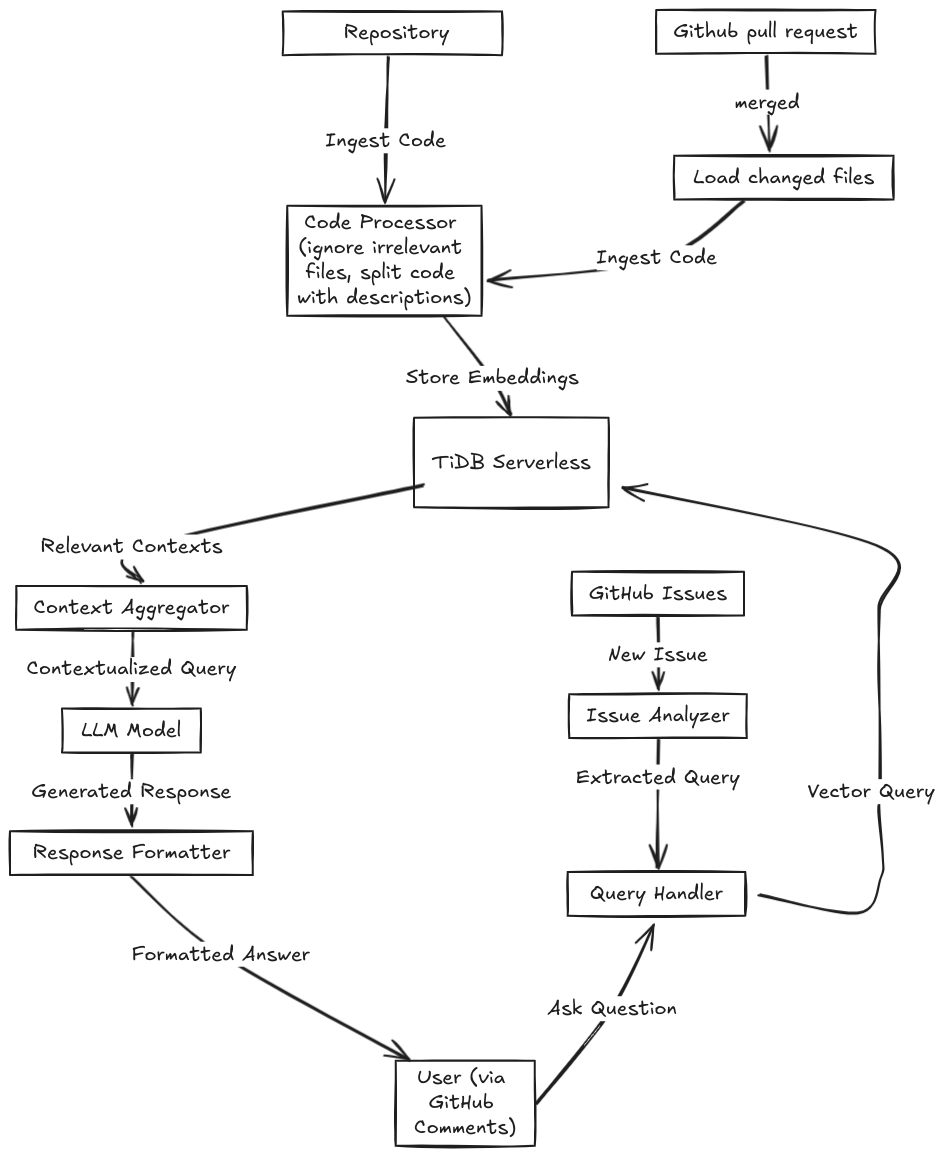
More details
See more about how it works and architeture in the readme: https://github.com/enjeck/code-aider/blob/main/READMe.md
Inspiration
We created Code Aider because we saw how hard it is for developers to work with big, complex codebases. This is especially true in open-source projects where new people often struggle to understand the code. We wanted to make a tool that helps both new and experienced developers easily understand and work with unfamiliar code. Our goal was to make open-source contribution easier and more welcoming for everyone. Unlike other codebase expert tools, Code Aider works directly on GitHub and fits well into existing developer workflows.
What it does
Code Aider is a smart helper for understanding and working with code. It uses TiDB Serverless with Vector Search to store code information and quickly find answers. Here's what it can do:
- Answer questions about code: Developers can ask questions about the code in GitHub Issues, and Code Aider will answer them.
- Plan how to fix issues: When there are bug reports, Code Aider can suggest steps to fix it.
- Find code using simple words: Developers can search for specific parts of the code using everyday language instead of exact code terms.
How it works
- Code Aider ingests the entire codebase, storing code blocks as vector embeddings alongside metadata like the filename and a description of the code block in TiDB.
- When a user asks a question or requests assistance, a GitHub workflow is triggered which runs a Python script. The query is converted into a vector and matched against the stored embeddings using TiDB's Vector Search.
- The most relevant code contexts are retrieved and fed into the AI model along with the user's query to generate accurate, context-aware responses. The answer is added as a comment to the GitHub issue
- When a pull request is merged, another workflow triggers which reindexes the changed files and saves the changes to TiDB.
How we built it
We used these tools to build Code Aider:
- TiDB Serverless with Vector Search: This stores code information in a way that makes it easy to search quickly. Aside from the embedding of the codebase itself, it also stores metadata like description of each codeblock to enhance results from natural language searches. TiDB Serverless's similarity search gives relevant code results that are then passed into an LLM.
- GitHub Workflows: These help Code Aider work automatically when developers use GitHub. There are various workflow files, each getting triggered for various circumstances e.g when an issue is created on GitHub.
- LllamaIndex: Used the process the codebase files, split into code blocks and generate embeddings
- Python: We wrote the main code for Code Aider in Python.
- GPT-3.5-turbo: This AI helps Code Aider understand and respond to questions about code. Given a question/comment/issue, we retrieve relevant context from TiDB via vector search and pass this to the LLM to respond to the user's question/comment/issue.
Challenges we ran into
- Making Code Aider work fast with really big codebases: We had to figure out how to handle projects with lots of code without slowing down. One core optimization we made is to avoid embedding unnecessary parts, such as the
node_modulesfolder and formats like .png, .svg. Also, the full codebase is indexed just once initially. When files are changed, we're careful to only reindex those changed files. By avoiding repeated work, we save time and resources. Thankfully, TiDB does fast searches even with a lot of data, so Code Aider adapts well to large codebases. - Speeding up GitHub workflows: There is some lag between a user creating an issue or writing a comment and getting a result as a comment from Code Aider (result from
github-actionsbot). Github workflows run in a container, which requires some initial setup like launching an operating system, installing python and other requirements (installed viarequirements.txt). We have multiple requirements.txt files for different workflow files since each workflow requires different dependencies. By so doing, we avoid spending time installing unnecessary stuff. - Choosing the right AI: We wanted Code Aider to be smart but not too expensive to run. We got good results even with a relatively 'poor' model like GPT-3.5-turbo, but could be better if the model is replaced with a more powerful model like GPT-4.
- Working smoothly with GitHub: We had to make sure Code Aider fit in well with how developers already use GitHub. Right now, there's still some friction since users still need to do the first codebase indexing locally. But upon merging a pull request, the changed files are automatically re-indexed.
Accomplishments that we're proud of
- Making a tool that works right inside GitHub: This means developers can use Code Aider without learning a new system. This was the first time creating GitHub workflows and using the GitHub API, and it was interesting.
- Figuring out how to use TiDB Serverless for fast code searches: Our system can quickly find the right pieces of code when developers ask questions. Read lots of documentation to make everything code together!
- Keeping code information up-to-date: We made a system that automatically updates when the code changes, so Code Aider always has the latest information. Triggering GitHub workflows based on various events it very powerful!
What we learned
- Started not knowing what and vector search and embeddings are, and now know a lot! We figured out how to turn code into a format that's easy for computers to search and understand. We enjoying reading about TiDB Serverless, and how to use it to store and search embeddings. We read through so many examples and documentation to figure out how to apply it to our usecase.
- Learned about GitHub workflows, and how to use them to run scripts.
What's next for Code Aider
- Making Code Aider smarter: We want to improve how it understands and answers questions. There's a lot of testing that could be done on the prompts to see what gives the best results.
- Making it faster: Right now, we run the scripts in GitHub Workflows, which require time to install dependencies. We believe it could be faster if we run our own servers.
- Helping with more coding tasks: We plan to add features for reviewing code changes and sorting issues.
- Creating a frontend: This will help manage Code Aider for many different code projects and simplify indexing codebases. Right now, the initial index can only be done from the command line.
- Working with other coding tools: We want Code Aider to connect with tools like JIRA and Slack to help developers even more.

Log in or sign up for Devpost to join the conversation.