
Inspiration
I am obsessed with programming, and I wanted to work on my projects wherever I was. I tried several mobile coding tools, but none gave me the experience I wanted: a capable editor, a real terminal, and a comfortable way to code without a full keyboard. Eventually, I decided to build that workspace myself.
What it does
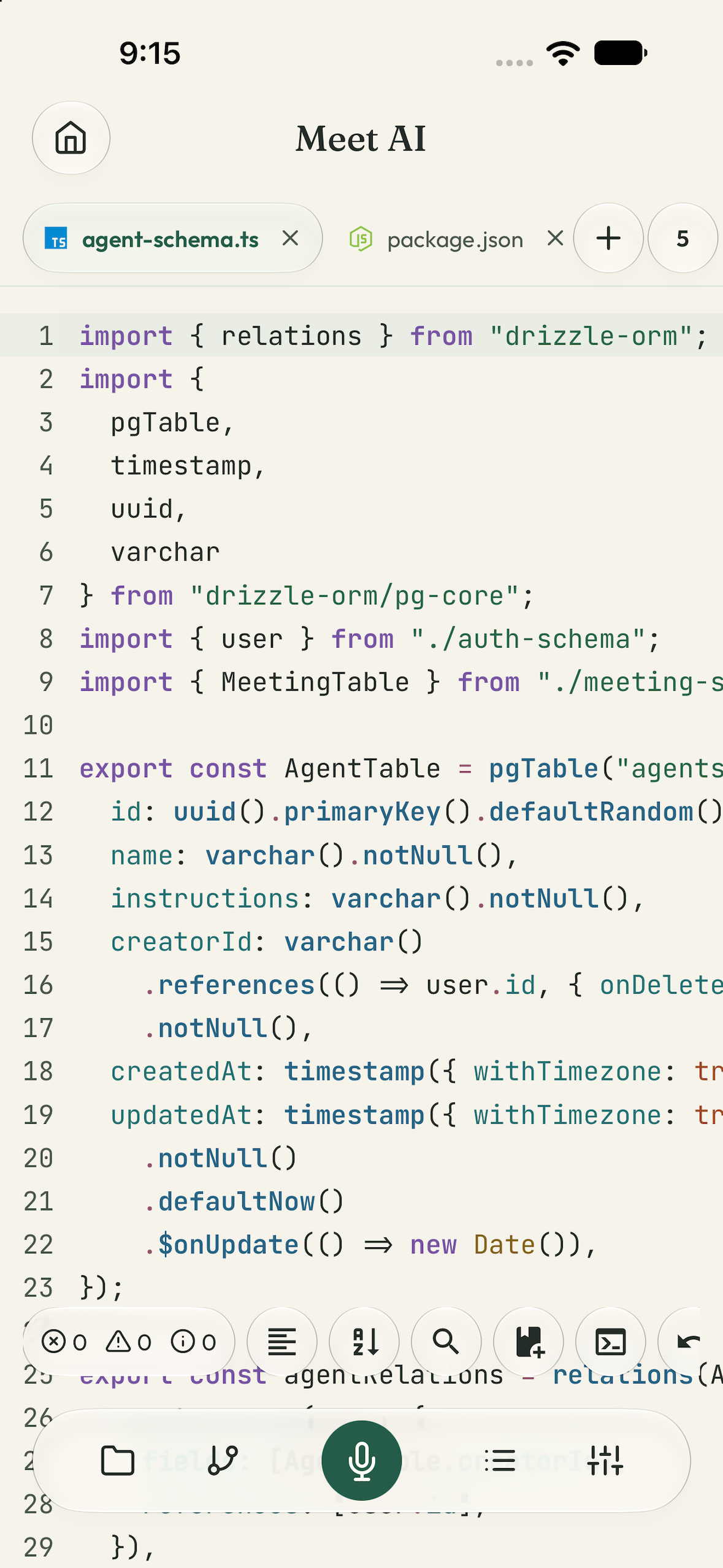
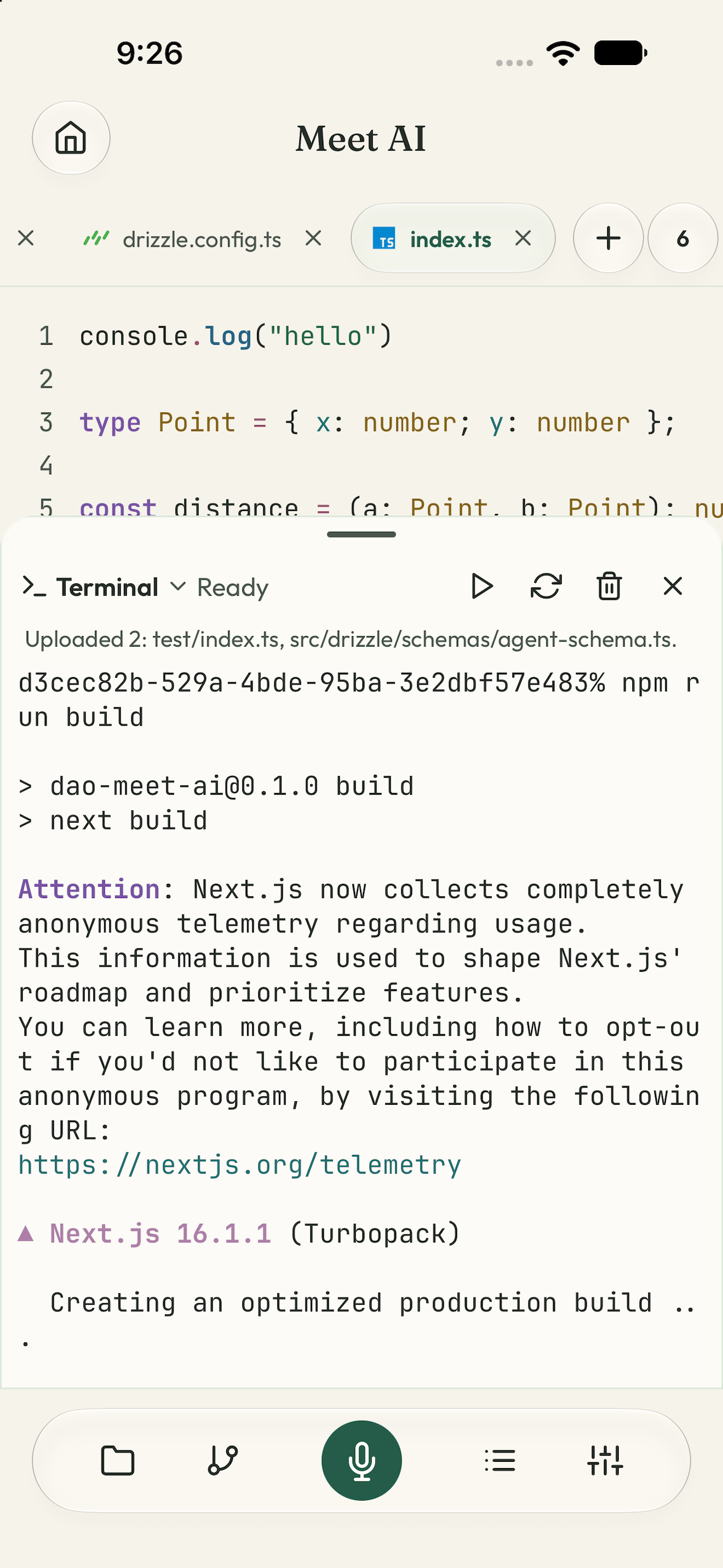
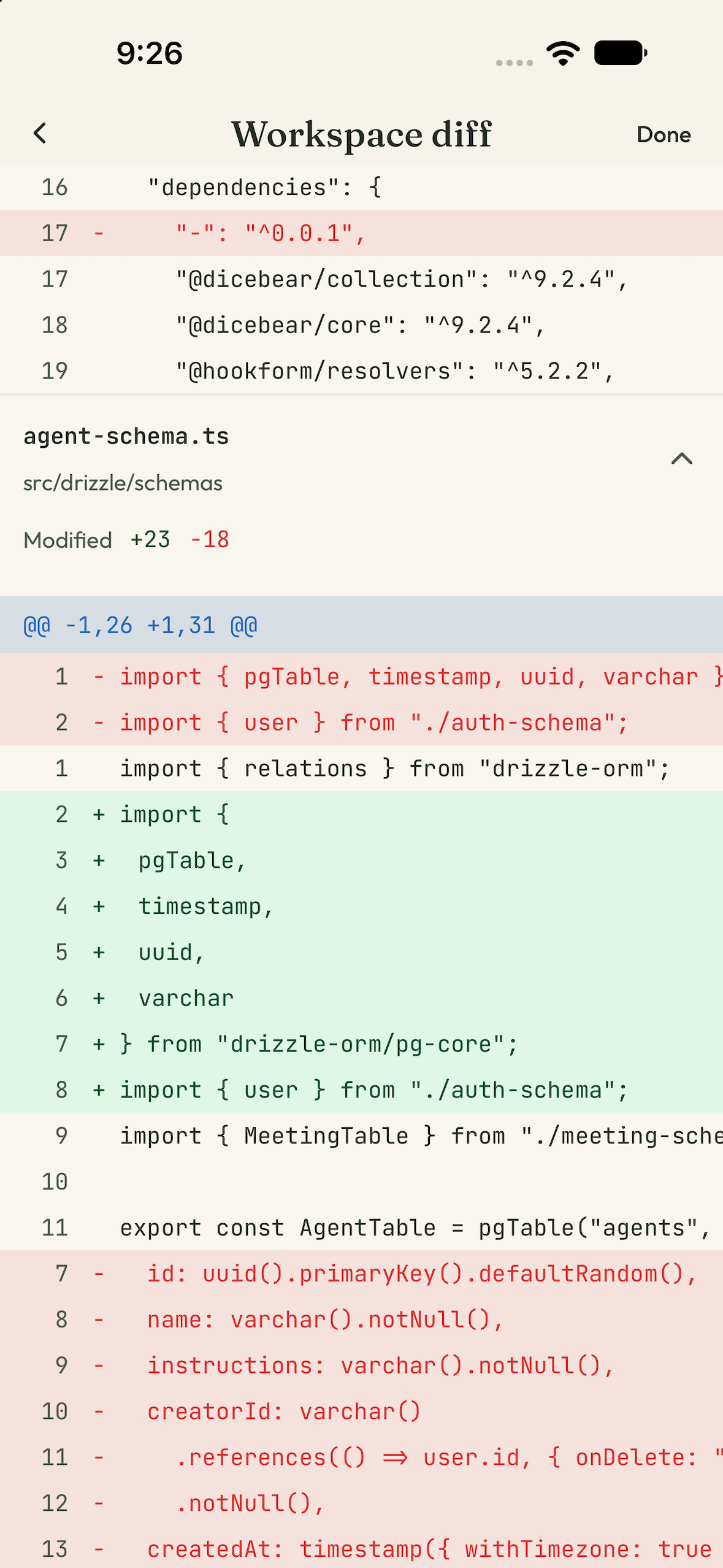
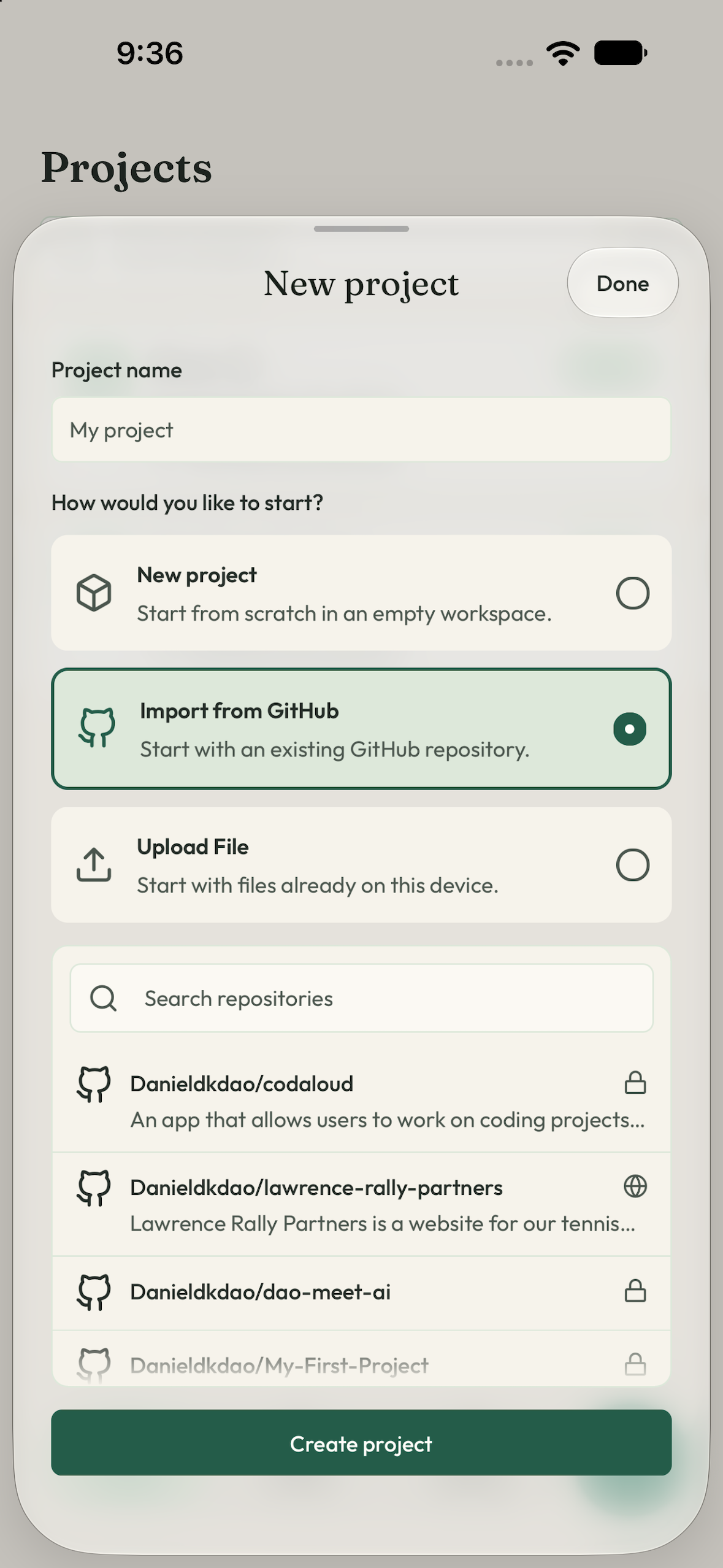
Codaloud brings a code editor, Git, an interactive cloud terminal, and an AI assistant together on your phone. You can import a GitHub repository, edit its files, run commands, review the diff, and commit your work in one workspace.
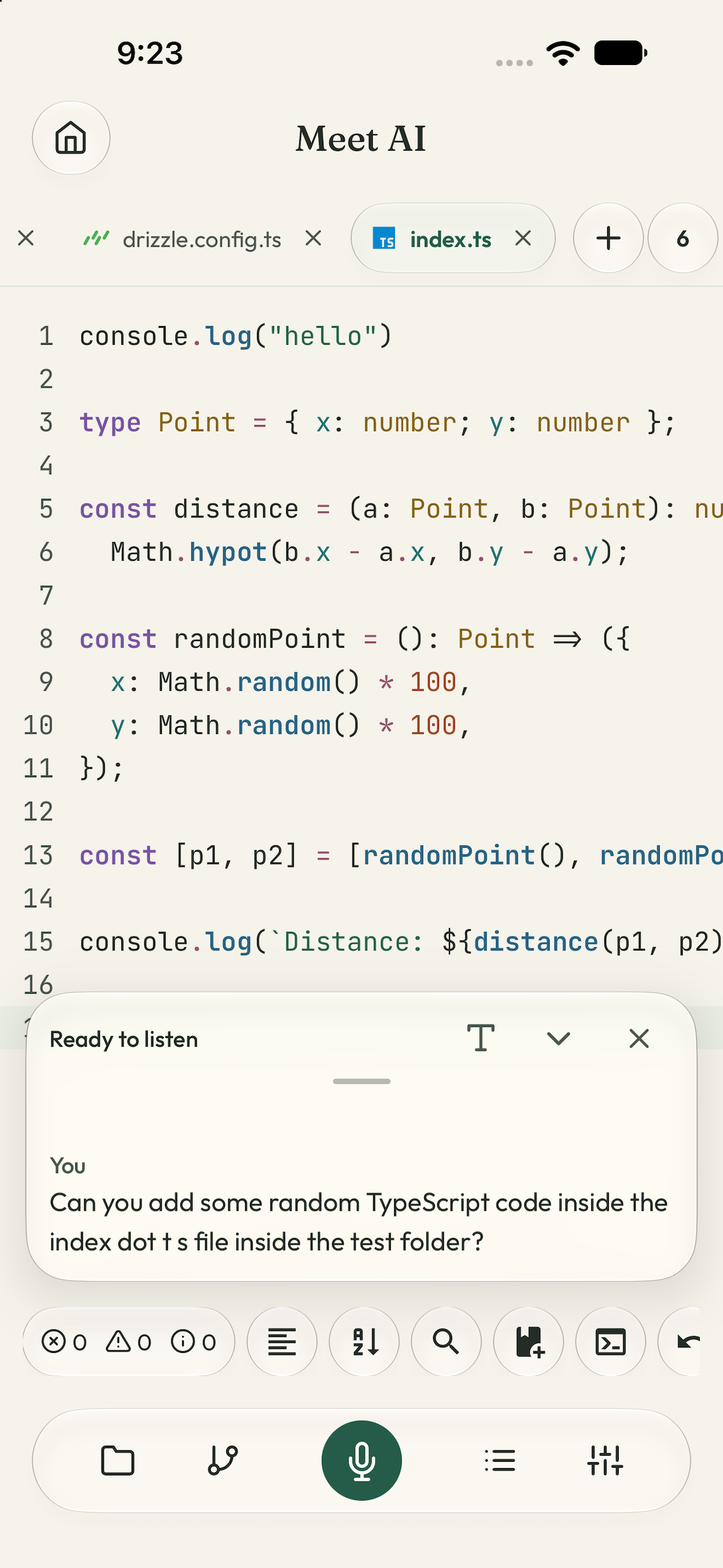
Inside a project, you can ask the assistant to open files and panels, explain code, make changes, or run commands. You can speak your instructions or type them into the same floating command bubble.
- Edit code on the go. Use syntax highlighting, autocomplete, search, formatting, diagnostics for supported languages, and customizable editor settings.
- Code with your voice or text. Describe a change aloud or switch the command bubble to text mode. Typed requests use AI credits without starting an audio session.
- Type comfortably. A dedicated symbols row puts brackets, punctuation, indentation, and other coding characters within reach.
- Use Git and GitHub. Import repositories, review diffs, stage changes, create commits, manage branches, and fetch, pull, or push connected repositories.
- Run real commands. An interactive Daytona terminal lets you install dependencies, run tests, and build projects. Incremental synchronization transfers changed files between the device and sandbox.
- Delegate longer tasks. Review an implementation plan, approve the work, and follow the agent’s progress and logs while continuing to use the editor.
- Capture ideas in drafts. Write standalone code or notes, get assistance with the open draft, and copy your work into a project later.
Projects and drafts remain on the device. AI assistance, cloud terminals, authentication, purchases, and remote Git operations require their respective online services.
How we built it
Codaloud targets iOS and Android using React Native and Expo. The submitted demo shows the iOS experience.
- CodeMirror provides the editor inside a mobile WebView.
- A native C++ workspace engine and libgit2 support local file and Git operations.
- Expo SQLite stores projects, drafts, and other on-device information.
- Drizzle and Neon Postgres support cloud accounts, usage records, and the credit ledger.
- Better Auth handles authentication.
- OpenRouter provides models for AI assistance and code generation.
- LiveKit supports live voice sessions, Deepgram transcribes speech, and ElevenLabs generates spoken responses.
- Daytona provides project sandboxes and interactive cloud terminals.
- Trigger.dev handles background jobs and longer-running agent tasks.
- Firecrawl supports the agent’s web search and scraping tools.
- RevenueCat powers subscription and credit-pack purchase flows, paywalls, and purchase restoration.
RevenueCat and monetization
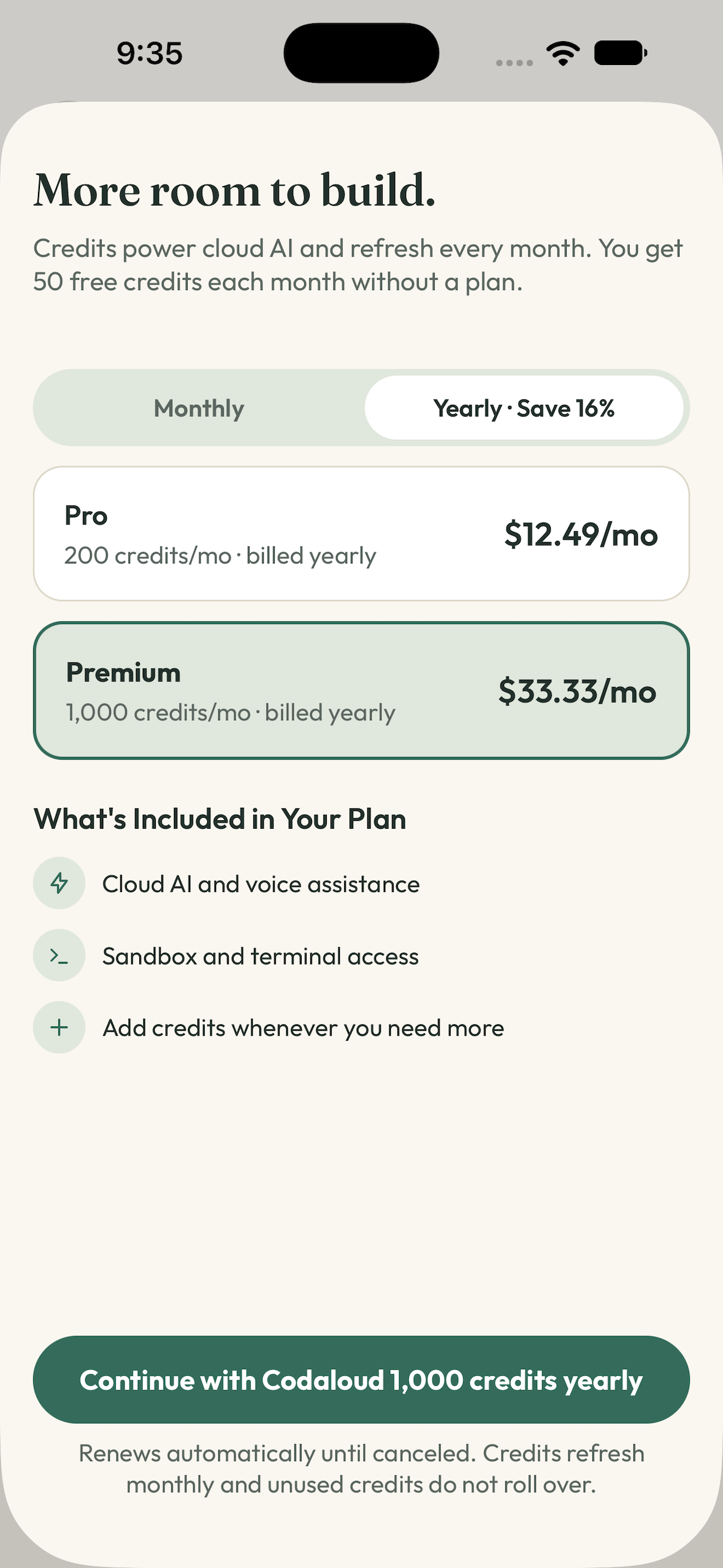
Codaloud offers Pro and Premium subscriptions alongside credit-pack purchases. Credits account for usage across AI requests, voice sessions, background agents, and cloud terminals, helping connect the pricing model to the cost of providing those services.
Users can view plans and balances, restore purchases, and access subscription management from Billing. Eligible subscribers and users with an active paid-tier trial can purchase additional credits.
The development build uses RevenueCat Test Store for purchase testing. Production App Store and Google Play purchasing remains a release preparation step; the submission does not claim completed production-store purchase verification.
Working with Codex
The app was built with Codex. I came up with the idea, planned the experience, researched the technologies, chose the stack, and guided the implementation. Codex wrote and executed code alongside me as I tested the app and refined the product.
I also used MCP integrations, including the RevenueCat MCP server, to help configure the project, create paywall drafts, and manage the product catalog.
Throughout this description, “we” means me and Codex.
Challenges we ran into
- Connecting local projects to cloud execution. Files live on the device, while terminal commands run in a sandbox. We worked on incremental synchronization, batching, and conflict detection to make those environments feel like one workspace.
- Designing for a small screen. Editor controls, navigation, terminal output, and AI responses all compete for limited space. The interface went through several iterations to keep those tools accessible without covering the code unnecessarily.
- Making voice assistance actionable. Useful voice conversations require more than transcription. We had to coordinate audio, context, tool calls, file changes, and responses while handling interruptions and reconnects.
- Choosing credits and pricing. AI requests, spoken responses, background work, and sandbox execution have different costs. We researched those costs and designed a credit model to account for them.
- Supporting offline diagnostics. We bundled language analysis into the app so supported diagnostics could work locally. Balancing analysis speed and bundle size meant limiting the languages supported by the MVP.
Accomplishments that we're proud of
- We built a working mobile coding workspace in less than a month.
- Users can move from GitHub import to editing, terminal execution, diff review, and commits within the app.
- The assistant can act on project files through voice or typed instructions.
- Longer implementation tasks have a plan-review flow and visible progress.
- The editor provides local diagnostic feedback for supported languages.
- RevenueCat purchase flows are integrated with the app’s subscription and credit system.
What we learned
Building Codaloud introduced me to tools across mobile development, AI, voice, cloud infrastructure, and payments. It also taught me a better way to work with AI: research the problem, make product decisions clearly, break the implementation into manageable pieces, and test the results as the app takes shape.
I learned that putting desktop capabilities on a phone is as much an interaction-design problem as an engineering problem. The tools need to work together, and their controls need to remain comfortable on a small screen.
What's next for Codaloud
- Expand support for programming languages and diagnostics.
- Improve interface consistency and responsiveness.
- Complete production-store purchase configuration and verification.
- Test and refine the Android experience.
- Explore Apple’s on-device models.
- Add terminal execution that can run locally.
- Improve the experience for iPad.
- Publish Codaloud on the App Store.
Built With
- better-auth
- c++
- codemirror
- daytona
- deepgram
- drizzle
- elevenlabs
- firecrawl
- github
- jev
- livekit
- nativewind
- neon
- openrouter
- postgresql
- react-native-expo
- revenuecat
- sqlite
- trigger.dev

Log in or sign up for Devpost to join the conversation.