-
-
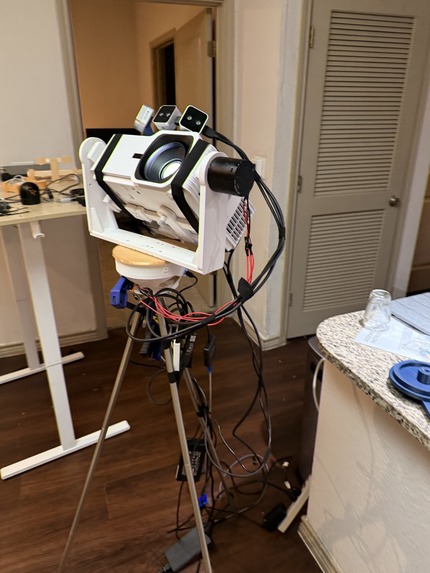
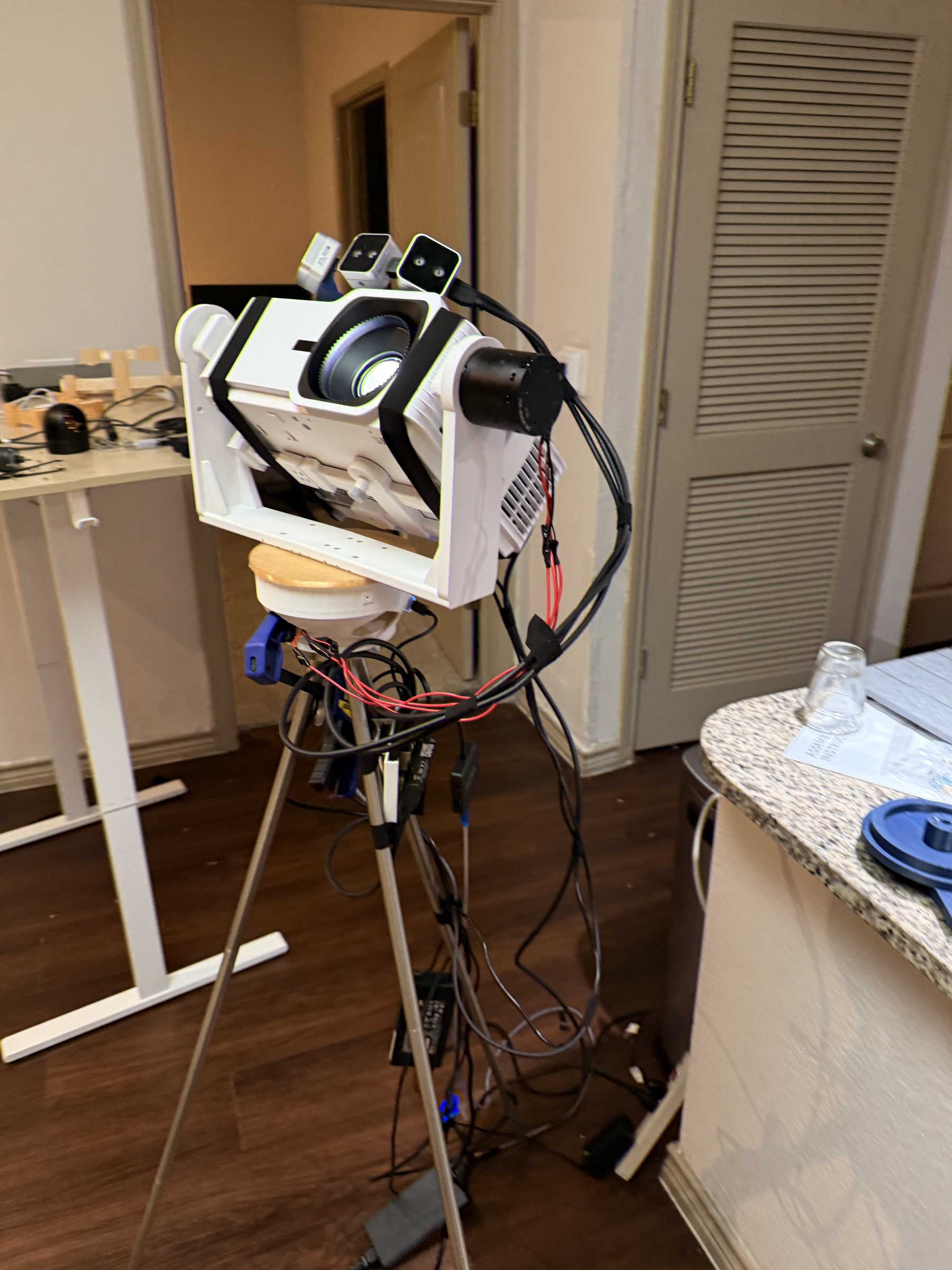
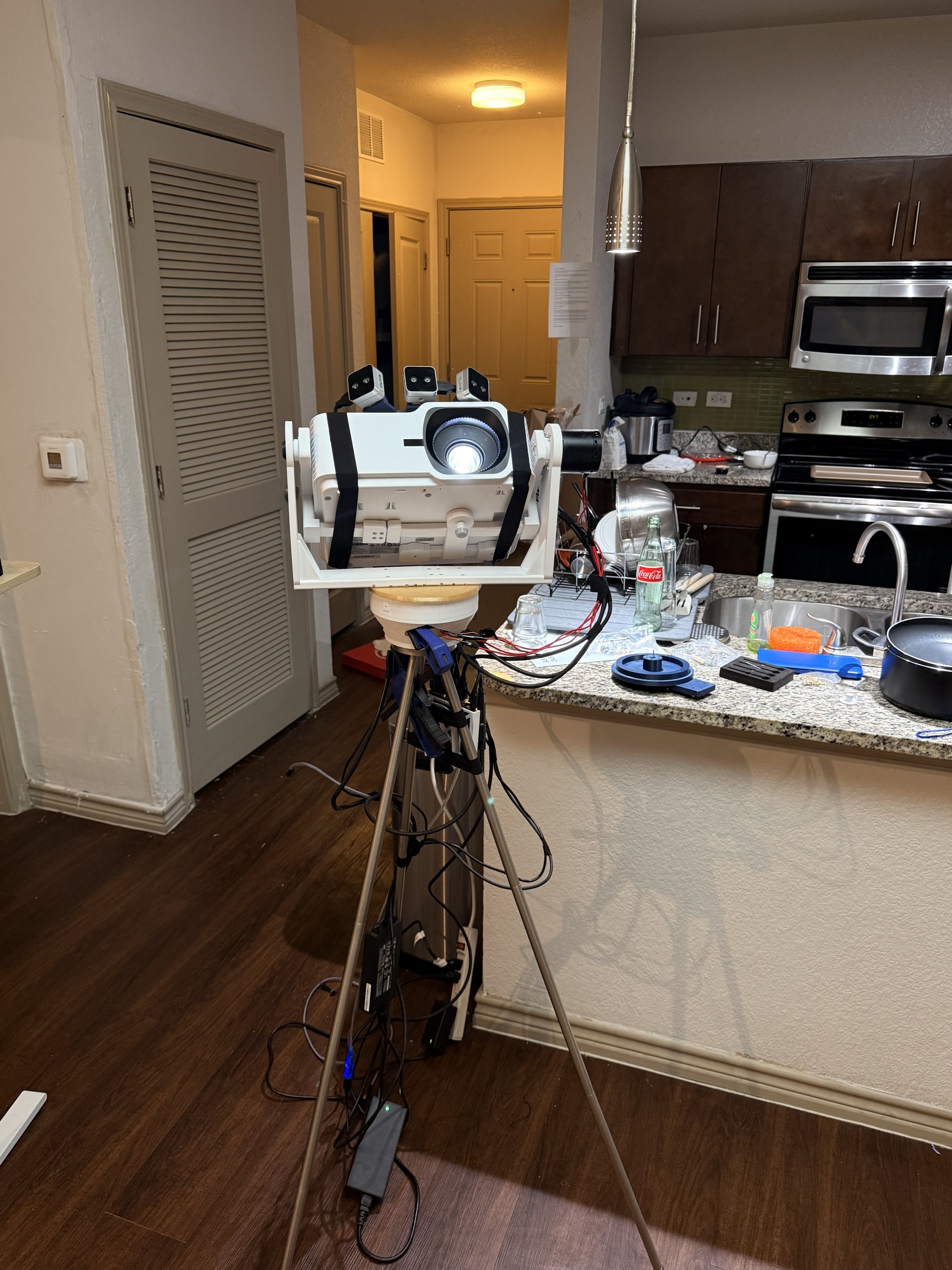
Coco assembled: projector, cameras, printed gimbal, and wiring.
-
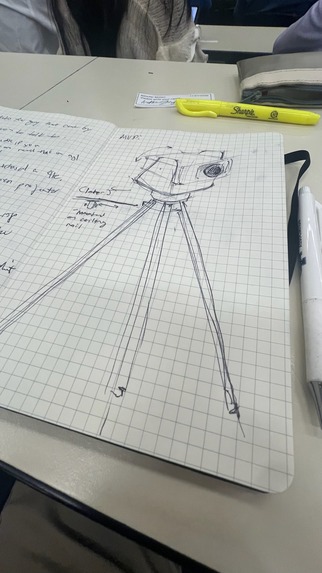
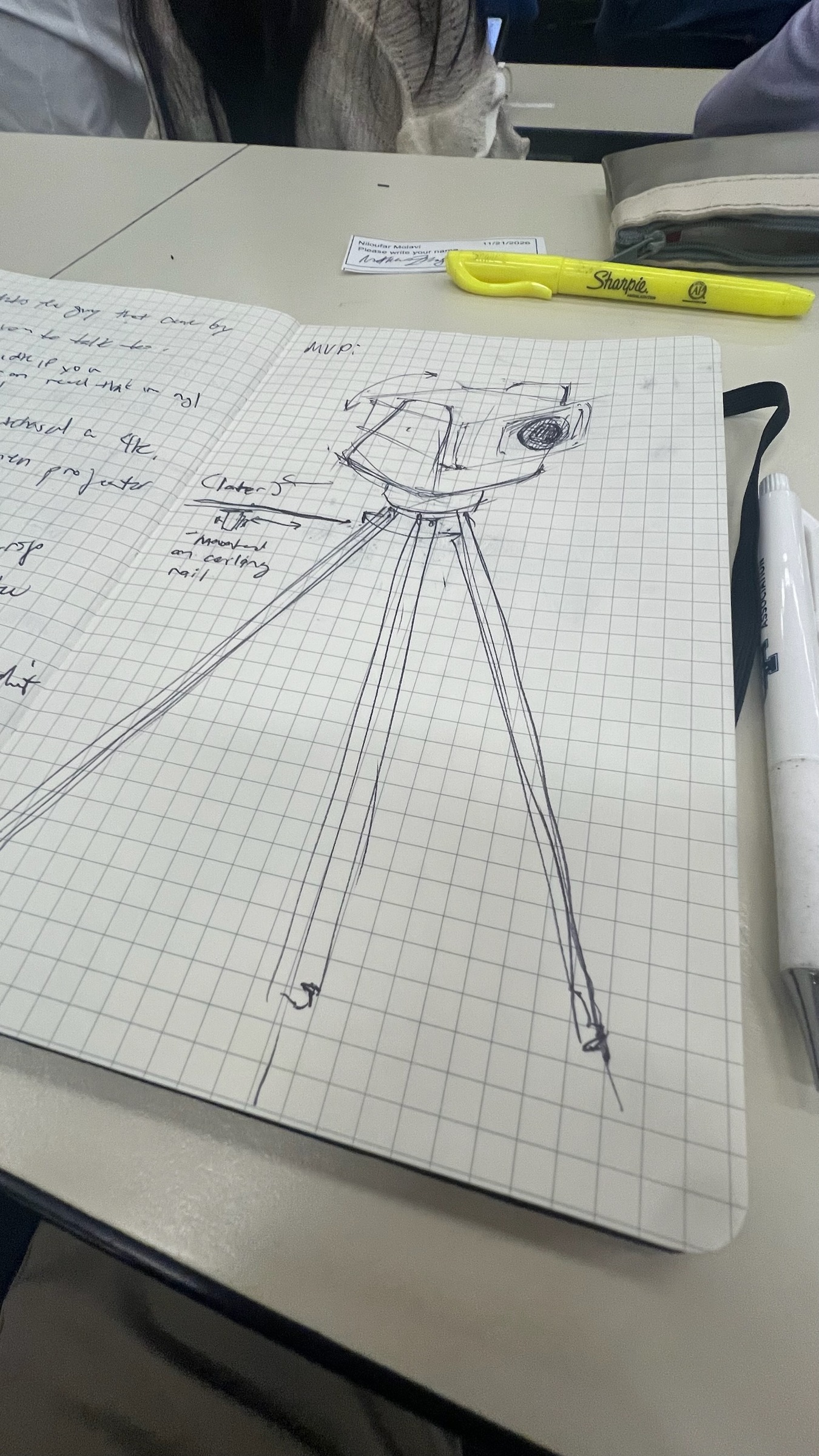
Early sketch of the projector and tripod assembly.
-
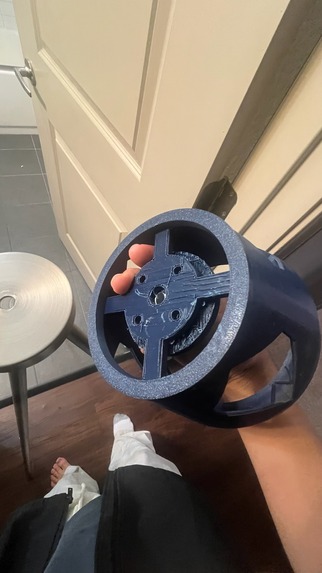
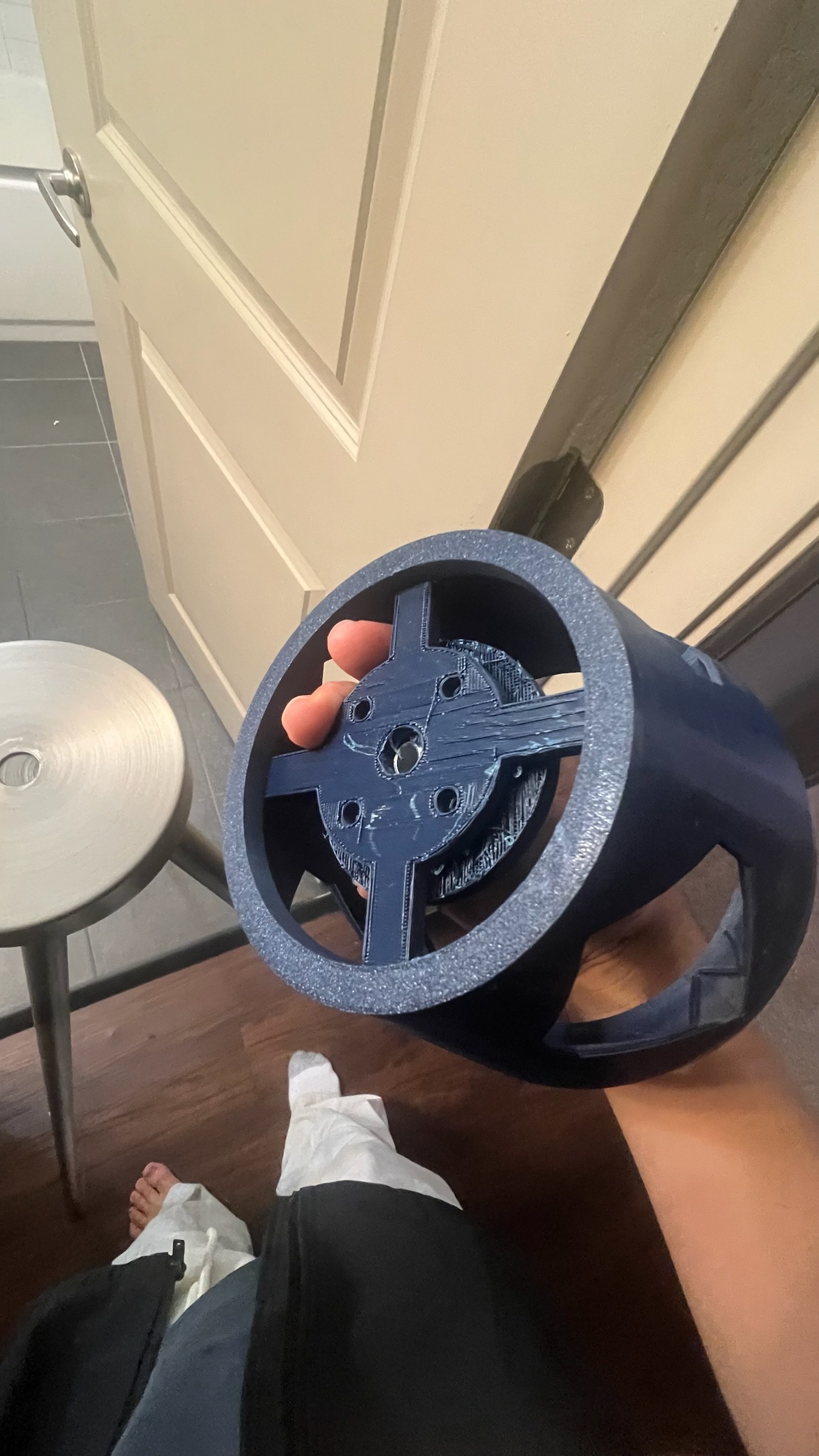
Printed parts for the pan mechanism.
-
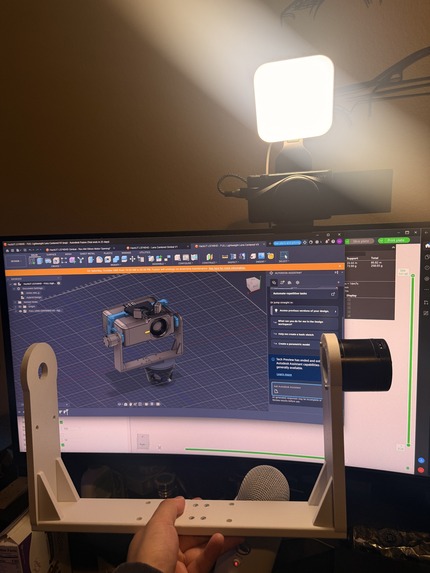
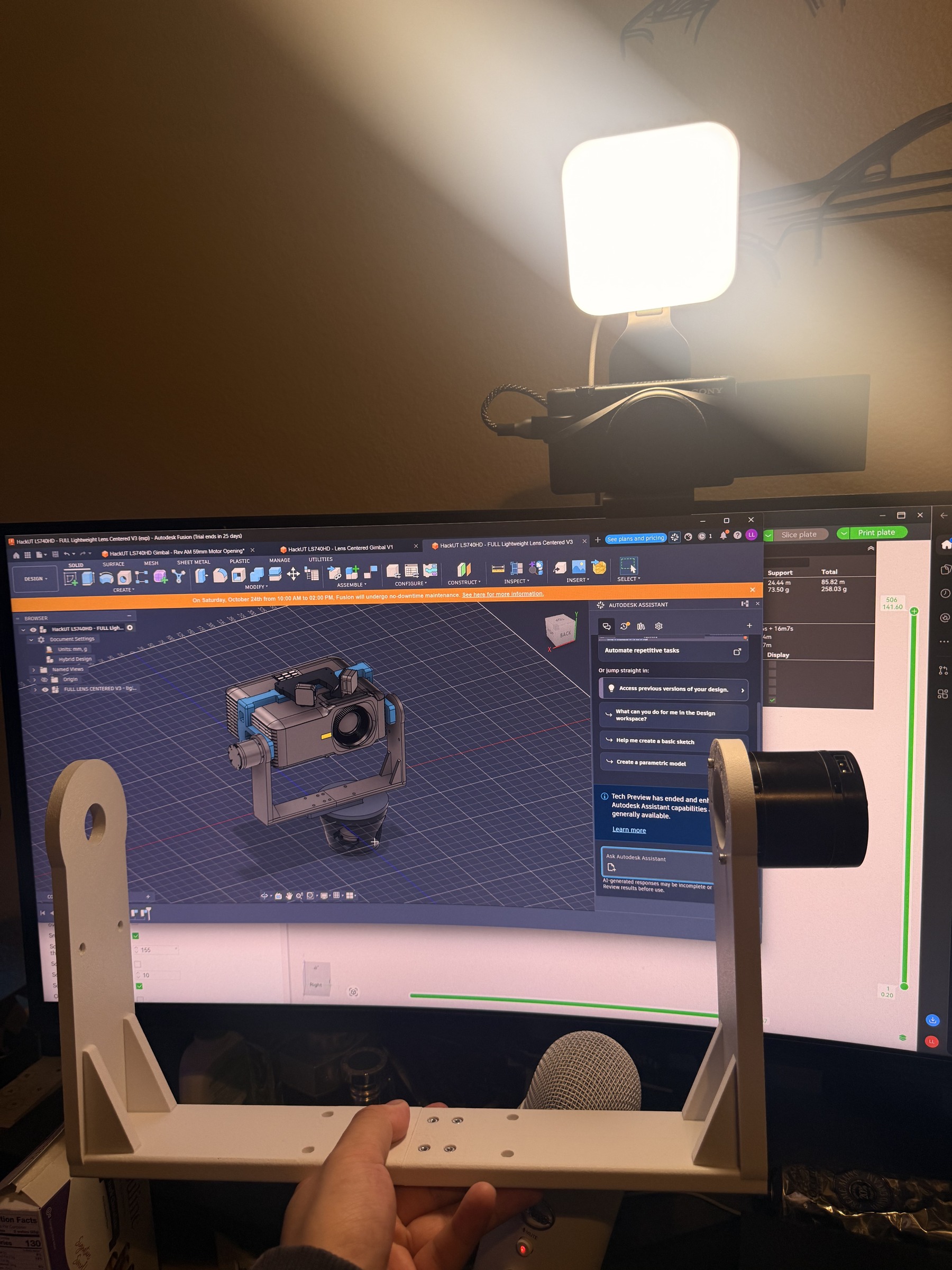
Checking the printed frame against the CAD assembly.
-
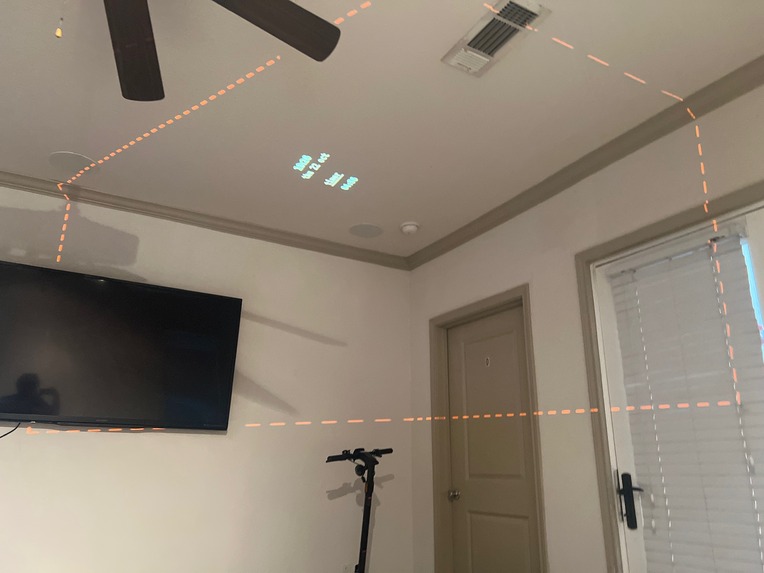
Projection test on the ceiling.
-
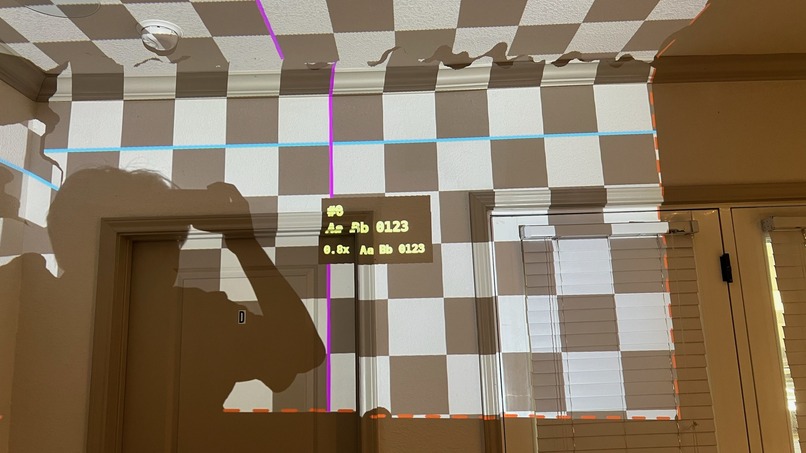
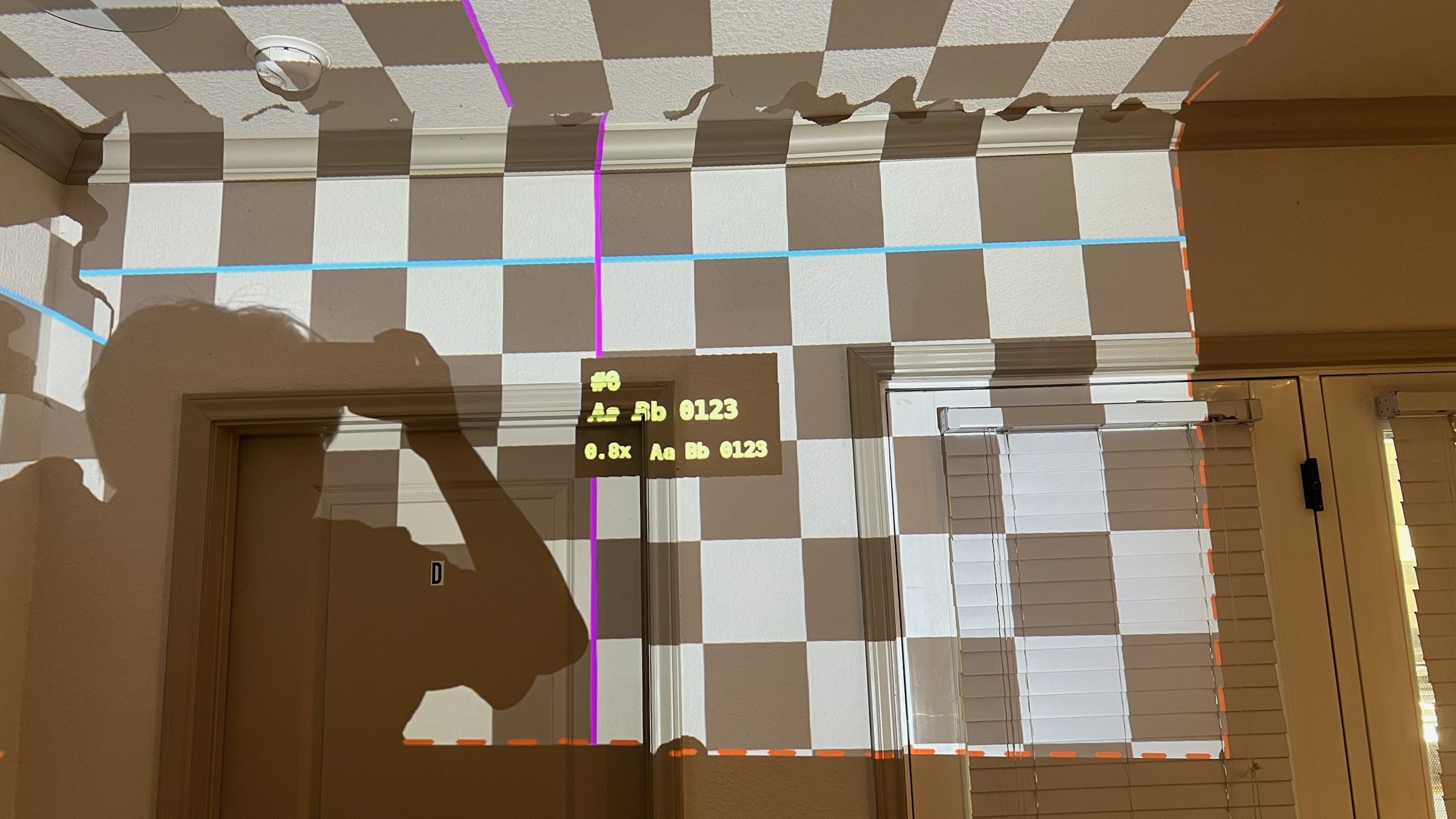
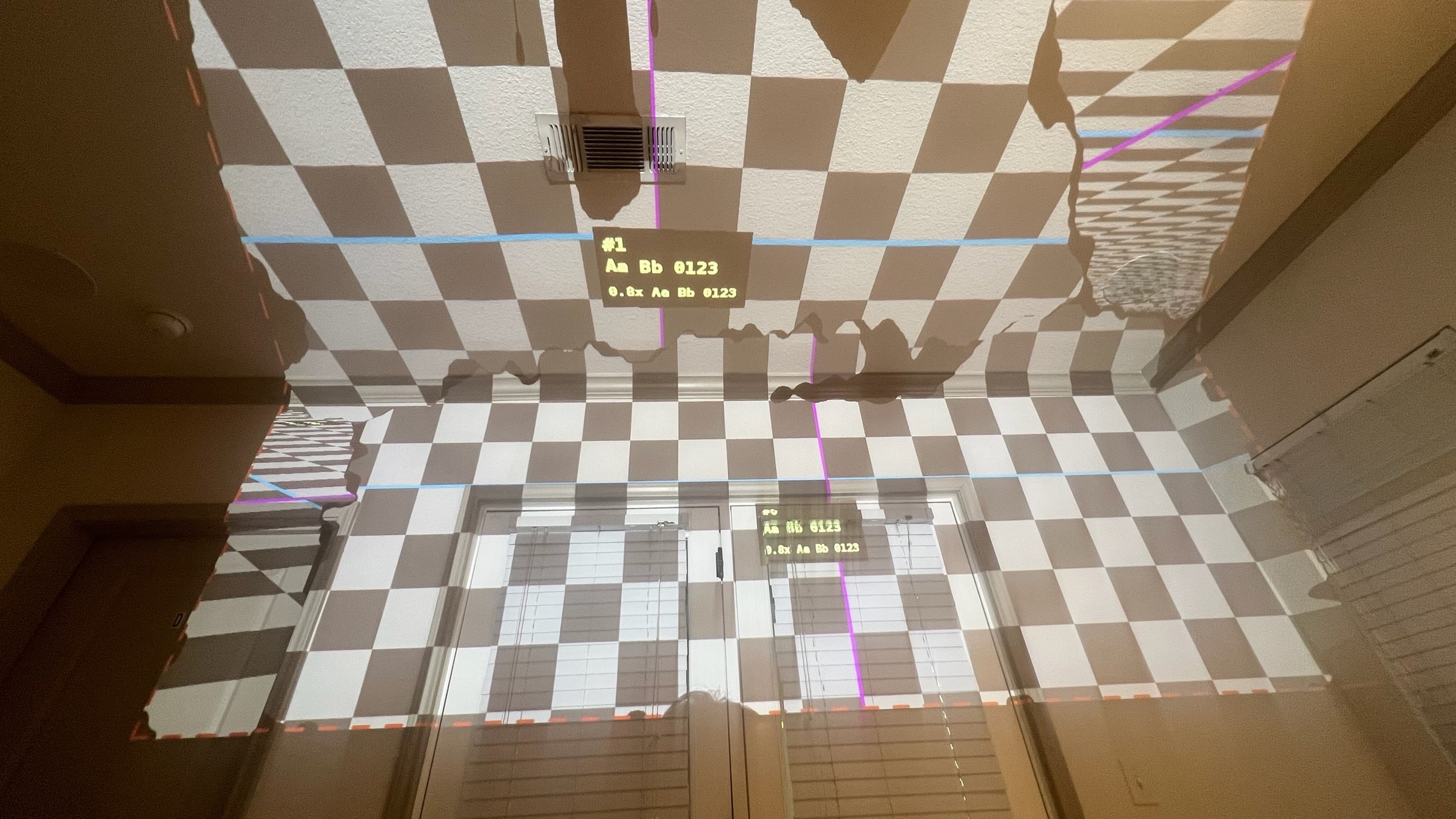
Checkerboard projection test around doors and wall boundaries.
-
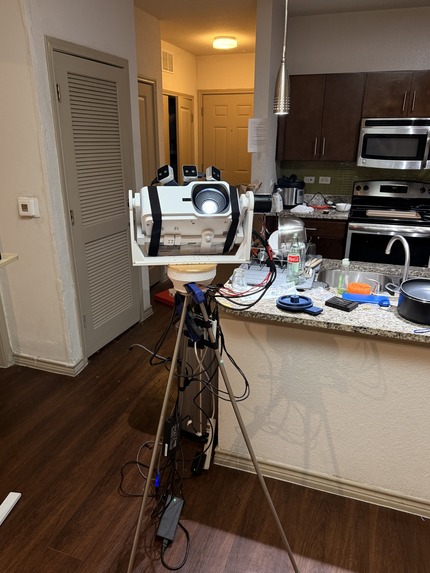
The assembled Coco rig on its tripod.
-
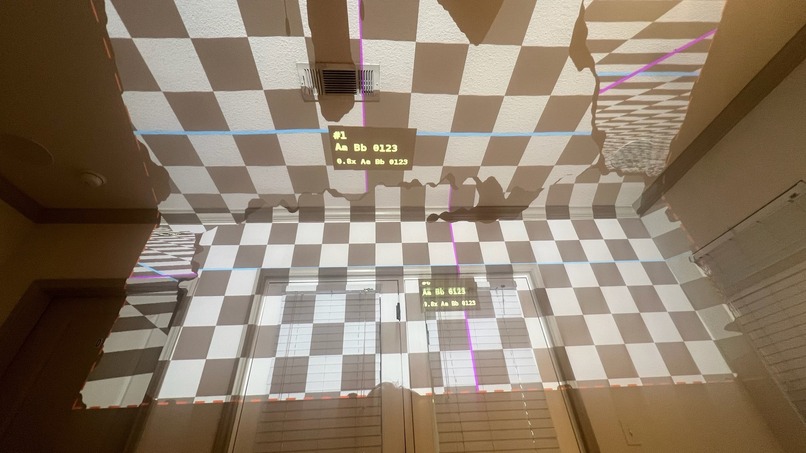
Checkerboard projection test across the room surfaces.
-
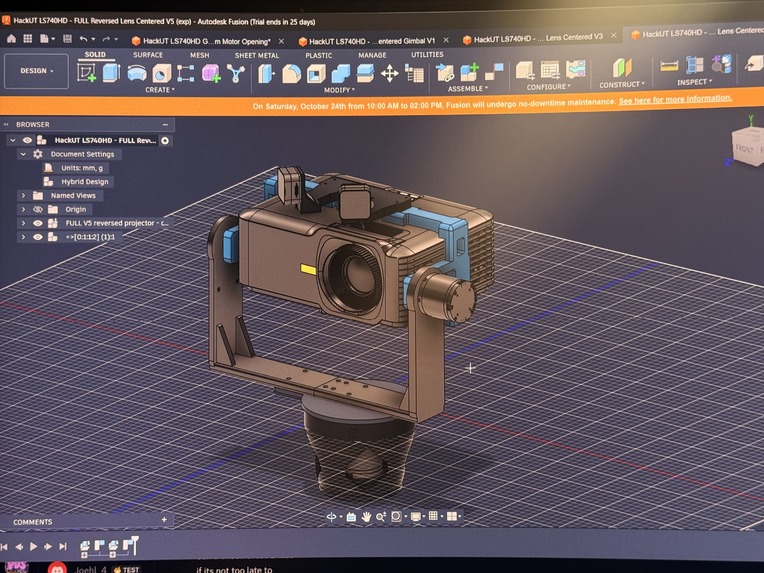
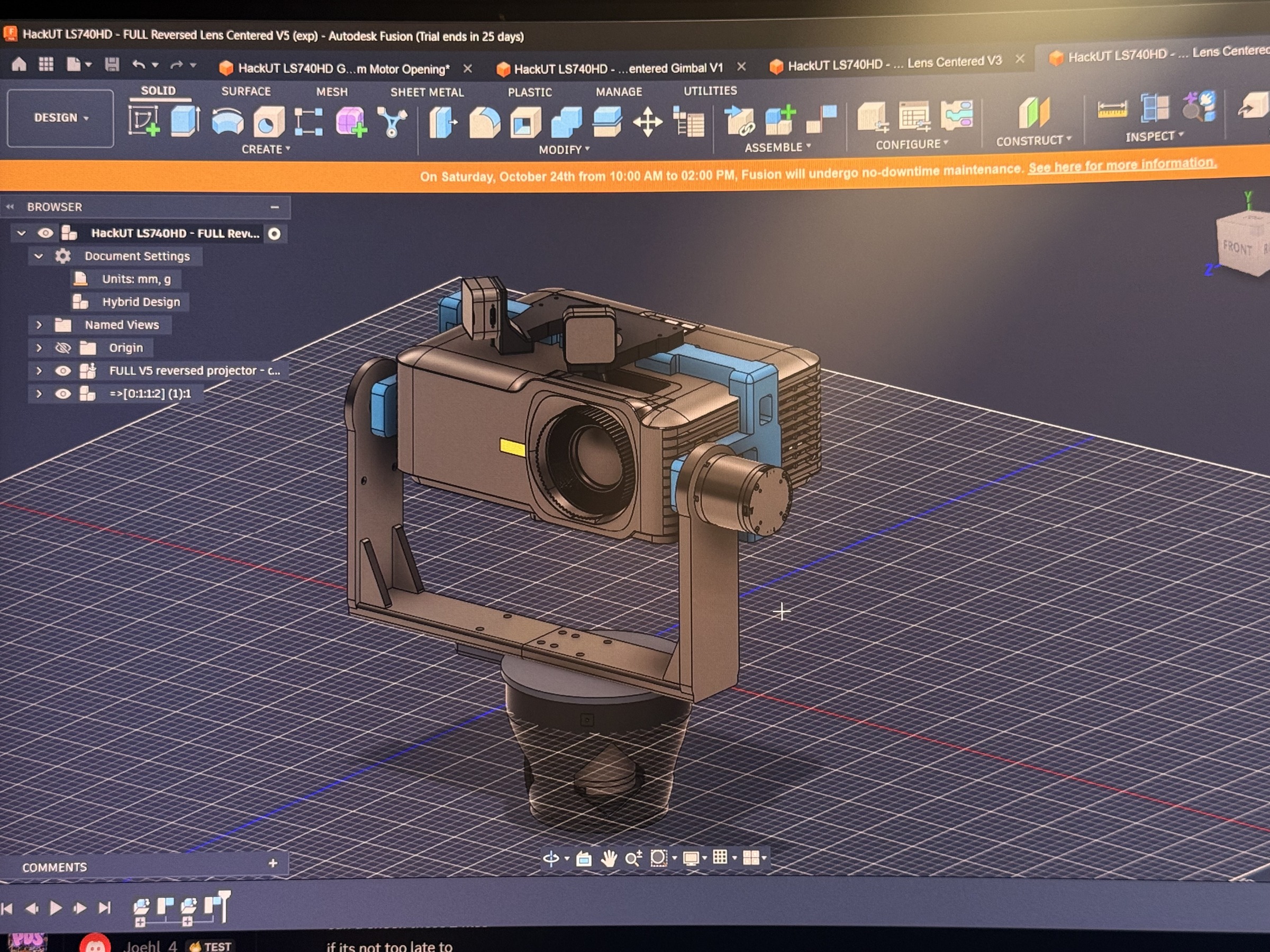
CAD model of the projector, cameras, and pan-and-tilt frame.
-
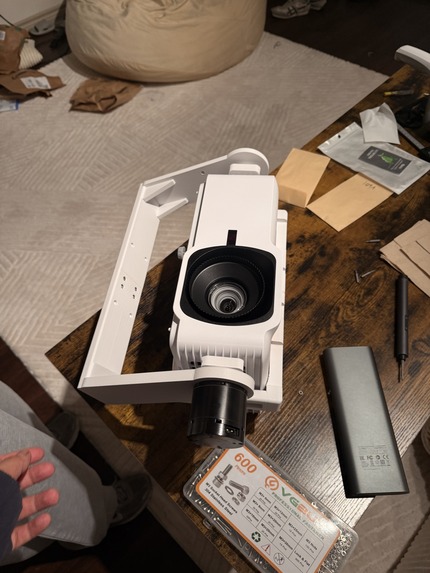
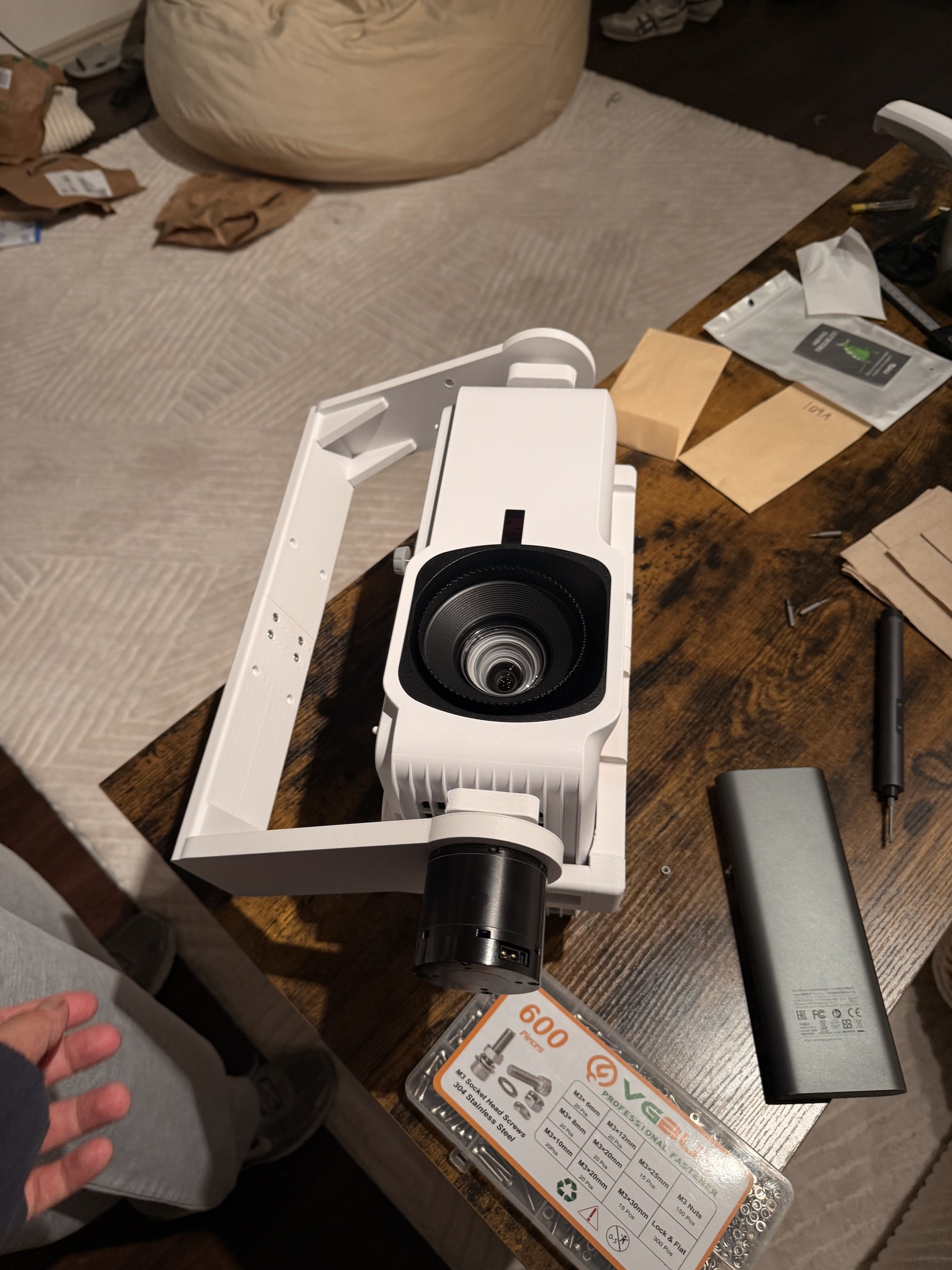
Fitting the projector into the printed frame.

Inspiration
We wanted to be able to point at a lamp and say “turn that off,” or ask for a recipe and put it on the kitchen wall. That meant giving the assistant a way to see the room and display information where we needed it.
So we mounted a projector on a motorized gimbal, added cameras and a pointing wand, and connected it to an AI voice assistant. That became Coco.
What it does
Coco brings voice commands, projected apps, and connected-device control into one prototype. The software supports timers, calendars, notes, recipes, answers, browser content, F1 information, maps, and shared activities such as a whiteboard and Pictionary. It also includes Bluetooth lamp power control, using a registered lamp name or a valid pointing target.
Where the information appears is part of the request. You can name a mapped wall or request content and then select a spot with the camera-tracked wand. Content waits in a placement preview until there is a valid target and a placement command. If tracking is lost or the target does not fit, the request stays pending.
Our current prototype works with a calibrated room model. These are implemented software paths on an experimental rig; repeatable interaction and projection accuracy across new rooms are still work in progress.
How we built it
We built Coco in four connected stages: CAD, printing, assembly, and software integration.
CAD and printing. We used Python-based parametric CAD, with GPT and coding agents assisting the design, and the actual projector, DAMIAO motors, and Intel RealSense cameras as references. The base provides pan, while the gimbal frame provides tilt. Defining dimensions and mounting points in code let us revise the design as we checked fit, structural clearance, and print time. We printed the base, gimbal structure, mounts, and wand.
Assembly. We mounted a ViewSonic LS740HD projector on the printed mechanism, added the motors, and fitted the cameras and wiring around it. One motor turns the base and the other tilts the projector. An NVIDIA Jetson Orin Nano runs the rig software, and CAN connects it to the motors. The RealSense cameras provide images for the vision pipeline; the wand includes an ESP32 and Bluetooth Low Energy sensing.
Understanding requests. The Python voice pipeline uses Meta Muse to turn speech-derived requests into structured application actions. A coordinator connects those actions to the cameras, gimbal, display, and app modules. Local Piper speech synthesis provides spoken replies. The action layer separates a request for content from the command that places it.
Placing the image. A camera pixel and a projector pixel do not automatically refer to the same point in the room. Calibration connects those coordinate systems, and perspective transforms reshape the rendered content for a target surface. OpenCV and NumPy support the vision and geometry work. Our demo uses an accepted reconstruction of one room and its calibrated projector head.
Challenges we ran into
The hard part was making all those coordinate systems agree. A small error in the camera-to-projector relationship or the motor pose can move an image away from its intended spot. Furniture and occluded boundaries also make room reconstruction uncertain.
The physical build had its own constraints: projector weight, motor clearance, friction between printed parts, cable routing, and print time. A change that looked simple in CAD still had to fit the real components and be practical to print and assemble.
We also had to define what “put it here” means. The system needs both the requested content and a fresh, valid target. Keeping that interaction state explicit helped us handle missing targets without placing content on an unrelated wall.
Accomplishments that we're proud of
We brought a custom printed mechanism, embedded electronics, computer vision, voice interaction, and projected applications together in a physical prototype. Luke focused on the mechanical build, while Matthew and Vihas worked on the software and integration.
We are especially proud of connecting the whole chain: a request becomes an application action, the rig can aim the projector, and the renderer uses room geometry to place the image. That connection is what makes Coco more than a collection of separate demos.
What we learned
A spatial interface depends as much on motor alignment, camera orientation, cable clearance, and calibration as it does on the UI. Working on the hardware and software together made those dependencies very real.
We also learned to evaluate each layer separately. A working browser app, a moving gimbal, and a successful calibration test are useful milestones; a reliable interaction requires all three to work together.
What's next for Coco
We want to make calibration repeatable in new rooms, improve pointing and placement reliability, and make the mechanism quieter and more durable. Our next tests will measure placement error, response time, and interaction success across different surfaces and lighting conditions.
From there, we want to polish the most useful everyday experiences: a recipe near the kitchen workspace, a calendar where you get ready, shared entertainment, and clear control of connected devices.
AI tools
We used GPT/Codex and Meta agents to assist with CAD scripting, design iteration, print planning, and software development. Codex also helped prepare this submission. Meta Muse is part of Coco's runtime assistant. Team members assembled the hardware, reviewed the work, and integrated the system.


Log in or sign up for Devpost to join the conversation.