-
-

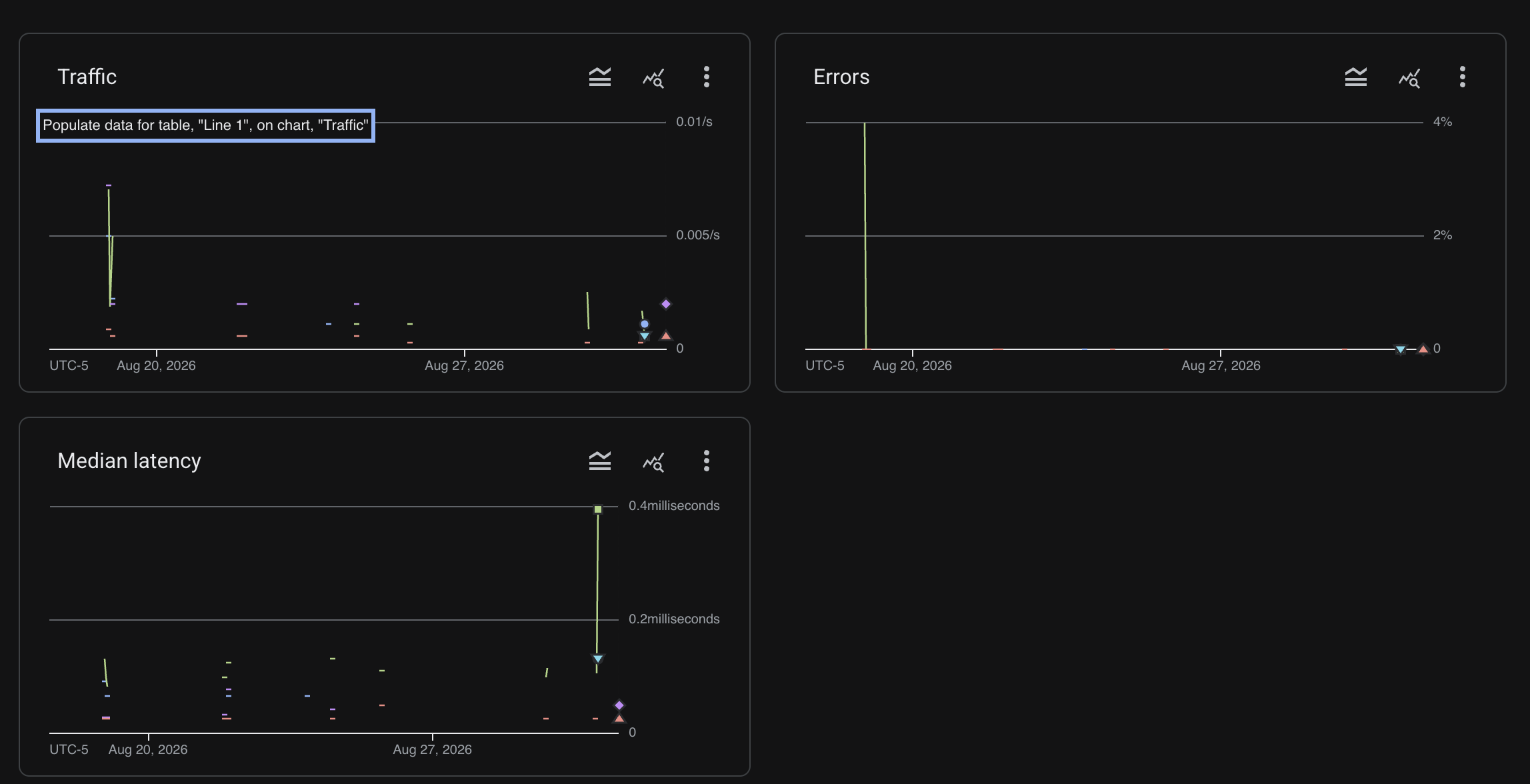
Google Cloud APIs
-
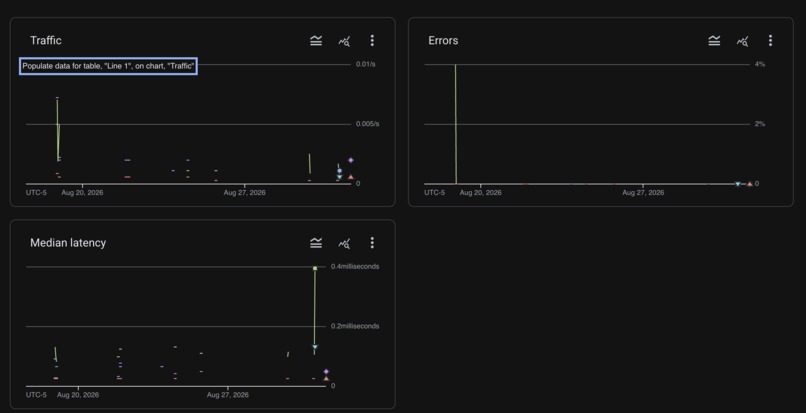
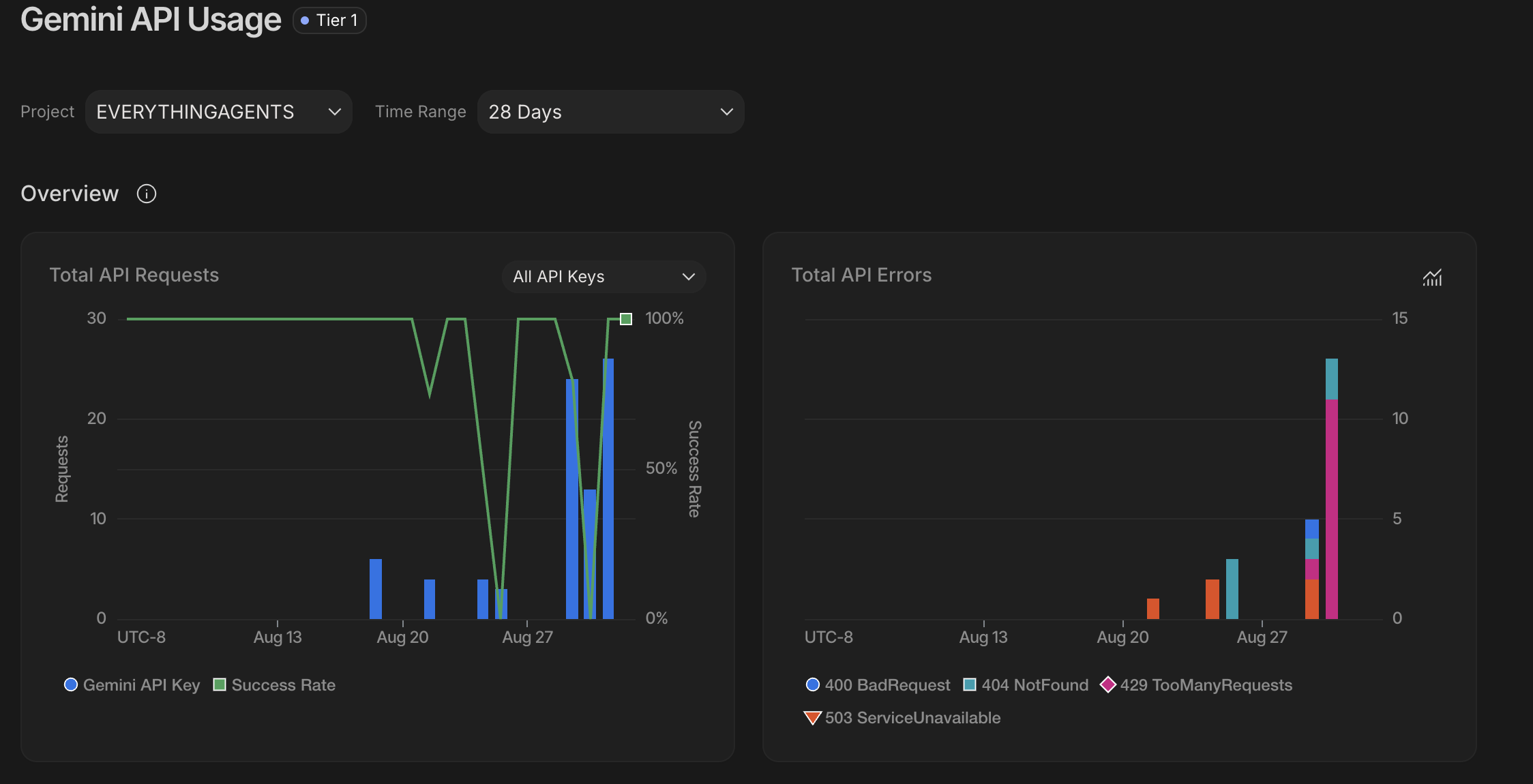
Google Cloud Usage
-
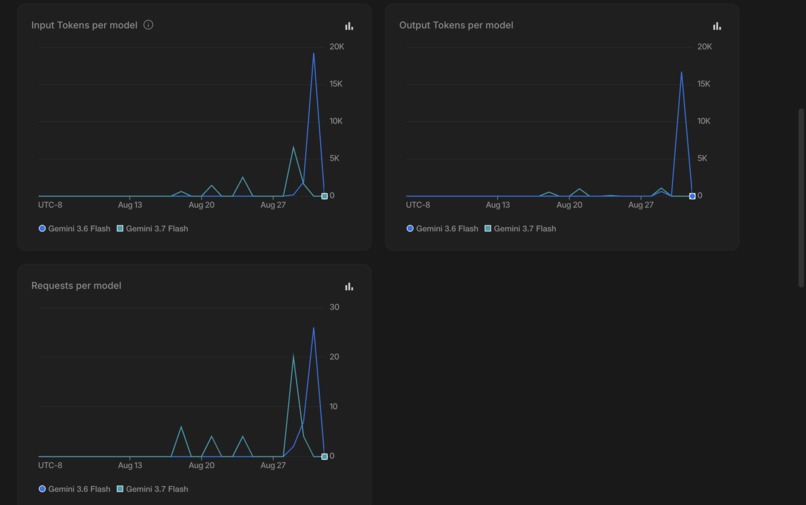
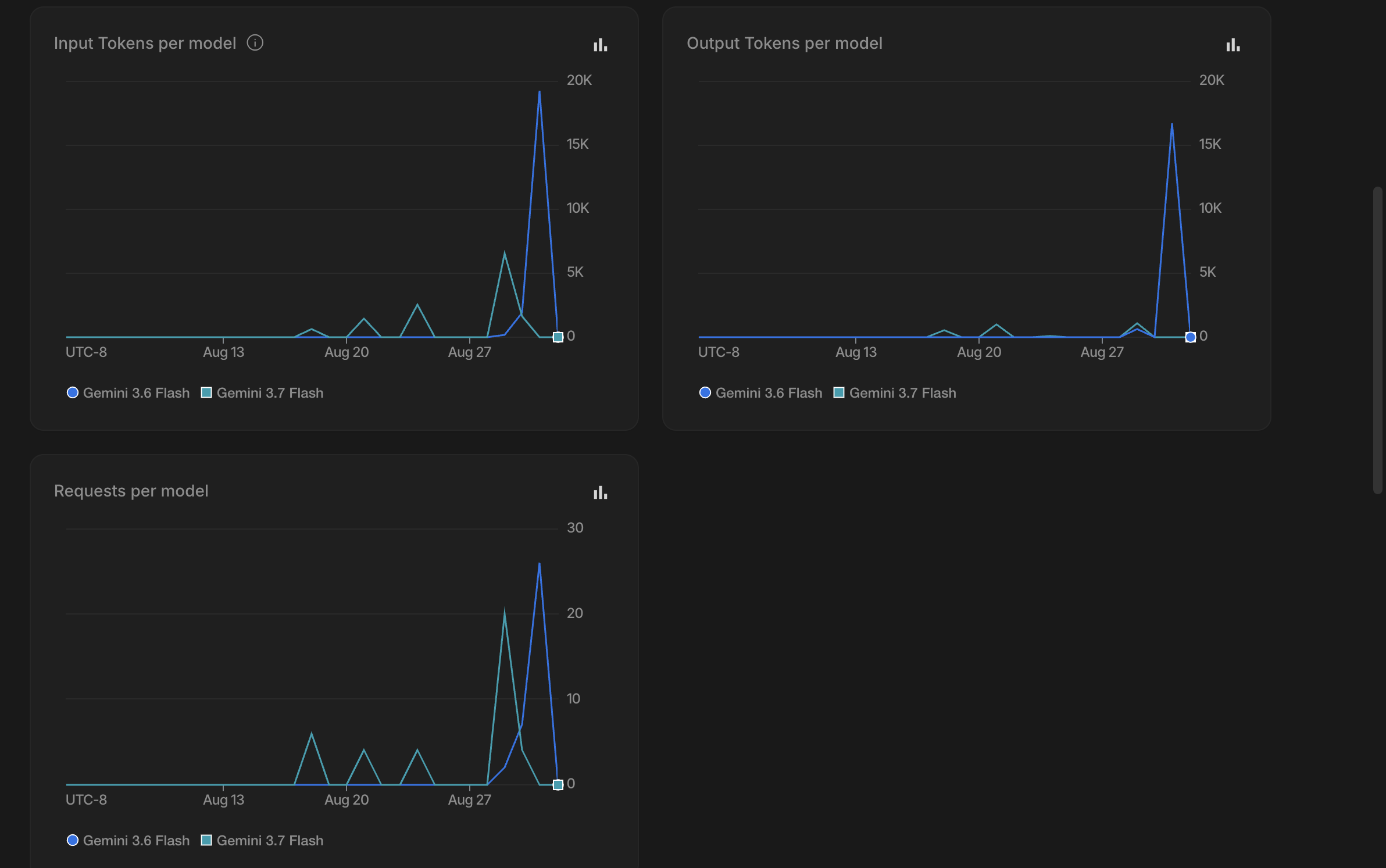
Gemini Usage 2
-
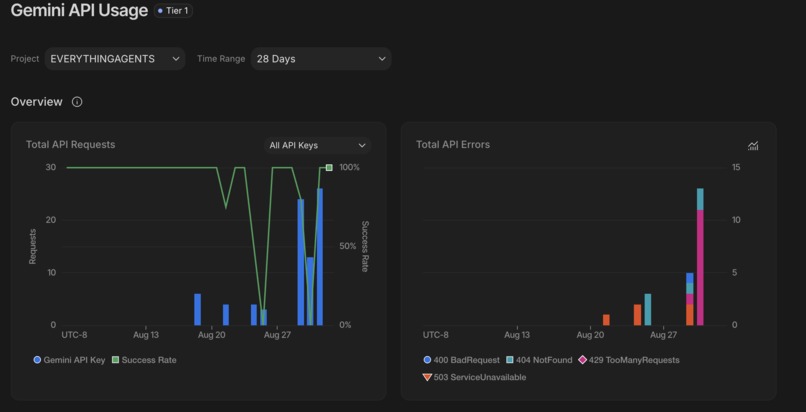
Gemini Usage 1
-
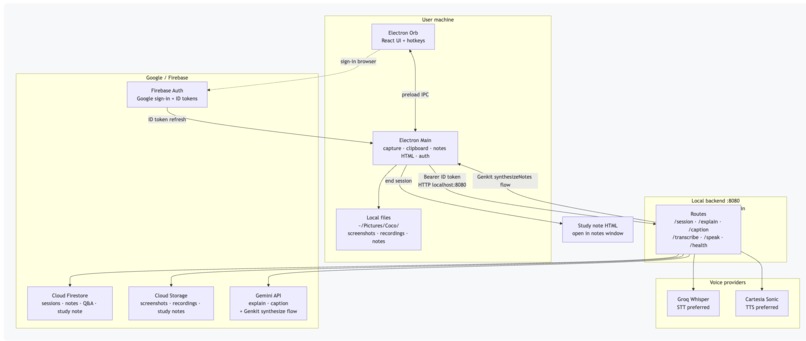
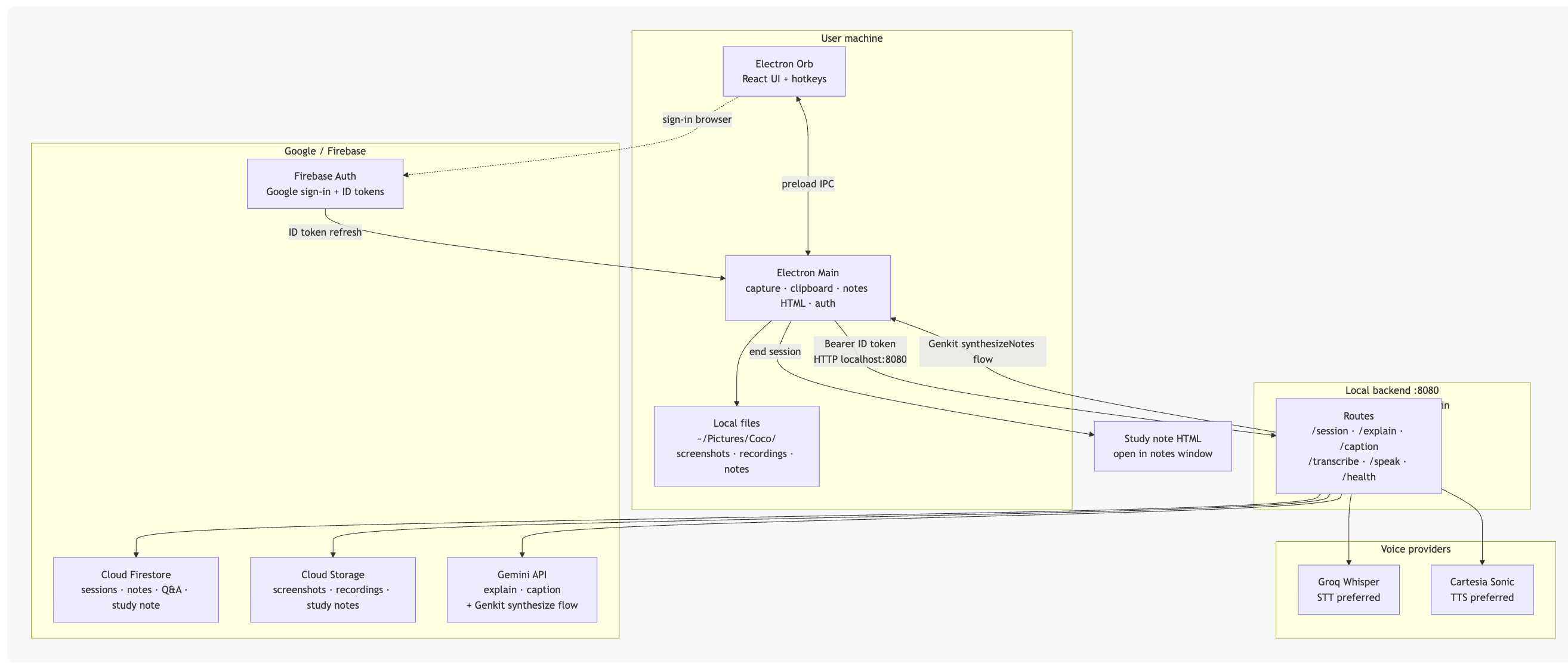
Architecture Diagram
-
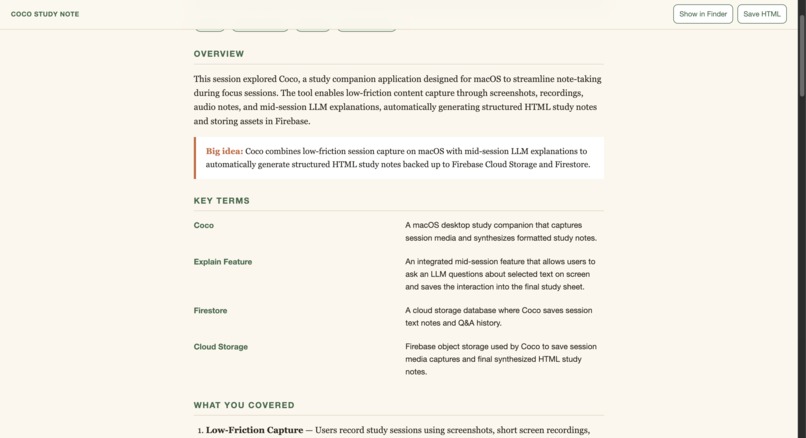
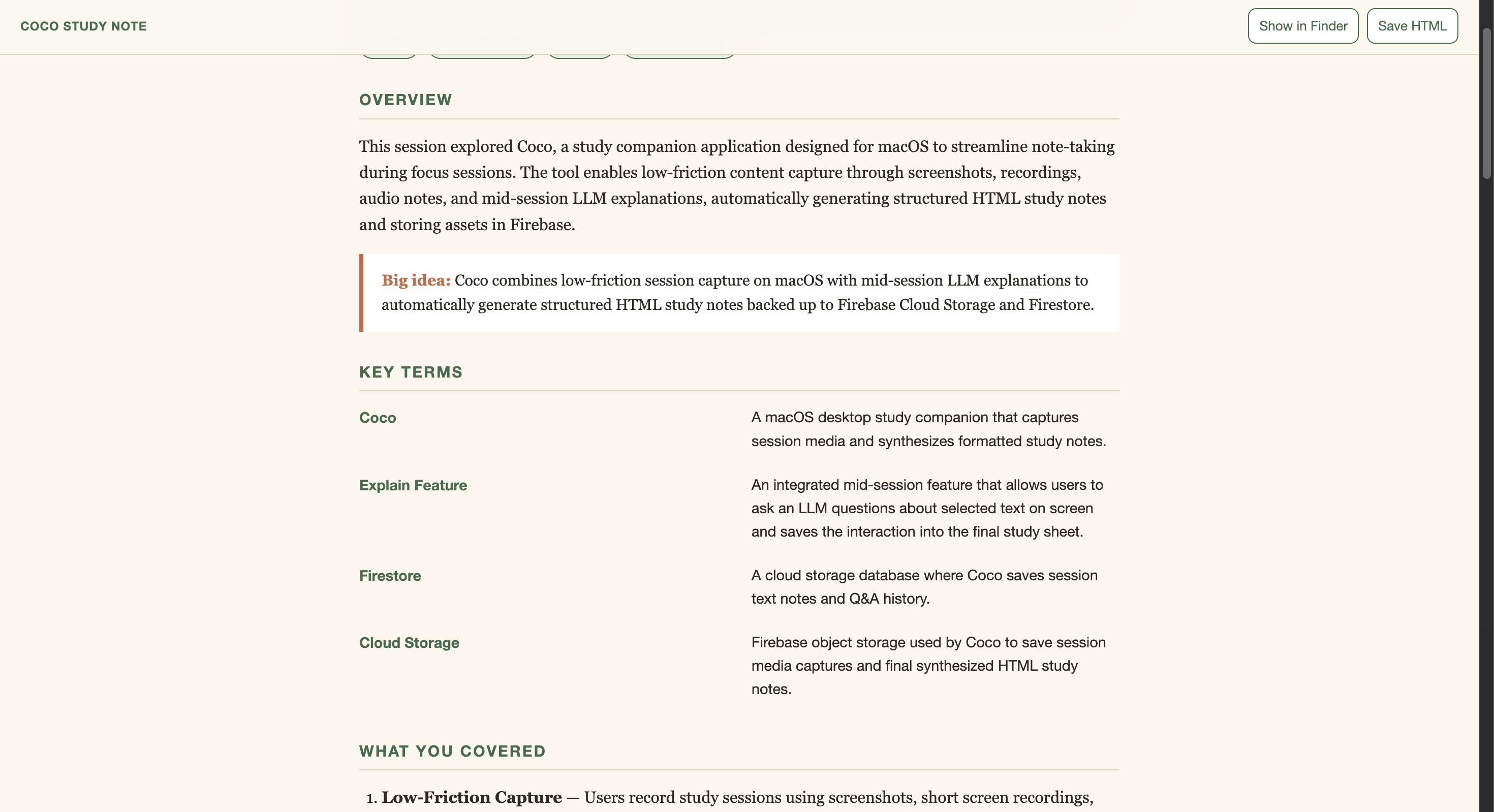
Final Note Example
-
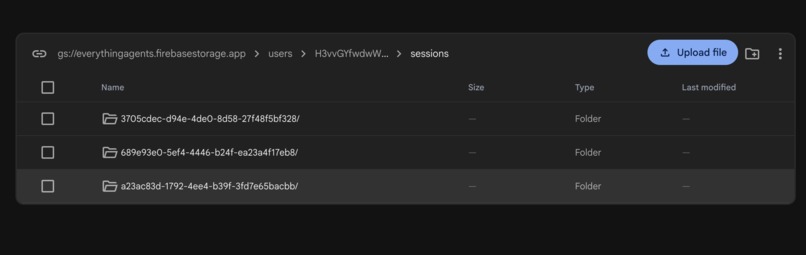
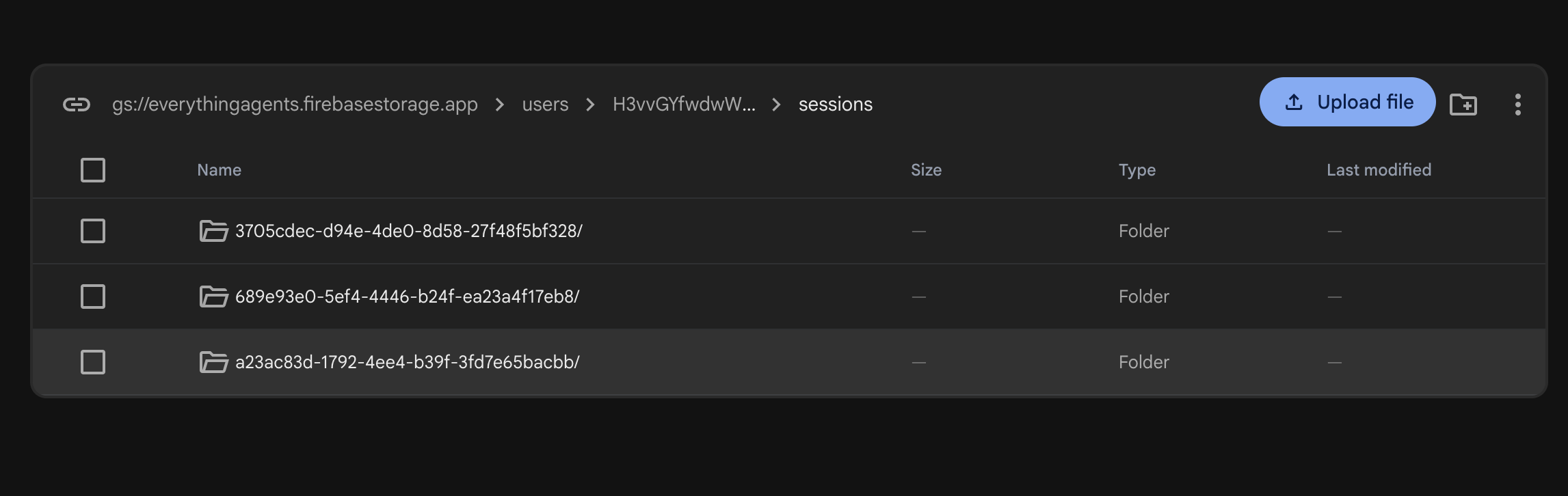
FireStore Safe

Coco — Collaborative Partner for Note Taking
What is the Problem we have?
The problem we have is the rigorousness of making live notes. Most of the times, our quality of notes is the only thing we get from our study session. With Online learning on the rise, we are losing time making diagrams for our notes. And if we talk about some video snippets, we can't even use them for later watching at all. With this, our quality of notes is only getting downgraded while the learning is getting more complex.
I realized this while I was reading a research paper, and as I go along the research, I lose context to the paper with each new facts that come in.
How are we solving it?
We are solving it with Coco. Currently supports macOS. It is a note-taking companion for you during your study session. You start a session on your particular screen or window, then capture the session with screenshots, short screen recordings, clipboard quotes, and spoken “Remember” notes. During the session, if you do not understand any part of the study material, you can use the "Explain" feature to ask the LLM a question on the selected text. This question is also later saved in the notes for further use. At the end of the session, it creates an HTML note file that you can read later, with the context of the notes, key terms, your quoted information, self-check Q&A, and embedded captures. When you are signed in with Google, Firebase also stores that session in the cloud: notes and Q&A go to Firestore; screenshots, recordings, and the synthesized study note go to Cloud Storage. The goal of this is to create a low-friction capture during focus and get a useful note afterwards.
Features of Coco
- Floating always-on-top orb (made with Electron) with session states (idle, session, listening, recording, synthesizing)
- Source picker for entire screen or single window
- Screenshot Capture (⌘⇧S)
- Screen Record (⌘⇧R)
- Quote Noting (⌘⇧N)
- Remember / Personal Notes (⌘⇧M): open mic for spoken notes; stop via secondary mic or hotkey again, then transcribe and save
- Explain: ask what the selected text means, spoken through TTS, and stored in Q&A
- Push to talk (⌘⇧Space) to give voice commands instead of hotkeys
- Command bar (⌘⇧C) for typed intents (screenshot, note, remember, explain, recording, end session)
- End Session: triggers note creation and opens the HTML study note for review
- Google Sign-In (Firebase): when signed in, cloud sync stores the session, spoken/clipboard notes, and Explain Q&A in Firestore, and uploads screenshots, recordings, and the synthesized study note to GCS (study-note markdown is also written on the Firestore session document). Captures still save locally under
~/Pictures/Coco/ - Context Captions for screenshots and recordings when signed in
- Local Fallback notes if synthesize fails (full quality notes require Gemini credits)
Technologies used
- Electron — desktop shell, global hotkeys, desktopCapturer, clipboard, always-on-top overlay
- React + Vite + TypeScript — orb UI
- Express (Node/tsx) — local API on
:8080 - Firebase Auth — Google sign-in and ID tokens
- Firebase Admin + Firestore — cloud session documents/events, notes, Q&A, study-note markdown
- Google Cloud Storage — screenshot + recording uploads and synthesized study-note.md
- Genkit — synthesizeNotes agent flow wrapping Gemini for end-of-session notes
- Google Gemini — explain, image/recording captions, session synthesize (via Genkit); STT fallback
- Groq (Whisper) — preferred speech-to-text
- Cartesia — preferred text-to-speech
- Optional Deepgram — STT/TTS fallback if Groq/Cartesia unset
- marked — markdown rendering inside notes HTML
- macOS Screen Recording + Microphone permissions
Other data sources used
- User screen/window content via desktop capture (local only unless uploaded)
- System clipboard text for quotes and Explain
- Microphone audio for push-to-talk and Remember (transcribed via Groq/Gemini)
- User’s own session timeline (local JSON logs; when signed in also Firestore + GCS for notes, Q&A, screenshots, recordings, study note)
- Local filesystem under
~/Pictures/Coco/ - Firebase project config and service account (not committed; see
.env.example) - Third-party model APIs (Gemini, Groq, Cartesia)—no external web scraping of course content
Findings and learnings
While the app was being built, multiple changes were made along the way with different findings and learnings as listed below.
- Capture has to stay out of the way. Opening Finder after every screenshot/recording broke focus; saving quietly and only revealing files at session end matched how people actually study.
- “Remember” (speak in your own words) felt more natural than only clipboard quotes. Dictation needs a clear stop (mic button / hotkey), not another voice command competing with the same mic stream.
- Weak study notes aren’t usually a capture problem—they’re a synthesize problem. When Gemini failed, the fallback looked like a session log (“you captured 3 items”) instead of something you can re-read to learn.
- End-of-session synthesize runs as a Genkit flow, not an ad-hoc Gemini call in the Electron process.
- Split models by job: Groq for fast STT, Cartesia for TTS, Gemini for explain / captions / note synthesis. One model for everything was slower and more fragile.
- Free-tier / prepaid Gemini limits are a real product risk.
- Custom wake words aren’t a string change, they need a trained model. We removed wake word to reduce complexity in favor of hotkeys + PTT.
- Auth tokens expire mid-session; refreshing Firebase ID tokens fixed intermittent Explain failures that looked like “AI is broken.”
Future Scope
This is a time-crunch build we did. I believe many more features need to be added for Coco to be complete. The first phase of Future Scope would be adding the following features:
- Pause capture — freeze screenshots/notes/recording mid-session without ending it, then resume.
- Past sessions — browse and reopen earlier study notes by date/topic.
- Settings — toggles for voice, chimes, listen lengths, shortcuts list, and open the Coco folder.
- Richer context for notes — use Remember, Explain, captions, and light recording summaries so synthesize teaches the subject, not the session meta.
- “Hey Coco” wake word — custom-trained model plus hotkeys/PTT, not a renamed Jarvis phrase.
- Cloud Run / packaged
.app— API is local:8080today; cloud deploy and an installable app are still open.
All in all, I believe this was a bit inspired by Jarvis and "Coco"—Coco is my "Charizard plushie" that I talk to while I study and it hit with an idea.. What if everyone had their Coco?
Built With
- cartesia
- electron
- express.js
- firebase
- gemini
- genkit
- google-cloud
- groq
- macos
- react
- typescript
- vite


Log in or sign up for Devpost to join the conversation.