-
-
CoachLens: keep your eyes on the class
-
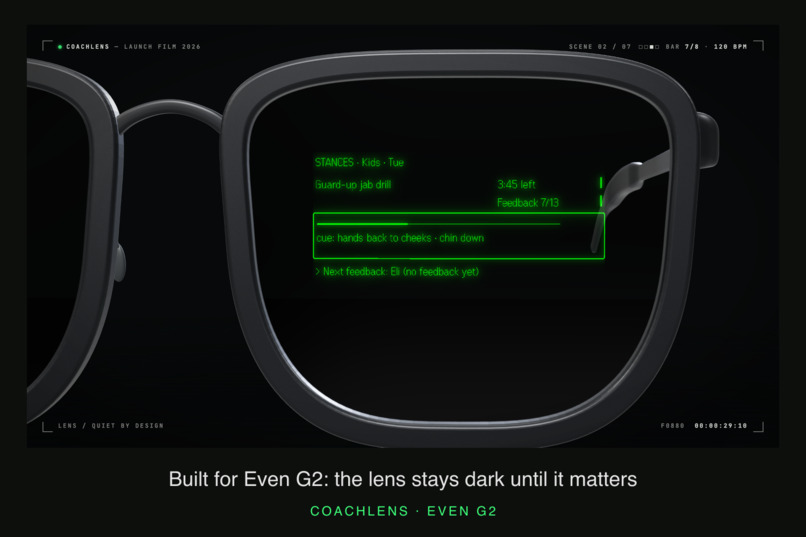
A short lens interaction, longer review on the phone
-
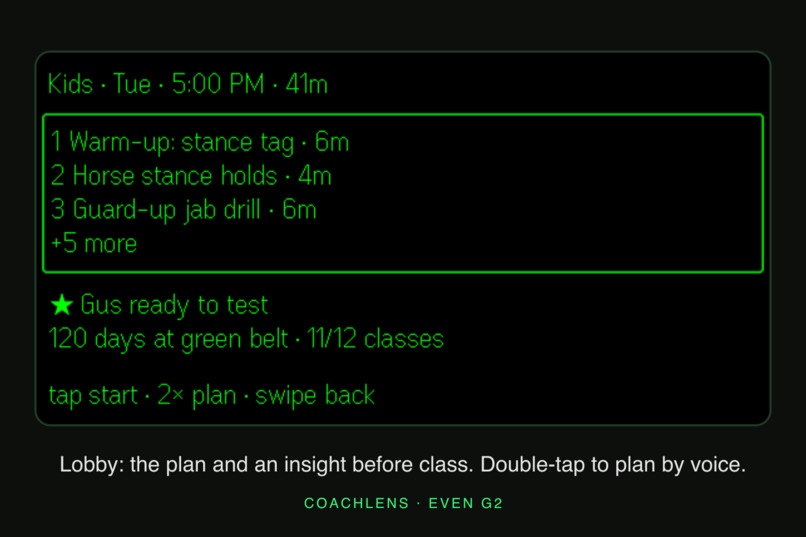
Before class: start with the plan and student context
-
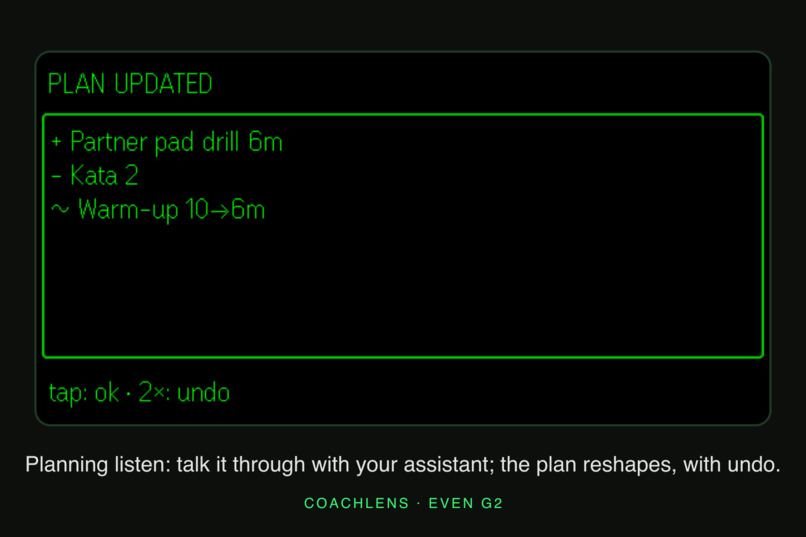
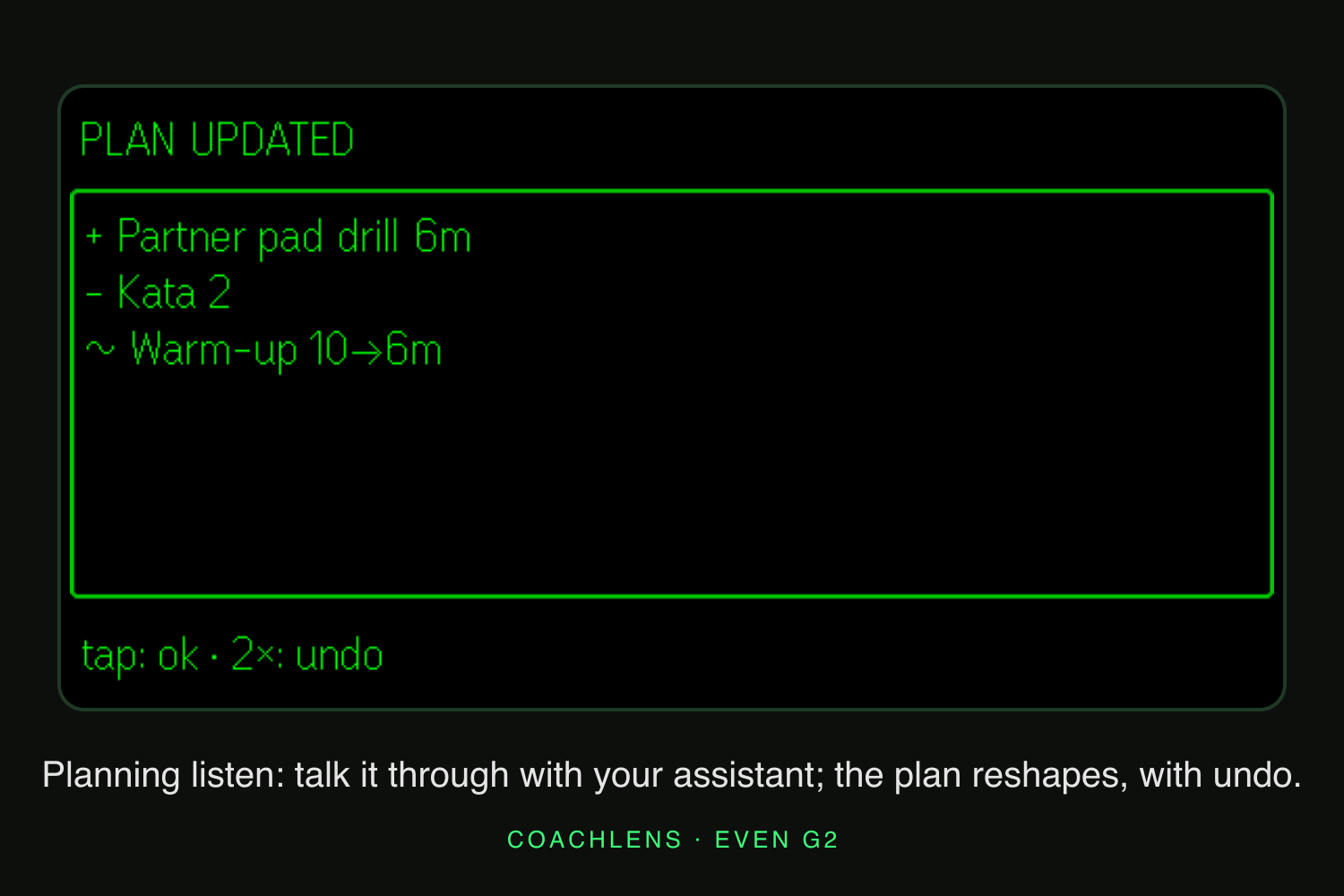
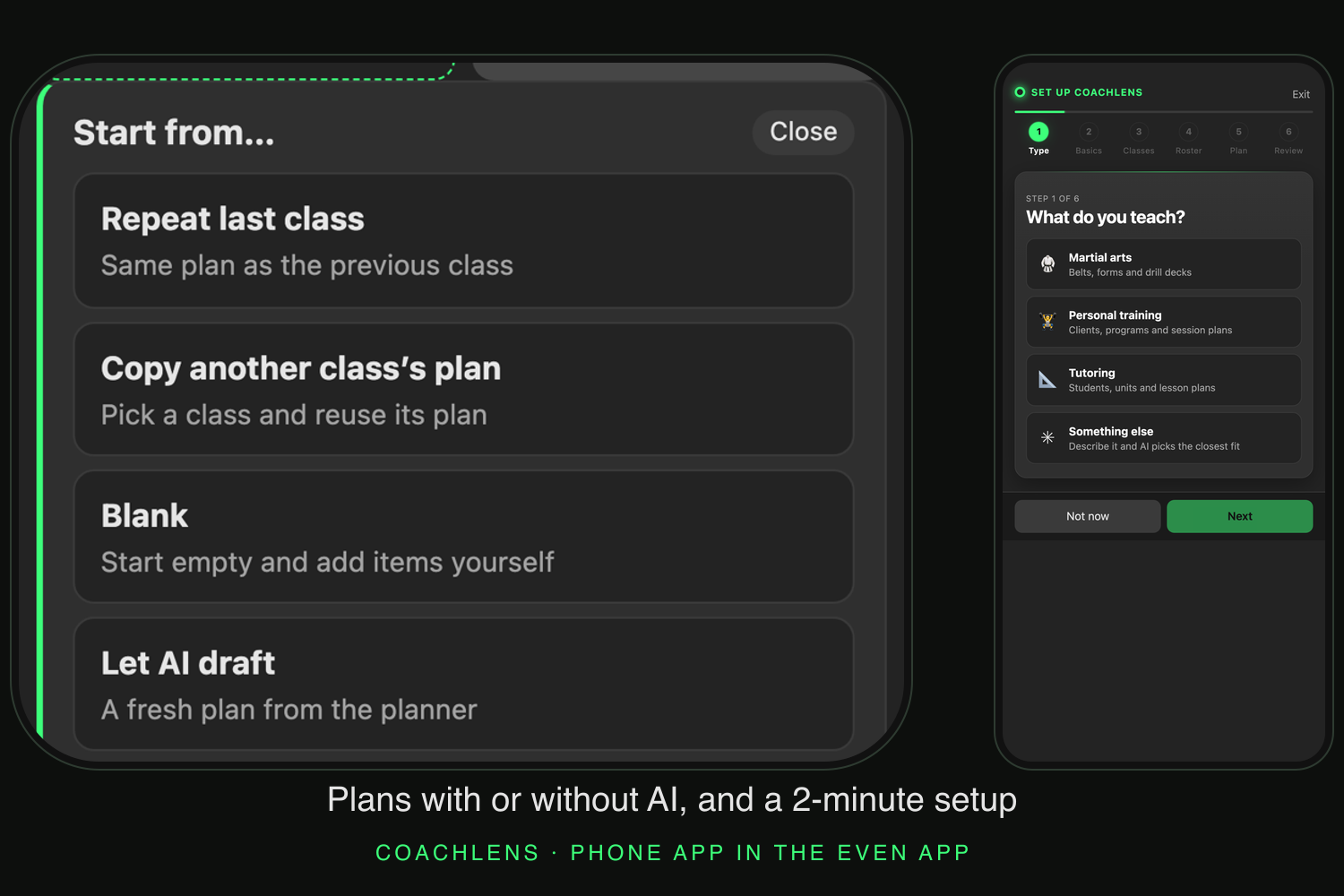
The planning agent turns teaching context into proposed changes
-
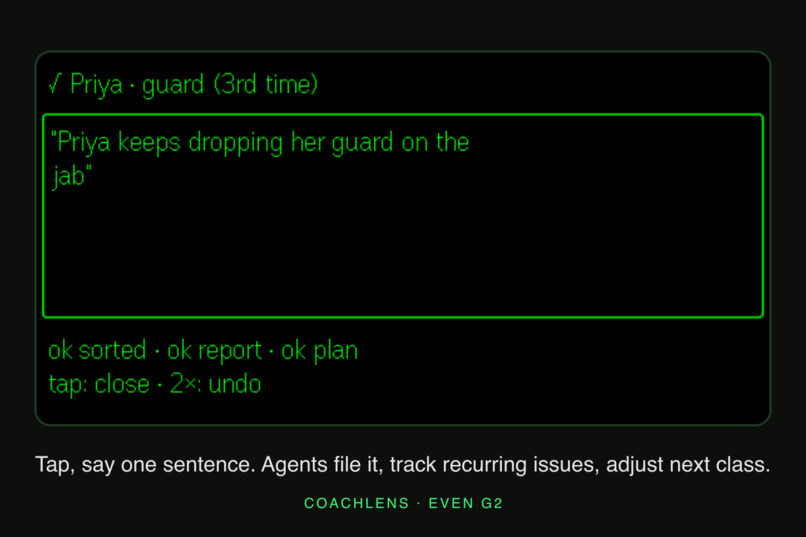
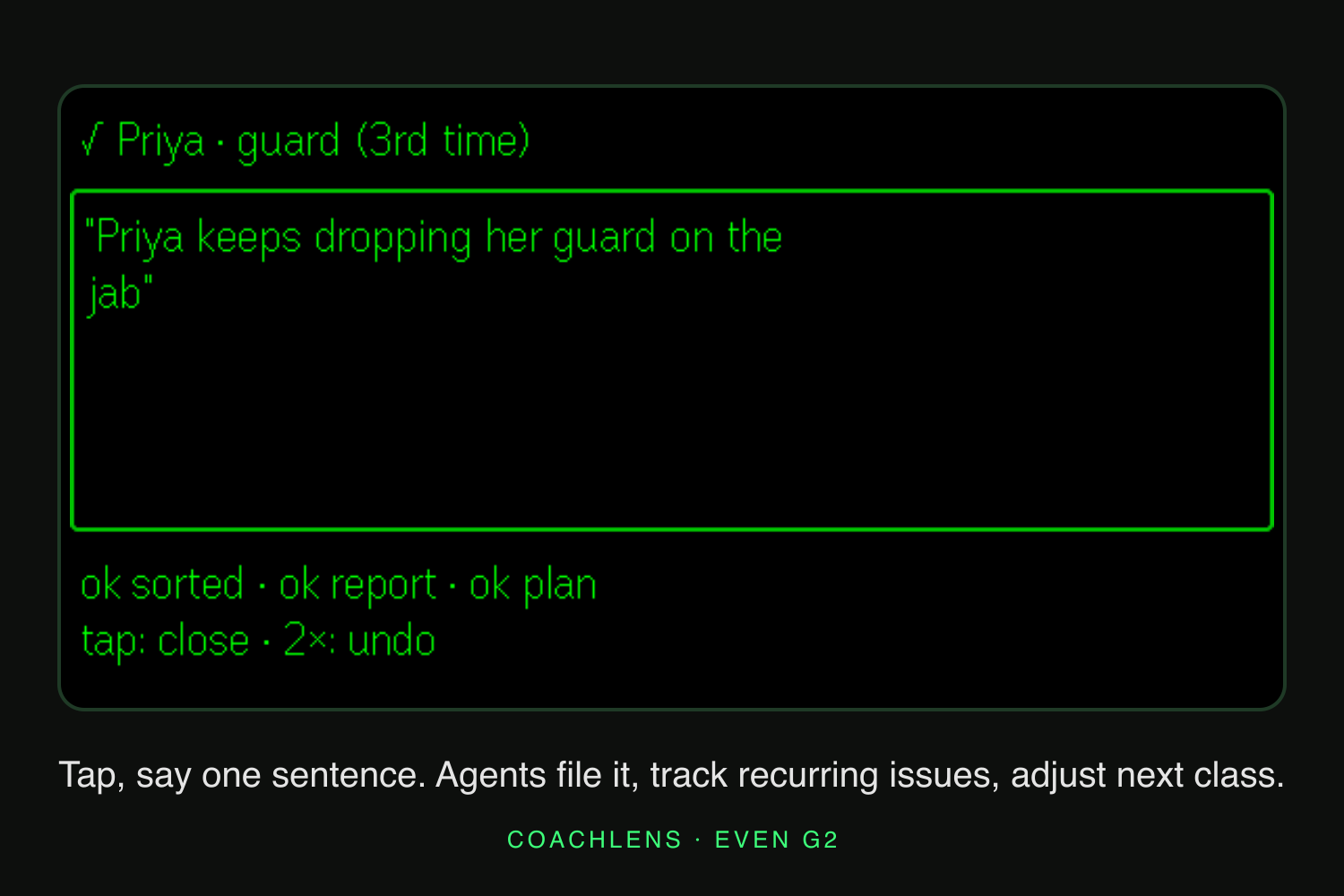
During class: capture a detail before moving to the next student
-
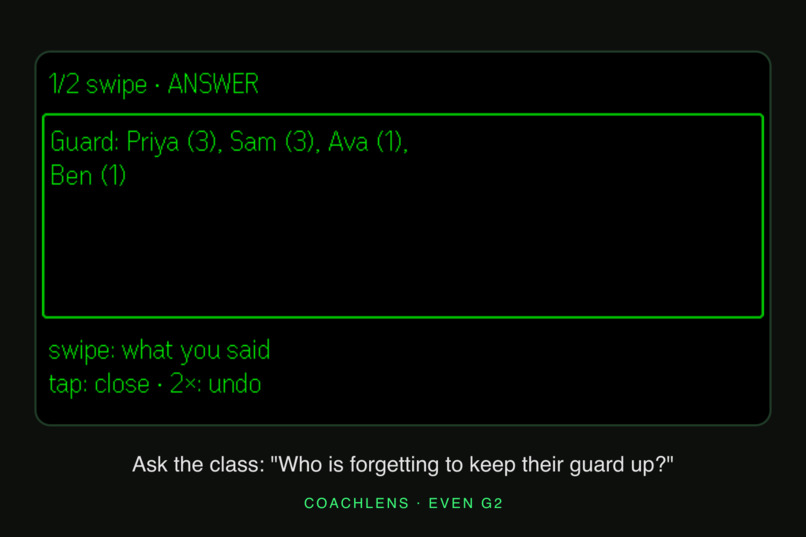
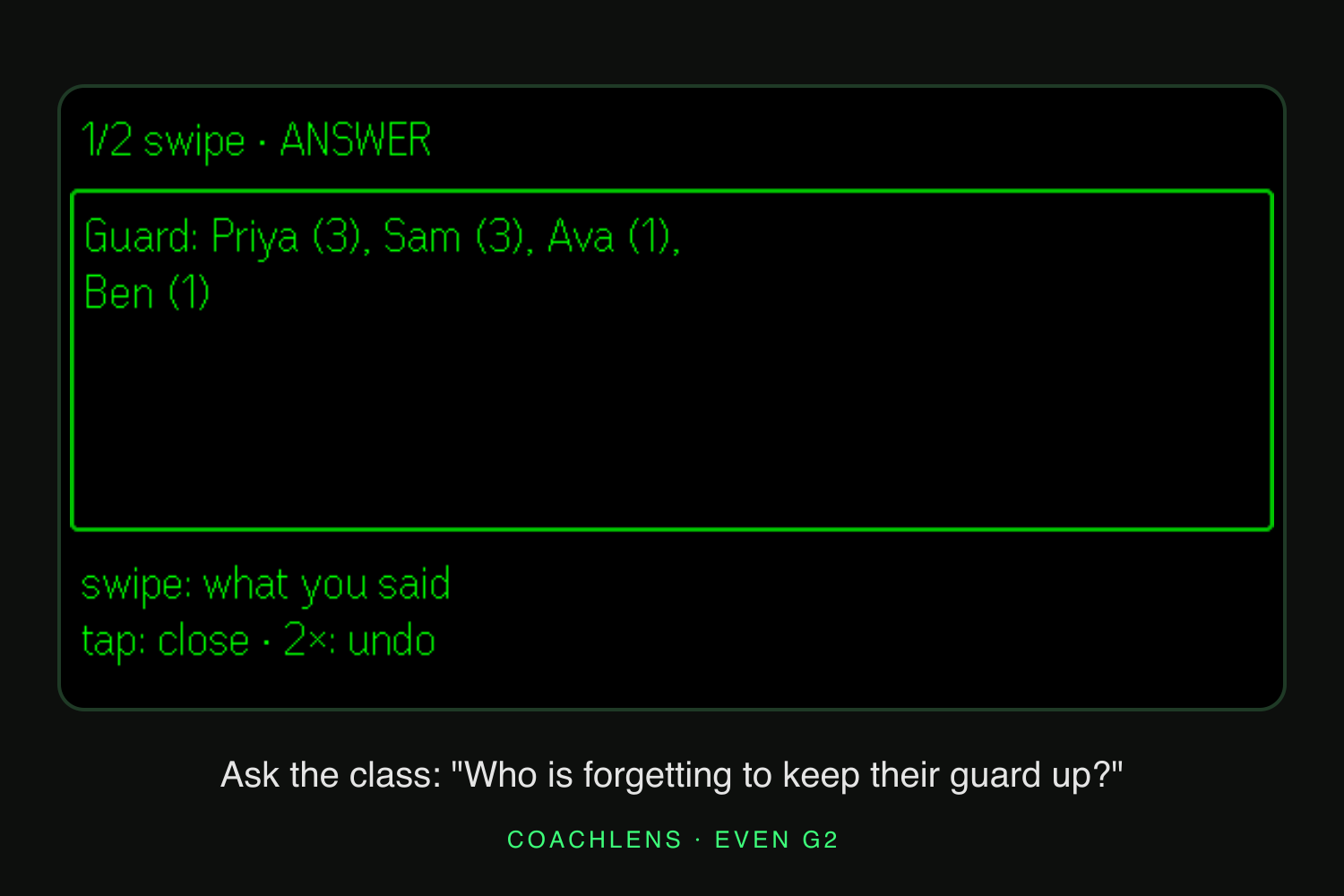
Ask a class question between drills
-
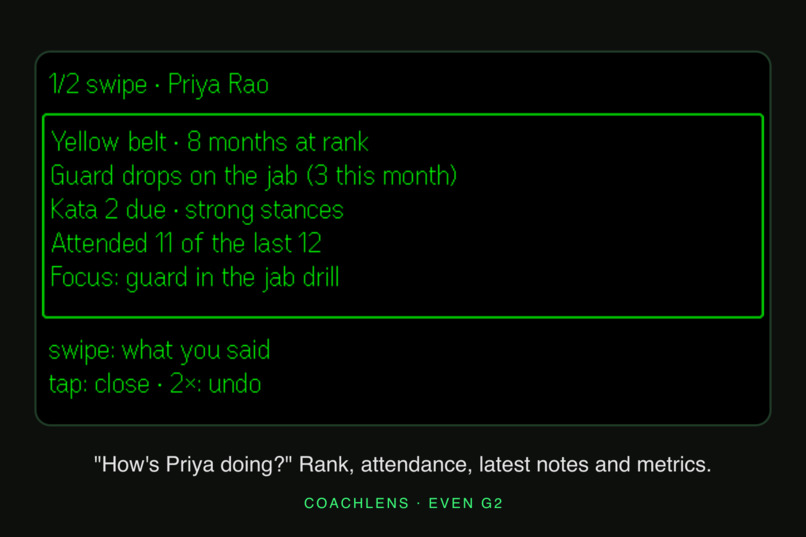
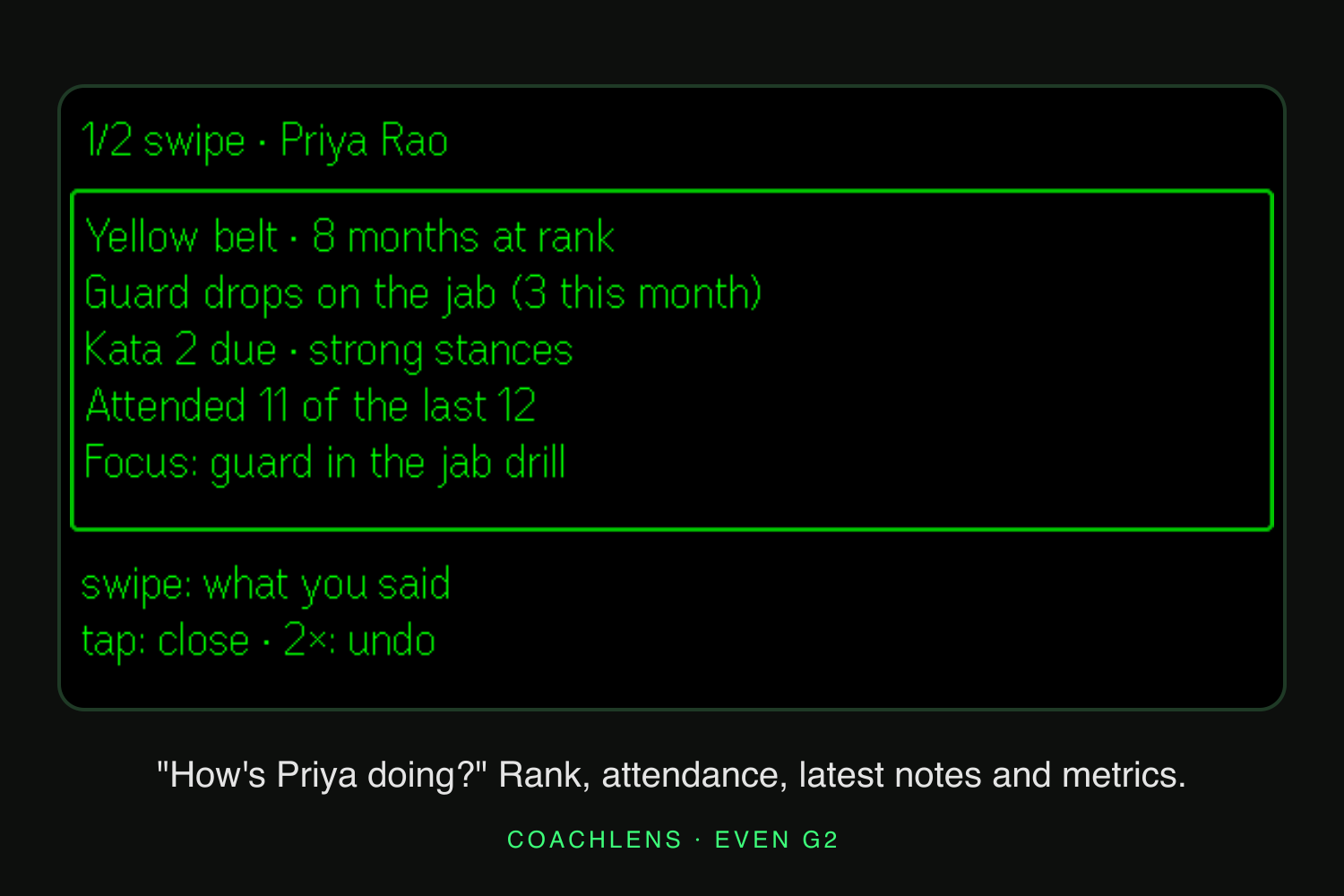
Recall a student’s history while teaching
-
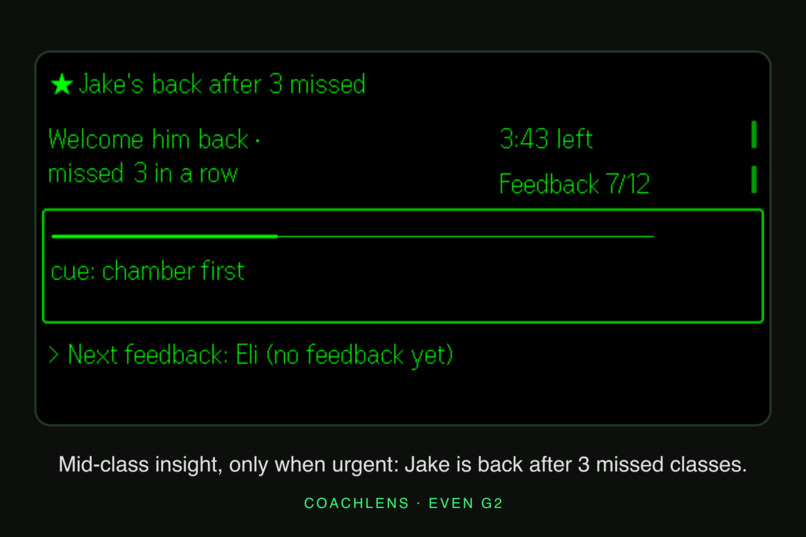
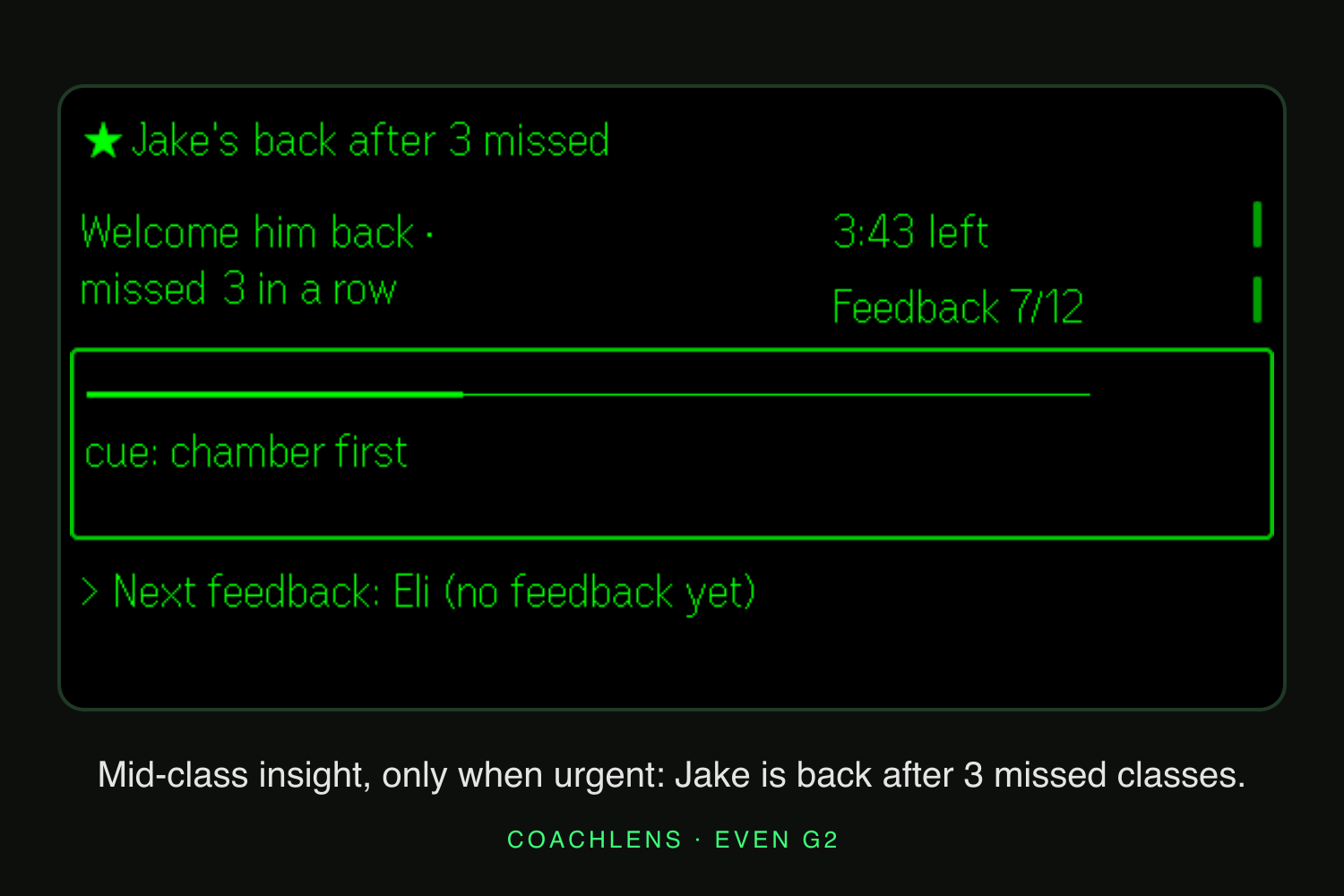
Opportunistic context: recognize a student returning after missed classes
-
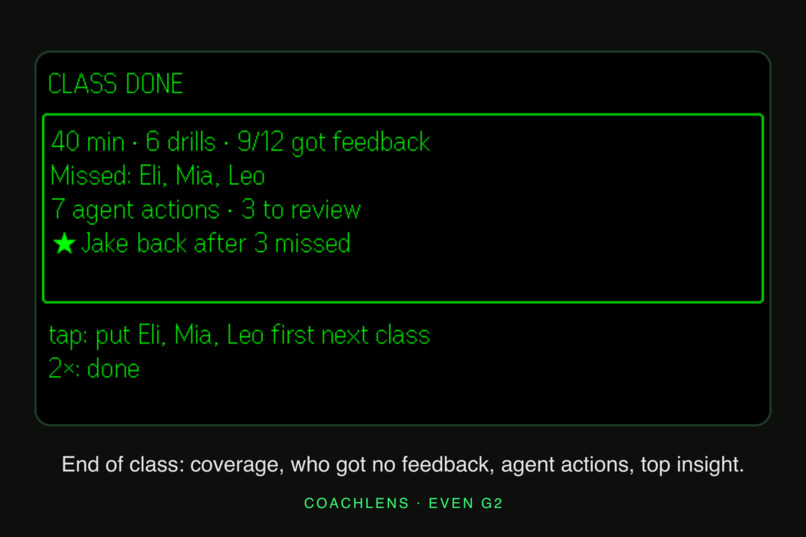
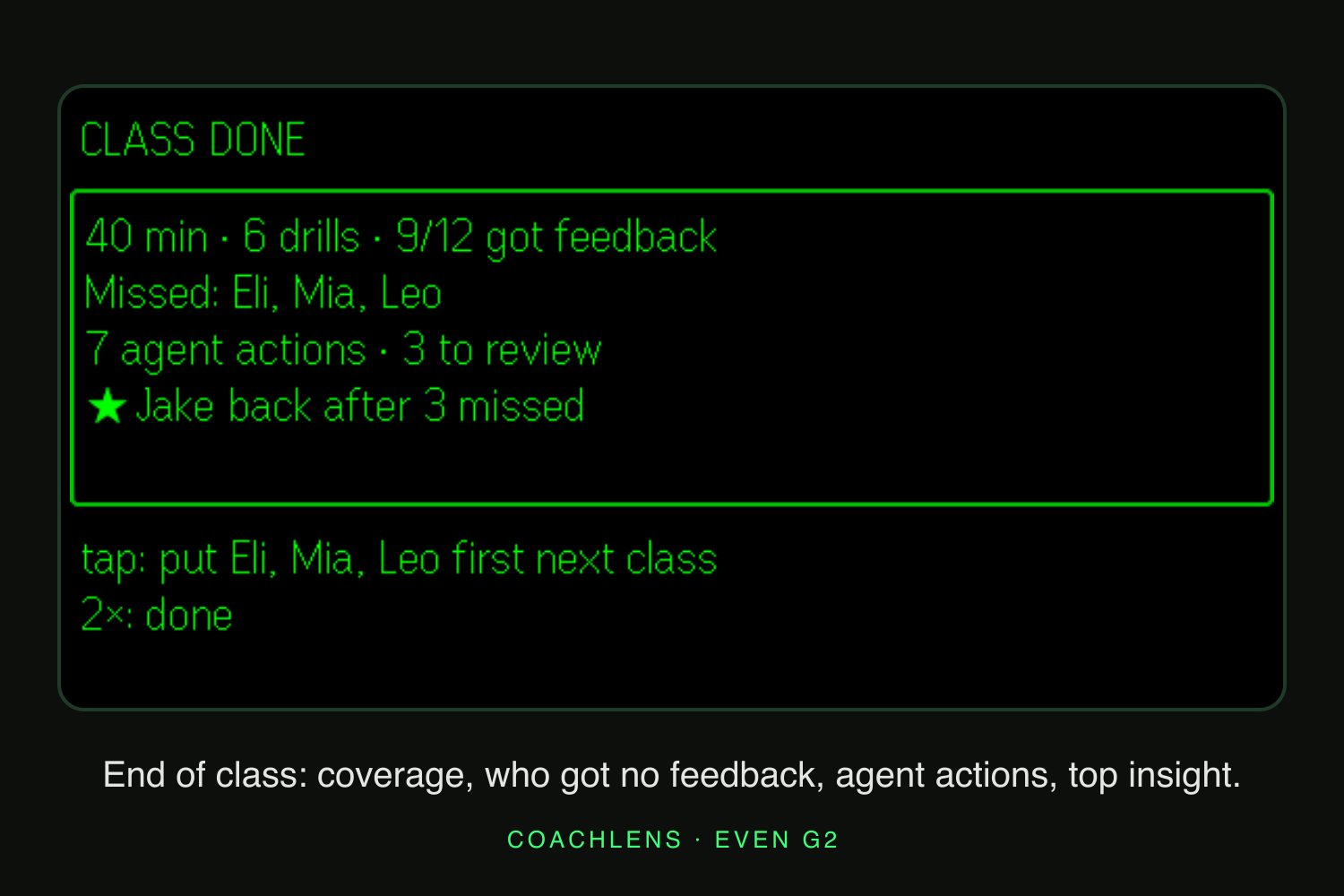
After class: review the observations you captured
-
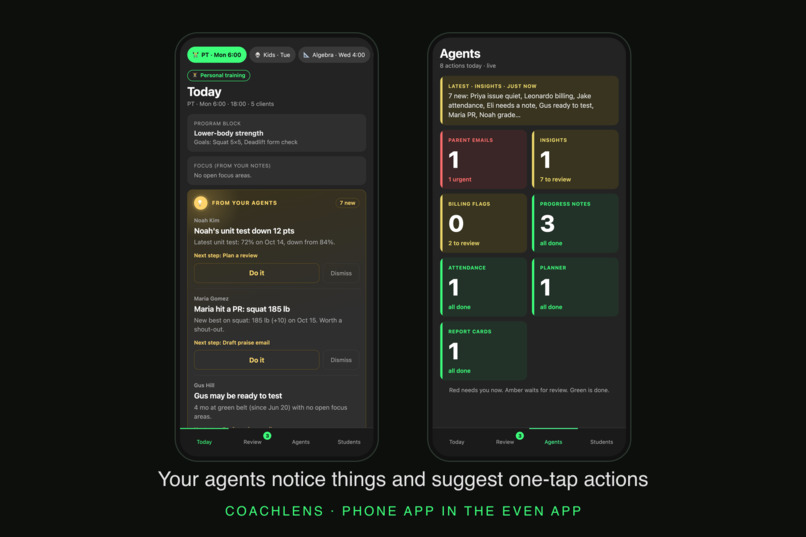
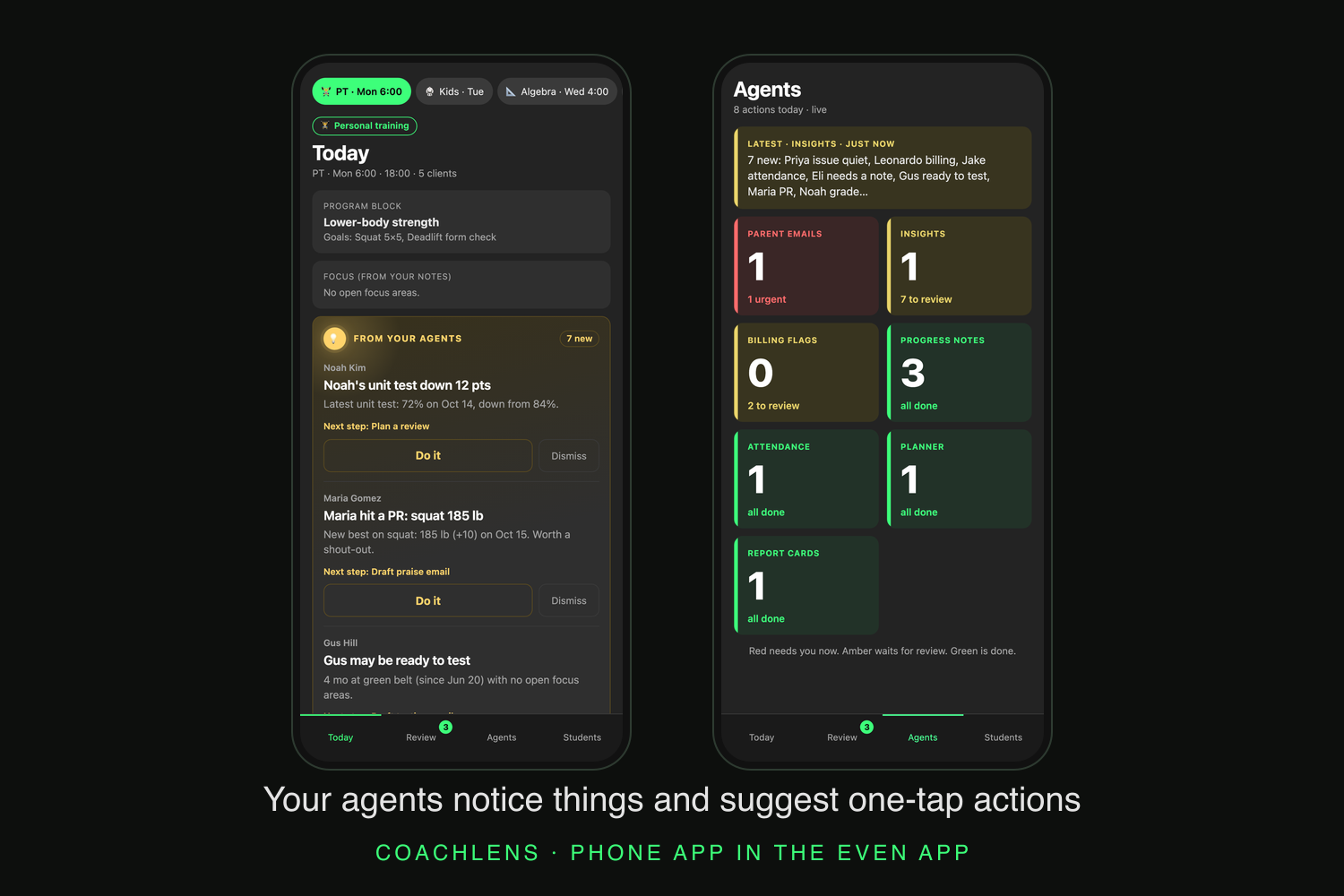
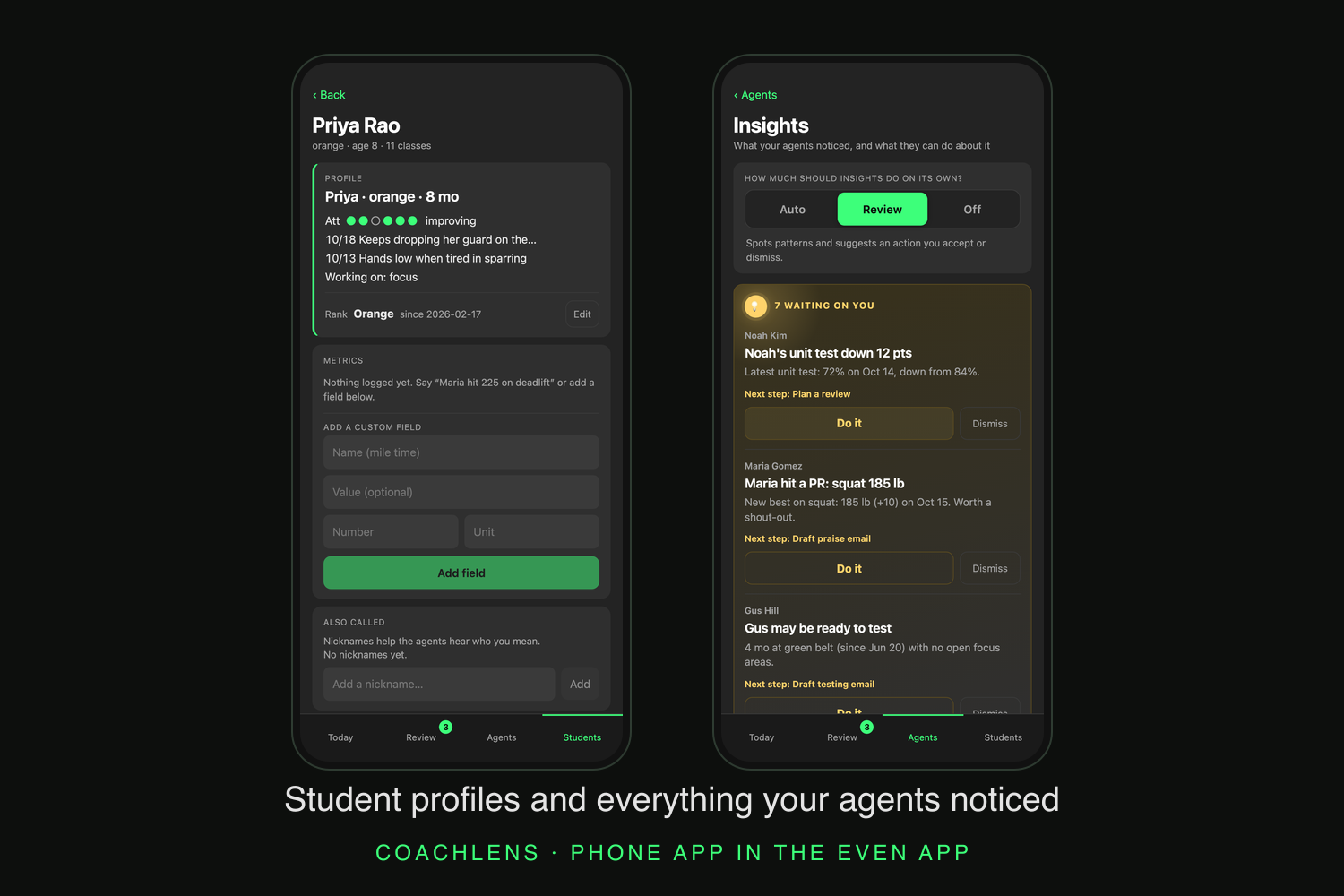
Opportunistic insights connect student history to a useful next action
-
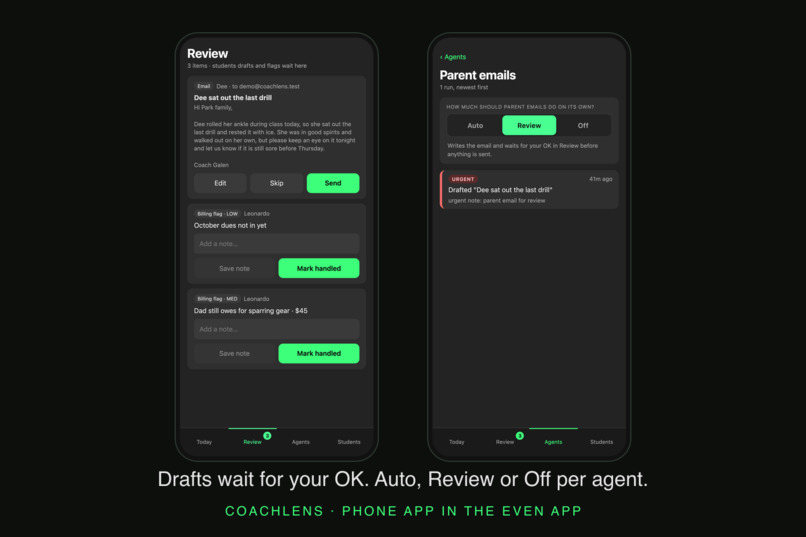
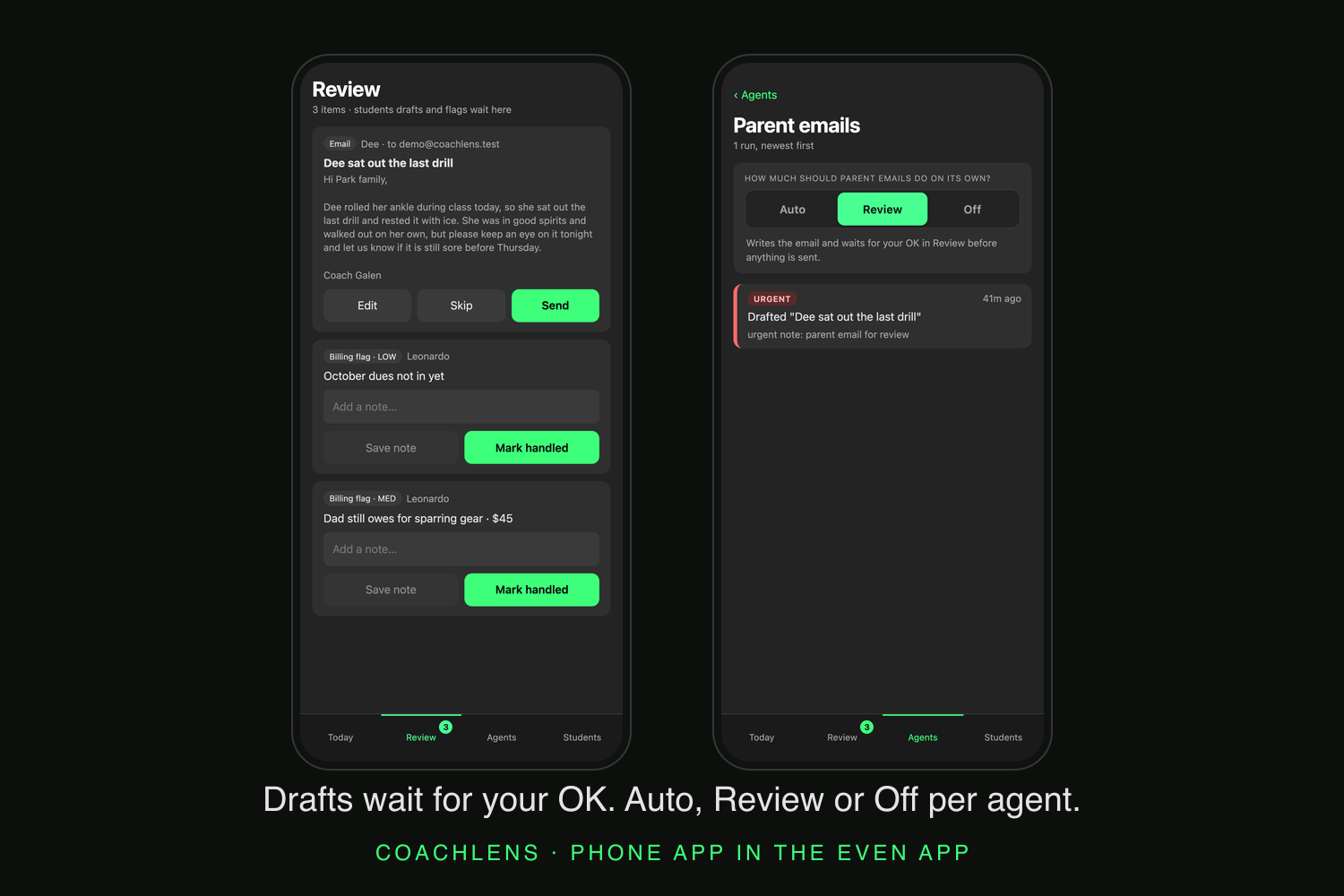
Choose delegation per task: automatic actions, review or off where supported
-
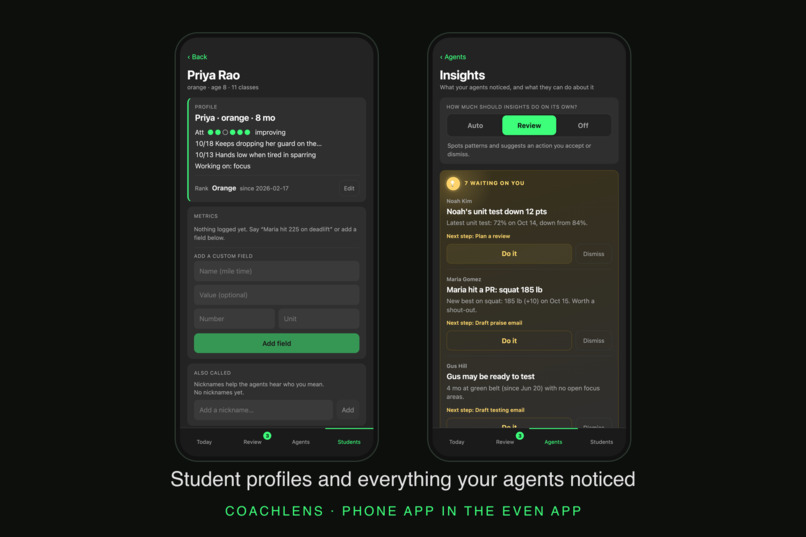
Keep each observation connected to the student
-
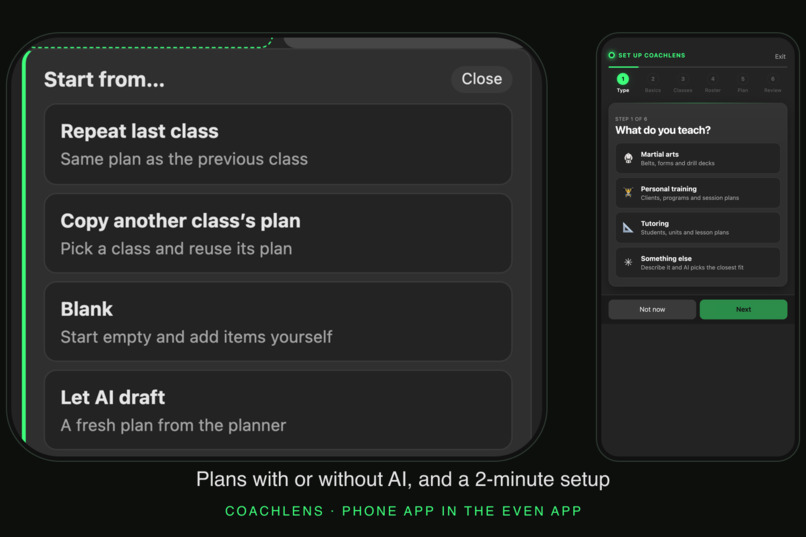
Prepare the next lesson with editable plans
Inspiration
I teach kids martial arts. In a 45-minute class with 20 kids, I'm watching technique, holding pads, and trying to give each student feedback they can actually use. There is no convenient moment to take out my phone and start typing.
Then class ends. Parents have questions. The next group is arriving. By the time I sit down to write, I remember a few moments clearly and lose the rest: who finally understood the drill, who struggled again, and what I wanted to try next time.
CoachLens started with that gap between noticing something and remembering to do something about it. I wanted an assistant I could use while teaching, with the longer work waiting until I had time to review it.
What it does: captures observations and turns them into follow-up
Imagine a class from our demo roster. We're practicing partner work, and I notice Priya dropping her guard between combinations. I give her a correction. Before moving to the next pair, I tap to record a short observation:
"Priya needs to keep her guard up during partner work."
CoachLens transcribes the observation, connects it to Priya's record, and shows a compact confirmation on the lens. The detail now has a place to live beyond my memory.
CoachLens gives me two ways to delegate supported follow-up. Review means an agent prepares a draft or proposed change and waits for my approval. Auto means it can carry out supported actions when their trigger conditions are met, without asking me to approve each one. I choose the setting separately for each task, so the planner can be in Auto while parent messages stay in Review.
Review gives me time to check a message's tone, add context the software does not have, or decide whether a plan change fits the students in front of me. In a smaller class, that individual attention may be easy to manage. Auto may be more useful with a larger group, where separately requesting and approving every routine follow-up could become another administrative task. The choice depends on the work I want to delegate and how much judgment I want to keep at each step.
That record becomes useful again after class. If I want her parent to reinforce the same cue at home, I can ask CoachLens to prepare a message. The email agent creates a draft in the phone companion. Parent emails default to Review, so I can read and edit it before sending.
The agents can also take the next step without another request. If guard technique becomes a recurring focus in Priya's recorded observations, the progress agent connects that pattern to the planning agent, which prepares targeted practice for the next class. With the planner in Review, I inspect the proposed change; with it in Auto, the change is applied to the upcoming plan. The same observations provide context for her progress report.
I can still steer the assistant in ordinary language: ask for more partner work, request a message to Priya's parent, or ask how she has been doing. A sentence can prompt more than one action. The router separates explicit requests from observations, and observations that meet an agent's trigger criteria can lead to further work by the appropriate specialist. I don't have to switch between an attendance form, a student profile and an email editor while standing on the mat.
Much of what I teach is visible: a dropped guard, a change in stance, or a student finally landing a combination. The important moment may never be spoken aloud. A transcript of everything said in class, or a summary of that transcript, would not capture the movement I saw or why it mattered. The tap lets me select that moment and put my own observation into words, rather than asking the software to infer the lesson from a recording of the room.
At the end of class, the summary shows which students have recorded observations and which do not. That gives me a prompt to think about quieter students whose effort might never stand out in a transcript. It records what I captured; it does not claim to know every interaction that happened in the room. A missing observation is a reason for me to check in, rather than proof that the student received no attention.
This is the loop we built: notice, capture, connect, and follow through. A small input can set several useful pieces of work in motion, each using the class and student context it needs.
Opportunistic AI: noticing the moments I might miss
Now imagine Jake walks back into class after missing several sessions. Once his attendance is recorded, CoachLens can recognize his return and surface that context. I get a reason to welcome him back deliberately. A related insight can offer a welcome-back message, carrying the attendance context into the draft.
That is what we mean by opportunistic intelligence: finding a useful next action in the records the coach is already creating, without waiting for the coach to think of the right question. An attendance decline can prompt a check-in. A new personal best can prompt a congratulatory message. Students with no recorded observations can be brought back to my attention.
The same Review and Auto distinction applies to these insights. In Review, CoachLens offers the suggested action for me to accept or dismiss. In Auto, it can start supported follow-up as soon as the opportunity is detected. The downstream task keeps its own setting: an automatic insight can prepare a welcome-back email, for example, while the email agent still waits for my approval to send it.
The same system adapts beyond the dojo. In personal training, a spoken lift result becomes a metric and can surface a new PR; follow-up is addressed to the client. In tutoring, recorded grades and learning observations can inform a parent update and the next lesson. Roster, vocabulary, skills, plan structure and recipient context change with the teaching mode.
See why an agent acted
If I explicitly enable Auto for parent emails, eligible messages can be sent automatically. Report cards remain review-only, and tasks I don't want help with can be turned Off. The settings available depend on the task.
Autonomy is a choice about each kind of work. The agent activity history records the trigger, reason and outcome, so I can see why a draft or plan change appeared and decide whether to delegate more next time.
Why this belongs on Even G2
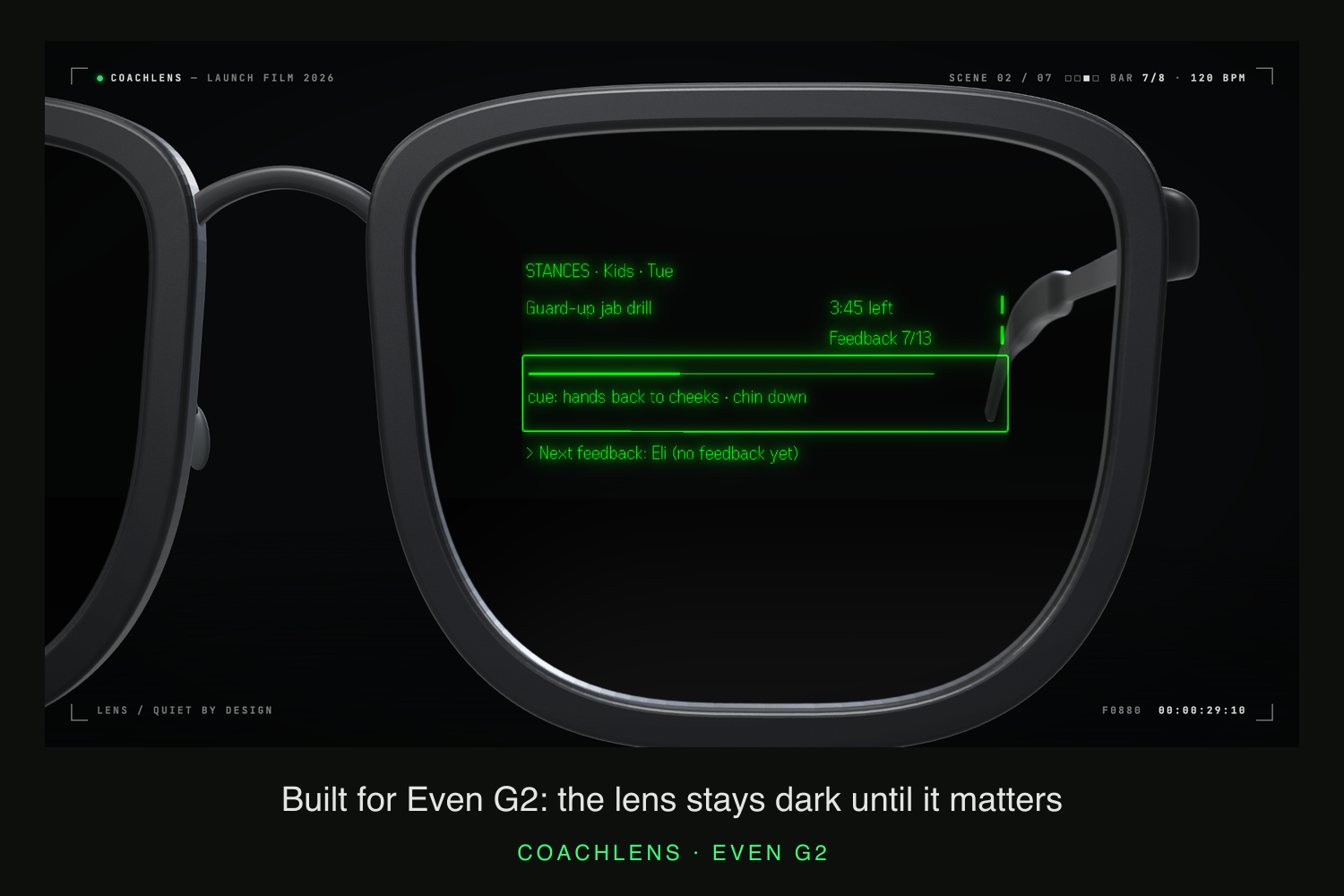
During partner work, my attention needs to stay with the students. A phone adds a screen I have to look down at. G2 gives the interaction a different shape: tap, speak, glance at a short confirmation, and return to teaching.
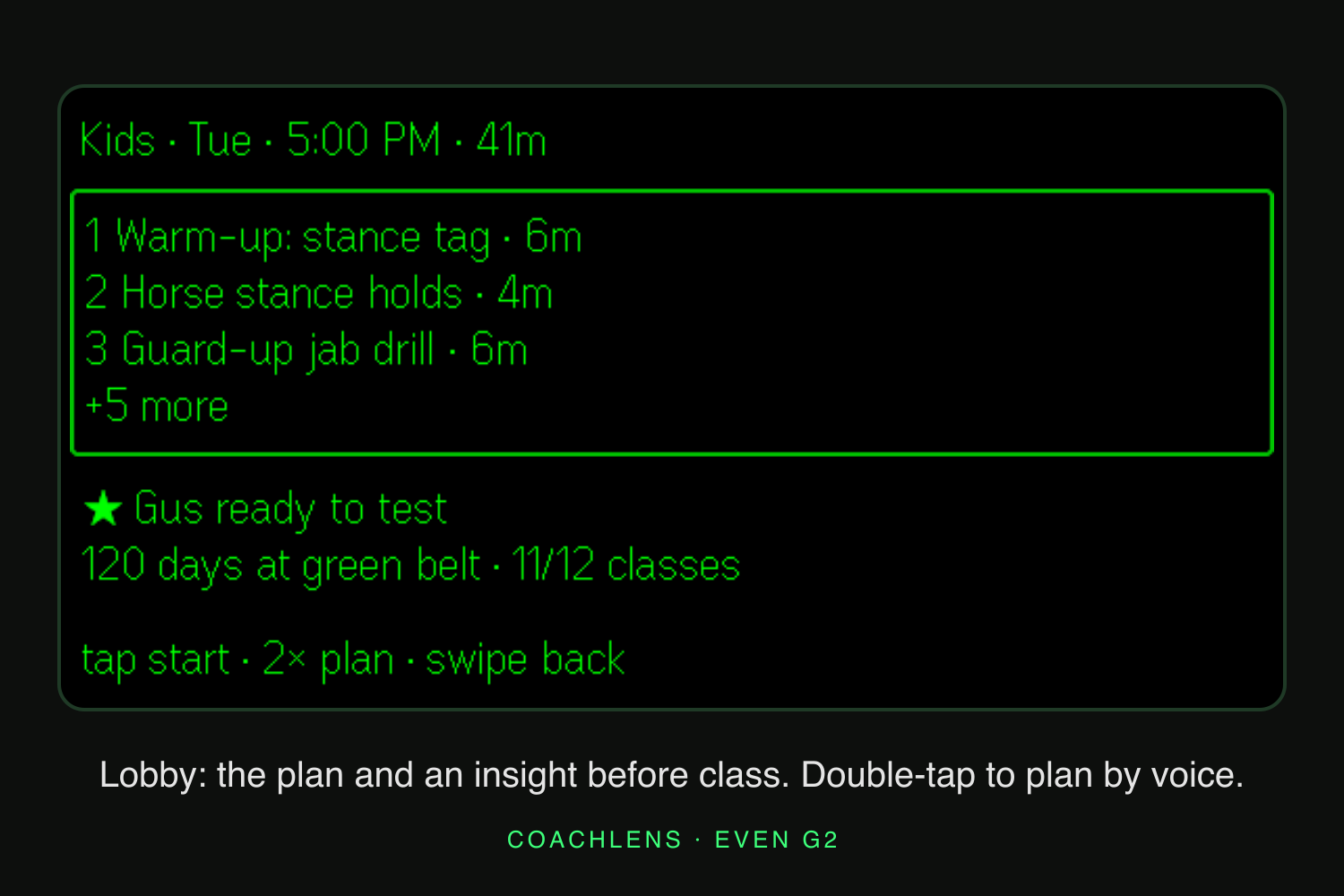
We designed the lens for brief information and the phone companion for longer decisions. The class plan, a student brief or an action confirmation belongs in a glance. Reading a parent email, changing agent settings and editing a full plan belong on the phone.
A short touch interaction starts capture. Quiet design guides what appears next: every card should earn the attention it takes from the class.
How we built it
The Even Hub SDK connects the G2 display and input events to a TypeScript app. A state-machine reducer manages the lens experience, keeping recording, class navigation and confirmation states explicit. React and Vite power the phone companion inside the Even app.
The backend uses Hono on Vercel, with student and class history in Neon Postgres through Drizzle. OpenAI handles speech transcription, with roster names and coaching vocabulary supplied as context. A Claude router turns the transcript into structured intents; specialized agents prepare parent messages, report cards and class plans.
The opportunistic layer combines deterministic detectors over recorded attendance, notes and metrics with AI agents that turn the resulting context into messages and plans. Student briefs and class summaries are also assembled with deterministic code. The model handles interpretation and writing; explicit triggers and task-specific permissions govern when follow-up runs.
The hard part was deciding what happens after a sentence
A small display made information hierarchy unavoidable. We separated brief lens interactions from longer phone review and used partial container updates for changing content, rather than rebuilding the entire screen.
Audio and network delays also shaped the experience. Showing the transcript before all follow-up work finishes gives the coach an earlier opportunity to see what was understood. The app includes a local outbox so queued work has a visible state while waiting to sync.
The hardest design question was how much initiative an agent should take. An ordinary correction should not become an automatic email home. We separated observations, explicit requests and follow-up drafts, and made review the default for parent messages.
What we learned, and what comes next
The most useful assistant keeps a small detail connected to the person it matters to. A polished draft has little value if the underlying observation is wrong, or if the coach cannot tell what the system did.
We have exercised the simulator and phone interfaces, run automated tests, and tested backend flows with synthetic student data. Physical installed-Beta validation on G2, including voice capture, phone-lock recovery and exit/relaunch, remains to be confirmed. Simulator evidence is not a substitute for that check.
Next is that hardware validation, followed by a pilot with instructors at my dojo. We want to learn whether the interaction fits naturally between drills and whether the records make after-class follow-up easier. Learning outcomes and time savings remain questions for that pilot.
CoachLens is built around a simple ambition: finish class with the details I need to teach the next one better.
Try it
Code and setup: github.com/galenjauss/coachlens. The README describes the G2 setup and required services. Ask us at the table for demo access and the current Beta installation status.
Built With
- anthropic-claude
- claude-code
- drizzle-orm
- even-hub-sdk
- even-realities-g2
- hono
- neon
- openai
- postgresql
- react
- resend
- typescript
- vercel
- vercel-ai-sdk
- vite
- vitest
- zod

Log in or sign up for Devpost to join the conversation.