-
-
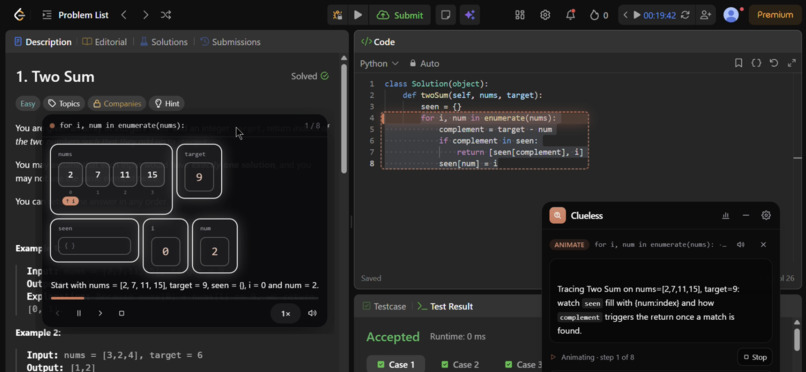
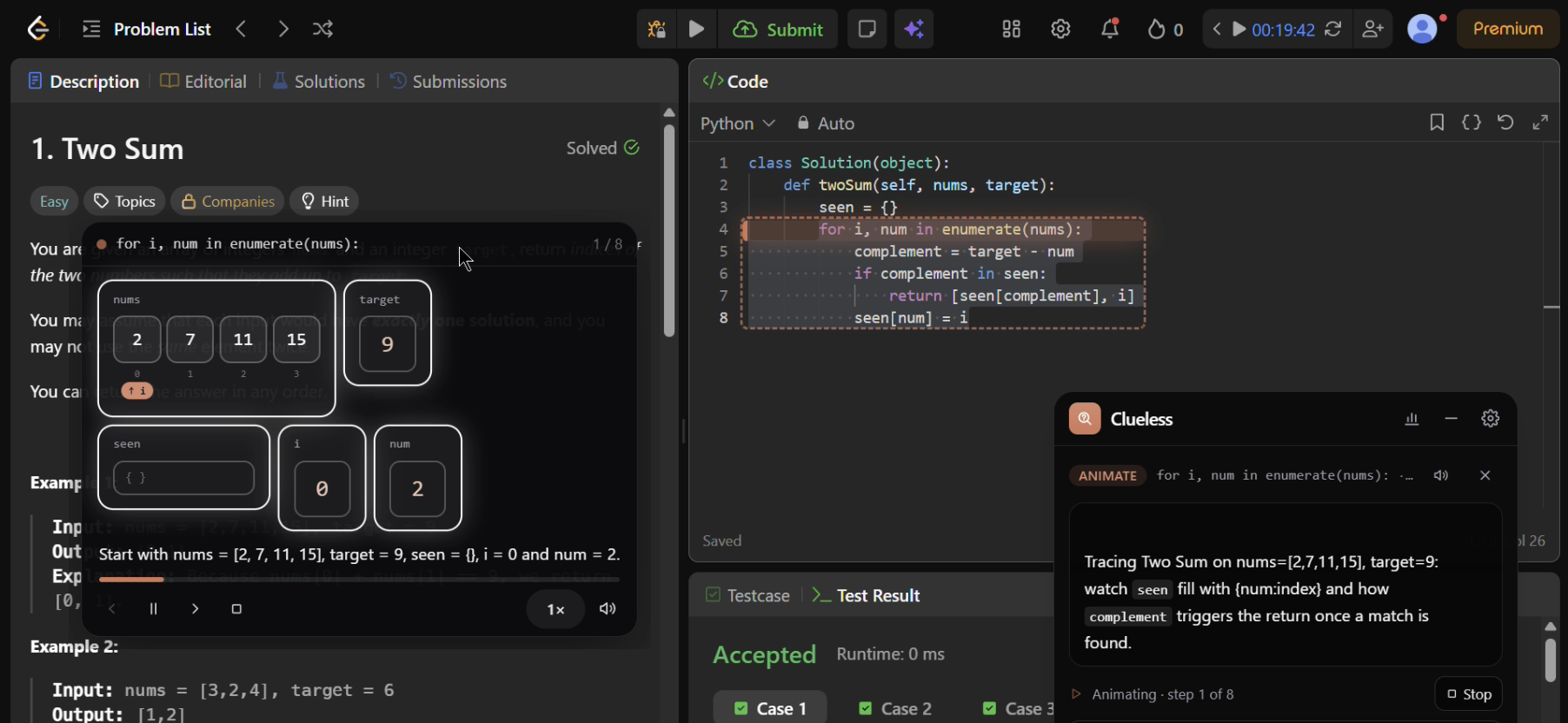
Animation Computer Science Problem
-
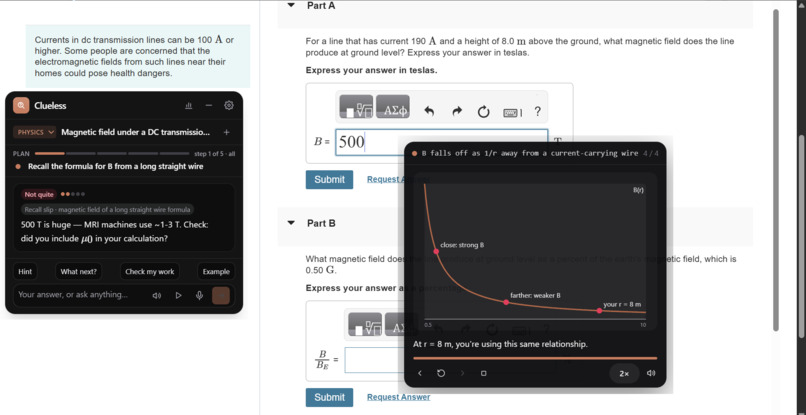
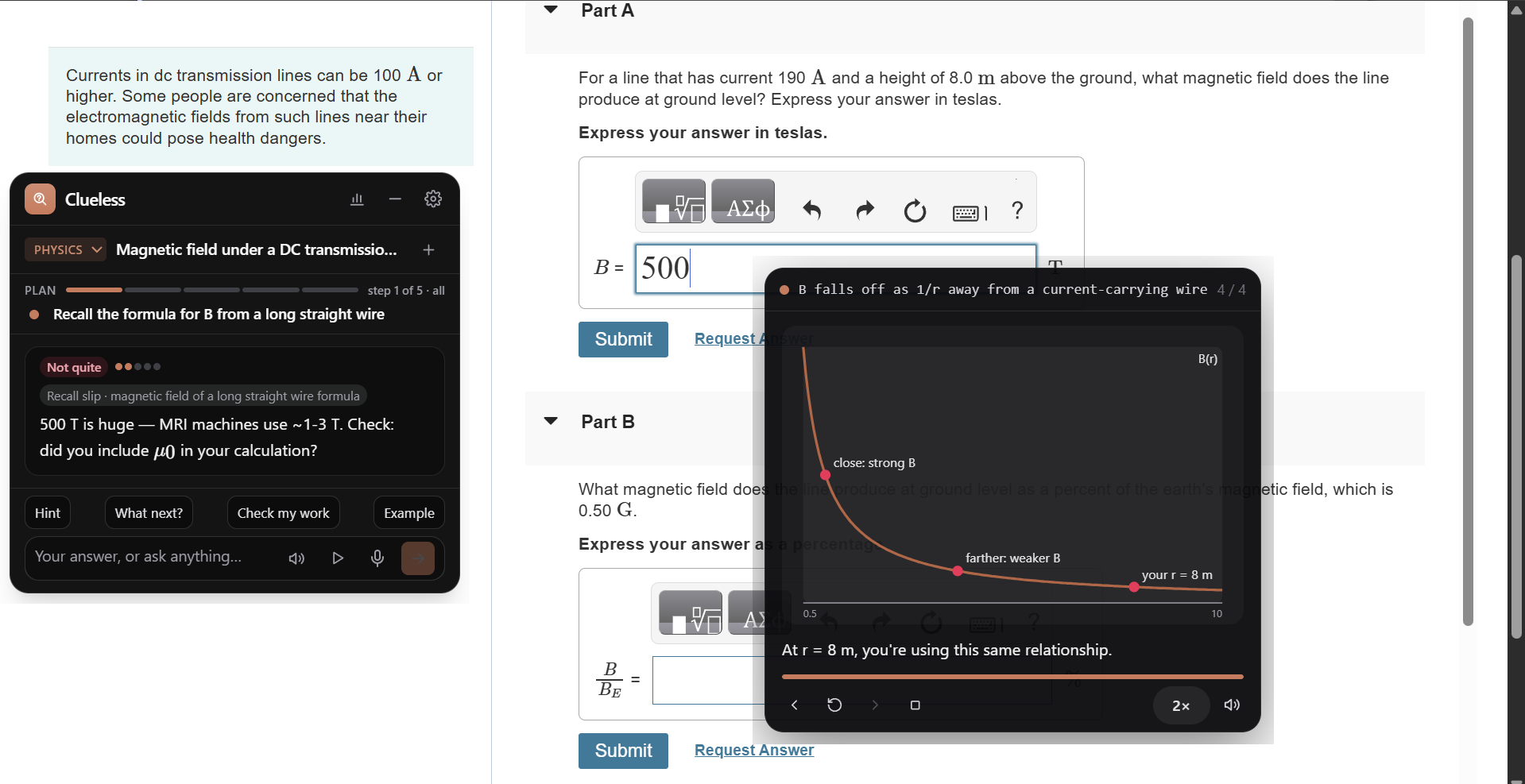
Animating Math Problem
-
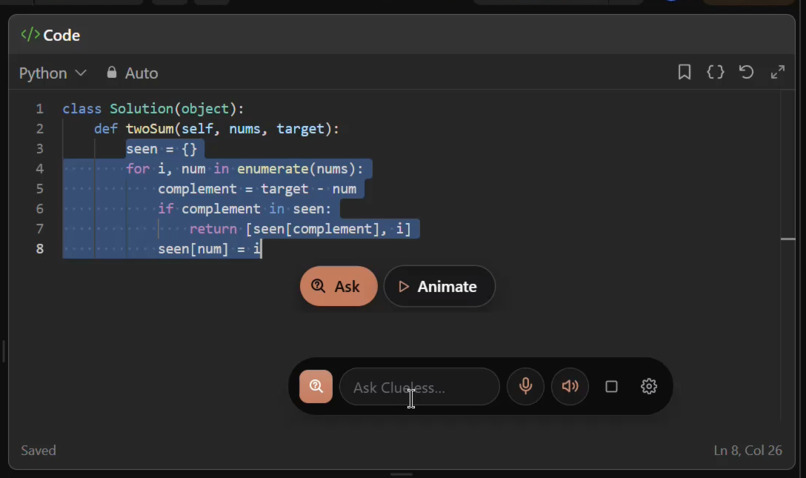
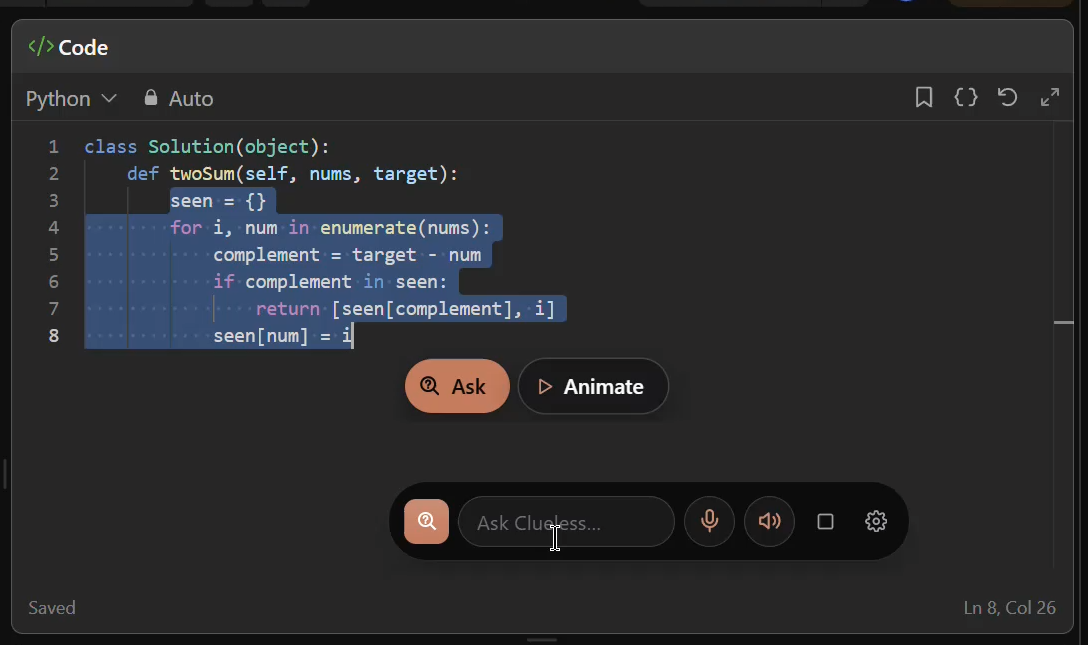
Ask & Animate buttons
-
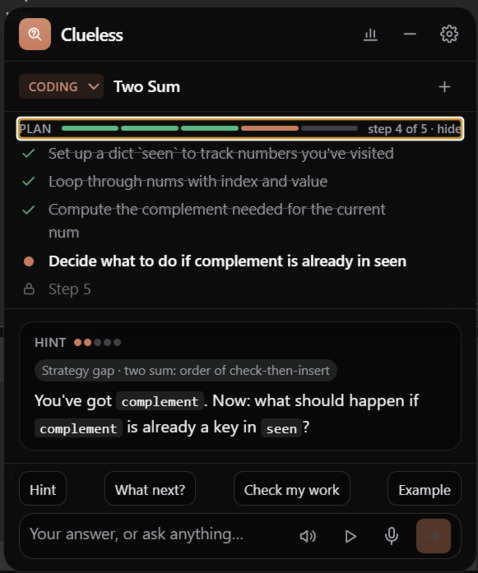
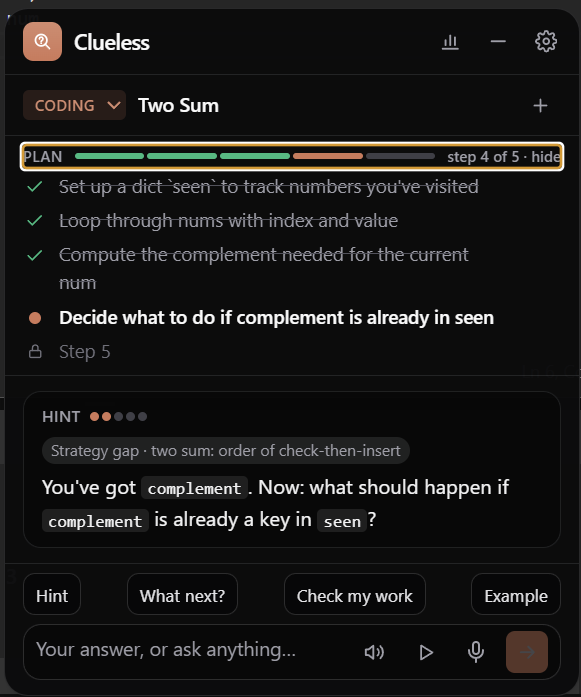
'Plan' feature
-
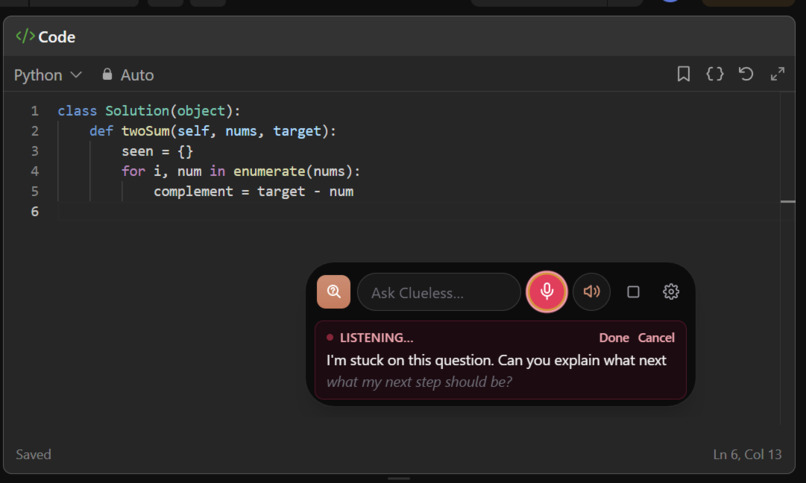
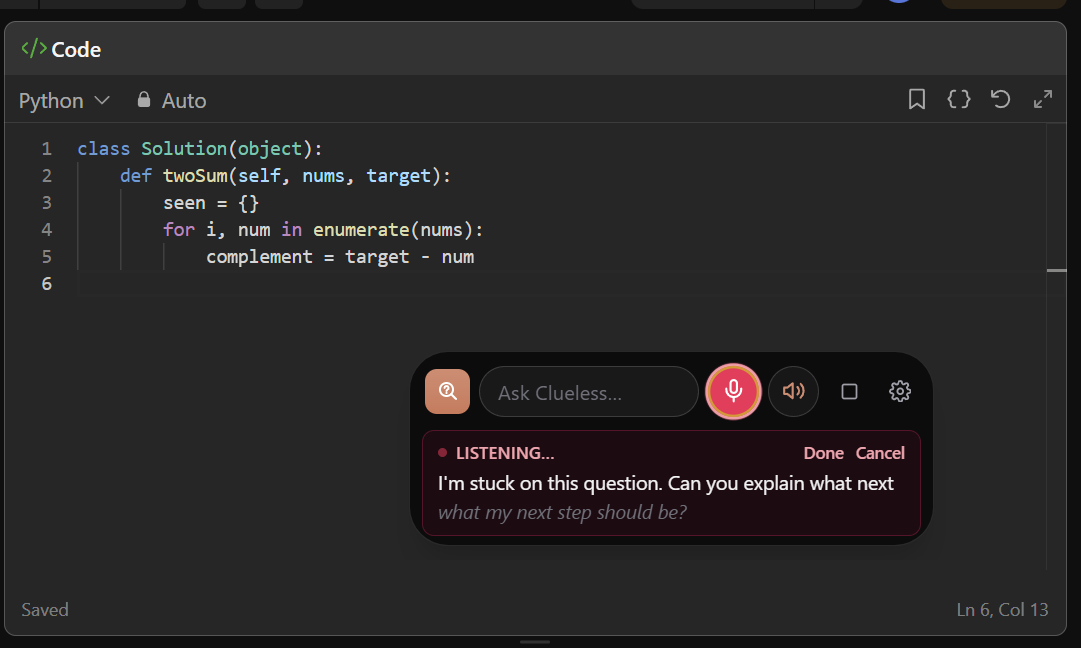
'Voice in' feature
-
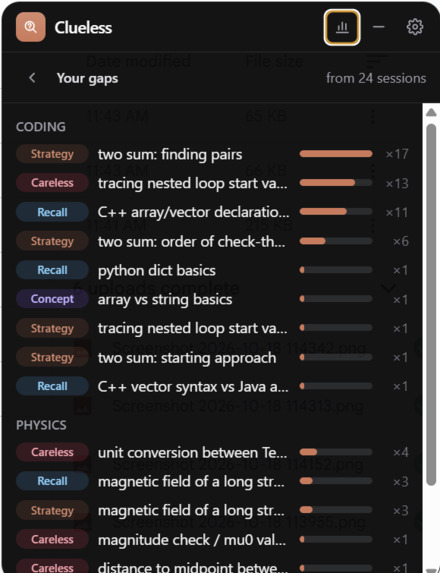
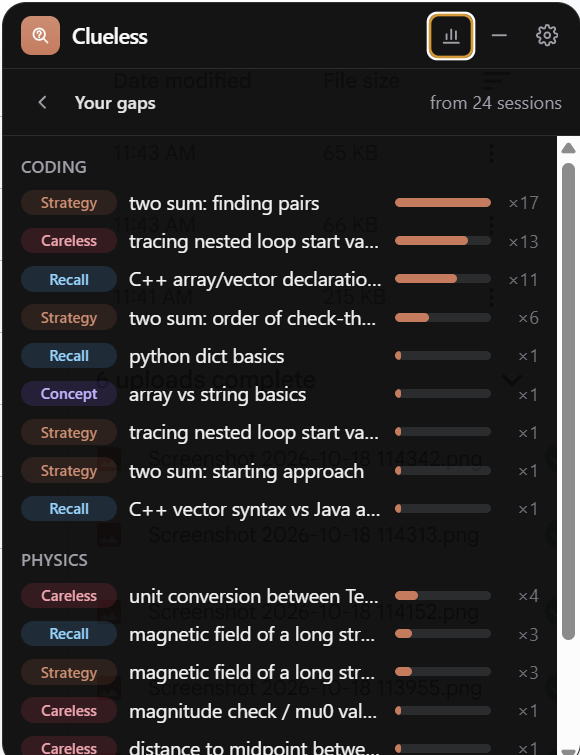
'Gaps' feature
-
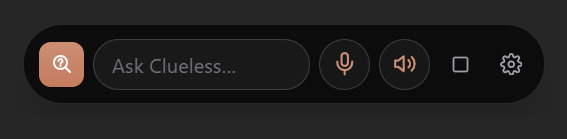
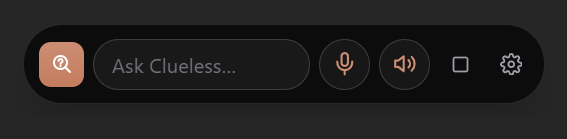
Small island UI
Inspiration
One of us works as a TA, and he sees it every week: students paste the question into an AI tool, copy the answer and learn nothing from it. We wanted a helper that does the opposite. It works on whatever is on your screen and walks you to the answer with hints instead of handing it over.
What it does
Clueless is a small window that floats over any app, including full-screen ones.
When you're stuck on a problem
- Press a hotkey (or select part of the screen or type the problem) and Clueless reads it.
- It asks what's tripping you up, with 3 options to pick from.
- It splits the problem into a few steps and shows only the one you're on.
- You answer or ask in one box, typing or talking. Every message goes with a fresh look at your screen.
- It checks math answers. When you're wrong, the next hint is a little more specific.
- One row of buttons: Hint, What next?, Check my work and Example, a similar problem with different numbers, worked up to your step.
- A play button animates the idea behind your step in its own window, with a voice.
- It notices when you seem stuck and offers a nudge.
- Once the problem is solved, a short recap comes by itself, and the gaps it noticed are saved for next time.
When you just need one thing explained
- Highlight anything, in any app, and two buttons appear next to the cursor.
- Ask explains it in the panel, and you can ask follow-ups.
- Animate explains it step by step in a small window of its own, with a voice. The next step waits until the voice has finished the current one.
- Code is run for real, and its variables are drawn as boxes.
- On your actual screen, the line that's running lights up, tagged with true or false for conditions, the loop pass or the value it returns.
- Anything that isn't code gets a short picture of the idea instead.
- You can step back and forward, pause, stop and change the speed.
It never hands you the final answer.
How we built it
- App: Electron, React, TypeScript, Tailwind and Motion.
- Claude through Amazon Bedrock: Sonnet for the tutor, Haiku for quick jobs like Ask. Replies come back as checked JSON, and prompt caching keeps follow-up turns cheap.
- Running the code: Python runs in Pyodide (Python in WebAssembly) inside a worker thread, with a step and time limit. Every line and every value change becomes one step of the animation.
- Finding the lines on screen: where your drag started and ended plus the line count, fine-tuned on a screenshot. Lines of text have ink and the gaps between them don't.
- Voice: Deepgram turns speech into text. ElevenLabs reads replies and animation steps aloud.
- Answer checks: math.js decides whether two expressions are equal and checks antiderivatives by differentiating.
Challenges we ran into
- Bedrock has no structured outputs, so Claude replies through a tool with the same schema, and we check every reply.
- Floating over full-screen apps on macOS took the right window type and joining every desktop Space.
- Our first animations had the model write out every step of the code, which took 15 to 90 seconds. Running the code instead brought that down to about 6 seconds.
- Lining drawings up with text in someone else's app, without being able to see inside that app.
- One feature PR merged with no conflicts, so nothing warned us. But the branch had been started from an older copy of the code. It carried older versions of files the rest of us had changed since and git took them. Almost half of what we had built quietly went back to how it was hours earlier.
Accomplishments that we're proud of
- On a 15-problem test set (5 LeetCode medium/hard, 5 Calc 2 and 5 CS concepts), the tutor's private solutions were all correct, and none of its replies gave the answer away.
- Animations of your own code, drawn on your own screen and narrated, a couple of seconds after you highlight it.
What we learned
- Not giving the answer is harder than giving it: the prompt, the hint steps and the checks all have to work together.
- Running code beats describing it: it's faster, it's exact and it shows bugs as they really behave.
- A merge with no conflicts isn't the same as a correct merge.
What's next for Clueless
- Testing it in the TA's class, and measuring what students learn with it compared with the usual AI tools.
- Using it to prepare for coding interviews: the same hints-not-answers loop on interview questions.
- Running more languages for real (JavaScript next).
- Build the end-to-end product.
Built With
- amazon-bedrock
- claude
- deepgram
- electron
- elevenlabs
- katex
- math.js
- motion
- node.js
- pyodide
- python
- react
- tailwindcss
- typescript
- uihook-napi
- vite
- vitest
- webassembly
- zod

Log in or sign up for Devpost to join the conversation.