-
3
-
4
-
2
-
6
-
1
-
7
-
5
Clueless Duckie 🦆
Inspiration
We've all been there - staring at a new gadget, flipping through an 80-page manual, trying to find that ONE button the instructions keep referencing. "See diagram 4.2 on page 47" doesn't help when your hands are covered in coffee grounds.
60% of people give up on device features because manuals are confusing, unsearchable, and impossible to use with busy hands. This problem hits hardest for the elderly, disabled users, and anyone whose hands are occupied.
We asked: What if you could just ASK your device how to use it - completely hands-free?
That's how Clueless Duckie was born. A duck-themed AI assistant (because who doesn't love rubber duck debugging?) that turns any physical device into an interactive, voice-controlled visual manual.
What it does
Clueless Duckie transforms any physical device into a hands-free interactive manual:
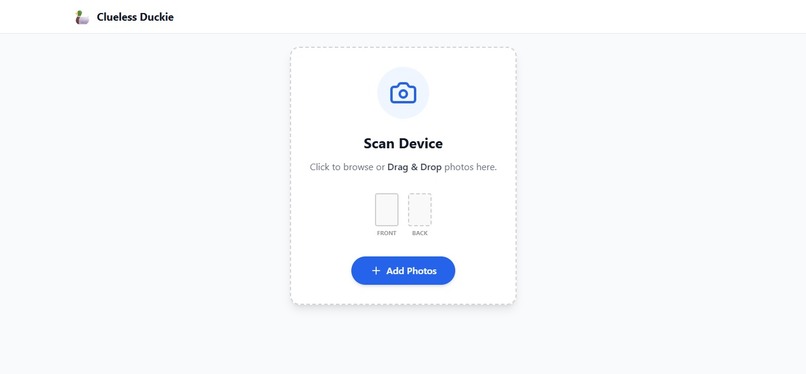
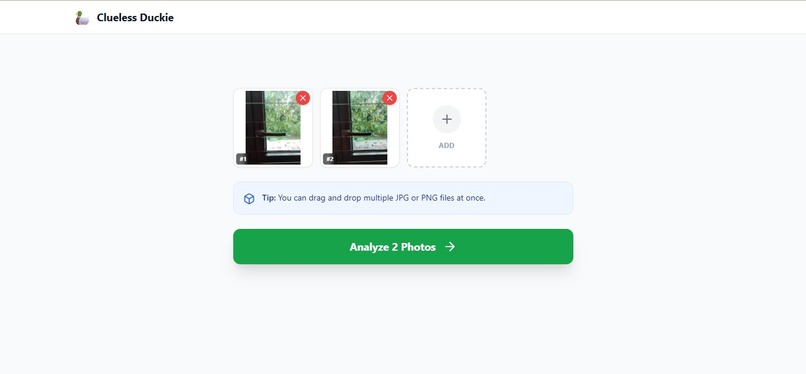
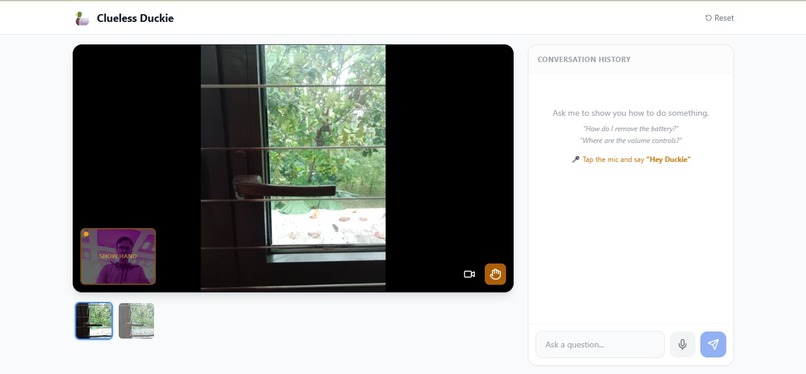
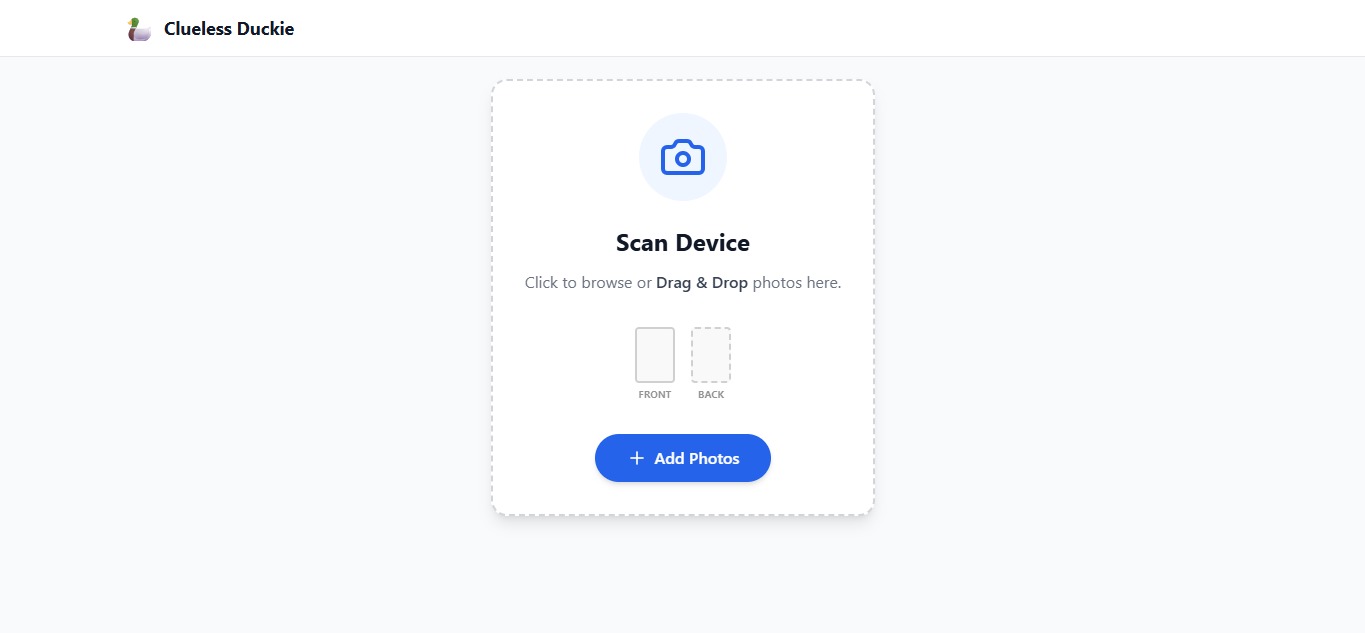
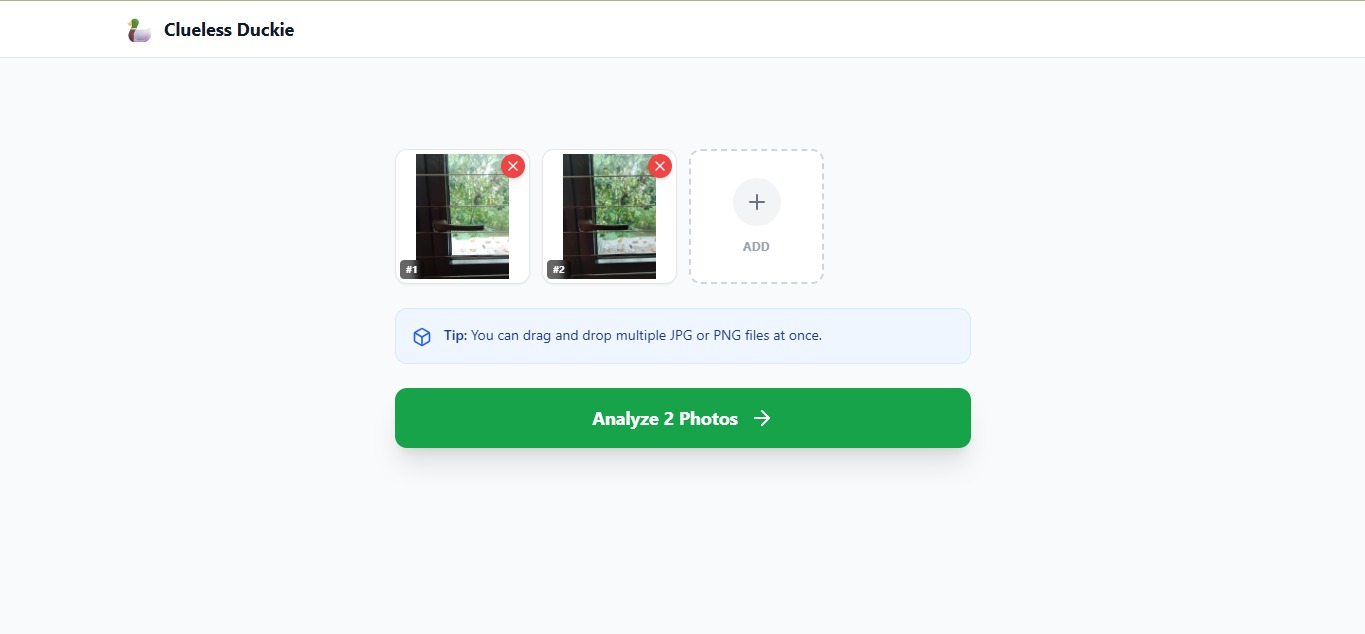
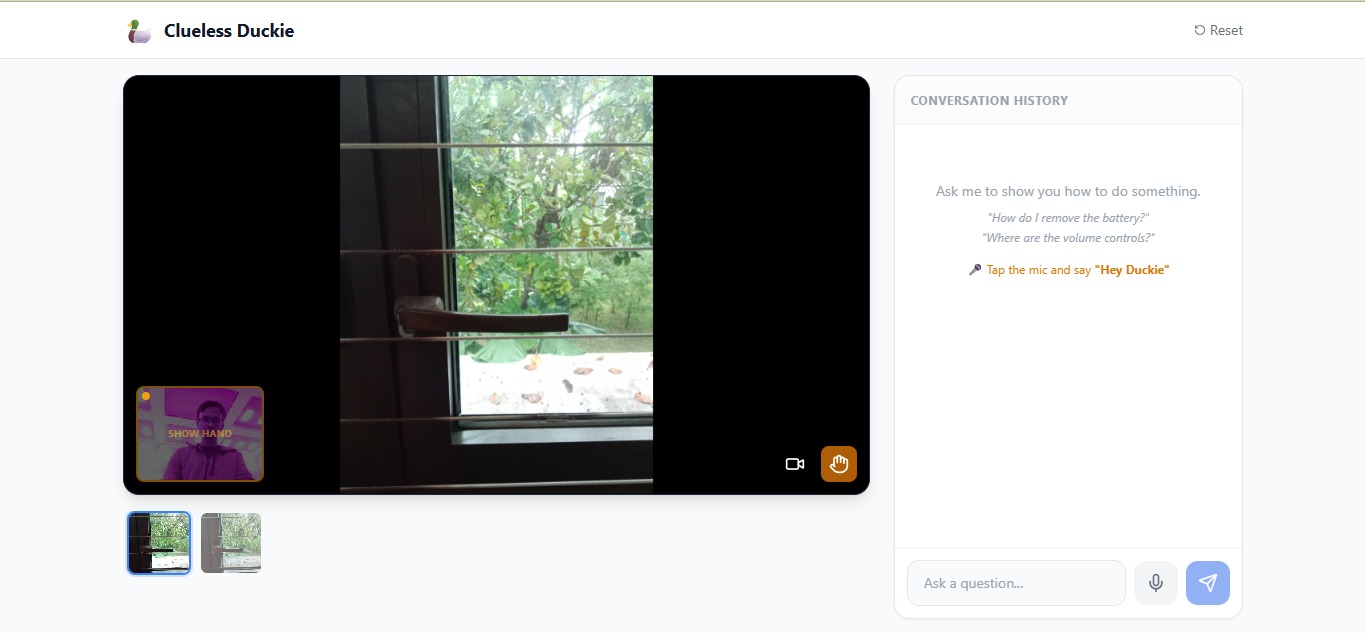
- 📸 Upload photos of your device from multiple angles
- 🎤 Say "Hey Duckie" and ask your question (or type)
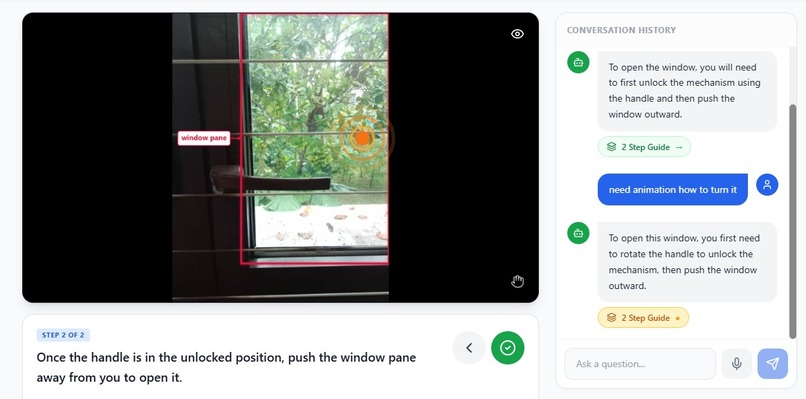
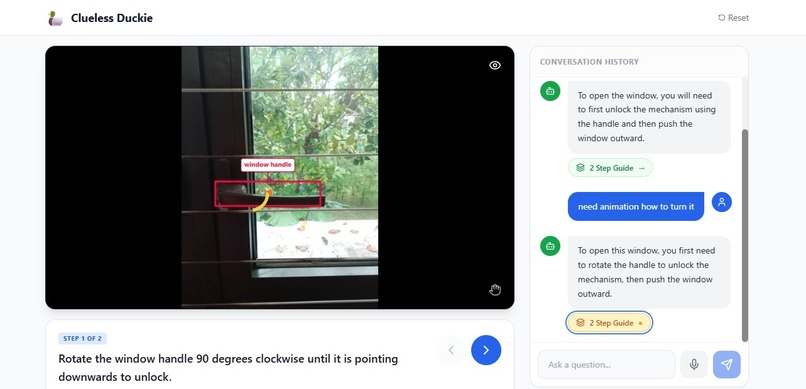
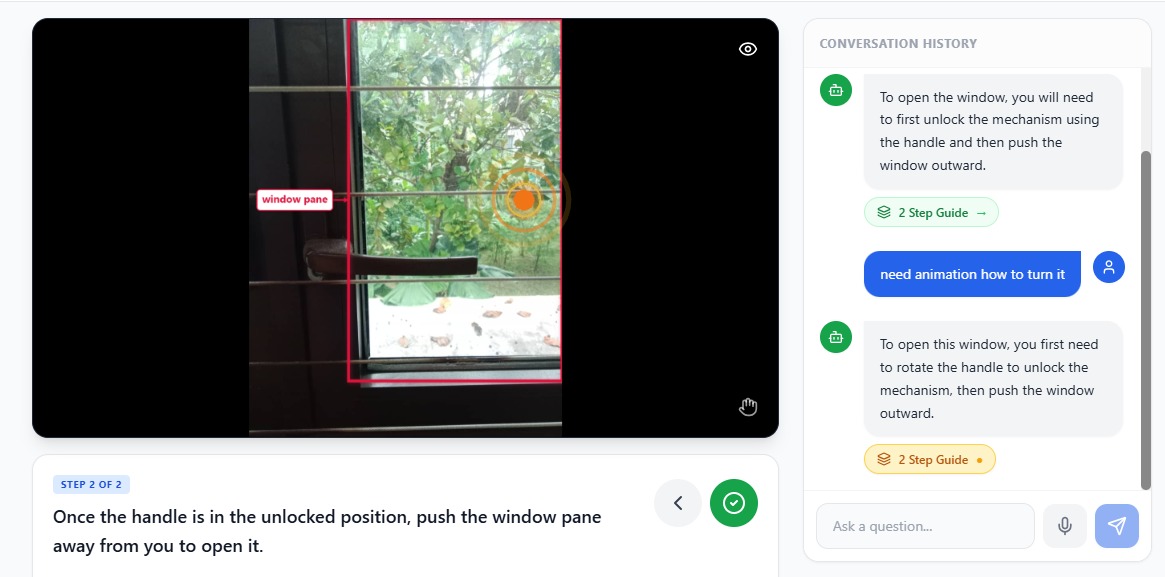
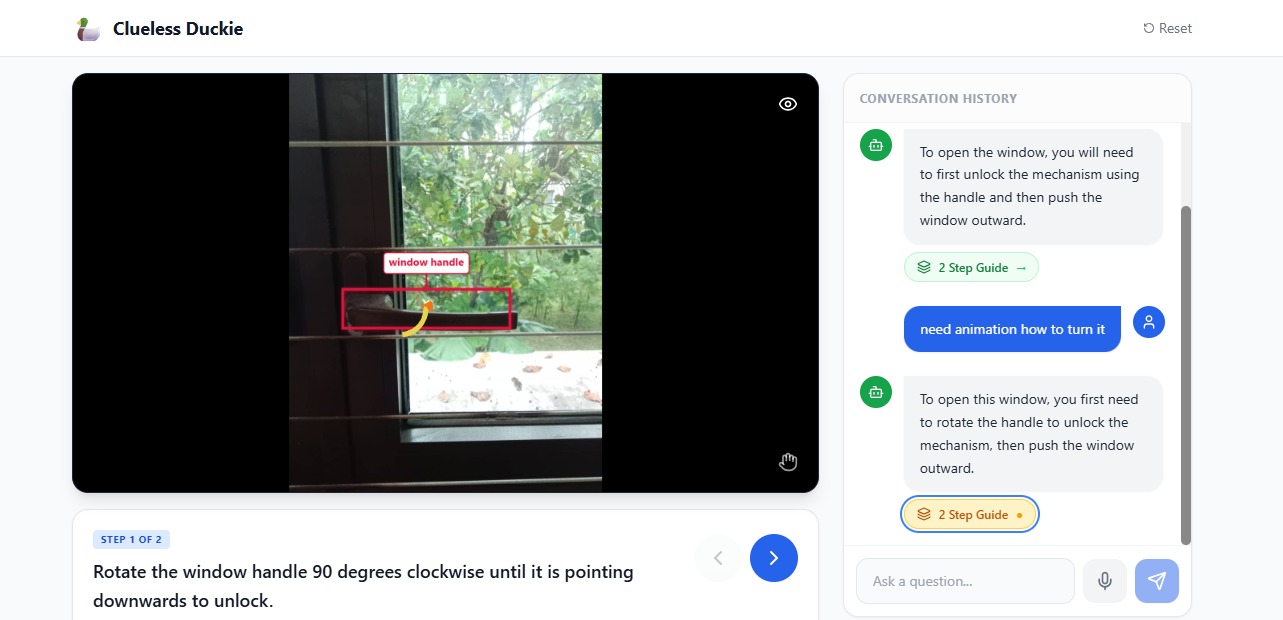
- 🎯 See AI-annotated images with pixel-accurate bounding boxes
- 🔄 Watch 3D motion indicators showing HOW to interact (rotate, push, pull, flip)
- 🖐️ Wave your hand to navigate - open palm for next, fist for back
- 🔊 Listen as the AI reads instructions aloud
Zero hands required. Any device. Any language.
How we built it
Tech Stack
- Frontend: React 19, TypeScript, Vite, Tailwind CSS
- 3D Graphics: Three.js + React Three Fiber
- AI: Google Gemini 3 Flash (structured output)
- Gestures: MediaPipe Hands + Custom Trained Classifiers
- Voice: Web Speech API
- Backend: Convex (serverless database)
The Build
1. Multi-Angle Spatial Mapping
We engineered Gemini to return structured JSON with precise spatial data:
typescript { steps: [{ step_text: "Press the power button", visual_context: { image_index: 0, // AI picks best angle part_name: "Power Button", box_2d: [ymin, xmin, ymax, xmax] // 0-1000 normalized }, action_type: "push", action_direction: "forward" }] }
The AI analyzes all uploaded photos and automatically selects the best viewing angle for each step.
2. Pixel-Level Annotation Engine
Gemini returns normalized coordinates (0-1000 scale). We built a custom Canvas annotation system that:
- Transforms coordinates to actual pixels:
$$x = \frac{x_{min}}{1000} \times \text{width}$$
$$y = \frac{y_{min}}{1000} \times \text{height}$$
- Implements a 6-position label fallback algorithm (right → left → above → below → corner → clamped)
- Draws arrows using trigonometry:
$$\theta = \arctan2(y_{to} - y_{from}, x_{to} - x_{from})$$
- Scales dynamically based on image size:
$$\text{scaleFactor} = \frac{\max(\text{width}, \text{height})}{800}$$
3. Custom Trained Gesture Classifiers
MediaPipe Hands gives us 21 raw landmark coordinates - not gestures. We trained our own classifiers to recognize navigation gestures:
Open Palm Detection (→ Next Step): typescript const isOpenPalm = indexTip.y < indexPIP.y && // finger extended middleTip.y < middlePIP.y && ringTip.y < ringPIP.y && pinkyTip.y < pinkyPIP.y && |thumbTip.x - indexMCP.x| > 0.1; // thumb spread
Closed Fist Detection (→ Previous Step): typescript const isFist = indexTip.y >= indexPIP.y && // all fingers curled middleTip.y >= middlePIP.y && ringTip.y >= ringPIP.y && pinkyTip.y >= pinkyPIP.y;
Thumbs Up Detection (→ Previous Step): typescript const isThumbsUp = thumbTip.y < thumbMCP.y - 0.05 && // thumb pointing up thumbTip.y < wrist.y - 0.1 && // above wrist allOtherFingersCurled;
4. Three.js 3D Motion Indicators
For physical actions, we render animated 3D arrows:
- Rotate: Curved arrow using THREE.EllipseCurve + TubeGeometry
- Push/Pull (depth): Arrow with concentric ripple rings that expand/contract
- Flip: Arc arrow with toggle animation
The wave animation for depth perception:
$$\text{scale} = 0.3 + (\text{wave} \times 1.2)$$
$$\text{opacity} = 1 - \text{wave}$$
where $\text{wave} = (t \times 1.5 + \text{offset}) \mod 1$
5. Wake Word Voice System
We implemented a state machine:
- IDLE: Listening for "Hey Duckie" (handles misrecognitions like "hey ducky", "a duckie")
- ACTIVATED: Recording user command
- SUBMIT: Triggered by "Thank you" end-phrase
6. Convex Backend for Persistence
Serverless database storing guides with full schema:
- Session management
- Step data with visual context
- Action types and directions
- Annotated images (base64)
Challenges we ran into
1. Label Positioning Nightmare
Bounding boxes near image edges caused labels to overflow. We solved this with a 6-position fallback algorithm that tries right → left → above → below → corner → clamped until it finds a position that fits within bounds.
2. Training Custom Gesture Classifiers
MediaPipe Hands gives you 21 raw landmark coordinates - not gestures. We had to train our own classifiers to detect open palm, closed fist, and thumbs-up by analyzing finger extension patterns (tip.y vs pip.y), thumb spread distance, and wrist-relative positions.
3. MediaPipe Singleton Issue
MediaPipe crashed when multiple instances were created during React re-renders. We implemented a global singleton pattern with reference counting to ensure only one instance exists.
4. Gesture False Positives
Early versions triggered navigation constantly. We added:
- 400ms hold threshold (must hold gesture)
- 1s cooldown between triggers
- Distinct gestures (palm vs fist) to avoid confusion
5. 3D Arrow Positioning
Aligning Three.js canvases over bounding boxes required careful coordinate transformation from Gemini's 0-1000 scale → percentages → CSS positioning with proper centering using transform translate.
6. Voice in Noisy Environments
Web Speech API struggles in hackathon noise. We added robust text input as a reliable fallback and handled common wake word misrecognitions ("hey ducky", "a duckie", "hey ducking").
Accomplishments that we're proud of
- ~3,800 lines of TypeScript - This is NOT just an API wrapper
- Custom trained gesture classifiers on MediaPipe hand landmarks
- Canvas annotation engine with smart 6-position label fallback
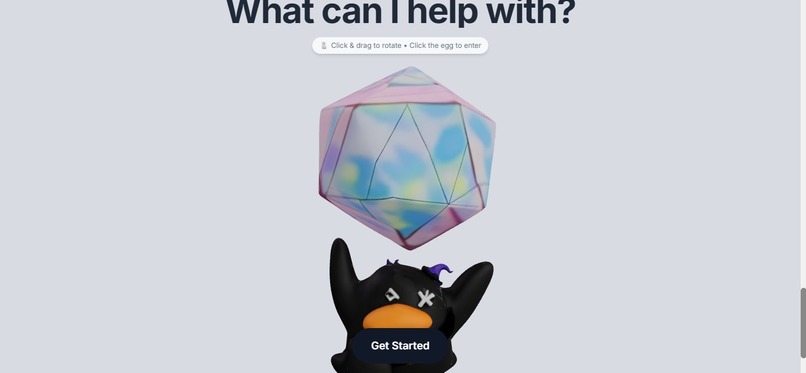
- Three.js 3D motion system showing HOW to interact, not just WHERE
- Fully hands-free experience - voice + gesture + spoken output
- "Hey Duckie" 🦆 - rubber duck debugging finally has a voice assistant
What we learned
- Coordinate math is tricky - Normalized coordinates, pixel transformations, responsive scaling
- MediaPipe gives landmarks, not gestures - You have to train your own classifiers on the raw data
- Three.js is powerful - Curved paths, tube geometry, animation loops
- Singleton patterns matter - Critical for libraries that can't handle multiple instances
- Accessibility opens doors - Building hands-free showed us how many people struggle with traditional interfaces
- Fallbacks are essential - Voice is great until it's noisy; always have text input ready
What's next for Clueless Duckie
- AR mode - Point your camera at a device for real-time overlay guidance
- Offline support - Download guides for use without internet
- Community guides - Share and discover guides created by others
- Multi-language voice - Support for more languages beyond English
- Hardware integration - Smart glasses for truly hands-free AR experience
Built with
React, TypeScript, Vite, Tailwind CSS, Three.js, React Three Fiber, Google Gemini, MediaPipe, Web Speech API, Convex
Try it out
🔗 GitHub Repository 🔗 Live Demo
### 🦆 "Because needing help shouldn't be a skill issue." *#HackAndRoll2026*
Built With
- autoprefixer
- canvas-api
- concurrently
- cors-build-tools:-vite
- css-frameworks:-react-19
- dotenv
- express.js
- framer-motion
- gltf/glb-models-ai/ml-apis:-google-gemini-3-flash-(@google/genai)
- html
- javascript
- languages:-typescript
- libraries:
- lucide-react
- mediapipe-camera-utils
- mediapipe-drawing-utils
- meshy-ai-(3d-model-generation)-gesture/vision:-mediapipe-hands
- multer
- openai-tts-(openai-sdk)
- openai-whisper
- other
- postcss
- react-dom
- react-three-drei
- react-three-fiber
- tailwind-css-3d/graphics:-three.js
- tsx
- typescript-deployment:-vercel-other-libraries:-framer-motion
- vercel
- vite
- web-speech-api-database:-convex-backend:-node.js

Log in or sign up for Devpost to join the conversation.