Pathway: Hackathon (working prototype)
Inspiration
I'm an officer of 陽明交大創創社 (NYCU Innovation & Entrepreneurship Club). Every week we host one lecture, and every week someone has to do the same chores by hand:
- build a Google sign-up form,
- write and send the announcement email,
- post to two LINE groups,
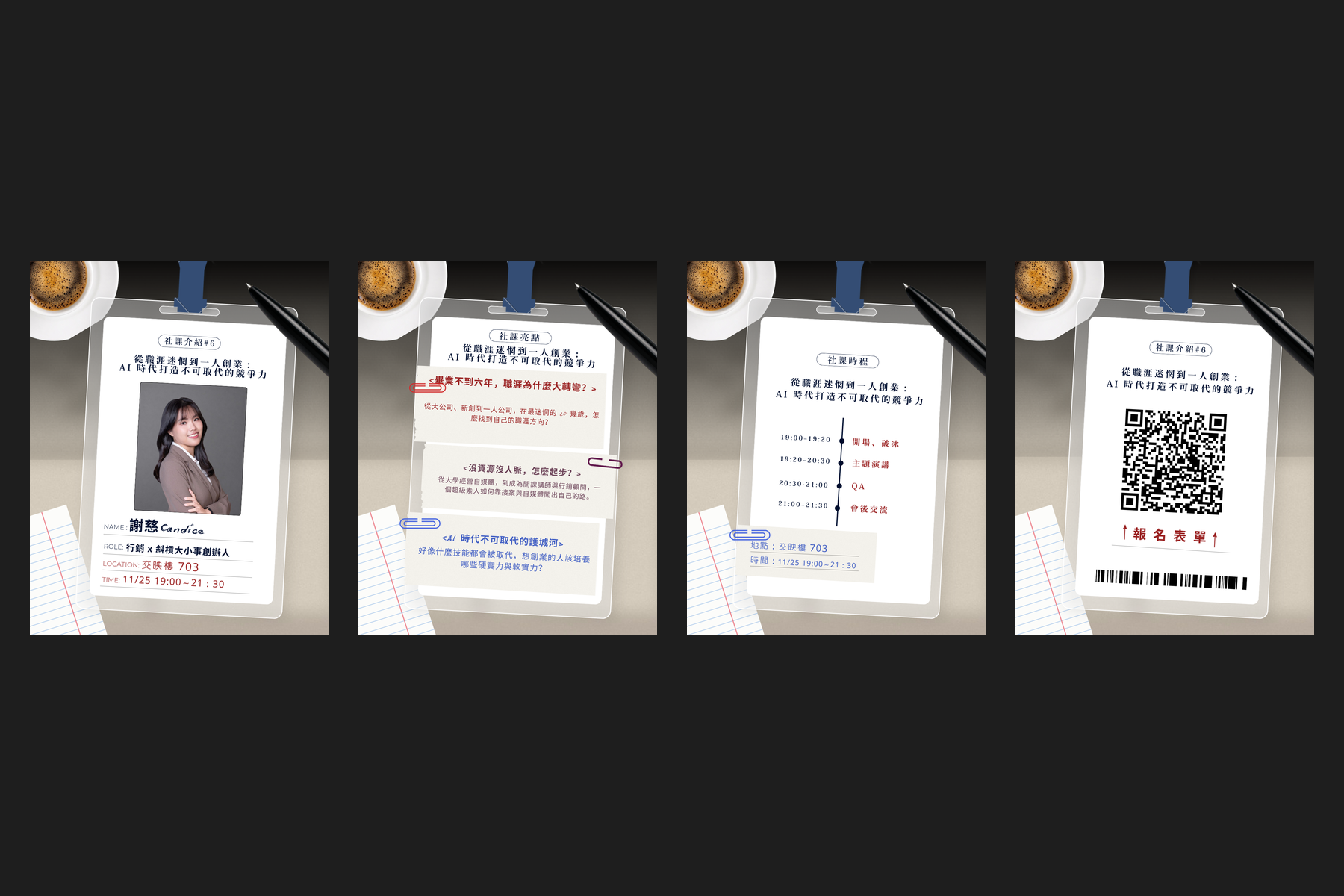
- make four Instagram cards in Canva,
- put a QR code on one of the cards,
- publish the post and a story,
- update the Linktree,
- make a speaker certificate.
That's about ten tools. What it really costs isn't time, it's attention. All that task switching leaves officers with no energy to polish the details, and no headspace to think about the club's future. I wanted officers to get that attention back.
What it does
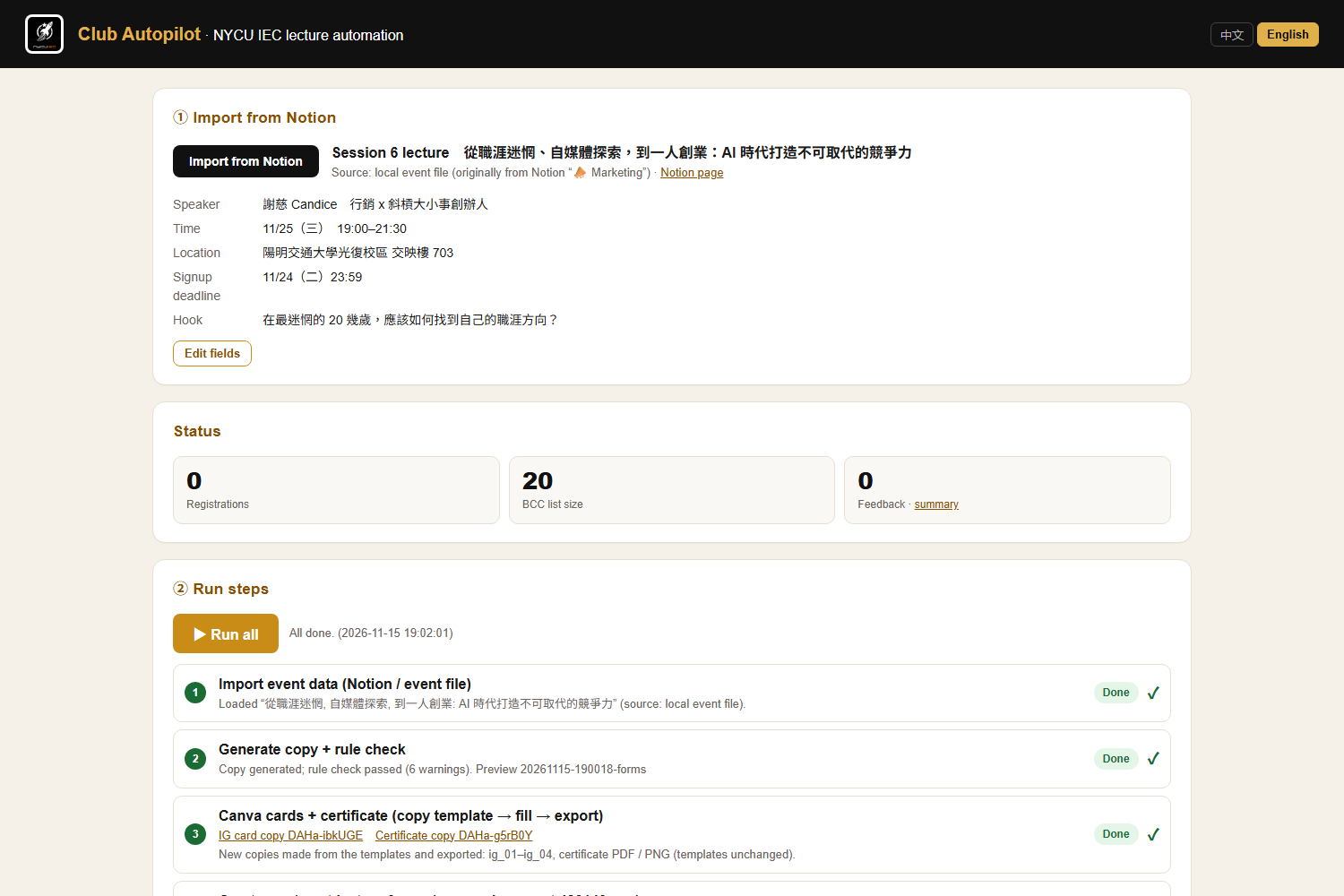
Club Autopilot is a Flask dashboard. It was demoed live on the club's real lecture of 25 Nov 2026 (speaker 謝慈 Candice).
- Import: loads the next lecture (speaker, time, room, hook) from the club's Notion page, or from an offline export of it.
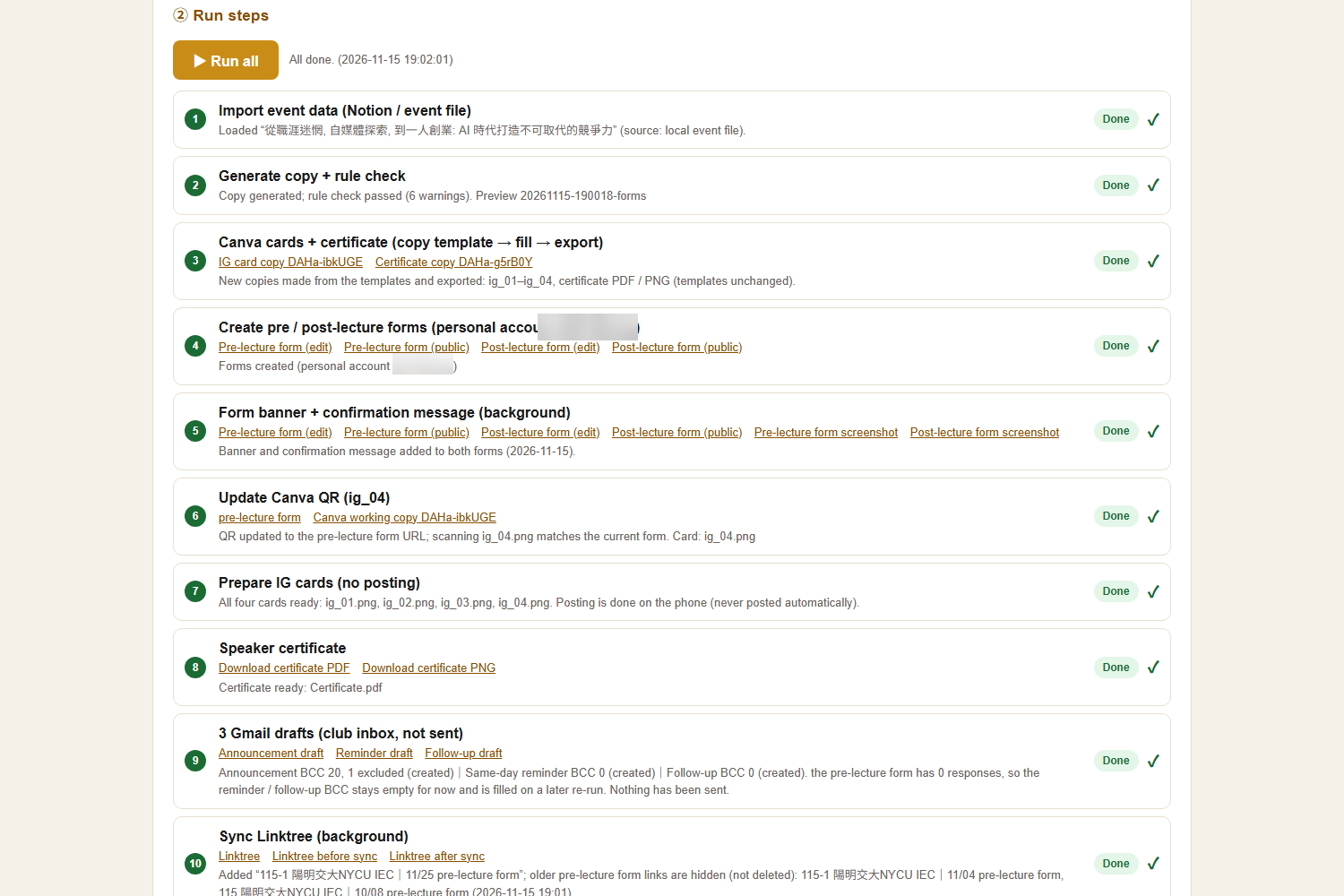
- Run all (prepares everything, publishes nothing):
- writes the email, LINE and IG copy and checks it against the club's style rules;
- prepares the Canva job (templates are copied and filled, then IG cards and a certificate are exported);
- creates the sign-up and feedback Google Forms and adds the club banner;
- stamps the live sign-up QR code onto IG card 4;
- creates three Gmail drafts, with the BCC list built from members or form responses minus a private exclusion list;
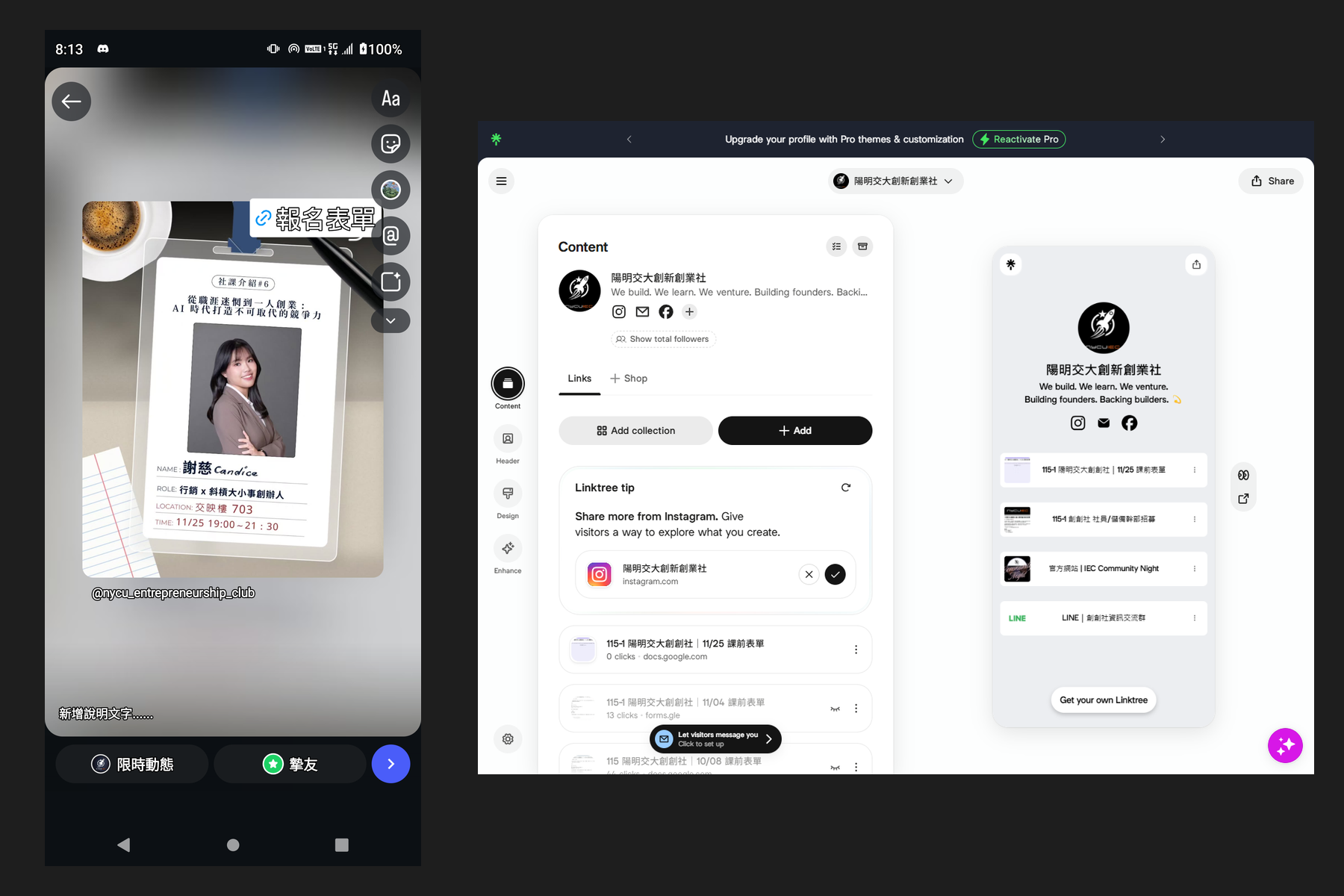
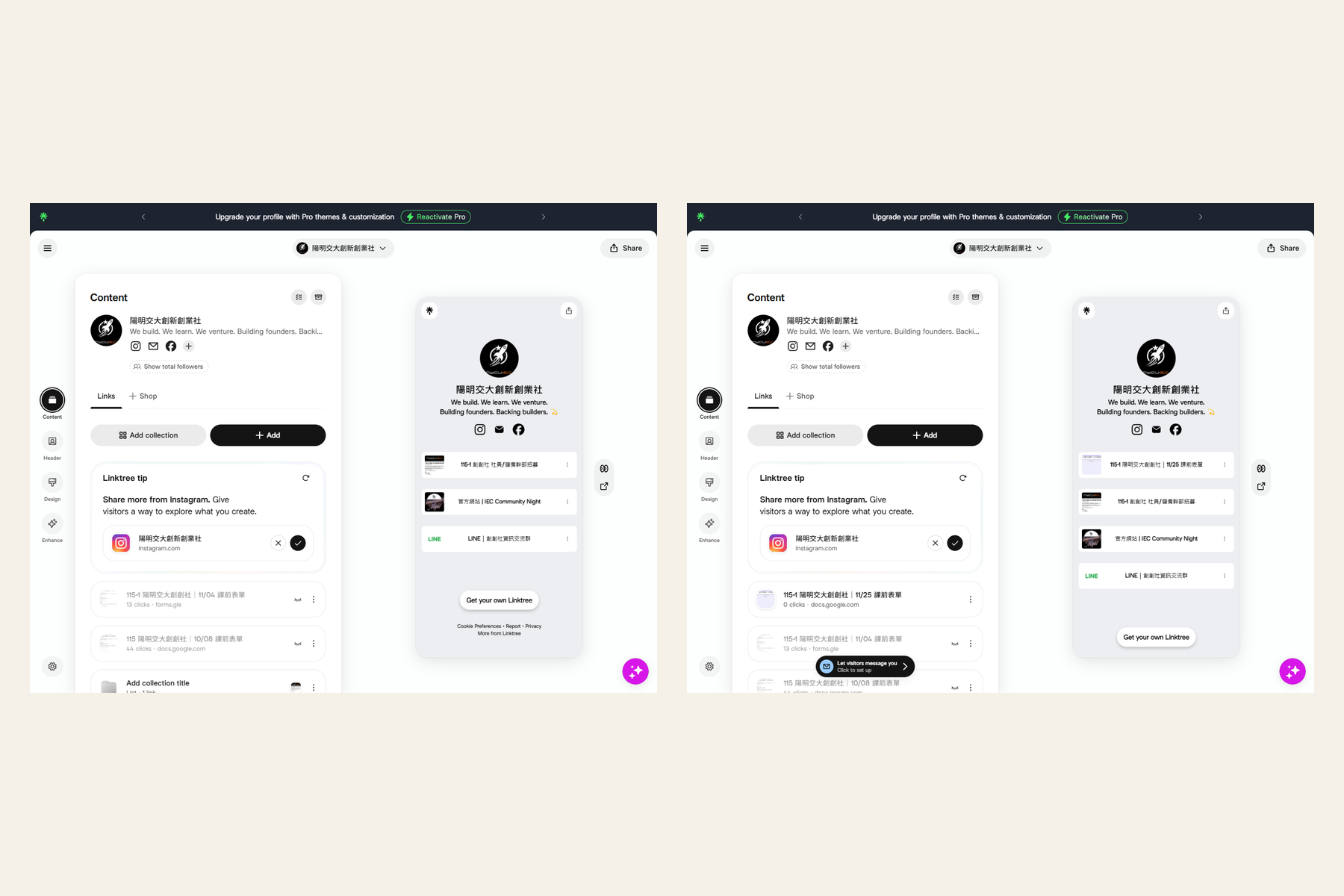
- adds this week's form to the Linktree and hides older ones.
- Publish (needs you): each public action has its own button and confirm dialog.
- Push the message to the club's LINE groups.
- Send the announcement email once, by BCC. A second send is refused.
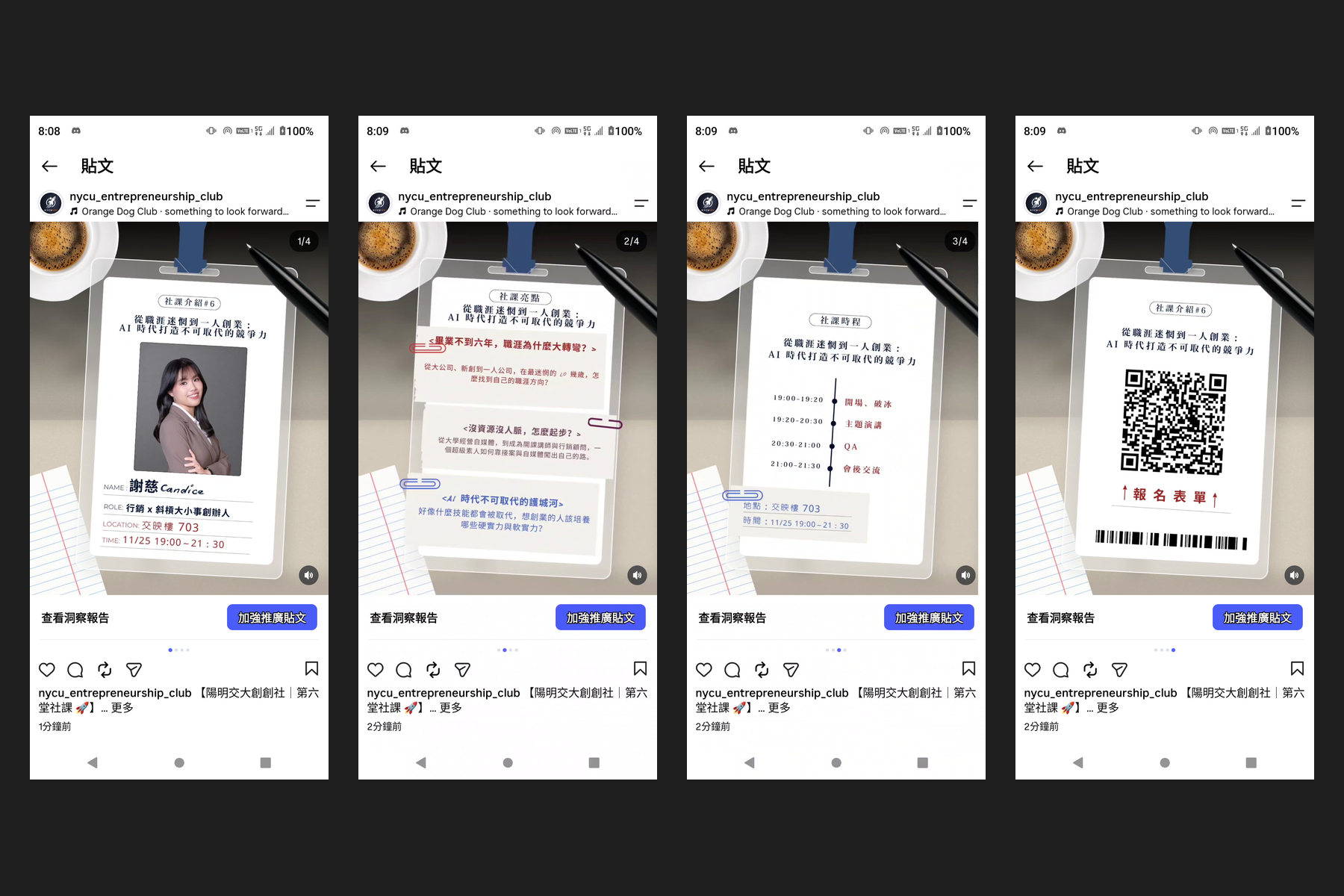
- Publish the Instagram carousel with music, driving the club's Android phone over adb.
- Reshare the post to a story with a sign-up link sticker and music. The flow first checks that the post it opened matches this week's cover card.
How we built it
- Dashboard and pipeline: Python and Flask. Each lecture is one event YAML file, so nothing about a lecture is hard-coded. Every run writes to a new timestamped folder and never deletes old output.
- Copy: Jinja2 templates rebuilt from the emails the club actually sent, plus a rule checker for the club's style guide.
- Google: the Forms API and Gmail API over OAuth, with tokens kept outside the repo. Playwright adds the form header banner, which the API can't do.
- Linktree: Playwright drives the admin UI.
- LINE: pushes through the Messaging API.
- Instagram: adb plus uiautomator on an Android phone, with screen positions measured per phone. Before every tap, the flow reads the screen and stops if it would hit Share/Post at the wrong moment.
- Canva: the dashboard writes a job file. An AI assistant then does the Canva step through Canva's connector.
- QR and certificate: qrcode, Pillow and OpenCV make the QR on card 4, and Pillow renders the certificate.
- Demo video: recorded with Playwright (dashboard) and scrcpy (phone), narrated with edge-tts.
Challenges we ran into
- Instagram has no public API for music or link stickers on a club account's posts and stories, so everything goes through the phone UI. Making that safe was the hard part:
- a guard that never taps Share by accident;
- re-measuring icon positions for each post;
- checking that the opened post is this week's before liking or resharing;
- stopping when the phone is locked.
- The tilted QR frame: the QR frame on card 4 is tilted about 3°. Our first published post showed a green edge. We fixed it by covering the whole tilted frame and pasting a rotated QR, then deleted the post and published it again.
- Privacy: the BCC list must never include certain people. We built a private exclusion list (full address or local-part match) that applies to every email, and the UI only ever shows counts.
- No Canva API for template editing, which led to the job-file plus connector design.
Accomplishments that we're proud of
- It ran end to end on a real lecture: a real sign-up form, a real announcement email to members, real LINE groups, a real Linktree, and a real Instagram post and story.
- Nothing public happens without a human confirming it, and Run all can't send anything.
- 122 automated tests, with Google, Gmail, LINE, Linktree and adb all mocked.
What we learned
- Automation is mostly about safety rails, not happy paths.
- When an API doesn't exist, a careful UI driver plus verification can stand in for it, but it needs a guard on every step.
- Taking the busywork away gives people back attention, not just minutes.
What's next
- Let other clubs plug in their own templates and style rules.
- Schedule the reminder and follow-up emails (D0 / D+1), still with a human confirm.
- Replace phone-UI steps with official APIs wherever they become available.
- Make it more robust to Instagram app updates.
Pre-existing work
This project builds on my own pre-existing personal scripts for club work, written before the hackathon. They were one-off Python scripts with hard-coded lecture numbers, form IDs and paths: a Google OAuth helper, one Forms API script, one feedback-form script, one Gmail-draft script, HTML letter templates, and an experimental Playwright script for Canva. Their logic was rewritten for this project, and they are not in the repo.
New during the hackathon:
- the event-file-driven pipeline;
- the Flask dashboard (Notion import, Run all, step status, Chinese/English UI) and its orchestration;
- the separate, confirmed Publish actions;
- the rule checker and rebuilt templates;
- the Canva job flow;
- the automatic Form banner;
- the QR stamp, including the tilted-frame fix;
- the certificate renderer;
- Gmail drafts with the private BCC exclusion list;
- the LINE push;
- the Linktree sync;
- Instagram post publishing with music, and the story reshare with a link sticker, via adb;
- the test suite.
AI and third-party disclosure
- AI coding assistants were used heavily to write, refactor and test the code, and to drive the Notion and Canva connectors under my direction.
- The Canva step is done by an AI assistant through the Canva connector, using a job file the dashboard prepares. Canva has no public API for copying a template and editing its text. The dashboard itself holds no Canva credentials, and the original templates are never edited.
- Third-party services and tools: Google Forms API, Gmail API, LINE Messaging API, Linktree (web UI via Playwright), Instagram (Android app via adb/uiautomator), Canva, Notion API, Playwright, scrcpy, and edge-tts (video narration voice). Built with Python, Flask, Jinja2, PyYAML, Pillow, qrcode and OpenCV.
- Lecture content comes from the club's own Notion page.
