-
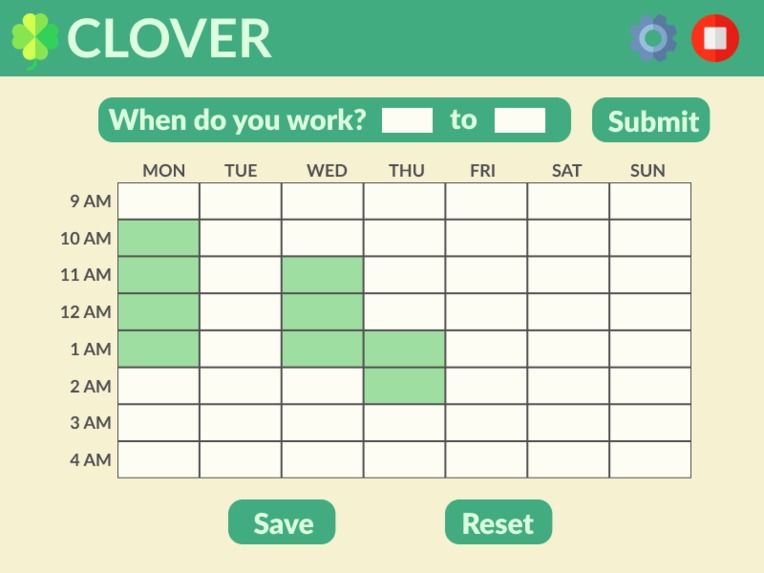
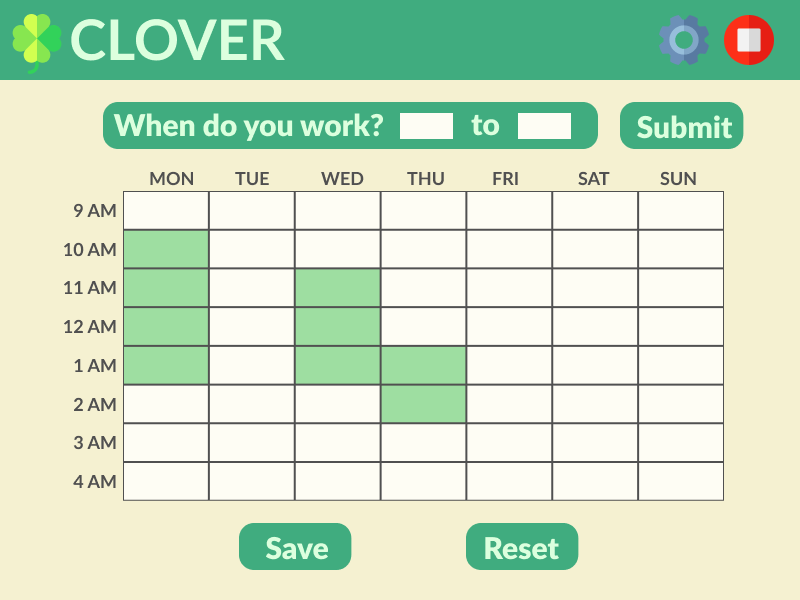
Scheduler page of Clover extension. User is initially brought here to fill out their work schedule.
-
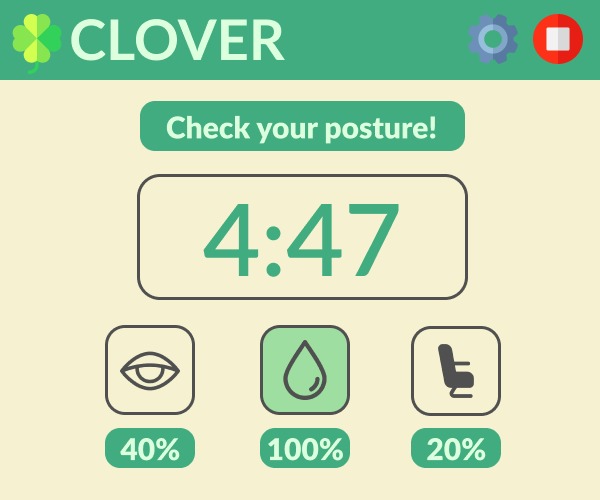
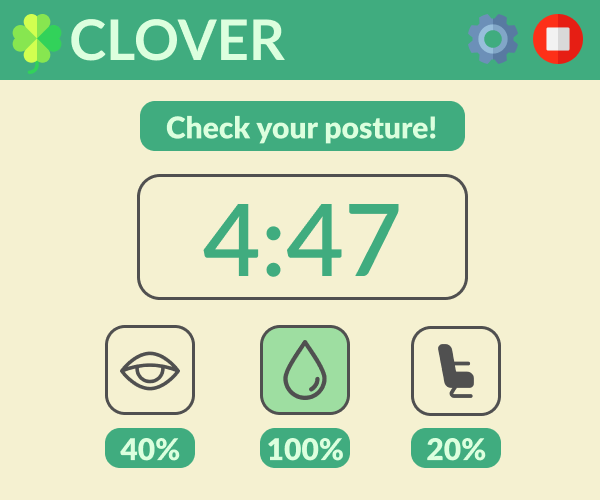
Main page of Clover extension with widgets and timer, after user sets their schedule. Widgets change state depending on % time remaining.
-

Widget assets (grey) - these also come in white for mouseOver events on the frontend.

Inspiration
With the permanent embedding of remote work as an alternative to in person attendance following the COVID-19 pandemic (especially in the technology industry), we wanted to develop a something that could benefit those struggling to adapt or getting introduced to this new space, as well as raise awareness of these issues regardless if they choose to use Clover or not. While there are many apps that encourage productivity with similar design intent, we noticed that health related features were not present, and their functionalities weren't tailored to support a work from home demographic.
As many of us have probably experienced over the past few years, mental and physical health can degrade silently and quickly if left unchecked in a solitary work from home environment especially when it's exacerbated by the homogenization of work and personal life, making it difficult to remain productive and happy. We hope that Clover can provide assistance to those struggling to navigate this new yet unfamiliar environment, and if not, at least raise enough awareness for even a single person to reflect on their own work at home experiences and strive towards positive change.
What it does
Clover is a chrome extension designed to work alongside you in a work from home environment. Users can input their work schedules into the extension and Clover will then compute their working times and schedule, generating intervals of work and rest that are optimized to increase focus and productivity. Clover then adapts to the user's work schedule, prompting them to interact with the app as they start and progress through their work day.
When their work period starts, the user hits the "Start" button on the UI, converting it into a timer that tracks their periods of work and rest. To reinforce the seperetion of work and rest, Clover converts the timer into "Rest" and "Resume" buttons for the user to click when their work or rest intervals end, sending a notification to the user. The user must then click the button restore the timer and show the remaining time of each interval.
Clover comes with a toolkit of health related widgets to keep users healthy and happy as they work. Users interact with widgets inside the Clover UI that encourage them to hydrate, fix their posture, and rest their eyes in set scientifically proven intervals. These are currently 3 independent widgets below the timer that track the time before a user should adjust their posture, hydrate, or rest their eyes. Unlike the timer these widgets progress from 100% to 0%, at which point Clover sends a notification to the user, encouraging them to perform the suggested action and then clicking the icon to reset the tracker back to 100%.
How we built it
Clover is built as an extension for Chrome built using the React framework utilizing Typescript with Tailwind CSS. The backend is constructed in Typescript.
Challenges we ran into
Several unseen challenges were presented in the implementation of seemingly simple mechanics, leading to the scope of the project ballooning quickly. Many components in the front end especially began to escalate in difficulty quickly, such as the scheduler mechanism being much more complicated than originally anticipated. Luckily with perseverance, a strong willingness to communicate, and open minded thinking, we were able to overcome many of the difficulties encountered.
Accomplishments that we're proud of
Despite numerous challenges and difficulties, we're proud to have created a project that we've grown with from start to end. From creating a cohesive and polished finalized design, implementing key research into our project, and making big breakthrough moments when working with difficult coding challenges, we've shared many accomplishments we'll think fondly of looking back.
What we learned
The multitude of challenges and adversities when working on Clover has led to incredible growth for us as developers, both in technical skill and our understanding of the software design space. This was easily the most we had worked in our respective roles, and we gained a significant amount of experience with the technologies we had used, such as Typescript and React. Designing the project, along with the errors we made along the way, has also greatly deepened our understanding of core software design principles and our own personal capabilities.
Research and design
Clover's UI and tools are designed with specific scientific intent; Clover primarily utilizes the scientifically proven Pomodoro productivity technique to help users maintain focus in a potentially distracting environment. Clover utilizes other research such as the 20-20-20 rule for eye strain reduction or widget interactions encouraging users to perform specified tasks via a joint commitment action when clicking the UI. Green and cream colors were chosen to encourage relaxation in tandem with sharper colors like black and white being dulled, and the UI kept minimal and readable to reduce stress from visual clutter.
What's next for Clover Chrome Extension - Work From Home Companion
Clover still has a long way to go with a plethora of additional features and optimizations that we're excited to add. From additional widgets to better customization, animations, and a homepage, we're only looking at the surface of the multifunctionality an app like Clover can provide. Due to the time constricted nature of the hackathon, the internal code could definitely benefit from refactoring and several optimizations, something we look forward to sitting down and tackling after the dust settles.
Built With
- chrome
- extension
- html
- react
- tailwind
- typescript


Log in or sign up for Devpost to join the conversation.