-
-
api Tests
Inspiration
Misconfiguration is one of the top causes of cloud security incidents. Our goal is to implement a monitoring and alerting system for a restaurant API that tracks errors in real time and automatically notifies stakeholders when the error rate exceeds a critical threshold.
What it does
A restaurant review API with real-time sentiment analysis, deployed on AWS with enterprise-grade security monitoring. The monitoring catches issues in real-time. Automated detection, instant alerts, full audit trail.
How we built it
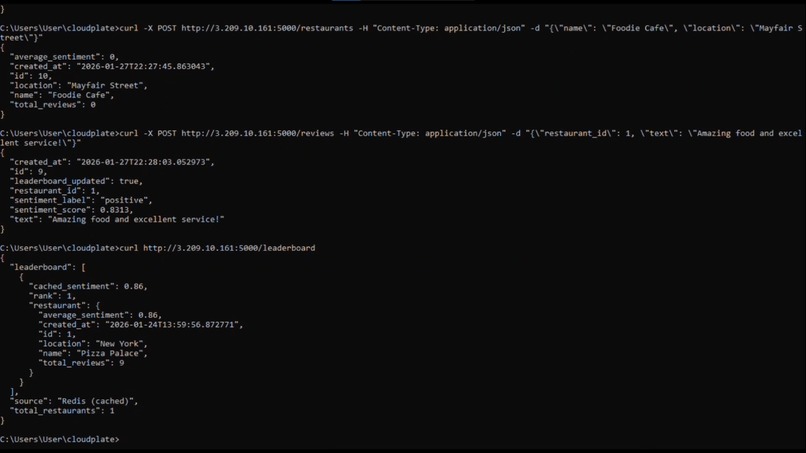
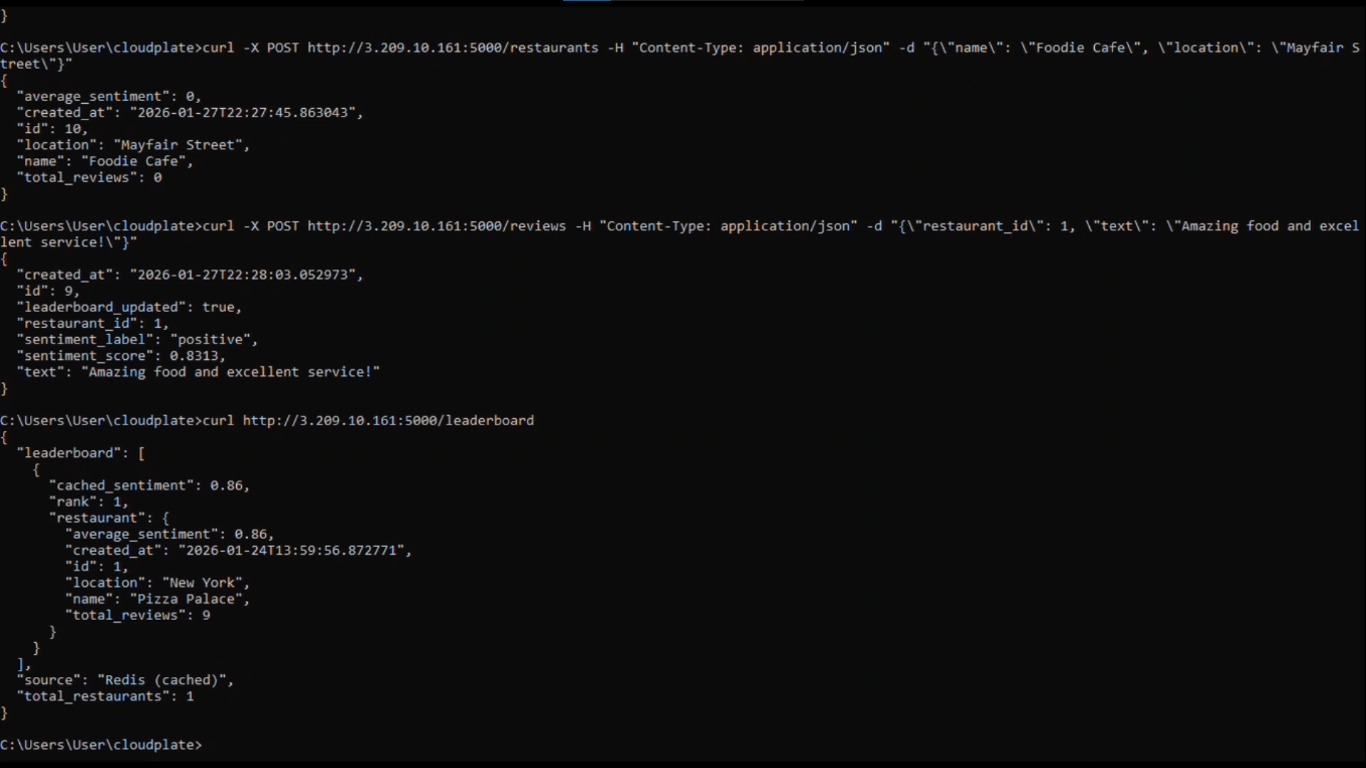
Part 1: The Application I created a Flask API that manages restaurants and reviews with real-time sentiment analysis. Users can add restaurants, post reviews, and see a leaderboard ranked by customer sentiment. It uses PostgreSQL for data storage and Redis for high-performance caching.
Part 2: Cloud Deployment I containerized everything with Docker (API, database, cache) and deployed it to an AWS EC2 instance. The entire stack runs in the cloud and is publicly accessible.
Part 3: Security Layer Here's where it gets interesting. I didn't just deploy an app - I wrapped it in AWS's security monitoring tools:
CloudWatch: Monitors API health, logs errors, triggers alarms CloudTrail: Audits every AWS action (who did what, when) AWS Config: Automatically detects security misconfigurations SNS: Sends instant email alerts for violations
Challenges we ran into
- Docker Networking problem
Problem: Containers couldn't talk to each other. Flask couldn't find PostgreSQL, Redis was unreachable. Root Cause: Using localhost instead of container names in connection strings. Solution: Changed DATABASE_URL from localhost:5432 to postgres:5432
2.IAM Role Permission Challenge
Problem: EC2 instance couldn't write to CloudWatch logs - kept getting AccessDeniedException. Root Cause: The IAM role EC2-Resaurant-APi-CloudWatch-Role had PutLogEvents but not FilterLogEvents. Solution: Added inline policy with logs:FilterLogEvents, logs:DescribeLogStreams, logs:GetLogEvents.
- * CloudWatch Alarm False Positives**
Problem: Created alarm for API errors, but it triggered even when nothing was wrong. Root Cause: Threshold was too sensitive (1 error in 5 minutes). Solution: Adjusted threshold and evaluation period to be more realistic.
Accomplishments that we're proud of
- Built a full-stack API from scratch
- Implemented sentiment analysis
- Containerized with Docker
- Deployed to AWS EC2
- Set up automated security monitoring
- Created live demo workflow
What we learned
Security Can't Be Bolted On Later We initially thought: "Build the API first, add security later." Wrong. Security monitoring should be part of the design from day 1. Trying to reconstruct CloudTrail, Config, and IAM policies after deployment was 10x harder than if I'd planned for it upfront
What's next for Cloudplate
- Add Authentication and Authorization
- Set Up CI/CD Pipeline
Built With
- amazon-sns
- aws-cloudwatch
- aws-ec2
- docker
- flask
- postgresql
- python
- redis
- sqlalchemy
- vader-sentiment-analysis


Log in or sign up for Devpost to join the conversation.