-
-
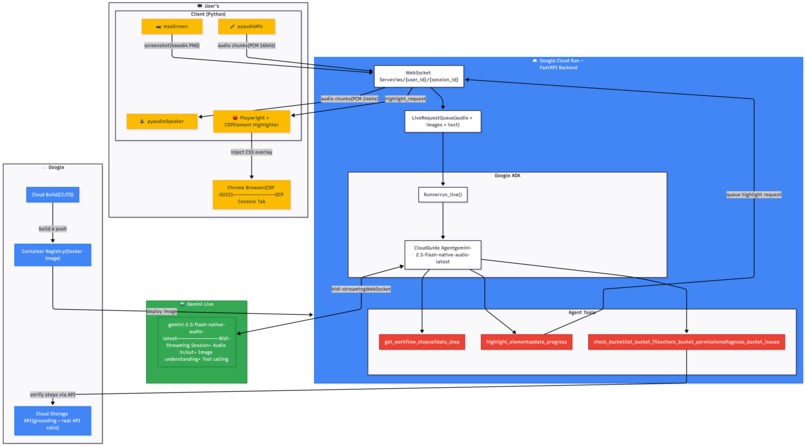
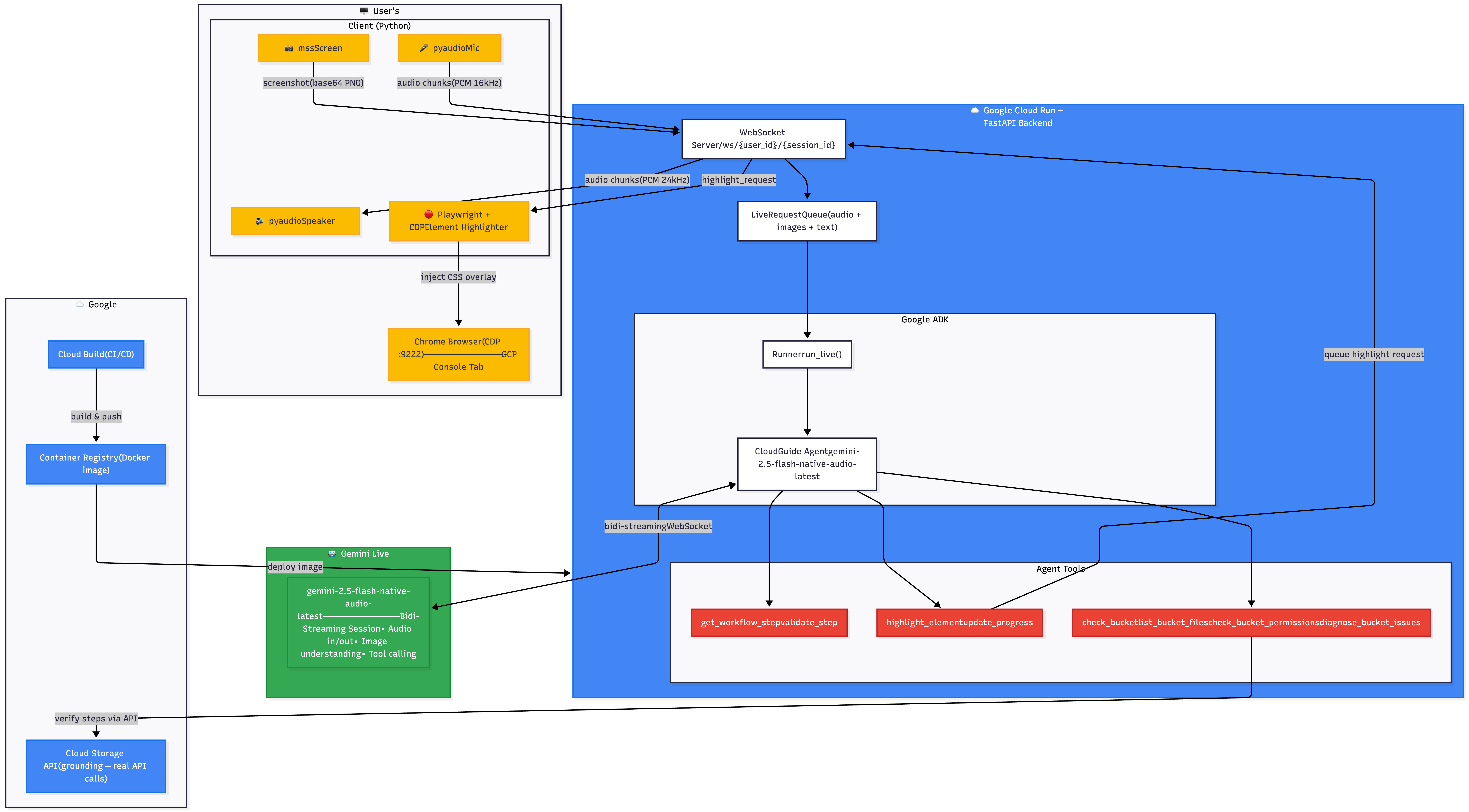
Architecture Diagram
-
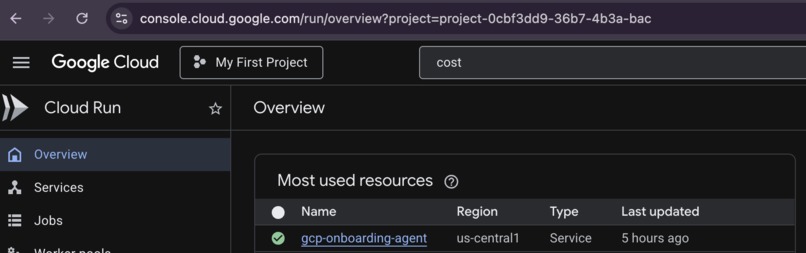
-
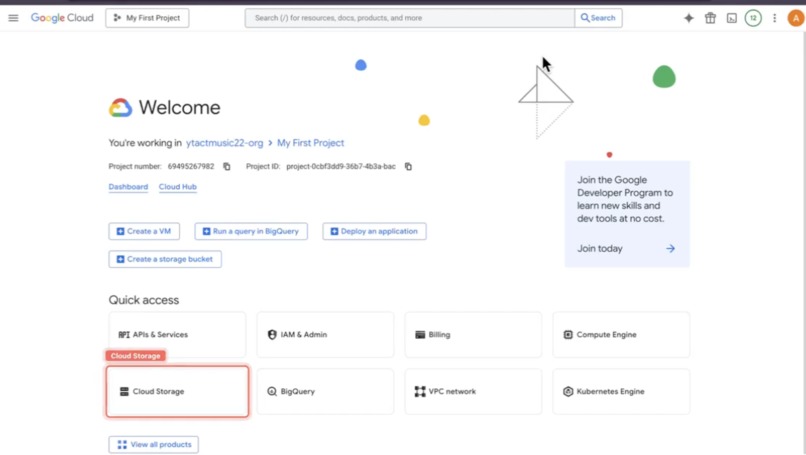
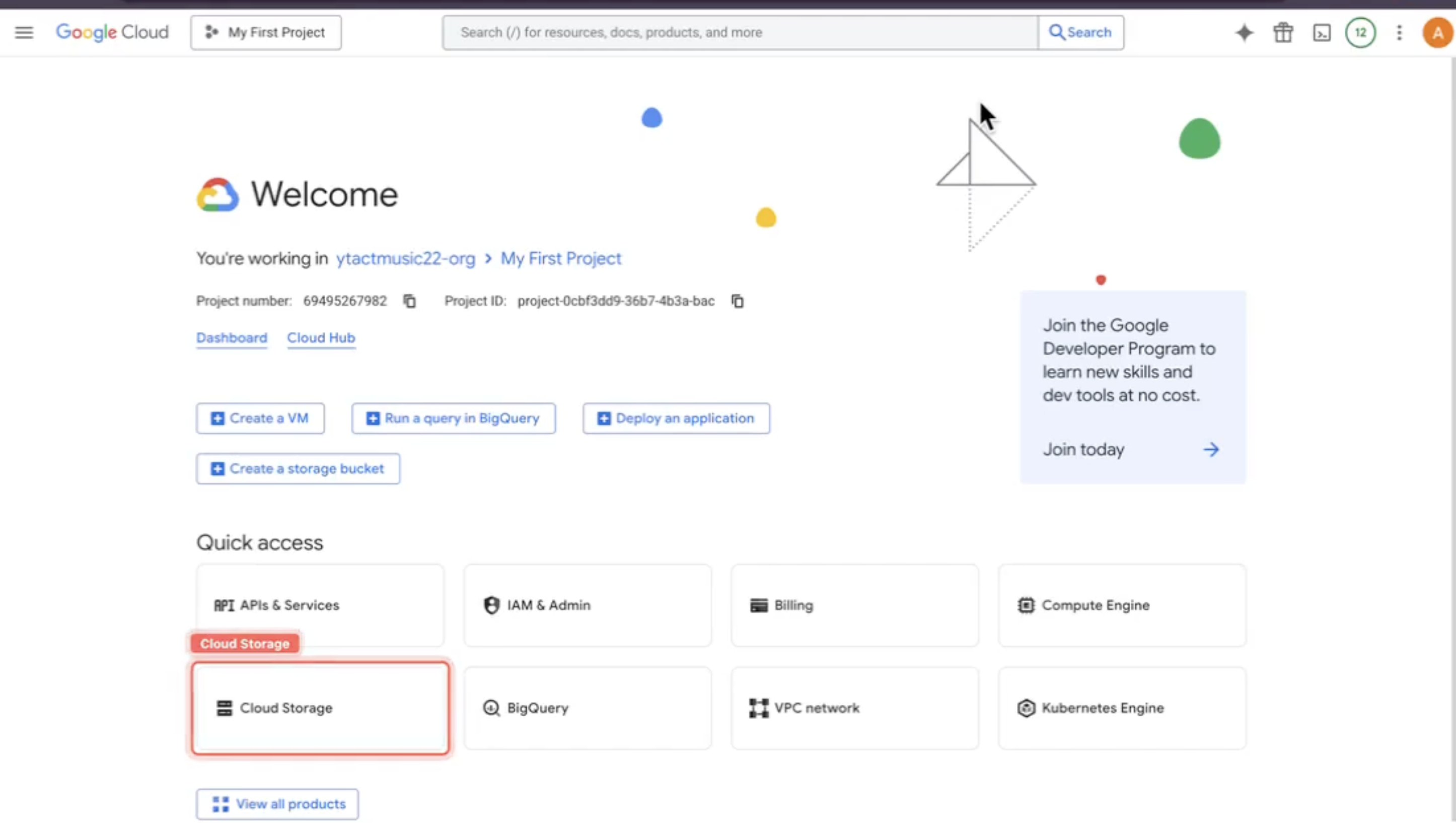
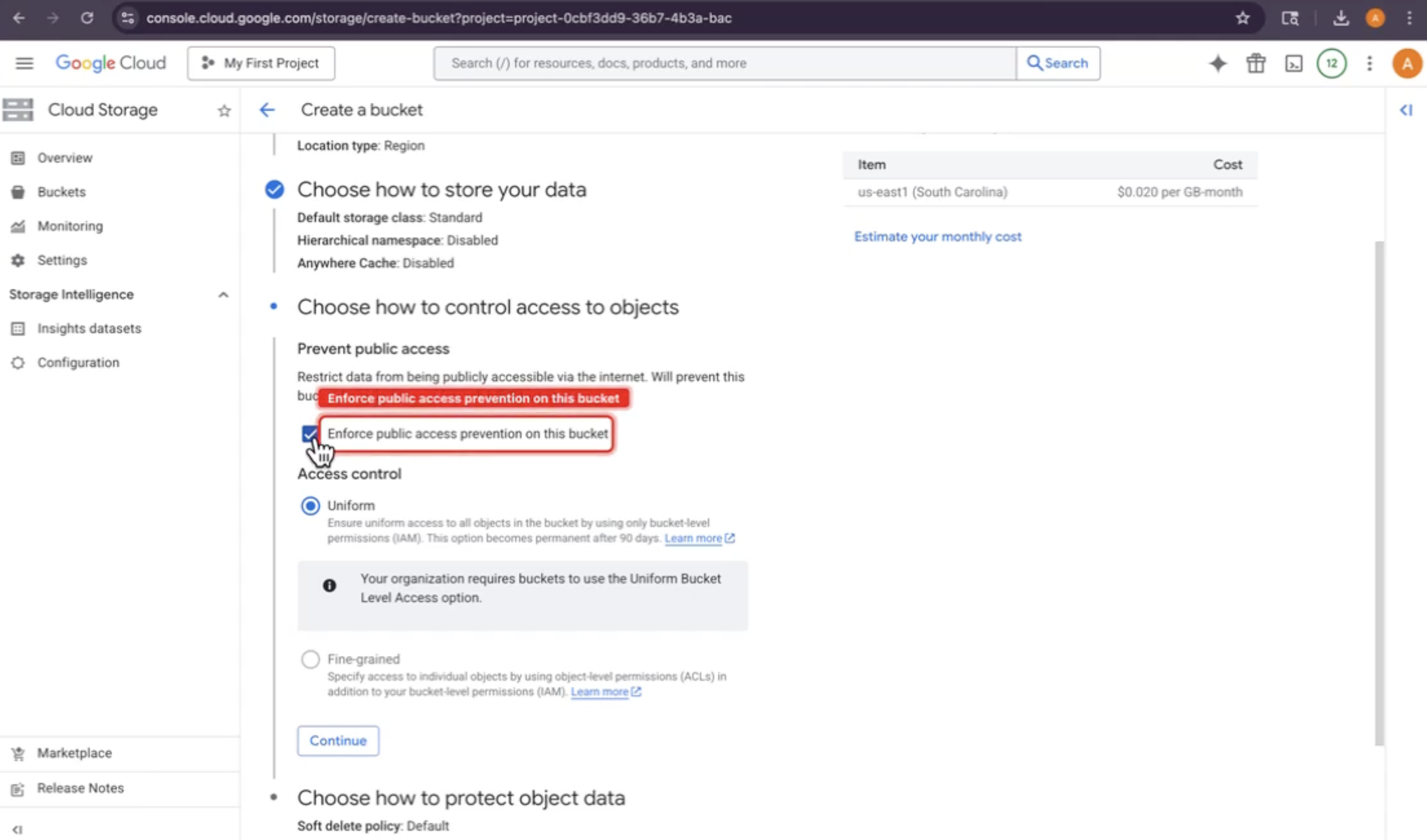
Create Bucket Instruction with Highlights
-
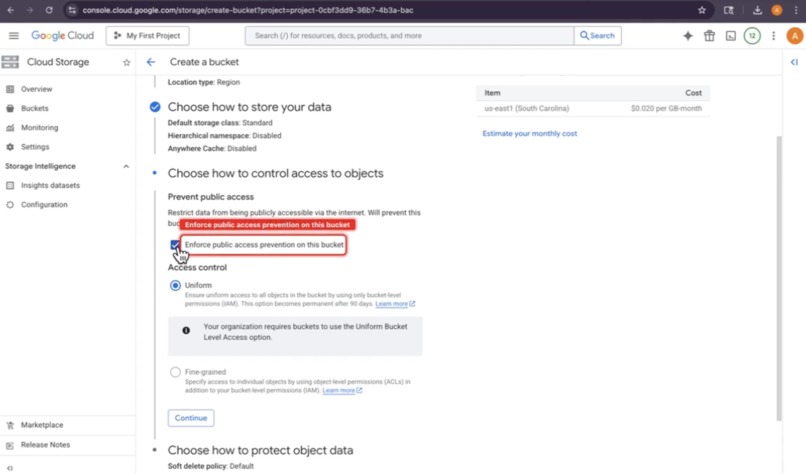
Public access highlights
-
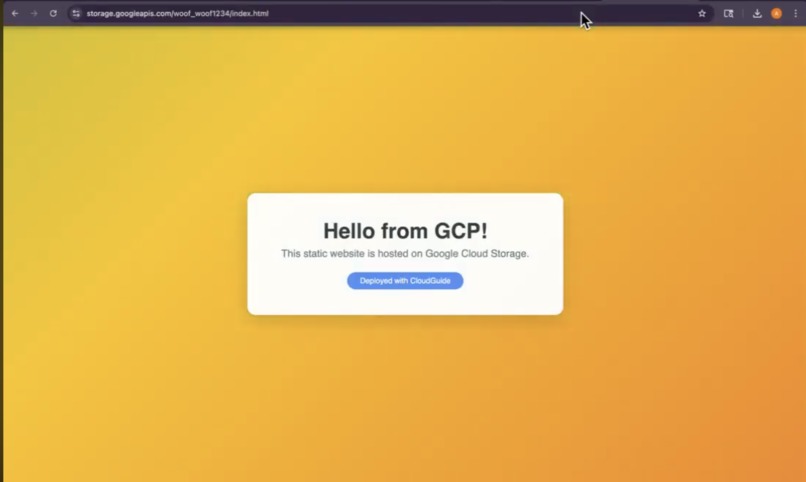
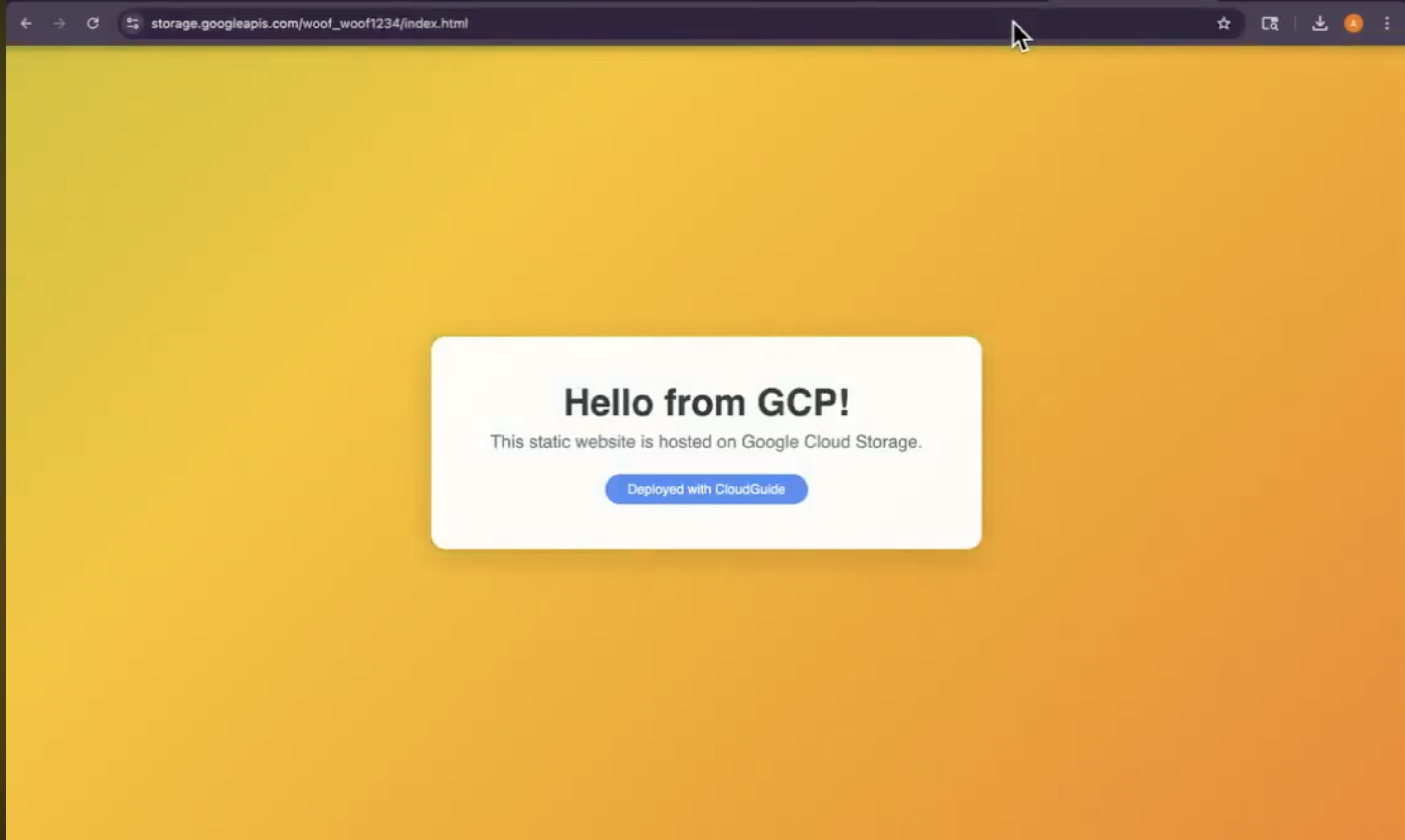
StaticWebsite
Inspiration
I was trying to set up a static website on Google Cloud Storage, and it was painful. Six steps, each with its own gotchas:
- Forget to uncheck public access prevention? Step 4 fails.
- Pick the wrong IAM role? Site stays private.
- Don't know where the website configuration button is? You're stuck. And every time something went wrong, I had no idea why. I'd stare at a screenshot and guess. That's when it hit me: what if I had an AI sitting next to me? One that could:
- See my screen in real time
- Listen to me if I had questions
- Speak clear, natural instructions
- Verify that each step actually worked by calling the real API Not screenshots. Not guesses. Real verification. CloudGuide turns that idea into reality — a voice-enabled AI agent powered by Gemini Live, running on Google Cloud, that makes GCP setup foolproof.
What it does
CloudGuide guides users through hosting a static website on Google Cloud Storage in 6 steps — completely hands-free via voice.
Core Features
Multimodal Input
- Continuously watches the user's screen via periodic screenshots
- Always-on microphone for user questions and commands
- Feeds both into a single Gemini Live bidi-streaming session Voice-First Guidance
- Speaks instructions aloud using Gemini's native audio output (low latency, natural voice)
- No TTS latency — user hears guidance immediately as the model generates
- Conversation feels natural and real-time API Grounding (Not Screenshots)
- After each major step, calls the real Cloud Storage API to verify the action actually took effect
check_bucket()— verifies bucket creation and website configlist_bucket_files()— verifies index.html uploadcheck_bucket_permissions()— verifies allUsers IAM binding- Catches common mistakes before they become problems Visual Click Guidance
- Before every click instruction, highlights the exact UI element on the user's screen with a pulsing red rectangle
- Injected directly into Chrome via Chrome DevTools Protocol (CDP)
- User never guesses where to click Proactive Error Detection
- Watches for common GCP mistakes in real time (public access prevention enabled, wrong IAM role, wrong storage class)
- Explains the consequences before the user gets stuck
- Offers to diagnose and fix problems if something goes wrong Smart Resume on Disconnect
- On API reconnect, tells the model to continue from where it left off (not re-greet)
- Reduces latency and confusion during brief network hiccups
How we built it
Architecture
┌─────────────────────────────────────┐
│         User's Machine              │
│  Client (Python)                    │
│  • mss (screen capture)             │
│  • pyaudio (mic + speakers)         │
│  • Playwright + CDP (highlights)    │
└──────────────┬──────────────────────┘
               │ WebSocket
               ▼
┌──────────────────────────────────────┐
│    Google Cloud Run (Backend)        │
│  FastAPI + ADK bidi-streaming        │
│  • LiveRequestQueue                  │
│  • run_live()                        │
│  • Grounding tools (GCS API)         │
└──────────────┬──────────────────────┘
               │ bidi-stream
               ▼
┌──────────────────────────────────────┐
│      Gemini Live API                 │
│  gemini-2.5-flash-native-audio-latest│
│  • Audio in/out                      │
│  • Vision understanding              │
│  • Tool calling                      │
└──────────────────────────────────────┘
Tech Stack
| Layer | Technology |
|---|---|
| AI Model | gemini-2.5-flash-native-audio-latest (Google AI API) |
| Agent Framework | Google ADK — run_live() + LiveRequestQueue (bidi-streaming) |
| Backend | FastAPI + WebSocket on Google Cloud Run |
| Screen Capture | mss (macOS/Linux/Windows) |
| Audio | pyaudio (mic input, speaker output) |
| Browser Control | Playwright + Chrome DevTools Protocol |
| GCS Grounding | google-cloud-storage Python SDK |
| CI/CD | Google Cloud Build + Cloud Run deployment |
Data Sources & External APIs Used
Gemini Live API (
gemini-2.5-flash-native-audio-latest)- Real-time multimodal input (audio + images)
- Bidi-streaming via
google-genaiSDK - Tool calling for function execution
- Native audio output (no TTS)
Google Cloud Storage API (
google-cloud-storagePython SDK)- Grounding tools verify each workflow step:
check_bucket()— bucket metadata, website configlist_bucket_files()— file listingscheck_bucket_permissions()— IAM bindingsdiagnose_bucket_issues()— comprehensive diagnostics
- These are the "sources of truth" — not screenshots
- Grounding tools verify each workflow step:
Chrome DevTools Protocol (CDP)
- Playwright client injects CSS overlays into the Chrome DOM
- No external data source, but uses Chrome's exposed debugging API
GCP Console (the user's screen)
- User's screenshot stream (captured every 5 seconds)
- User's microphone input (continuous)
- These feed into the Gemini Live session as context
Key Decisions
Single bidi-streaming pipeline — all audio, images, and text flow through ONE live session with Gemini. No separate calls. This keeps state coherent and makes the conversation feel unified.
API grounding over vision — don't trust what the screenshot looks like. After each step, call the real Cloud Storage API to verify. This catches cases where the UI shows success but the action failed.
CDP-based highlighting — inject a CSS overlay directly into the user's browser. Zero latency, pixel-perfect, robust element finding by aria-label/placeholder/label text.
Cloud Run for the backend — serverless, scales instantly, supports WebSockets natively (with
--timeout=3600and--session-affinity).
Challenges we ran into
1. Native Audio Model Restrictions
The gemini-2.5-flash-native-audio-latest model only supports response_modalities=["AUDIO"] — it cannot return text. This meant:
- All reasoning had to happen in audio (the model "thinks out loud")
- Required careful system prompt design to prevent the agent from narrating every thought
- No text transcription of the model's speech — had to accept audio-only output
Workaround: Used explicit instructions to tell the model to only speak when appropriate, not to narrate its reasoning.
2. WebSocket Keepalive Timeout
When the backend made a long Gemini API call (10-30 seconds), the WebSocket connection to the client timed out because the server couldn't respond to ping/pong frames while awaiting the model.
Solution: Wrapped all model calls in asyncio.create_task() to prevent blocking the event loop. This kept the WebSocket alive even during long API calls.
3. Screenshot Frequency Tuning
- Too frequent (every 2s) → floods the model with redundant frames, burns tokens
- Too rare (every 10s) → user's progress isn't captured, agent gives stale instructions
Solution: Settled on 5-second intervals. Gives the model time to process and respond before the next frame.
4. CSS position: fixed Inside Transformed Containers
GCP Console uses Angular Material dialogs with CSS transforms. When we appended highlight overlays to a transformed parent, position: fixed broke — the box appeared in the wrong place (or off-screen entirely).
Root cause: In CSS, if a parent has transform, perspective, or filter, then position: fixed children become relative to that parent, not the viewport.
Solution: Always append highlight elements directly to document.body as direct children. This guarantees viewport-relative positioning.
5. Model Responds to Silence / Background Noise
The Live API model interprets silence and ambient noise as user input, generating unsolicited responses. There's no built-in voice activity detection (VAD).
Workaround: Use headphones. The always-on microphone picks up the agent's own voice from speakers, triggering a feedback loop. Headphones eliminate this, so the model only hears actual user speech, not silence or its own voice.
6. GCP Console UI Path Changed
Early in development, Gemini hallucinated UI paths that don't exist in the Console (e.g., "Website configuration" tab doesn't exist — you have to click "Edit bucket" → scroll to "Static website" section).
Solution: Updated the workflow definition to use the correct paths. Added diagnostic tool to help the agent recover when it gets confused by UI changes.
Accomplishments that we're proud of
✅ Real-time multimodal agent — sees + hears + speaks in a single live session. No latency. Feels like a real conversation.
✅ API grounding — doesn't just read screenshots. Calls the real Cloud Storage API to verify each step. This gives the agent ground truth and catches mistakes the screenshot would miss.
✅ Pixel-perfect visual guidance — highlights the exact UI element the user needs to click. Works even inside Angular Material dialogs with CSS transforms (tricky!).
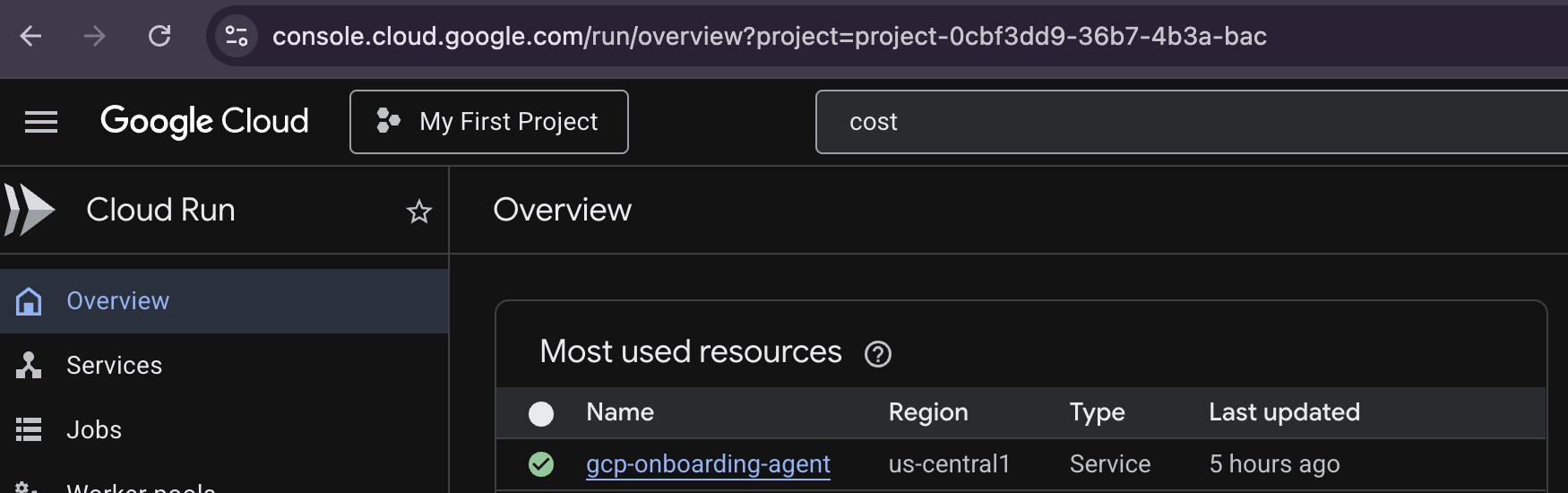
✅ Deployed to production — backend runs on Google Cloud Run. Client can connect from anywhere over the internet (not just localhost). Demonstrates real cloud deployment.
✅ Automated CI/CD — deploy.sh one-command script that handles APIs, builds Docker image, pushes to Artifact Registry, and deploys to Cloud Run. Zero manual steps.
✅ Graceful error handling — when the API connection drops, backend injects a "resume" instruction so the model doesn't re-greet. When a step fails, the diagnostic tool helps figure out why.
✅ Edge case handling — catches common GCP mistakes in real time (public access prevention, wrong IAM role, wrong region) and explains the consequences before the user gets stuck.
What we learned
About Gemini Live
- Native audio is powerful — speaking directly (not TTS) makes the agent feel much more natural and responsive. The latency difference is huge.
- Bidi-streaming is elegant — feeding audio + images through one
LiveRequestQueueinto one session keeps state coherent. Much cleaner than separate API calls. - But it has gaps — no built-in VAD, can't return text, model responds to silence. These are solvable (wake words, echo cancellation, etc.) but should be built-in.
About ADK
run_live()is the right abstraction — handles reconnection, event streaming, tool calling. Much cleaner than raw WebSocket + JSON parsing.- But async gotchas exist — long-running model calls can block the event loop and kill WebSocket keepalive. Document this pattern clearly!
About Screen-Reading AI Agents
- Screenshots alone are unreliable — you need API grounding. Always verify with the real API, not just what the screenshot looks like.
- UI paths change — GCP Console, Office apps, etc. update layouts. Hard-coding "click the Configuration tab" is fragile. Use element finding by label/aria-label instead.
- Click guidance is essential — without visual highlights, users get lost. Works best with aria-label/placeholder/label text, not coordinates.
What's next for CloudGuide
Short term (post-hackathon)
Support more workflows — database setup, deploying a Cloud Function, configuring IAM roles, setting up Cloud SQL. Same architecture, different guided workflows.
Built-in echo cancellation — prevent the mic from picking up the agent's own voice. Currently requires headphones; headphone-free would be better.
Interrupt handling — let the user say "wait" or "go back" to interrupt the agent mid-instruction. Gemini Live supports this; we haven't fully wired it yet.
Multi-language support — translate instructions and agent responses to Spanish, French, Mandarin, etc.
Medium term
Feedback loop — track which steps users struggle with most. Use that data to improve instructions and add more diagnostic help.
Integration with Cloud Marketplace — let users buy solutions through CloudGuide. Agent guides them through setup and purchase.
What we'd ask Google to fix
See ISSUES.md for detailed feedback:
- Unify Live API model naming across Vertex AI and Google AI endpoints
- Add built-in VAD (voice activity detection)
- Allow native audio models to return text (for transcription)
- Add echo cancellation or expose reference signal for client-side AEC
- Support
role="system"vsrole="user"in Live API messages - Provide
response_format="json"in ADK Agent config - Update GCP Console to expose website hosting config on Configuration tab (or at least document the Edit bucket → Static website path clearly)

Log in or sign up for Devpost to join the conversation.