-
-
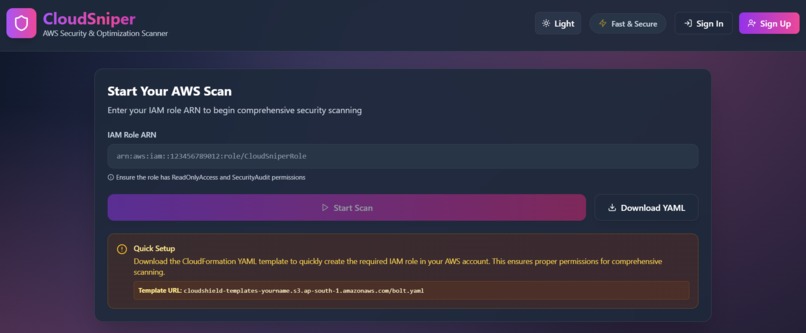
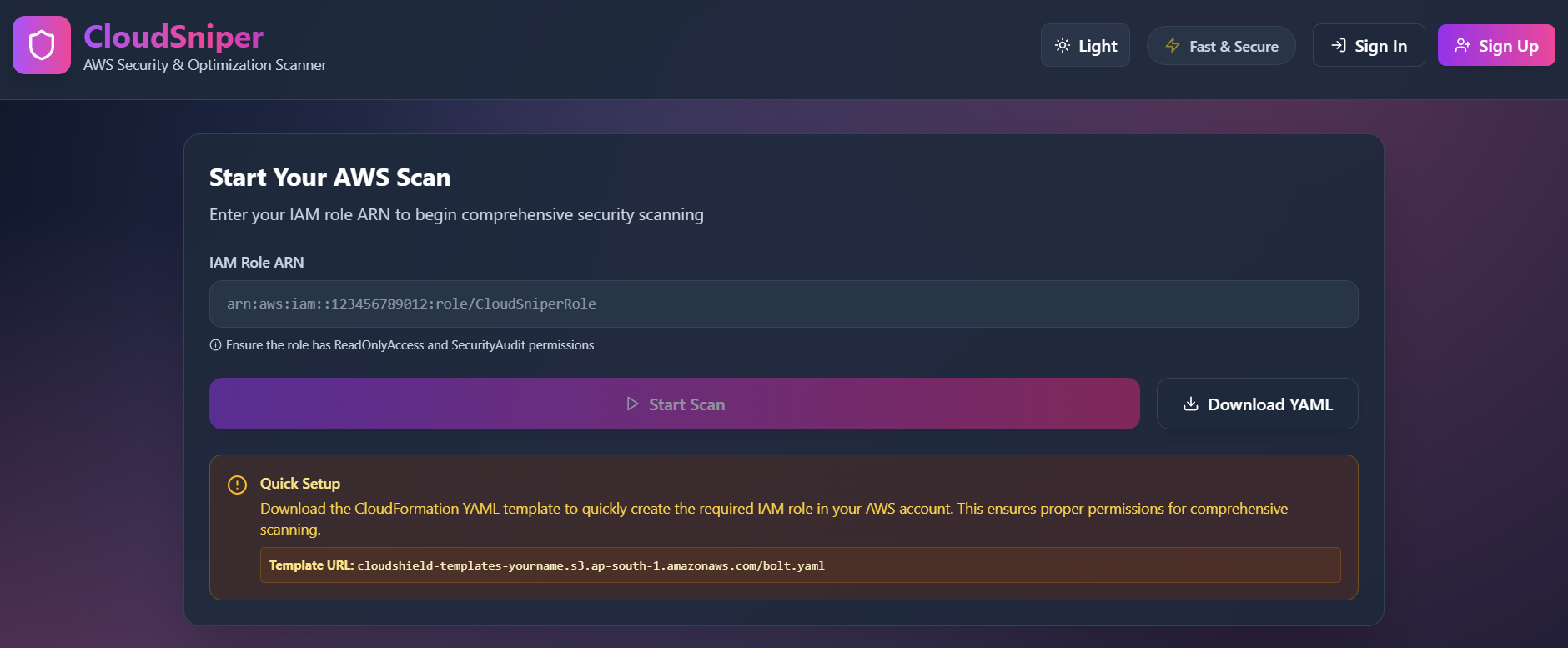
dashboard of the page
-
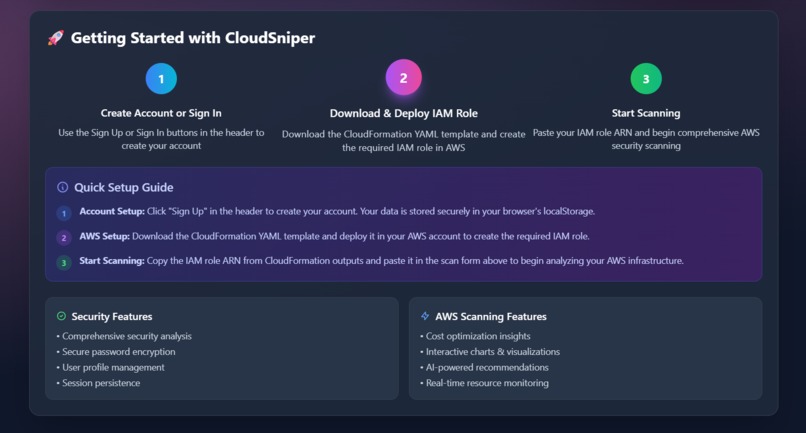
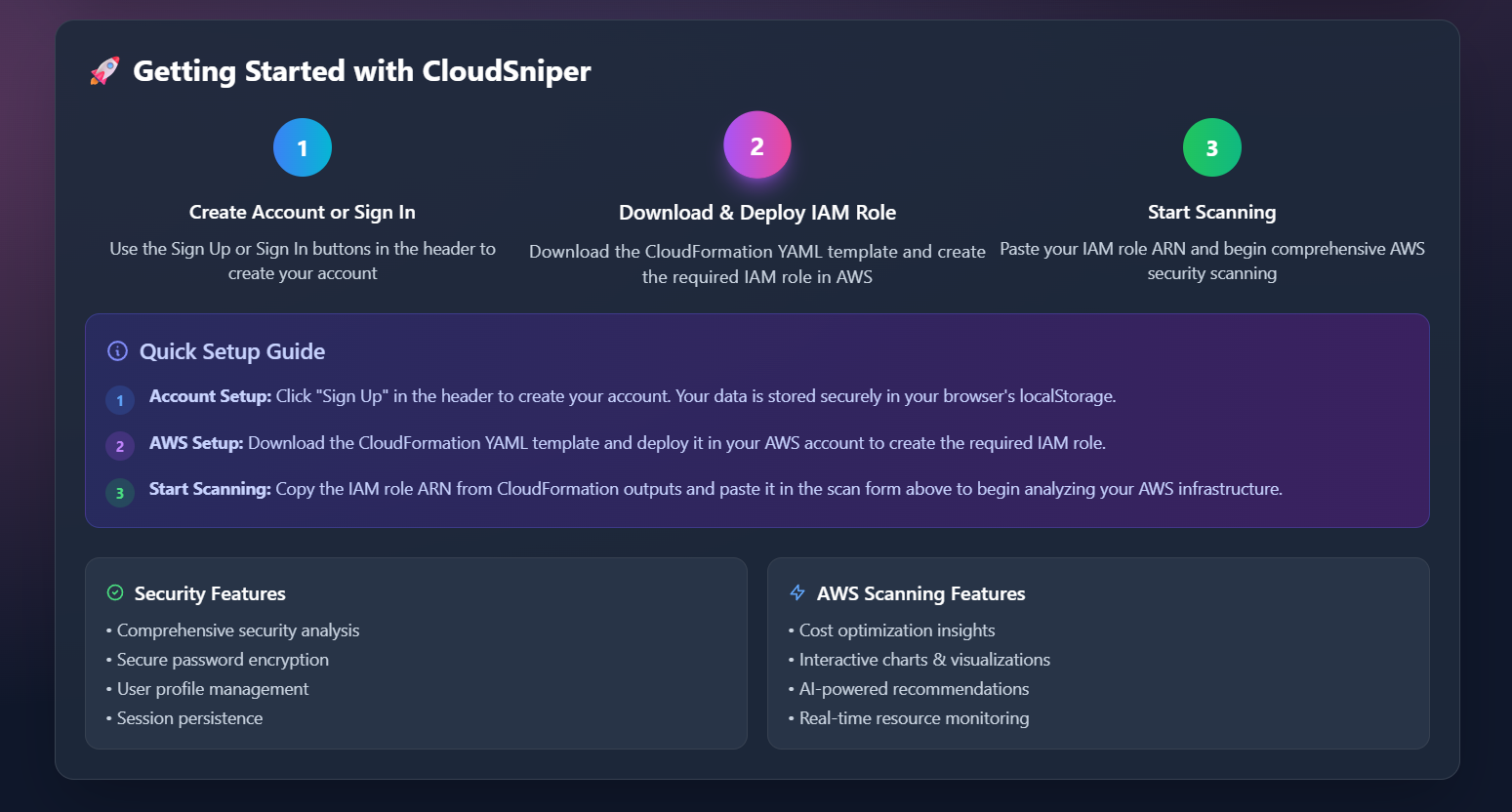
these are steps user can follow and create their IAM role
-
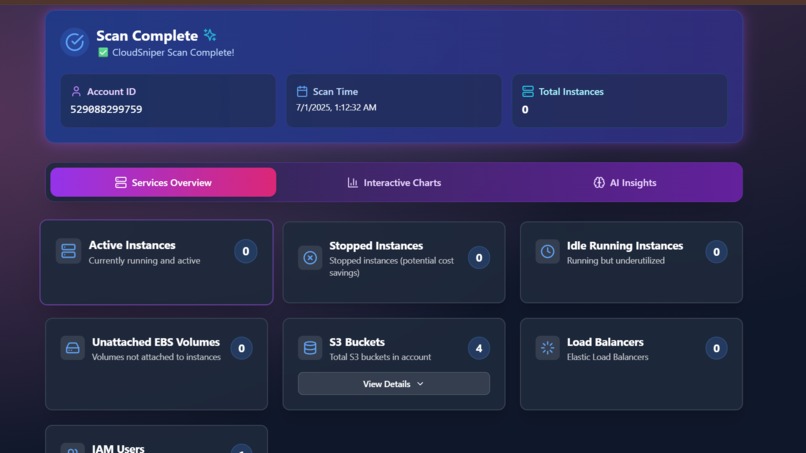
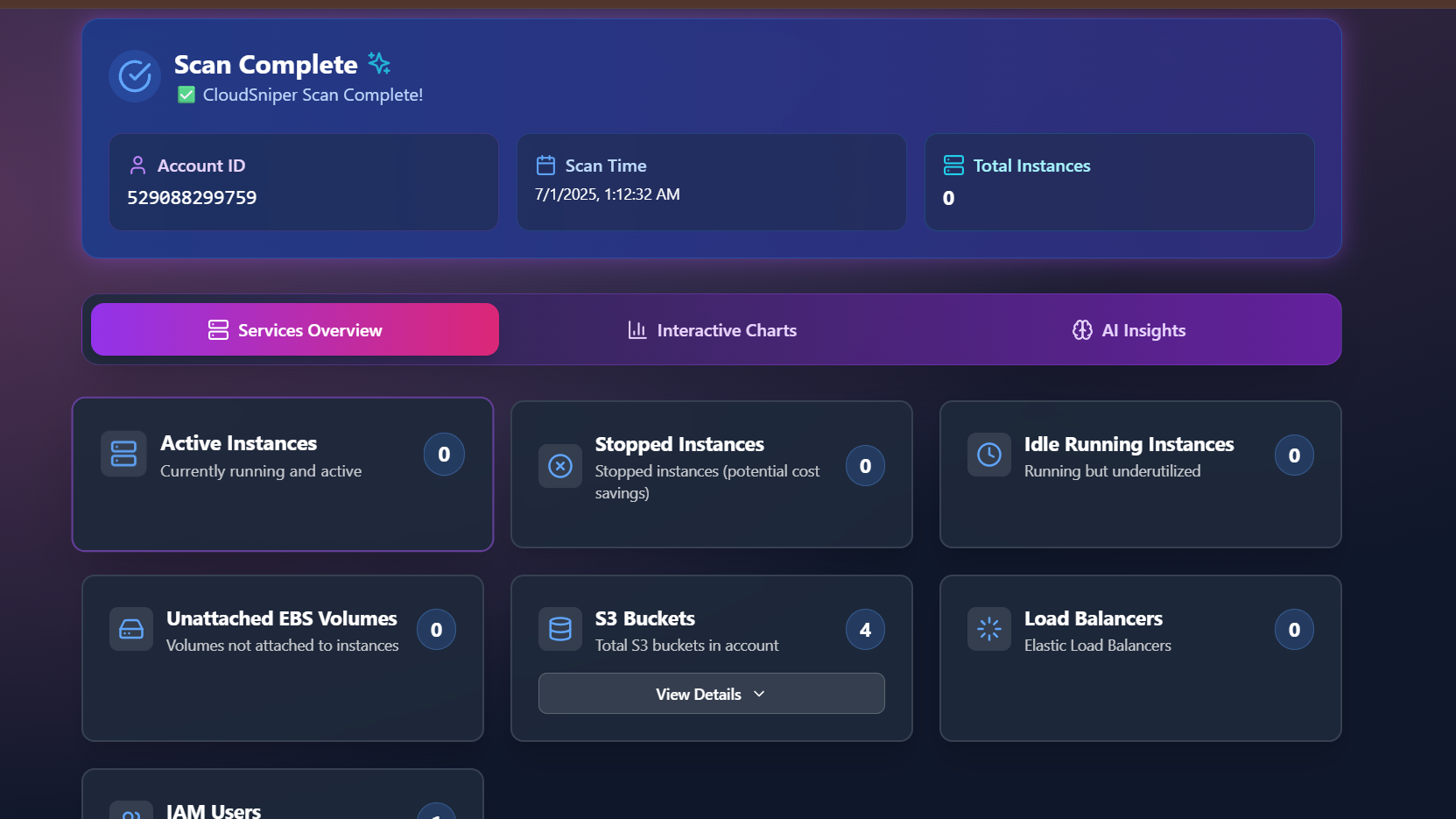
after scanning these are the results of service overview
-
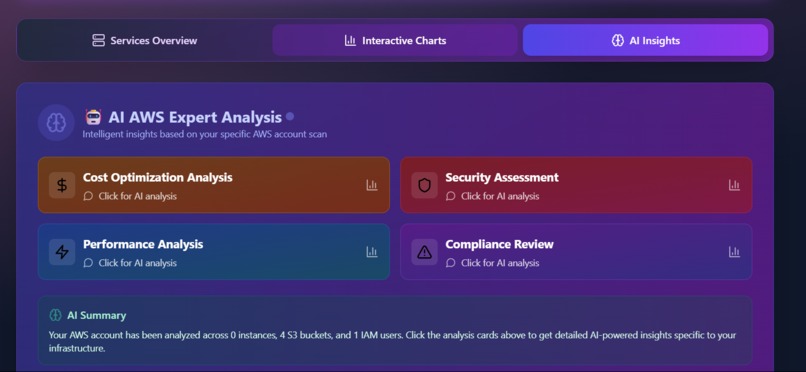
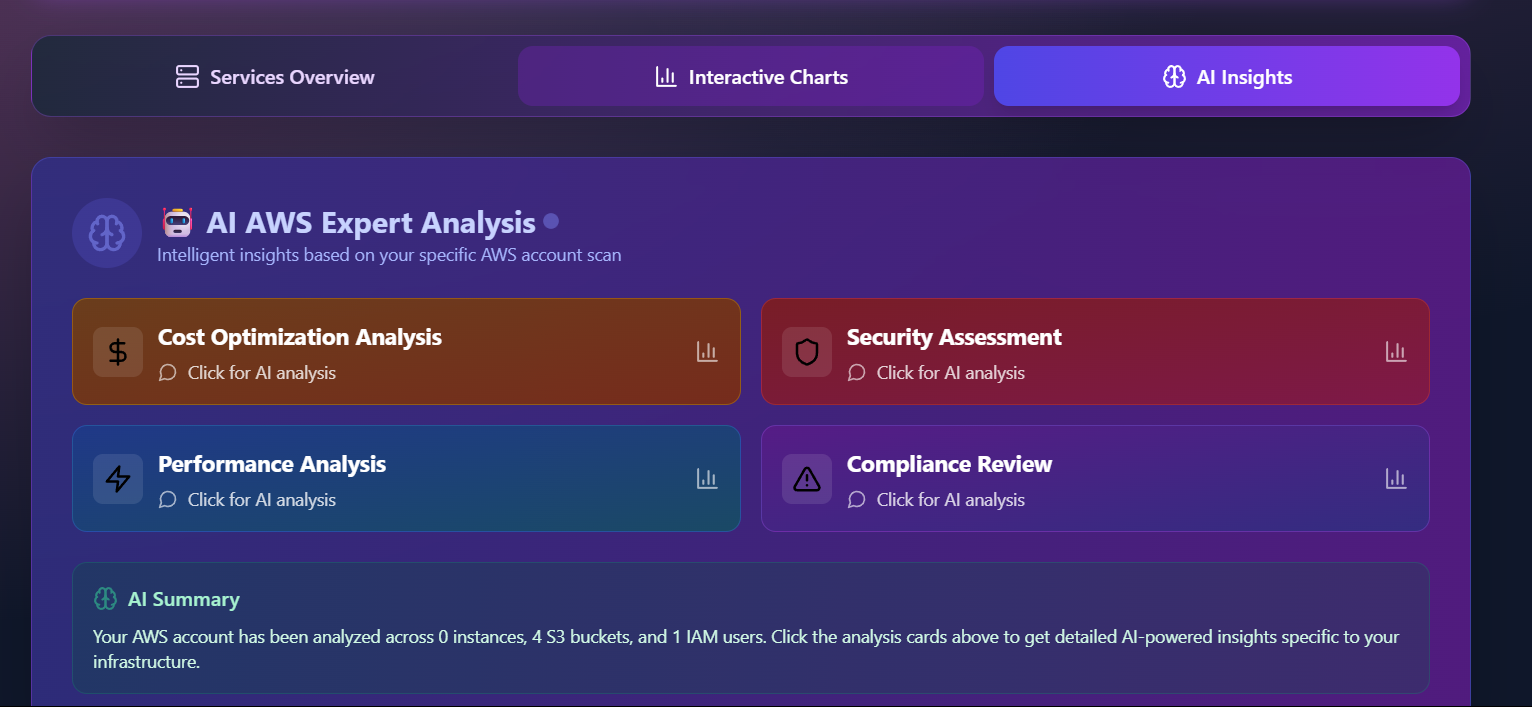
this is ai powered insights based on user output it will give recomdations.
-
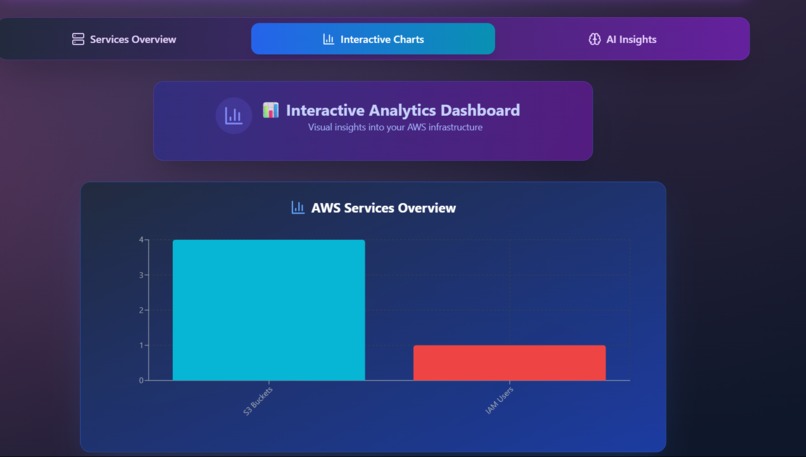
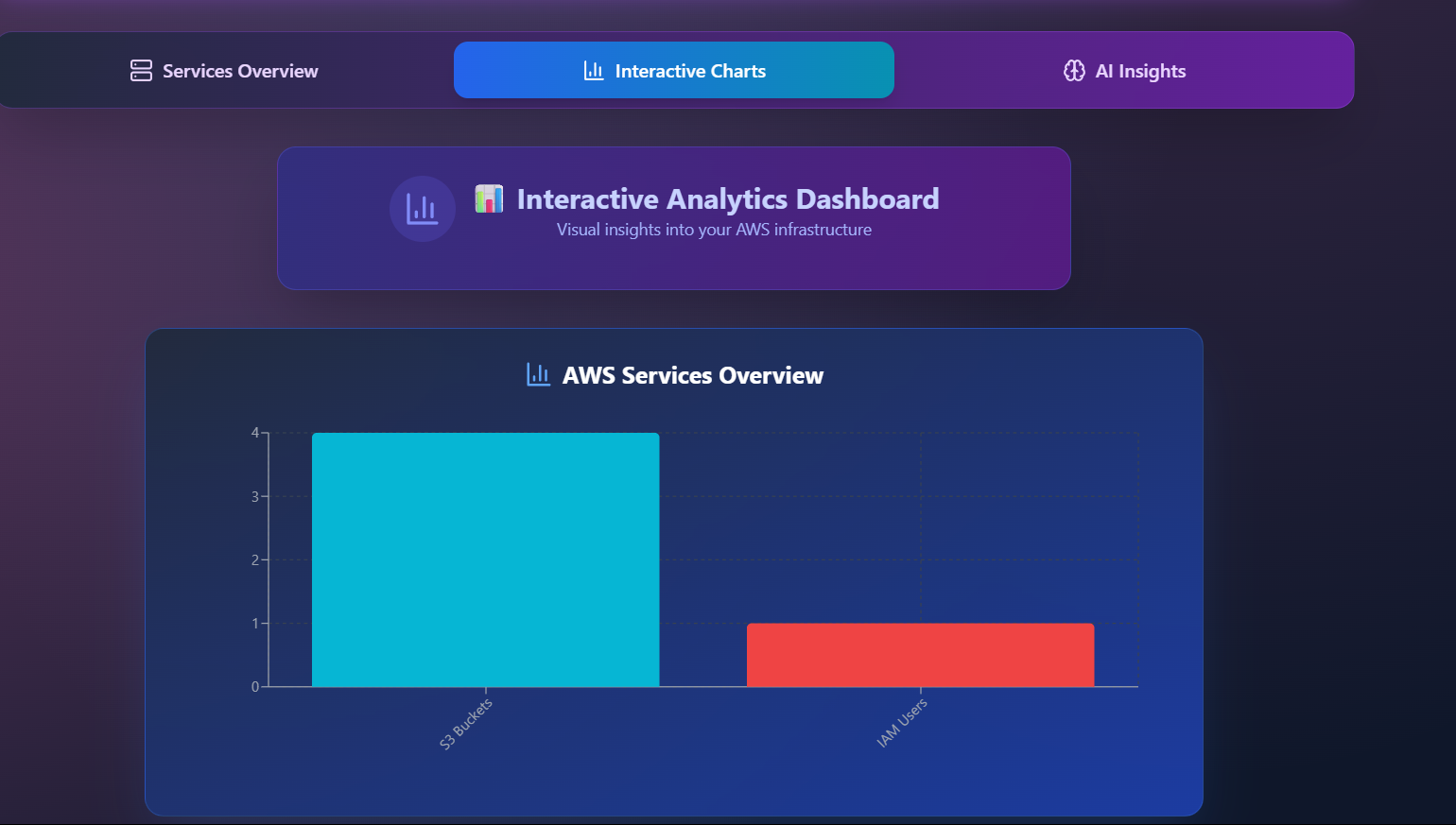
even for better understanding here in interactive charts it provide output in the form of user friendly graphs and pie charts
Inspiration
When I began learning AWS as a beginner, one of the biggest challenges I faced was managing and cleaning up resources after use. I often launched services in different regions and later forgot where they were running, which led to confusion. During my research, I discovered that even many startup companies face similar issues—like tracking which EC2 instances are active or idle, or identifying unattached EBS volumes that silently increase costs. That’s when the idea for our project was born. Inspired by these real-world challenges, we built a Lambda-powered solution that scans a user’s AWS account, detects idle or unused resources like EC2 instances, EBS volumes, and load balancers, and provides clear recommendations to help users optimize their infrastructure and reduce unnecessary costs. To make the experience user-friendly and insightful, we also added interactive graphs and AI-powered insights, giving users a clear and visual understanding of their cloud usage.
What it does
Our Lambda-powered solution scans your AWS account to detect idle or unused resources such as EC2 instances, unattached EBS volumes, and load balancers. It helps you optimize your cloud infrastructure by providing smart recommendations to reduce costs and improve visibility. To make onboarding easy and secure, we provide a ready-to-use CloudFormation YAML template that users can download and launch in their AWS account. This template creates a read-only IAM role with minimal permissions required for scanning—making it safe, transparent, and trustworthy. Once the role is created, users simply copy the IAM Role ARN and paste it into our web app. Alternatively, advanced users can manually create their own read-only IAM role and provide its ARN in the app. For better understanding and user-friendliness, we’ve also added interactive graphs and AI-powered insights to visualize the scanned data clearly and help users take quick action.
How we built it
Frontend: React 18 + TypeScript + Tailwind CSS + Vite Backend: AWS Lambda + Python + boto3 Deployment: Netlify
Challenges we ran into
1.Making the process of connecting the user-provided IAM Role ARN to their account seamless and error-free was tricky. 2.Tracking resources across multiple AWS regions was confusing and time-consuming. 3.Identifying unattached EBS volumes and idle instances wasn’t straightforward with native AWS tools. 4.Ensuring security while scanning user accounts required creating a reliable, read-only IAM role. 5.Presenting scan results in a user-friendly way with clear graphs and AI insights took extra design and testing effort.
Accomplishments that we're proud of
the original output was fantastic and we are proud of that
What we learned
so many new things and how to handle errors is the main point we have learned
What's next for Cloud Sniper
Built With
- aws-lambda
- bcryptjs
- boto3
- lucide
- netlify
- python
- react
- recharts
- tailwind-css
- typescript
- vite

Log in or sign up for Devpost to join the conversation.