-
-
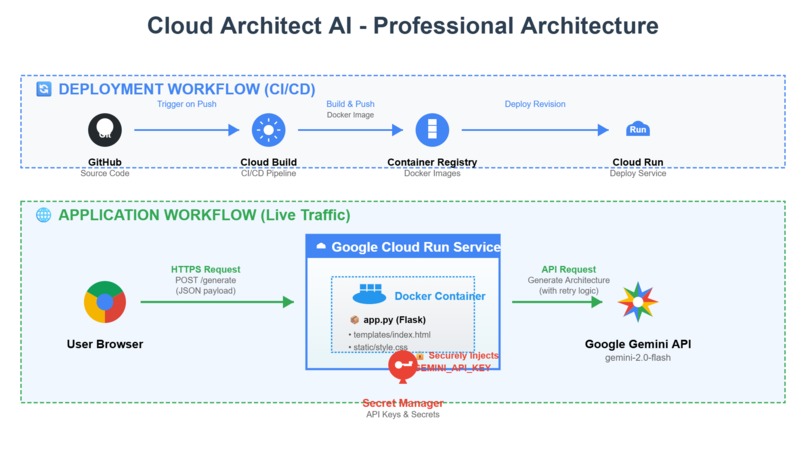
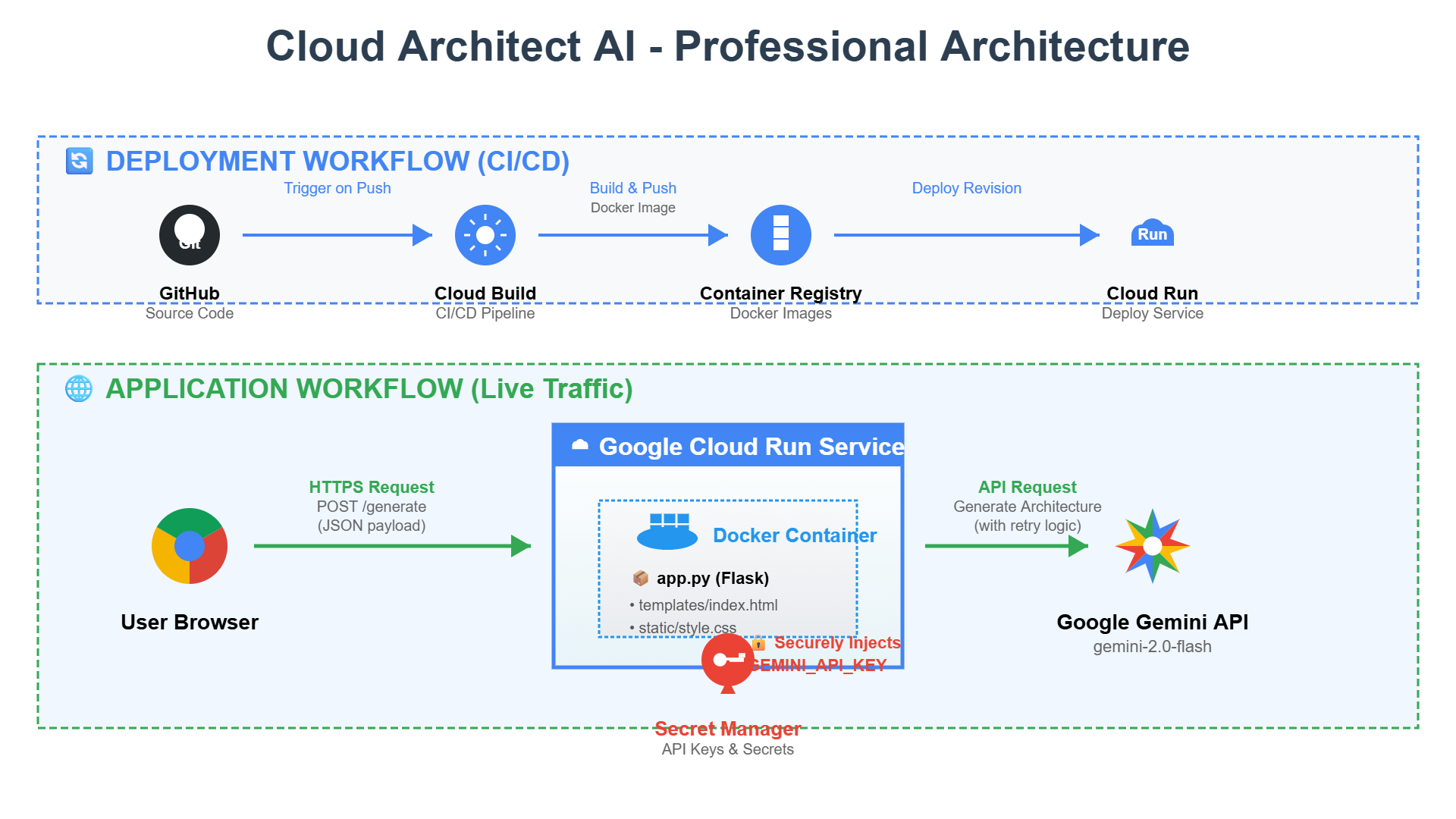
architecture diagram
Inspiration
As a developer, the first step of any new project is often the most daunting: planning the architecture. Staring at the vast number of Google Cloud services, I've often found myself spending hours researching best practices and trying to decide between options like Kubernetes Engine vs. Cloud Run, or Cloud SQL vs. Spanner. I was inspired to build a tool that could automate this critical first step. My goal was to create a "personal cloud architect" that could provide expert, production-grade guidance instantly, empowering any developer to build on Google Cloud with confidence and speed.
What it does
Cloud Architect AI is a simple yet powerful web application that transforms a plain-English project description into a comprehensive Google Cloud architecture plan. A user describes their app, including key features, expected user load, and business constraints (like PCI compliance). In seconds, the tool leverages the power of Google's Gemini AI to generate a detailed report covering: Recommended Services: A curated list of the best Google Cloud products for the job. Data Flow Diagram: A clear, text-based diagram showing how components interact. Best Practices: In-depth advice on scalability, cost optimization, and security. Deployment Strategy: A suggested CI/CD and deployment plan. It turns hours of research into a 10-second task.
How we built it
This project was built to be a perfect showcase for the AI Studio Category. The entire application is a serverless web app deployed on Google Cloud Run. AI Core: The "brain" of the application is a highly-tuned prompt crafted in Google AI Studio. This prompt instructs the Gemini AI model to act as an expert Google Cloud Solutions Architect. Backend: A lightweight Python Flask server handles requests. It takes the user's input, securely calls the Gemini API, and returns the generated plan. Frontend: A clean, simple UI built with vanilla HTML, CSS, and JavaScript provides an intuitive user experience. Deployment: The entire application is containerized with Docker and deployed automatically using a cloudbuild.yaml configuration with Google Cloud Build, making it a production-ready, CI/CD-driven project from day one.
Challenges we ran into
The primary challenge was in "prompt engineering." Getting a consistently well-structured, accurate, and professional-sounding output from the AI required dozens of iterations. I had to experiment with different phrasing, "few-shot" examples, and structuring instructions to ensure the model didn't just give a generic answer, but a truly insightful plan. For instance, making the AI produce a coherent text-based diagram was a fun challenge that required very specific instructions in the prompt.
Accomplishments that we're proud of
I'm most proud of how genuinely useful the final tool is. The quality of the architectural output, as seen in the demo, is far beyond a simple toy project. It provides real, actionable advice that even experienced engineers would find valuable. I'm also proud of building a fully "production-ready" application within the hackathon timeline, complete with a containerized build, automated deployment via Cloud Build, and a comprehensive test suite. It's not just a proof-of-concept; it's a real tool.
What we learned
This project was a deep dive into the power of modern Large Language Models and the simplicity of serverless computing. I learned just how critical "prompt engineering" is to the success of an AI application—the prompt is as important as the code itself. I also gained a much deeper appreciation for the developer experience of Google Cloud Run and Cloud Build; going from a local Flask app to a globally scalable, deployed application with an automated pipeline was incredibly fast and efficient.
What's next for Cloud Architect AI
The potential for Cloud Architect AI is huge. The next steps would be to: Generate Terraform Code: Add a feature where the AI not only designs the architecture but also generates the corresponding Infrastructure as Code (IaC) using Terraform. Interactive Diagrams: Instead of a text-based diagram, integrate a tool to generate a visual PNG of the architecture on the fly. Cost Estimation: Have the AI provide a rough monthly cost estimate for the proposed architecture based on the described user load. Finetune the Model: For even more accurate and specific recommendations, I would explore finetuning a foundation model on Google's own "best practice" architecture documentation.
Built With
- artificial-intelligence
- css3
- docker
- flask
- git
- github
- google-ai-studio
- google-cloud
- google-cloud-build
- google-cloud-run
- google-gemini-ai
- html5
- javascript
- machine-learning
- pytest
- python
- rest-api
- serverless

Log in or sign up for Devpost to join the conversation.