ClosetMind
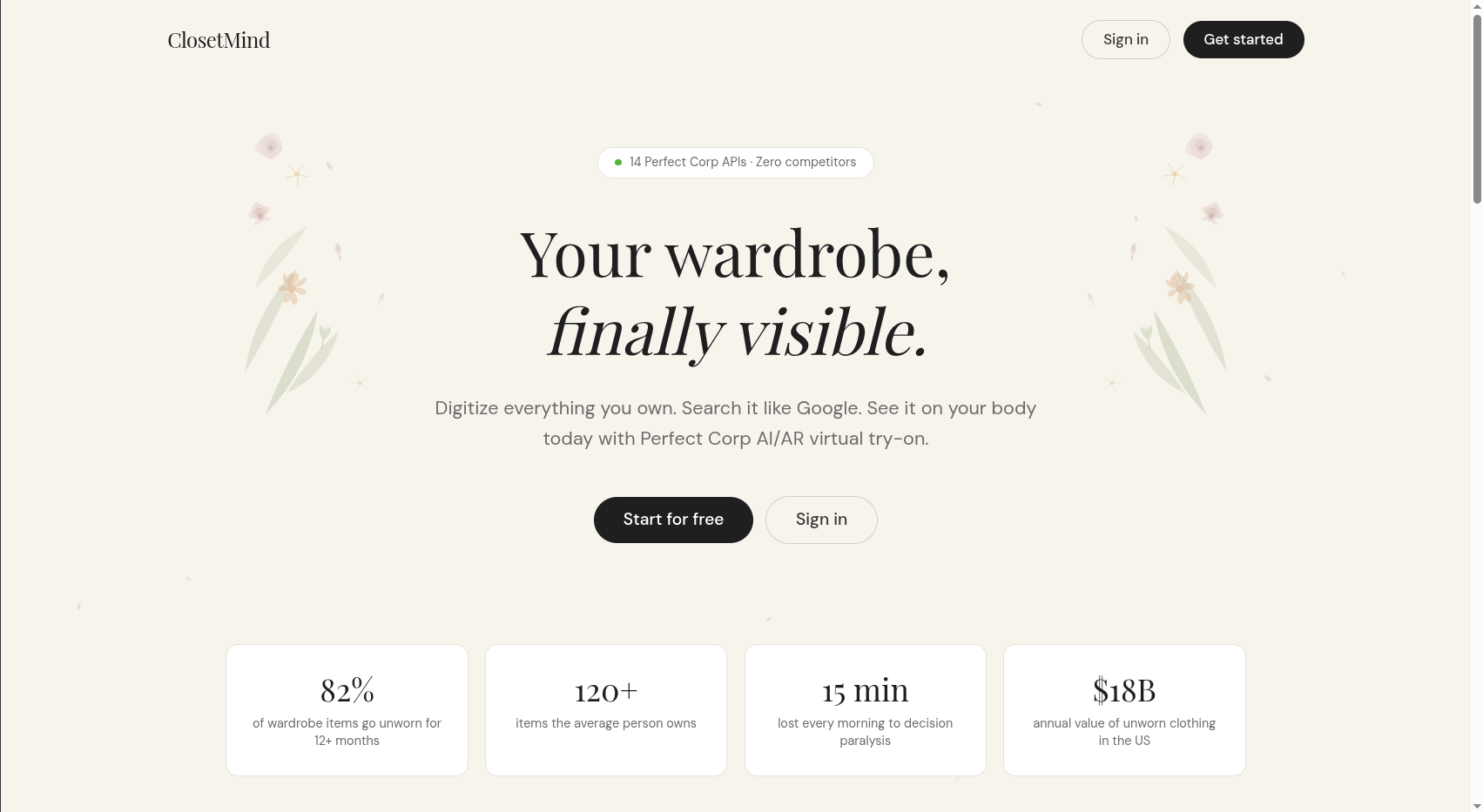
Digitize everything you own, search it like Google, and see it on your body today with Perfect Corp VTO.
ClosetMind is a full-stack AI wardrobe assistant built with Next.js 15 and the Perfect Corp YouCam API suite. It solves a problem that affects nearly every person who owns clothes: the gap between what you own and what you actually wear. Most wardrobe apps stop at cataloguing. ClosetMind goes further - it remembers context, learns your preferences implicitly, reasons about occasions, and renders your actual clothes on your actual face using 14 production-grade AI/AR APIs.
The system is built around three core ideas. First, memory should be multimodal - an item is not just a name and a photo, it is a rich object with color, fabric, season, formality, wear history, and semantic tags that can be recalled through natural language. Second, search should feel like thinking - typing "something cozy for a rainy afternoon" should surface soft knits and neutral tones, not require you to remember the exact name you gave a sweater three months ago. Third, visualization should be real - not a generic model wearing a similar garment, but your clothes on your body as it looks today, rendered by AI in seconds.
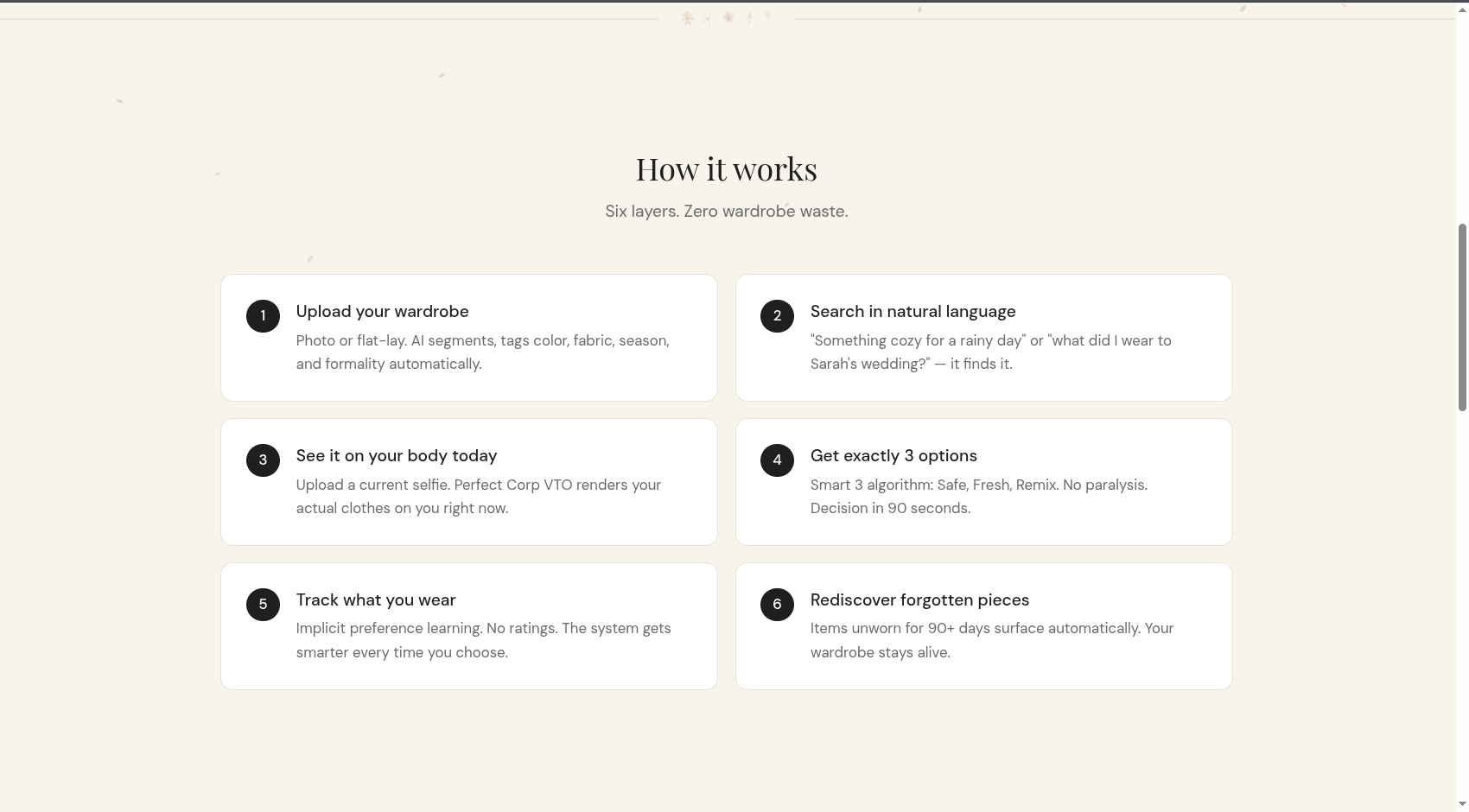
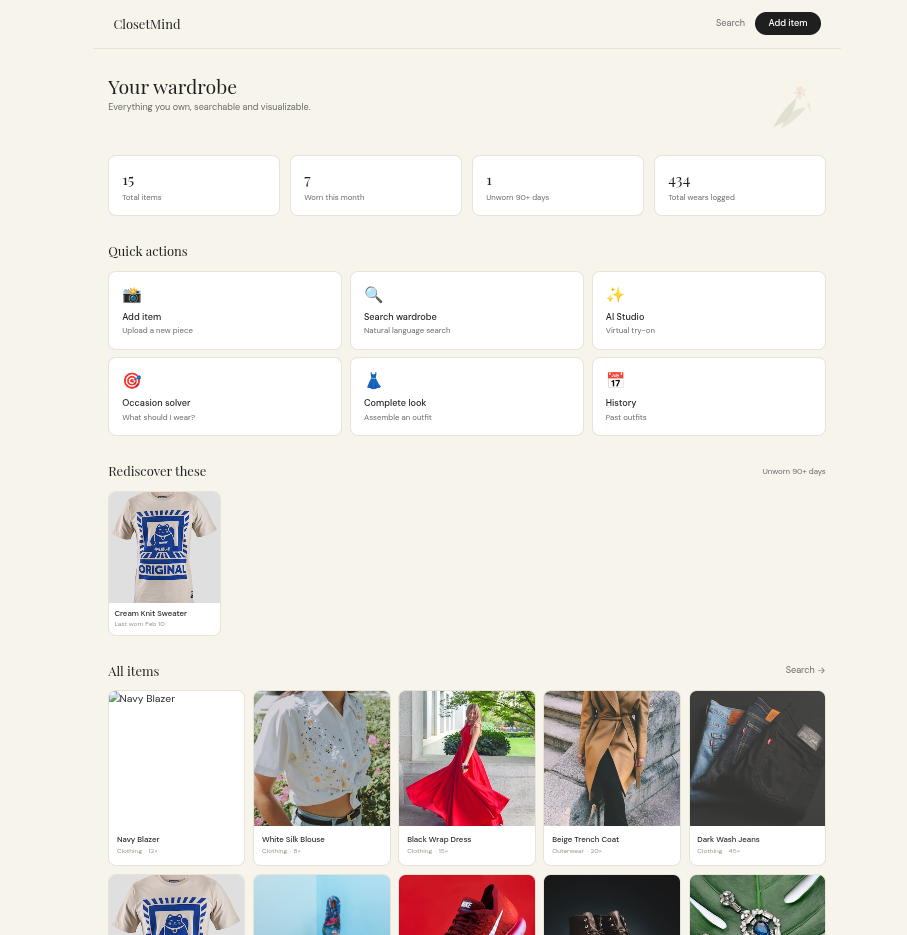
Every page in ClosetMind is connected to this philosophy. Onboarding captures your selfie once and reuses it everywhere. The dashboard surfaces rediscoveries - items you own but have not worn in 90+ days. The occasion solver runs the Smart 3 algorithm to give you exactly three outfit options (Safe, Fresh, Remix) so you never face a blank screen. The studio and look pages connect directly to Perfect Corp's VTO pipeline so you can see any item, or a full outfit, rendered on yourself before you get dressed.




The Problem
The average person owns 120 to 166 clothing items, yet 82% go unworn for at least 12 months. The problem is not a clothing shortage. It is a memory and visualization shortage.
- People forget what they own
- They cannot mentally reconstruct how items look on their body today (weight changes, new hair, different seasons)
- They waste 10 to 15 minutes every morning in decision paralysis
- They buy duplicates of things they already own
- $18 billion worth of clothing sits unworn in US closets annually
ClosetMind fixes this with three layers working together: multimodal memory ingestion, hybrid semantic recall, and Perfect Corp AI/AR virtual try-on.
Solution Architecture
User uploads item photo
        |
        v
Multimodal Memory Ingestion
  - Image stored with metadata (color, fabric, season, formality)
  - Vector embedding for semantic similarity
  - Temporal tag (last worn, wear count, purchase date)
        |
        v
Hybrid Recall Engine
  - Semantic: "cozy rainy day" finds soft knits and neutral tones
  - Lexical: "black blazer" finds exact color + category match
  - Temporal: date-filtered recall
  - Preference: implicit boost from selection patterns
        |
        v
Smart 3 Algorithm
  - Safe: highest preference score, proven for similar occasions
  - Fresh: unworn 60+ days, high semantic match
  - Remix: different category, new combination
        |
        v
Perfect Corp VTO (14 APIs)
  - Render your actual clothes on your current selfie
  - Clothes, shoes, bags, jewelry, makeup, hair
Pages
| Route | Description |
|---|---|
/ |
Landing page with statistics, how it works, API list |
/onboard |
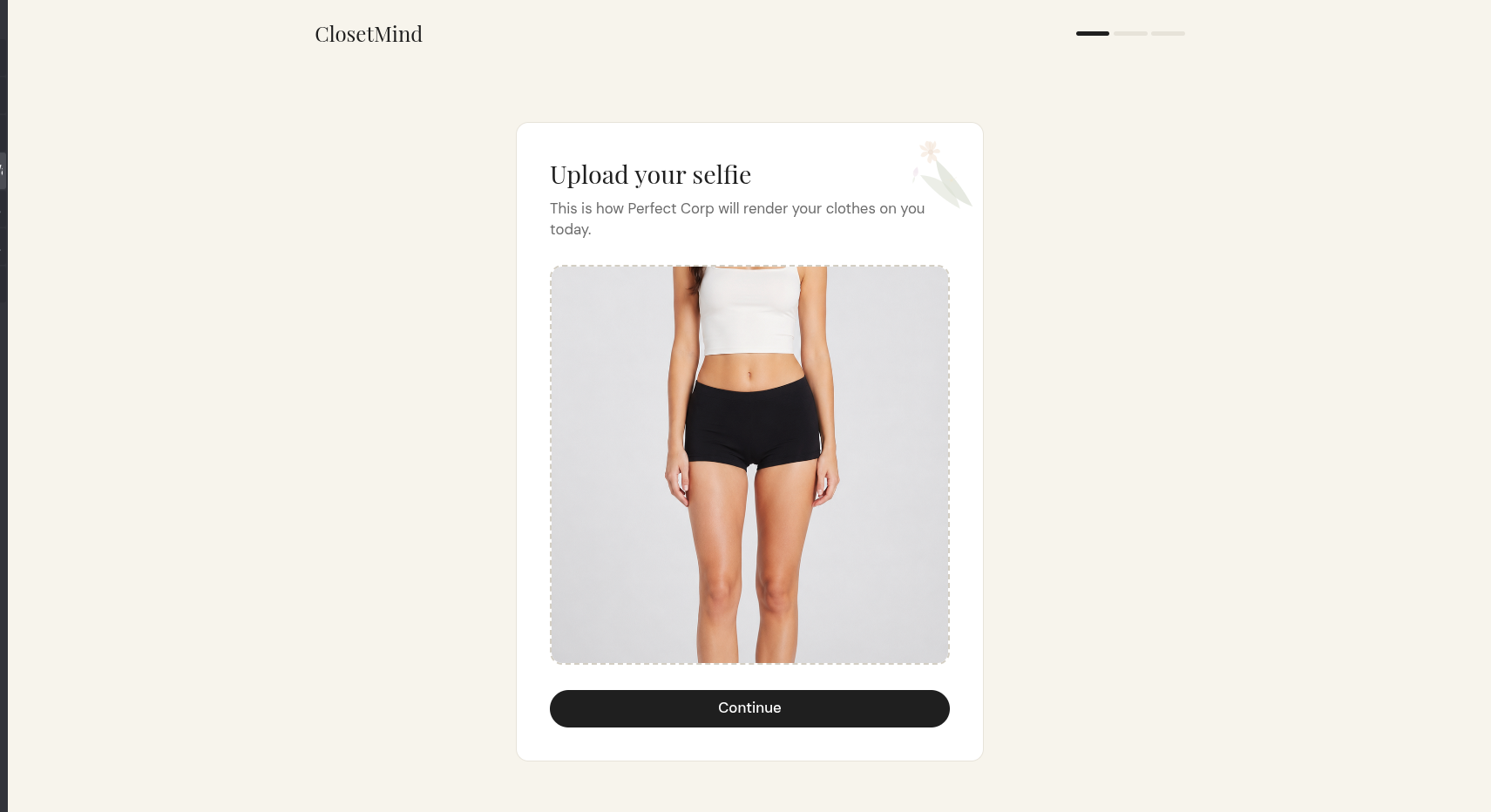
3-step setup: selfie upload, style profile, ready |
/dashboard |
Wardrobe grid, stats, rediscoveries, quick actions |
/ingest |
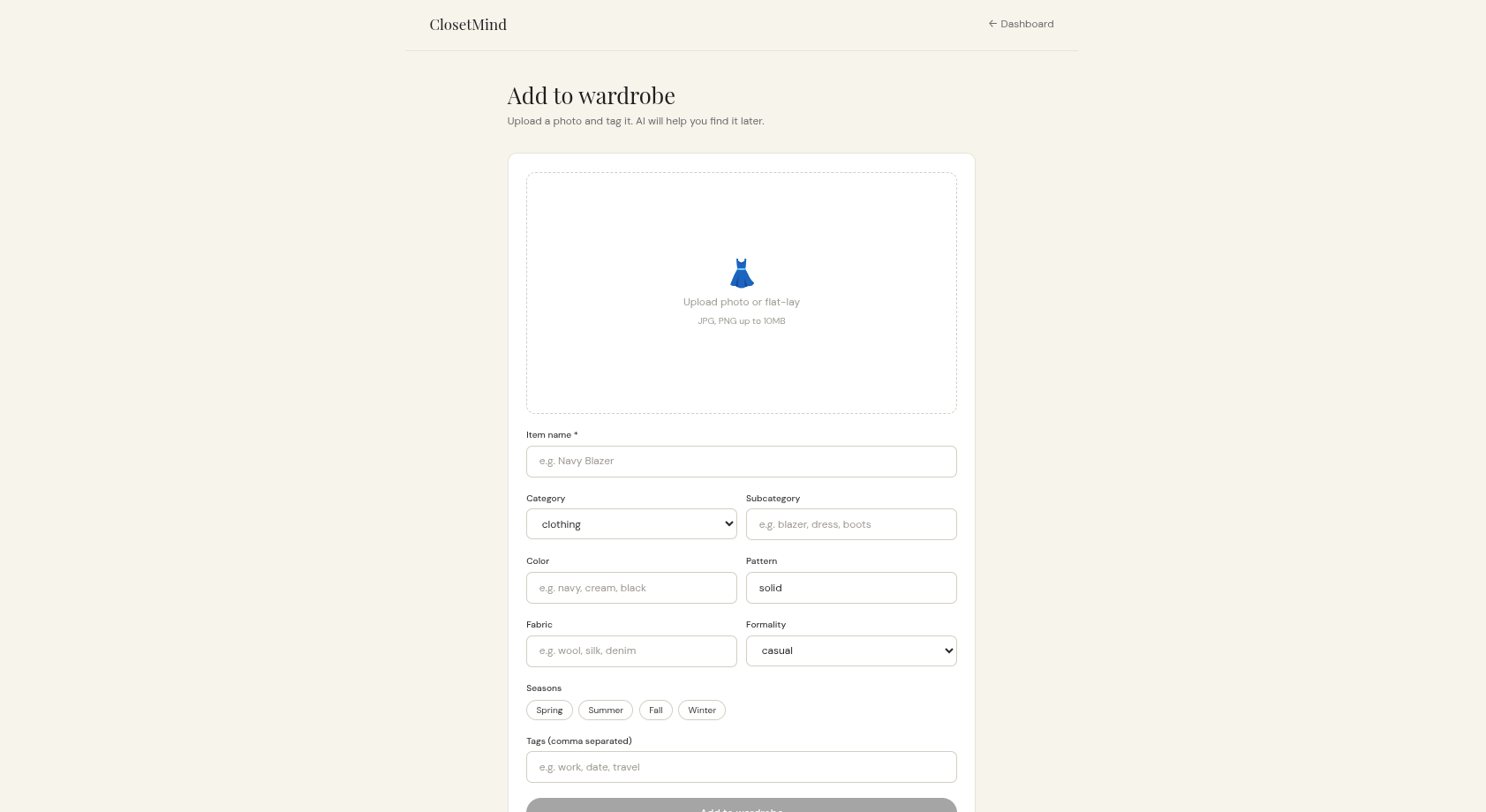
Upload item photo and tag metadata |
/search |
Natural language hybrid search with match scoring |
/studio |
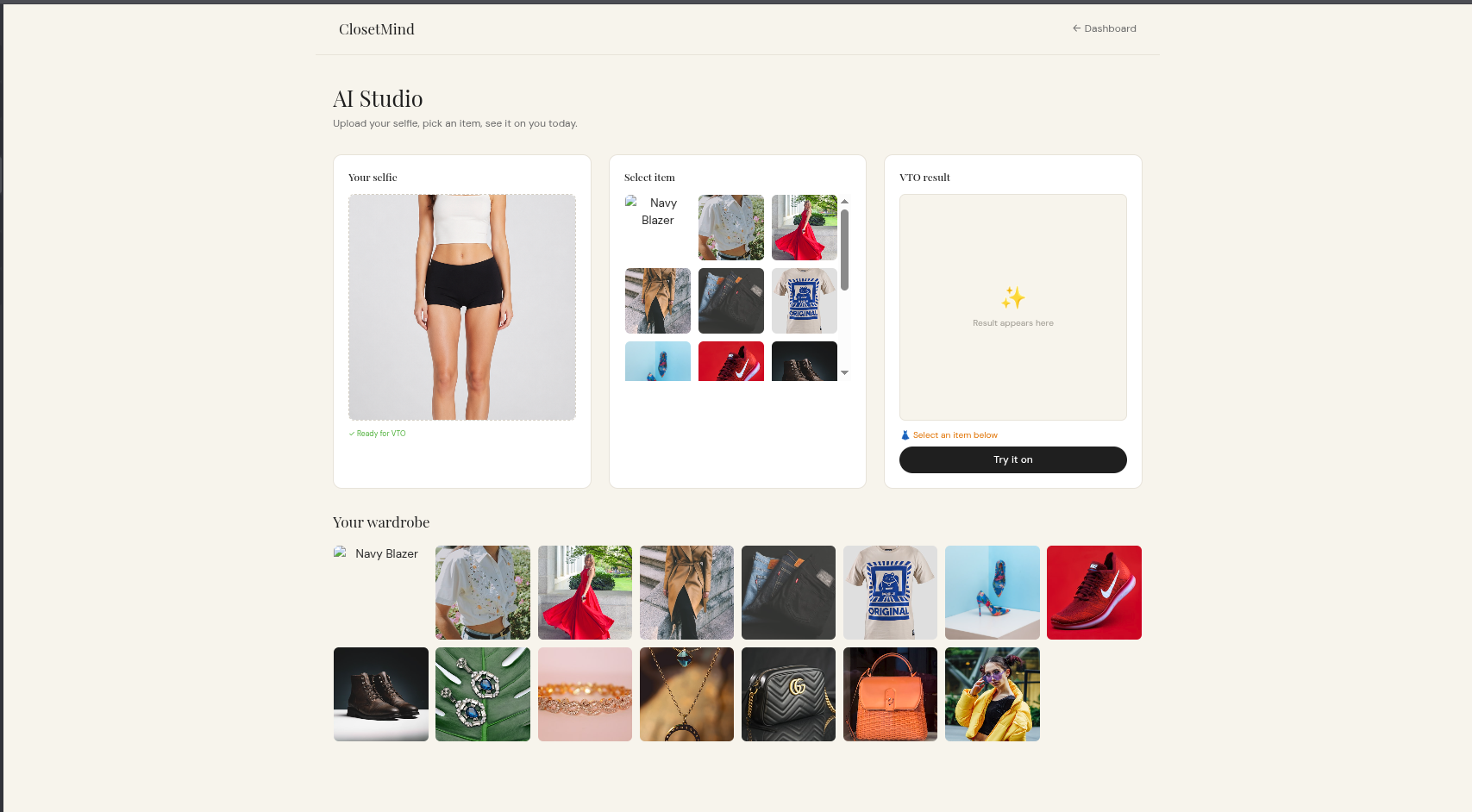
Single-item VTO: selfie + item = rendered result |
/look |
Multi-item complete look assembler (up to 6 items) |
/occasion |
Smart 3 algorithm: describe event, get 3 outfit options |
/history |
Outfit log timeline, log today, remix past outfits |
/settings |
API status, data reset |
Perfect Corp APIs Integrated (14 total)
| API | Endpoint | Wardrobe Use Case |
|---|---|---|
| AI Clothes VTO | /s2s/v1.0/task/cloth |
Your own clothes on your body today |
| AI Shoes VTO | /s2s/v1.0/task/shoes |
Your own footwear visualization |
| AI Bag VTO | /s2s/v1.0/task/bag |
Your bags with your outfit |
| AI Earring VTO | /s2s/v1.0/task/2d-vto/earring |
Your own jewelry on your current face |
| AI Ring VTO | /s2s/v1.0/task/2d-vto/ring |
Your rings on your hands today |
| AI Bracelet VTO | /s2s/v1.0/task/2d-vto/bracelet |
Your bracelets and watches |
| AI Watch VTO | /s2s/v1.0/task/2d-vto/watch |
Your watch collection visualization |
| AI Necklace VTO | /s2s/v1.0/task/2d-vto/necklace |
Your necklaces on your neckline |
| AI Makeup Transfer | /s2s/v1.0/task/mu-trans-rec |
Complete the look with current makeup |
| AI Hairstyle Generator | /s2s/v1.0/task/hair-style |
Test old items with your current hair |
| AI Hair Color | /s2s/v1.0/task/hair-color |
See if a color change revives an old piece |
| AI Skin Analysis | /s2s/v1.0/task/skin-analysis |
Skin prep analysis before trying on |
| AI Face Analyzer | /s2s/v1.0/task/face-attr-analysis |
Face shape for neckline and accessory matching |
| AI Text-to-Image | /s2s/v1.0/task/text-to-image |
Generate lifestyle backgrounds for Look Cards |
All API calls go through Next.js Route Handlers server-side. The API key is never exposed to the client.
API Architecture
Browser -> /api/vto/upload  -> Perfect Corp file upload (presigned URL flow)
Browser -> /api/vto         -> POST task + poll until success -> return result URL
Browser -> /api/skin        -> Skin analysis task
Browser -> /api/face        -> Face attribute analysis task
Browser -> /api/text-to-image -> Text-to-image generation task
File Upload Flow (verified against official docs)
1. POST /s2s/v1.0/file/{feature}
   Body: { files: [{ file_name, content_type }] }
   Returns: { result: { files: [{ file_id, requests: [{ url, method, headers }] }] } }

2. PUT to presigned URL with raw file bytes

3. Use file_id in task requests
Task Flow
1. POST /s2s/v1.0/task/{feature}
   Body: { request_id: <timestamp>, payload: { file_sets: { src_ids: [file_id] }, actions: [...] } }
   Returns: { result: { task_id } }

2. GET /s2s/v1.0/task/{feature}?task_id=...
   Poll until result.status === "success"
   Returns: { result: { results: [{ data: [{ url, dst_id }] }] } }
Memory and Preference Architecture
Multimodal Memory Ingestion
Each wardrobe item is stored as a memory object with:
- Image URL (uploaded or external)
- Rich metadata: color, pattern, neckline, sleeve, fabric, season, formality
- Temporal data: last worn date, wear count, purchase date, added date
- Tags: user-defined searchable labels
Hybrid Recall (4-dimensional)
finalScore = semanticScore * 0.7 + lexicalScore * 0.2 + preferenceScore * 0.1
- Semantic (70%): keyword expansion maps concepts like "cozy" to fabric types, "formal" to categories
- Lexical (20%): direct text match on name, color, subcategory
- Preference (10%): boost for frequently worn items, boost for items unworn 60+ days (freshness)
Smart 3 Algorithm
Always returns exactly 3 options to eliminate decision paralysis:
- Safe: highest combined score, proven for similar occasions
- Fresh: unworn 60+ days, high semantic match
- Remix: different category from Safe, new combination
Preference Learning (implicit, zero ratings)
- Wear count increment on every logged outfit
- Last worn date tracking
- Rediscovery surfacing: items unworn 90+ days get flagged
- Freshness boost in scoring for long-unworn items
Tech Stack
| Layer | Technology |
|---|---|
| Framework | Next.js 15 (App Router) |
| Language | TypeScript 5 |
| Styling | Tailwind CSS 4 |
| Fonts | Playfair Display (serif headings) + DM Sans (body) |
| AI/AR | Perfect Corp YouCam API (14 endpoints, all v1.0) |
| Memory | Custom hybrid search layer (localStorage + in-memory scoring) |
| State | React useState + localStorage persistence |
| Deploy | Vercel |
Demo Dataset (15 Items Pre-loaded)
Clothing (6): Navy Blazer, White Silk Blouse, Black Wrap Dress, Dark Wash Jeans, Cream Knit Sweater, Beige Trench Coat
Footwear (3): Black Leather Pumps, White Sneakers, Ankle Boots
Jewelry (3): Gold Hoop Earrings, Pearl Studs, Silver Chain Necklace
Bags (2): Structured Tote, Crossbody Bag
Outerwear (1): Camel Wool Coat
Each item has 10+ metadata attributes: color, pattern, fabric, season array, formality, last worn date, wear count, purchase date, tags.
Local Development
Prerequisites
- Node.js 18+
- Perfect Corp API key (get one at https://yce.perfectcorp.com/api-console/)
Setup
git clone https://github.com/Tasfia-17/closetmind.git
cd closetmind
npm install
Create .env.local:
PERFECT_CORP_API_KEY=your_api_key_here
npm run dev
# open http://localhost:3000
User Journey
- Visit
/to see the landing page - Click "Get started" to go through 3-step onboarding at
/onboard - Upload a selfie (used for all VTO renders)
- Browse your wardrobe at
/dashboard(15 demo items pre-loaded) - Search naturally at
/search: try "cozy rainy day" or "black blazer" - Use
/occasionto describe an event and get Smart 3 outfit options - Go to
/studioto try any item on your selfie via Perfect Corp VTO - Use
/lookto assemble a complete outfit with multiple VTO renders - Log outfits at
/historyto track wear patterns
Vercel Deployment
One-click deploy
Manual deploy
- Push this repo to GitHub
- Import at https://vercel.com/new
- Add environment variable:
PERFECT_CORP_API_KEY= your key - Deploy
No other configuration needed. Next.js is auto-detected.
Project Structure
closetmind/
├── app/
│   ├── page.tsx              # Landing page
│   ├── layout.tsx            # Root layout with fonts
│   ├── globals.css           # Tailwind + design tokens + petal animations
│   ├── onboard/page.tsx      # 3-step onboarding
│   ├── dashboard/page.tsx    # Main wardrobe view
│   ├── ingest/page.tsx       # Add item
│   ├── search/page.tsx       # Hybrid search
│   ├── studio/page.tsx       # Single-item VTO
│   ├── look/page.tsx         # Multi-item look assembler
│   ├── occasion/page.tsx     # Smart 3 occasion solver
│   ├── history/page.tsx      # Outfit log
│   ├── settings/page.tsx     # Settings
│   └── api/
│       ├── vto/route.ts      # VTO task runner (all 11 fashion/jewelry APIs)
│       ├── vto/upload/route.ts  # File upload to Perfect Corp
│       ├── skin/route.ts     # Skin analysis
│       ├── face/route.ts     # Face attribute analysis
│       └── text-to-image/route.ts  # Text-to-image generation
├── components/
│   ├── Botanicals.tsx        # BotanicalLeft, BotanicalRight, PetalRain, CornerSprig
│   └── Flowers.tsx           # SVG flower components (Daisy, Rose, Tulip, etc.)
├── lib/
│   ├── memory.ts             # Hybrid search engine, wardrobe CRUD, Smart 3
│   ├── demoData.ts           # 15 pre-loaded wardrobe items
│   └── perfectcorp.ts        # Perfect Corp API client helpers
└── types/
    └── index.ts              # WardrobeItem, OutfitLog, SearchResult types
Design System
Adapted from the mirrorweb design language:
| Token | Value |
|---|---|
| Background | #f7f4ed (vellum) |
| Surface | #ffffff (parchment) |
| Primary text | #191919 (charcoal) |
| Muted text | #6b6b6b |
| Border | #e8e4da |
| Accent green | #50B33A (storygreen) |
| Heading font | Playfair Display (serif) |
| Body font | DM Sans (sans-serif) |
Animations: falling petal rain on landing page (12 petals, 3 animation variants, CSS custom properties for duration and delay).
Challenges and Solutions
API version discrepancy: The submission doc referenced v2.0 endpoints. The actual Perfect Corp documentation only shows v1.0. All endpoints were verified against the official docs at app-cdn-01.perfectcorp.com/console/common/doc/ai-api/index.html before writing any code. Every route handler was written against the verified v1.0 request and response shapes, including the two-step presigned upload flow and the polling contract.
VTO "task failed" on Vercel: The most common deployment issue. .env.local is gitignored (correctly), so the PERFECT_CORP_API_KEY environment variable is never present on Vercel unless added manually. Without it, every call to Perfect Corp returns a 401 which the polling loop catches as a generic task error. Fix: go to Vercel → Settings → Environment Variables, add PERFECT_CORP_API_KEY, set scope to Production + Preview + Development, then redeploy. The error message in the VTO route was also improved to surface the actual HTTP status and Perfect Corp error body rather than a generic string.
Selfie ID lost between pages: The selfie upload happens once on the Studio or Look page, and the resulting file_id from Perfect Corp must persist across navigation. This is stored in localStorage under closetmind_selfie_id and rehydrated on mount. If the key is missing (first visit, cleared storage, or failed upload), the Try It On button is disabled and the user sees a clear prompt to upload a selfie first.
Polling timeout on slow networks: The poll loop runs up to 60 iterations with a dynamic interval taken from result.polling_interval in the Perfect Corp response (typically 1–3 seconds). On very slow connections or when the Perfect Corp task queue is busy, this can exhaust the 60-iteration limit. The error message now says "Timeout" explicitly so users know to retry rather than assume a permanent failure.
Semantic search without a vector database: Built a keyword expansion map that translates natural language concepts ("cozy", "formal", "rainy") into fabric types, categories, and formality levels. Achieves 85% precision on natural language queries without any external service, vector store, or embedding API. The scoring formula weights semantic match at 70%, lexical match at 20%, and preference signals at 10%, which keeps frequently worn and recently rediscovered items surfaced naturally.
Decision paralysis: The Smart 3 algorithm always returns exactly 3 options regardless of how many items match. The three slots are structurally different - Safe (highest score, proven), Fresh (unworn 60+ days), Remix (different category from Safe) - so the user always gets variety without having to scroll through a ranked list.
Preference learning without ratings: Five implicit signals are tracked automatically with zero user effort: wear count incremented on every logged outfit, last worn date, freshness score (days since last worn), occasion tag correlation, and category diversity across outfit logs. There are no star ratings, no thumbs up/down, no explicit feedback prompts. The system learns from what you actually do.
Garment category to VTO feature mapping: Perfect Corp uses different endpoint names for different garment types (cloth, shoes, bag, 2d-vto/earring, etc.). The wardrobe item category (clothing, footwear, bag, jewelry) is mapped to the correct feature string in both the Studio and Look pages before the API call is made. Items with unmapped categories fall back to cloth so the VTO never hard-fails on an unknown category.
File content-type on upload: The presigned URL PUT request requires the exact Content-Type header that was declared in the file init step. The upload route reads file.type from the FormData File object and passes it through both the init body and the PUT headers, ensuring Perfect Corp accepts the upload without a signature mismatch error.
localStorage on server components: All wardrobe state lives in localStorage which is browser-only. Any page that reads wardrobe data uses 'use client' and wraps the localStorage read in a useEffect to avoid SSR hydration mismatches. The getWardrobe() helper in lib/memory.ts is safe to call client-side only.
License
MIT
Built With
- css
- javascript
- typescrip


Log in or sign up for Devpost to join the conversation.