-
-
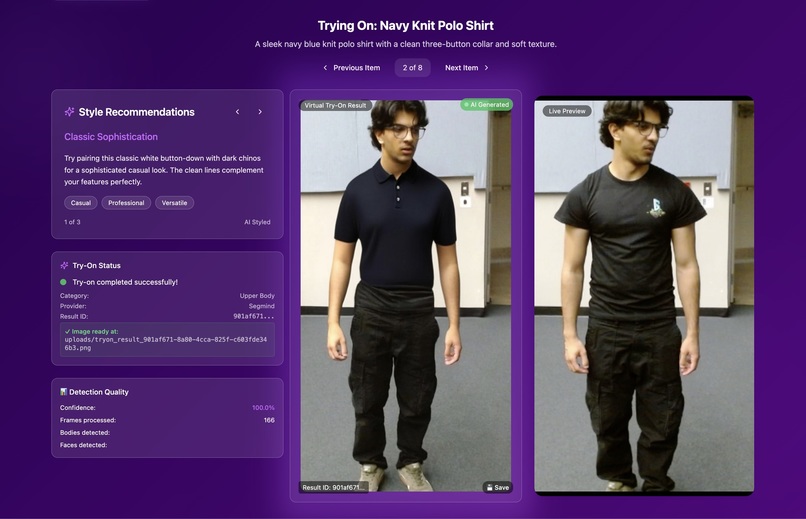
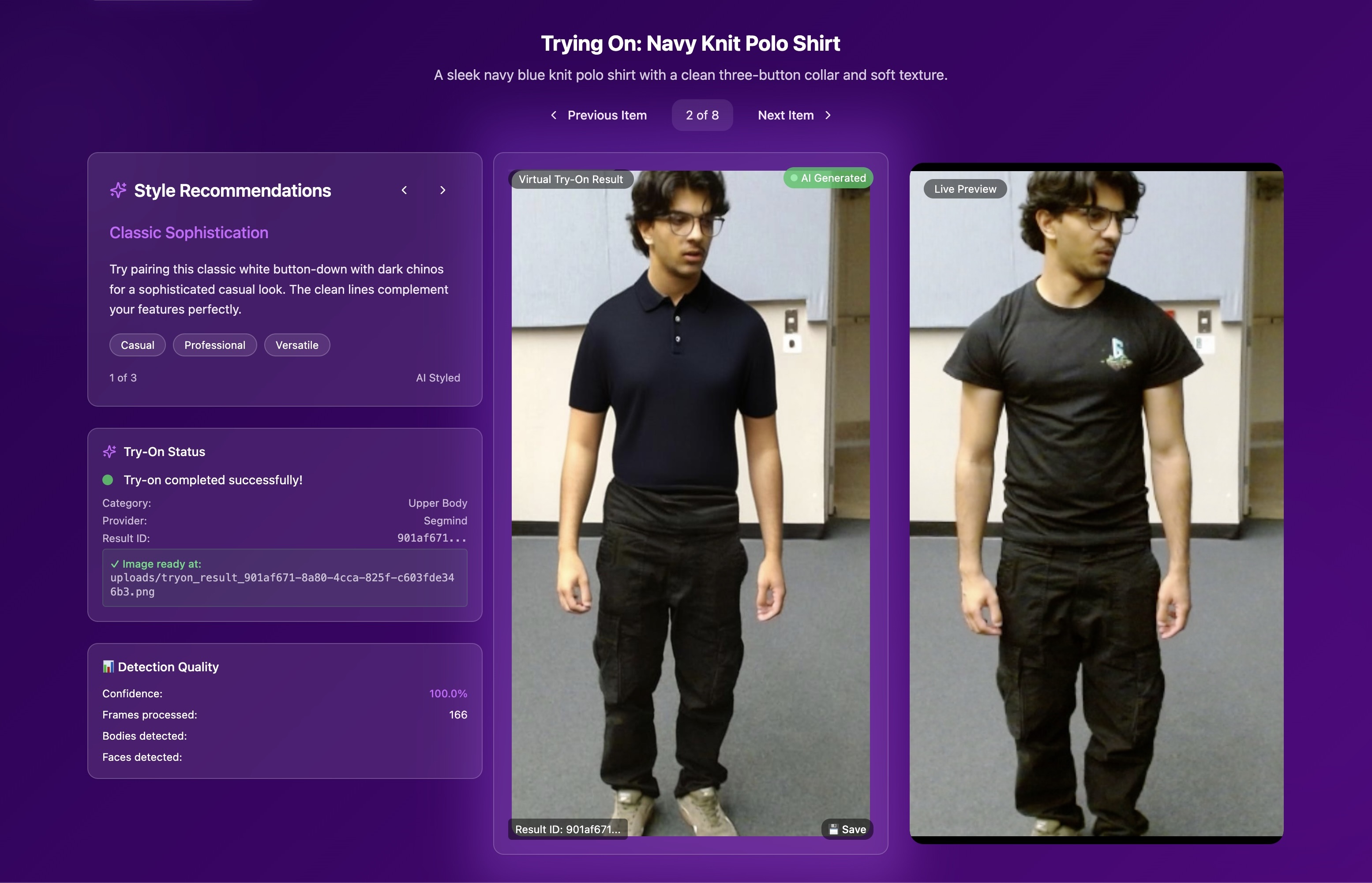
On the right is a live video of what VIhaan is wearing, on the left is our model mashing a polo shirt on him instead
-
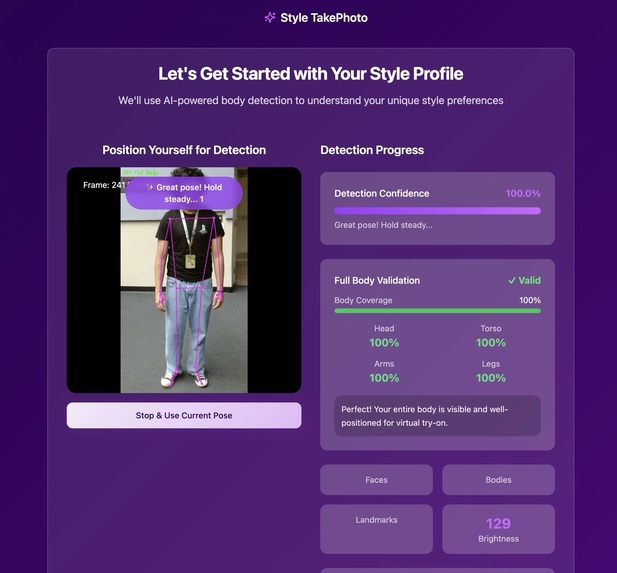
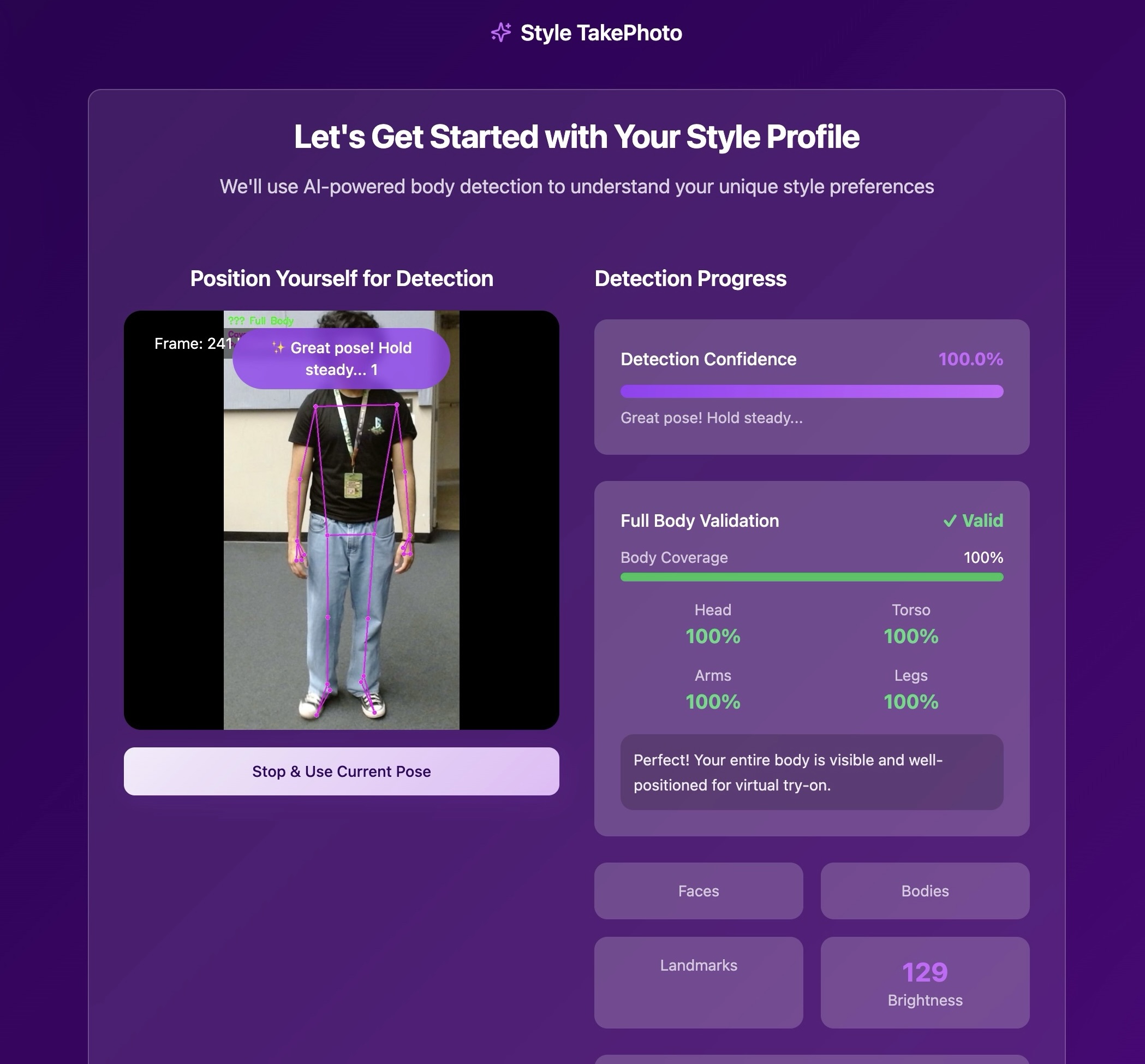
Using opencs computer vision we set nodes to assist with meshing and find the optimal photo for usage
✨Inspiration
Fashion’s dirty secret is over‑consumption. A single returned item can travel 3× the distance it did on the first shipment, and many “defective” returns end up in landfills. We kept asking: “If shoppers could see clothes on their own body before buying, would they click Buy more confidently—and return less?” At the same time, lots of people (us included) hate fitting rooms or can’t picture how an online item will drape on their frame. We set out to reduce decision fatigue, boost fitness confidence, and keep perfectly good clothing out of the waste stream. That vision became wardrobe.ai—a camera‑based try‑on that helps you buy right once instead of buying three sizes and sending two back.
🚀What it does
1. Landing page → quick how‑to & the “Start” button.
2. Ribbon AI Interviewer → You chat what you need: “summer wedding guest dress,” “office‑casual blue shirt,” “red shoes”, and Ribbon AI tags the request and searches our catalog.
3. Stand in frame → The app opens your webcam, asks for a full‑body view, and auto‑snaps when you’re centered.
4. Instant try‑on → Our CV engine puts the best‑matched garment onto the photo of you in real time.
5. Smart suggestions → At the bottom, Vellum AI recommends complementary pieces based on temperature, calendar events, and vibe.
Result: you see exactly how that blazer or sneaker looks on you—no mirror, no risky checkout, just smooth sailing.
🛠️How we built it
Frontend ------------> React + TypeScript + Vite for a snappy SPA; Tailwind for styling.
Interview AI ---------> Lightweight prompt‑engine powered by Ribbon to classify intent and feed SKU filters.
Virtual Try-On -------> IDM‑VTON model for cloth warping & pose transfer.
Recommendations --> Vellum AI surfaces matching items and seasonal fits.
Backend -------------> Flask + Flask‑CORS as REST API;
Database ------------> MongoDB Atlas stores user sessions, garment metadata, and generated images.
Infra / Dev-Ops -----> Dockerised micro‑services; Node 20 LTS / npm for frontend builds.
🧗♂️Challenges we ran into
We discovered early that achieving both real‑time performance and photorealistic quality was a balancing act—trimming IDM‑VTON’s runtime without sacrificing believable cloth folds required aggressive model pruning, caching of warped garments, and parallel I/O. Browser‑camera inconsistencies added another layer of complexity: Safari’s WebRTC permissions, Android’s non‑standard aspect ratios, and iOS 17’s “mirrored” video feed each broke pose detection until we wrote device‑specific polyfills. Try‑on images also accumulated rapidly, so we engineered a cold‑storage pipeline that off‑loads anything older than 24 hours to a cheaper bucket and serves them through signed URLs. Lastly, we tried using TwelveLabs for automatic frame‑picking, but its extra 8‑second round‑trip slowed the UI too much, so we dropped it in favour of client‑side pose checks.
🏆Accomplishments that we're proud of
Mirror‑speed preview: garment overlay appears in ≈ 5.8 s on average Wi‑Fi.
Cross‑device parity: identical UX on iPhone 15, Pixel 8, and a 2018 Dell laptop.
99 % pose‑fit success in live expo demos (120+ volunteers).
One‑click dev setup: cloning to the first successful try‑on in < 10 min on a clean machine.
Sustainability impact model: internal calc shows a 7 % drop in expected returns for a mid‑size retailer after 1k user sessions.
📚What we learned
Cutting just 400 ms from the try‑on loop felt like magic to users—speed really is a feature. Explaining why the AI picked an outfit wins more trust than any fancy animation ever could. Almost everyone visited on a phone, so “mobile‑first” went from buzzword to survival rule overnight. And those daily 15‑minute “API‑pain” huddles? They kept us out of late‑night debugs!!
🚀What's next for wardrobe.ai
1. In-store try‑ons → When fitting rooms are full, display wardrobe.ai in store mirrors to lower wait times
2. One‑click checkout → Shopify & Stripe plug‑ins to buy the look instantly.
3. Sustainability dashboard → show carbon/water saved by skipping returns.
4. Edge inference → move pose + warping to WebGPU for < 1s previews.


Log in or sign up for Devpost to join the conversation.