-
-
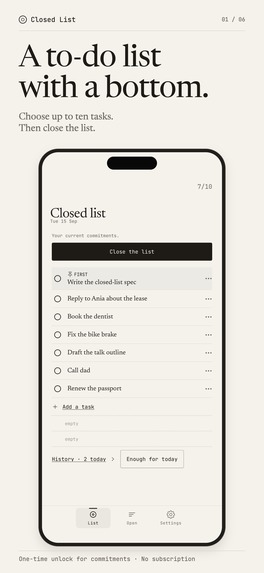
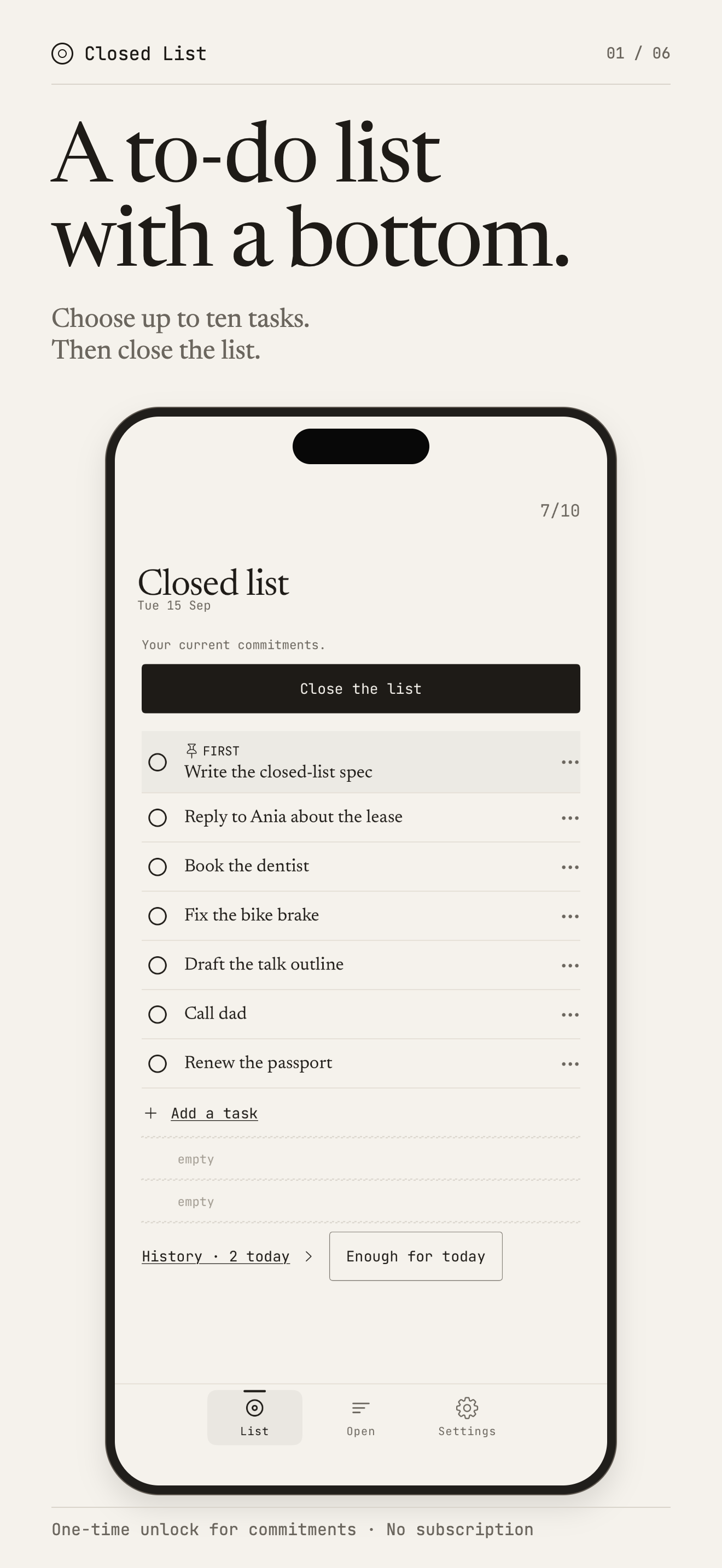
Choose up to ten active tasks and close the list.
-
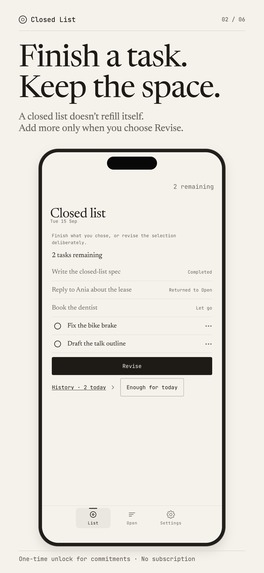
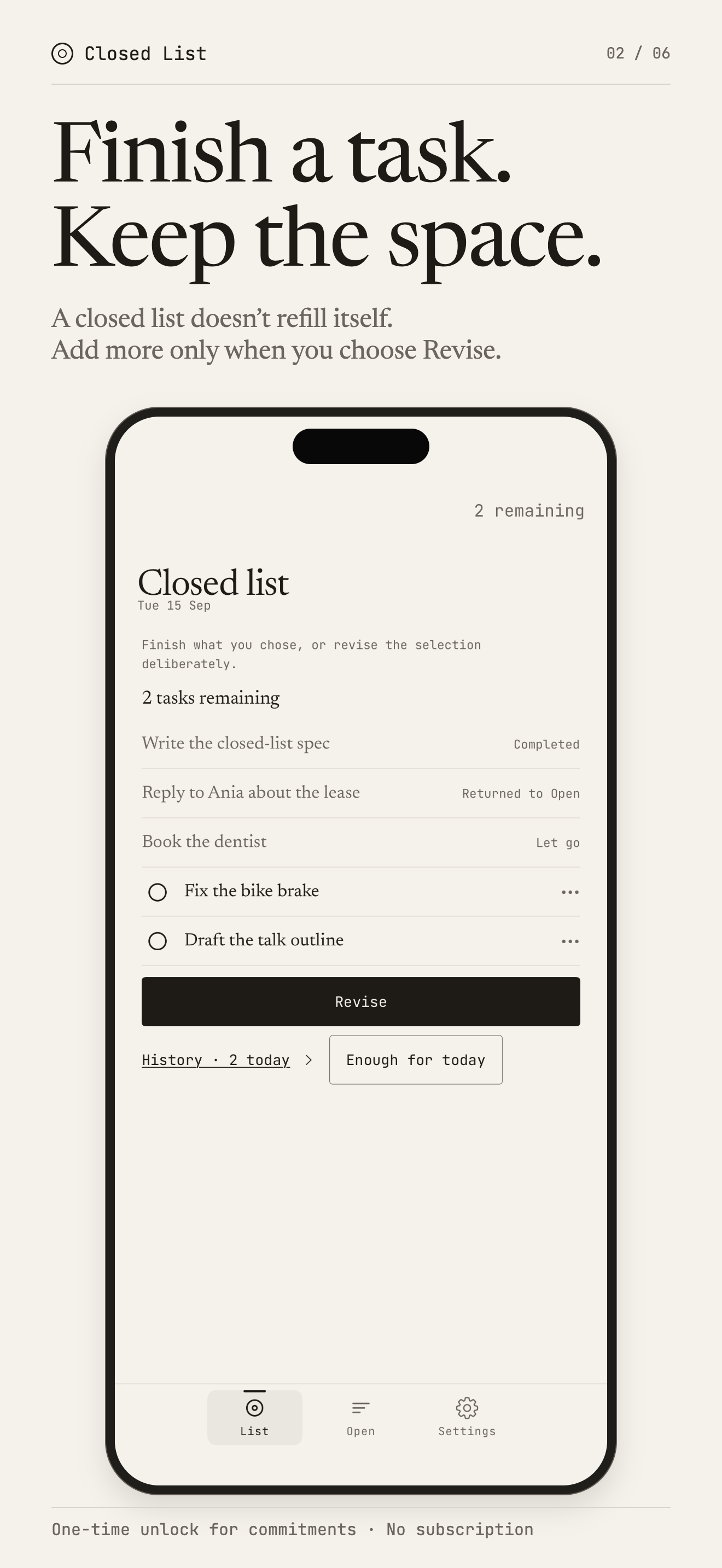
After you close the list, finished, returned and let-go tasks stay in place. You add more only after you tap Revise.
-
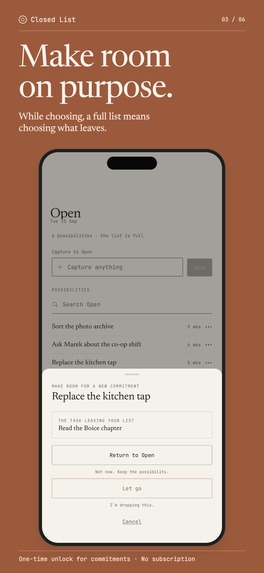
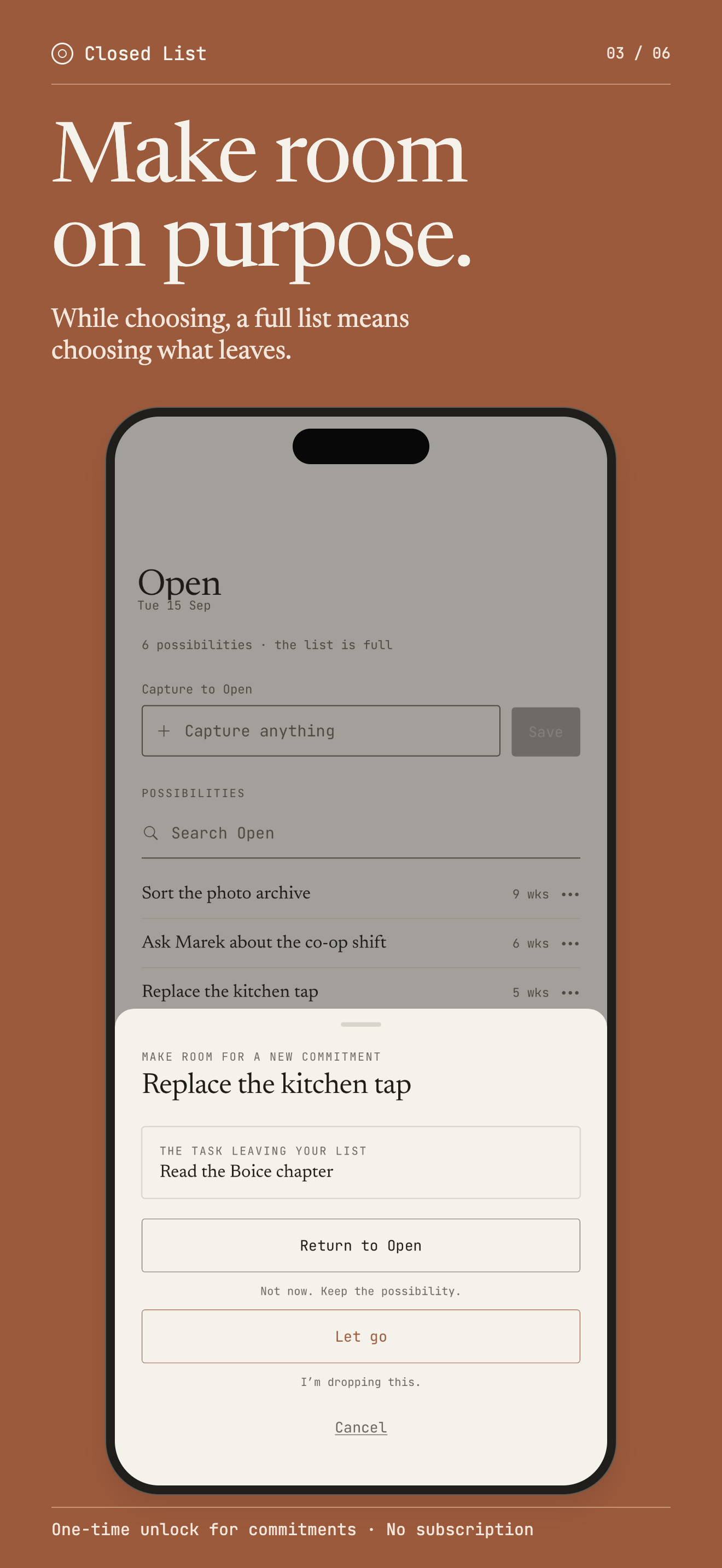
While choosing, a full list needs a trade: pick what leaves, then return it to Open or let it go.
-
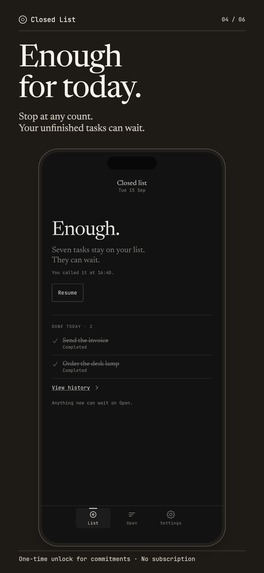
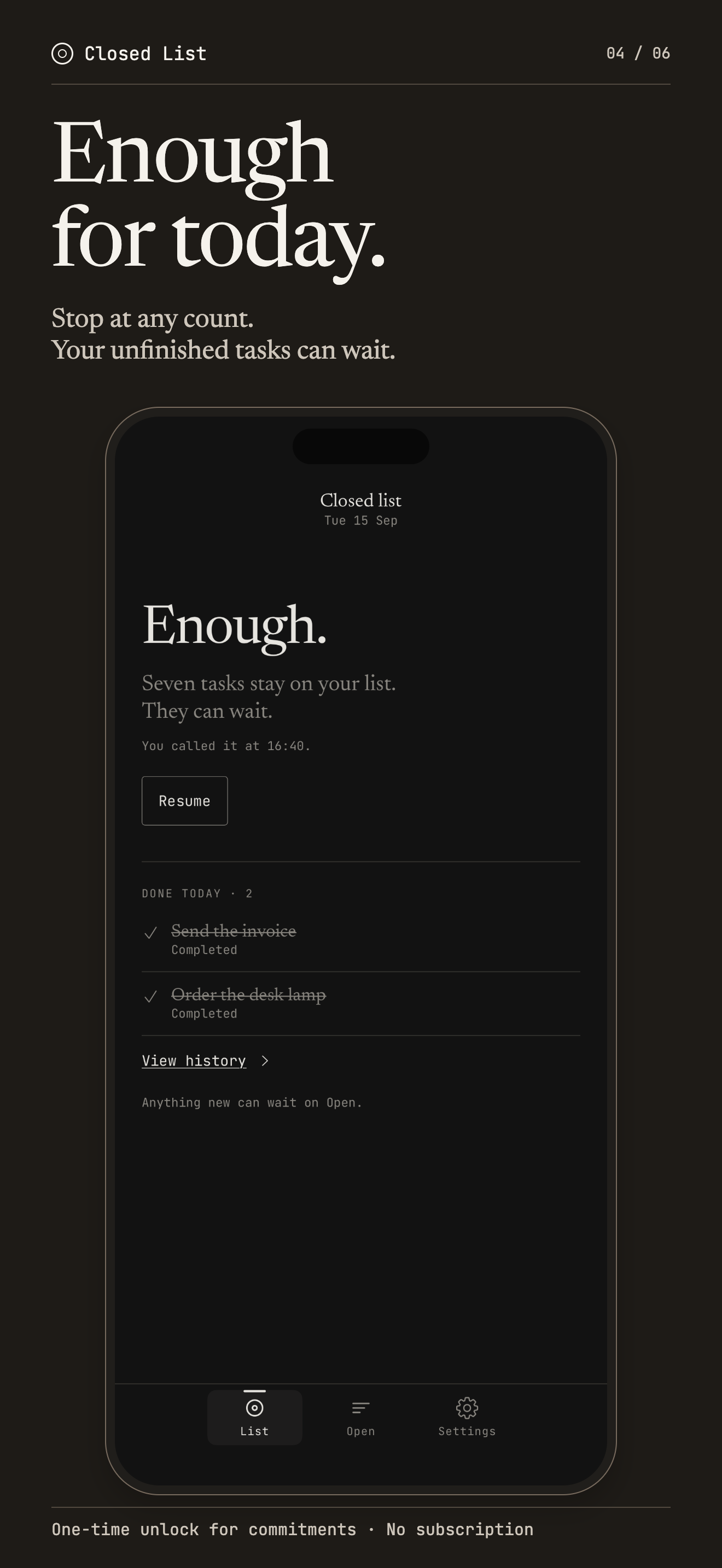
Call Enough for today without clearing tasks.
-
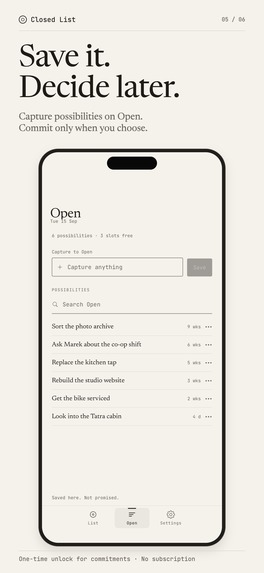
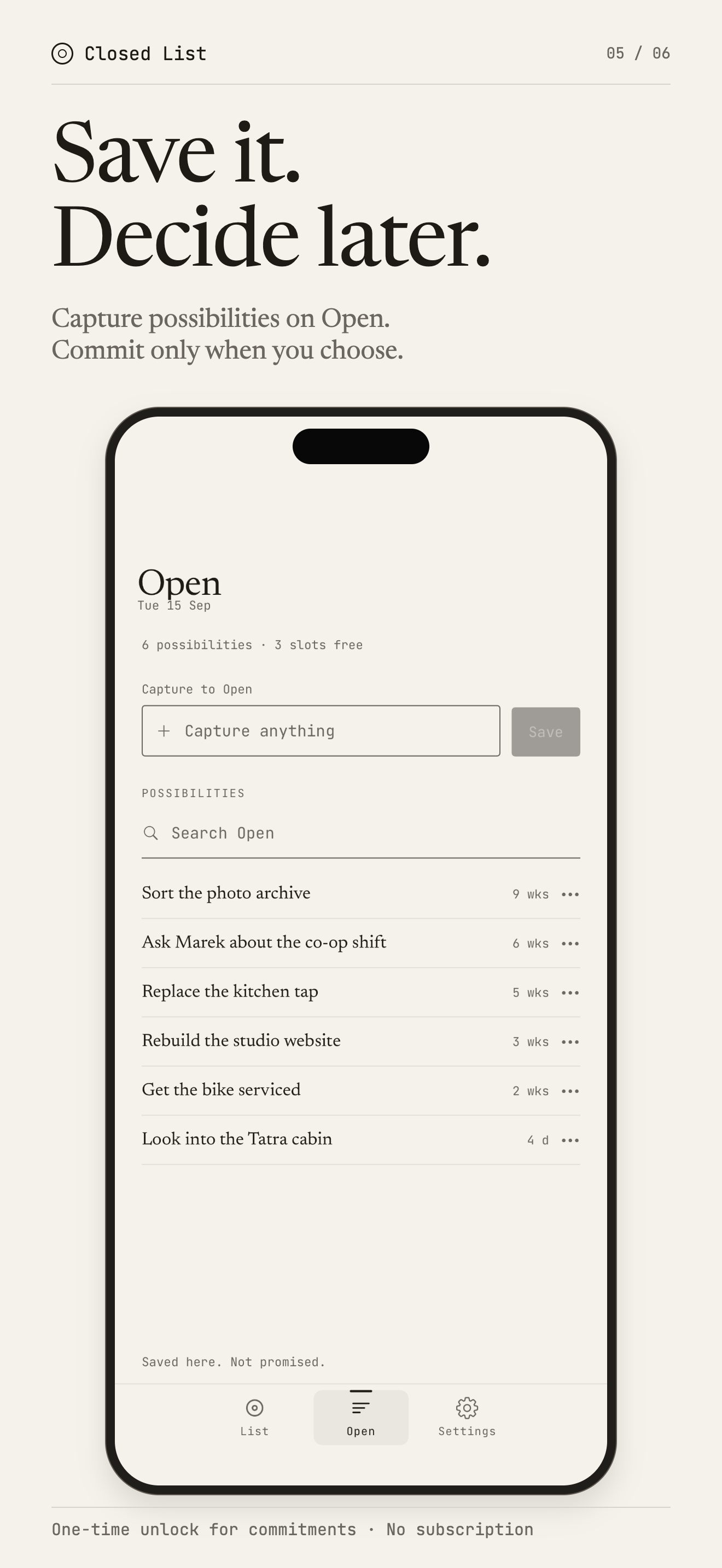
Keep possibilities in Open until you choose them.
-
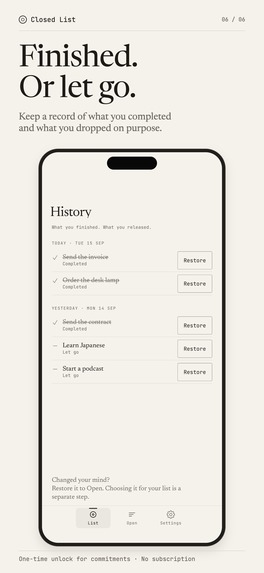
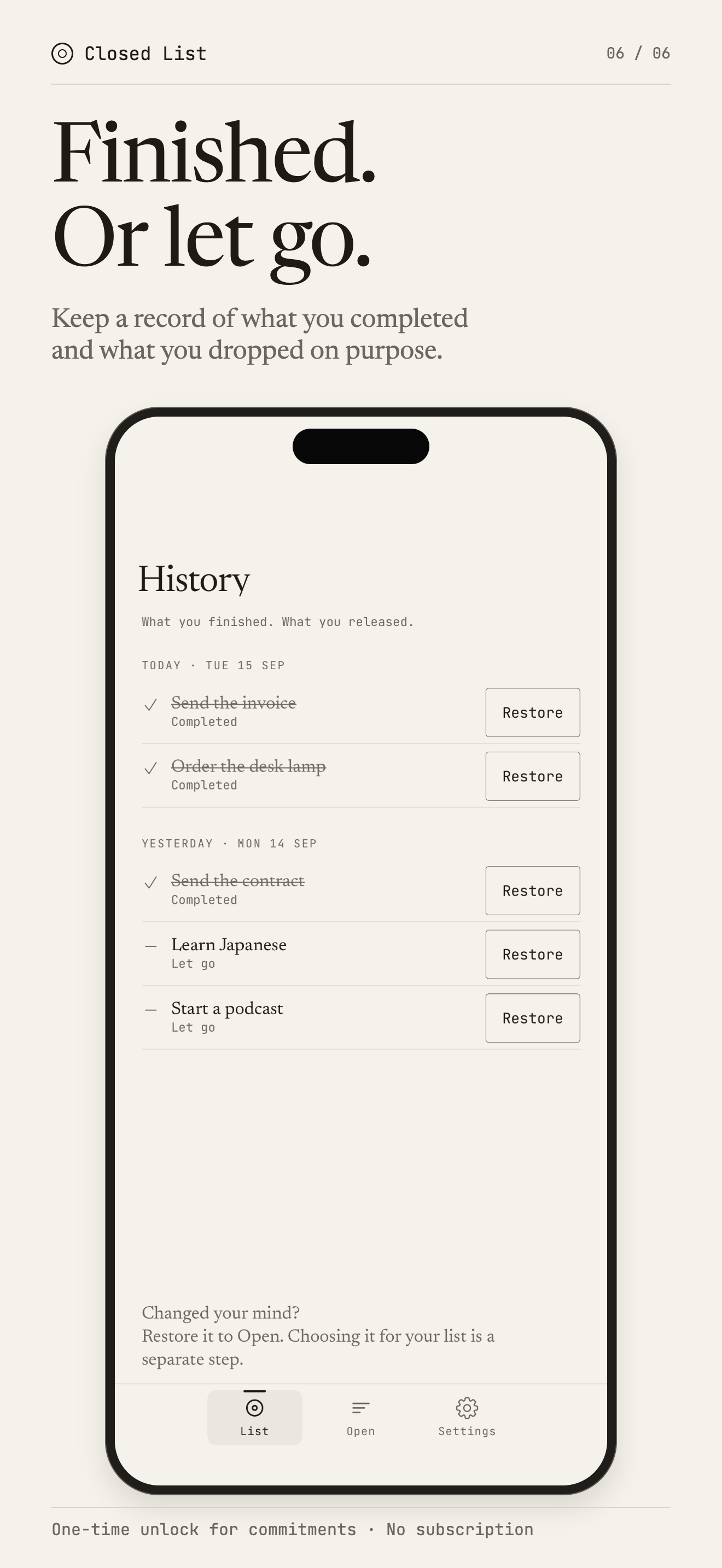
History keeps what you completed and what you let go, by day. Restore sends an item back to Open.
-
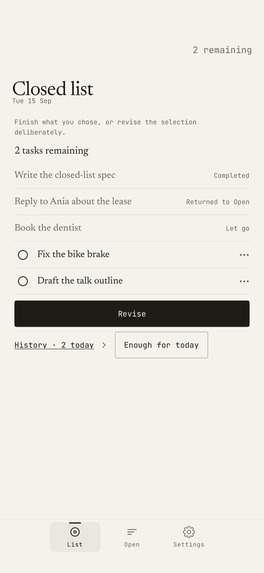
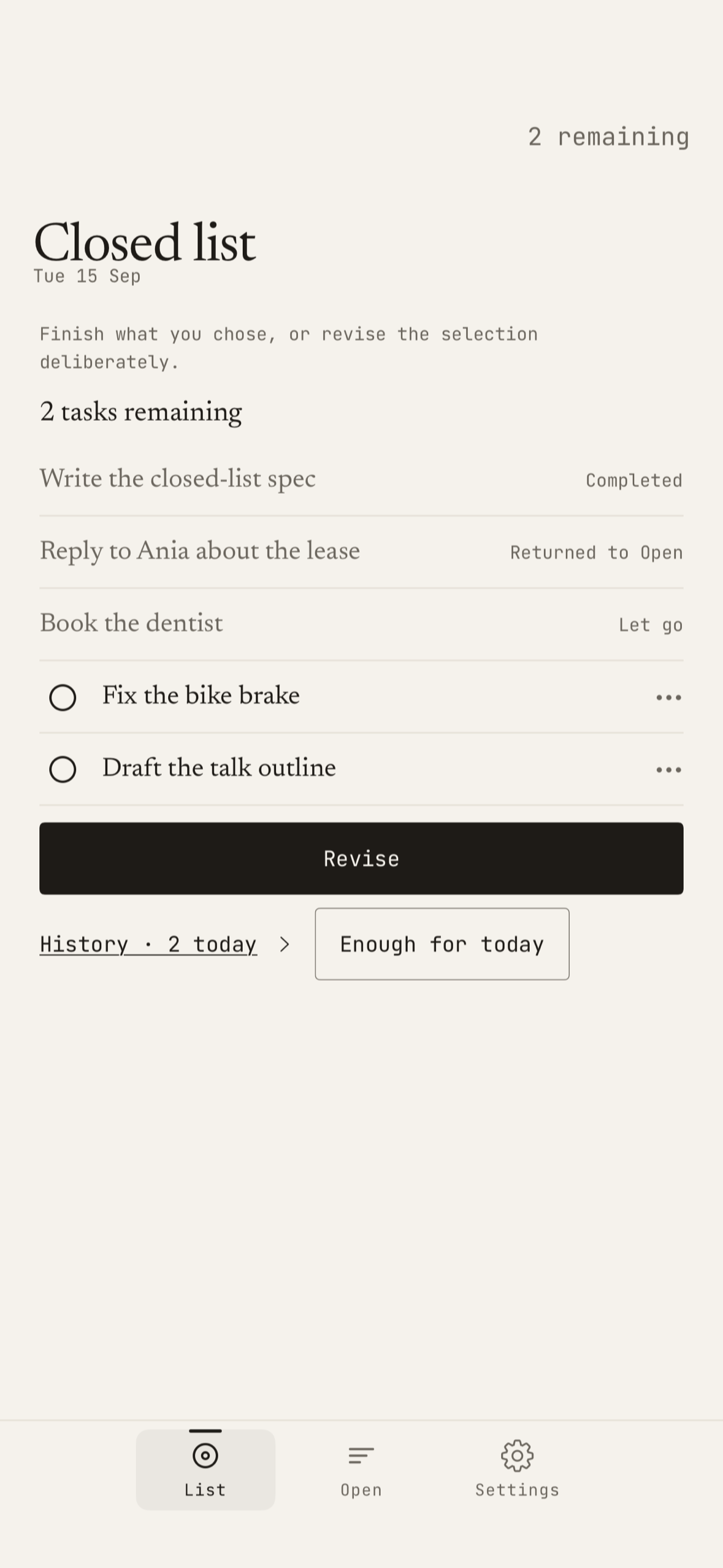
A closed list: two tasks left, and each finished, returned or let-go task still marked where it was.
-

Closed List app icon.

Inspiration
Most task lists invite one more task. Closed List asks for a smaller commitment: choose up to ten active tasks, close the selection, and watch the remaining work shrink. New ideas can wait in Open without quietly becoming today's obligations.
What it does
Closed List is an iPhone to-do app with a bottom. It is for people whose task list has turned into a list of everything they might ever do.
- Open holds possibilities. Capture from the app, the share sheet, Siri and Shortcuts, the Action button, or the Control Center and Lock Screen control. Nothing on Open takes a place on the list.
- Choose, then close. Pick one to ten active tasks, optionally pin one as First, and tap Close the list. The selection stays across days.
- No automatic refill. Completed, returned and let-go tasks stay visible where they were, and a freed place stays empty. New work waits until you tap Revise. While choosing, a full list takes something new only through a trade: you pick what leaves and whether it returns to Open or is let go.
- Enough for today stops the day at any count. Unfinished tasks stay; Resume continues.
- History keeps completed and let-go tasks apart, by day.
Free and paid. The download is free, and capture, Open, completing, Return to Open, Let go, Undo, Enough for today, History and export never need a purchase. One non-consumable purchase ($9.99 in the US) unlocks committing tasks to the closed list. No subscription, no trial, and the ten-task ceiling is the same for everyone. RevenueCat handles the purchase, restore and the unlock entitlement.
Requires iOS 26 or later on iPhone. No account and no ads; optional iCloud sync is off by default.
How I built it
Swift and SwiftUI, with the Composable Architecture for state and SQLiteData for storage, in a modular Tuist workspace. The current selection is stored as one snapshot, separate from tasks and their outcomes, so a finished task is never quietly replaced by a new one. Optional iCloud sync uses SQLiteData's CloudKit sync and is off by default. Capture reaches Open from a share extension, an App Intent with an App Shortcut (Siri, Shortcuts, the Action button) and a Control Center and Lock Screen control.
RevenueCat sells the one-time unlock behind a small interface the rest of the app talks to. Only one module imports the SDK, so the share extension never loads it. The app keeps its own paywall and reports each of the three moments it appears as a RevenueCat custom paywall impression with its own paywall ID. It checks the unlock entitlement, restores purchases, and listens for entitlement changes, so a purchase made on another device unlocks the screen in front of you. Each RevenueCat customer carries a build_channel attribute (debug, TestFlight or App Store) so test installs can be filtered out, and the SDK sends Apple's AdServices token for Apple Ads attribution, with no tracking prompt and no advertising identifier.
Challenges and lessons
The difficult part was making limits real without making the app punitive. Completion, Return to Open, and Let go are distinct outcomes, and an empty slot remains empty until the person chooses otherwise. That constraint shaped both the data model and the interface. A simple one-time purchase fits a product that promises to reduce commitments, not add a recurring one.
Built With
- app-intents
- cloudkit
- posthog
- revenuecat
- sqlitedata
- swift
- swiftui
- the-composable-architecture
- tuist
- widgetkit

Log in or sign up for Devpost to join the conversation.