-
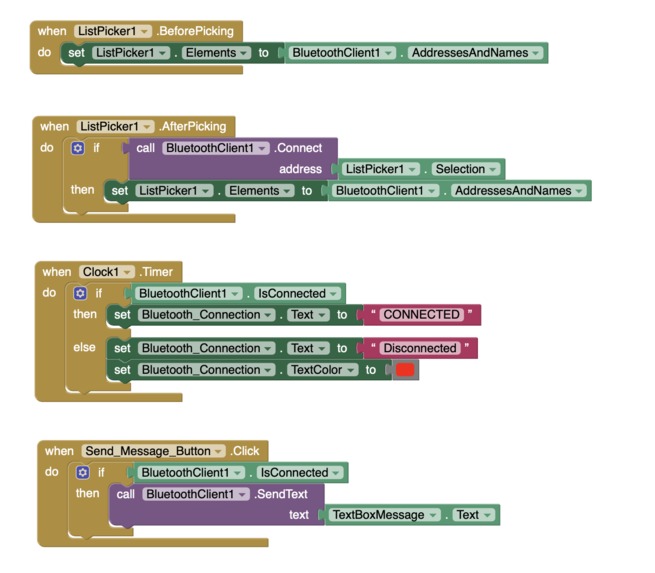
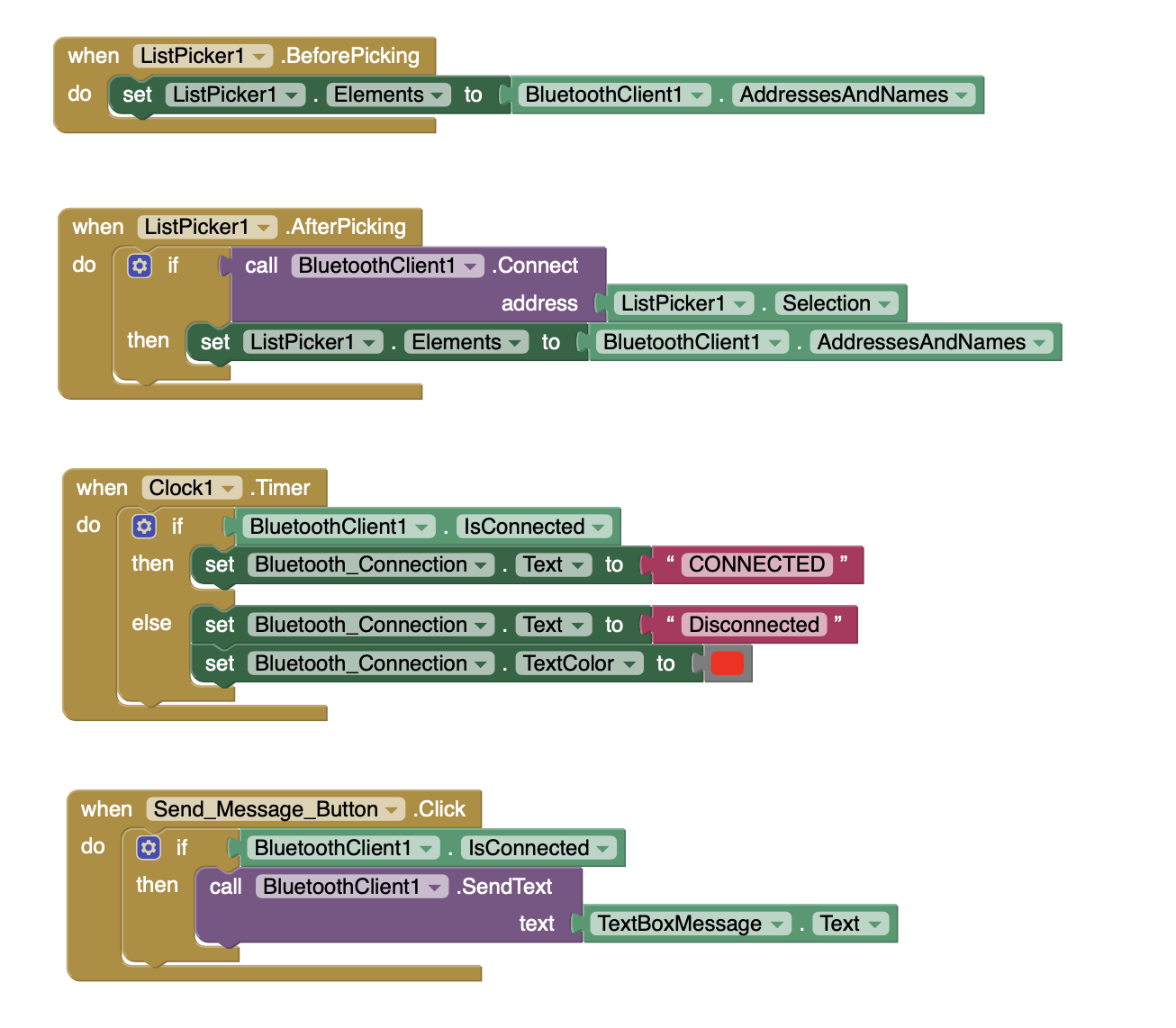
Block code of bluetooth app
-
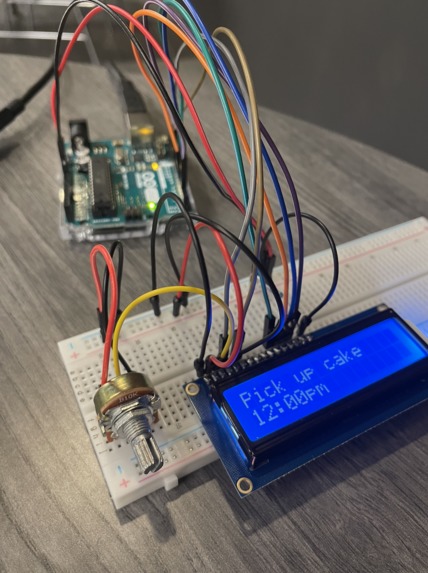
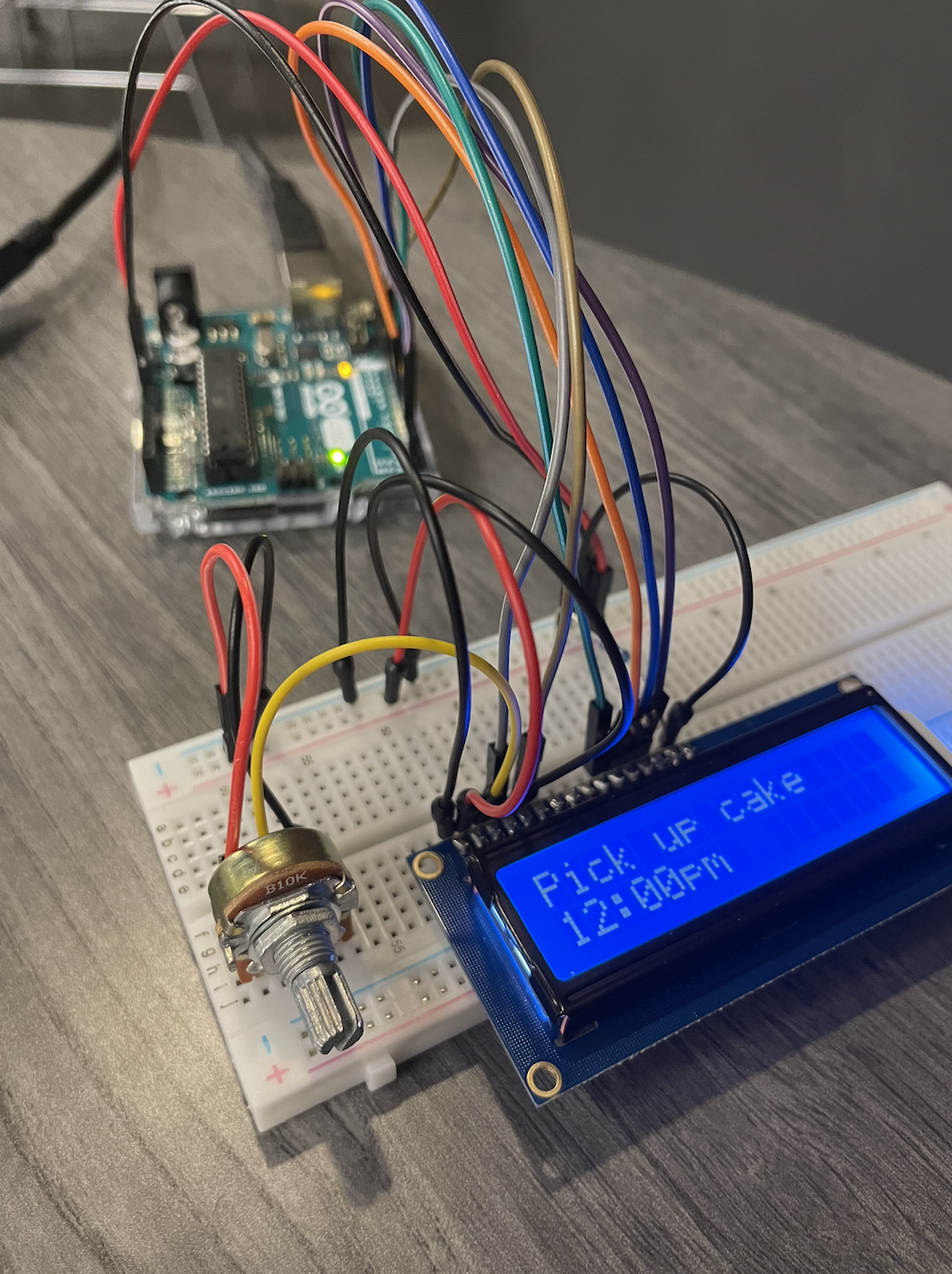
Potentiometer changing the display on the LSD
-
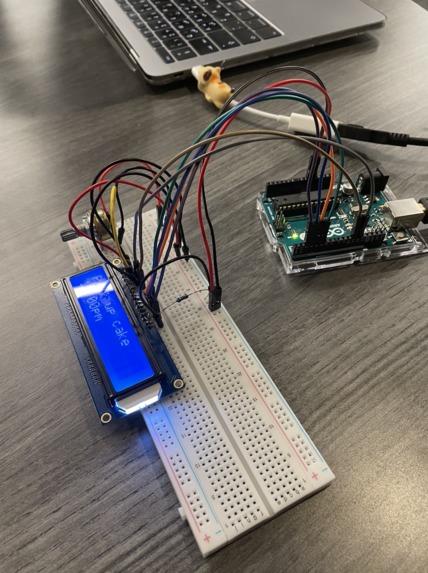
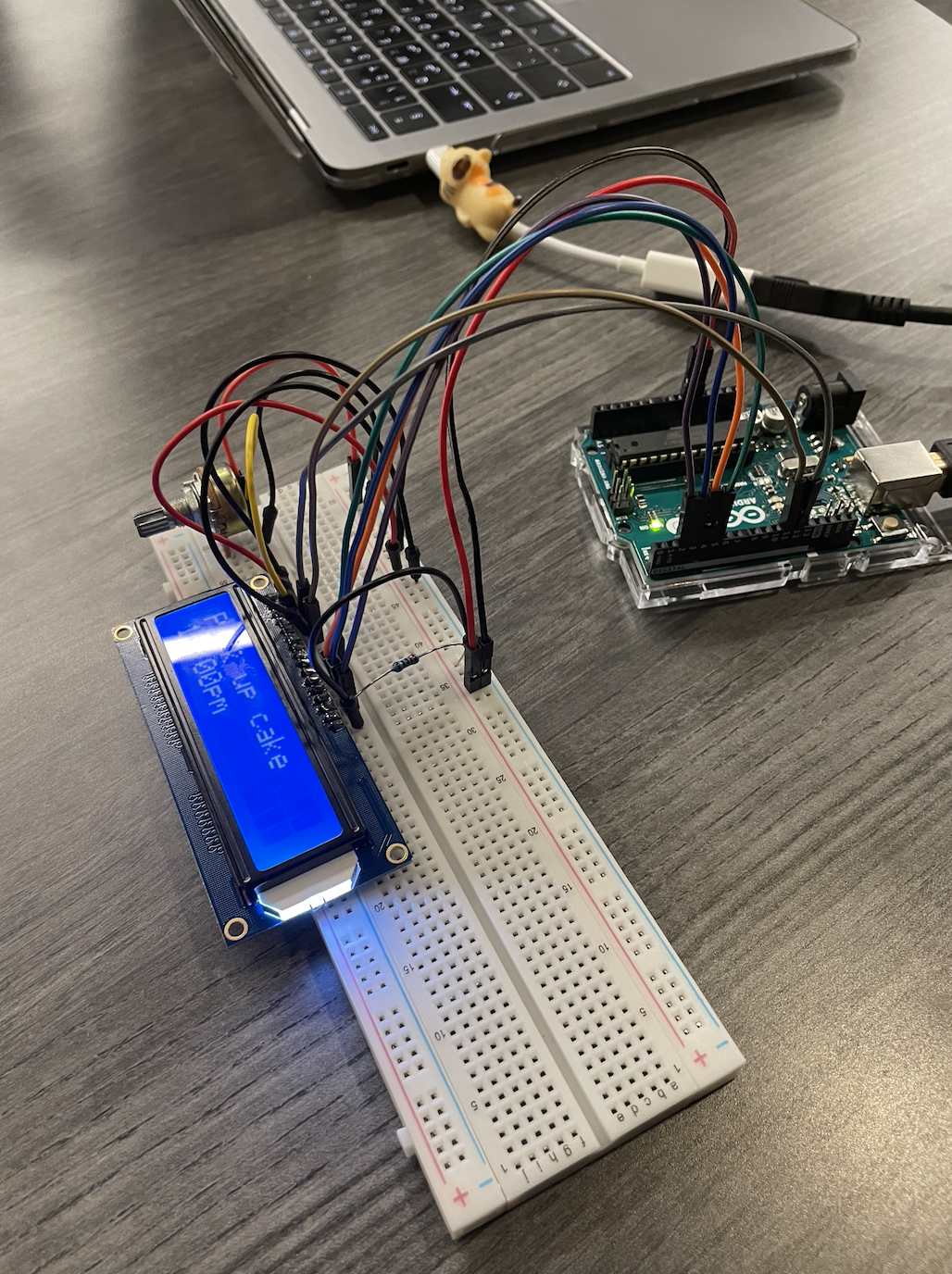
wire connections
-
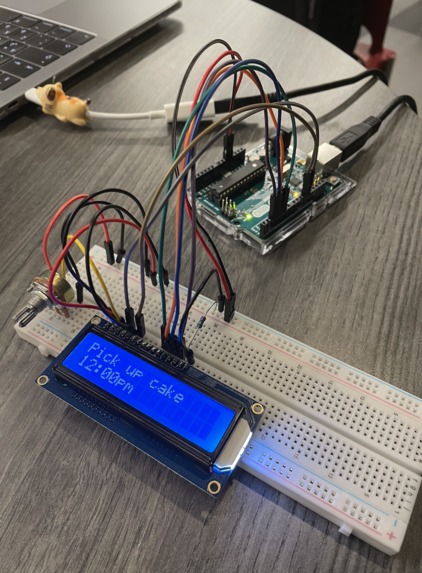
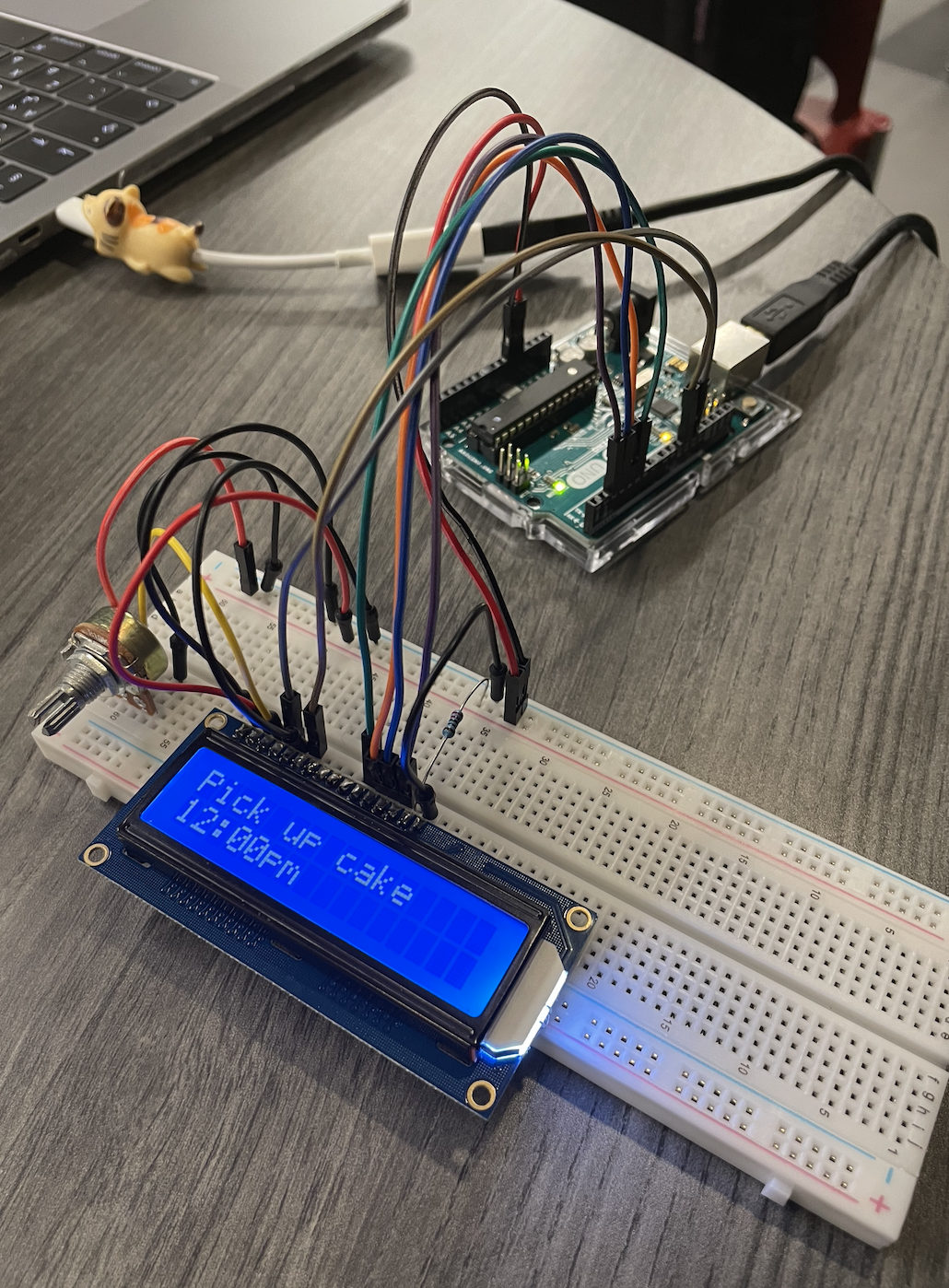
LSD displaying reminder
Inspiration
As students who face productivity roadblocks on a daily basis, we knew we had to find a solution. An app has been done before, however from our experience, no productivity app alone has lasted longer than a month. Reminders and notifications from an app can be missed due to the phone being on silent, out of charge, or just not in your close vicinity. We wanted to find a solution that will be right where you work all the time. Our solution is Clocktivity, a clock that displays your reminders
What it does
Clocktivity is made up of both a hardware component and an app, these two are then connected through bluetooth. The hardware component is in the shape of a clock, the clock's numerical digits were then replaced with LED's. We also got rid of the arms of a clock and instead put a display to show the reminder you have. The app component will have a tasks' button where you will be given a chance to name what you need to do, when you need it done, and how much earlier you would like to get the reminder. Depending on the hour you set your reminder on, the corresponding LED will turn on and flash on and off. This will grab the user's attention and have them check to see what the reminder is.
How we built it
We build the hardware using an Arduino Uno, an LSD display, a bluetooth module, a potentiometer, and a 220 ohm transistor. We connected all the components on a breadboard using wires. For the software component, we coded the Arduino on the Arduino program to have it display what the app sends to the bluetooth module. We coded the app component using MIT App Inventor's block coding software.
Challenges we ran into
We ran into numerous challenges while trying to achieve our end product. In terms of hardware, the LSD display wasn't displaying any information from the Arduino program. We later found out that the LSD wasn't connected to the board properly since it needed to soldered. In terms of the app, we struggled to find a program that will achieve what we want in an easy to code way. We started with Thunkable but we faced many difficulties finding the UUID code of the bluetooth module. We then switched to MIT App Inventor but once we had our program coded, an error message kept popping up every 5 seconds making it extremely difficult to make changes. Later we decided to use a simple bluetooth terminal to send text to the LCD however, since all the devices we own are iOS and macOS, the apps were not compatible. We then switched the MacBook into a Microsoft user face using boot camp assistant, however after over an hour of problem solving, it seemed like the bluetooth portion wasn't working.
Accomplishments that we're proud of
There are a handful of accomplishments we are proud of, the biggest one is the final hardware product, it is a product we were unsure of reaching. We are also proud of our brainstorming techniques which helped us come up with a great idea that we were able to follow through. Another awesome accomplishment we made is sticking to our personal schedule of what we wanted to attend and accomplish each day throughout the weekend. We are also proud of the final Figma app prototype we designed as it highlighted everything we wanted to include in the program.
What we learned
We learnt so many different things during this hackathon, we learnt how to use Figma, how to properly connect a bluetooth module, how to code using Arduino.
What's next for Clocktivity
We hope to have Clocktivity work as a fully functioning app in the future, to do so we will need to find a proper computer language that would work instead of block coding. We will also design the clocks in different designs to better suit different workspaces and fit their needs.
Built With
- arduino
- bluetooth-module
- figma
- lsd-display
- mit-app-inventor
- thunkable


Log in or sign up for Devpost to join the conversation.