Project Story: Colorly
Inspiration
I’ve always loved working with color systems. Whether designing interfaces or coding layouts, managing a consistent color palette is crucial — but most tools are either too complex or too generic. I often found myself switching between Figma, docs, and Tailwind config files just to recreate the same palette structures.
I wanted a simple tool that would let me define and edit colors visually, preview them in context, and export them instantly into formats I actually use — Tailwind, CSS variables, or JSON tokens.
The One-Shot Competition on Bolt.new gave me the perfect constraint: build it all with one prompt, no backend, no AI, just pure interface logic and frontend structure. That limitation made the idea even more exciting.
What it does
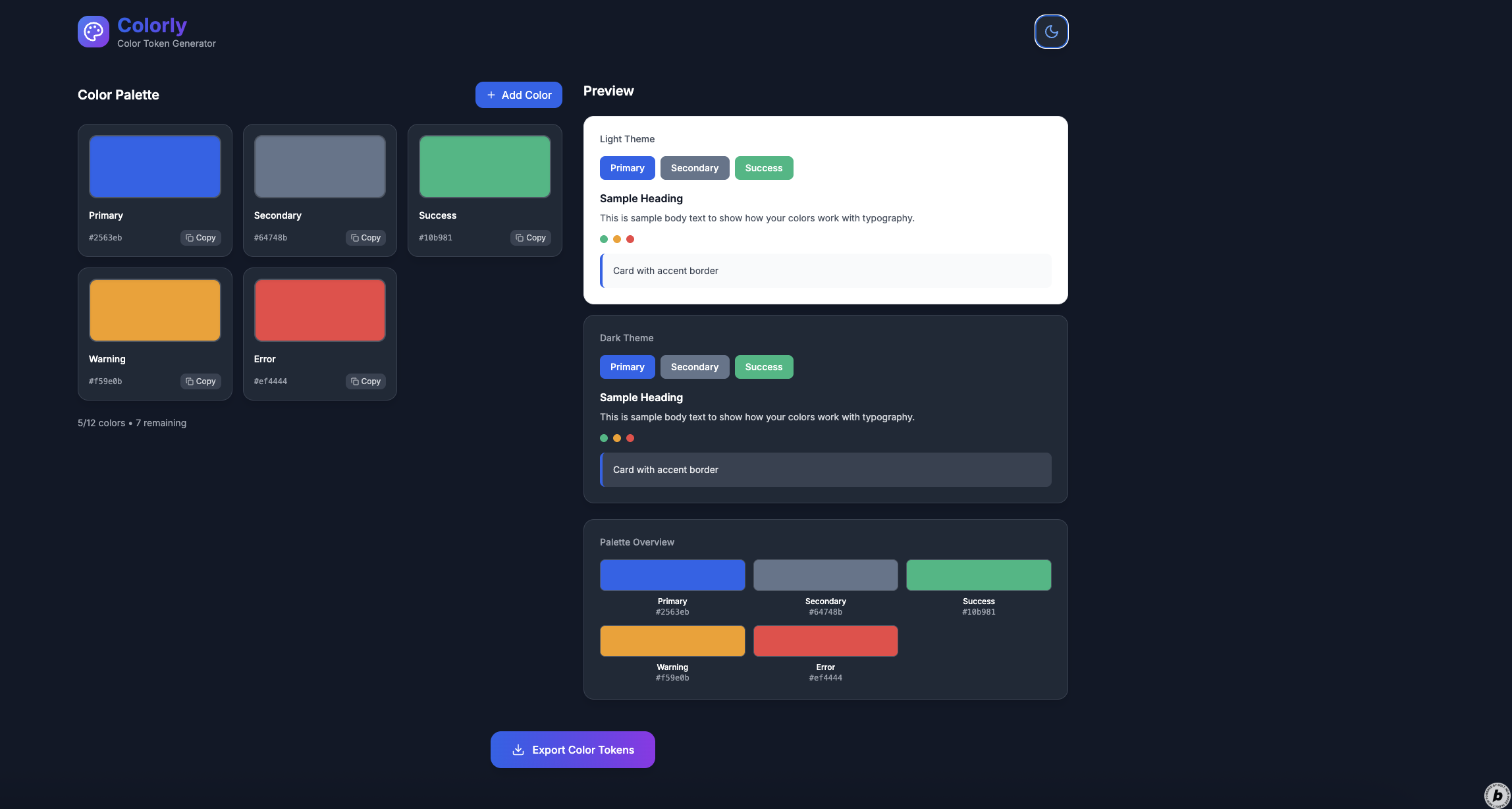
Colorly is a fully client-side color token generator for designers and developers. It lets you:
- Create, name, and edit a custom palette of up to 10–12 colors
- See how those colors look in real UI elements (buttons, backgrounds, text)
- Switch between light and dark themes to test contrast
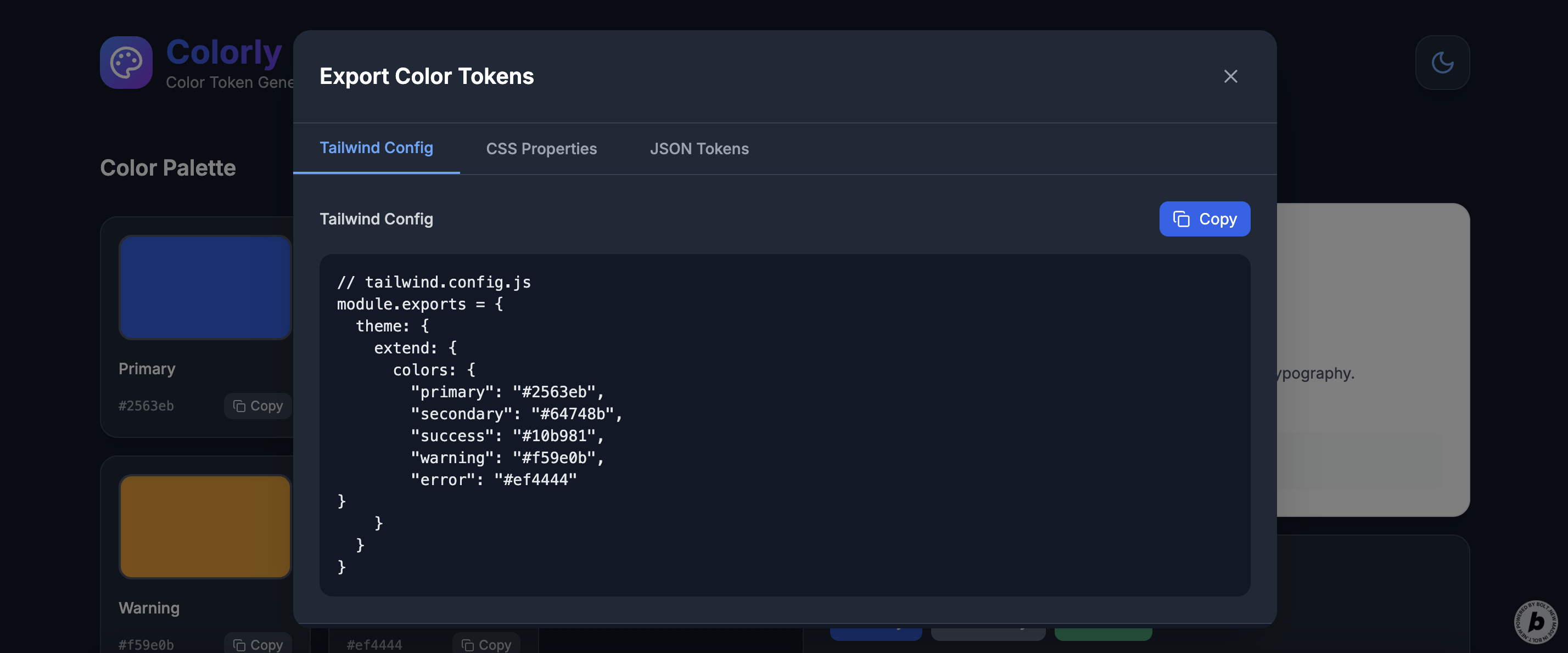
- Export your palette in 3 formats: Tailwind config object, CSS custom properties, and JSON tokens
- Copy export code with a single click
The tool is lightweight, responsive, dark-mode by default, and completely offline-ready.
How we built it
I structured the prompt to describe every component in detail: the editable color tiles, the layout logic, the export modal, and the live preview panel.
The app was generated by Bolt using Next.js and Tailwind CSS. All palette state is managed locally using useState, and the export formats are generated dynamically based on user input. The design is fully responsive, with max 3 color cards per row on desktop, and fluid transitions for hover, theme toggle, and tile updates.
Reusable components include:
ColorTilefor each editable color blockPreviewPanelwith light/dark UI mock elementsExportModalwith tabs and copy buttonsThemeTogglefor switching between modes
Challenges we ran into
- Designing a fixed, consistent layout that works across screen sizes
- Making the export functionality intuitive, readable, and accurate for all formats
- Handling hex color validation and live updates while keeping the UI smooth
- Structuring the code and component logic clearly within the constraints of a single prompt
- Balancing freedom (custom color naming, editing) with simplicity
Accomplishments that we're proud of
- Created a working, elegant utility that replaces multiple tools I used to rely on
- Built everything in one pass using just a prompt — no code editing afterward
- Designed a responsive layout with useful previews and high usability
- Implemented export functionality for 3 developer-friendly formats
- Made color management feel fast, clear, and even fun
What we learned
- Designing for constraints leads to clearer, more focused interfaces
- Small tools can solve real pain points — you don’t need a full platform to provide value
- Prompt design is a creative process in itself, especially when thinking in components and UX states
- Tailwind CSS continues to be an ideal solution for building minimal, modern interfaces quickly
What's next for Colorly
- Allow saving and loading of palettes from local storage
- Add accessibility checks for contrast ratios
- Support alpha channels and RGB/HSLA formats
- Allow naming and exporting entire palettes (e.g., “Brand Colors”)
- Add a Figma-style “token hierarchy” system (e.g., primary → primary-light)
- Explore bulk export or direct Tailwind theme overrides
Built With
- next.js
- tailwind
- typescript

Log in or sign up for Devpost to join the conversation.