Project Story: CLIx
Inspiration
As developers, we often memorize the same terminal commands again and again — Git resets, Docker cleanup, SSH tricks, or package manager quirks. Yet even experienced devs Google them daily. I wanted a minimal, offline, beautifully organized cheat sheet that could replace scattered notes and outdated bookmarks.
The One-Shot Competition at Bolt.new was a perfect opportunity to build this kind of tool using a single prompt. No backend, no AI — just clean code, structure, and UI thinking packed into one shot.
What it does
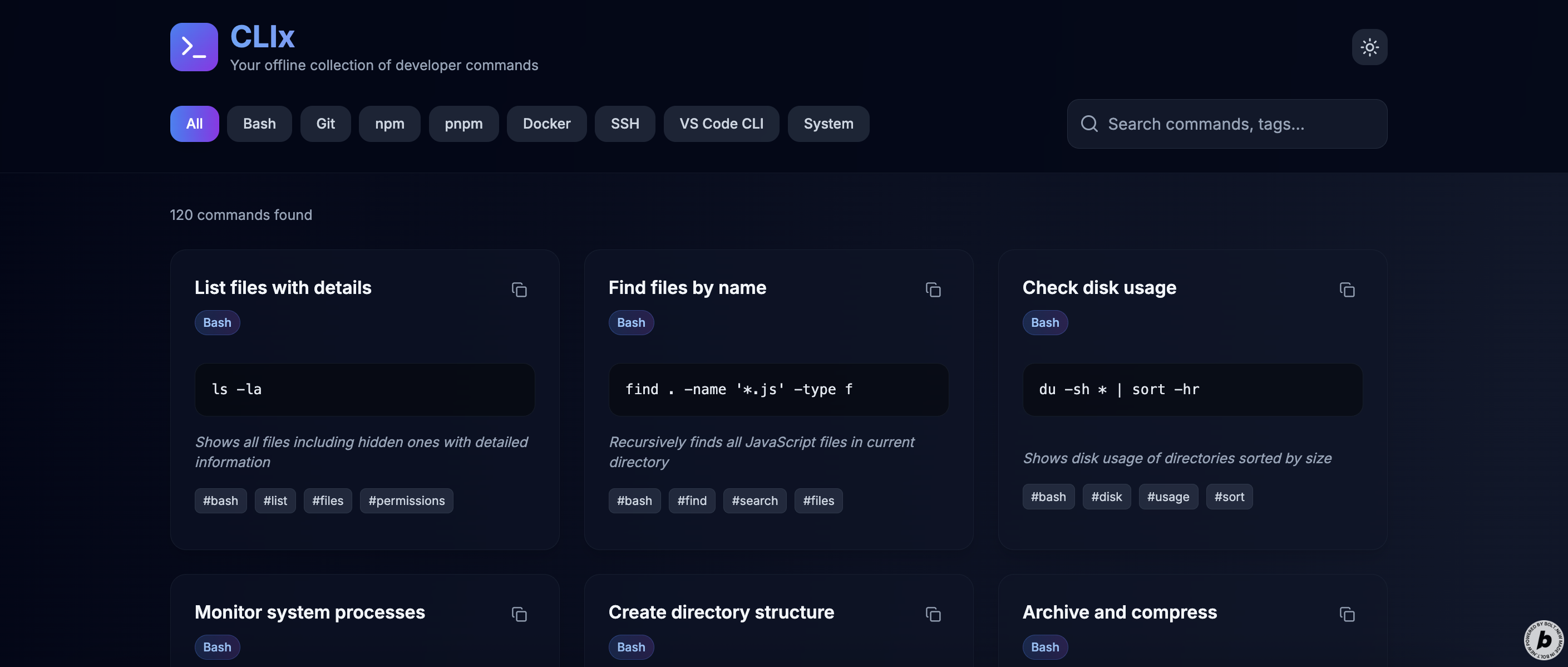
CLIx is an offline-first, searchable command-line reference vault containing over 400+ useful CLI commands across 8 core categories: Git, Bash, npm, pnpm, Docker, SSH, VS Code CLI, and System commands.
Features:
- Tabs for filtering by category
- Search bar with support for tags and title matching
- Consistent card layout with fixed height
- Expandable cards for long commands
- Copy-to-clipboard for each command
- Tags for every snippet (
#git,#docker, etc.) - Dark/light theme toggle, dark by default
- Fully responsive, mobile-friendly layout
How we built it
I used Bolt’s one-shot builder to generate a complete Next.js + Tailwind CSS app. I structured the prompt to define:
- All UI components (
SnippetCard,CategoryTabs,SearchInput, etc.) - Data model for CLI commands
- Layout logic (3-card desktop grid, fixed card height with expand/collapse)
- Copy functionality
- Responsive design rules
- Local-only architecture
All command data was manually curated and structured into local arrays grouped by category.
Challenges we ran into
- Designing fixed-height cards that look clean and don’t cut off commands awkwardly
- Implementing "expand" behavior without breaking grid alignment
- Ensuring tags and search logic feel intuitive and fast
- Creating a unified layout that balances developer density with UI clarity
- Writing a single, self-contained prompt detailed enough to generate the full app logic, styling, and data handling
Accomplishments that we're proud of
- Shipped a fully working developer tool using a single prompt
- Created a structured vault of 400+ command-line snippets with real-world use
- Designed clean, consistent cards that support expandable content and responsive layout
- Built something useful for both beginners and power users
What we learned
- Prompt engineering is an art — getting the logic, UI, and constraints right in a single shot requires iteration and clarity
- Tailwind CSS is incredibly effective for building clean layouts quickly
- Thoughtful constraints (e.g., card height, tag search) force better UX decisions
- Developer tools don’t need to be complex — sometimes static, clean, and offline is all you need
What's next for CLIx
- Add ability to create and save custom commands locally
- Support light/dark code themes for code blocks
- Introduce clipboard history or bulk copy tools
- Add export options (Markdown, PDF)
- Introduce “favorites” and tag filters
- Expand categories to include Kubernetes, system monitoring, and DevOps tools
Built With
- next.js
- tailwind
- typescript

Log in or sign up for Devpost to join the conversation.