-
-
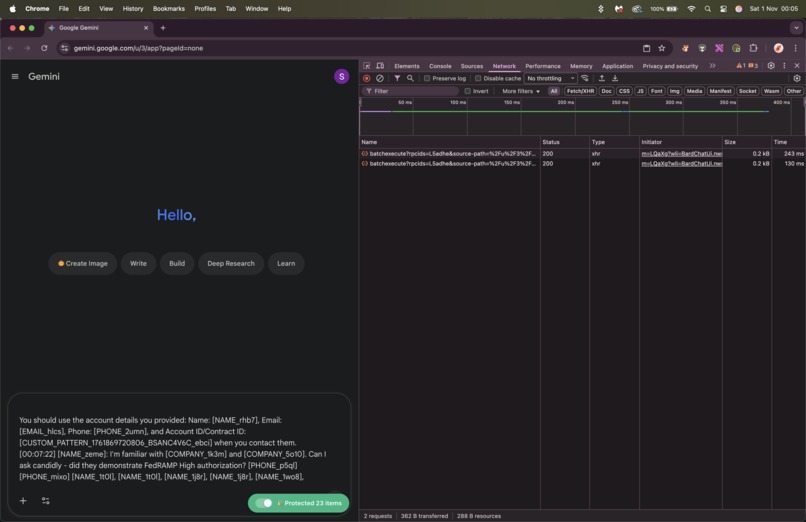
ClipShield - no action from user necessary - 0 external network calls, fully private and locally processed PII protection
-
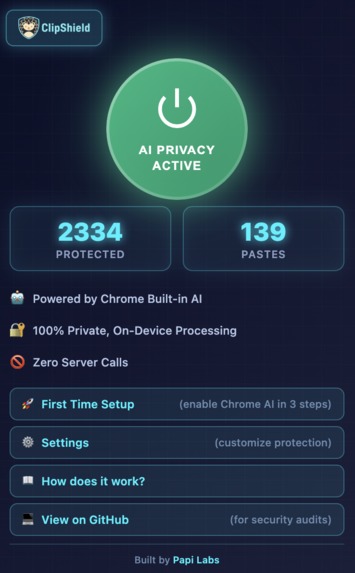
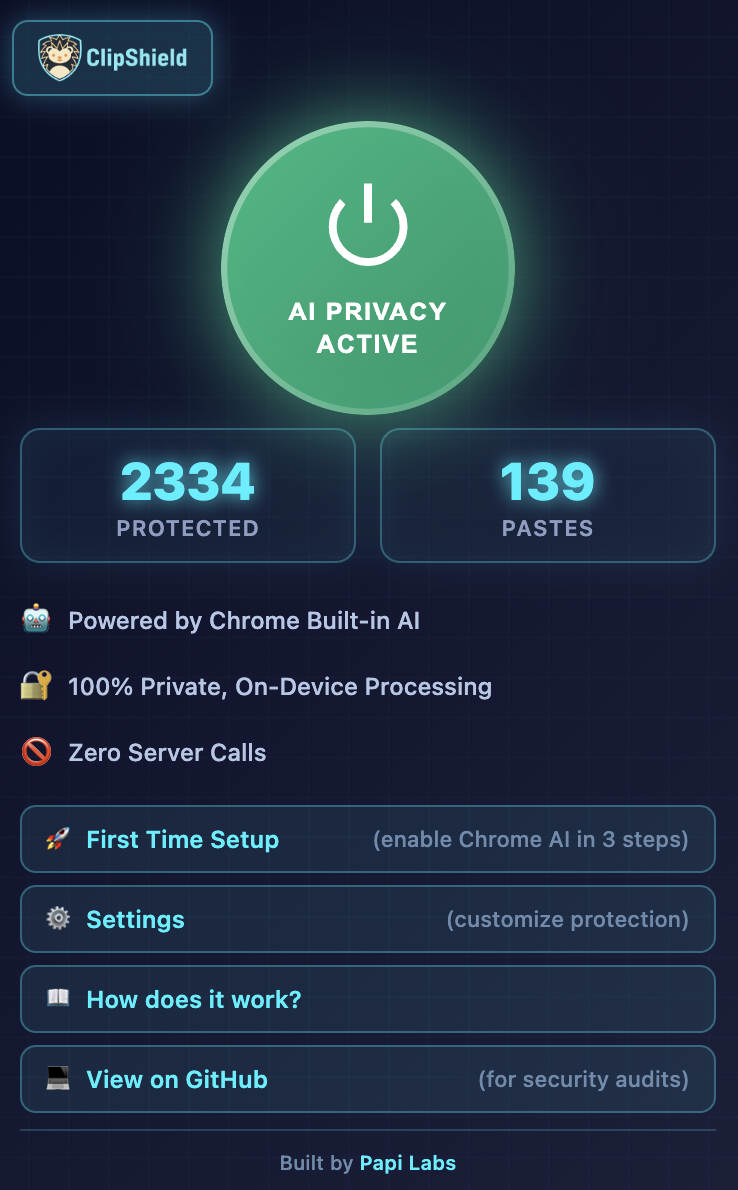
Your privacy command centre. See real-time protection stats, access help, settings, and disable CS if you need to.
-
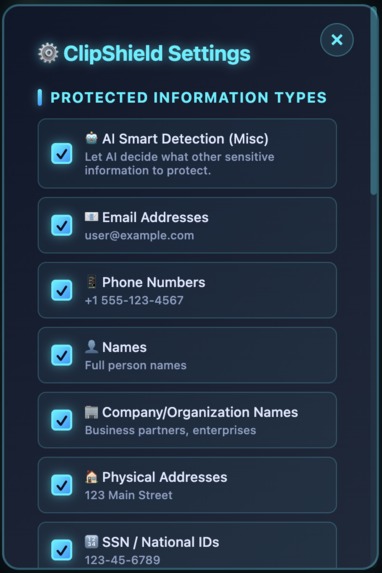
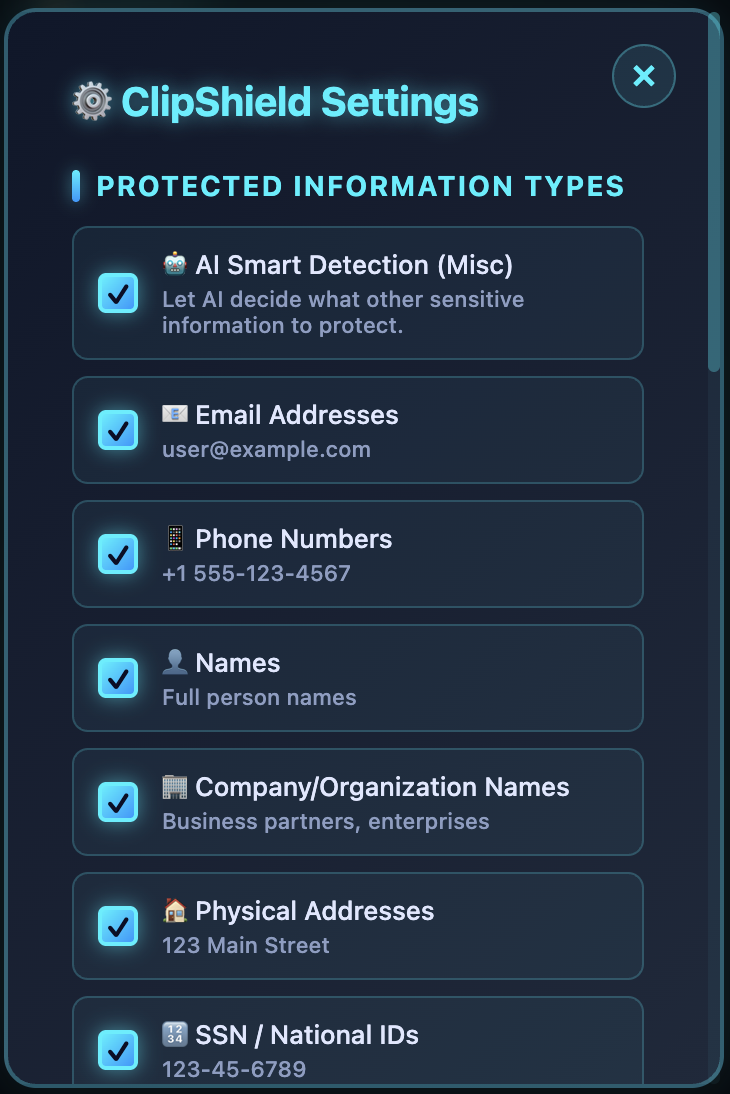
Pick which PII you need protected. Set it and forget it, ClipShield keeps your privacy protected.
-
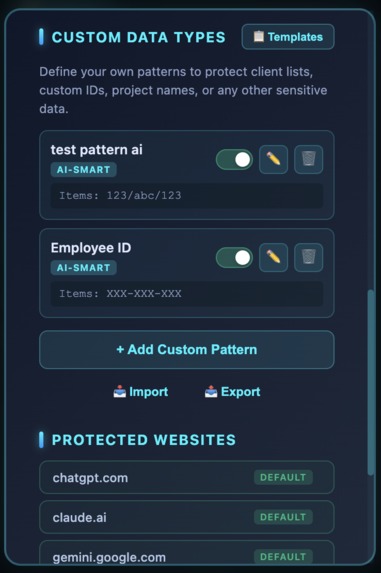
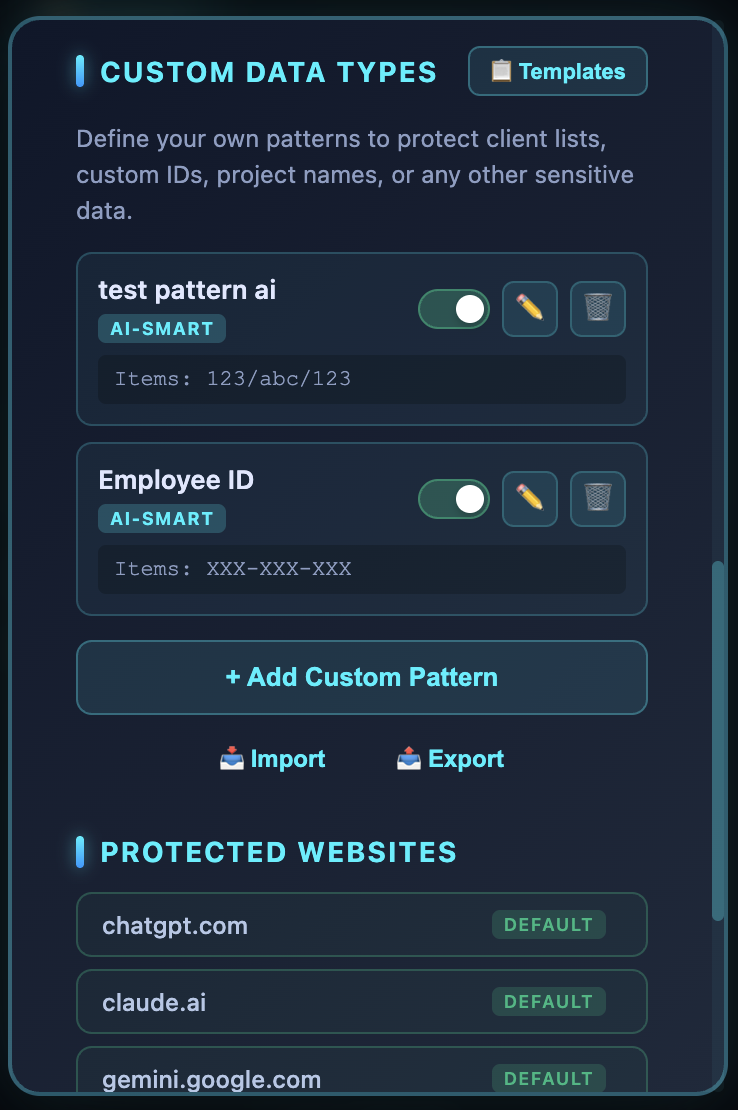
Use a custom format of sensitive data for work? Add them here and ClipShield will learn to keep an eye out for those too!
-
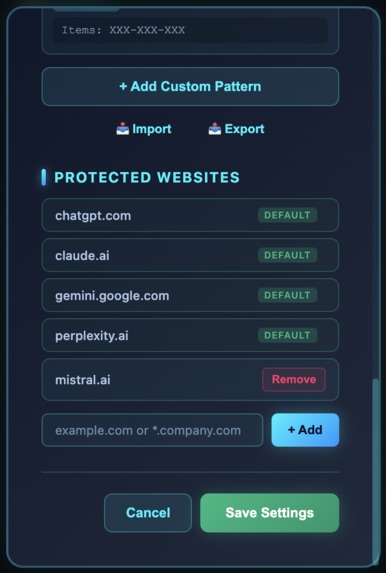
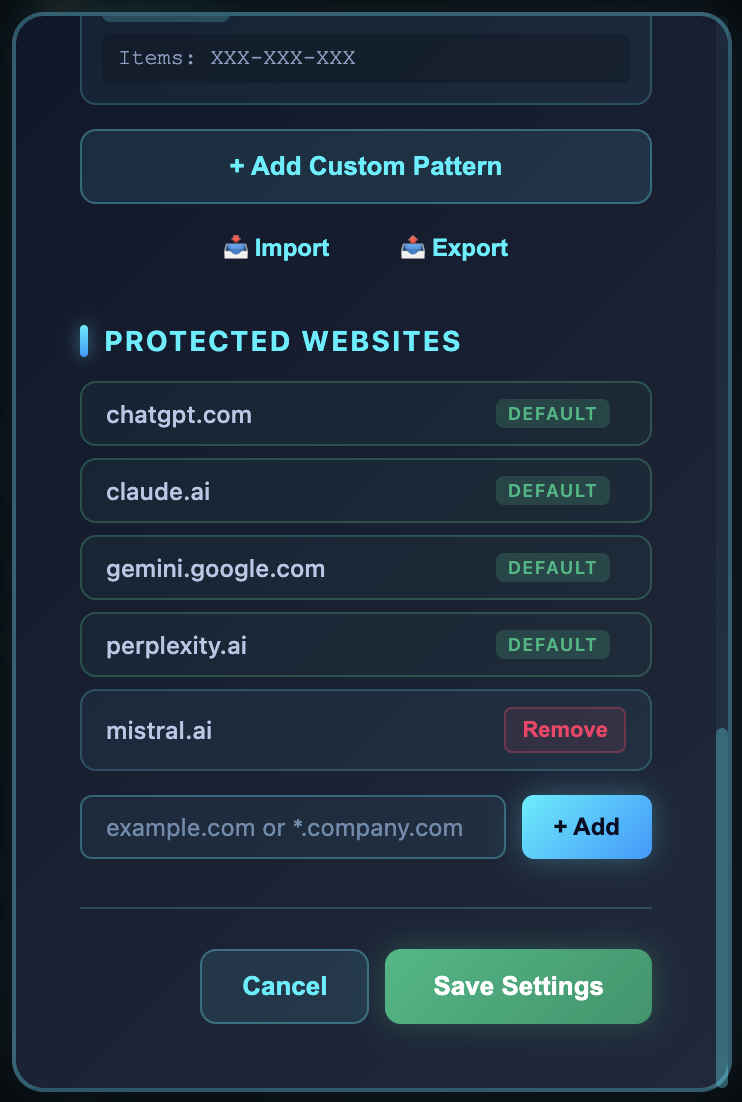
Use other tools? Add them here to enable ClipShield auto protection while using them.
Inspiration
About three years ago, I was at a government building for a meeting. I watched a staff member copy an entire personal file—names, addresses, phone numbers, everything—and paste it directly into ChatGPT.
When I asked about it, they said: "ChatGPT is great, helps us do so much more, faster." They didn't seem particularly concerned about the privacy blunder they'd just showcased. I was horrified, and it stuck with me.
That's when I realised: This isn't a knowledge problem. It's a friction problem. People know they shouldn't share personal information online. They just do it anyway because manual redaction is too tedious.
I've tried solving this multiple times over the years, always hitting walls:
- Cloud APIs? If you send data to third parties to detect PII, it's already exposed.
- Regex? Misses context-dependent PII and company-specific formats.
- Manual prompts? Users ignore them. Friction kills adoption.
Recently, I discovered the Prompt API when I decided to check what this hackathon was about—on-device processing with Gemini Nano. This changed everything. True local intelligence with no servers. WOW. I had to try one more time.
What it does
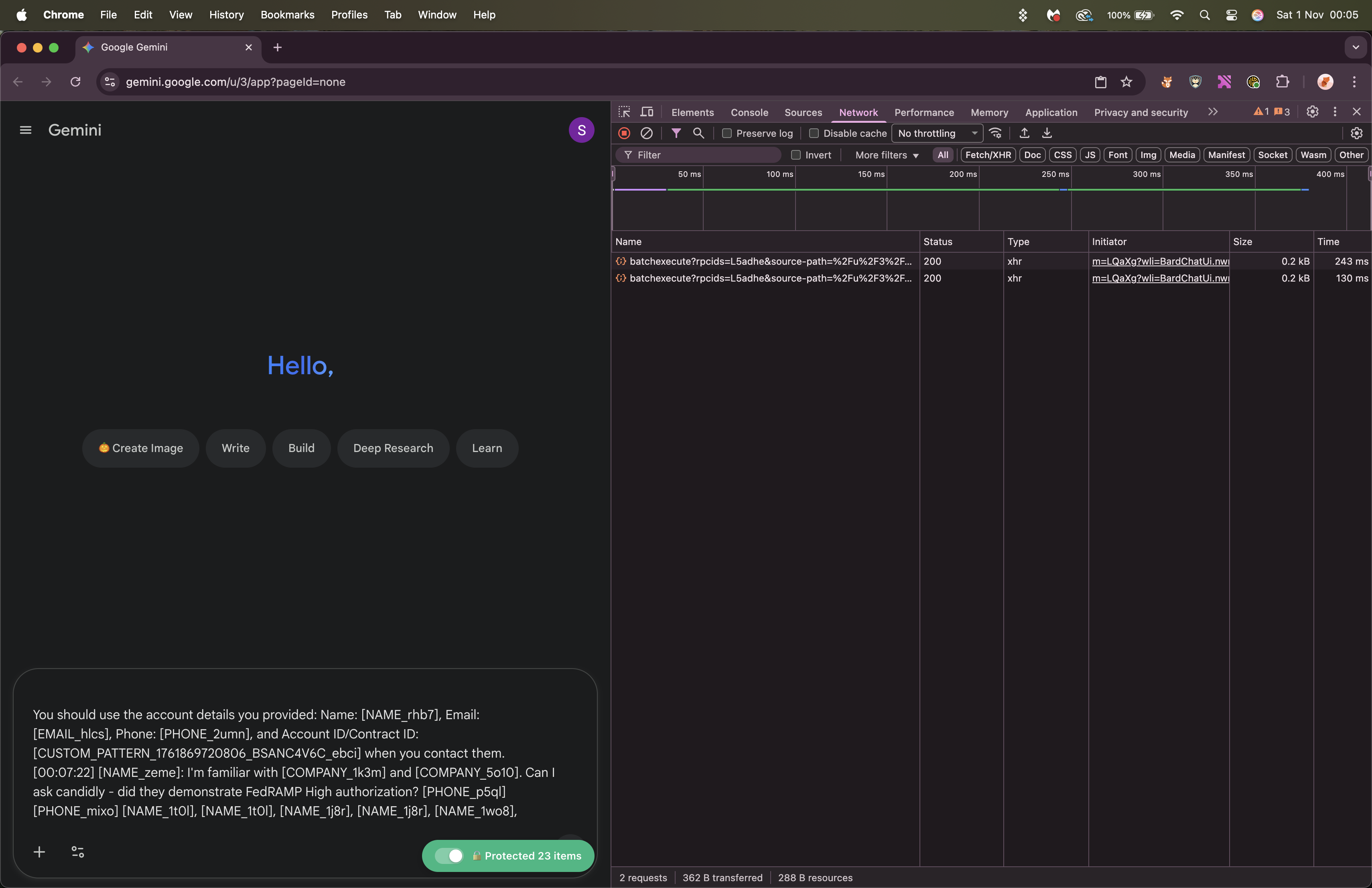
ClipShield automatically protects personally identifiable information (PII) before it reaches AI tools like ChatGPT, Claude, and Gemini.
For text:
- User copies customer email with credit card, phone, SSN etc
- Pastes into ChatGPT
- ClipShield instantly replaces PII with unique placeholders (e.g.,
[CREDIT_CARD_a8f3]) - ChatGPT sees placeholders but maintains full context
- User copies AI response
- Original data automatically restores when pasted elsewhere
For images:
- User attempts to paste or upload a photo with sensitive information (credit card, ID, etc.)
- ClipShield's multimodal AI detects visual PII
- Warning modal appears: "Credit card detected - proceed?"
- User makes an informed, conscious decision
Everything processed on-device. Zero network calls. PII data never leaves the browser.
How we built it
Tech stack:
- Chrome Prompt API (text mode) - Dynamic system prompts for context-aware detection
- Chrome Prompt API (multimodal mode) - Image PII detection
- Chrome Extension APIs - Clipboard interception, content scripts
- Chrome.storage - Settings persistence
Architecture:
- Content scripts intercept paste events on AI sites
- Prompt API analyses content on-device (Gemini Nano)
- Dual-layer detection: AI (context-aware) + Regex (fast fallback)
- Smart merging removes overlaps (keeps longer matches)
- PII replaced with uniquely identifiable placeholders
- Mappings stored in-memory (auto-deleted on tab close)
- Copy events trigger automatic restoration
Performance optimisations:
- Session warming: Pre-creates AI sessions on tab visibility changes (50% faster)
- Smart caching: Repeat pastes are instant (<50ms)
- Copy event pre-analysis: Background processing while user switches tabs
Challenges we ran into
1. Multimodal API Breaking Mid-Development
The Prompt API's multimodal access suddenly broke, throwing cryptic errors. Turned out the trial tokens were extension-ID-specific—every rebuild changed the ID.
Solution: Removed tokens entirely, added robust fallbacks, and made flags-only setup work perfectly. Now works reliably across all development iterations.
2. The Blurring Dilemma (UX Philosophy gold nugget)
Initially planned to auto-blur sensitive regions in images (like credit card numbers). Tested extensively—spatial coordinate detection was only 60-70% accurate. Not good enough for production.
The real problem? False confidence. Users would think "it's blurred, I'm safe" when the blur might have missed PII.
I made a hard choice: Honest warnings over imperfect automation. Show users exactly what was detected, let them decide with full context. This respects user agency and avoids "security theatre."
Product philosophy: Informed consent > dishonest "protection."
3. Cross-Site Compatibility Hell
ChatGPT uses <textarea>, Claude uses <div contenteditable>, and Gemini uses custom <rich-textarea>. Each requires different insertion logic.
Solution: Built a dynamic selector system with site-specific configs. Extensible—users can add custom sites via settings.
4. Clipboard Permission Friction
Wanted to read the clipboard on the tab switch for pre-analysis, but hit permission walls. Browser security (rightfully) blocks this.
Solution: Dropped clipboard reading, relied on copy-event pre-analysis instead to avoid scaring users with permission popups (works for 80%+ cases, zero permission prompts).
5. Overlap Detection
AI detected "Sarah Chen" as both "Sarah" + "Chen" + "Sarah Chen" → broken triple placeholders.
Solution: Built a custom overlap filtering algorithm that sorts by position/length, keeps only the most specific matches. Now handles edge cases beautifully.
Result: Despite these challenges, ClipShield now works beautifully and protected 2,300+ PII items across 130+ AI conversations with 96%+ accuracy during internal testing! 🎯
Accomplishments that we're proud of
Perfect Use Case for On-Device AI:
Built a true privacy tool that REQUIRES local processing—we literally can't send PII to a server for detection without defeating the purpose! This showcases exactly why Chrome's built-in AI matters: true zero-trust privacy.
Multimodal Excellence:
Successfully integrated both text and image analysis using the Prompt API. Image detection intercepts paste, upload, AND drag-drop—covering all three input methods. Shows warning modals instead of blocking (informed consent > false security).
Production-Ready with Real Impact:
Not a demo—actually protected 2,300+ PII items across 130 test conversations. Optimized from 8s → 2s paste latency through session pre-warming and smart caching.
The invisible UX (auto-redact on paste, auto-restore on copy) is the real accomplishment. Users don't think about it—it just works.
Novel API Usage:
Custom pattern teaching: AI learns from examples, not regex. User shows "PROJECT-2024-A1, PROJECT-2024-B2" → AI learns pattern → automatically detects "PROJECT-2025-C3."
What we learned
Technical:
- Chrome's Prompt API is production-ready when optimised correctly
- On-device AI enables entirely new product categories (case in point: privacy tools that can't send data to servers)
- Browser security APIs are opinionated—work with them, not against them
- Performance requires creativity: Pre-warming, caching, and pre-analysis are all critical
- Vanilla JS is powerful—no frameworks needed for complex logic!
Product:
- Real-world testing reveals countless edge cases you never imagined
- UX > Perfect functionality: 2s with good UX beats 1s with scary prompts
- User agency > Automatic blocking: Warning modals work better than imperfect auto-blur
- Privacy and AI quality aren't trade-offs: Placeholders maintain context
- Friction kills adoption: Tools that interrupt 50×/day get uninstalled
Personal:
- Sometimes you need the right technology to unlock an old idea
- 72 hours of focused execution beats 3 years of overthinking
- Hackathons provide forcing functions to actually ship
- Real problems deserve persistent attempts
What's next for ClipShield
Immediate:
- Shared with colleagues (the setup with Prompt API being in trial may be a bit too technical for public launch)
- Gather real-world feedback and refine detection accuracy
- As Gemini Nano improves, ClipShield automatically gets faster and more accurate
Short-term:
- Launch Publicly on Chrome Webstore
- Community pattern library: Users share pattern structures (not data) for crowd-sourced protection
- Look into the potential of bringing it to other Chromium-based browsers
- Enterprise features: Admin dashboards, compliance reports, SSO integration
The ultimate goal: Make privacy-preserving AI the default, not the exception. Enable everyone—from individuals to Fortune 500 companies—to safely use the best AI tools.
The foundation is solid. The problem is real. The technology finally exists to solve it properly.
As Gemini Nano improves (faster inference, better vision accuracy, lower resource usage), ClipShield will automatically improve. The architecture is solid. The use case is validated. The problem is real.
Built with Gemini Nano. Powered by curiosity. Ready for production.
Built With
- api
- chrome.storage
- clipboard
- gemini
- javascript
- prompt


Log in or sign up for Devpost to join the conversation.