-
-
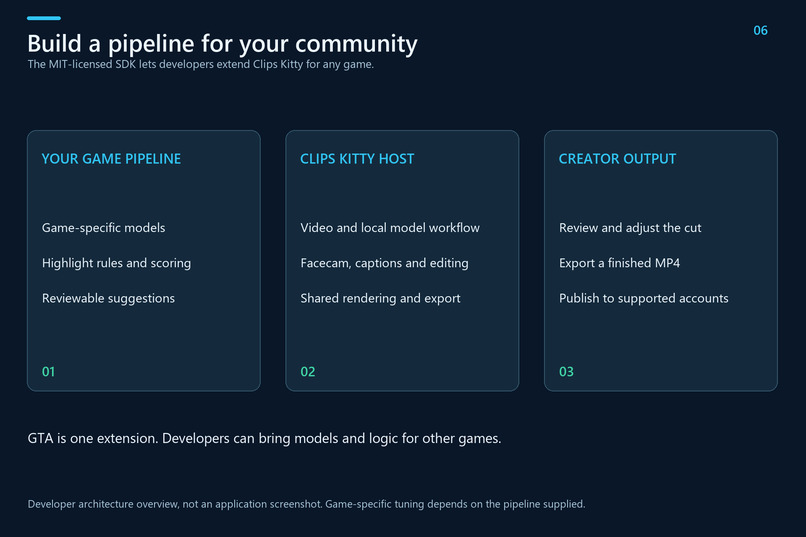
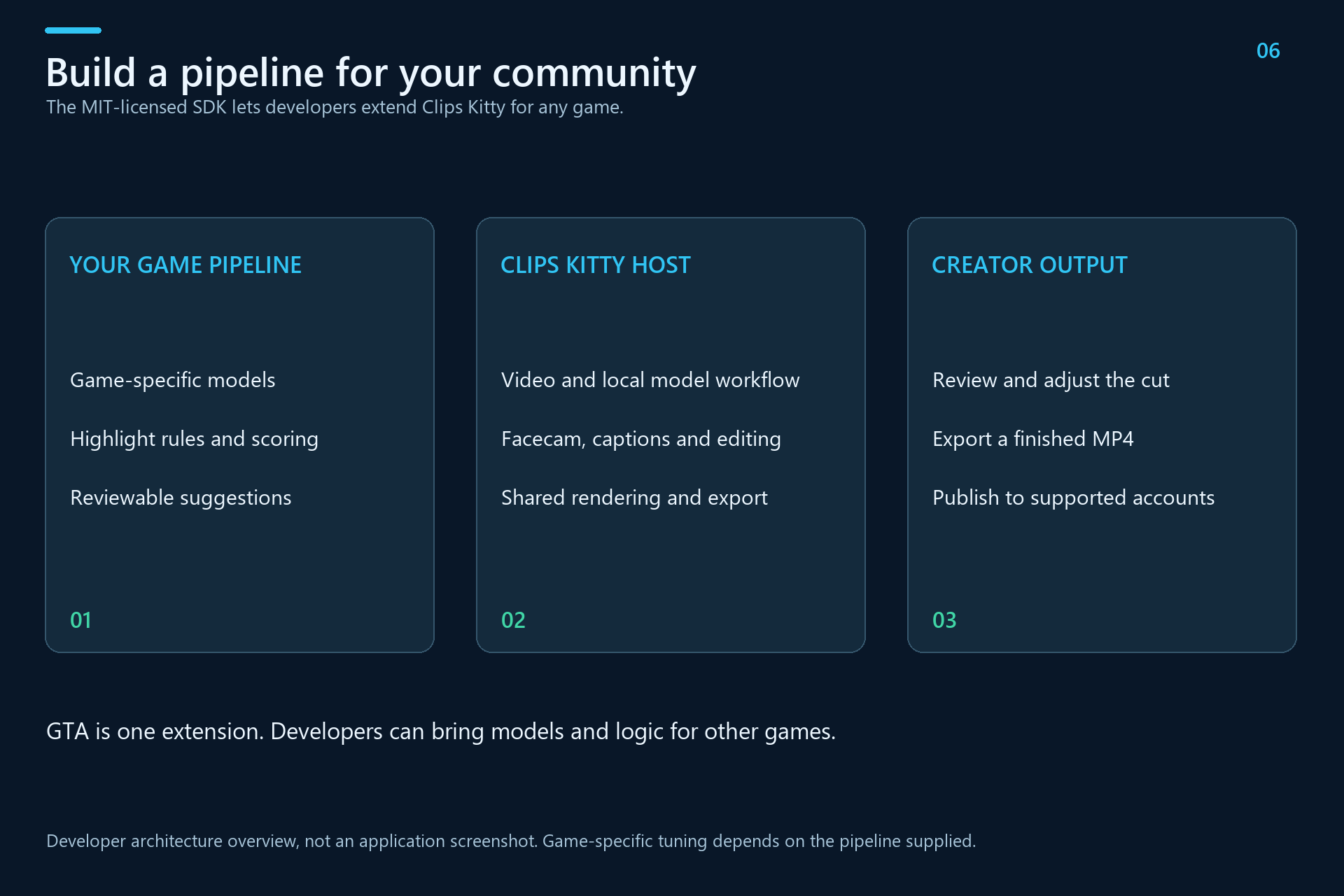
SDK For Any Game
-
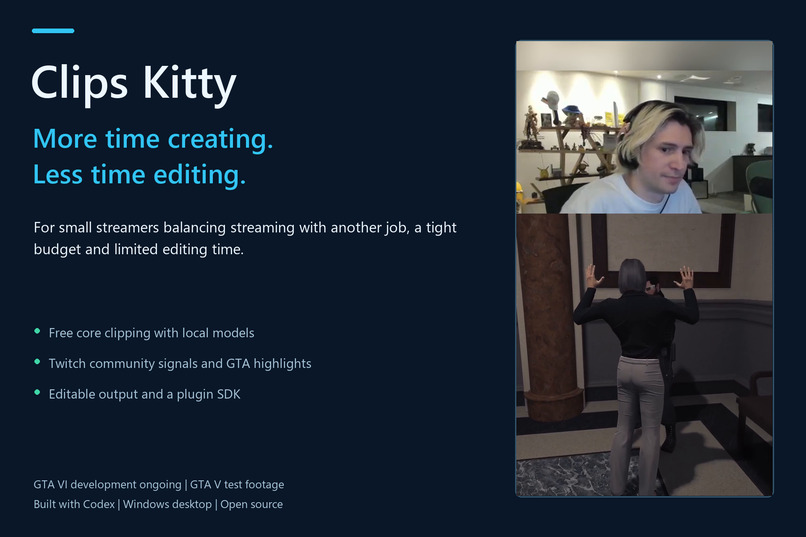
Clips Kitty Creator Mission
-
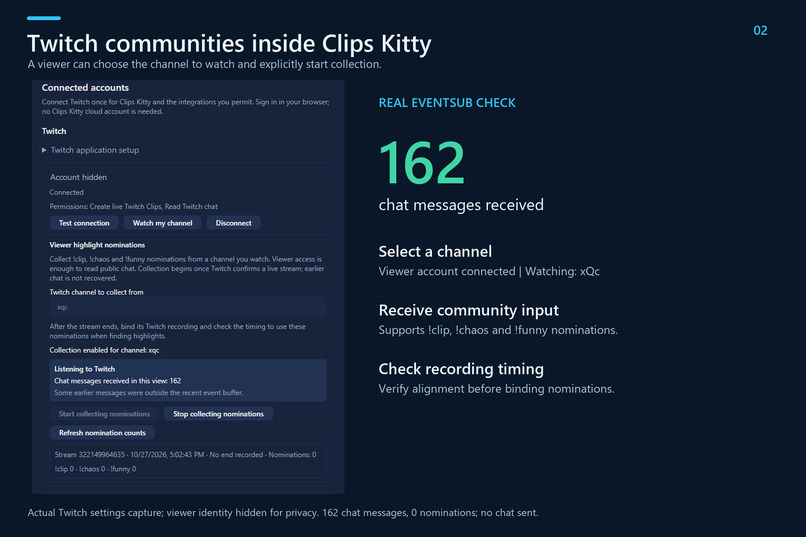
Twitch Community Integration
-
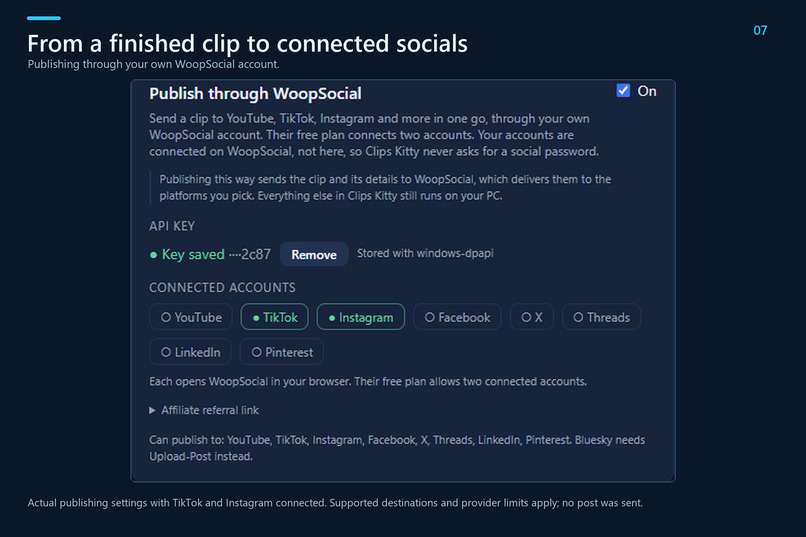
WoopSocial Publishing
-
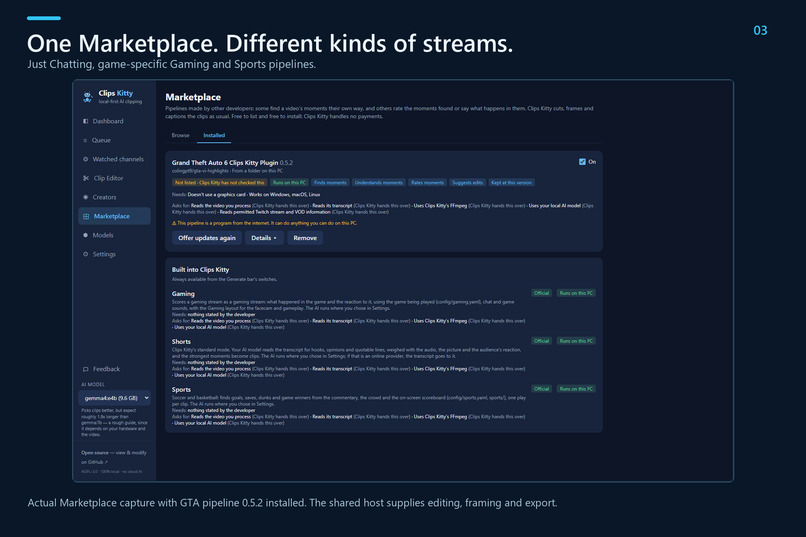
Marketplace GTA Pipeline
-
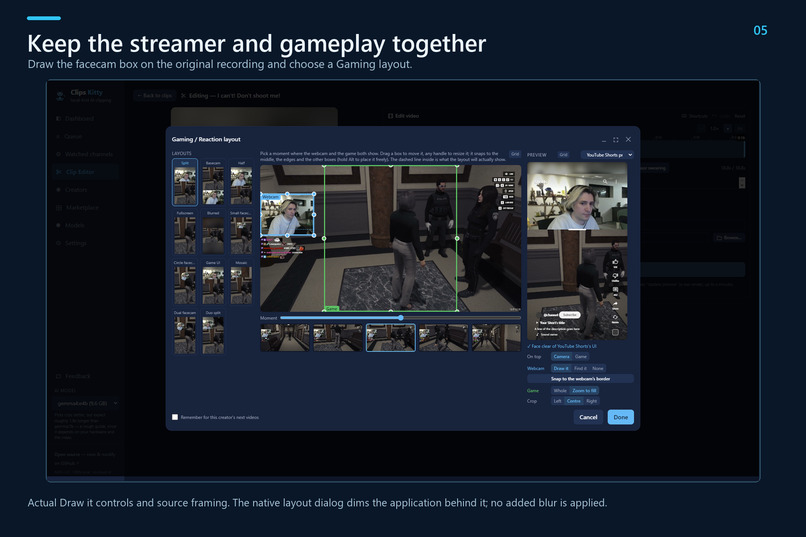
Manual Facecam Layout
-
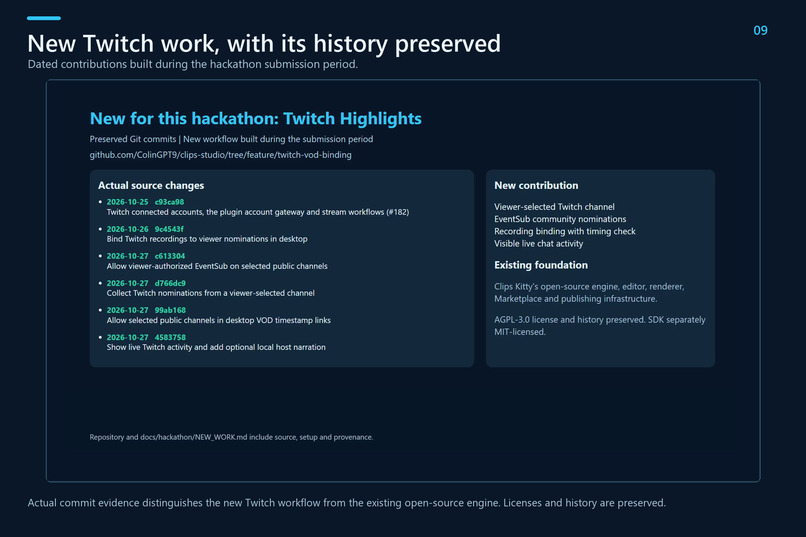
New Twitch Work
-
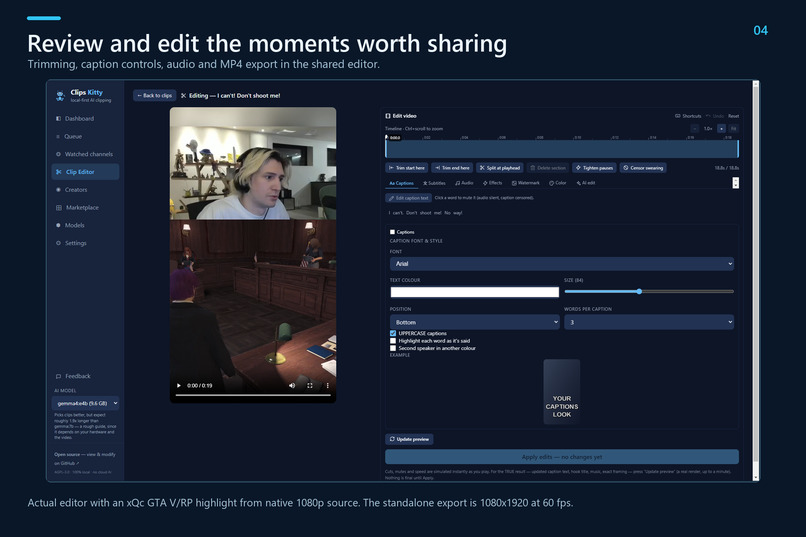
Real GTA Highlight Editor
-
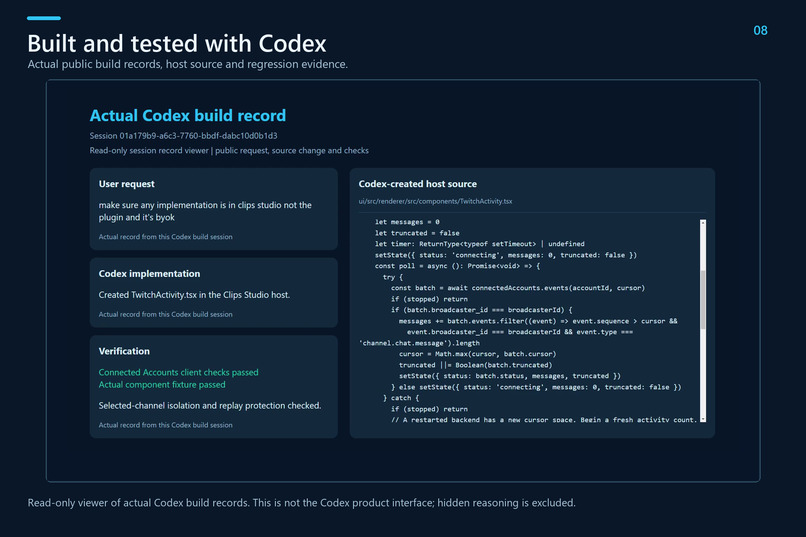
Codex Build Evidence
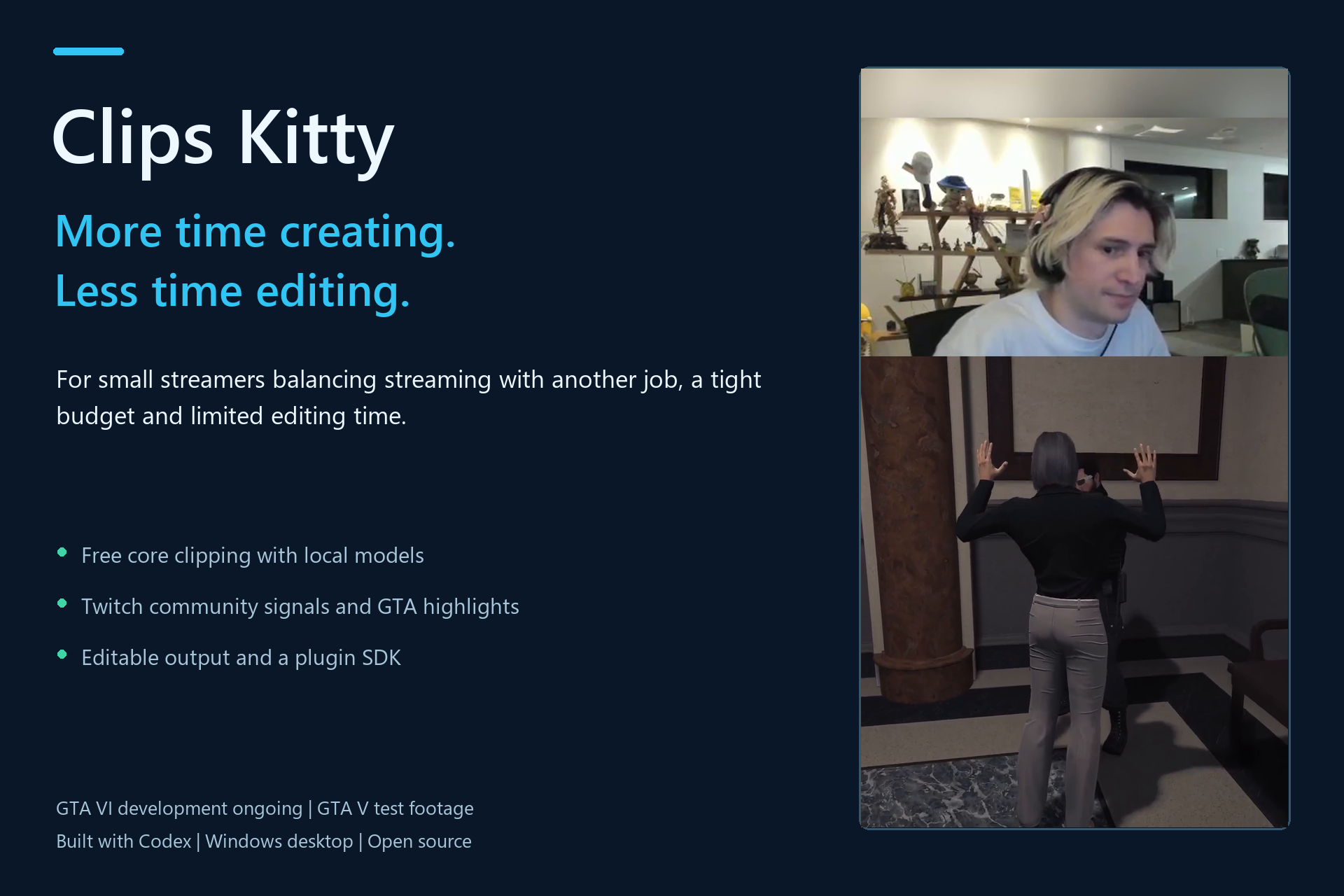
Inspiration I built Clips Kitty for small streamers and content creators who have the passion to create but don’t always have the money or time to turn their streams into videos.
Many creators aren’t streaming full time. They’re working another job, going to school, or fitting streams around other responsibilities. After spending hours streaming, they still have to watch the recording, find the best moments, edit them, add captions, reframe the video and upload it. Hiring an editor may be out of reach, and another monthly subscription can be difficult to justify when a channel is still growing.
I wanted to make that process more accessible. That is why Clips Kitty’s core clipping workflow is free and uses free local models on the creator’s own computer. Creators can find and edit highlights without needing an Opus Clip subscription or paying for cloud AI every time they process a recording. Optional cloud AI connections remain bring-your-own-key.
With GTA VI coming, I also see an opportunity to help smaller creators prepare for a new wave of streams, roleplay stories and community moments. I want them to have tools that help them share those moments while they continue building their channels. What it does Clips Kitty brings Twitch community signals, highlight detection, editing and publishing into one desktop workflow.
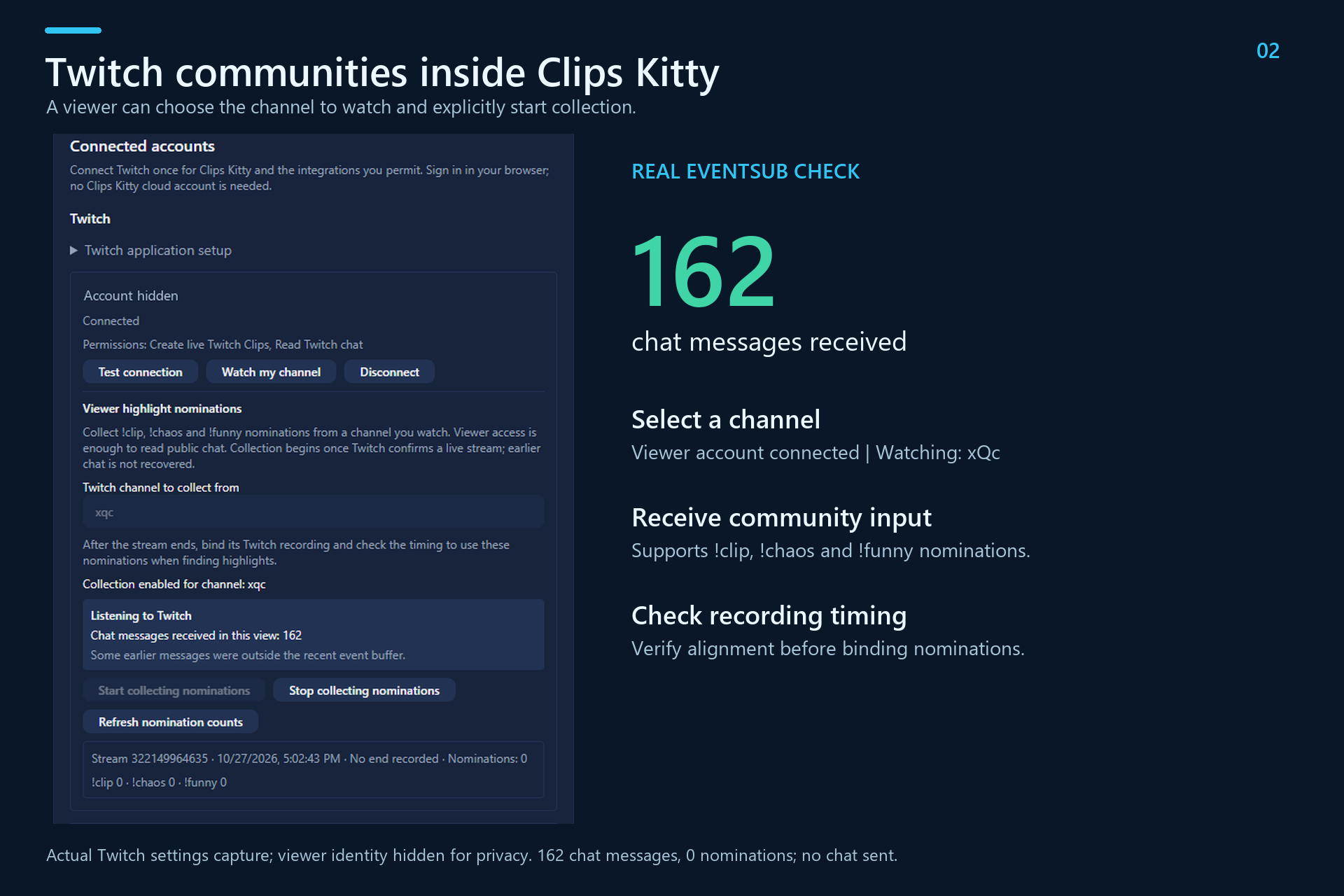
A user connects their Twitch account, chooses a channel and starts collecting community nominations through EventSub. Viewers can nominate moments with commands such as !clip, !chaos and !funny. The workflow keeps the connected viewer account separate from the streamer being watched, so users don’t need to run their own broadcast to use the viewer features.
The app can discover the corresponding recording and requires a timing check before community nominations are bound to source footage.
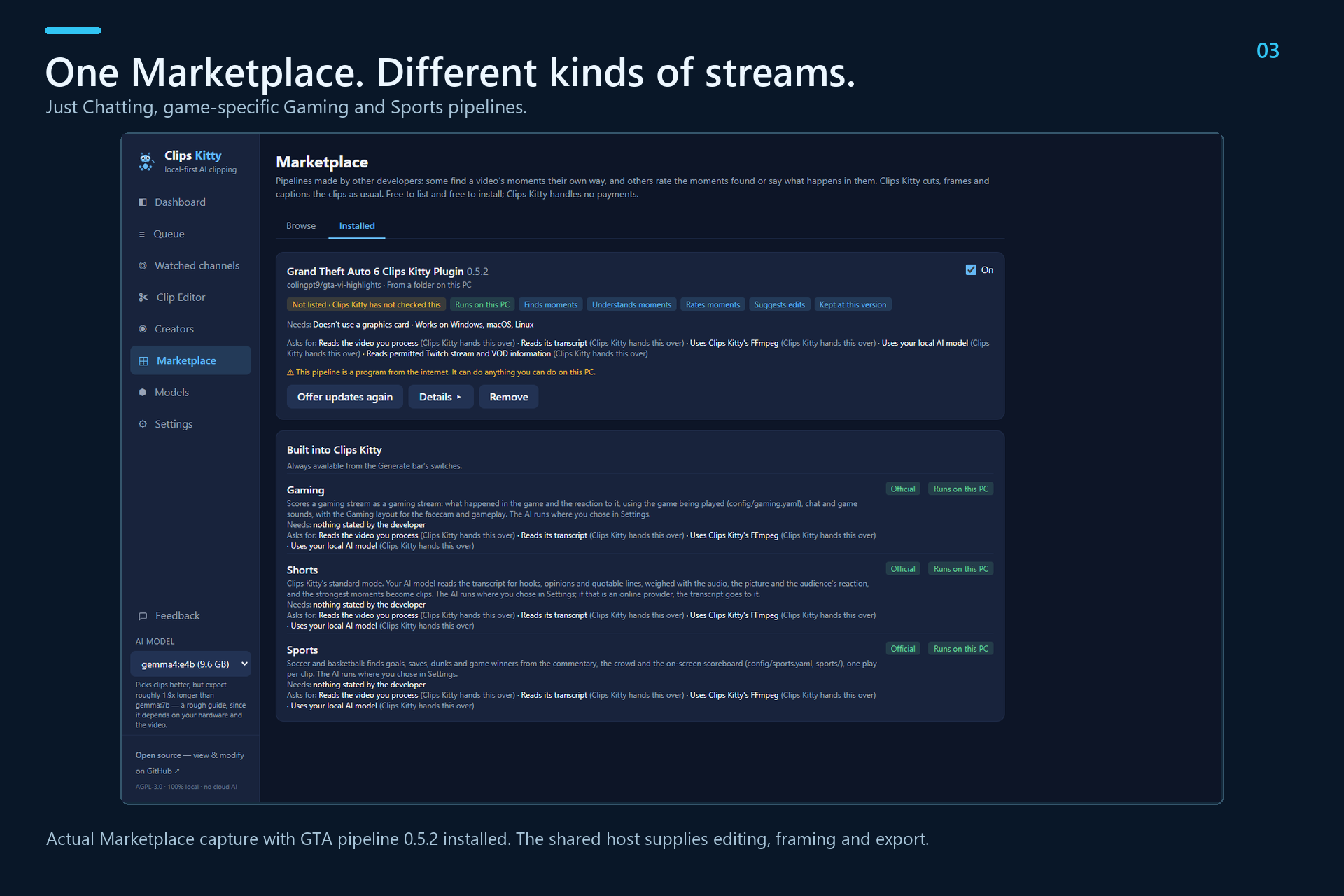
The Marketplace supports different types of content:
- Just Chatting: conversations, reactions and creator moments.
- Gaming: game-specific pipelines that can use specialized models and highlight logic.
- Sports: pipelines for plays, commentary and highlights. The GTA pipeline is one example. It considers supported gameplay events and roleplay dialogue, helping find moments where the conversation or situation matters alongside the action. Highlights remain editable, and creators can choose longer output when they need more context.
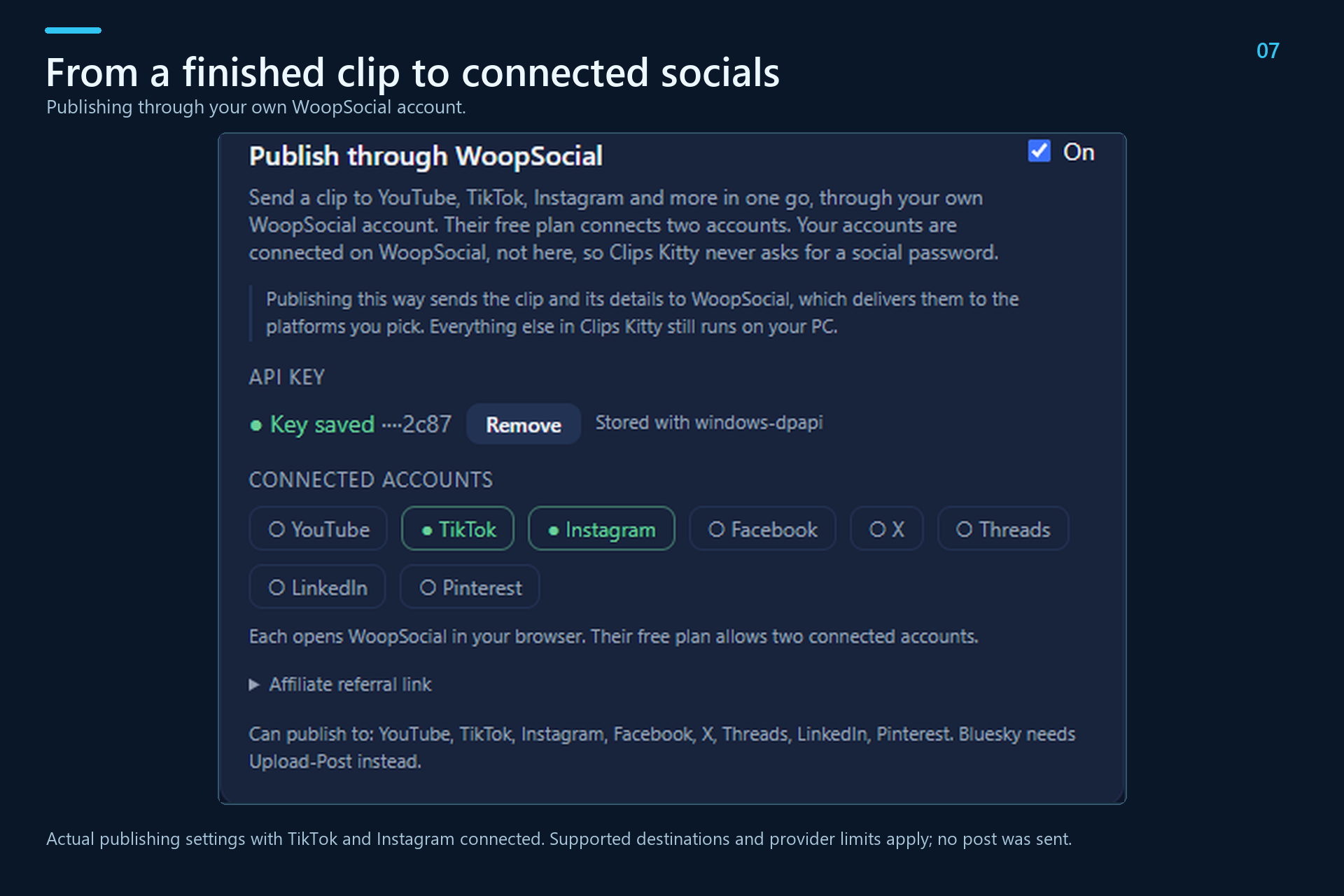
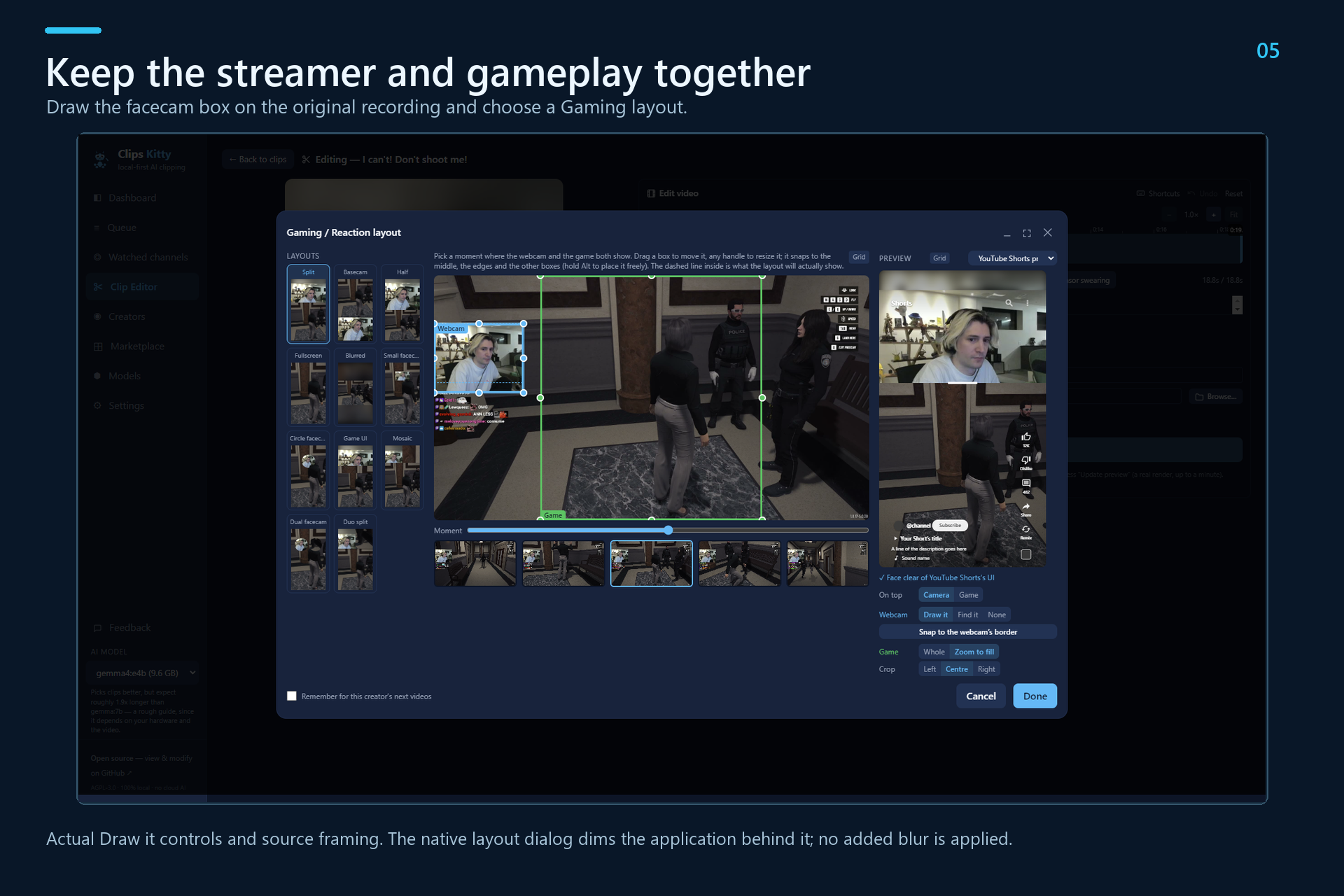
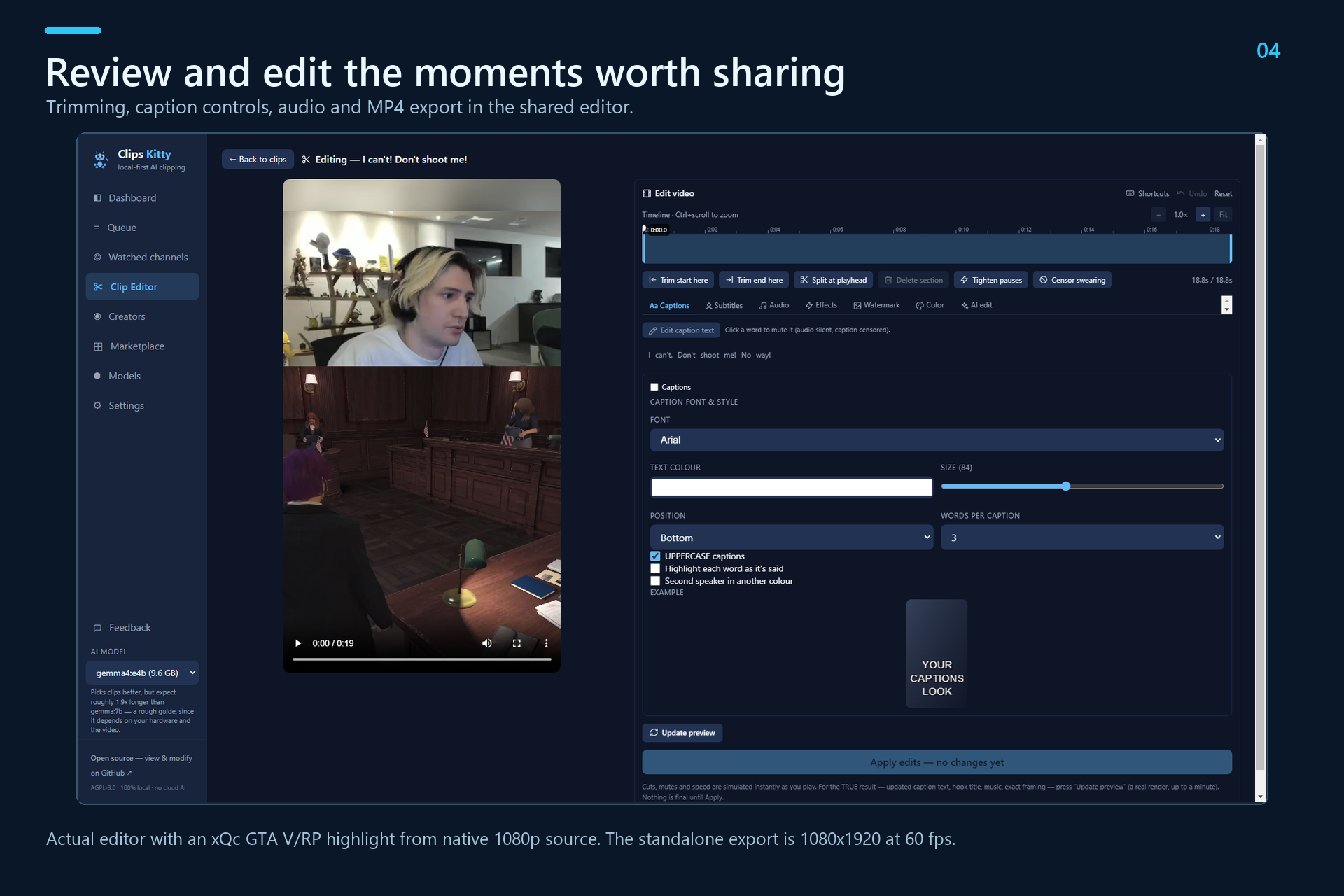
The shared editor provides trimming, captions, audio controls, manual facecam selection, Gaming layouts and MP4 export. Through WoopSocial, creators can publish to supported connected social accounts, including YouTube, TikTok and Instagram. External publishing services retain their own account requirements and plan limits. Building for more than one game I also wanted developers to be able to bring their own understanding of a game into the platform.
The MIT-licensed Clips Kitty SDK lets developers build pipelines for any game or content type, using their own models, rules and selection logic. Clips Kitty provides the shared video workflow, allowing a plugin developer to concentrate on recognizing the moments that matter to a particular community.
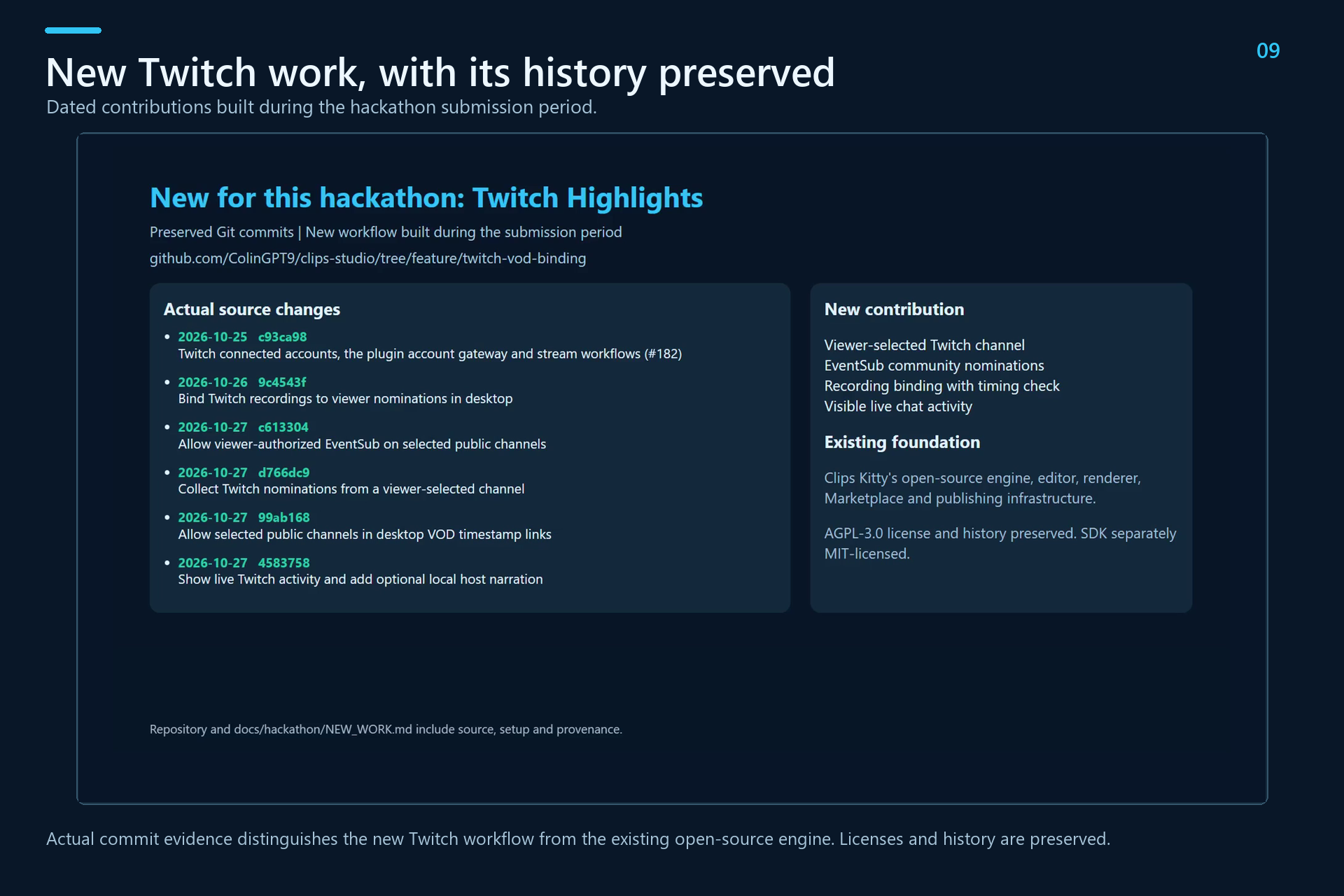
A funny roleplay exchange, a competitive play and a Just Chatting conversation need different approaches. The Marketplace and SDK give those approaches a common place to run. How I built it with Codex The hackathon project is the new Twitch Highlights workflow, built during the submission period on top of the existing open-source Clips Kitty engine. The existing editor, renderer and platform foundation are credited, with their licenses and history preserved.
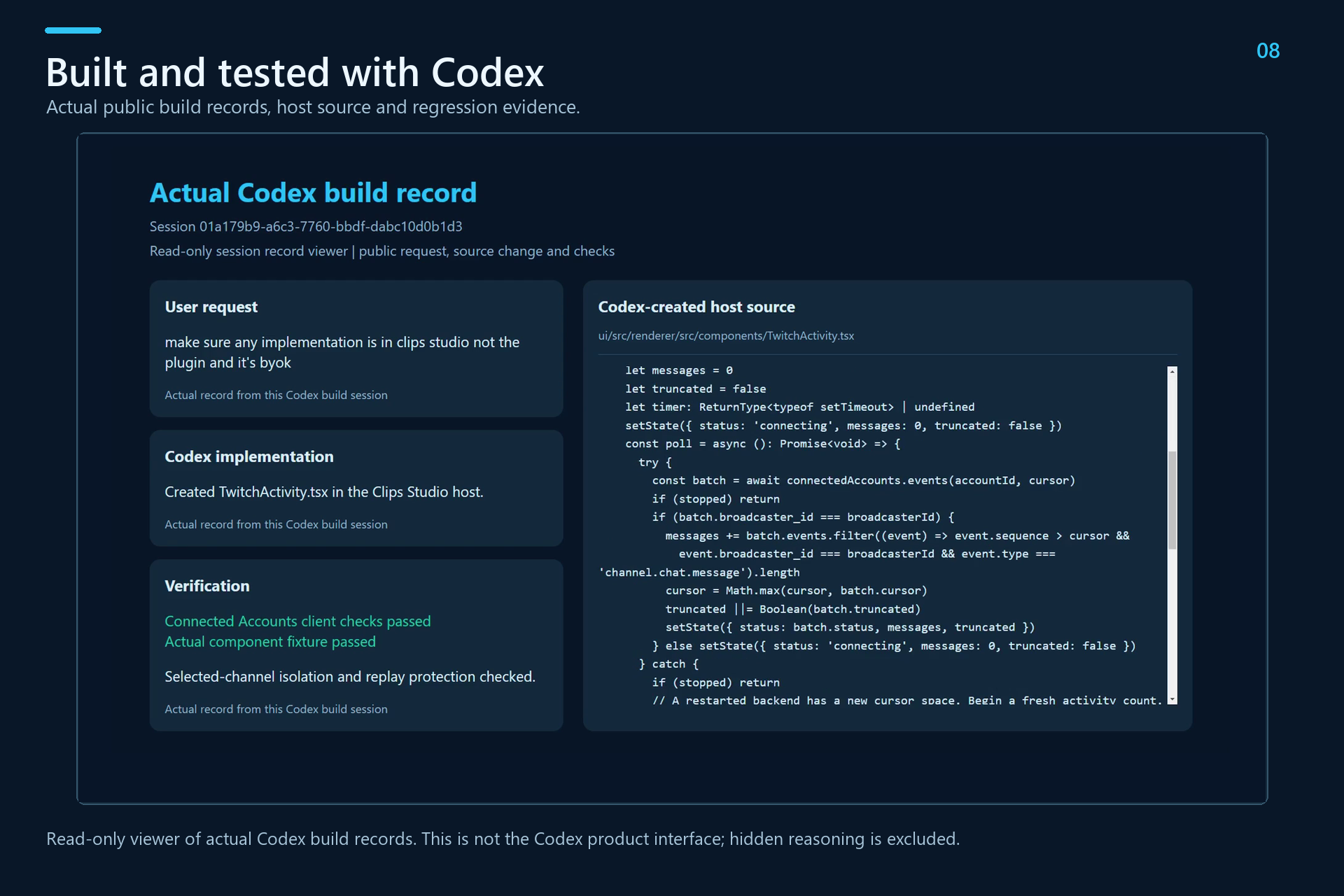
I used Codex to inspect the codebase, implement the viewer-selected Twitch workflow, add recording verification and visible chat activity, improve the GTA pipeline, and write regression tests.
Codex also helped investigate failures found during real testing, including Twitch authorization and token renewal, selected-channel API requests, recording discovery and facecam rendering. I used it to exercise the actual application and export workflow, then repair problems revealed by those checks.
The demo includes dated commits, actual Codex build records, source changes and verification evidence. The submission supplies the build session ID and setup instructions. Challenges I faced One challenge was keeping Twitch identities and permissions correct. The person connecting an account can be a viewer watching another channel. The app needs to distinguish that viewer from the broadcaster and respect the permissions available to each.
Another challenge was recording alignment. Finding the right broadcast does not automatically establish where a chat nomination belongs in a recording. I added an explicit timing check before those signals can guide highlights.
For GTA roleplay, selecting a useful clip also means preserving enough context to understand the interaction. I worked toward shorter cuts that retain the setup and payoff, while keeping longer output configurable.
Framing mattered too. A highlight can lose much of its personality if the streamer’s face disappears. Manual facecam selection gives the creator control over keeping the streamer and gameplay together. What I learned I learned how important it is to test the complete creator workflow with real services and real media. Passing isolated tests helps, but connecting an account, receiving events, processing footage and opening an exported video can reveal different problems.
I also learned to keep responsibilities clear: Twitch connections and recording verification belong in the host application, game-specific selection belongs in a pipeline, and editing and rendering should remain shared. What’s next I’m continuing to improve the GTA pipeline for GTA VI. I don’t have access to the game yet, so I used GTA V and roleplay footage to develop and test the current workflow.
The demo shows a real Twitch connection and incoming chat activity on xQc’s GTA stream, followed by a highlight generated separately from an excerpt of that same broadcast. It demonstrates the editing and export workflow without claiming that the live chat test generated that highlight.
Next, I want to validate the pipeline against GTA VI gameplay when it becomes available, improve live nomination timing, and welcome more game-specific and creator-focused plugins.
My goal extends beyond this hackathon: help smaller creators turn the streams they already make into content they can share, with less editing work and fewer financial barriers.

Log in or sign up for Devpost to join the conversation.