-
-
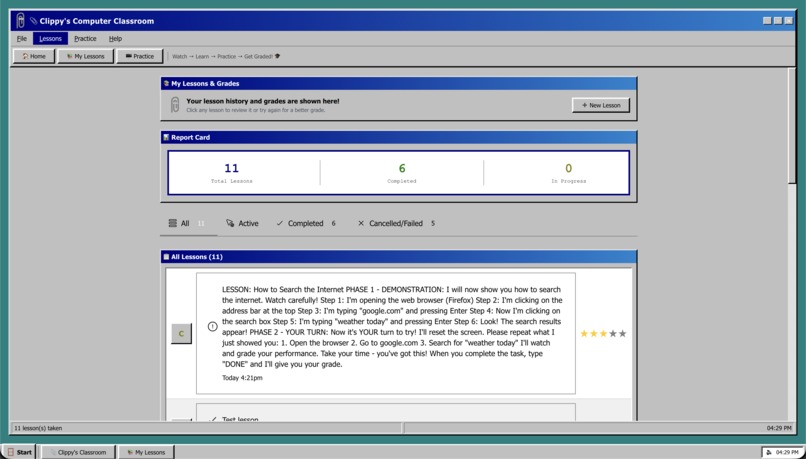
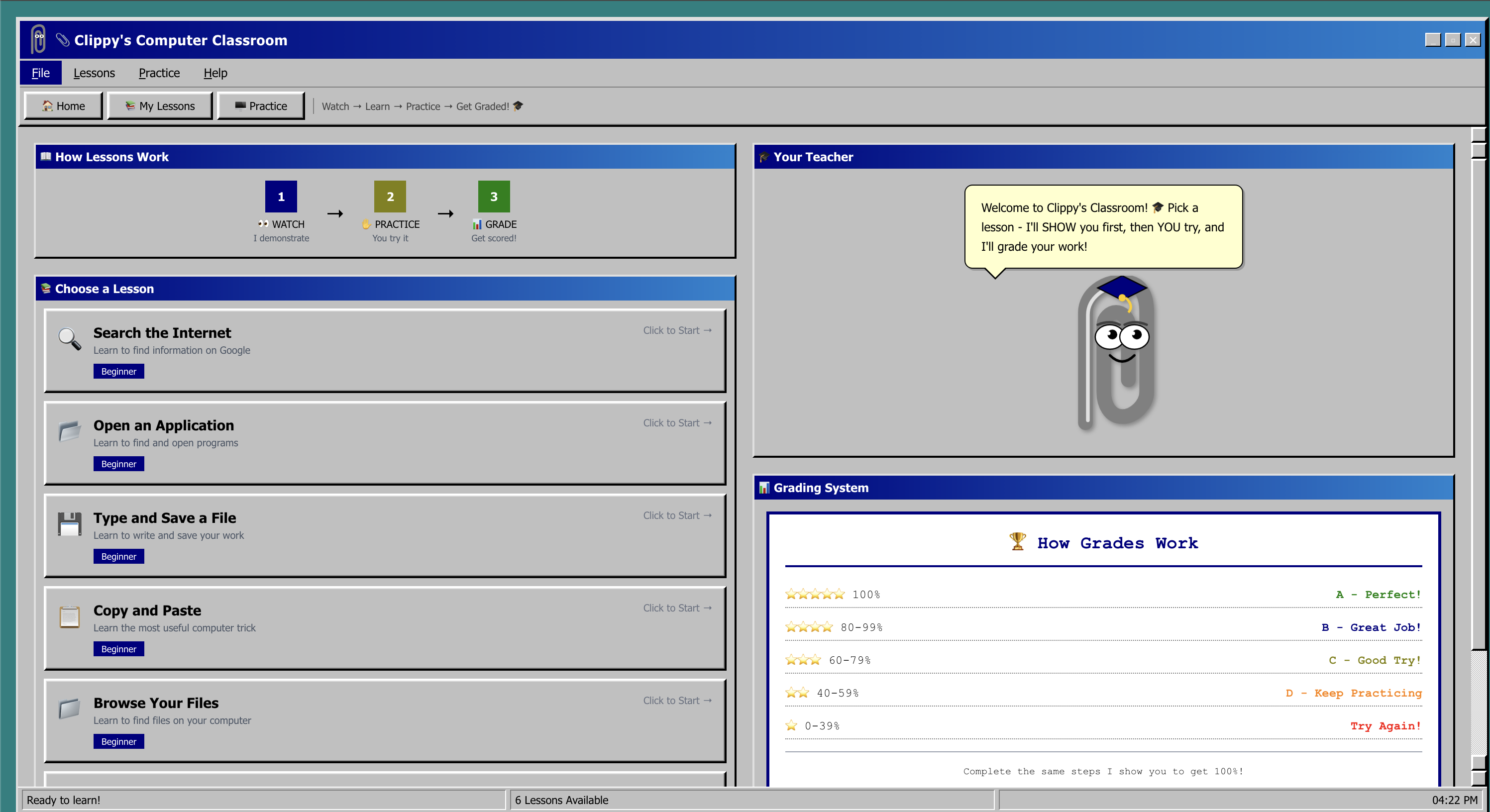
Lessons Page
-
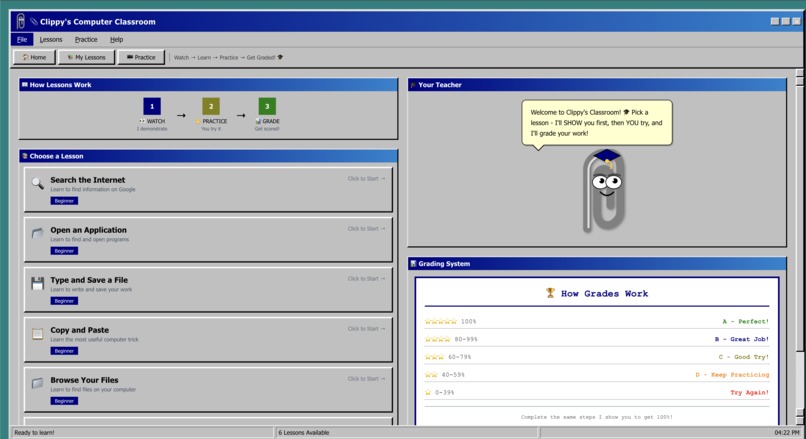
Home Page
-
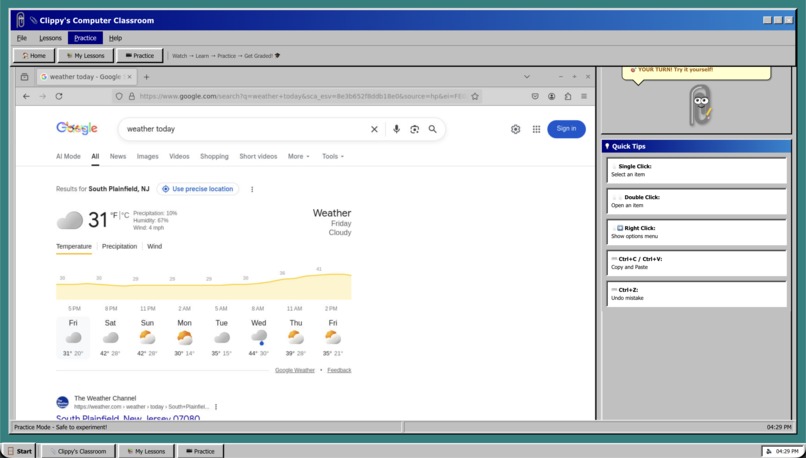
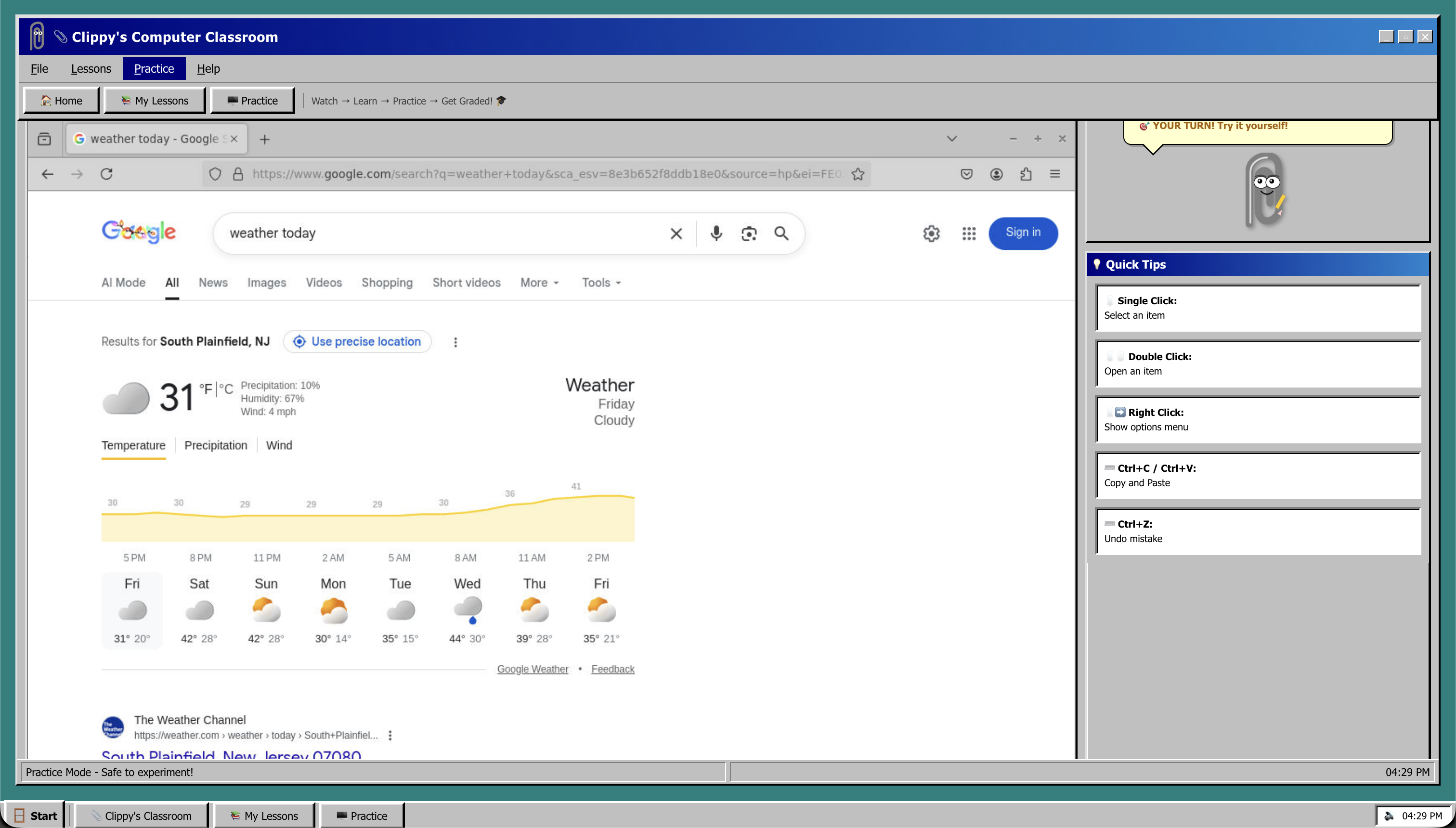
Practice Page
Inspiration
Many elderly and disabled users struggle to navigate modern websites, which are often complex, cluttered, and unintuitive. Traditional tutorials and YouTube videos rarely help because they require switching contexts, remembering steps, and applying them alone. I wanted to build something that teaches on top of the interface itself, the way a person would sit next to you and say, “Click here. Now type this.” That inspired ClippyOS: a modern, browser-based reinvention of Microsoft Clippy that can guide users interactively, visually, and patiently through real web tasks.
What it does
ClippyOS is an AI web tutor that lives inside the browser. When a user is stuck, they can ask ClippyOS for help completing any online task. The assistant can:
Understand the webpage the user is looking at
Explain the next steps in clear, simple language
Highlight buttons, fields, and interactive elements
Fill out forms, move the cursor, or click items to demonstrate actions
Safely walk users through tasks like sending an email, booking appointments, or managing online accounts
It blends explanation with demonstration, creating a hands-on learning experience tailored for elderly and disabled users who need guided support.
How we built it
ClippyOS is powered by a Dockerized Python backend using the open-source Bytebot framework to execute browser actions. Claude’s Code and Computer Use tools interpret the rendered page, break tasks into multi-step plans, and generate automated browser interactions.
Kiro played a crucial role in development. I used vibe coding sessions with Kiro to generate major backend components, including Bytebot tool wrappers, browser control logic, and the action-execution pipeline. Kiro produced high-quality Python modules based solely on natural language descriptions of the system architecture I wanted.
I also used Kiro agent hooks to handle repetitive development workflows and runtime behaviors. Agent hooks automated DOM checks, element searching, cursor movement, text insertion, and state validation. These allowed rapid prototyping of teaching flows without writing boilerplate automation code manually. At runtime, the same hooks help the assistant build and execute action sequences directly within the browser.
Together, Docker, Python, Bytebot, Claude, and Kiro formed a tightly integrated stack for building a fully automated accessibility assistant.
Challenges we ran into
Building a reliable browser automation layer that works across unpredictable, dynamic websites
Managing the complexity of multi-step tasks, which required robust action sequencing and error handling
Ensuring the assistant remains safe, explainable, and transparent when performing automated actions
Making the guidance accessible and simple enough for elderly users, requiring careful prompt design and teaching behavior
Integrating Claude’s Computer Use with Bytebot without unexpected actions or runaway behavior
Orchestrating all components through Kiro while preserving reliability and readability
Accomplishments that we're proud of
Creating a fully functional AI web tutor that can highlight, guide, and perform browser actions in real time
Using Kiro’s vibe coding to generate entire backend modules that would have taken hours to write manually
Leveraging Kiro agent hooks to automate complex browser workflows with minimal code
Designing an accessible, friendly teaching experience reminiscent of a modern, intelligent Clippy
Building a scalable architecture using Docker, Python, Bytebot, and Claude
Delivering an accessibility-focused tool that genuinely helps users who often struggle with the web
What we learned
How to orchestrate AI-driven browser automation safely and effectively
The power of structured agent hooks for speeding up development and runtime action generation
How to design AI that communicates clearly and patiently for accessibility use cases
How to structure vibe coding prompts to coax extremely advanced code generation out of Kiro
That blending LLM reasoning (Claude) with deterministic tools (Bytebot) produces a much more reliable system
How challenging real-world web accessibility still is, and how AI can bridge those gaps
What's next for ClippyOS
Expanding the assistant to handle more complex web tasks and multi-page workflows
Adding customizable teaching styles and pacing for different ability levels
Supporting voice commands and hands-free interaction
Integrating a library of predefined “lessons” and step-by-step skills
Adding a persistent memory of what users learned so the system can adapt over time
Building a dashboard for caregivers or family members to track progress
Exploring a mobile version for smartphones and tablets
Turning ClippyOS into a complete AI accessibility companion for navigating the entire digital world

Log in or sign up for Devpost to join the conversation.