-
-
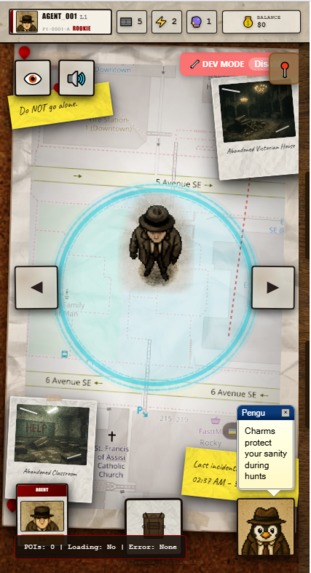
Main Page
-
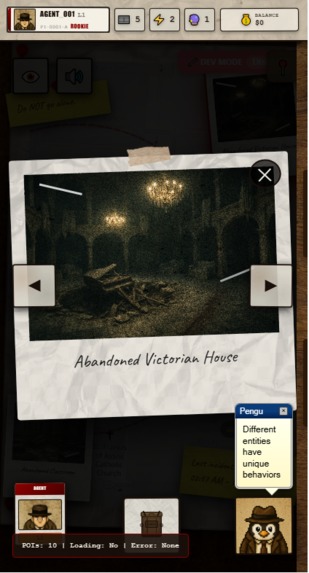
Zoomed Polaroid
-
-
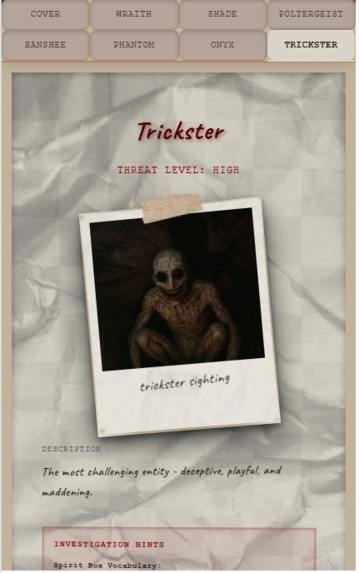
Codex
-
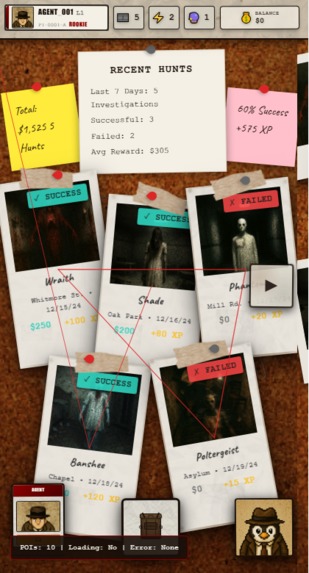
Match History Board
-
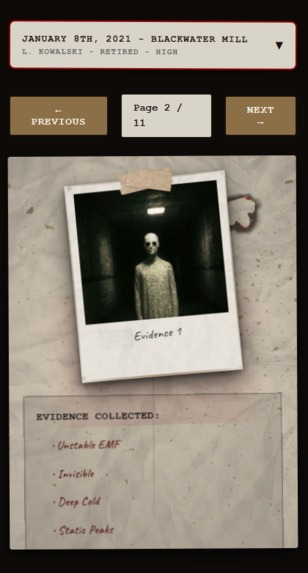
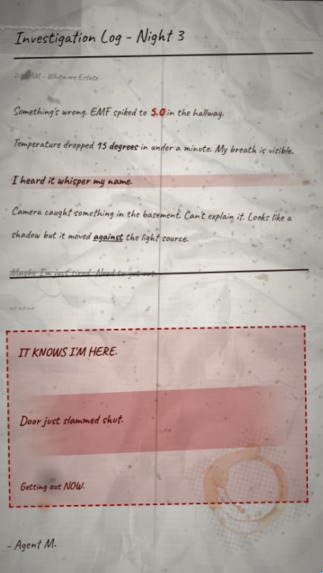
Field Journals
-
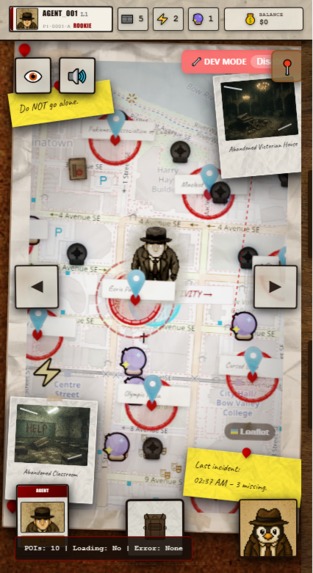
Main Page Zoomed out
-
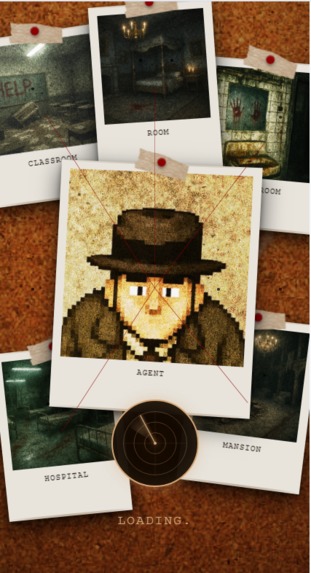
Loading Screen
-
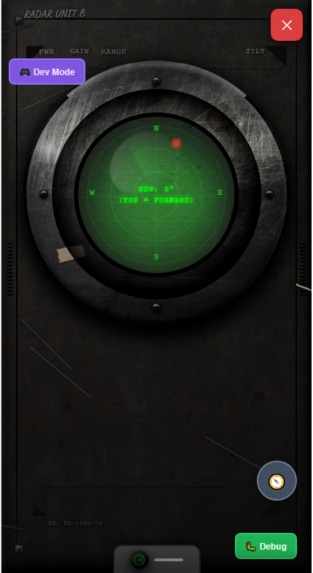
Radar (Investigation Mode)
-
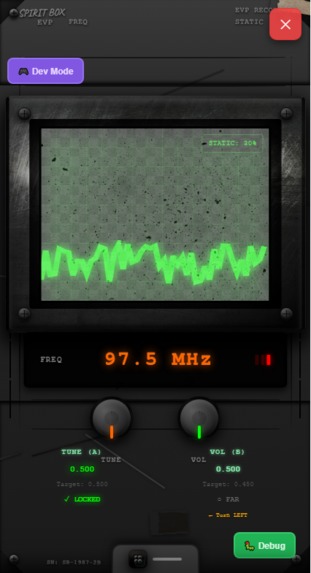
Spirit Box (Investigation Mode)
-
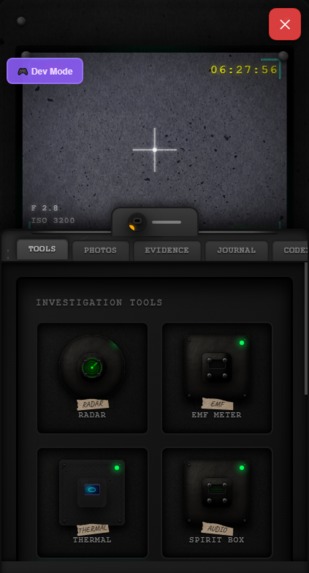
Camera (Investigation Mode)
-
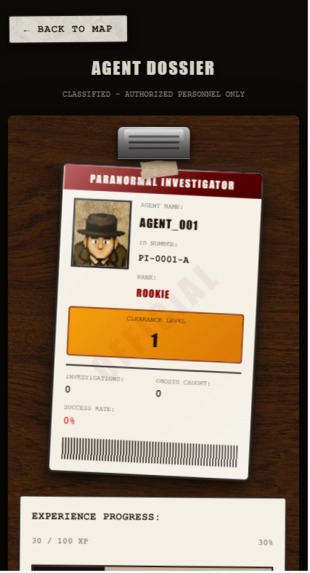
Profile Page


Here is to see the different Iterations of the project through Figma: https://www.figma.com/design/O8N5ZTHJxRGiD8Rya3R1X2/Kiro-Hackathon-Ghost-hunt-app?node-id=2-2&t=Wv03Set46jSvBGZ9-1
Inspiration & Story
When I was a kid growing up in Indonesia, my school had a reputation. Everyone said the fourth floor was haunted - the hallways were always dark, the lights flickered, and nobody wanted to go up there after class. Looking back now, I'm pretty sure the teachers intentionally started those rumors just so kids wouldn’t go up there haha.
So naturally... My friends and I got curious.
We downloaded those old "ghost radar" apps on our tiny phone and treated them like real paranormal detectors. We would roam through empty classrooms, peek into pitch black hallways, and scare ourselves half to death because as an eight year old kid, I fully believed those EMF spikes meant a ghost was behind me.
These moments are unforgettable. It made our imagination run wild. It felt like an adventure.
That memory stuck with me for years.
So for Kiroween, I wanted to bring that childhood feeling back - but this time:
- with real detection tools
- with an actual deduction system
- with mechanics that build tension
I also originally wanted to revive Clippy (Microsoft's old dekstop companion) as my "Ressurection" angle - turning him into a paranormal investigation assistant.
But due to Ip restrictions, I had to pivot.
So instead, I revived the concept of classic 90s desktop helpers and redesigned it as:
Pengu, A little mascot who reacts to your tools, gives hints, and adds charm without risking disqualification. One of my scrapped ideas was to use a magnifying glass character — basically Clippy’s cousin — but I didn’t want to get too close to the original design.
Another subtle inspiration came from Pokemon GO - the feeling of: -exploring the real world -walking toward something on a radar -using your phone as a window into a hidden layer of reality
My game isn't AR but it captures that same energy of "something is out there, go find it."
Just like how Pokemon GO turned everyday streets into adventure zones, my game let me turn my ghost hunting childhood memories into interactive again and built with real mechanics instead of fake ghost radar apps.
What it does
Pengu's Night Shift is a mobile first (PWA) investigation game that turns real world locations into haunted "hotspots." Players would walk around outside with their phone, use analog inspired tools to hunt for a hidden ghost, and then try to deduce which ghost they are dealing with before sanity runs out.
The core gameplay pattern is divided into two parts. Which are overworld exploration and investigation mode. However, current MVP is restricted by admin mode's movement for easier testing for the judges.
Overworld Exploration: This is the bread and butter Pokemon Go style exploration. The main view of the game is a map which will follow the users' location. Instead of catching Pokemons players will collect camera rolls, boosts, charms and field journals that will help your investigations. However, the GPS system has yet to be implemented. So we have to click on map to move for current testing.
Investigation Mode: This gameplay loop is activated when someone is within the Investigation hotspots and starts the mission. The map turns into a full screen ghost hunting device kits. Movements is simulated through devmode.
The tools:
Radar: Direction Only Point toward the ghost's hidden spot. It doesn't tell you what the ghost is, or how close, just a general direction.
EMF: Distance Only Shows how close you are to the ghost (0-5)
Camera: Core Evidence Tool You line up a shot and take a photo. The camera then "develops" and locks the camera for 7 seconds, forcing you to swap to other tools while you wait. When it finishes, you may see a faint silhoutte, moution blur, shadow figure, glitch streaks or nothing at all. You have to face the ghost to take a photo or you will capture nothing.
Spirit Box: Talk to them and get their personality traits A dual knob interface where you tune two knobs until the frequencies "lock in" the ghot's signal. When locked, you get to ask it one of three questions. They will either ignore or respond based on their trait.
Thermal: A quick temperature check that tells you if the area feels Normal, Cold Spot, or Deep Cold – useful in combination with other tools, but never a solo solve.
All of this feeds into an Evidence Screen where the player reviews: -Photos they’ve taken -Spirit Box responses -Rough thermal readings
From there, they make a final guess from a roster of seven ghosts (Wraith, Shade, Poltergeist, Banshee, Phantom, Onyx, Trickster). Each has a unique combination of:
EMF personality
Spirit Box behavior
Word pool
Camera manifestation
Thermal profile
All information about them is stored in the codex.
This creates variety of strategies and skills to solve each investigation.
How I built it
Pengu's Night Shift was built almost entirely through Kiro's AI-powered IDE, using a methodology with a mix or "spec driven development" and "vibe coding" - where design vision and technical implementation happen in tandem through natural conversation with an AI agent.
The Kiro Workflow Instead of traditional coding where you write every line manually, I used Kiro's spec-driven development system:
Steering Documents - I created high-level design rules that guided every decision:
001-game-design-document.md - The core vision 006-analog-horror-component-system.md - Visual design system for paper/journal aesthetics 007-investigation-tools-design-system.md - How each ghost-hunting tool should look and feel 014-ghost-tool-mechanics.md - The deduction gameplay loop Specs - I broke down features into structured requirements, design docs, and task lists:
Spec 009: Investigation UI Transformation - Converting the UI from clean digital to analog horror Spec 010: Unified Backpack System - Context-aware inventory that adapts between overworld and investigation modes Spec 013: Tool Component Refactoring - Breaking 1000+ line monolithic tool files into reusable components Spec 014: Ghost Data & Codex System - The encyclopedia of ghost types and their behaviors Spec 018: Spirit Box & EMF Redesign - Final polish on the core investigation tools Iterative Refinement - Each spec went through multiple iterations:
I'd describe what I wanted ("Make the EMF meter feel like a worn 1980s device") Kiro would generate the implementation I'd review, provide feedback, and refine The steering docs ensured consistency across all features
The Tech Stack
- React + TypeScript - Type-safe component architecture
- Vite - Lightning-fast development builds
- Zustand - Lightweight state management for game logic
- Leaflet - Interactive maps for overworld exploration
- Framer Motion - Smooth animations and transitions
- PWA - Mobile-first, installable web app
The Visual Evolution (Linked in Figma file to see the evolution) One of the most dramatic transformations was the analog horror aesthetic. I started with clean, modern UI and evolved it into something that feels like authentic 1980s paranormal investigation equipment:
Before: Clean digital interfaces with flat colors After:
Aged paper textures with coffee stains and burn marks Polaroid-style photos with tape and pins Heavy steel casings with rust, scratches, and wear CRT screen effects with scanlines and phosphor glow Handwritten notes (Caveat font) mixed with typewriter text (Courier New) 10-15+ damage elements per device for authenticity This was achieved through a component-based design system where I built reusable "LEGO pieces":
- Aged paper foundation - Coffee stains, burns, blood smears - Instant camera aesthetic - Crooked masking tape - Authentic scrawled notes The Investigation Tools Each tool went through extensive iteration to feel physically real.
Challenges I ran into
- The biggest challenge was codebase complexity. As the project grew, messy naming conventions and duplicate files (for example having both EMFMeterMock.tsx in my UI playground and EMFTool.tsx in production) caused Kiro sometimes update the wrong files or create duplicates instead of modifying existing components.
- Getting the visuals to the way I want it in my head was very DIFFICULT. I had to go through so many different versions of the UI and many many prompts later finally getting the result I had envisioned in my head.
- Fun challenge I ran into: since it was my first type developing a game, gameplay balancing and iterative play test was a fun challenge I ran into. Developing lore, world building through journals was really fun.
What we learned
I learned that AI assisted development is very powerful and I believe that it is the future for fast prototyping and even engineering. However, it is important to maintain developer discipline. For future reference, I would focus a lot on cleaning as I go. This means refactoring regularly, maintaining clear naming conventions, deleting old prototypes, and being explicit when giving instructions.
The key insight for me personally is that AI doesn't replace software engineering principles, it amplifies them. Good project structure and regular cleanup are even MORE important when working with AI, not less. You still need to think like a developer and maintain architecture, even when the AI handles the implementation.
Working with Kiro felt like being a project lead directing a highly skilled engineering team — except everything happened at 100× speed. I focused on vision and mechanics, and Kiro handled the execution.
Accomplishments that I am proud of
This is the first game I have ever built fully with AI, and I'm incredibly proud of how it turned out. I pushed Kiro to its limit, refining the systems over and over until it matched the vision I had in my head. Visually and gameplay wise. The coolest part? I genuinely had fun playing my own game and that feeling made all the hardwork worth it.
What's next for Pengu's Night Shift.
This MVP is a prototype of my full idea. It is just the beginning. Now that core investigation loop is working, the next steps focus on bringing that childhood feeling of adventure, creating unforgettable memories through our imaginations.
Planned features include:
- Implementing full Augmented Reality GPS feature. Not just using Devmode.
- Currency, Level Tracking implementation. Unlockable ghosts per level.
- Moving ghosts with signature pathing. Therefore checking radar and EMF is a must.
- Tool upgrades through the shops, this makes grinding to get money rewarding to get better gear
- With better gear, the ghosts will get more and more complex.
- Provocation system. We can place salts, and other items to make the ghost angry. Results to different patterns of behaviors, maybe more aggression, etc.
- More ghost types, perhaps 20+ with overlapping behaviors
- New tools because there's more ghosts
- Multiple ghosts in one investigation??
- Multiplayer system where multiple people can do the same investigation. Requires consistent ghost tracking with actual lat, lng positioning
- In game purchasable things with real money
Built With
- framer-motion
- kiro
- leaflet.js
- pwa
- react
- typescript
- vercel
- vite
- zustand

Log in or sign up for Devpost to join the conversation.