-
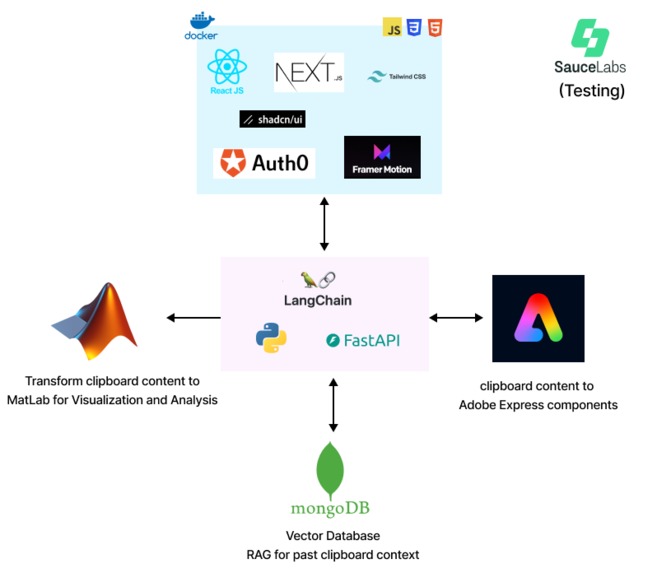
Tech Stack
-
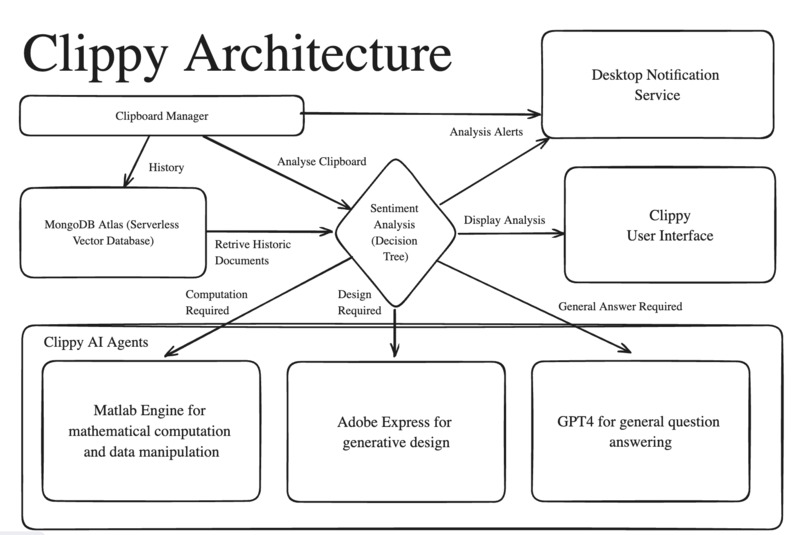
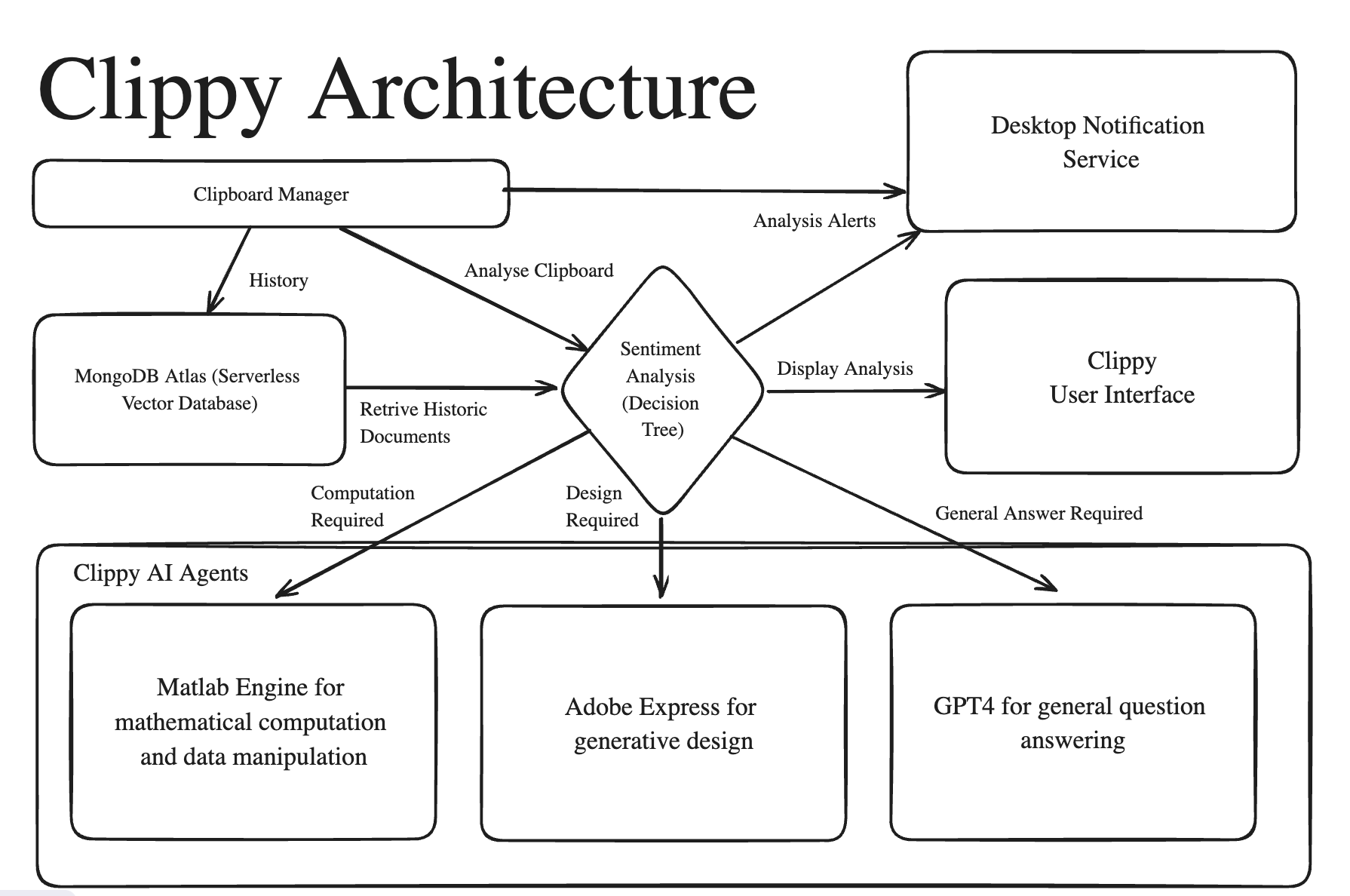
Architecture
-
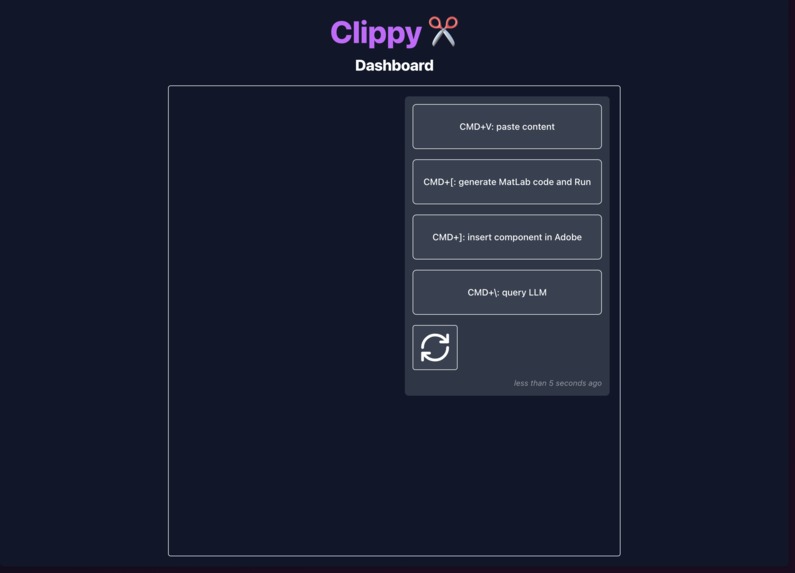
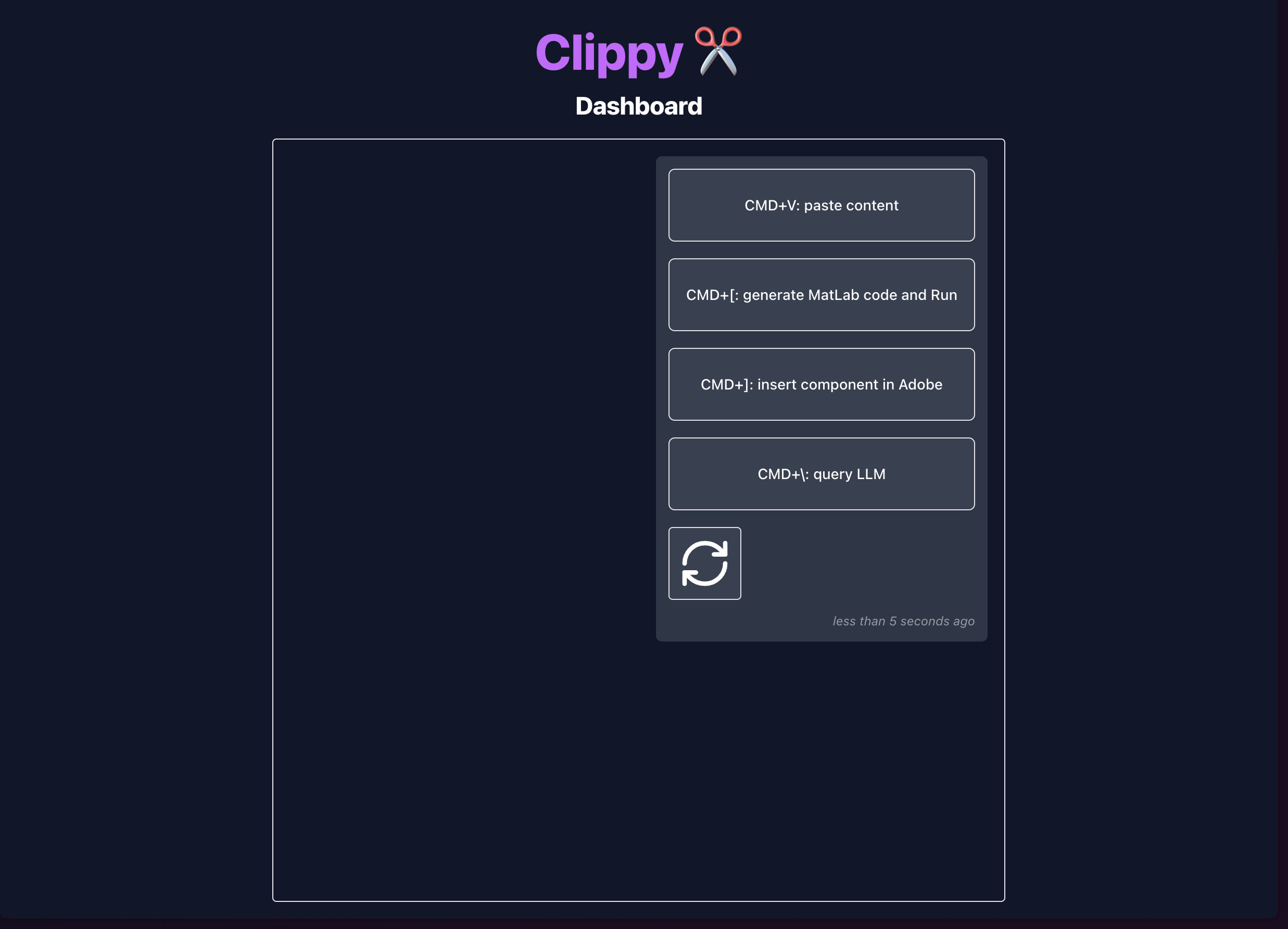
Logger UI
Inspiration
Ctrl-C, Ctrl-V: The only two buttons a programmer really needs ;)
We enhance the power of Ctrl-C and Ctrl-V, enabling you to paste seamlessly, leverage AI to analyze your clipboard content, visualize what's on your clipboard, or even play a song!
What it does
Clippy automatically analyzes your clipboard and provides intelligent suggestions for enhancing, transforming, and utilizing your clipboard content efficiently in your development workflow.
Matlab AI
Example use cases:
Play a song
- Copy “Play Twinkle Twinkle Little Star”
Press Ctrl+v+1
This will give you code to play twinkle twinkle little star in Matlab.
Matlab will automatically run the code it generated to confirm its validity (and so you can enjoy your twinkle twinkle~ :)
Visualize your clipboard content
- Copy something like “graph the weather for past 2 months”
Press Ctrl+v+1
This will open Matlab automatically, and display its respective matlab code.
Clippy will run the matlab code it generated and show you your clipboard content, visualized.
Run Complex Calculations and Algorithms
Example use cases:
- Copy a prompt such as "Multiply matrices ( 0 & 6 & 7 \ 8 & 0 & 7 )( 5 & 8 & 0 )"
- Press Ctrl+v+1
MATLAB will open and perform the specified calculation of the given expression. (The answer is ( 48 & 40 ) by the way!)
Adobe Express Add-on
Example use cases:
Create QR Code
- Copy a link (Clippy will also suggest this option if you copied a link)
Press Ctrl+v+2
This will allow you to insert a QR code in Adobe Express, from there you may export and use at your discretion.
LLM Integration
Example use cases:
Summarization
- Copy a paragraph
Press Ctrl+v+3
This will create a summary of your clipboard content.
Question and Answer
- Copy a question like “What are the top ten biggest tech companies in revenue”?”
Press Ctrl+v+3
Clippy will answer the question from your clipboard content.
How we built it
Langchain: LLM Engine Development
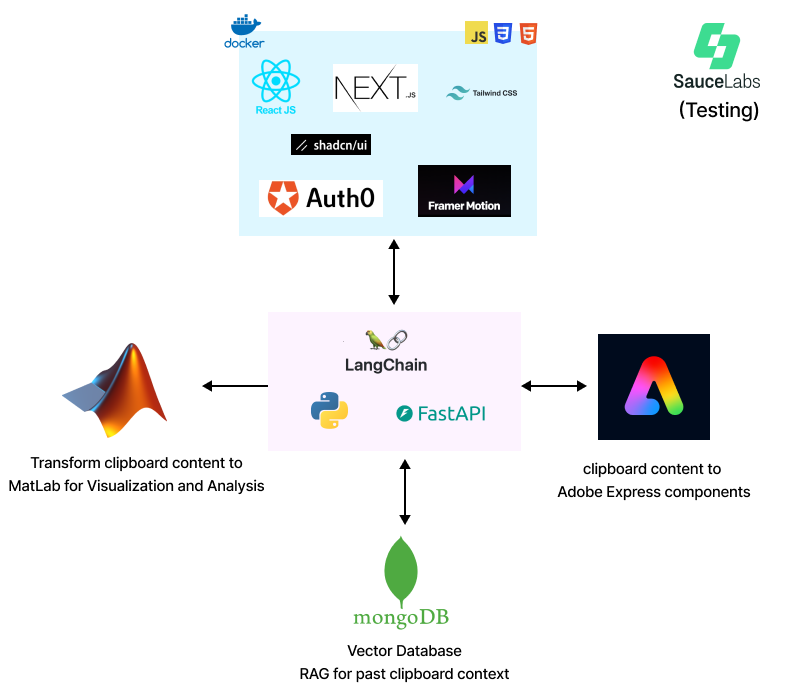
FastAPI: backend server that communicates with Adobe Express, Langchain LLM Engine, and MatLab.
OpenAI gpt-4o Model: LLM for generative AI and instructional tasks
Auth0: OAuth authentication provider
Sauce Labs: Testing various components of our application
Adobe Express: Interaction with clipboard content
Matlab: Visualizing clipboard content
MongoDB: Vector Database
Challenges we ran into
When a program deletes itself…
When we tested shortcut “ctrl+v+1”, we didn’t wish to paste the content when we're triggering a feature. To overcome default pasting from "ctrl+v" keybinding, we simulated “ctrl-z” on the system; however, it undid every second “ctrl-v” was pressed - as a result, testing the application caused it to delete itself ;-;
The running joke goes: “Did we make a malware-”
Accomplishments that we're proud of
- Started on Saturday afternoon and finished
- Everyone worked on a piece they weren’t familiar with, the usual “backend peeps” did frontend this time, and vice versa - was a good learning experience for all
- Slept
- Had fun!
What's next for Clippy
- More Adobe Express features!
- Streamline deployment process for easy setup of all users
Built With
- adobe-express
- auth0
- css
- docker
- fastapi
- framer-motion
- html
- javascript
- langchain
- matlab
- mongodb
- nextjs
- pynput
- pyperclip
- python
- react
- sauce-labs
- shadcn
- tailwind
- websockets


Log in or sign up for Devpost to join the conversation.